ECO mode CHEVROLET ORLANDO 2017 User Guide
[x] Cancel search | Manufacturer: CHEVROLET, Model Year: 2017, Model line: ORLANDO, Model: CHEVROLET ORLANDO 2017Pages: 372, PDF Size: 6.71 MB
Page 276 of 372
Black plate (48,1)Chevrolet Orlando Owner Manual - 2013 - CRC - 6/5/12
10-48 Vehicle Care
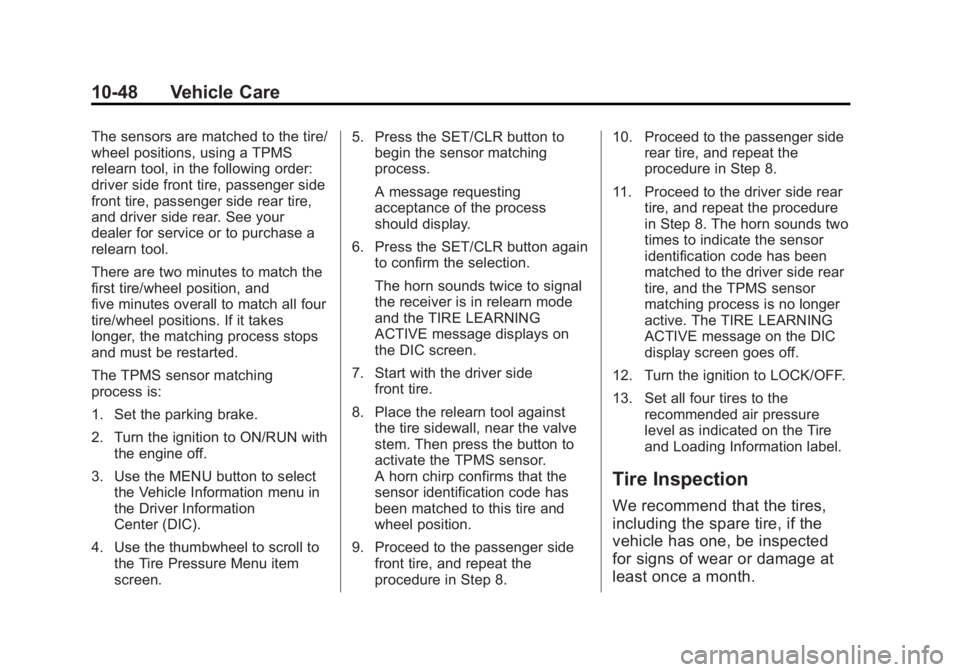
The sensors are matched to the tire/
wheel positions, using a TPMS
relearn tool, in the following order:
driver side front tire, passenger side
front tire, passenger side rear tire,
and driver side rear. See your
dealer for service or to purchase a
relearn tool.
There are two minutes to match the
first tire/wheel position, and
five minutes overall to match all four
tire/wheel positions. If it takes
longer, the matching process stops
and must be restarted.
The TPMS sensor matching
process is:
1. Set the parking brake.
2. Turn the ignition to ON/RUN withthe engine off.
3. Use the MENU button to select the Vehicle Information menu in
the Driver Information
Center (DIC).
4. Use the thumbwheel to scroll to the Tire Pressure Menu item
screen. 5. Press the SET/CLR button to
begin the sensor matching
process.
A message requesting
acceptance of the process
should display.
6. Press the SET/CLR button again to confirm the selection.
The horn sounds twice to signal
the receiver is in relearn mode
and the TIRE LEARNING
ACTIVE message displays on
the DIC screen.
7. Start with the driver side front tire.
8. Place the relearn tool against the tire sidewall, near the valve
stem. Then press the button to
activate the TPMS sensor.
A horn chirp confirms that the
sensor identification code has
been matched to this tire and
wheel position.
9. Proceed to the passenger side front tire, and repeat the
procedure in Step 8. 10. Proceed to the passenger side
rear tire, and repeat the
procedure in Step 8.
11. Proceed to the driver side rear tire, and repeat the procedure
in Step 8. The horn sounds two
times to indicate the sensor
identification code has been
matched to the driver side rear
tire, and the TPMS sensor
matching process is no longer
active. The TIRE LEARNING
ACTIVE message on the DIC
display screen goes off.
12. Turn the ignition to LOCK/OFF.
13. Set all four tires to the recommended air pressure
level as indicated on the Tire
and Loading Information label.
Tire Inspection
We recommend that the tires,
including the spare tire, if the
vehicle has one, be inspected
for signs of wear or damage at
least once a month.
Page 344 of 372
Black plate (10,1)Chevrolet Orlando Owner Manual - 2013 - CRC - 6/5/12
13-10 Customer Information
Repair Facility
GM also recommends that you
choose a collision repair facility that
meets your needs before you ever
need collision repairs. Your dealer
may have a collision repair center
with GM-trained technicians and
state‐of‐the‐art equipment, or be
able to recommend a collision repair
center that has GM-trained
technicians and comparable
equipment.
Insuring the Vehicle
Protect your investment in the GM
vehicle with comprehensive and
collision insurance coverage. There
are significant differences in the
quality of coverage afforded by
various insurance policy terms.
Many insurance policies provide
reduced protection to the GM
vehicle by limiting compensation for
damage repairs by using
aftermarket collision parts. Some
insurance companies will not
specify aftermarket collision parts.
When purchasing insurance, werecommend that you ensure that the
vehicle will be repaired with GM
original equipment collision parts.
If such insurance coverage is not
available from your current
insurance carrier, consider switching
to another insurance carrier.
If the vehicle is leased, the leasing
company may require you to have
insurance that ensures repairs with
Genuine GM Original Equipment
Manufacturer (OEM) parts or
Genuine Manufacturer replacement
parts. Read the lease carefully, as
you may be charged at the end of
the lease for poor quality repairs.
If a Crash Occurs
If there has been an injury, call
emergency services for help. Do not
leave the scene of a crash until all
matters have been taken care of.
Move the vehicle only if its position
puts you in danger, or you are
instructed to move it by a police
officer.
Give only the necessary information
to police and other parties involved
in the crash.
For emergency towing see
Roadside Assistance Program on
page 13‑5.
Gather the following information:
.Driver name, address, and
telephone number.
.Driver license number.
.Owner name, address, and
telephone number.
.Vehicle license plate number.
.Vehicle make, model, and
model year.
.Vehicle Identification
Number (VIN).
.Insurance company and policy
number.
.General description of the
damage to the other vehicle.
Page 345 of 372
Black plate (11,1)Chevrolet Orlando Owner Manual - 2013 - CRC - 6/5/12
Customer Information 13-11
Choose a reputable repair facility
that uses quality replacement parts.
See“Collision Parts” earlier in this
section.
If the airbag has inflated, see What
Will You See after an Airbag
Inflates? on page 3‑29.
Managing the Vehicle Damage
Repair Process
In the event that the vehicle requires
damage repairs, GM recommends
that you take an active role in its
repair. If you have a pre-determined
repair facility of choice, take the
vehicle there, or have it towed there.
Specify to the facility that any
required replacement collision parts
be original equipment parts, either
new Genuine GM parts or recycled
original GM parts. Remember,
recycled parts will not be covered by
the GM vehicle warranty. Insurance pays the bill for the repair,
but you must live with the repair.
Depending on your policy limits,
your insurance company may
initially value the repair using
aftermarket parts. Discuss this with
the repair professional, and insist on
Genuine GM parts. Remember,
if the vehicle is leased, you may be
obligated to have the vehicle
repaired with Genuine GM parts,
even if your insurance coverage
does not pay the full cost.
If another party's insurance
company is paying for the repairs,
you are not obligated to accept a
repair valuation based on that
insurance company's collision policy
repair limits, as you have no
contractual limits with that company.
In such cases, you can have control
of the repair and parts choices as
long as the cost stays within
reasonable limits.
Service Publications
Ordering Information
Service Manuals
Service Manuals have the diagnosis
and repair information on the
engines, transmission, axle,
suspension, brakes, electrical,
steering, body, etc.
Service Bulletins
Service Bulletins give additional
technical service information
needed to knowledgeably service
General Motors cars and trucks.
Each bulletin contains instructions
to assist in the diagnosis and
service of the vehicle.
Owner Information
Owner publications are written
specifically for owners and intended
to provide basic operational
information about the vehicle. The
Owner Manual includes the
Maintenance Schedule for all
models.
Page 367 of 372
Black plate (7,1)Chevrolet Orlando Owner Manual - 2013 - CRC - 6/5/12
INDEX i-7
Lower Anchors and Tethersfor Children (LATCH
System) . . . . . . . . . . . . . . . . . . . . . . 3-39
M
Maintenance
Records . . . . . . . . . . . . . . . . . . . . .11-14
Maintenance Schedule Recommended Fluids
and Lubricants . . . . . . . . . . . . .11-12
Malfunction Indicator Lamp . . . . 5-12
Manual Mirrors . . . . . . . . . . . . . . . . 2-11
Manual Mode . . . . . . . . . . . . . . . . . . 9-23
Manual Transmission . . . . . . . . . . 9-24 Fluid . . . . . . . . . . . . . . . . . . . . . . . . .10-11
Messages Airbag System . . . . . . . . . . . . . . . . 5-28
Battery Voltage andCharging . . . . . . . . . . . . . . . . . . . . 5-25
Brake System . . . . . . . . . . . . . . . . 5-25
Compass . . . . . . . . . . . . . . . . . . . . . 5-25
Door Ajar . . . . . . . . . . . . . . . . . . . . . 5-25
Engine Cooling System . . . . . . . 5-26
Engine Oil . . . . . . . . . . . . . . . . . . . . 5-26
Engine Power . . . . . . . . . . . . . . . . 5-27
Fuel System . . . . . . . . . . . . . . . . . . 5-27 Messages (cont'd)
Key and Lock . . . . . . . . . . . . . . . . . 5-27
Lamp . . . . . . . . . . . . . . . . . . . . . . . . . 5-27
Object Detection System . . . . . 5-28
Ride Control System . . . . . . . . . . 5-28
Security . . . . . . . . . . . . . . . . . . . . . . 5-28
Service Vehicle . . . . . . . . . . . . . . . 5-28
Starting the Vehicle . . . . . . . . . . . 5-29
Tire . . . . . . . . . . . . . . . . . . . . . . . . . . . 5-29
Transmission . . . . . . . . . . . . . . . . . 5-29
Vehicle . . . . . . . . . . . . . . . . . . . . . . . 5-24
Vehicle Reminder . . . . . . . . . . . . . 5-30
Mirror Child-View . . . . . . . . . . . . . . . . . . . . 2-13
Mirrors Automatic DimmingRearview . . . . . . . . . . . . . . . . . . . . 2-13
Convex . . . . . . . . . . . . . . . . . . . . . . . 2-11
Folding . . . . . . . . . . . . . . . . . . . . . . . 2-12
Heated . . . . . . . . . . . . . . . . . . . . . . . 2-12
Manual . . . . . . . . . . . . . . . . . . . . . . . 2-11
Manual Rearview . . . . . . . . . . . . . 2-12
Power . . . . . . . . . . . . . . . . . . . . . . . . 2-12
Monitor System, Tire Pressure . . . . . . . . . . . . . . . . . . . . 10-44
Multi-band Antenna . . . . . . . . . . . . 7-12
N
Navigation OnStar®. . . . . . . . . . . . . . . . . . . . . . 14-2
Net, Convenience . . . . . . . . . . . . . . 4-4
New Vehicle Break-In . . . . . . . . . . 9-13
O
Object Detection System Messages . . . . . . . . . . . . . . . . . . . . 5-28
Odometer . . . . . . . . . . . . . . . . . . . . . . . 5-9
Off-Road Recovery . . . . . . . . . . . . . . . . . . . . . . 9-4
Oil
Engine . . . . . . . . . . . . . . . . . . . . . . . . 10-7
Engine Oil Life System . . . . . . . 10-9
Messages . . . . . . . . . . . . . . . . . . . . 5-26
Pressure Light . . . . . . . . . . . . . . . . 5-18
Older Children, Restraints . . . . . 3-32
Online Owner Center . . . . . . . . . . 13-4
OnStar
®
System, In Brief . . . . . . . . . . . . . . 1-21
OnStar®Additional
Information . . . . . . . . . . . . . . . . . . . 14-5
OnStar
®Connections . . . . . . . . . . 14-3
OnStar®Diagnostics . . . . . . . . . . . 14-5
OnStar®Emergency . . . . . . . . . . . 14-2