radio CHEVROLET S10 1994 2.G User Guide
[x] Cancel search | Manufacturer: CHEVROLET, Model Year: 1994, Model line: S10, Model: CHEVROLET S10 1994 2.GPages: 340, PDF Size: 18.45 MB
Page 125 of 340
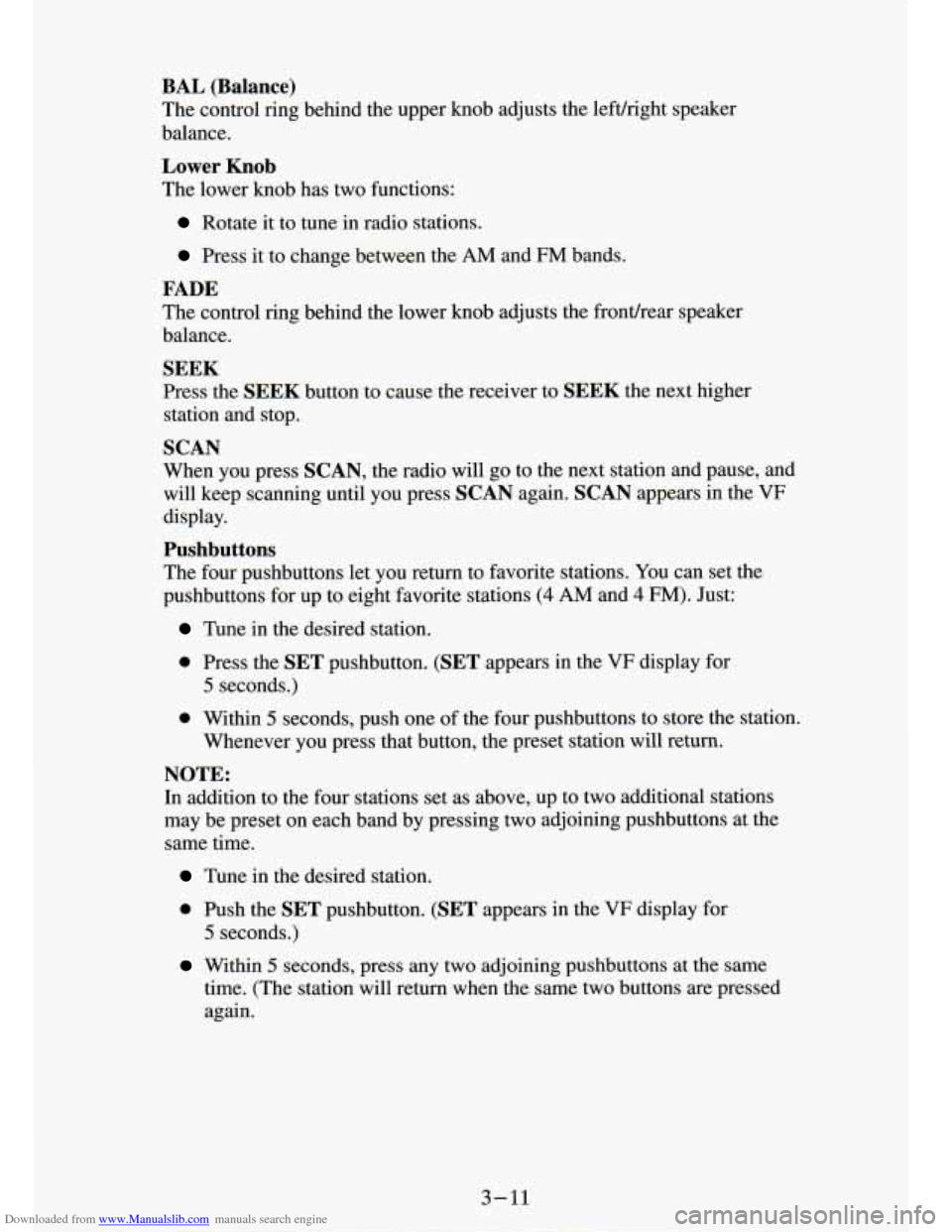
Downloaded from www.Manualslib.com manuals search engine BAL (Balance)
The control ring behind the upper knob adjusts the lefuright speaker
balance.
Lower Knob
The lower knob has two functions:
Rotate it to tune in radio stations.
Press it to change between the AM and FM bands.
FADE
The control ring behind the lower knob adjusts the fronurear spes
balance.
SEEK
Press the SEEK button to cause the receiver to SEEK the next higher
station and stop.
SCAN
When you press SCAN, the radio will go to the next station and pause, and
will keep scanning until you press SCAN again. SCAN appears in the VF
display.
Pushbuttons
The four pushbuttons let you return to favorite stations. You can set the
pushbuttons for up to eight favorite stations
(4 AM and 4 FM). Just:
Tune in the desired station.
0 Press the SET pushbutton. (SET appears in the VF display for
5 seconds.)
0 Within 5 seconds, push one of the four pushbuttons to store the station.
Whenever you press that button, the preset station will return.\
NOTE:
In addition to the four stations set as above, up to two additional stations
may be preset on each band by pressing two adjoining pushbuttons at the
same time.
Tune in the desired station.
0 Push the SET pushbutton. (SET appears in the VF display for
5 seconds.)
time. (The station will return when the same two buttons are pressed
again.
Within 5 seconds, press any two adjoining pushbuttons at the same
3 - 11
Page 126 of 340
Downloaded from www.Manualslib.com manuals search engine t
Clock
To set the clock, just:
Press the SET pushbutton.
Within 5 seconds, press and hold SEEK until the correct minute
Press and hold SCAN until the correct hour appears on the display.
appears on the display.
TREBLE
Slide
the TREBLE lever up to increase the treble response. If the station is
weak or noisy, slide the
TREBLE lever down to reduce the noise.
BASS
Slide the BASS lever up to increase the bass response. Adjust the BASS
lever to give a pleasing sound to your ear.
AUTO DNR @
This unit is equipped with an automatic Dynamic Noise Reduction system.
DNR@reduces background hiss on
AM and FM radio broadcasts, as well as
on cassette tapes.
DNR@
is a registered trademark of National Semiconductor Corporation.
To Play A Cassette
Your tape player is built to work best with tapes that are 30 to 45 minutes
long on each side. Tapes longer than that are
so thin they may not work well
in this player.
Once
the tape is playing, use the upper and lower knobs for volume,
balance, and fade just as you do for the radio. The arrows indicate which
side
of the tape is being played.
Fast Forward
Press the button with the arrow pointing in the same direction that the tape
is playing. The
arrow light next to the arrow button will be lit. To stop fast
forward, press the
STOP-E JECT button.
Reverse
Press the button with the arrow pointing in the opposite direction that the
tape is playing. The arrow light next to the arrow button will be lit\
. To stop
reverse, press the
STOP-E JECT button.
PROGRAM
To change sides of the tape, press the PWR-VOL-PROG-RCL knob.
STOP- EJECT
To stop playing a tape, fully press this button (the cassette will be partially \
ejected, and the radio will begin playing).
3-12
Page 127 of 340
Downloaded from www.Manualslib.com manuals search engine How to Operate Your ETP AM-FM Stereo Audio
Cassette System with Equalizer
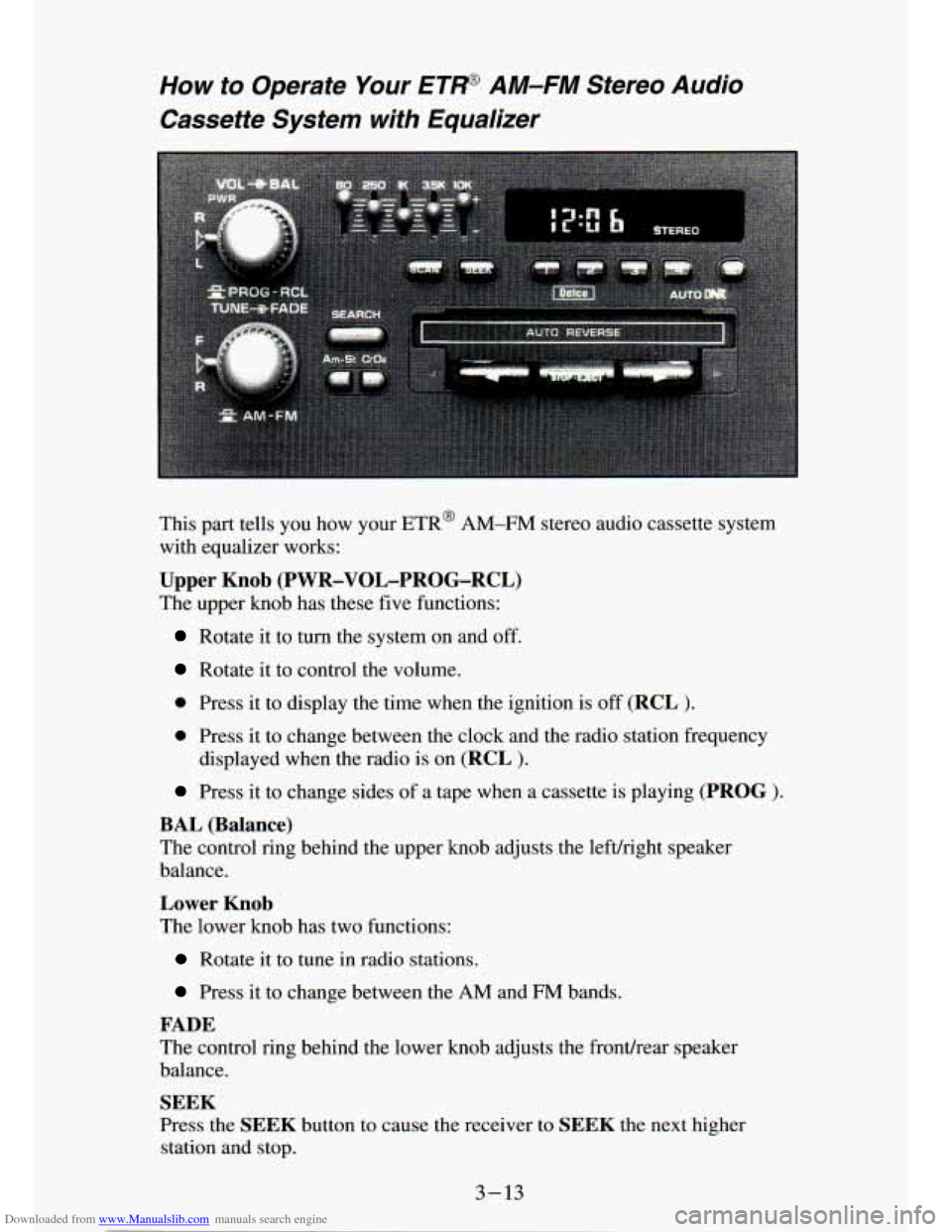
This part tells you how your ETR@ AM-FM stereo audio cassette system
with equalizer works:
Upper Knob (PWR-VOL-PROG-RCL)
The upper knob has these five functions:
Rotate it to turn the system on and off.
Rotate it to control the volume.
0 Press it to display the time when the ignition is off (RCL ).
0 Press it to change between the clock and the radio station frequency
displayed when the radio is on
(RCL ).
Press it to change sides of a tape when a cassette is playing (PROG ).
BAL (Balance)
The control ring behind the upper knob adjusts the lefdright speaker
balance.
Lower Knob
The lower knob has two functions:
Rotate it to tune in radio stations.
Press it to change between the AM and FM bands.
FADE
The control ring behind the lower knob adjusts the fronthear speaker
balance.
SEEK
Press the SEEK button to cause the receiver to SEEK the next higher
station and stop.
3-13
Page 128 of 340
Downloaded from www.Manualslib.com manuals search engine SCAN
When you press SCAN, the radio will go to the next station and pause and
will keep scanning until you press SCAN again. SCAN appears
in the
graphic display.
Pushbuttons
The four pushbuttons let you return to favorite stations. You can set the
pushbuttons for up to eight favorite stations
(4 AM and 4 FM). Just:
Tune in the desired station.
Push the SET pushbutton (SET appears in the VF display for
Within the 5 seconds, push one of the four pushbuttons. Whenever you
5 seconds.)
press that button, the preset station will return.
NOTE:
In addition to the four stations set as above, up to two additional stations
may be preset on each band by pressing two adjoining pushbuttons at the
same time. Just:
Tune in the desired station.
Press the SET pushbutton (SET appears in the VF display for
5 seconds.)
Within 5 seconds, press any two adjoining pushbuttons at the same
time. (The station will return when the same two buttons are \
pressed again.
Clock
To set the clock, just:
Press the SET pushbutton.
0 Within 5 seconds, press and hold S :K until the correct minute
Press and hold SCAN until the correct hour appears on the display.
appears on the display.
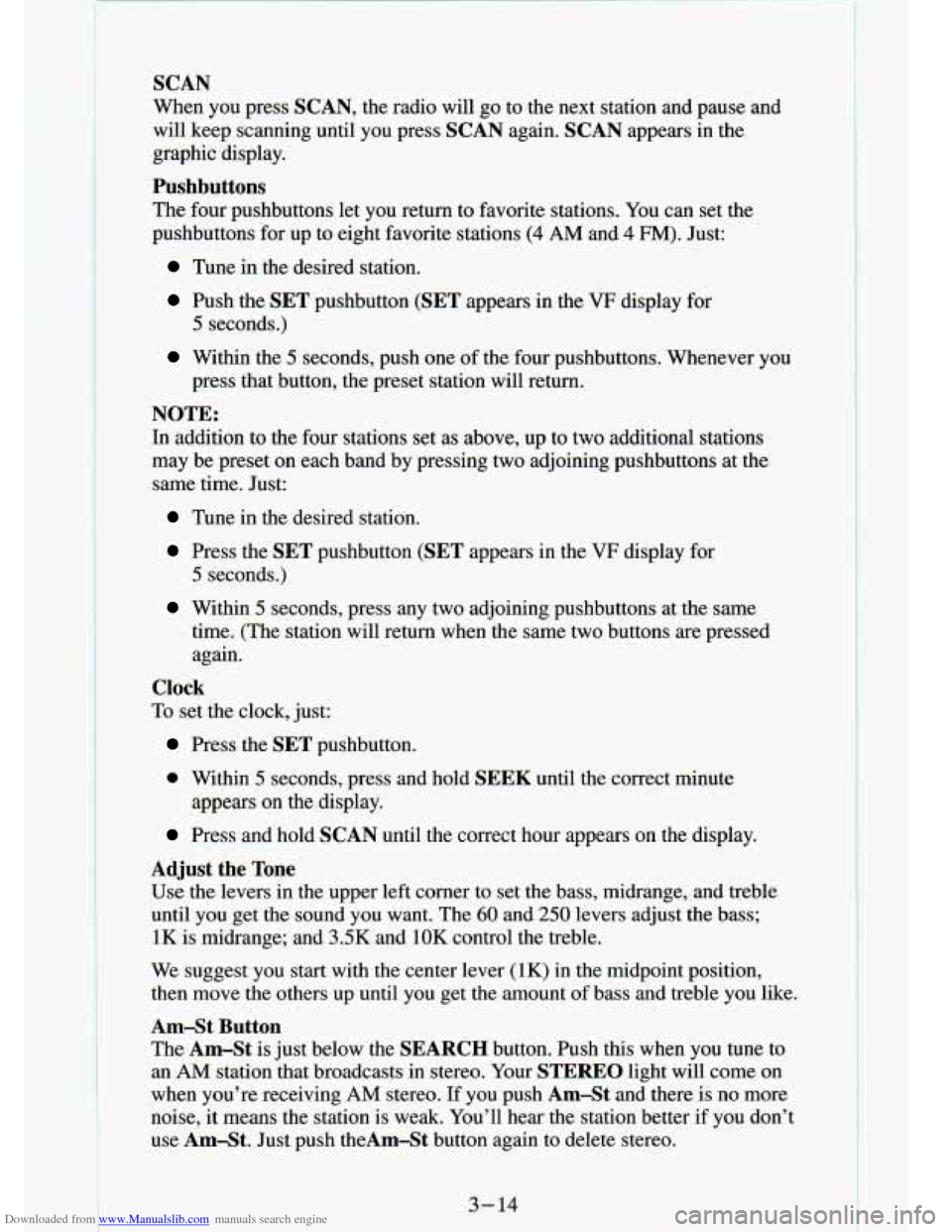
Adjust the Tone
Use the levers in the upper left corner to set the bass, mid\
range, and treble
until you get the sound you want. The 60 and 250 levers adjust the bass;
1K is midrange; and 3SK and 1OK control the treble.
We suggest you start with
the center lever (1K) in the midpoint position,
then move the others up until you get the amount of bass and treble you like.
Am-St Button
The Am-St
is just below the SEARCH button. Push this when you tune to
an
AM station that broadcasts in stereo. Your STEREO light will come on
when you’re receiving AM stereo. If you push AmSt and there is no more
noise, it means the station is weak. You’ll hear the statio\
n better if you don’t
use Am-St. Just push theAm-St button again to delete stereo.
3- 14
Page 129 of 340
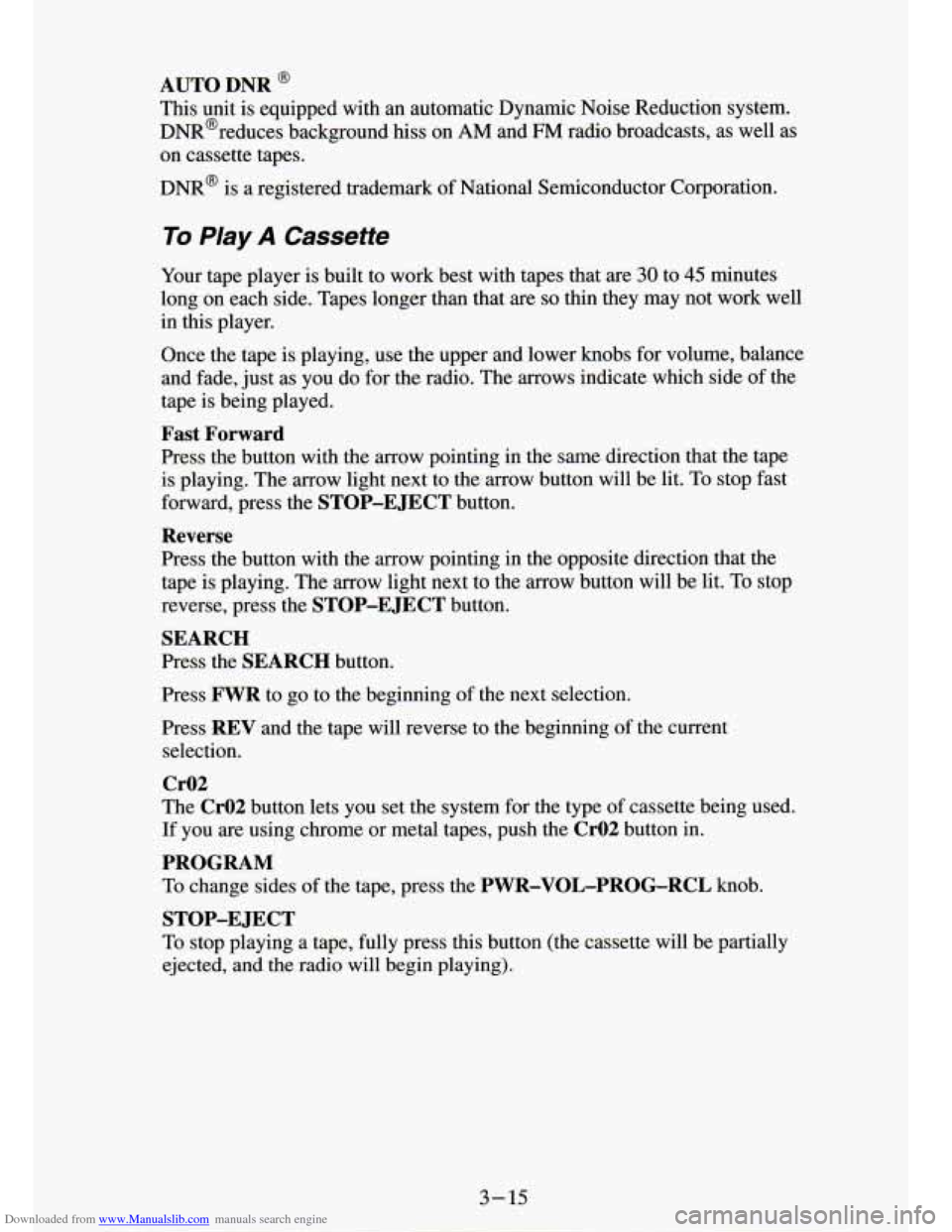
Downloaded from www.Manualslib.com manuals search engine AUTO DNR @
This unit is equipped with an automatic Dynamic Noise Reduction system.
DNR@reduces background
hiss on AM and FM radio broadcasts, as well as
on cassette tapes.
DNR@ is a registered trademark of National Semiconductor Corporation.
To Play A Cassette
Your tape player is built to worK Pesr with tapes that are 30 to 45 minutes
long on each side. Tapes longer than that are
so thin they may not work well
in this player.
Once the tape is playing, use the upper and lower
knobs for volume, balance
and fade, just as you do for the radio. The arrows indicate which side of the
tape is being played.
Fast Forward
Press the button with the arrow pointing in the same direction that the tape
is playing. The arrow light next to the
arrow button will be lit. To stop fast
forward, press the
STOP-E JECT button.
Reverse
Press the button with the arrow pointing in the opposite direction that the
tape is playing. The arrow light next to the arrow button will be lit. To stop
reverse, press the
STOP-EJECT button.
SEARCH
Press the SEARCH button.
Press
FWR to go to the beginning of the next selection.
Press
REV and the tape will reverse to the beginning of the current
selection.
Cr02
The Cr02 button lets you set the system for the type of cassette being used.
If you are using chrome or metal tapes, push the
CrO2 button in.
PROGRAM
To change sides of the tape, press the PWR-VOL-PROG-RCL knob.
To stop playing a tape, fully press this button (the cassette will be partially
ejected, and
the radio will begin playing).
STOP-E JECT
Page 131 of 340
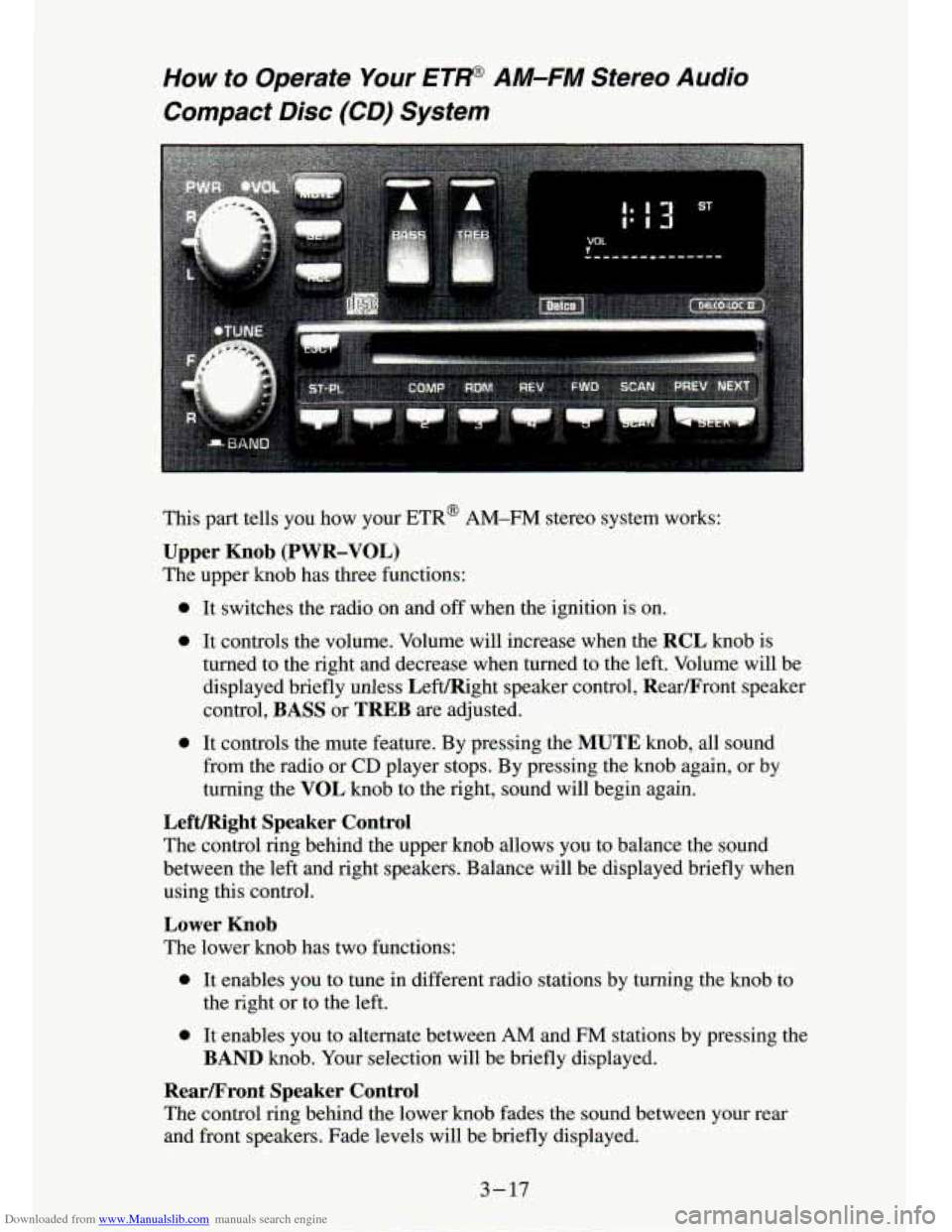
Downloaded from www.Manualslib.com manuals search engine How to Operate Your ET@ AM-FM Stereo Audio
Compact Disc (CD) System
This part tells you how your ETR@ AM-FM stereo system works:
Upper Knob (PWR-VOL)
The upper knob has three functions:
0 It switches the radio on and off when the ignition is on.
0 It controls the volume. Volume will increase when the RCL knob is
turned to the right and decrease when turned to the left. Volume will be
displayed briefly unless LeftIRight speaker control, Rearmront speaker
control,
BASS or TREB are adjusted.
0 It controls the mute feature. By pressing the MUTE knob, all sound
from the radio or
CD player stops. By pressing the knob again, or by
turning the
VOL knob to the right, sound will begin again.
Lefmght Speaker Control
The control ring behind the upper knob allows you to balance the \
sound
between the left and right speakers. Balance will be displayed briefly when
using this control.
Lower Knob
The lower knob has two functions:
0 It enables you to tune in different radio stations by turning the knob to
0 It enables you to alternate between AM and FM stations by pressing the
the right or to the left.
BAND knob. Your selection will be briefly displayed.
Rearmront Speaker Control
The
control ring behind the lower knob fades the sound between your rear
and front speakers. Fade levels will be briefly displayed.
3-17
Page 132 of 340
Downloaded from www.Manualslib.com manuals search engine .. . -
R’ -,
SEEK
Pressing the SEEK button will cause the receiver to seek the next higher
static and stop.
Pressing the
4 SEEK button will cause the receiver to seek the next lower
station and stop.
SCAN
When you press SCAN, the radio will go to the next station and pause, and
will keep scanning until you press
SCAN again. SC will be displayed when
using this control.
Pushbuttons
The five pushbuttons let you return to favorite stations. They are also \
used
when
you play a disc. (See “To Play A Compact Disc”.)
To set the pushbuttons for up to ten favorite stations
(5 AM and 5 FM):
Tune in the desired station.
Push the SET button. (SET is displayed briefly.)
Within 5 seconds, push one of the five pushbuttons to store the station.
Whenever you press that button, the preset station will return.\
Clock
To set the clock, just:
Press the SET button. The radio may be on or off.
Within 5 seconds, press and hold either SEEK to increase the
minutes or
4 SEEK to decrease the minutes until the correct minute
appears on the display.
Press and hold SCAN until the correct hour appears on the display.
RCL
Press the RCL button to alternate between time and radio station on the
display.
RCL may be pressed when the ignition is off to see the time.
BASS
Press the BASSI to increase the bass tones and v BASS to decrease bass
tones. Press the center of the control for
a preset BASS position. The bass
level will be displayed briefly when using this control.
TREBLE
Press the TREBA to increase the treble tones and v TREB to decrease the
treble tones. Press the center
of the control for a preset TREB position. The
treble level will be displayed briefly when using this control.
3-18
1
Page 134 of 340
Downloaded from www.Manualslib.com manuals search engine SCAN
Press SCAN to sample each track for approximately 10 seconds. Scanning
will continue until the
RDM, SCAN or any other motion button is pressed
again.
PREV
If you hold the PREV (4 SEEK) button, or press it more than once, the
disc will return to previous tracks.
NEXT
Press NEXT (SEEK b) to hear the next track now instead of waiting until
the present track is finished.
If you hold this button or press it more than
once, the disc will advance further.
Press
ST-PL (Stop-Play) to make the disc stop and the radio play. Press
ST-PL again to restart the disc at the point where it stopped.
ST-PL
Press PWR or turn the ignition key off to stop the disc player. The disc
stays in the player and will resume playing at the point where it stopped.
Press
EJCT to eject the disc and make the radio play. The disc will start at
track
1 when you reinsert it.
Anti-Theft Feature
Delco LOC 11’ is an Anti-Theft feature for the compact disc player. It can
be used or ignored. If ignored,
the. system plays normally. If it is used, your
player won’t be usable if it is ever stolen, because it won’t turn on.
The instructions below tell you how to enter a secret code into t\
he system. If
your car loses battery power for any reason, you must unlock the system
with the secret code before the radio will turn on.
To Lock The System:
1. Write down any 6 digit number and keep it in a safe place.
2. Turn the ignition to the ACC (Accessory) or RUNposition.
3. Press the PWR button to turn the radio off.
4. Press the 1 and 4 buttons together. Hold them down until “- - -” shows
on the display.
You are now ready to enter your
- ;ret code. Don’t wait more than 15
seconds between steps.
5. rress SET and 000 will appear on the display.
6. Press the SEEK b or 4 button to make the first number appear.
7. Press SCAN to make the last two numbers agree with your code.
3-20 I-
.- - ... ..
. t-
Page 135 of 340
Downloaded from www.Manualslib.com manuals search engine 8, Press BAND and 000 will appear again. Now you are ready to enter the
9. Repeat steps 6 and
7 for the last three digits of your code.
last
three digits of your code.
10. Press BAND and rEP will appear for 5 seconds and then 000 will
11. Repeat steps 6 through 10. This time SEC will appear-indicating that
appear.
the radio
is secure.
To Unlock The System After A Fower Loss
When battery power is reapplied to a secured radio, the radio won’t turn on
and
LOC will appear on the display.
Enter your secret code as follows: pause no more than
15 seconds between
steps.
1. Turn the ignition on. (Radio off .)
2. Depress the SET button. The display will show 009.
3. Enter the six digits of the code following steps 6-9 above. The display
4. Depress the BAND knob and the time appears - indicating that the
disabling sequence was successful. If the display indicates
SEC, the
numbers did not match and the unit is still secured.
will show
the numbers as entered.
Disabling The Theft System
1. Depress presets 1 and 4 f?r 5 seconds with ignition on and radio power
off. The display will show SEC, indicating the unit is in the secure
mode.
2. Depress the SET button. The display will show 000.
3. Enter the first three digits of the code following steps 6 and 7 of the
4. Depress the BAND knob. The radio will display 000.
preceding paragraphs. The display will show the numbers as entered.
5. Enter the second three digits of the code. The display will L-- JW the
6. Depress the BAND knob. If the display shows “- - - ”, the disabling
numbers
as entered.
sequence was successful. The numbers matched the user-selected code
or the factory back-up code, and the unit
is in the UNSECURED mode.
If the display shows
SEC, the disabling sequence was unsuccessful and
the numbers did not match either of the codes and the
unit will remain
in the
SECURED mode.
3-21
Page 186 of 340

Downloaded from www.Manualslib.com manuals search engine I E
To Jump Start Your Vehicle:
1. Check the other vehicle. It must have a 12-volt battery wlm a\
negauve
ground system.
NOTICE:
If the other system isn’t a 12-volt system with a negative \
ground, both vehicles can be damaged.
2. Get the vehicles close enough so the jumper cables can reach, but be
sure the vehicles aren’t touching each other. If they are, it could cause
a
ground connection you don’t want. You wouldn’t be able to start your
vehicle, and the bad grounding could damage the electrical syst\
ems.
You could be injured if the vehicles roll, Set the parking brake
firmly
on each vehicle. Put an automatic transmission in “P” (Park)\
or a
manual transmission
in “N’ (Neutral). If you have a four-wheel drive
vehicle with
a manual transfer case shift lever, be sure the transfer case
is not in “N’ (Neutral).
3. Turn off the ignition on both vehicles. Turn off all lights t\
hat aren’t
needed, and radios. This will avoid sparks and help save both batteries.
And it could save your radio!
I NOTICE:
I
If you leave your radio on, it could be badly damaged. The
repairs wouldn’t be covered by your warranty.
4. Open the hoods and locate the batteries. Find the positive (+) and
negative
(-) terminals on each battery.
5-4
I