clock CHEVROLET S10 1995 2.G User Guide
[x] Cancel search | Manufacturer: CHEVROLET, Model Year: 1995, Model line: S10, Model: CHEVROLET S10 1995 2.GPages: 354, PDF Size: 18.92 MB
Page 208 of 354
Downloaded from www.Manualslib.com manuals search engine Changing the Tire
Start with the jacking equipment. See “Jacking Equipment Storage” earlier
in this section.
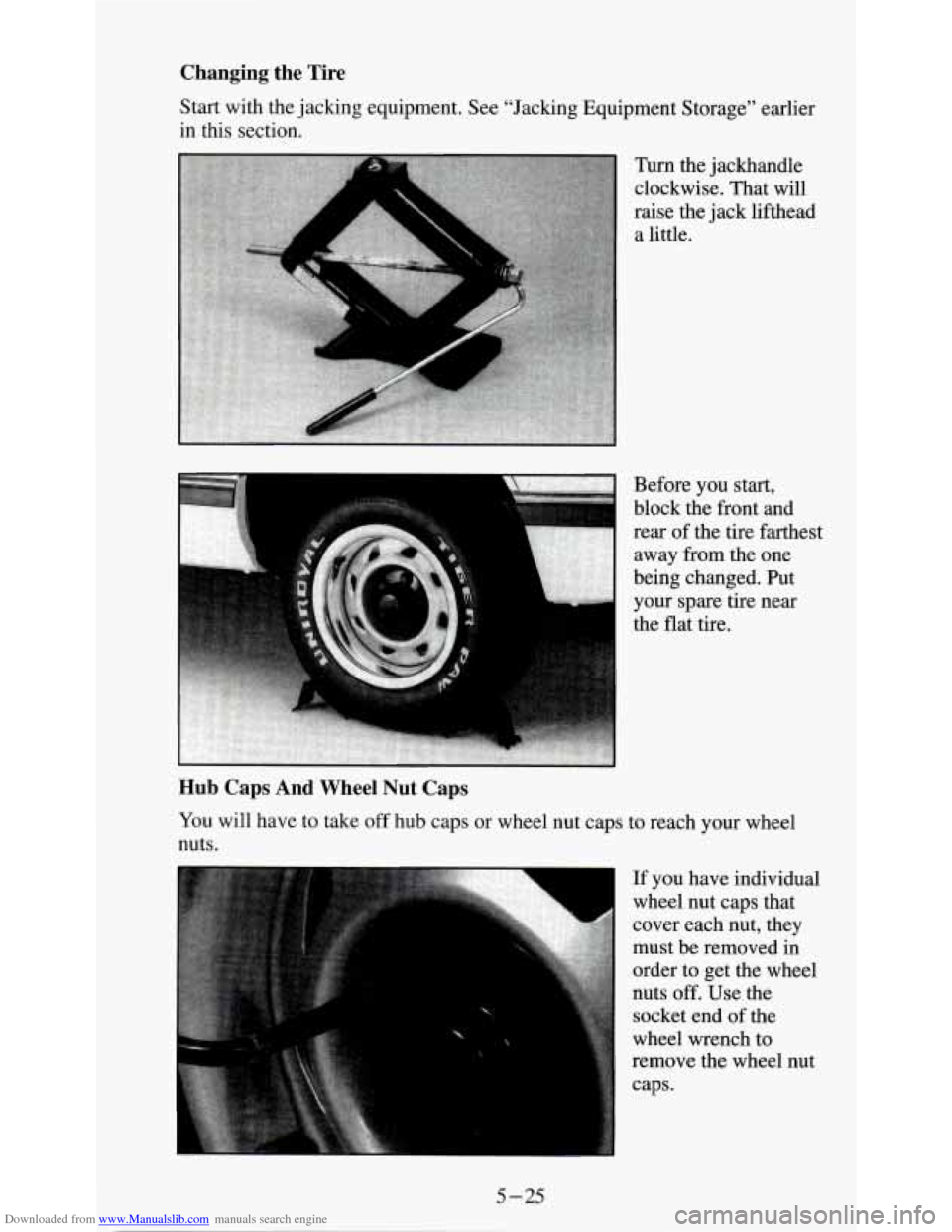
Turn the jackhandle
clockwise. That will
raise the jack lifthead
a little.
Before you start,
block the front and
rear of the tire farthest
away from the one
being changed. Put
your spare tire near
the flat tire.
Hub Caps And Wheel Nut Caps
You will have to take off hub caps or wheel nut caps to reach your wheel
nuts.
If you have individual
wheel nut caps that
cover each nut, they
must be removed in
order
to get the wheel
nuts
off. Use the
socket end of the
wheel wrench to
remove the wheel nut
caps.
5-25
Page 211 of 354
Downloaded from www.Manualslib.com manuals search engine NOTICE:
Raising your vehicle with the jack improperly positioned will
damage the vehicle
or may allow the vehicle to fall off the jack.
Be sure to fit the jack lift head into the proper location before
raising your vehicle.
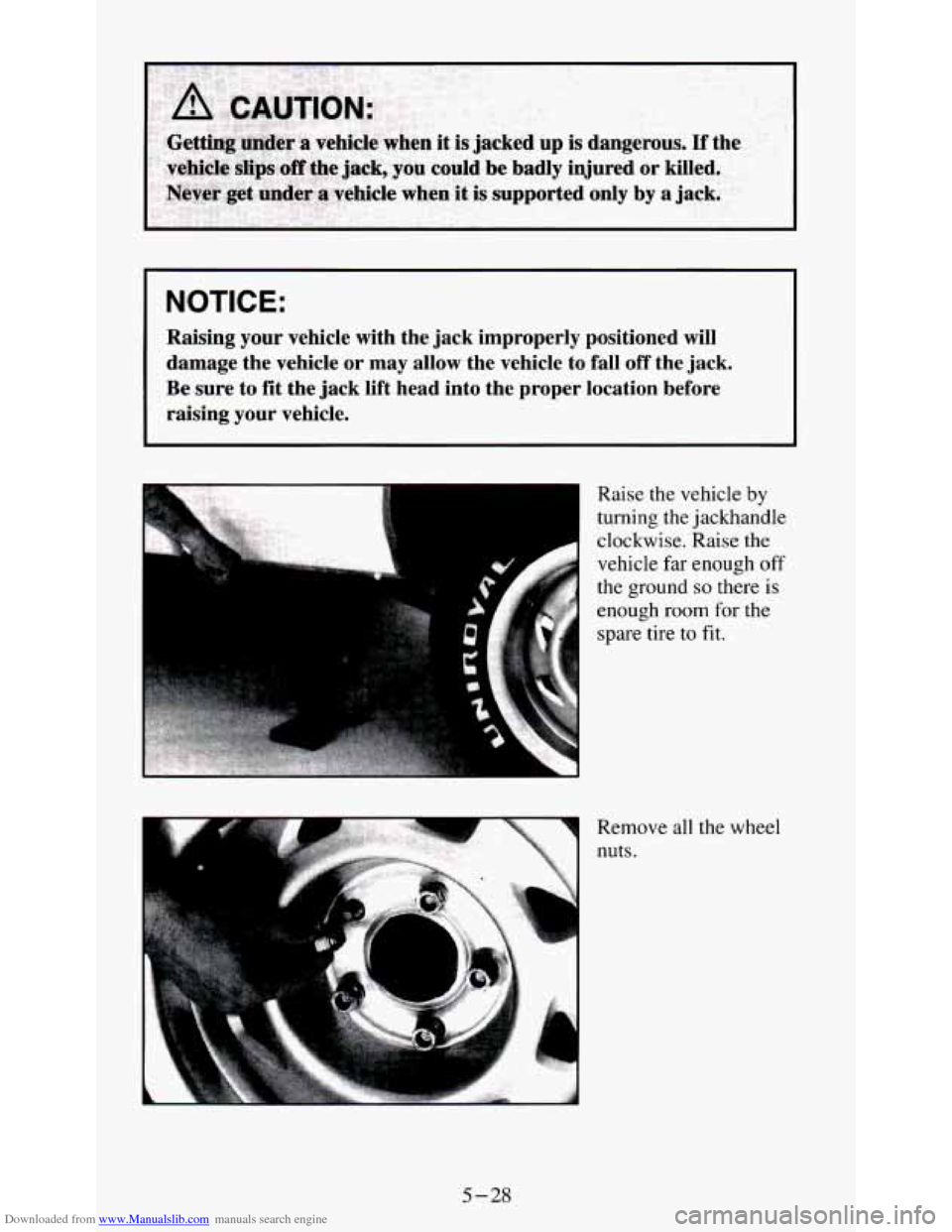
Remove all the wheel
nuts. Raise the vehicle
by
turning the jackhandle
clockwise. Raise the
vehicle far enough
off
the ground so there is
enough
room for the
spare tire
to fit.
5-28
Page 213 of 354
Downloaded from www.Manualslib.com manuals search engine Put on the spare tire.
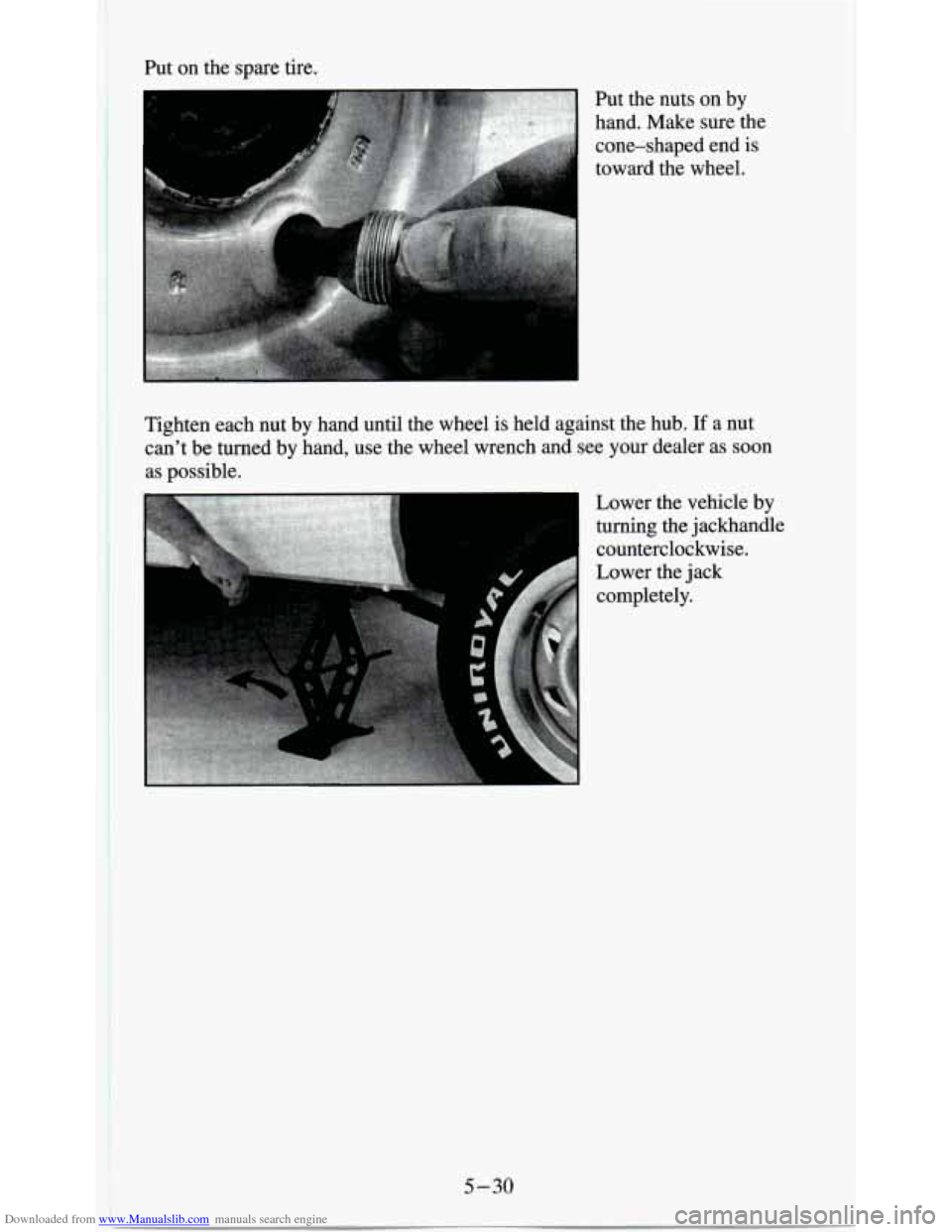
Put the nuts on by
hand.
Make sure the
cone-shaped end is
toward the wheel.
I ~~~~,,~.;"~,'~~~~~~.~~~ . ;,~,$ + ii ,,
Tighten each nut by hand until the wheel is held against the hub. If a nut
can't be turned by hand, use the wheel wrench and see your dealer as soon
as possible.
Lower the vehicle by
turning the jackhandle
counterclockwise.
Lower the jack
completely.
I 5-30 ~
i
Page 215 of 354
Downloaded from www.Manualslib.com manuals search engine 3. Put the chisel end of the wheel wrench, on an angle, through the hole in
the rear bumper and into the hoist shaft. Turn the wheel wrench
clockwise until the tire is raised against the underside
of the vehicle.
You will hear two “clicks” when the tire is secure, but pull on the tire to
make sure.
I NOTICE:
Don’t use the existing hoist to store a tire with an alumi\
num
wheel
or it could damage the wheel. Secure the tire in the pickup
bed.
If You’re Stuck: In Sand, Mud, Ice or Snow
What you don’t want to do when your vehicle is stuck is to spin your wheels
too fast. The method known as “rocking” can help
you get out when you’re
stuck, but you must use caution.
5-32
Page 222 of 354
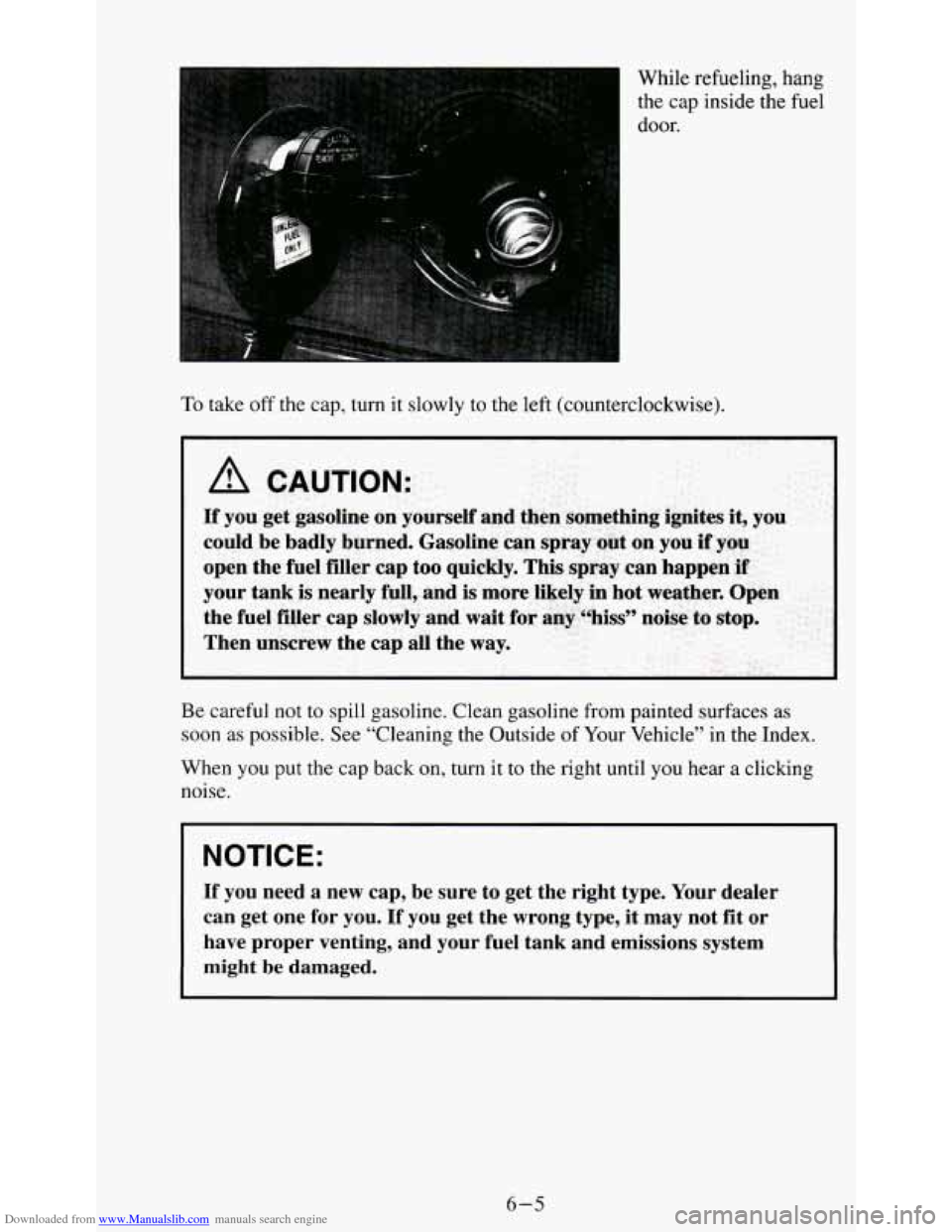
Downloaded from www.Manualslib.com manuals search engine While refueling, hang
the cap inside the fuel
door.
To take off the cap, turn it slowly to the left (counterclockwise).
I
Be careful not to spill gasoline. Clean gasoline from painted surfaces as
soon as possible. See “Cleaning the Outside of Your Vehicle” in the Index.
When you put the cap back
on, turn it to the right until you hear a clicking
noise.
I NOTICE:
If you need a new cap, be sure to get the right type. Your \
dealer
can get one for you. If you get the wrong type, it may not fit or
have proper venting, and your fuel tank and emissions system
might
be damaged.
6-5
Page 229 of 354
Downloaded from www.Manualslib.com manuals search engine Four-wheel Drive Remote Oil Filter
If your vehicle has four-wheel drive, you will have a remote oil filter. There
is a special access door in the steering linkage shield assembly located under
the radiator support. Twist the screw to lock or unlock the door.
Engine Coolant Heater
An engine coolant heater can be a big help if you have to park outside in
very cold weather,
0°F (-1 8 O C) or colder. If your vehicle has this option,
see “Engine Coolant Heater” in the Index.
What to Do with Used Oil
Did you know that used engine oil contains certain elements that may be
unhealthy for your skin and could
even cause cancer? Don’t let used oil stay
on your skin for very long. Clean your skin and nails with soap and water,
or a good hand cleaner. Wash or properly throw away clothing or rags
containing used engine oil. (See the manufacturer’s warnings about the use
and disposal of oil products.)
Used oil can be a real threat to the environment. If you change your own oil,
be sure to drain all free-flowing oil from the filter before disposal. Don’t
ever dispose of oil by putting
it in the trash, pouring it on the ground, into
sewers, or into streams or bodies of water. Instead, recycle it by taking it
to
a place that collects used oil. If you have a problem properly disposing of
your used oil, ask your dealer, a service station or a local recycling center
for help.
Air Cleaner
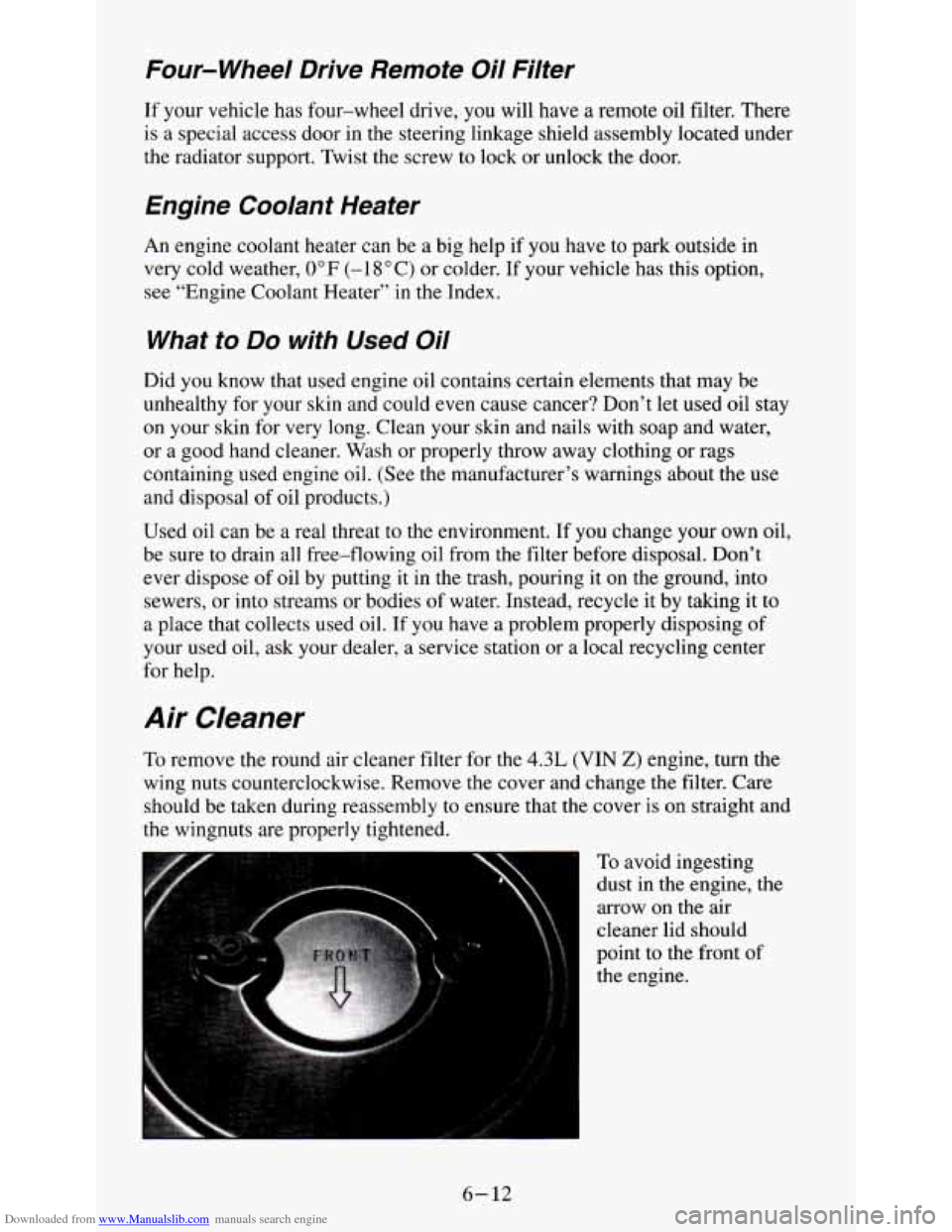
To remove the round air cleaner filter for the 4.3L (VIN 2) engine, turn the
wing nuts counterclockwise. Remove the cover and change the filter. Care
should be taken during reassembly to ensure that the cover is on straight and
the wingnuts
are properly tightened.
= To avoid ingesting
dust in the engine, the
arrow on the air
cleaner lid should
point
to the front of
the engine.
6- 12
Page 249 of 354
Downloaded from www.Manualslib.com manuals search engine Composite Headlamps
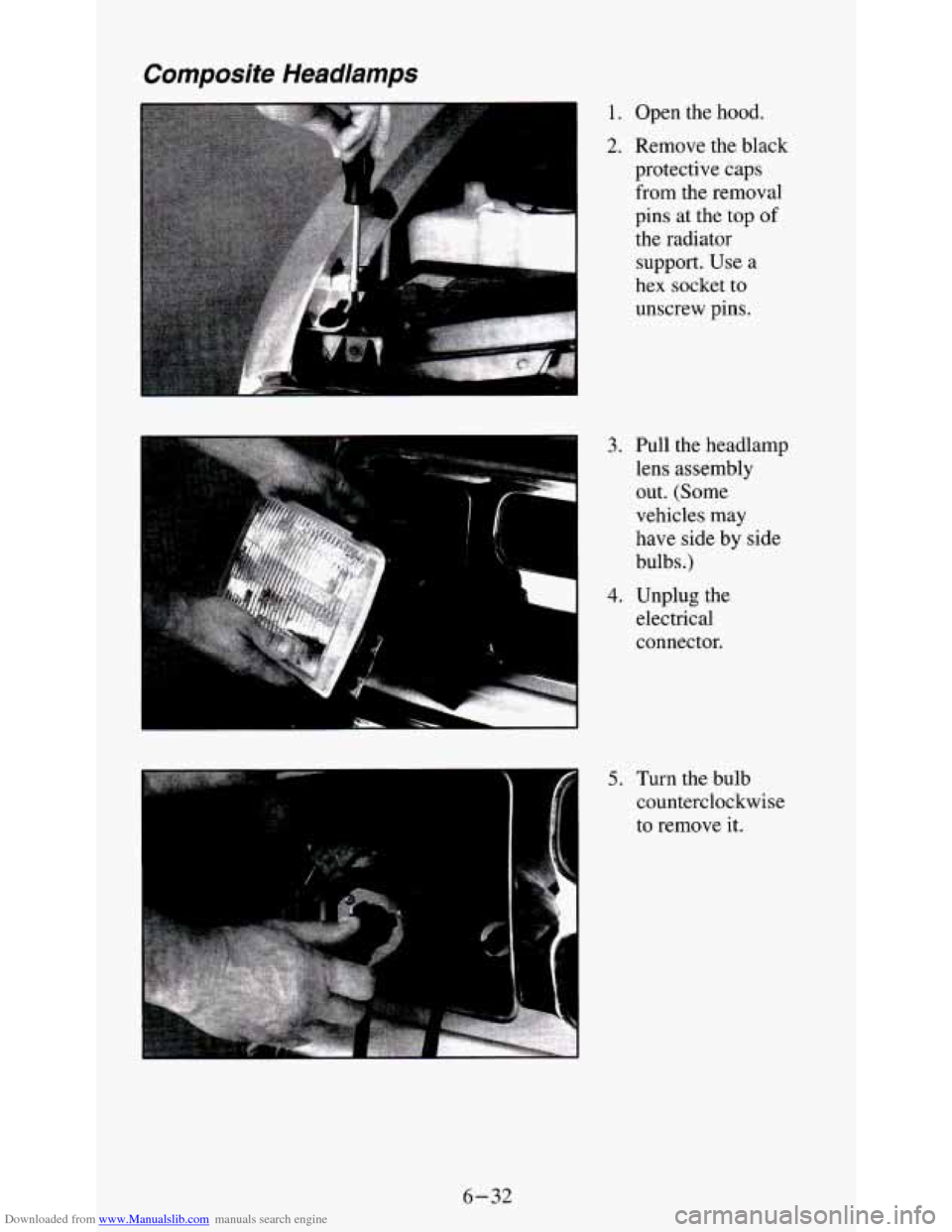
1. Open the hood.
2. Remove the black
protective caps
from the removal
pins at the
top of
the radiator
support. Use a
hex socket
to
unscrew pins.
3. Pull the headlamp
lens assembly
out. (Some
vehicles may
have side by side
bulbs.)
4. Unplug the
electrical
connector.
5. Turn the bulb
counterclockwise
to remove it.
6-32
Page 250 of 354
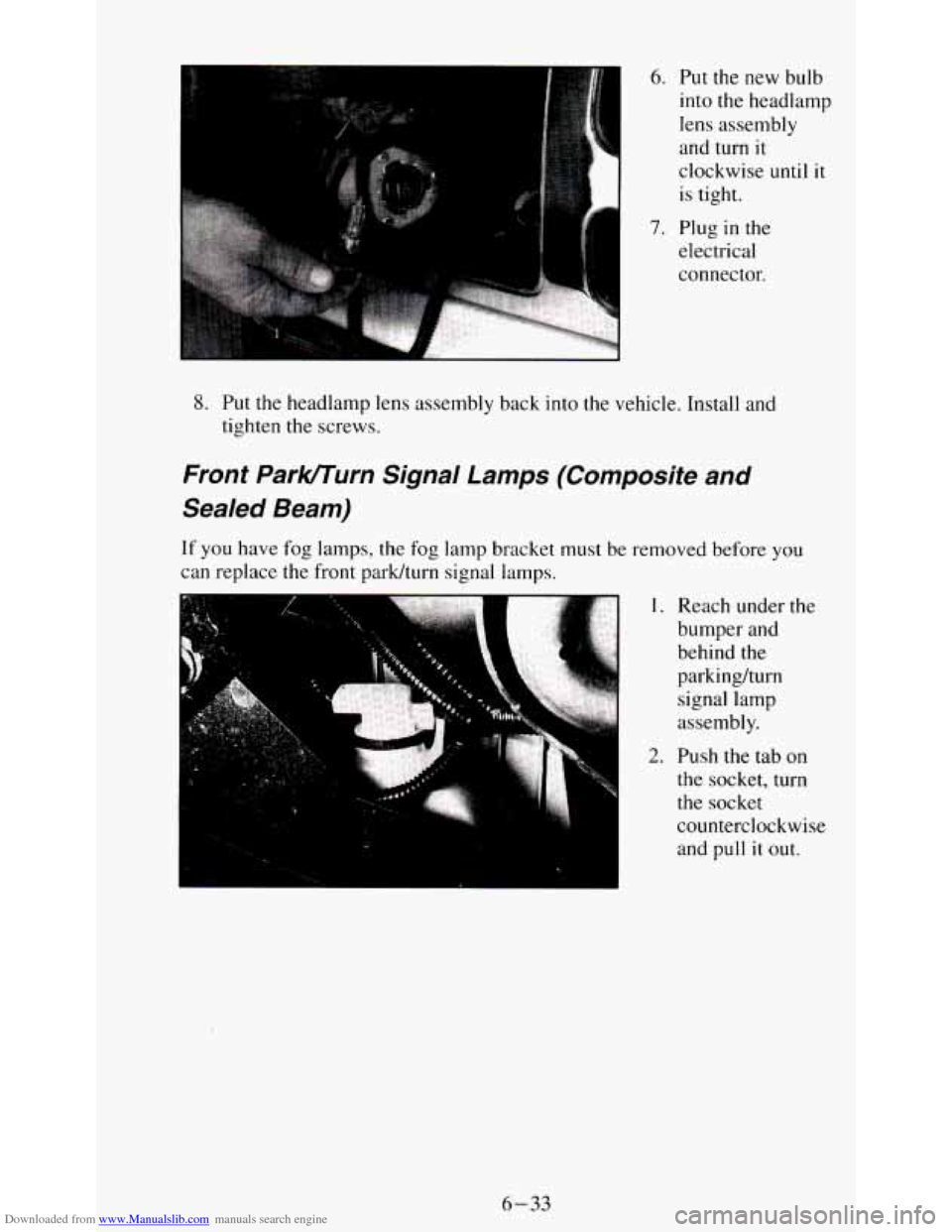
Downloaded from www.Manualslib.com manuals search engine 6. Put the new bulb
into the headlamp
lens assembly
and turn
it
clockwise until it
is tight.
7. Plug in the
electrical
connector.
8. Put the headlamp lens assembly back into the vehicle. Install and
tighten the screws.
Front Parlcrrurn Signal Lamps (Composite and
Sealed Beam)
If you have fog lamps, the fog lamp bracket must be removed before you
can replace the front park/turn signal lamps.
,. ,.: :; . I. Reach under the
bumper and
behind the
parkinghrn
signal lamp
assembly.
2. Push the tab on
the socket, turn
the socket
counterclockwise
and
pull it out.
6-33
Page 251 of 354
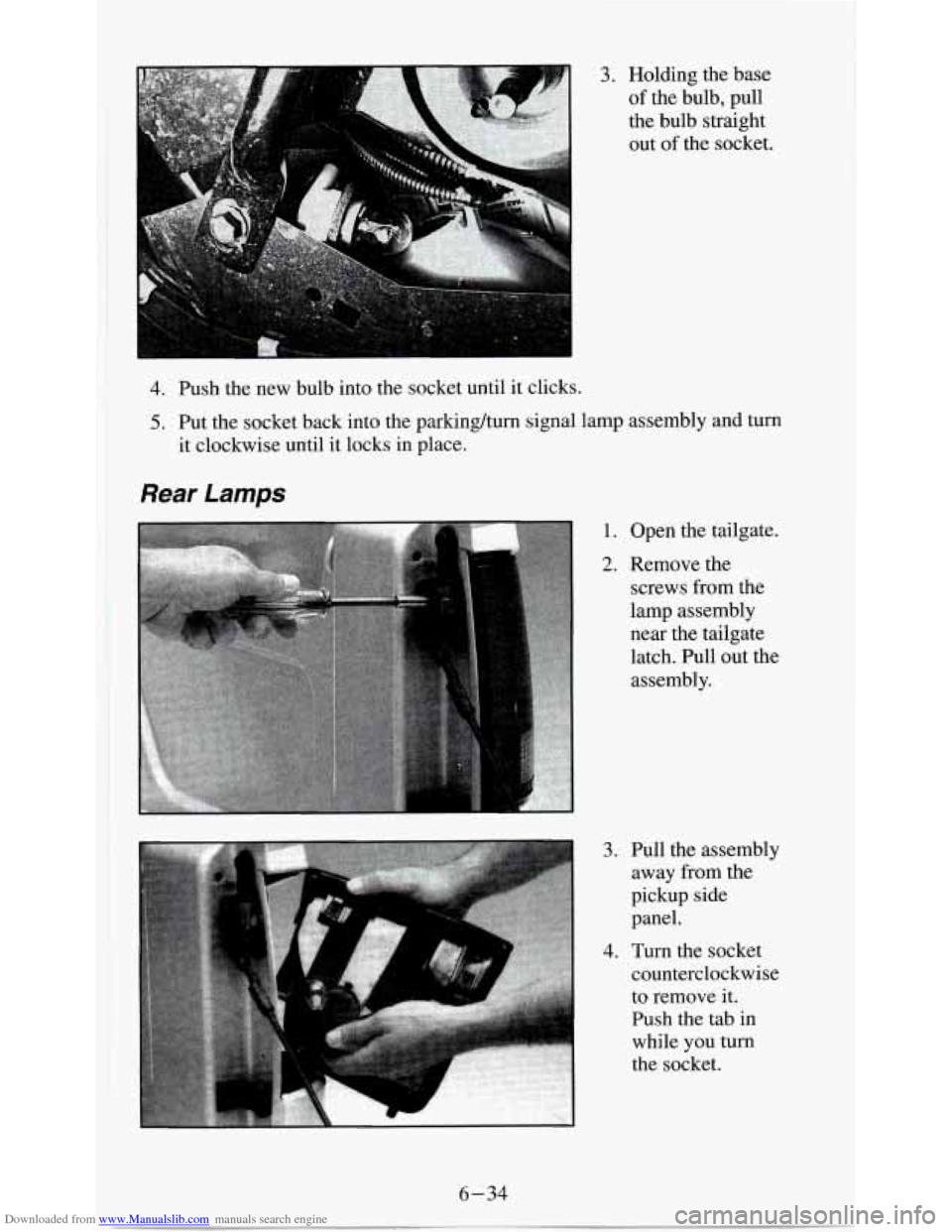
Downloaded from www.Manualslib.com manuals search engine 3. Holding the base
of the bulb, pull
the bulb straight out of the socket.
4. Push the new bulb into the socket until it clicks.
5. Put the socket back into the parkinghum signal lamp assembly and turn
it clockwise until it locks in place.
Rear Lamps
1. Open the tailgate.
2. Remove the
screws from the
lamp assembly
near the tailgate
latch. Pull out the assembly.
3. Pull the assembly away from the
pickup side
panel.
4. Turn the socket
counterclockwise to remove it.
Push the tab in
while you turn
the socket.
6-34
Page 252 of 354
Downloaded from www.Manualslib.com manuals search engine 5. Pull the bulb out.
6. Push the new bulb into the socket.
7. Put the socket into the assembly and turn the socket clockwise until it
locks in place.
8. Replace the assembly. Install and tighten the screws.
9. Close the tailgate.
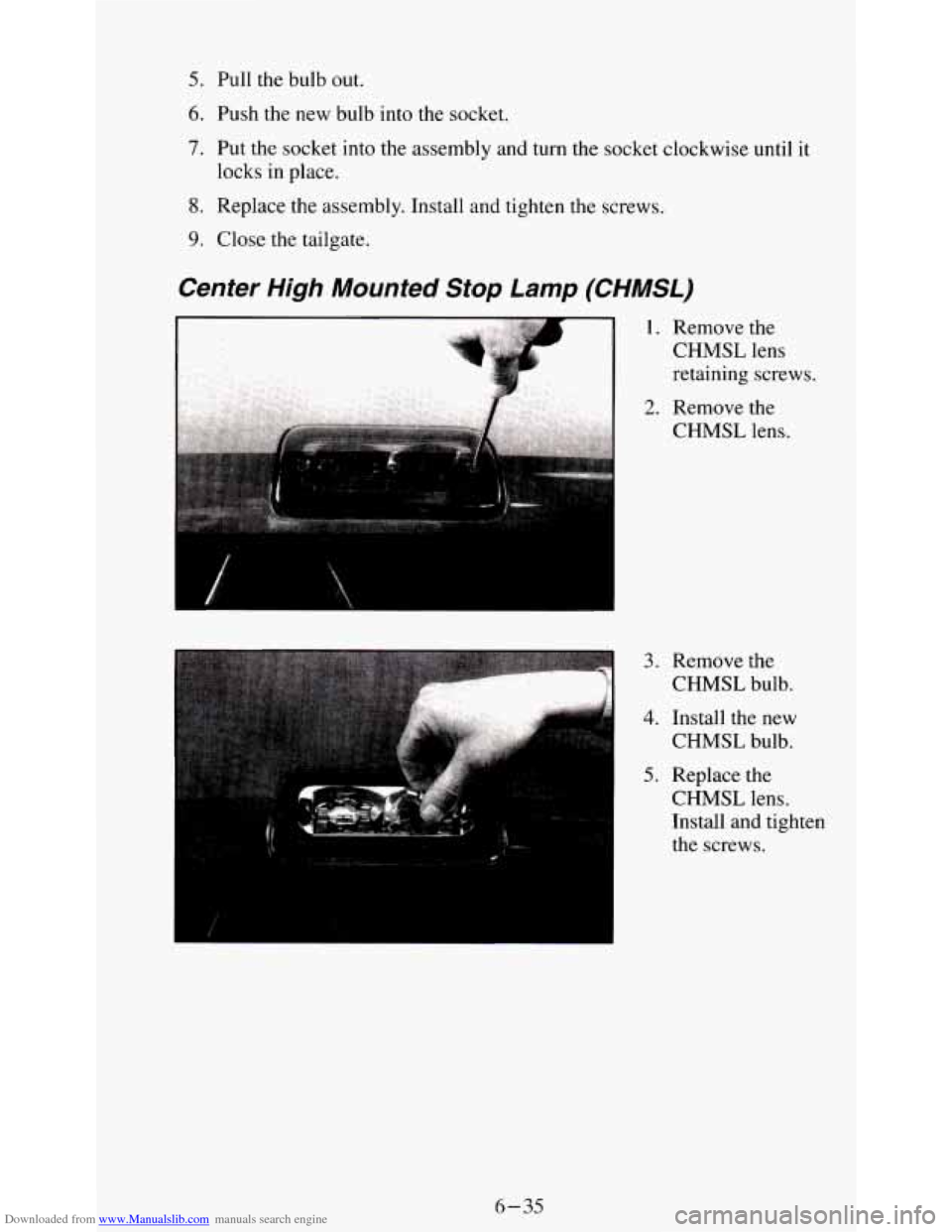
Center High Mounted Stop Lamp (CHMSL)
3. Remove the
CHMSL bulb.
4. Install the new
CHMSL bulb.
5. Replace the
CHMSL lens.
Install and tighten
the screws.
6-35