tow CHEVROLET S10 1996 2.G Owner's Manual
[x] Cancel search | Manufacturer: CHEVROLET, Model Year: 1996, Model line: S10, Model: CHEVROLET S10 1996 2.GPages: 375, PDF Size: 20.73 MB
Page 94 of 375
Downloaded from www.Manualslib.com manuals search engine Mirrors
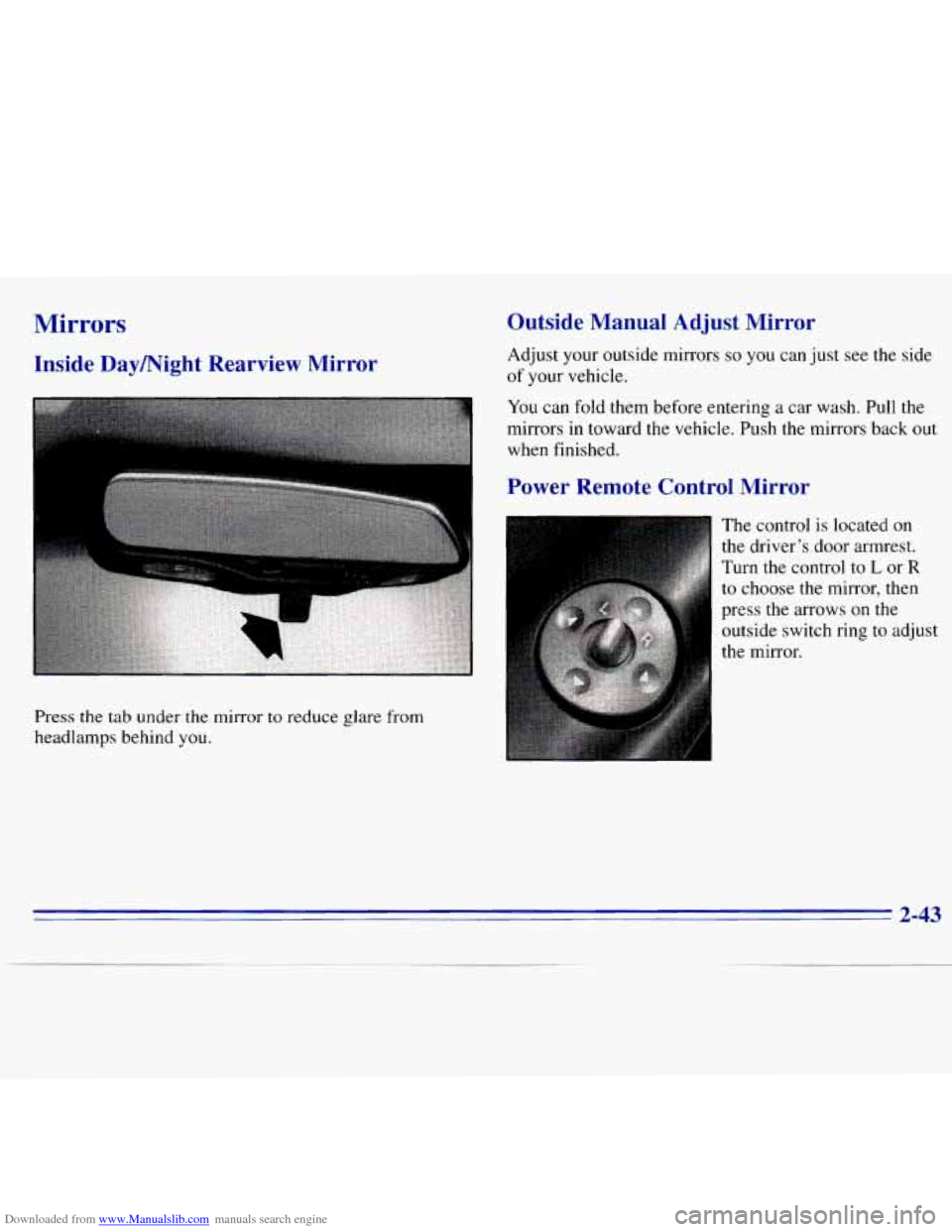
Inside DayNight Rearview Mirror
Press the tab under the mirror to reduce glare from
headlamps behind you.
Outside Manual Adjust Mirror
Adjust your outside mirrors so you can just see the side
of your vehicle.
You can fold them before entering a car wash. Pull the
mirrors in toward the vehicle. Push the mirrors back out
when finished.
Power Remote Control Mirror
The control is located on
the driver's door armrest.
Turn the control to
L or R
to choose the mirror, then
press
the arrows on the
outside switch ring
to adjust
the mirror.
2-43
Page 107 of 375
Downloaded from www.Manualslib.com manuals search engine If the light c.omes on while you are driving, pull off the
road and stop carefully. You may notice that the pedal is
harder to push. Or, the pedal may go closer to the floor.
It may take longer to stop. If the light is still on, have the
vehicle towed for service. (See “Towing Your Vehicle”
in the Index.)
A CAUTION:
I
Your brake system may not be working properly
if the brake system warning light
is on. Driving
with the brake system warning light on can lead
to an accident. If the light is still on after you’ve
pulled
off the road and stopped carefully, have
the vehicle towed for service.
When the ignition is on, the brake system warning light
will also come on when you
set your parking brake. The
light will stay
on if your parking brake doesn’t release
fully.
If it stays on after your parking brake is fully
released, it means you have a brake problem.
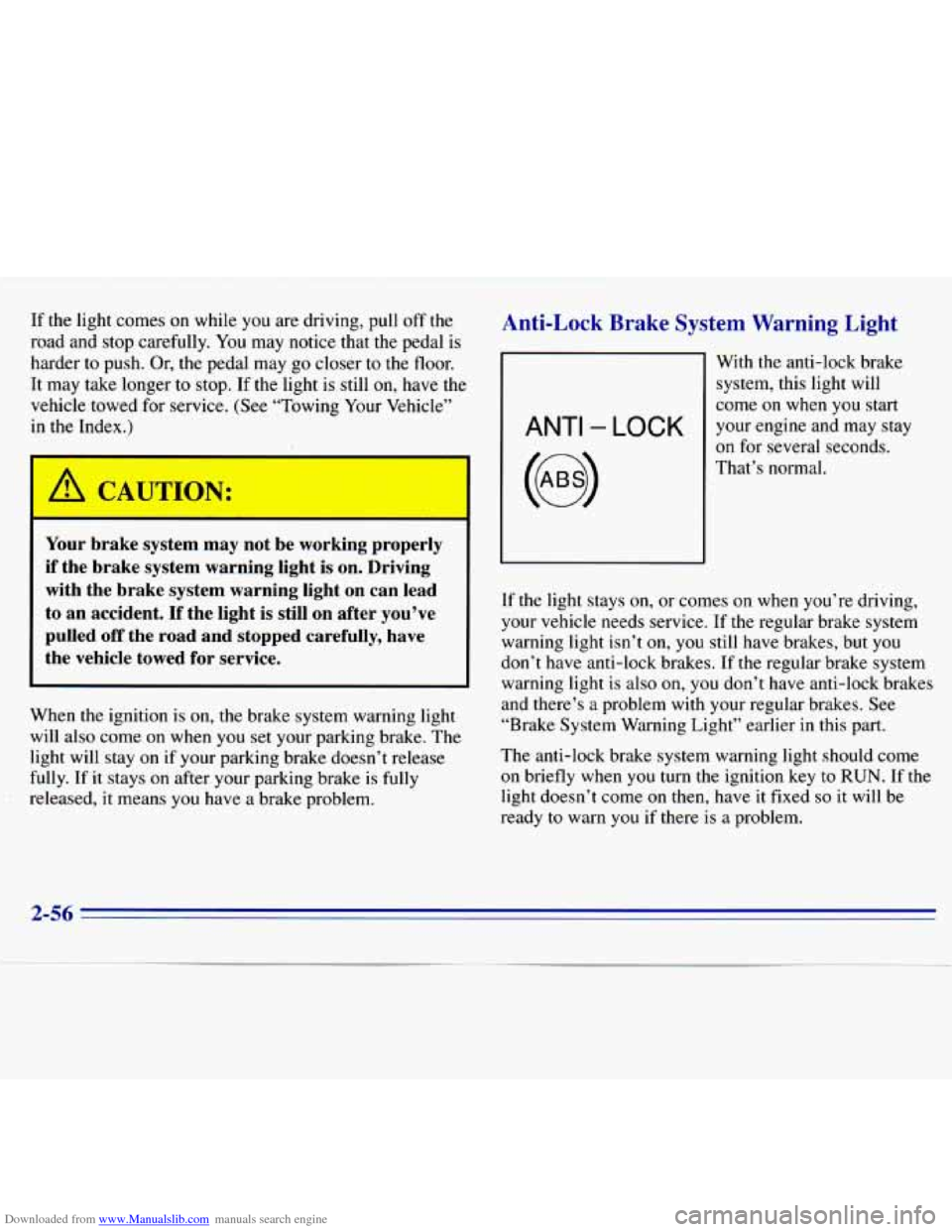
Anti-Lock Brake System Warning Light
ANTI - LOCK
With the anti-lock brake
system, this light will
come
on when you start
your engine and may stay
on for several seconds.
That’s normal.
If the light stays on, or
comes on when you’re driving,
your vehicle needs service. If the regular brake system
warning light isn’t
on, you still have brakes, but you
don’t have anti-lock brakes. If the regular brake system
warning light is also on, you don’t have anti-lock brakes
and there’s
a problem with your regular brakes. See
“Brake System Warning Light” earlier in this part.
The anti-lock brake system warning light should come
on briefly when
you turn the ignition key to RUN. If the
light doesn’t come
on then, have it fixed so it will be
ready
to warn you if there is a problem.
2-56
Page 109 of 375
Downloaded from www.Manualslib.com manuals search engine NOTICE:
~~
If you keep driving your vehicle with this light
on, after a while, your emission controls may not work as well, your fuel economy may not be as
good and your engine may not run as smoothly.
This could lead to costly repairs that may not be
covered by your warranty.
This light should come on, as a check to show you it is
working, when the ignition is on and the engine is not
running. If the light doesn’t come on, have
it repaired.
This light will also come
on during a malfunction in one
of two ways:
Light Flashing -- A misfire condition has been
detected. A misfire increases vehicle emissions and
may damage the emission control system on your
vehicle. Dealer or qualified service center diagnosis
and service is required.
Light On Steady -- An emission control system
malfunction has been detected on your vehicle.
Dealer or qualified service center diagnosis and
service may be required.
If the Light Is Flashing
The following may prevent more serious damage to
your vehicle:
Reduce vehicle speed.
0 Avoid hard accelerations.
Avoid steep uphill grades.
0 If towing a trailer, reduce the amount of cargo being
hauled as soon as
it is possible.
If the light
stops flashing and remains on steady, see “If
the Light
Is On Steady” following.
If
the light continues to flash, when it is safe to do so,
stop the vehicle. Put your vehicle in PARK (P). Turn the
key off, wait at least
10 seconds and restart the engine.
If the light remains on steady, see “If the Light
Is On
Steady” following. If
the light is still flashing follow the
previous steps, and drive the vehicle to your dealer or
qualified service center for service.
2-58
Page 114 of 375
Downloaded from www.Manualslib.com manuals search engine Section 3 Comfort, Controls and Audio Systems
In this section you’ll find out how to operate the comfort
control and audio systems offered with your vehicle. Be
sure to read about the particular systems supplied with
your vehicle.
Comfort Controls
With these systems- you can control the heating, cooling
and ventilation in your vehicle.
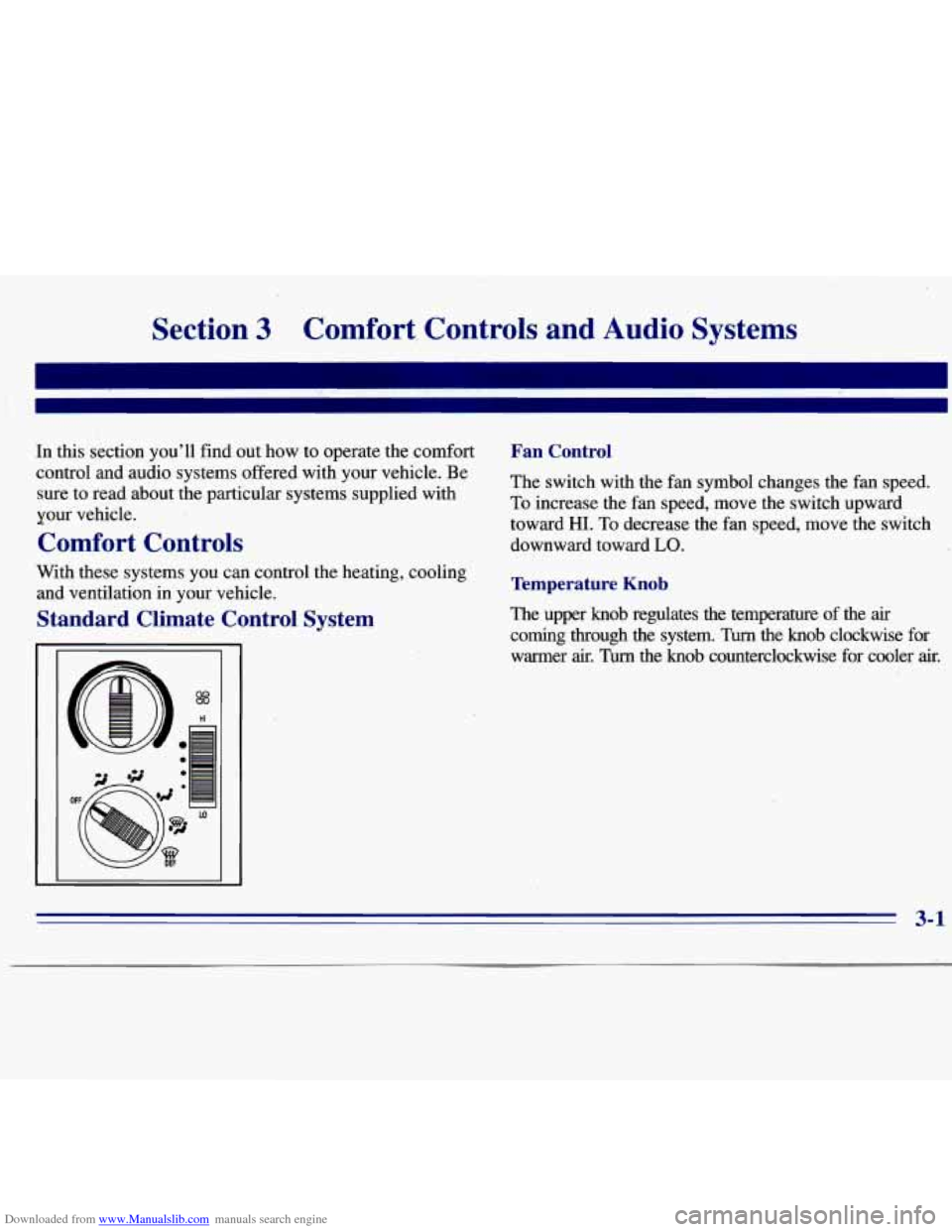
Standard Climate Control System
Fan Control
The switch with the fan symbol changes the fan speed.
To increase the fan speed, move the switch upward
toward HI. To decrease the fan speed, move the switch
downward toward
LO.
Temperature Knob
The upper knob regulates the temperature of the air
coming through the system. Turn the knob clockwise for
warmer
air. Turn the knob counterclockwise for cooler air.
3-1
Page 115 of 375
Downloaded from www.Manualslib.com manuals search engine Mode Knob
The lower knob allows you to choose the direction of
air delivery.
OFF: This setting turns off all heating functions. Some
outside
air will still come out of the heater outlet
whenever the vehicle is moving forward.
/J VENT: This setting directs airflow through the
instrument panel outlets.
+/J BI-LEVEL: This setting directs air through the
heater floor outlets and the instrument panel outlets.
+’ HEATER: This setting directs warmed air through
the heater floor outlets and windshield defroster outlets.
+# BLEND: Airflow is divided equally between the
heater floor outlet and the windshield defroster outlets.
=be
+.
0
w.
WDEFROST This setting directs most air through
the windshield defroster outlets and some through the
heater outlets.
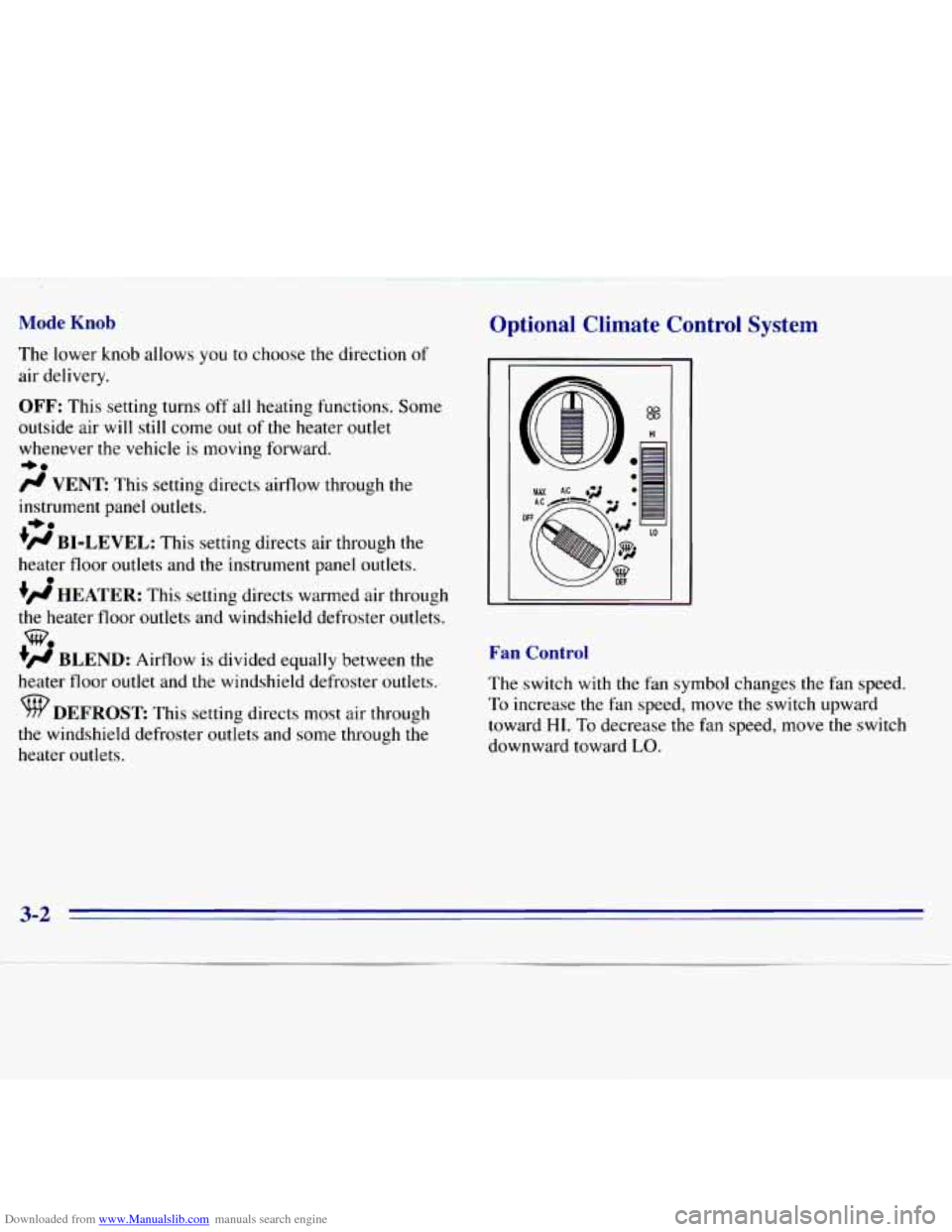
Optional Climate Control System
i
0
OF
%
HI
Fan Control
The switch with the fan symbol changes the fan speed.
To increase the
fan speed, move the switch upward
toward
HI. To decrease the fan speed, move the switch
downward toward
LO.
3-2
Page 118 of 375
Downloaded from www.Manualslib.com manuals search engine Ventilation Tips
0
0
0
Keep the hood and front air inlet free of ice, snow or
any other obstruction (such as leaves). The heater
and defroster will work far better, reducing the
chance of fogging the inside of your windows.
When you enter a vehicle in cold weather, turn the
blower fan
to HI for a few moments before driving
off. This helps clear the intake ducts
of snow and
moisture, and reduces the chance
of fogging the
inside of your windows.
Keep the air path under the front seats clear of
objects. This helps air to circulate throughout
your vehicle.
Defogging and Defrosting
On cool, humid days, use BLEND to keep the
windshield and side windows clear.
Use DEFROST to remove fog or ice from the
windshield quickly in extremely humid or cold
conditions. Turn the temperature knob clockwise
and move the fan control toward
HI.
Audio Systems
Your Delco' audio system has been designea to operate
easily and give years of listening pleasure. You will get
the most enjoyment out of it
if you acquaint yourself
with it first. Find out what your Delco system can do
and how to operate all its controls, to be sure you're
getting the most out of the advanced engineering that
went into
it.
Setting the Clock for All Systems Except
AM-FM Stereo with Compact Disc Player
Press SET. Within five seconds, press and hold SEEK
until the correct minute appears on the display. Press and
hold
SCAN until the correct hour appears on the display.
Setting the Clock for AM-FM Stereo with
Compact Disc Player
Press SET. (The radio may be on or off.) Within five
seconds, press the
SEEK right or left arrow until the
correct minute appears on the display. Press and hold
SCAN until the correct hour appears on the display.
3-5
Page 172 of 375
Downloaded from www.Manualslib.com manuals search engine Recreational Vehicle Towing
(Four-wheel Drive Oniy)
1.
2.
3.
4.
Set the parking brake firmly.
Place
an automatic transmission in PARK (P) or a
manual transmission in FIRST (1).
Firmly attach the vehicle being towed to the tow
vehicle.
Do not tow the vehicle by the rear bumper
bar. Refer to
the hitch manufacturer’s instructions.
Place the transfer case shift lever in NEUTRAL (N).
Recreational vehicle towing is not recommended for
vehicles
with the optional electronic shift transfer case
because the transfer case has
no neutral position.
Shifting the transfer case into NEUTRAL (N) can
cause your vehicle to roll even if the transmission
is in
PARK (P), for an automatic transmission,
or if your vehicle is in gear, for a manual
transmission. This is because the transfer case
overrides the transmission.
5. Release the parking brake only after the vehicle
being towed is firmly attached to the tow vehicle.
6. Insert the ignition key into the ignition switch and
turn it one notch forward of the LOCK position. This
places the key
in the OFF position, which unlocks
the steering column while preventing battery drain.
Unlocking the steering
column will allow for proper
movement
of the front wheelshires during towing.
4-41
Page 178 of 375
Downloaded from www.Manualslib.com manuals search engine Trailer Recommendations
You must subtract your hitch loads from the CWR
for your vehicle. Weigh your vehicle
with your trailer
attached,
so that you won’t go over the GVWR or
the GAWR.
You’ll get the best performance
if you spread out the
weight of your load the right way, and
if you choose the
correct hitch and trailer brakes.
For more information, see “Towing a Trailer”
in
the Index.
Pickup Conversion to Chassis Cab
General Motors is aware that some vehicle owners may
consider having the pickup box removed and a
commercial or recreational body installed. However, we
recommend that conversions of this type not be done to
pickups. Owners should be aware that, as manufactured,
there are differences between a chassis cab and
a pickup
with the box removed which may affect vehicle safety.
For specific information on
this pickup, contact the GM
Zone Office for your area. (See the “Warranty and
Owner Assistance” booklet for Zone Office.)
Towing a Trailer
1 A CAUTION:
I
If you don’t use the correct equipment and drive
properly, you can lose control when you pull a
trailer. For example,
if the trailer is too heavy, the
brakes may not work well
-- or even at all. You
and your passengers could be seriously injured.
Pull a trailer only if you have followed all the
steps in this section.
Ask your GM dealer for
advice and information about towing a trailer with your vehicle.
4-47
Page 179 of 375
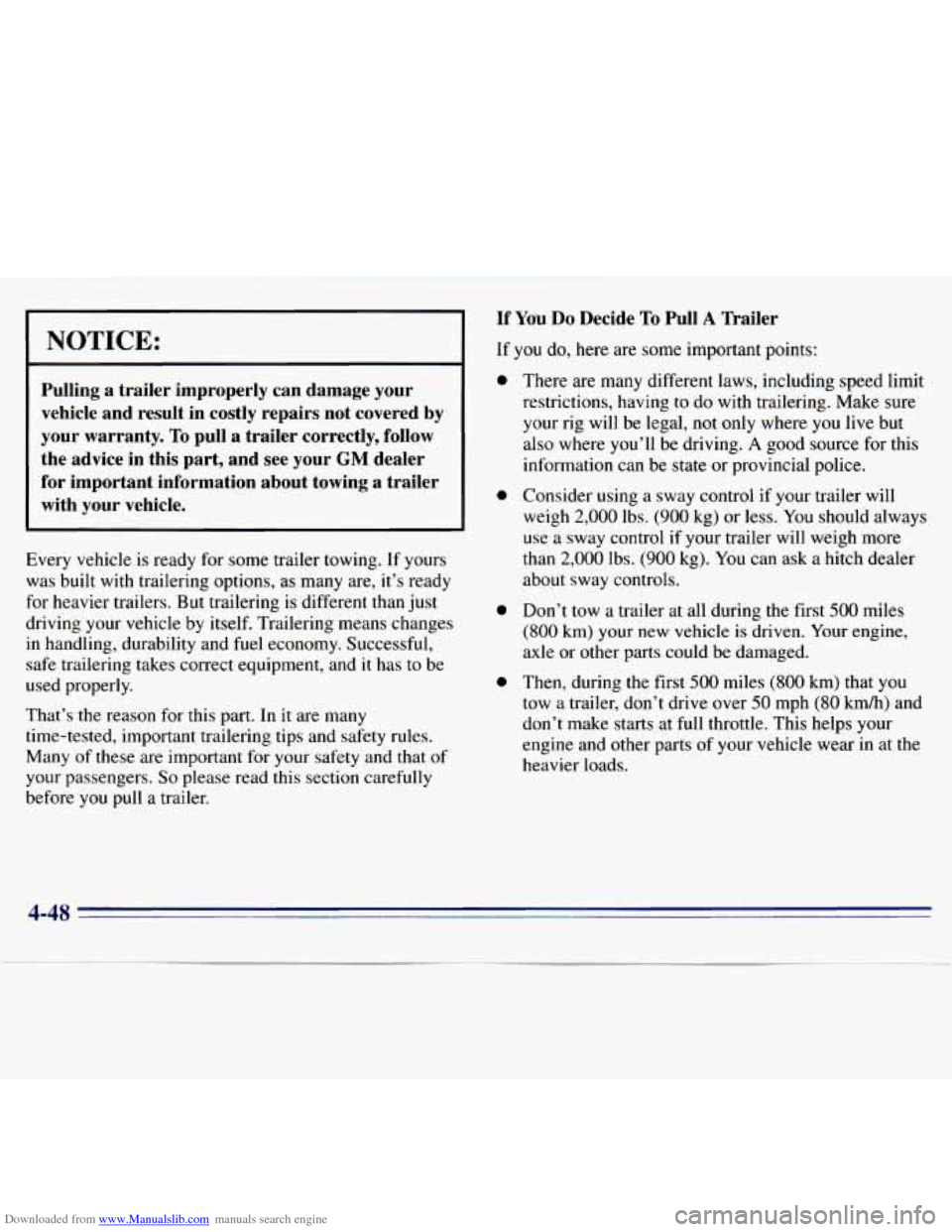
Downloaded from www.Manualslib.com manuals search engine NOTICE:
Pulling a trailer improperly can damage your vehicle and result in costly repairs not covered by
your warranty.
To pull a trailer correctly, follow
the advice in this part, and see your
GM dealer
for important information about towing a trailer
with your vehicle.
Every vehicle is ready for some trailer towing. If yours
was
built with trailering options, as many are, it’s ready
for heavier trailers.
But trailering is different than just
driving your vehicle by itself. Trailering means changes
in handling, durability and fuel economy. Successful,
safe trailering takes correct equipment, and
it has to be
used properly.
That’s the reason for this part.
In it are many
time-tested, important trailering tips and safety rules.
Many of these are important for your safety and that
of
your passengers. So please read this section carefully
before you pull a trailer.
If Ydu Do Decide To Pull A Trailer
If you do, here are some important points:
0
0
0
0
There are many different laws, including speed limit
restrictions, having to do with trailering. Make sure
your rig
will be legal, not only where you live but
also where
you’ll be driving. A good source for this
information can be state or provincial police.
Consider using a sway control if your trailer will
weigh
2,000 lbs. (900 kg) or less. You should always
use a sway control
if your trailer will weigh more
than
2,000 lbs. (900 kg). You can ask a hitch dealer
about sway controls.
Don’t tow
a trailer at all during the first 500 miles
(800 km) your new vehicle is driven. Your engine,
axle or other parts could be damaged.
Then, during the first
500 miles (800 km) that you
tow
a trailer, don’t drive over 50 mph (80 kmh) and
don’t make starts at full throttle. This helps your
engine and other
parts of your vehicle wear in at the
heavier loads.
4-48
Page 180 of 375
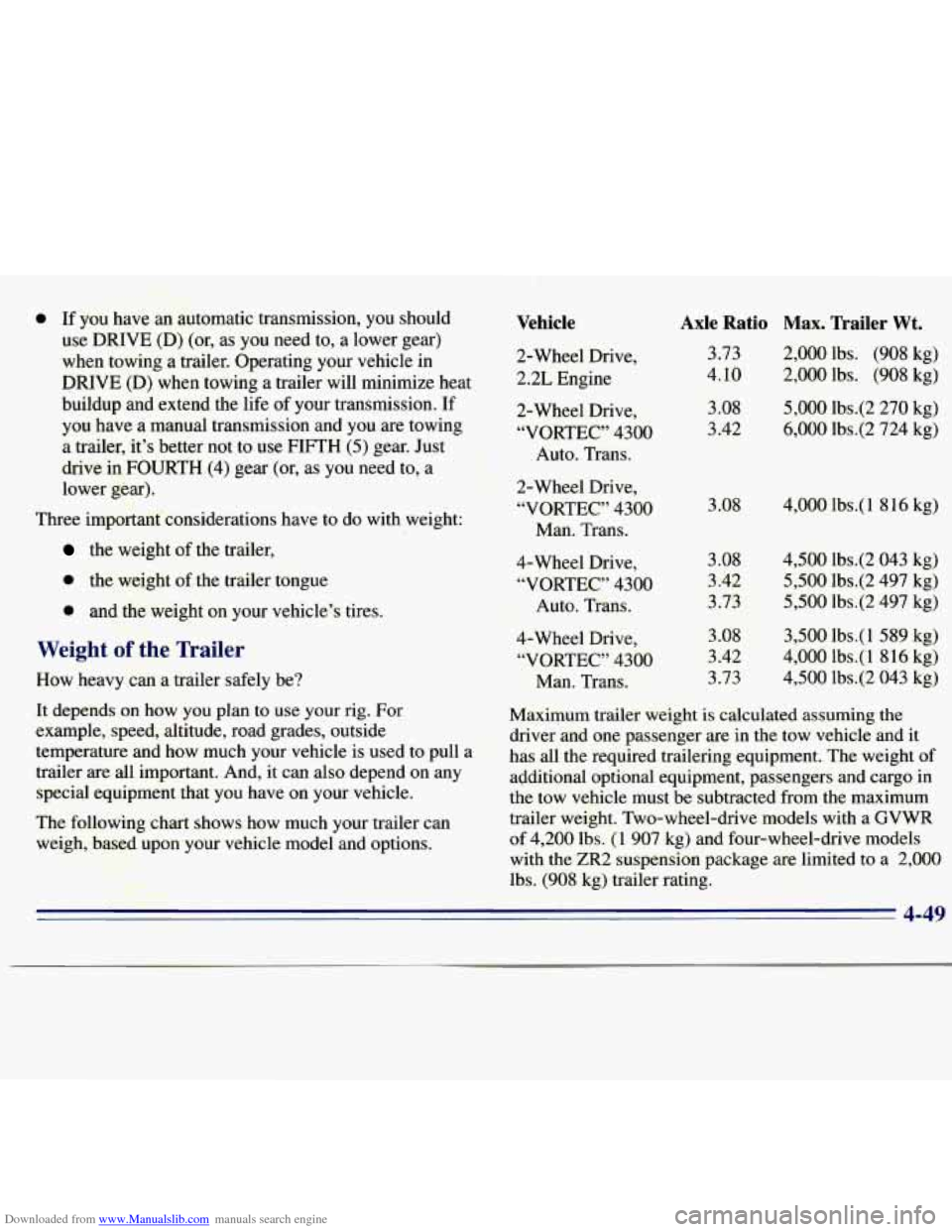
Downloaded from www.Manualslib.com manuals search engine 0 If you haw a11 automatic transmission, you should Vehicle Axle Ratio Max. Trailer Wt.
use DRIVE (D) (or, as you need to, a lower gear)
when towing a trailer. Operating your vehicle in 2-Wheel Drive,
DRIVE (D) when towing a trailer will minimize heat 2.Z Engine 3.73 2,000
lbs. (908 kg)
4.10 2,000 lbs. (908 kg)
buildup and extend the life
of your transpission. If 2-Wheel Drive, 3.08 5,000 lbs.(2 270 kg)
you have a manual transmission and you are towing
“VORTEC” 4300 3.42 6,000 lbs.(2 724 kg)
a trailer, it’s better not to use
FIFTH (5) gear. Just Auto. Trans.
drive in
FOURTH (4) gear (or, as you need to, a -
lower gear). pi,. 2-Wheel Drive,
“-“‘VORTEC” 4300 3.08 4,000 lbs.( 1 816 kg)
Three important considerations have to do with weight:
Man. Trans. ,I+, : = . -
the weight of the trailer,
0 the weight of the trailer tongue
0 and the weight on your vehicle’s tires.
Weight of the Trailer
How heavy can a trailer safely be? 4-Wheel Drive,
3.08 4,500
lbs.(2 043
kg)
“VORTEC” 4300 3.42
5,500 lbs.(2 497 kg)
Auto. Trans. 3.73
5,500 lbs.(2
497 kg)
4-Wheel Drive, 3.08 3,500
lbs.( 1 589 kg)
“VORTEC” 4300 3.42
4,000 lbs.( 1 816
kg)
Man. Trans. 3.73
4,500 lbs.(2 043 kg)
It depends
on how you plan to use your rig. For
Maximum trailer weight is calculated assuming the
example, speed, altitude, road grades, outside
driver and one passenger are in the tow vehicle and it
temperature and how Your vehicle is used to Pull a
’ has all the required trailering equipment. The weight of
trailer are all important. And, it can also depend on any
agditional optional equipment, passengers and cargo in
special equipment that you have on your vehicle.
the tow vehicle must be subtracted from the maximum
The following chart shows how much your trailer can trailer weight. Two-wheel-drive models
with a GVWR
weigh, based upon your vehicle model and options. of
4,200 lbs.
(1 907 kg) and four-wheel-drive models
JT”;’ ,-p?? , ,- -&-I:. , * with the ZR2 suspension package are limited to a 2,000
’ , :-qqg$+. r *? *. F:. rr I‘
ty+ : ‘ -.. 4 I lbs. (908 kg) trailer rating.
4-49