instrument panel CHEVROLET S10 1997 2.G Owners Manual
[x] Cancel search | Manufacturer: CHEVROLET, Model Year: 1997, Model line: S10, Model: CHEVROLET S10 1997 2.GPages: 402, PDF Size: 21.04 MB
Page 17 of 402
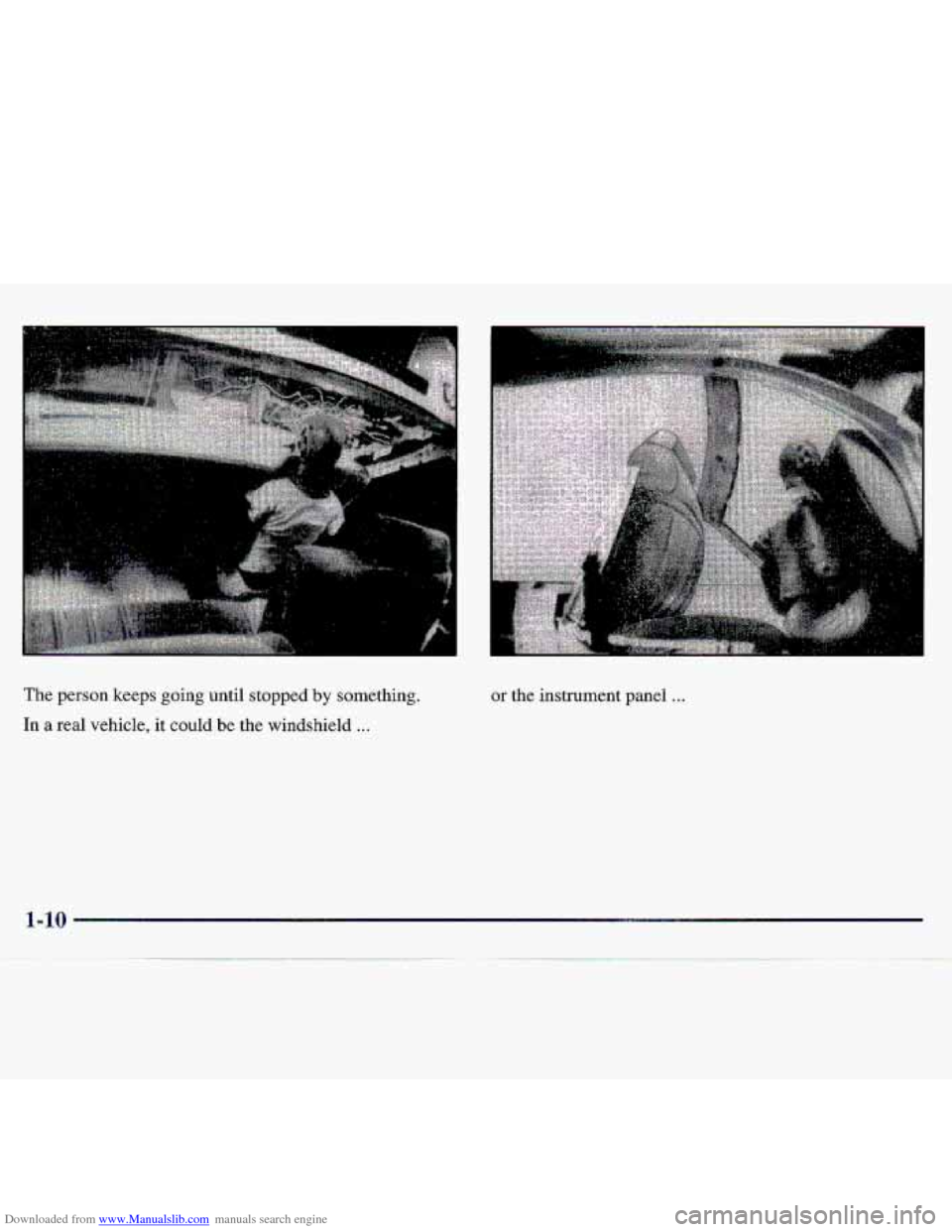
Downloaded from www.Manualslib.com manuals search engine The person keeps going until stopped by somethinq.
In a real vehicle, it could be the windshield ...
or the instrument panel ...
Page 48 of 402
Downloaded from www.Manualslib.com manuals search engine Section 2 Features and Controls
Here y~u can learn about the many standard and opti-onal features o.n your-vehide, and irkofmation on starting,,
shifting
and braking. Also explained are the instrument panel and, the warning systems that teil you if everything is
working properly -- and what to do if you have a problem.
Keys
Door L.ocks
Key1e.s~ Entry 'System- (If Equipped)
Tailgate
Theft
Ne.w Vihicle "Break-In"
Ignition Positions
S.tarting
You Engine
Engine Coolant Heater (Option)
htqmatic. Tr.ansmission Operation
Manual Trmsrnissio,n
Locking Rear Axle:
Four-wheel Drive (If Equipped)
Parking Brake.
Shi€ting
Into PARK (P) (Automatic
Transmission
Ma.dels Only)
2-32
2-52
2-33
2-3 3
2-34
2-35
2-3 7
2-37
2-43
2,-47
2-50
2-5 1
2-55
2-4-6;
Shifting Out of PARK (P)
(Auto'mmtic Transmission)
Parking
Your Vehicle (Manual Transmission
Models Only)
Parlung Qve.1- Things That Burn
.Engine
Exhaust
Running Your EQg-ine While YGu're Parked
(Automatic Transmission)
Windows
Ti it Wheel (If Equipped)
Turn Signal/Multi~~ncti-on- Lever
Exterior Lamps
'3 t-orage Compartments
Accessory
Power Outlets (If Equipped)
Tnstrument Panel
Warning
Lights; Gap .and Tndicatms
2-1
Page 85 of 402
Downloaded from www.Manualslib.com manuals search engine Turn and Lane Change Si,gnak
The turn signal has two upward (fat right) and- two
ciownwa~d
(for left) p??sitions. Tbese positions allow you
to signal a turn 0.r a.lane. change:
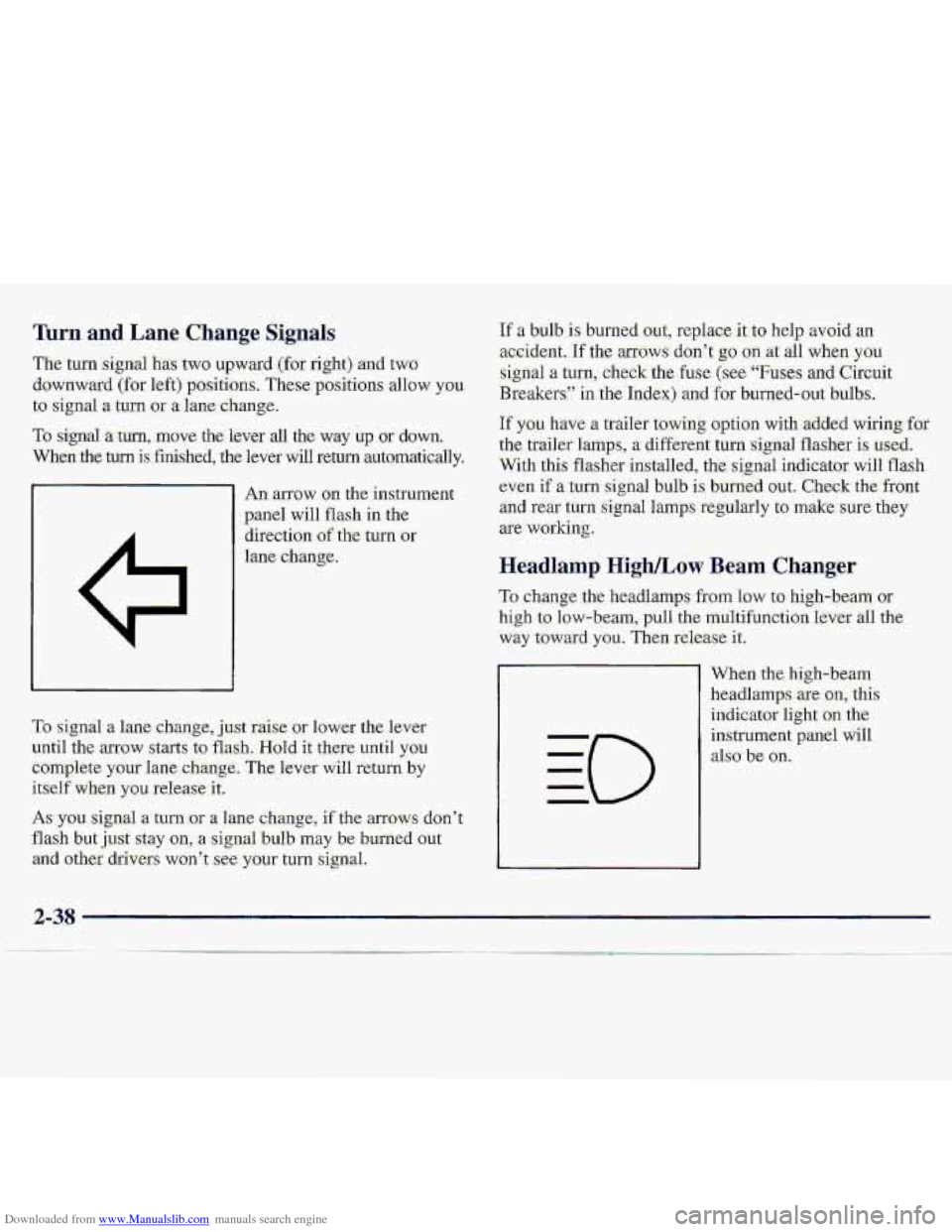
To signal -a turn, move the lever all the way up or down.
When the turn is finished, the lever will return aut~omatically.
An anow on. the instrume
panel will flash in the
direction
of the- turn or
lane change.
If a bulb is: burned.out, replace it.t-o help avoid an
acc.ident. If the arfows don’t g.0 on at all when you
sign-a1 a turn, check the fuse (see “Fu-se.s and Circuit
Breakersl’ in the .Ind.ex) and for burned-oat bulbs.
If you have n trailer towing option with -added wiring, for
the. traiier%mps, a d-ifferent turn :signal flasher is used.
With this flashes installed, the signal. indicator will flash
even if a.tum
signal bulb is burllid OW. Check the-ffont
an.d rear turn signal lamps -regularly tu make sure. they
are working.
Headl-amp High/Low Beam Changer
To change the headlamps from low to high-beam or
high to low-beam, pull the multifunction lever all the
way t.oward you. Then release it.
To signa1 a Lane change, j,ust raise- or lower the. lever
until the arrow starts to flash. Hold it there until you
Complete your lane,c,hangc, The kevei- will return by
itself when you release it.
As you signal a turn -or a lane c,hange, if the armws don’t
flash but just sxay on, a signal buIb may be burned Gut
arid other. drivers won’t ,see. your turn signal.. When the.’hi.gh-beam
headlamps are
on,. this
indicator
light .OM the
instrument pgniJ will
dso be on.
..
2-38
Page 90 of 402
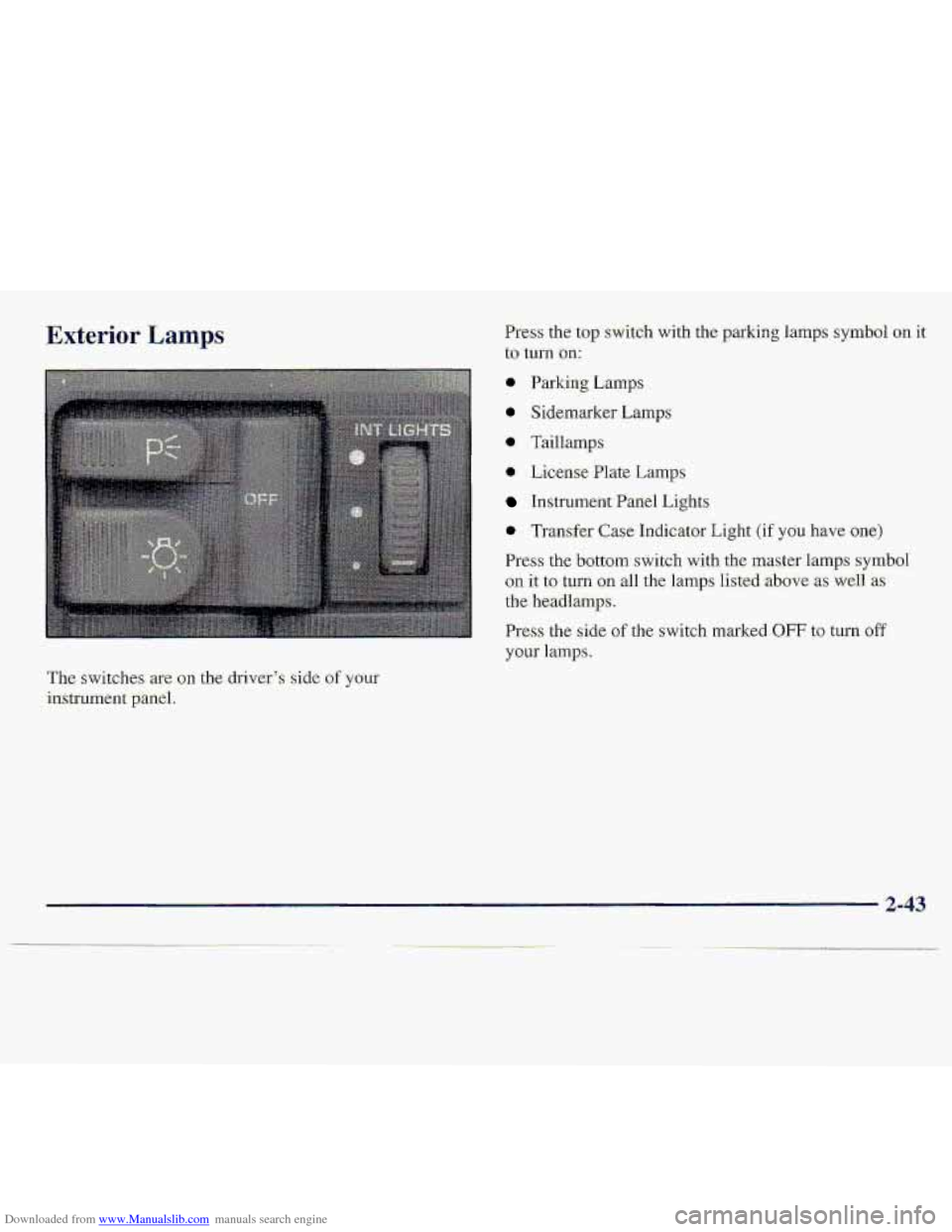
Downloaded from www.Manualslib.com manuals search engine Exterior Lamps Press the top sWitdl1 with the parking lamps symbol on it
to turn on:
@ Parking Lmps
0 Sidemarker Lamps
* Taillamp
0 License Plate Lamps
hstrument Panel Lights
0 Trmsfer Case Indicator Light (if you hgve one)
Press the bottom switch with the master 1,amps symbol
on it to tun. gn all the lamps listed -above as weli 'as
the headlamps.
Press the side of the switch marked OFF to-turn off
your 1a.mp.s.
The switches-are on the driver',$ side of your
instrument -panel.
2-43
Page 91 of 402
Downloaded from www.Manualslib.com manuals search engine Lamps On Reminder
Aren&idertone will sound when your headlamps or.
pzi&irig:.lamps ,-and interior lamps are turned on and your
ignition is
in OFF, LOCK -or ACCESS-'ORY To turn the
to.ne off, press the OFF switch.
Daytime Running Lamps,
Daytime Running Lamps (DRL) can make it easier for
dthezs to- s-eethe front of your vehicle during the day.
DRL can be helpful in many different driving
amditions,
but they can, be especially helpful in the
short periods after- dawn and before sunset.
The DRL;syste;m will make your headlamps come on at
reduced brightness when:
* the ignition is on,
the headlamp switchis off and
tkparking brake. is released.
When the DRL are on, only your he-adlamps will be on.
The taillamp, sidemarker md other lamps wan't be on,
The. instrument panel won't be lit up either.
When it begins to get dark, your DRL ifidicator light: is a
reminder to turn yoar headlamp switch .on. The other
lamp3 that come on with your headlamps will al9.0
Come on.
When you 'turn the headlmp switch .off7 the regular
lamps will g.0 off, arld:your he.adlanipS will change. to
the reduced brightness
of DRL.
Tcr: idle your vehicle with the.DRL off, set .the paking,
brake. The DRL will stay off until yab release- the
p.arking
brake,
As with any vehiclej yau:sho.uld turn on the regular
headla-mp. system. when ycwneed it.
2-44
Page 92 of 402
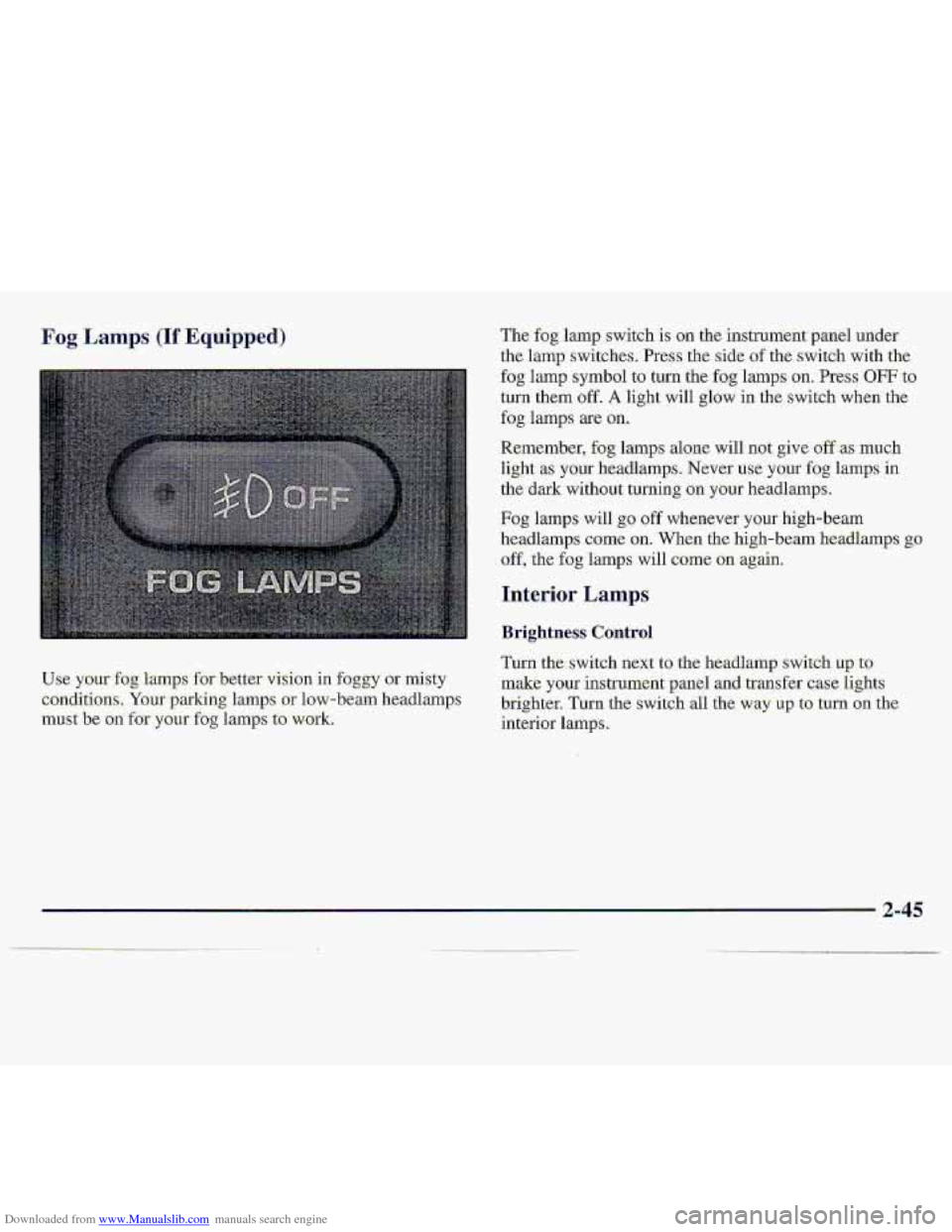
Downloaded from www.Manualslib.com manuals search engine Fog Lamps (If Equipped)
Use your fog lamps for better &ion in foggy or misty
conditi.ons. Your parking lamps or low-beam headlamps
must be on for your fog lamps to. work.
The fog lamp switch is on tne Instrument panel under
the
lamp switches. Press the side of the. switch with the
fog lamp symbol to turn the fog lamps on. Press OFF to
turn them off. A light will glow in the switch when the
fog lamps are on.
Remember, fog lamps alone will not give off as much
light
.as your headlamps. Never use your fog lamps in
the dark without turning on your headlamps.
Fog lamps will go off whenever your high-beam
headlamps come
on. When the high-beam headlamps go
off, the fog lamps will come on agah.
Interior Lamps
Brightness Control
Turn the.switch next to the headlamp switch up to
make your ,instrument panel and transfer case lights
brighter. Turn the switch all the way up to. turn on the.
interior lamps.
2-45
. . . .
Page 98 of 402
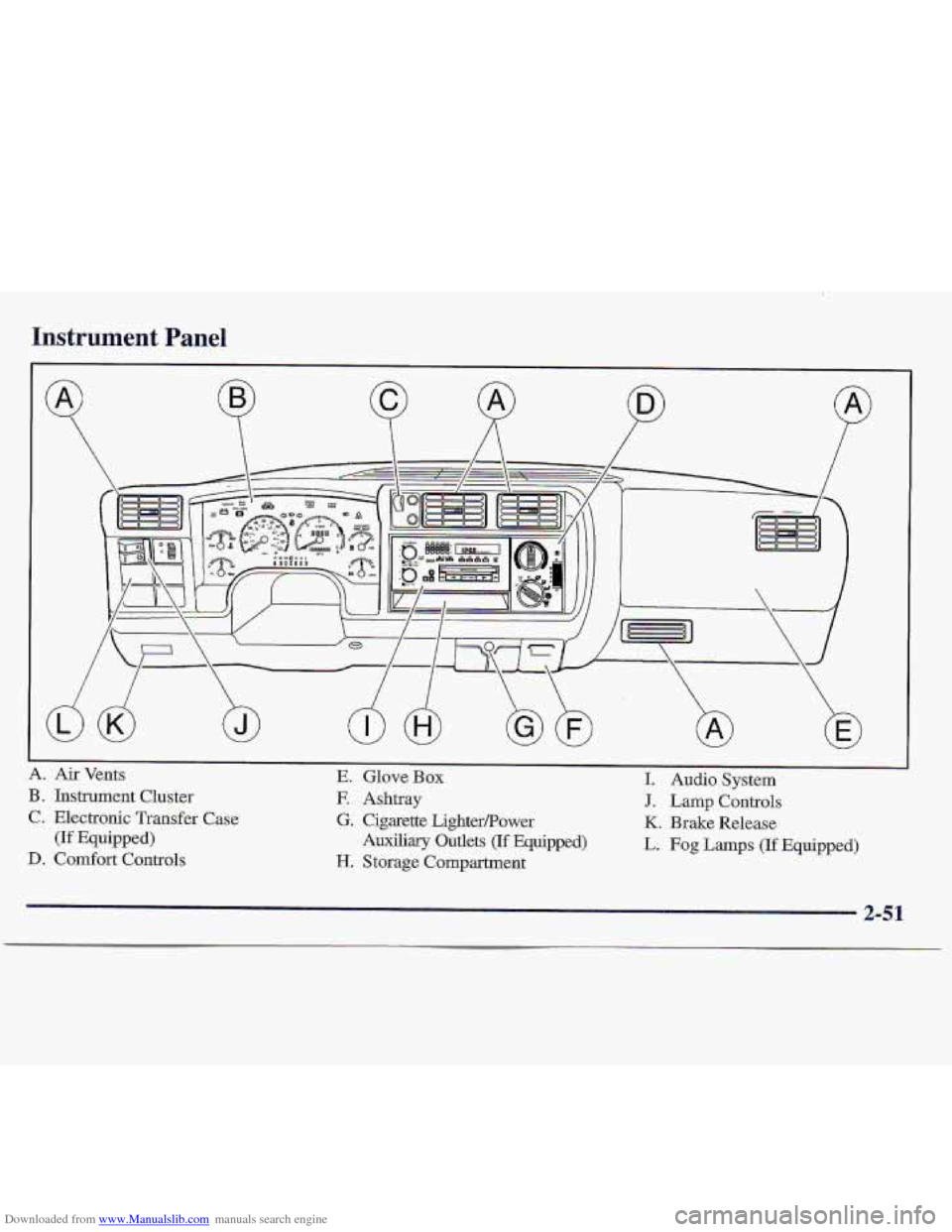
Downloaded from www.Manualslib.com manuals search engine Instrument Panel
A. Air Vents. E. Glove Box I. Audio System
B
. Instrument Cluster E Ashtray J. Lamp Controls
C. Electronic Transfer
Case G. Cigarette LighterPower K. Brake Release
D. Comfort Controls H. Storage Compartment
(If .Equipped) Auxiliary Outlets (If Equipped) L. Fog Lamps (If Equipped)
2-51
Page 99 of 402
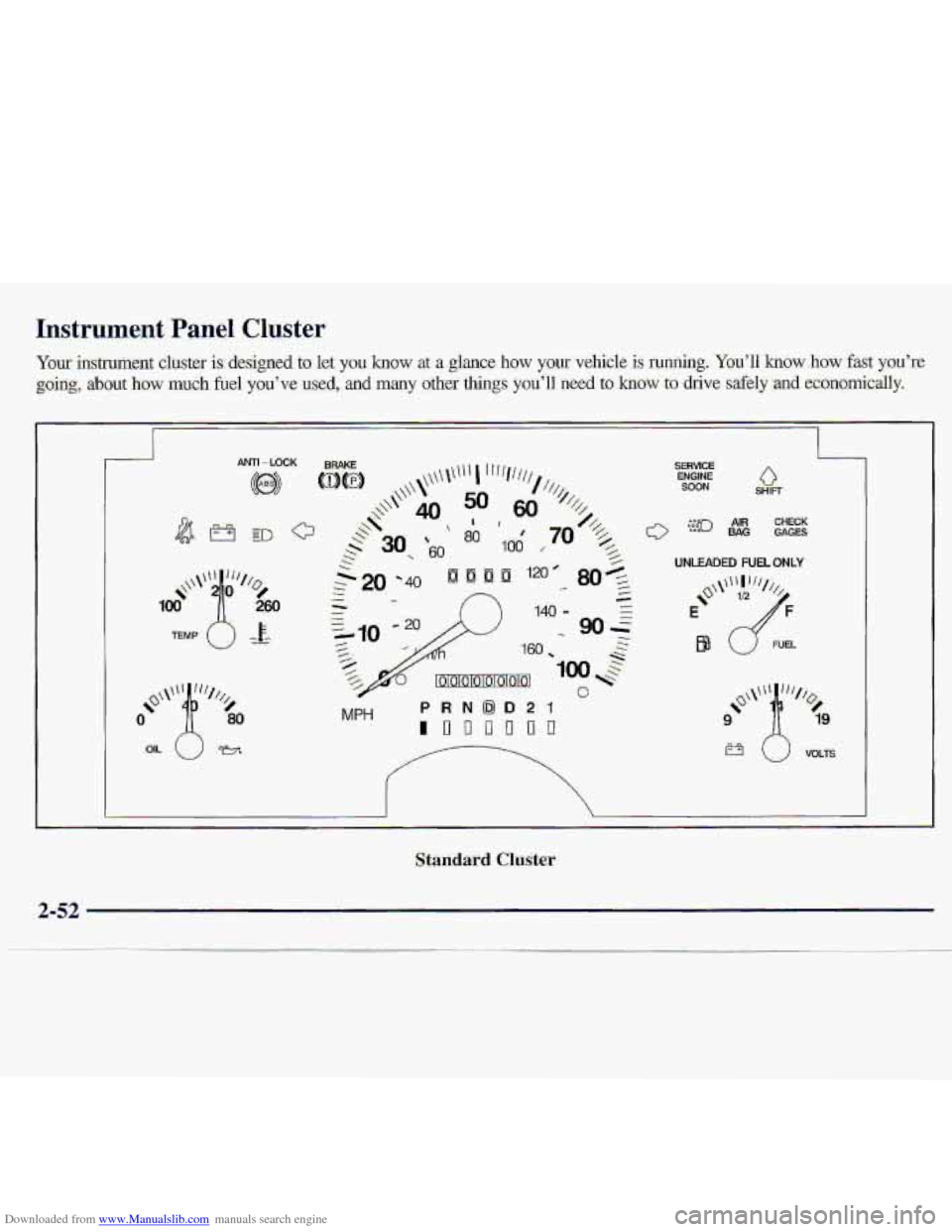
Downloaded from www.Manualslib.com manuals search engine Instrument Panel .Cluster
Your instrument clwstef is designed to let you know at a gl-ance how yollr vehicle is running.,. You'll how how fast you%
goi~g, about how much firel you've use$,.. and many other things you'll need to -how to drive safely .and ec~onomically.
MPH PRNOD21
InDo'onrl
SERVICE ENGINE SOON 0 SHIFT
I
UNLEADED FUEL ONLY
FUEL
Standard Cluster
Page 110 of 402
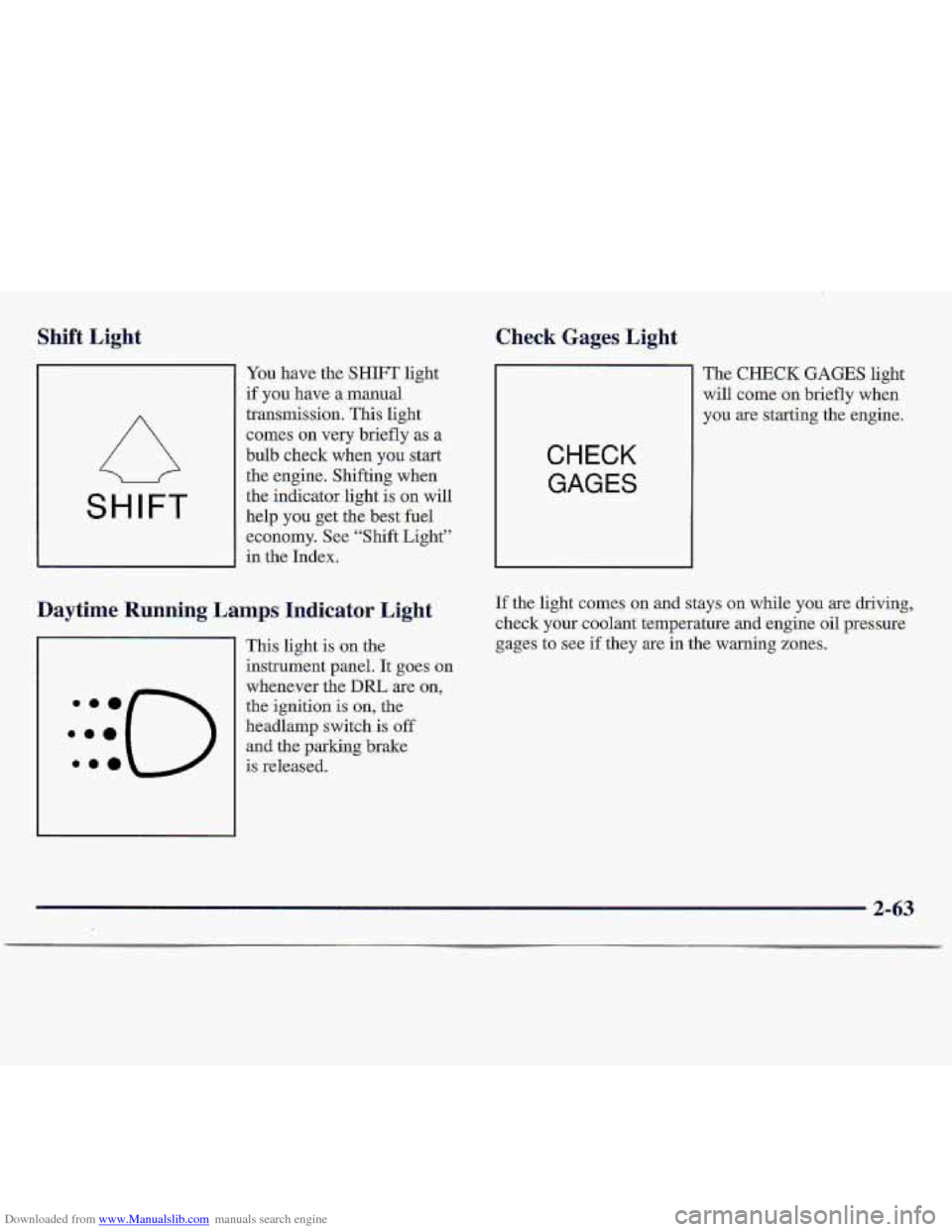
Downloaded from www.Manualslib.com manuals search engine Shift Light Check Gages Light.
SHIFT
You have the SHIFT light
if you have a manual
transmission. This light
comes- on very briefly as a
bulb check wh-en
you start
the engine. Shifting when
the indicator light is on will
help
you get the best fuel
economy. See “Shift Light”
in the Index.
Daytime Running Lamps Indicator Light
This light is ,on the
instrument panel. It goes on
whenever the
DIU are on,
the ignition is on, the
headlamp switch
is off
and the parking brake-
:::(-)
.ma is released.
CHECK
GAGES
The CHECK GAGES light
will come
on briefly when
y9u
are starting the engine.
If the light comes on and stays on while you are driving,
check
your coolant temperature and engine oil pressure
gages
to see if they are in the warning zones.
2-63
Page 116 of 402
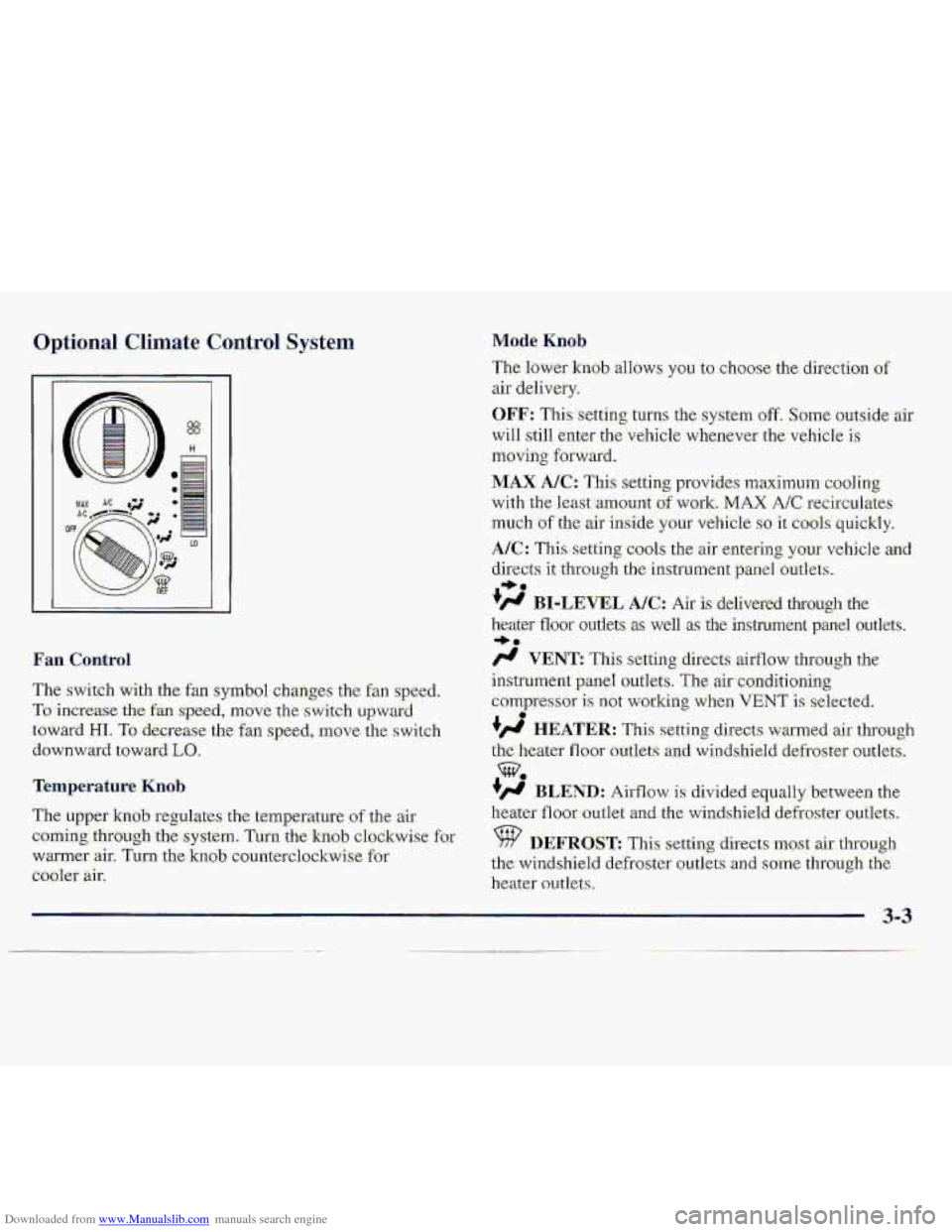
Downloaded from www.Manualslib.com manuals search engine Optional Climate Control System
The switch with the:fan symbol changes the fan speed.
To.increase the fa speed, rnove.the s-witch upwatd
towai-d HI. To -de.g-e.ase the fan speed, move the. swi.tch
downward toward
Lo.
Temperature Kmb
The uppe-r kn0.b regulates the .temperature of the air
corning thfuugh'the system. Turn the knob clchAwisc far
warmer
air. Turn the knab counterclockwise for
cbolet air.
Mode. Knob
The lower knob allows you to choose the direction of
aif delively.
OFF: This setting turns the system off. Some outside air
will still enter the vehicle whenever the vehicle i.s
tnsving foxward.
MAX. A/C: This setting pr0vi.de.s maximum coo,l.ing
with the 1east:amount of wor,k. MAX A/C recircalates
m.uch of the air-inside your vehicle so it c001.s quickly.
A/%: This setting cools the air erite-kng your vehicle and
directs it through th,e instrument pxnel outlets.
#' BI-LEVEL AK: Air is delivered thTough the
heater iloor outlets 8s well as the instmnent panel outlets.
/.I VENT: This setting directs airflow thr-ough the
instrument panel outlets.
The air conditioning
compresso~ is not working when VENT is selected.
+', HEATER: This s-etting directs warmed air th,rough
the heater floor outlets an-d winds-hield defroster outlets.
+' BLEND: Airflow is divided -equalfybetween the
heater
floor outlet and the windshield defroster outlets.
%? DEFROST This setti-ng direct,s ~OSC air. through
th,e windshield- defroster ou-tkts
.and Some thmugh the
heater owlets.
I, a.
3..
0
3-3