wheel CHEVROLET S10 1998 Owners Manual
[x] Cancel search | Manufacturer: CHEVROLET, Model Year: 1998, Model line: S10, Model: CHEVROLET S10 1998Pages: 404, PDF Size: 22.29 MB
Page 21 of 404
f
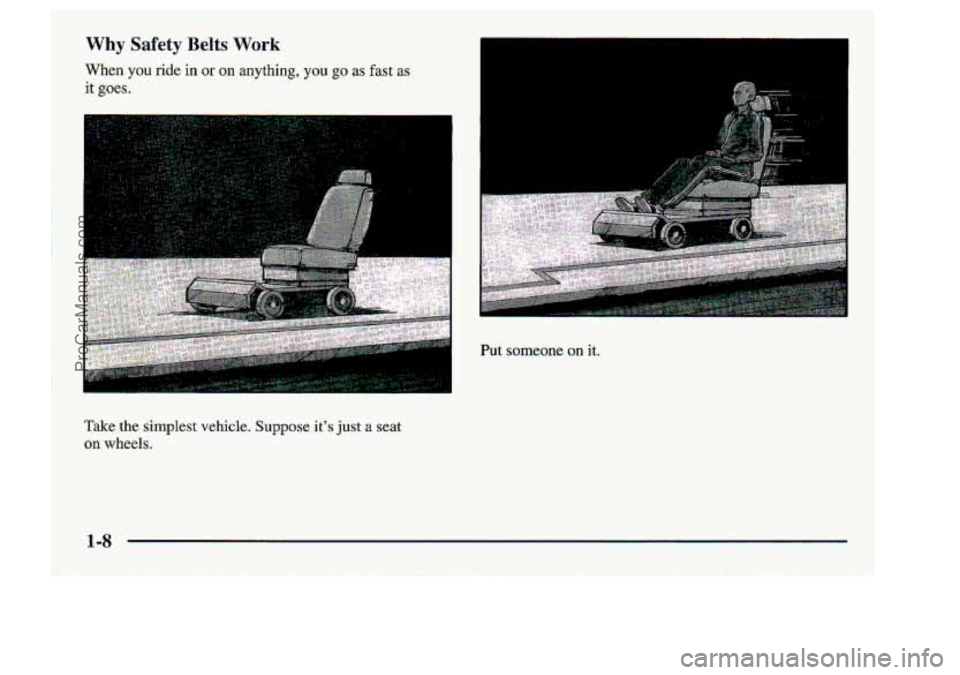
Why Safety Belts. Work
Wen you xi& in or on anything, you go as fast as
it goes.
Take :.the .$implest -vehicle. Suppose its just a seat
on wheels.
i
I.
I
ProCarManuals.com
Page 36 of 404
Iflsornething: is between an occupant 'and an air-
bag, the bag migbt not inflate properly or it
mFiht. forceithe. abj;ect into ;that Iperson. The path
of inflating :air bag must -be kept. clear. Don't
put :anything
between an occupmt and an -air
bag, .and .don't attiach or -put anything on the.
steerh-g, wheel hub: or
on or near any ather -air
bag. covering.
ProCarManuals.com
Page 38 of 404
If the right front pass,enger% air bag is turned
of& the person sitting there won't have the-extra
protection of an air bag.. In a crash, -t.heair bag
wouldnst
be able- to inflate and help proteet the
person .sitting there. Make sure the air
bag ~~ is
turned on unless yon are using a rear-facin-g child
restraint
in the right front seat positioni
'NOTICE:
If you damage the. covering for the driver 'S or the
right front passeager's
-air Bag, the bag may not
work properly. You maylhave to replace the air
bag~.'module in the steering wheel or both the air
bag'module -and the instrument panel for
the
right front passenger's air bag. Do not open .or
break the air ba,g &werings. -
ProCarManuals.com
Page 82 of 404
DRIVE (D); This .pasixion: is for: normal dsiving . If you.
need morepower for passing, and you.’re:
Gbing less Thanlabout 35 mph (55 kmh), push your
r) G6hg about 3.5 .m.h (55 km/h) of more, push the
:accelerator pedal abo.ut halfway down.
accelerator all the way down.
FIRST (I): This, psition gives YOU -even more power-
(but lower fuel-economy) than SECOND (2). You-cm.
.use:i;t on very Steep hills, or in deep $now;or mud. If the
-seke.ctoT lever is$ut in FIRST (1.)- while ;the vehicle is
moving forward,. the transmission. won’t shift..into-
FIRST (€) until ,the vehicle is going. slowly enough.
I€ your- rear wheels can’t rotate, don’t. try to
drive. This might. happen if you :were stuck in
very
deep sand or mud or were up againsit a solid
object.
Yau could.darnage- your t.ransmission.
Also, if you stop when goin.guphill, don’t hold
your -vehicle there with only ;the. .accelerator
~ -pedal. Thts- could overheat and damage the
1 transmission. Use your brakes or shift into.
~ ..a:biu,
PARK (PI to hold your .vehicle in pasition on
ProCarManuals.com
Page 92 of 404
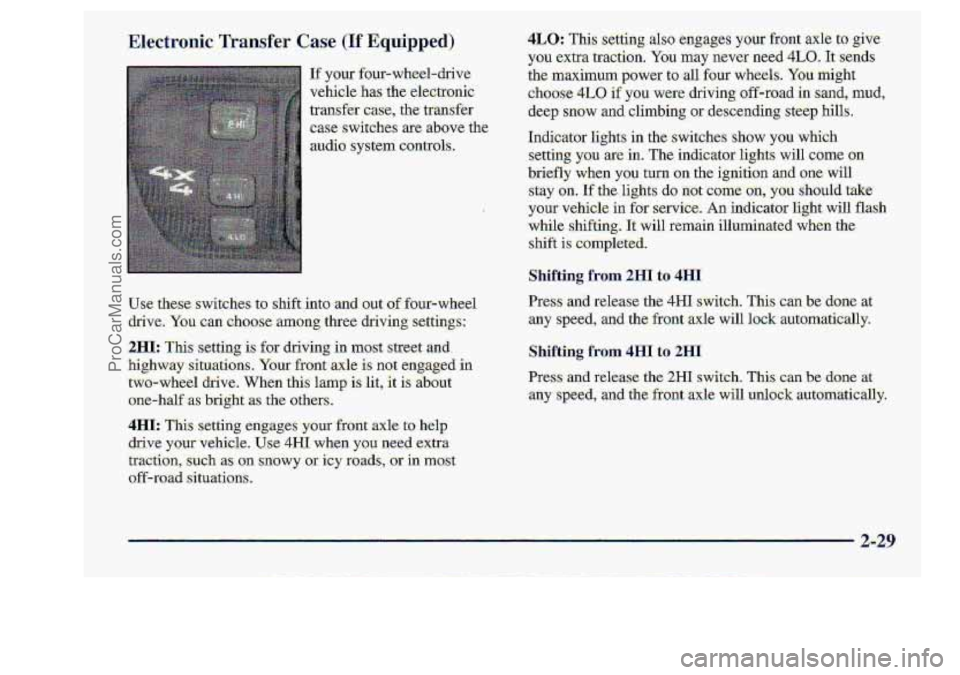
If your four-wheel-drive
vehicle
has the .electronic
traWer
case, the transfer
.case switches are above the,
audio. system controls.
use these switches tg shift. into 1 x Qut: of four-wheel
drive.
You can choose among.three driving settings:
2HI: Thk setting is for driving in most street and.
highw3ay-situatians-. Your front..alcle
is not engaged .in
two-wheel drive. When this lamp i:s lit, it is about
one-half
as .bright :as the others
4IsI: This setting--eng.ages y:om front axle. to help
drive y'ourvehicle. U.se 4H1 when you, need .extra
tractim,
such as on snowy .. or icy goads, or in mast
off-road .situati.ons.
4LO: TI setting also eagageS your %r.ont .axle to ,give
you extra traction. You mhy never. need. 4LO. -1t:s:nds
the maximum-pawer to -all four wheels. Y0.u. milght
choose 4L0, if you were clmving sff+oad in..sand, mud,
-deep snow and climbing mdescending steep hllls..
Indicator lights
in the- switches sh0.w you which
-setting you arein. The indicqtoelights will came on
briefly when you turn on the. ignition and .one will
-stay -on.
If thelights do not come-.on, you should take
-your vehicle in for servke. -Anindicator light will flash
while shifting. 1t:will remain illurninat when the
shift
is completed.
Shifting from 2HI to 4HI
ILr=ss cUld tdease the; 4H1 switch. This cm.be~d~rne at
any speed, and the front axle will lo.& automatically.
Shifting from 4HI to 2HI
Press and release the 2HI switc.h.. This can be..,done at
:any speed, and the' front ,axle will unlock -automatically.
ProCarManuals.com
Page 96 of 404
Turn SignaYlVZuItifu-nction ,Lever
Ilf~ you. have the tilt. steering
wheel, you shou1d:adjust.
'the .steering .wheel before
you drive.
You can raise it. to .the
highest level to.give your
legs more room when you
enter and exit the vehiile.
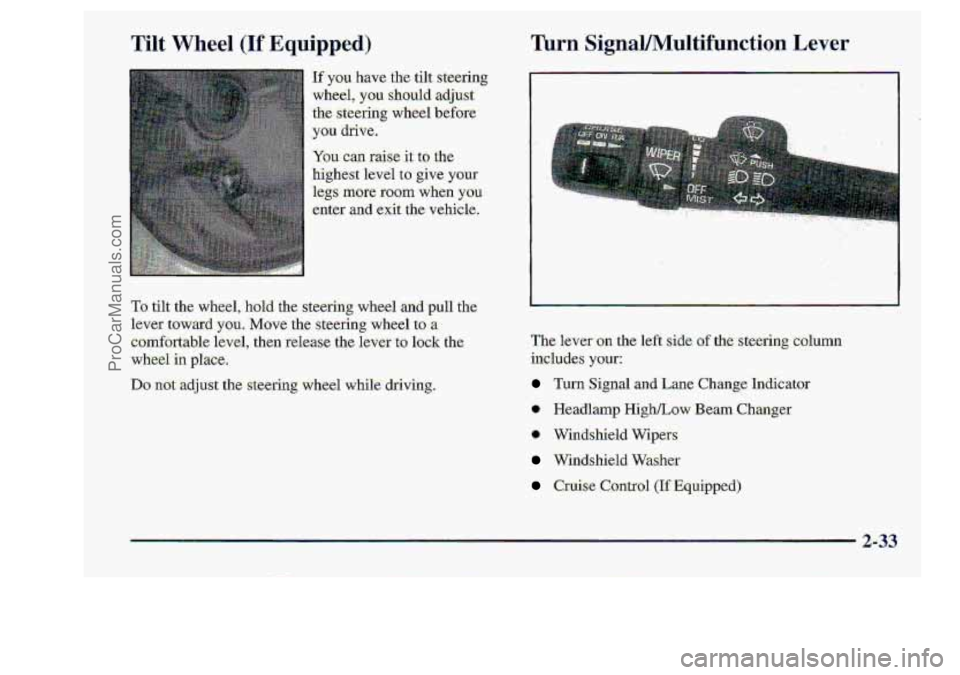
The lever: on the left side. of.the-steering column
includes ysur:
Turn Sig-nal and Lane Change. In6icator
* Headlamp HighLow Beam Changer
* W'indshield Wipeys
Windshield Washer
Cruise Control (If Equipped)
2-33
ProCarManuals.com
Page 99 of 404
a Cruise2controI can be Uangerous where- you
can't drive safely at a steady speed. $0,
.don't use.your cruise control on winding
mads or
in heavy traffic.
-Cruise:control
can be dangerous on
:slippery-r6ads.
On such roads, fast .changes
.in tire traction cm c&u$e needless wheel
spinning,
and you could lose -cwtrol. DonY
use' cruise control ion slippery mads.
If you leave -your crul! mntllol switch on wni
you 're not using: cruise, you might :hit a button
and
.go into cruise whea you. don't .want to. Ydu
could..be startled and even lose control..Keep the
cruise control switch gff until pu want toL use ik
ProCarManuals.com
Page 163 of 404
I
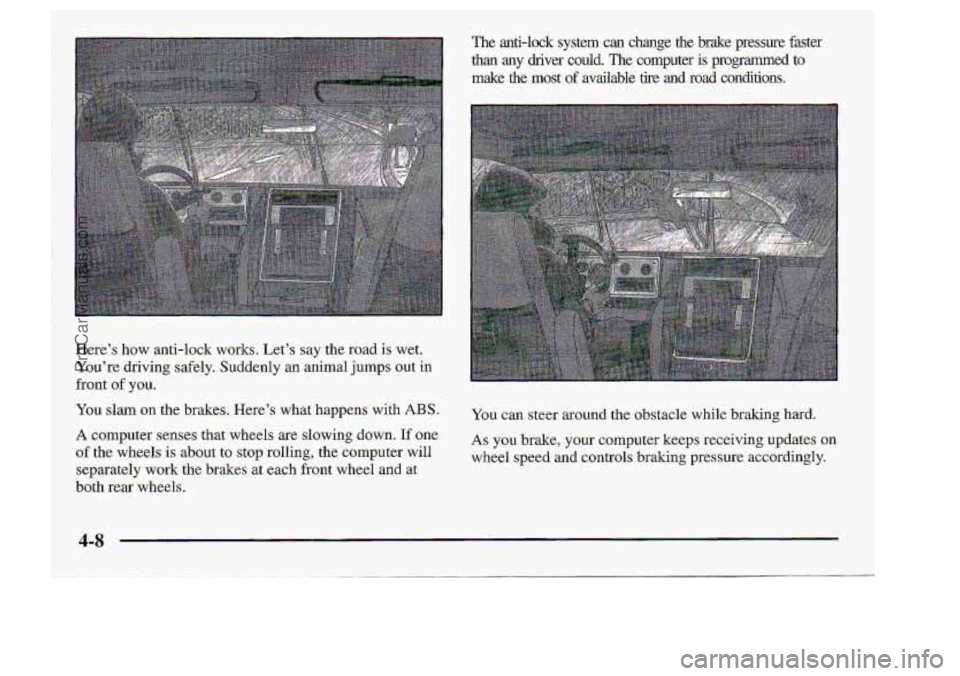
Here's how anti-lock works. Let's say the road is wet.
You're driving: safely. Suddenly an animal jumps out in
You slam on the brakes. Here's what happens .with ABS.
A computer-senses that wheels are slowing down. If'one,
of the wheels is about to stop. r.olling,. the-compter will
separately work the brakes. at .each- front wheel and at
both. rear -wheels.
front
of you.
_.. .
The anti-lock system can change.the brake pressure faster
than any driver could. The .computer is-programmed to
make the most o€'mailable tire .mil road conditions.
You can steer around the obstacle while braking hard,
AS you brake, your computer keeps receiving updates on
wheel speed and ~ontrols braking pressur.e accordingly.
t
ProCarManuals.com
Page 169 of 404
0ff-Roa;d Driving with Your
Four- Whed-D.dve Vehicle
If‘y~ur vehicle doesn’t have four-wheel drive, you
shouldn’t drive off-mad: unless you’re ‘on %level,
solid surface.
Off-road driving .involves. s.orne.new skills; And. that’s
why it’s very irnr>ortanf that you read this ,g,ui.de. You’ll
fmd-many driving. tip and.suggestims. These .will help
-make
youi.6ff-faad driving safer. and more enj-oyable.
4114 -
ProCarManuals.com
Page 174 of 404
Once you decide yowan sa€ely drive up t-he hill, you.
need.to take some special steps.
.; Use a low gear and .get a €im grip o.n .,the
:steering -wheel.
lkrning or dr’iving @WO$S steep. h___.j can be
dangerow.
You could lope: traction, slide:
sideways, -and possibJy roll .over. YQU~ could be-
seriously injurid.. or kille.d,. When driving. .. up hifls;
always try to go~traight up.
r 1
D,riving to the top (crest) of a hi11 at iull speed csln
emb.ankment,. cliff, .or..even another vehicle. You
could be seriously injured or kill,ed, As.~ou near
the’ top of -a hill, slow.down and stay alert.. 1
~ cause an accident. There could be- a-drop.=;off,_
ProCarManuals.com