service CHEVROLET SILVERADO 1500 2013 Workshop Manual
[x] Cancel search | Manufacturer: CHEVROLET, Model Year: 2013, Model line: SILVERADO 1500, Model: CHEVROLET SILVERADO 1500 2013Pages: 542, PDF Size: 7.92 MB
Page 294 of 542
Black plate (26,1)Chevrolet Silverado Owner Manual - 2013 - crc2 - 8/13/12
9-26 Driving and Operating
B (ACC/ACCESSORY):This
position lets things like the radio
and the windshield wipers operate
while the engine is off. Use this
position if the vehicle must be
pushed or towed.
C (ON/RUN): This position can be
used to operate the electrical
accessories and to display some
instrument panel cluster warning
and indicator lights. This position
can also be used for service and
diagnostics, and to verify the proper
operation of the malfunction
indicator lamp as may be required
for emission inspection purposes.
The switch stays in this position
when the engine is running. The
transmission is also unlocked in this
position on automatic transmission
vehicles.
If you leave the key in the ACC/
ACCESSORY or ON/RUN position
with the engine off, the battery could
be drained. You may not be able to
start the vehicle if the battery is
allowed to drain for an extended
period of time. D (START):
This is the position that
starts the engine. When the engine
starts, release the key. The ignition
switch returns to ON/RUN for
driving.
If the vehicle is equipped with a
radio, a warning tone will sound
when the driver door is opened, the
ignition is in ACC/ACCESSORY or
LOCK/OFF and the key is in the
ignition.
Starting the Engine
If the vehicle has a diesel engine,
see the Duramax®diesel
supplement for more information.
If the vehicle is a hybrid, see the
hybrid supplement for more
information.
Notice: If you add electrical parts
or accessories, you could change
the way the engine operates. Any
resulting damage would not be
covered by the vehicle warranty.
See Add-On Electrical Equipment
on page 9‑105. Place the transmission in the
proper gear.
Automatic Transmission
Move the shift lever to P (Park) or
N (Neutral). The engine will not start
in any other position. To restart the
engine when the vehicle is already
moving, use N (Neutral) only.
Notice:
Do not try to shift to
P (Park) if the vehicle is moving.
If you do, you could damage the
transmission. Shift to P (Park)
only when the vehicle is stopped.
Manual Transmission
The shift lever should be in
N (Neutral) and the parking brake
engaged. Hold the clutch pedal
down to the floor and start the
engine. The vehicle will not start if
the clutch pedal is not all the
way down.
Page 299 of 542
Black plate (31,1)Chevrolet Silverado Owner Manual - 2013 - crc2 - 8/13/12
Driving and Operating 9-31
When you are ready to drive, move
the shift lever out of P (Park) before
you release the parking brake.
If torque lock does occur, you may
need to have another vehicle push
yours a little uphill to take some of
the pressure from the parking pawl
in the transmission, then you will be
able to pull the shift lever out of
P (Park).
Shifting out of Park
This vehicle is equipped with an
electronic shift lock release system.
The shift lock release is
designed to:
.Prevent ignition key removal
unless the shift lever is in
P (Park) with the shift lever
button fully released.
.Prevent movement of the shift
lever out of P (Park), unless the
ignition is in ON/RUN or ACC/
ACCESSORY and the regular
brake pedal is applied.The shift lock release is always
functional except in the case of an
uncharged or low voltage (less than
9 volt) battery.
If the vehicle has an uncharged
battery or a battery with low voltage,
try charging or jump starting the
battery. See
Jump Starting on
page 10‑84 for more information.
To shift out of P (Park) use the
following:
1. Apply the brake pedal.
2. Move the shift lever to the desired position.
If you still are unable to shift out of
P (Park):
1. Ease the pressure on the shift lever.
2. While holding down the brake pedal, press the shift lever all
the way into P (Park).
3. Move the shift lever to the desired position. If you are still having a problem
shifting, then have the vehicle
serviced soon.
Parking (Manual
Transmission)
If the vehicle has a manual
transmission, before you get out of
the vehicle, move the shift lever into
R (Reverse), and firmly apply the
parking brake. Once the shift lever
has been placed into R (Reverse)
with the clutch pedal pressed in,
turn the ignition key to LOCK/OFF,
remove the key and release the
clutch.
If you are parking on a hill, or if the
vehicle is pulling a trailer, see
Driving Characteristics and Towing
Tips on page 9‑75.
Page 313 of 542
Black plate (45,1)Chevrolet Silverado Owner Manual - 2013 - crc2 - 8/13/12
Driving and Operating 9-45
2. Place the transmission intoN (Neutral).
Shift the transfer case in one
continuous motion into or out of the
N (Neutral) position.
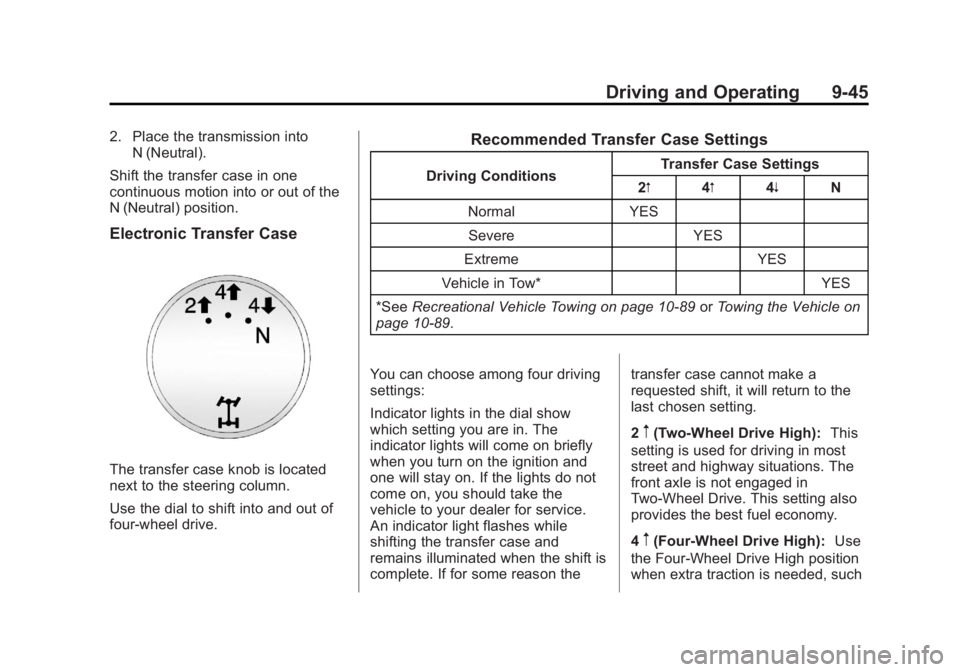
Electronic Transfer Case
The transfer case knob is located
next to the steering column.
Use the dial to shift into and out of
four-wheel drive.
Recommended Transfer Case Settings
Driving Conditions Transfer Case Settings
2m 4m4n N
Normal YES Severe YES
Extreme YES
Vehicle in Tow* YES
*See Recreational Vehicle Towing on page 10‑89 orTowing the Vehicle on
page 10‑89.
You can choose among four driving
settings:
Indicator lights in the dial show
which setting you are in. The
indicator lights will come on briefly
when you turn on the ignition and
one will stay on. If the lights do not
come on, you should take the
vehicle to your dealer for service.
An indicator light flashes while
shifting the transfer case and
remains illuminated when the shift is
complete. If for some reason the transfer case cannot make a
requested shift, it will return to the
last chosen setting.
2
m(Two-Wheel Drive High):
This
setting is used for driving in most
street and highway situations. The
front axle is not engaged in
Two-Wheel Drive. This setting also
provides the best fuel economy.
4
m(Four-Wheel Drive High): Use
the Four-Wheel Drive High position
when extra traction is needed, such
Page 314 of 542
Black plate (46,1)Chevrolet Silverado Owner Manual - 2013 - crc2 - 8/13/12
9-46 Driving and Operating
as on snowy or icy roads or in most
off-road situations. This setting also
engages the front axle to help drive
the vehicle. This is the best setting
to use when plowing snow.
4
n(Four-Wheel Drive Low):This
setting also engages the front axle
and delivers extra torque. You may
never need this setting. It sends
maximum power to all four wheels.
You might choose Four-Wheel Drive
Low while driving off-road in deep
sand, deep mud, deep snow, and
while climbing or descending steep
hills.
If the vehicle has StabiliTrak
®,
shifting into Four-Wheel Drive Low
will turn Traction Control and
StabiliTrak off. See StabiliTrak
®
System on page 9‑56.
{WARNING
Shifting the transfer case to
N (Neutral) can cause the vehicle
to roll even if the transmission is
(Continued)
WARNING (Continued)
in P (Park). You or someone else
could be seriously injured. Be
sure to set the parking brake
before placing the transfer case in
N (Neutral). SeeParking Brake on
page 9‑54.
N (Neutral): Shift the vehicle's
transfer case to N (Neutral) only
when towing the vehicle. See
Recreational Vehicle Towing on
page 10‑89 orTowing the Vehicle
on page 10‑89 for more information.
If the SERVICE 4 WHEEL DRIVE
message stays on, you should take
the vehicle to your dealer for
service. See “SERVICE 4 WHEEL
DRIVE” underTransmission
Messages on page 5‑44.
Shifting Into Two-Wheel
Drive High
Turn the knob to the Two-Wheel
Drive High position. This can be
done at any speed, except when shifting from Four-Wheel Drive Low.
See
“Shifting Out of Four-Wheel
Drive Low” for more information.
Shifting Into Four-Wheel
Drive Low
When Four-Wheel Drive Low is
engaged, vehicle speed should be
kept below 72 km/h (45 mph).
Extended high-speed operation in
Four-Wheel Drive Low may damage
or shorten the life of the drivetrain.
To shift to the Four-Wheel Drive
Low position, the ignition must be in
ON/RUN and the vehicle must be
stopped or moving less than 5 km/h
(3 mph) with the transmission in
N (Neutral). The preferred method
for shifting into Four-Wheel Drive
Low is to have the vehicle moving
1.6 to 3.2 km/h (1 to 2 mph). Turn the
knob to the Four-Wheel Drive Low
position. You must wait for the
Four-Wheel Drive Low indicator light
to stop flashing and remain on
before shifting the transmission
in gear.
Page 317 of 542

Black plate (49,1)Chevrolet Silverado Owner Manual - 2013 - crc2 - 8/13/12
Driving and Operating 9-49
one shift per 10 seconds. The
transfer case may stay in this mode
for up to three minutes.
Automatic Transfer Case
The transfer case knob is located
next to the steering column.
Use the dial to shift into and out of
Four-Wheel Drive.
You can choose among five driving
settings:
Indicator lights in the dial show
which setting you are in. The
indicator lights will come on brieflywhen you turn on the ignition and
one will stay on. If the lights do not
come on, you should take the
vehicle to your dealer for service.
An indicator light will flash while
shifting the transfer case. It will
remain illuminated when the shift is
complete. If for some reason the
transfer case cannot make a
requested shift, it will return to the
last chosen setting.
2
m(Two-Wheel Drive High):
This
setting is used for driving in most
street and highway situations. The
front axle is not engaged in
Two-Wheel Drive. This setting also
provides the best fuel economy.
AUTO (Automatic Four-Wheel
Drive): This setting is ideal for use
when road surface traction
conditions are variable. When
driving the vehicle in AUTO, the
front axle is engaged, but the
vehicle's power is sent only to the
front and rear wheels automatically
based on driving conditions. Driving in this mode results in slightly lower
fuel economy than Two-Wheel
Drive High.
4
m(Four-Wheel Drive High):
Use
the Four-Wheel Drive High position
when extra traction is needed, such
as on snowy or icy roads or in most
off-road situations. This setting also
engages the front axle to help drive
the vehicle. This is the best setting
to use when plowing snow.
4
n(Four-Wheel Drive Low): This
setting also engages the front axle
and delivers extra torque. You may
never need this setting. It sends
maximum power to all four wheels.
You might choose Four-Wheel Drive
Low if you are driving off-road in
deep sand, deep mud, deep snow,
and while climbing or descending
steep hills.
If the vehicle has StabiliTrak
®,
shifting into Four-Wheel Drive Low
will turn Traction Control and
StabiliTrak off. See StabiliTrak
®
System on page 9‑56.
Page 318 of 542
Black plate (50,1)Chevrolet Silverado Owner Manual - 2013 - crc2 - 8/13/12
9-50 Driving and Operating
{WARNING
Shifting the transfer case to
N (Neutral) can cause the vehicle
to roll even if the transmission is
in P (Park). You or someone else
could be seriously injured. Be
sure to set the parking brake
before placing the transfer case in
N (Neutral). SeeParking Brake on
page 9‑54.
N (Neutral): Shift the vehicle's
transfer case to N (Neutral) only
when towing the vehicle. See
Recreational Vehicle Towing on
page 10‑89 orTowing the Vehicle
on page 10‑89 for more information.
If the SERVICE 4 WHEEL DRIVE
message stays on, you should take
the vehicle to your dealer for
service. See “SERVICE 4 WHEEL
DRIVE” underTransmission
Messages on page 5‑44. Shifting Into Four-Wheel Drive
High or AUTO (Automatic
Four-Wheel Drive)
Turn the knob to the Four-Wheel
Drive High or AUTO position. This
can be done at any speed, except
when shifting from Four-Wheel
Drive Low. The indicator light will
flash while shifting. It will remain on
when the shift is completed.
Shifting Into Two-Wheel
Drive High
Turn the knob to the Two-Wheel
Drive High position. This can be
done at any speed, except when
shifting from Four-Wheel Drive Low.
The indicator light will flash while
shifting. It will remain on when the
shift is completed.
Shifting Into Four-Wheel
Drive Low
When Four-Wheel Drive Low is
engaged, vehicle speed should be
kept below 72 km/h (45 mph).Extended high-speed operation in
Four-Wheel Drive Low may damage
or shorten the life of the drivetrain.
To shift to the Four-Wheel Drive
Low position, the ignition must be in
ON/RUN and the vehicle must be
stopped or moving less than 5 km/h
(3 mph) with the transmission in
N (Neutral). The preferred method
for shifting into Four-Wheel Drive
Low is to have the vehicle moving
1.6 to 3.2 km/h (1 to 2 mph). Turn the
knob to the Four-Wheel Drive Low
position. You must wait for the
Four-Wheel Drive Low indicator light
to stop flashing and remain on
before shifting the transmission
into gear.
Notice:
Shifting the transmission
into gear before the requested
mode indicator light has stopped
flashing could damage the
transfer case. To help avoid
damaging the vehicle, always wait
for the mode indicator lights to
stop flashing before shifting the
transmission into gear.
Page 321 of 542
Black plate (53,1)Chevrolet Silverado Owner Manual - 2013 - crc2 - 8/13/12
Driving and Operating 9-53
Brakes
Antilock Brake
System (ABS)
This vehicle might have the Antilock
Brake System (ABS), an advanced
electronic braking system that helps
prevent a braking skid.
When the engine is started and the
vehicle begins to drive away, ABS
checks itself. A momentary motor or
clicking noise might be heard while
this test is going on. This is normal.
If there is a problem with ABS, this
warning light stays on. SeeAntilock
Brake System (ABS) Warning Light
on page 5‑24. Along with ABS, the vehicle has a
Dynamic Rear Proportioning (DRP)
system. If there is a DRP problem,
both the brake and ABS warning
lights come on accompanied by a
10‐second chime. The lights and
chime will come on each time the
ignition is turned on until the
problem is repaired. See your dealer
for service.
Let us say the road is wet and you
are driving safely. Suddenly, an
animal jumps out in front of you.
You slam on the brakes and
continue braking. Here is what
happens with ABS:
A computer senses that the wheels
are slowing down. If one of the
wheels is about to stop rolling, the
computer will separately work the
brakes at each front wheel and at
both rear wheels.
ABS can change the brake pressure
to each wheel, as required, faster
than any driver could. This can help
the driver steer around the obstacle
while braking hard.As the brakes are applied, the
computer keeps receiving updates
on wheel speed and controls
braking pressure accordingly.
Remember: ABS does not change
the time needed to get a foot up to
the brake pedal or always decrease
stopping distance. If you get too
close to the vehicle in front of you,
there will not be enough time to
apply the brakes if that vehicle
suddenly slows or stops. Always
leave enough room up ahead to
stop, even with ABS.
Using ABS
Do not pump the brakes. Just hold
the brake pedal down firmly and let
antilock work. You might feel the
brakes vibrate or hear some noise,
but this is normal.
Braking in Emergencies
If the vehicle has ABS, it allows the
driver to steer and brake at the
same time. However, if the vehicle
does not have ABS, the first
reaction, to hit the brake pedal hard
Page 325 of 542
Black plate (57,1)Chevrolet Silverado Owner Manual - 2013 - crc2 - 8/13/12
Driving and Operating 9-57
taken in for service. For more
information on the DIC messages,
seeRide Control System Messages
on page 5‑42.
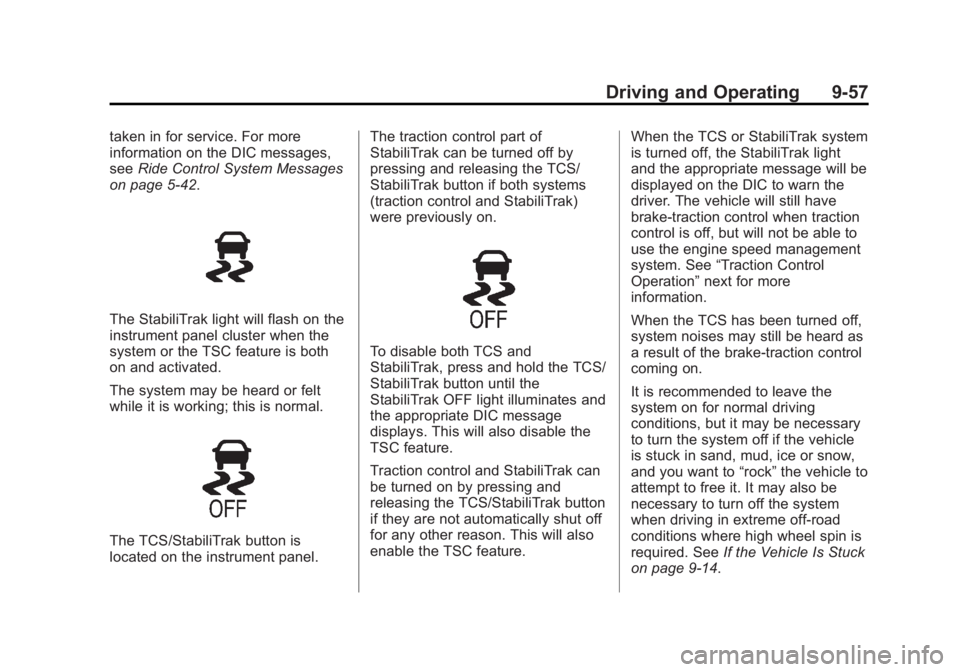
The StabiliTrak light will flash on the
instrument panel cluster when the
system or the TSC feature is both
on and activated.
The system may be heard or felt
while it is working; this is normal.
The TCS/StabiliTrak button is
located on the instrument panel. The traction control part of
StabiliTrak can be turned off by
pressing and releasing the TCS/
StabiliTrak button if both systems
(traction control and StabiliTrak)
were previously on.
To disable both TCS and
StabiliTrak, press and hold the TCS/
StabiliTrak button until the
StabiliTrak OFF light illuminates and
the appropriate DIC message
displays. This will also disable the
TSC feature.
Traction control and StabiliTrak can
be turned on by pressing and
releasing the TCS/StabiliTrak button
if they are not automatically shut off
for any other reason. This will also
enable the TSC feature.
When the TCS or StabiliTrak system
is turned off, the StabiliTrak light
and the appropriate message will be
displayed on the DIC to warn the
driver. The vehicle will still have
brake-traction control when traction
control is off, but will not be able to
use the engine speed management
system. See
“Traction Control
Operation” next for more
information.
When the TCS has been turned off,
system noises may still be heard as
a result of the brake-traction control
coming on.
It is recommended to leave the
system on for normal driving
conditions, but it may be necessary
to turn the system off if the vehicle
is stuck in sand, mud, ice or snow,
and you want to “rock”the vehicle to
attempt to free it. It may also be
necessary to turn off the system
when driving in extreme off-road
conditions where high wheel spin is
required. See If the Vehicle Is Stuck
on page 9‑14.
Page 326 of 542
Black plate (58,1)Chevrolet Silverado Owner Manual - 2013 - crc2 - 8/13/12
9-58 Driving and Operating
When the transfer case is in 4LO,
the stability system is automatically
disabled, the StabiliTrak light comes
on, and the appropriate message
will appear on the DIC. Both traction
control and StabiliTrak are
automatically disabled in this
condition.
Traction Control Operation
The TCS is part of the StabiliTrak
system. Traction control limits wheel
spin by reducing engine power to
the wheels (engine speed
management) and by applying
brakes to each individual wheel
(brake-traction control) as
necessary.
The TCS is enabled automatically
when the vehicle is started. It will
activate and the StabiliTrak light will
flash if it senses that any of the
wheels are spinning or beginning to
lose traction while driving. If traction
control is turned off, only the
brake-traction control portion of
traction control will work. The
engine speed management will bedisabled. In this mode, engine
power is not reduced automatically
and the driven wheels can spin
more freely. This can cause the
brake-traction control to activate
constantly.
Notice:
If the wheel(s) of one axle
is allowed to spin excessively
while the StabiliTrak
®, ABS, brake
warning lights, and any relevant
DIC messages are displayed, the
transfer case could be damaged.
The repairs would not be covered
by the vehicle warranty. Reduce
engine power and do not spin the
wheel(s) excessively while these
lights and messages are
displayed.
The TCS may activate on dry or
rough roads or under conditions
such as heavy acceleration while
turning or abrupt upshifts/downshifts
of the transmission. When this
happens, a reduction in acceleration
may be noticed, or a noise or
vibration may be heard. This is
normal. If cruise control is being used when
the system activates, the StabiliTrak
light will flash and cruise control will
automatically disengage. Cruise
control may be reengaged when
road conditions allow. See
Cruise
Control on page 9‑59.
StabiliTrak may also turn off
automatically if it determines that a
problem exists with the system.
If the problem does not clear itself
after restarting the vehicle, see your
dealer for service.
Vehicles with StabiliTrak have a
Trailer Sway Control (TSC) feature.
See Trailer Sway Control (TSC) on
page 9‑104.
Vehicles with StabiliTrak have a Hill
Start Assist (HSA) feature. See Hill
Start Assist (HSA) on page 9‑55.
Adding non-dealer accessories can
affect the vehicle's performance.
See Accessories and Modifications
on page 10‑3.
Page 331 of 542
Black plate (63,1)Chevrolet Silverado Owner Manual - 2013 - crc2 - 8/13/12
Driving and Operating 9-63
the rear bumper. This distance may
be less during warmer or humid
weather.
Turning the System On and Off
The URPA system can be turned on
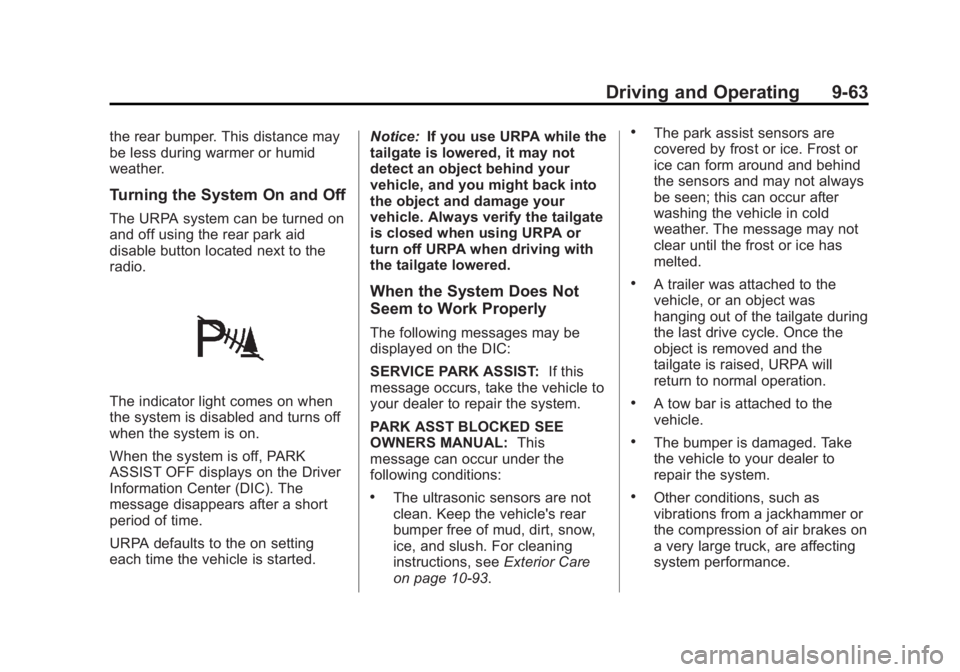
and off using the rear park aid
disable button located next to the
radio.
The indicator light comes on when
the system is disabled and turns off
when the system is on.
When the system is off, PARK
ASSIST OFF displays on the Driver
Information Center (DIC). The
message disappears after a short
period of time.
URPA defaults to the on setting
each time the vehicle is started.Notice:
If you use URPA while the
tailgate is lowered, it may not
detect an object behind your
vehicle, and you might back into
the object and damage your
vehicle. Always verify the tailgate
is closed when using URPA or
turn off URPA when driving with
the tailgate lowered.
When the System Does Not
Seem to Work Properly
The following messages may be
displayed on the DIC:
SERVICE PARK ASSIST: If this
message occurs, take the vehicle to
your dealer to repair the system.
PARK ASST BLOCKED SEE
OWNERS MANUAL: This
message can occur under the
following conditions:
.The ultrasonic sensors are not
clean. Keep the vehicle's rear
bumper free of mud, dirt, snow,
ice, and slush. For cleaning
instructions, see Exterior Care
on page 10‑93.
.The park assist sensors are
covered by frost or ice. Frost or
ice can form around and behind
the sensors and may not always
be seen; this can occur after
washing the vehicle in cold
weather. The message may not
clear until the frost or ice has
melted.
.A trailer was attached to the
vehicle, or an object was
hanging out of the tailgate during
the last drive cycle. Once the
object is removed and the
tailgate is raised, URPA will
return to normal operation.
.A tow bar is attached to the
vehicle.
.The bumper is damaged. Take
the vehicle to your dealer to
repair the system.
.Other conditions, such as
vibrations from a jackhammer or
the compression of air brakes on
a very large truck, are affecting
system performance.