battery CHEVROLET SILVERADO 1500 2015 Owners Manual
[x] Cancel search | Manufacturer: CHEVROLET, Model Year: 2015, Model line: SILVERADO 1500, Model: CHEVROLET SILVERADO 1500 2015Pages: 551, PDF Size: 6.87 MB
Page 43 of 551
Black plate (4,1)Chevrolet 2015i Silverado Owner Manual (GMNA-Localizing-U.S./Canada/
Mexico-8425172) - 2015 - CRC - 6/20/14
2-4 Keys, Doors, and Windows
Remote Keyless Entry
(RKE) System
SeeRadio Frequency Statement on
page 13-12.
If there is a decrease in the RKE
operating range:
.Check the distance. The
transmitter may be too far from
the vehicle.
.Check the location. Other
vehicles or objects may be
blocking the signal.
.Check the transmitter's battery.
See “Battery Replacement” later
in this section.
.If the transmitter is still not
working correctly, see your
dealer or a qualified technician
for service.
Remote Keyless Entry
(RKE) System Operation
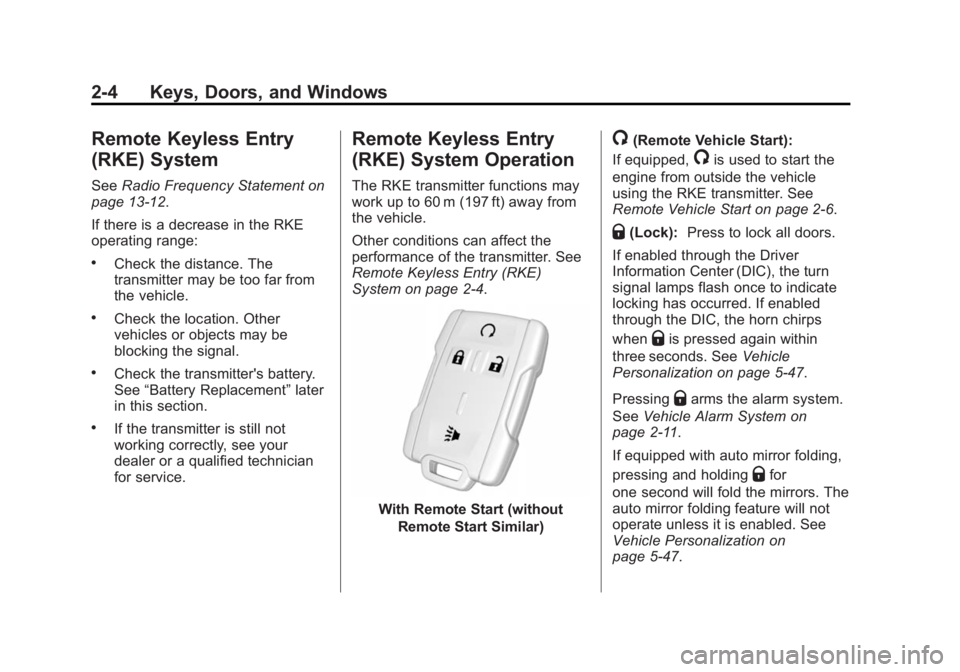
The RKE transmitter functions may
work up to 60 m (197 ft) away from
the vehicle.
Other conditions can affect the
performance of the transmitter. See
Remote Keyless Entry (RKE)
System on page 2-4.
With Remote Start (without
Remote Start Similar)
/(Remote Vehicle Start):
If equipped,
/is used to start the
engine from outside the vehicle
using the RKE transmitter. See
Remote Vehicle Start on page 2-6.
Q(Lock): Press to lock all doors.
If enabled through the Driver
Information Center (DIC), the turn
signal lamps flash once to indicate
locking has occurred. If enabled
through the DIC, the horn chirps
when
Qis pressed again within
three seconds. See Vehicle
Personalization on page 5-47.
Pressing
Qarms the alarm system.
See Vehicle Alarm System on
page 2-11.
If equipped with auto mirror folding,
pressing and holding
Qfor
one second will fold the mirrors. The
auto mirror folding feature will not
operate unless it is enabled. See
Vehicle Personalization on
page 5-47.
Page 44 of 551
Black plate (5,1)Chevrolet 2015i Silverado Owner Manual (GMNA-Localizing-U.S./Canada/
Mexico-8425172) - 2015 - CRC - 6/20/14
Keys, Doors, and Windows 2-5
K(Unlock):Press once to unlock
only the driver door. If
Kis pressed
again within three seconds, all
remaining doors unlock. The interior
lamps may come on and stay on for
20 seconds or until the ignition is
turned on.
If enabled through the DIC, the turn
signal lamps flash twice to indicate
unlocking has occurred. See Vehicle
Personalization on page 5-47.
If enabled through the DIC, the
exterior lamps may turn on. See
Vehicle Personalization on
page 5-47.
If equipped, memory seat positions
may be recalled when unlocking the
vehicle if enabled. See Vehicle
Personalization on page 5-47 and
Memory Seats on page 3-7.
Pressing
Kon the RKE transmitter
disarms the alarm system. See
Vehicle Alarm System on page 2-11.
If equipped with auto mirror folding,
pressing and holding
Kfor
one second will unfold the mirrors. The auto mirror folding feature will
not operate unless it is enabled.
See
Vehicle Personalization on
page 5-47.
On some models, press, release
and then press and hold
Kto open
all of the windows. Pressing the
button again will stop the windows.
7(Vehicle Locator/Panic
Alarm): Press and release one
time to initiate vehicle locator. The
turn signal lamps flash and the horn
sounds three times.
Press and hold
7for at least
three seconds to sound the panic
alarm. The turn signal lamps flash
and the horn sounds repeatedly for
30 seconds. The alarm turns off
when the ignition is moved to ON/
RUN or
7is pressed again. The
ignition must be in LOCK/OFF for
the panic alarm to work.
Programming Transmitters to
the Vehicle
Only RKE transmitters programmed
to this vehicle will work. If a
transmitter is lost or stolen, a
replacement can be purchased and
programmed through your dealer.
Each vehicle can have up to
eight transmitters programmed to it.
See your dealer for transmitter
programming.
Battery Replacement
Replace the battery in the
transmitter soon if the REPLACE
BATTERY IN REMOTE KEY
message displays in the DIC.
{Caution
When replacing the battery, do
not touch any of the circuitry on
the transmitter. Static from your
body could damage the
transmitter.
Page 45 of 551
Black plate (6,1)Chevrolet 2015i Silverado Owner Manual (GMNA-Localizing-U.S./Canada/
Mexico-8425172) - 2015 - CRC - 6/20/14
2-6 Keys, Doors, and Windows
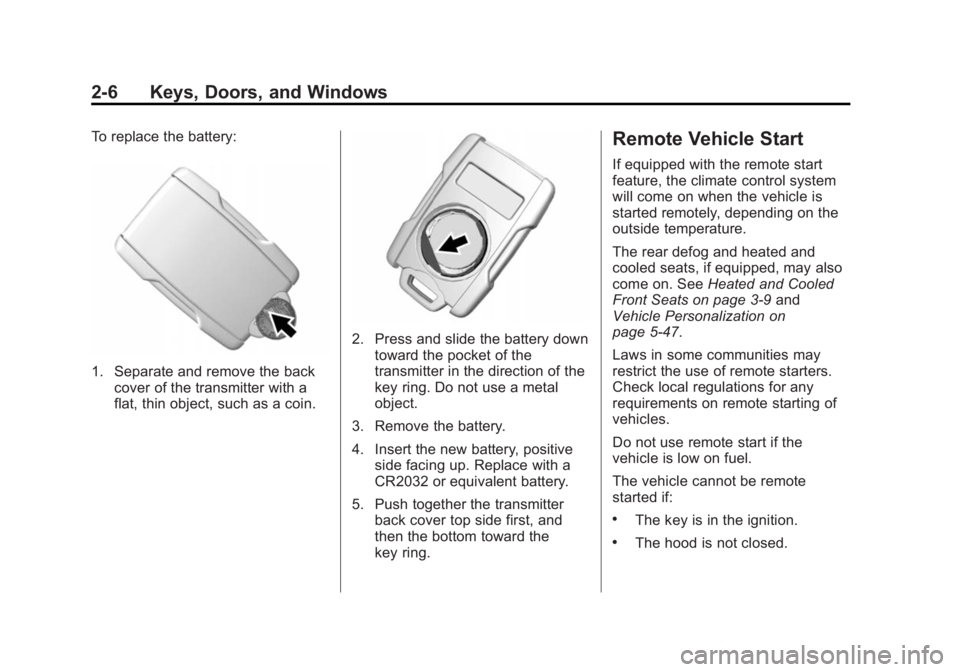
To replace the battery:
1. Separate and remove the backcover of the transmitter with a
flat, thin object, such as a coin.
2. Press and slide the battery downtoward the pocket of the
transmitter in the direction of the
key ring. Do not use a metal
object.
3. Remove the battery.
4. Insert the new battery, positive side facing up. Replace with a
CR2032 or equivalent battery.
5. Push together the transmitter back cover top side first, and
then the bottom toward the
key ring.
Remote Vehicle Start
If equipped with the remote start
feature, the climate control system
will come on when the vehicle is
started remotely, depending on the
outside temperature.
The rear defog and heated and
cooled seats, if equipped, may also
come on. See Heated and Cooled
Front Seats on page 3-9 and
Vehicle Personalization on
page 5-47.
Laws in some communities may
restrict the use of remote starters.
Check local regulations for any
requirements on remote starting of
vehicles.
Do not use remote start if the
vehicle is low on fuel.
The vehicle cannot be remote
started if:
.The key is in the ignition.
.The hood is not closed.
Page 60 of 551
Black plate (21,1)Chevrolet 2015i Silverado Owner Manual (GMNA-Localizing-U.S./Canada/
Mexico-8425172) - 2015 - CRC - 6/20/14
Keys, Doors, and Windows 2-21
.Will stop operation when any
door is opened.
Press the switch down to lower the
window, and pull up the front of the
switch to raise the window.
Express-Down Windows
If equipped, the express-down
feature allows the window to be
lowered without holding the switch.
Press the window switch down fully
and release it to activate the
express-down feature. The
express-down feature can be
canceled at any time by briefly
pressing the switch.
Express-Up Window
If equipped, the driver window
express-up feature allows the
window to be raised without holding
the switch. Pull the window switch
up fully and release it to activate the
express-up feature. The express-up
feature can be canceled at any time
by briefly pulling the switch.
Programming the Power
Windows
If the battery on the vehicle has
been recharged or disconnected,
or is not working, the driver power
window will need to be
reprogrammed for the express-up
feature to work.
To reprogram the power windows:
1. Close all doors.
2. Place the ignition in ACC/ ACCESSORY or ON/RUN/
START.
3. From any open position, pull the power window switch up until the
window is fully closed.
4. Hold the switch up for approximately two seconds after
the window is fully closed.
The window is now reprogrammed.
Express Window Anti-Pinch
Feature
If any object is in the path of the
window when express-up is active,
the window stops at the obstacle
and auto-reverses to a preset
factory position. Weather conditions
such as severe icing also cause the
window to auto-reverse. The
window returns to normal operation
once the obstacle or condition is
removed.
Express Window Anti-Pinch
Override
{Warning
If express override is activated,
the window will not reverse
automatically. You or others could
be injured and the window could
be damaged. Before you use
express override, make sure that
all people and obstructions are
clear of the window path.
Page 97 of 551
Black plate (34,1)Chevrolet 2015i Silverado Owner Manual (GMNA-Localizing-U.S./Canada/
Mexico-8425172) - 2015 - CRC - 6/20/14
3-34 Seats and Restraints
operates. We recommend that you
not use seat covers or other
aftermarket equipment except when
approved by GM for your specific
vehicle. SeeAdding Equipment to
the Airbag-Equipped Vehicle on
page 3-34 for more information
about modifications that can affect
how the system operates.
The on indicator may be lit if an
object, such as a briefcase,
handbag, grocery bag, laptop,
or other electronic device, is put on
an unoccupied seat. If this is not
desired, remove the object from
the seat.
{Warning
Stowing of articles under the
passenger seat or between the
passenger seat cushion and
seatback may interfere with the
proper operation of the passenger
sensing system.
Servicing the
Airbag-Equipped Vehicle
Airbags affect how the vehicle
should be serviced. There are parts
of the airbag system in several
places around the vehicle. Your
dealer and the service manual have
information about servicing the
vehicle and the airbag system. To
purchase a service manual, see
Service Publications Ordering
Information on page 13-11.
{Warning
For up to 10 seconds after the
vehicle is turned off and the
battery is disconnected, an airbag
can still inflate during improper
service. You can be injured if you
are close to an airbag when it
inflates. Avoid yellow connectors.
They are probably part of the
airbag system. Be sure to follow
(Continued)
Warning (Continued)
proper service procedures, and
make sure the person performing
work for you is qualified to do so.
Adding Equipment to the
Airbag-Equipped Vehicle
Adding accessories that change the
vehicle's frame, bumper system,
height, front end, or side sheet
metal, may keep the airbag system
from working properly. The
operation of the airbag system can
also be affected by changing or
moving any parts of the front seats,
safety belts, the airbag sensing and
diagnostic module, steering wheel,
instrument panel, roof-rail airbag
modules, ceiling headliner or pillar
garnish trim, overhead console,
front sensors, side impact sensors,
or airbag wiring.
Page 140 of 551
Black plate (1,1)Chevrolet 2015i Silverado Owner Manual (GMNA-Localizing-U.S./Canada/
Mexico-8425172) - 2015 - CRC - 6/20/14
Instruments and Controls 5-1
Instruments and
Controls
Controls
Steering Wheel Adjustment . . . 5-2
Steering Wheel Controls . . . . . . 5-3
Heated Steering Wheel . . . . . . . 5-4
Horn . . . . . . . . . . . . . . . . . . . . . . . . . . 5-4
Windshield Wiper/Washer . . . . . 5-4
Compass . . . . . . . . . . . . . . . . . . . . . 5-5
Clock . . . . . . . . . . . . . . . . . . . . . . . . . 5-5
Power Outlets . . . . . . . . . . . . . . . . . 5-6
Warning Lights, Gauges, and
Indicators
Warning Lights, Gauges, andIndicators . . . . . . . . . . . . . . . . . . . . 5-9
Instrument Cluster . . . . . . . . . . . 5-10
Speedometer . . . . . . . . . . . . . . . . 5-13
Odometer . . . . . . . . . . . . . . . . . . . . 5-13
Trip Odometer . . . . . . . . . . . . . . . 5-13
Tachometer . . . . . . . . . . . . . . . . . . 5-13
Fuel Gauge . . . . . . . . . . . . . . . . . . 5-14
Engine Oil Pressure Gauge . . . . . . . . . . . . . . . . . . . . . . 5-15
Engine Coolant Temperature Gauge . . . . . . . . . . . . . . . . . . . . . . 5-16 Voltmeter Gauge . . . . . . . . . . . . . 5-16
Safety Belt Reminders . . . . . . . 5-17
Airbag Readiness Light . . . . . . 5-18
Airbag On-Off Light . . . . . . . . . . 5-18
Passenger Airbag Status
Indicator . . . . . . . . . . . . . . . . . . . . 5-20
Charging System Light . . . . . . 5-21
Malfunction Indicator Lamp . . . . . . . . . . . . . 5-21
Brake System Warning Light . . . . . . . . . . . . . . . . . . . . . . . 5-24
Antilock Brake System (ABS) Warning Light . . . . . . . . . . . . . . 5-25
Four-Wheel-Drive Light . . . . . . 5-25
Tow/Haul Mode Light . . . . . . . . 5-26
Hill Descent Control Light . . . . 5-26
Lane Departure Warning (LDW) Light . . . . . . . . . . . . . . . . 5-26
Vehicle Ahead Indicator . . . . . . 5-26
Traction Off Light . . . . . . . . . . . . 5-27
StabiliTrak
®OFF Light . . . . . . . 5-27
Traction Control System (TCS)/StabiliTrak
®Light . . . . 5-27
Tire Pressure Light . . . . . . . . . . 5-28
Low Fuel Warning Light . . . . . . 5-28
Security Light . . . . . . . . . . . . . . . . 5-29
High-Beam On Light . . . . . . . . . 5-29 Front Fog Lamp Light . . . . . . . . 5-29
Lamps On Reminder . . . . . . . . . 5-29
Cruise Control Light . . . . . . . . . 5-30
Information Displays
Driver Information Center
(DIC) (Base Level) . . . . . . . . . 5-30
Driver Information Center (DIC) (Uplevel) . . . . . . . . . . . . . 5-32
Vehicle Messages
Vehicle Messages . . . . . . . . . . . 5-35
Battery Voltage and ChargingMessages . . . . . . . . . . . . . . . . . . 5-36
Brake System Messages . . . . 5-36
Compass Messages . . . . . . . . . 5-37
Door Ajar Messages . . . . . . . . . 5-37
Engine Cooling System Messages . . . . . . . . . . . . . . . . . . 5-37
Engine Oil Messages . . . . . . . . 5-38
Engine Power Messages . . . . 5-39
Fuel System Messages . . . . . . 5-39
Key and Lock Messages . . . . . 5-39
Lamp Messages . . . . . . . . . . . . . 5-39
Object Detection System Messages . . . . . . . . . . . . . . . . . . 5-40
Ride Control System Messages . . . . . . . . . . . . . . . . . . 5-40
Airbag System Messages . . . . 5-42
Page 146 of 551
Black plate (7,1)Chevrolet 2015i Silverado Owner Manual (GMNA-Localizing-U.S./Canada/
Mexico-8425172) - 2015 - CRC - 6/20/14
Instruments and Controls 5-7
The power outlets on the center
stack and in front of the cupholders
are powered at all times. The power
outlets inside the storage area and
on the rear of the console are
powered when the ignition is in ON/
RUN or ACC/ACCESSORY,
or when RAP is active.
{Warning
Power is always supplied to the
outlets. Do not leave electrical
equipment plugged in when the
vehicle is not in use because the
vehicle could catch fire and cause
injury or death.
{Caution
Leaving electrical equipment
plugged in for an extended period
of time while the vehicle is off will
drain the battery. Always unplug
electrical equipment when not in(Continued)
Caution (Continued)
use and do not plug in equipment
that exceeds the maximum
15 amp rating.
Certain power accessory plugs may
not be compatible with the
accessory power outlet and could
overload vehicle or adapter fuses.
If a problem is experienced, see
your dealer.
When adding electrical equipment,
be sure to follow the proper
installation instructions included with
the equipment. See Add-On
Electrical Equipment on page 9-100.
{Caution
Hanging heavy equipment from
the power outlet can cause
damage not covered by the
vehicle warranty. The power
(Continued)
Caution (Continued)
outlets are designed for
accessory power plugs only, such
as cell phone charge cords.
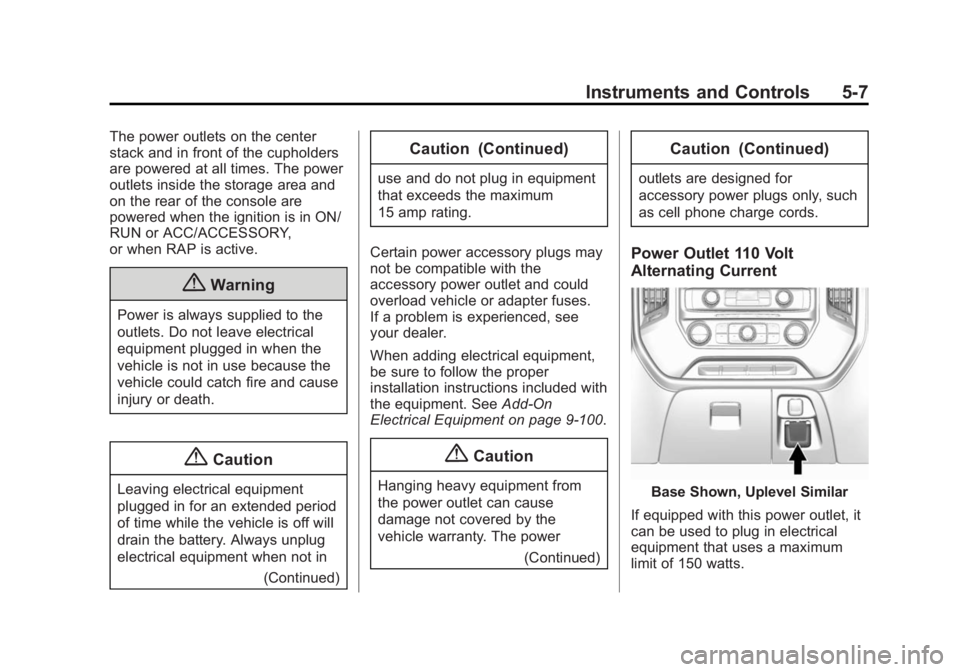
Power Outlet 110 Volt
Alternating Current
Base Shown, Uplevel Similar
If equipped with this power outlet, it
can be used to plug in electrical
equipment that uses a maximum
limit of 150 watts.
Page 155 of 551
Black plate (16,1)Chevrolet 2015i Silverado Owner Manual (GMNA-Localizing-U.S./Canada/
Mexico-8425172) - 2015 - CRC - 6/20/14
5-16 Instruments and Controls
If the vehicle has a diesel engine,
see the Duramax diesel
supplement.
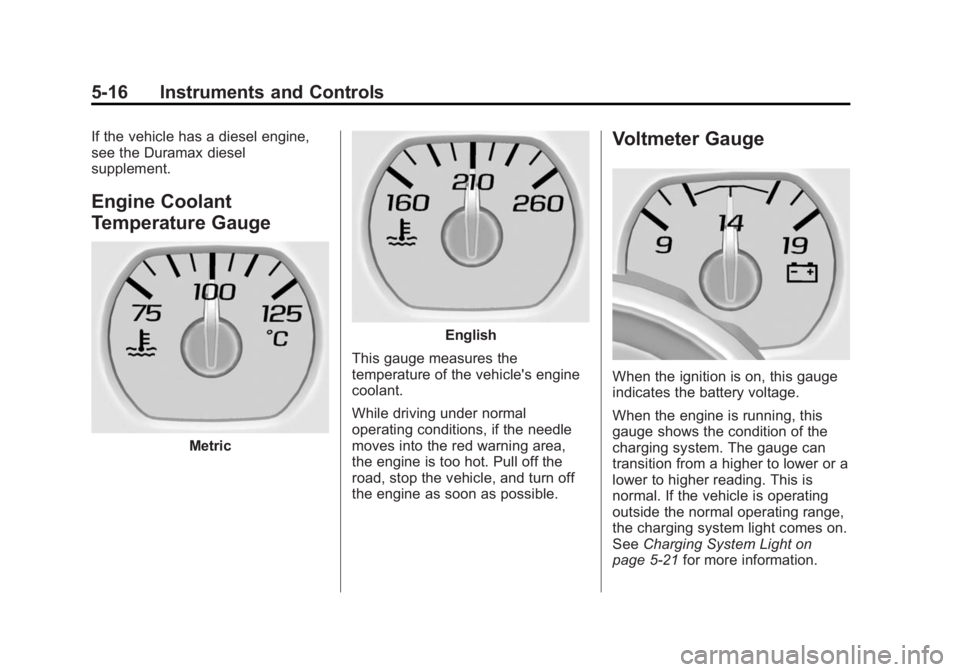
Engine Coolant
Temperature Gauge
Metric
English
This gauge measures the
temperature of the vehicle's engine
coolant.
While driving under normal
operating conditions, if the needle
moves into the red warning area,
the engine is too hot. Pull off the
road, stop the vehicle, and turn off
the engine as soon as possible.
Voltmeter Gauge
When the ignition is on, this gauge
indicates the battery voltage.
When the engine is running, this
gauge shows the condition of the
charging system. The gauge can
transition from a higher to lower or a
lower to higher reading. This is
normal. If the vehicle is operating
outside the normal operating range,
the charging system light comes on.
See Charging System Light on
page 5-21 for more information.
Page 160 of 551
Black plate (21,1)Chevrolet 2015i Silverado Owner Manual (GMNA-Localizing-U.S./Canada/
Mexico-8425172) - 2015 - CRC - 6/20/14
Instruments and Controls 5-21
If the word ON or the on symbol is
lit on the passenger airbag status
indicator, it means that the front
outboard passenger frontal airbag is
enabled (may inflate).
If the word OFF or the off symbol is
lit on the airbag status indicator, it
means that the passenger sensing
system has turned off the front
outboard passenger frontal airbag.
If, after several seconds, both status
indicator lights remain on, or if there
are no lights at all, there may be a
problem with the lights or the
passenger sensing system. See
your dealer for service.
{Warning
If the airbag readiness light ever
comes on and stays on, it means
that something may be wrong
with the airbag system. To help
avoid injury to yourself or others,
have the vehicle serviced right
away. SeeAirbag Readiness
(Continued)
Warning (Continued)
Light on page 5-18 for more
information, including important
safety information.
Charging System Light
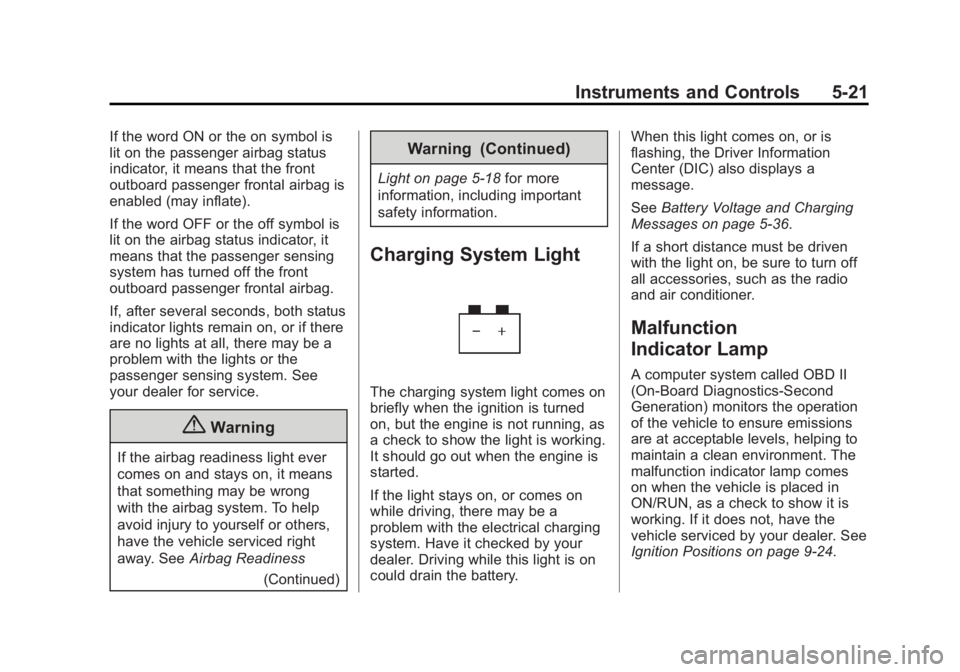
The charging system light comes on
briefly when the ignition is turned
on, but the engine is not running, as
a check to show the light is working.
It should go out when the engine is
started.
If the light stays on, or comes on
while driving, there may be a
problem with the electrical charging
system. Have it checked by your
dealer. Driving while this light is on
could drain the battery. When this light comes on, or is
flashing, the Driver Information
Center (DIC) also displays a
message.
See
Battery Voltage and Charging
Messages on page 5-36.
If a short distance must be driven
with the light on, be sure to turn off
all accessories, such as the radio
and air conditioner.
Malfunction
Indicator Lamp
A computer system called OBD II
(On-Board Diagnostics-Second
Generation) monitors the operation
of the vehicle to ensure emissions
are at acceptable levels, helping to
maintain a clean environment. The
malfunction indicator lamp comes
on when the vehicle is placed in
ON/RUN, as a check to show it is
working. If it does not, have the
vehicle serviced by your dealer. See
Ignition Positions on page 9-24.
Page 163 of 551
Black plate (24,1)Chevrolet 2015i Silverado Owner Manual (GMNA-Localizing-U.S./Canada/
Mexico-8425172) - 2015 - CRC - 6/20/14
5-24 Instruments and Controls
the ignition is turned to ON/RUN
while the engine is off. See your
dealer for assistance in verifying
proper operation of the
malfunction indicator lamp.
.The OBD II (On-Board
Diagnostics) system determines
that critical emission control
systems have not been
completely diagnosed. The
vehicle would be considered not
ready for inspection. This can
happen if the 12-volt battery has
recently been replaced or run
down. The diagnostic system is
designed to evaluate critical
emission control systems during
normal driving. This can take
several days of routine driving.
If this has been done and the
vehicle still does not pass the
inspection for lack of OBD II
system readiness, your dealer
can prepare the vehicle for
inspection.
Brake System Warning
Light
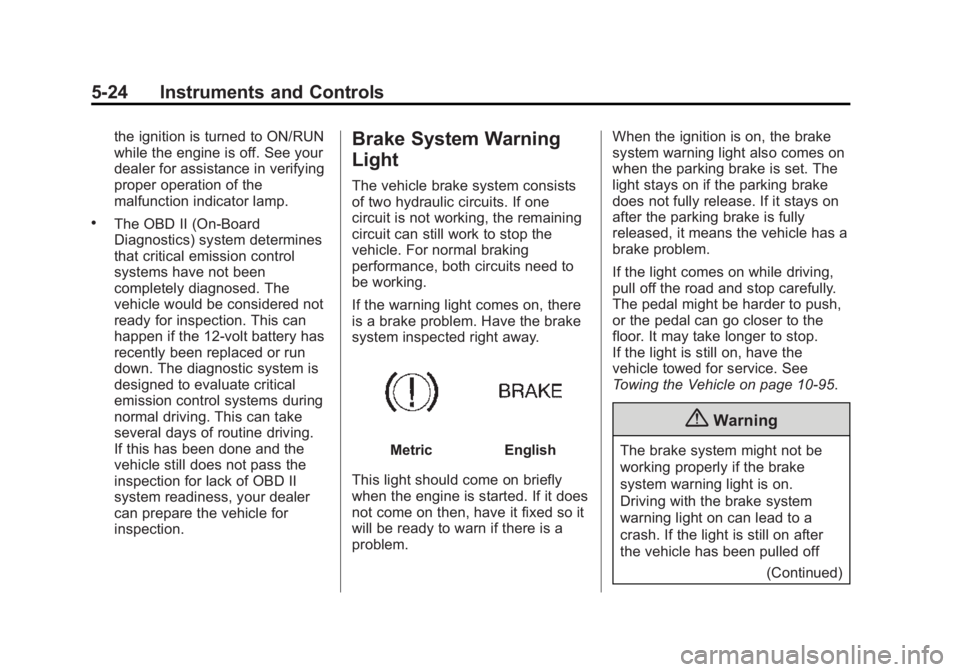
The vehicle brake system consists
of two hydraulic circuits. If one
circuit is not working, the remaining
circuit can still work to stop the
vehicle. For normal braking
performance, both circuits need to
be working.
If the warning light comes on, there
is a brake problem. Have the brake
system inspected right away.
MetricEnglish
This light should come on briefly
when the engine is started. If it does
not come on then, have it fixed so it
will be ready to warn if there is a
problem. When the ignition is on, the brake
system warning light also comes on
when the parking brake is set. The
light stays on if the parking brake
does not fully release. If it stays on
after the parking brake is fully
released, it means the vehicle has a
brake problem.
If the light comes on while driving,
pull off the road and stop carefully.
The pedal might be harder to push,
or the pedal can go closer to the
floor. It may take longer to stop.
If the light is still on, have the
vehicle towed for service. See
Towing the Vehicle on page 10-95.
{Warning
The brake system might not be
working properly if the brake
system warning light is on.
Driving with the brake system
warning light on can lead to a
crash. If the light is still on after
the vehicle has been pulled off
(Continued)