reset CHEVROLET SILVERADO 2004 1.G Owner's Guide
[x] Cancel search | Manufacturer: CHEVROLET, Model Year: 2004, Model line: SILVERADO, Model: CHEVROLET SILVERADO 2004 1.GPages: 584, PDF Size: 3.52 MB
Page 293 of 584

Care of Your Cassette Tape Player
A tape player that is not cleaned regularly can cause
reduced sound quality, ruined cassettes, or a damaged
mechanism. Cassette tapes should be stored in their
cases away from contaminants, direct sunlight, and
extreme heat. If they are not, they may not operate
properly or may cause failure of the tape player.
The tape player should be cleaned regularly after every
50 hours of use. The radio may display CLEAN to
indicate that the tape player has been used for 50 hours
without resetting the tape clean timer. If this message
appears on the display, the cassette tape player
needs to be cleaned. It will still play tapes, but it should
be cleaned as soon as possible to prevent damage
to the tapes and player. If there is a reduction in sound
quality, try a known good cassette to see if the tape
or the tape player is at fault. If this other cassette has no
improvement in sound quality, clean the tape player.
For best results, use a scrubbing action, non-abrasive
cleaning cassette with pads which scrub the tape head as
the hubs of the cleaner cassette turn. The recommended
cleaning cassette is available through your dealer.
When cleaning the cassette tape player with the
recommended non-abrasive cleaning cassette, it is
possible that the cassette may eject, because the cut
tape detection feature on the radio may recognize it as a
broken tape, in error.To prevent the cleaning cassette from being ejected,
use the following steps:
1. Turn the ignition on.
2. Turn the radio off.
3. Press and hold the TAPE DISC button for ve
seconds. READY will appear on the display and
the cassette symbol will ash for ve seconds.
4. Insert the scrubbing action cleaning cassette.
5. Eject the cleaning cassette after the manufacturer’s
recommended cleaning time.
When the cleaning cassette has been ejected, the
cut tape detection feature will be active again.
A non-scrubbing action, wet-type cleaner which uses a
cassette with a fabric belt to clean the tape head
can be used. This type of cleaning cassette will not
eject on its own. A non-scrubbing action cleaner may not
clean as thoroughly as the scrubbing type cleaner.
The use of a non-scrubbing action, dry-type cleaning
cassette is not recommended.
After the player is cleaned, press and hold the eject
button for ve seconds to reset the CLEAN indicator.
The radio will display --- or CLEANED to show the
indicator was reset.
Cassettes are subject to wear and the sound
quality may degrade over time. Always make sure
the cassette tape is in good condition before the tape
player is serviced.
3-129
Page 395 of 584
6. Release the clutch and regular brakes as you
normally would. When the clutch is released,
the PTO will start.
7. Turn the PTO rotary switch to ON.
To engage a PTO on a vehicle with an automatic
transmission do the following:
1. For stationary use shift the transmission into
PARK (P).
2. Turn the PTO rotary switch ON.
3. If the engine speed is below the PTO engage
speed limit, the PTO will start. The blinking LED
on the PTO control switch indicates PTO engage is
requested. When PTO engages the LED will
switch from blinking to a steady light.
To use PTO speed control in Preset Mode (Factory
Setting) do the following:
1. Engage the PTO
2. Select PARK (P) or NEUTRAL (N) range. Apply the
parking brake if NEUTRAL (N) is selected. Torque
Converter Clutch (TCC) is not available in
NEUTRAL (N) and is available only in PARK (P)
when engine speed is above 1,100 rpm.
3. Make sure your foot is off the brake pedal (and off
the clutch on vehicles equipped with a manual
transmission).4. Select the desired engine speed for PTO operation.
Read the following preset mode information
regarding operation.
Preset Mode:PTO speed control mode is used for
stationary applications. (PTO will remain engaged while
mobile in the preset mode, however PTO set and
resume speed controls will be inoperative). This mode
provides a default standby speed of 800 or 850 rpm
(depending on the engine/transmission combination) and
two default PTO control speeds which follow:
1. PTO Set Speed of 1,250 rpm, or
2. PTO Resume Speed of 1,700 rpm.
Please note that the standby speed (800/850 rpm) is
not to be used as a PTO control speed. Vehicles
not equipped with cruise control will not have the resume
speed capability.
To use PTO speed control in variable mode (while
mobile) do the following:
1. Engage the PTO.
2. Vehicle speed must be greater than 5 mph.
3. Make sure your foot is off the brake pedal (and
off the clutch for vehicles equipped with a
manual transmission).
4. Select the desired engine speed by using the foot
pedal, and select SET on the PTO switch or the
cruise control.
4-101
Page 396 of 584
To use PTO speed control in variable mode (while
stationary) do the following:
1. Engage the PTO.
2. Vehicle speed must be less than 5 mph.
3. Make sure your foot is off the brake pedal
(and off the clutch for vehicles equipped with
a manual transmission).
4. Select the desired engine speed by using the foot
pedal, and select SET on the PTO switch or the
cruise control.
Variable Mode:PTO speed control mode can be used
for both stationary and mobile applications. This
mode allows PTO to be controlled in a fashion similar to
how cruise control sets vehicle speed. The operator
can set to an rpm (between 800 and 2,200) with
the cruise control feature or with the SET position on
the PTO switch. The operator is then able to increase
rpm in increments of 100, or “tap up” with the resume
position on the cruise control. Or, the operator can
decrease rpm in increments of 100 with the SET switch
on the PTO or the cruise control.
Vehicles not equipped with cruise control will not have
the “tap up” capability.
All engine speed values listed above are factory preset
values. With the exception of the TCC lockup speed
(1,100 rpm) and the “tap” increment (100 rpm), all
of these values are programmable and can be adjustedby your dealer or body uptter. If the PTO software
settings do not match the settings shown here, then
they may have already been altered in order to satisfy
the requirements of the installed PTO system and
body equipment.
When the PTO switch is turned on, the engine is limited
to 2200 rpms. If there are no accessories installed on
the vehicle, make sure the PTO switch is turned off.
Step-Bumper Pad
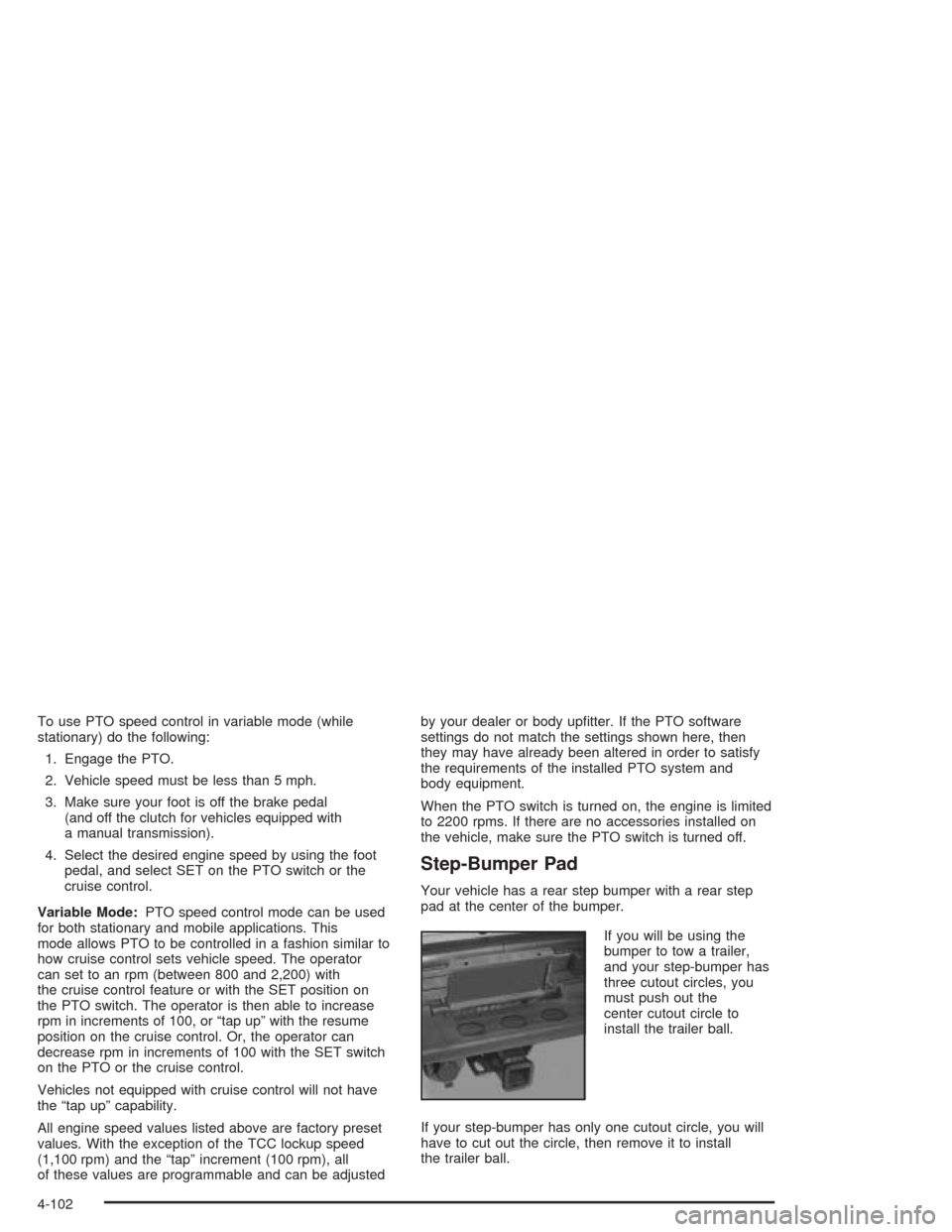
Your vehicle has a rear step bumper with a rear step
pad at the center of the bumper.
If you will be using the
bumper to tow a trailer,
and your step-bumper has
three cutout circles, you
must push out the
center cutout circle to
install the trailer ball.
If your step-bumper has only one cutout circle, you will
have to cut out the circle, then remove it to install
the trailer ball.
4-102
Page 420 of 584

When to Change Engine Oil (GM Oil
Life System)
Your vehicle has a computer system that lets you know
when to change the engine oil and lter. This is based on
engine revolutions and engine temperature, and not on
mileage. Based on driving conditions, the mileage at
which an oil change will be indicated can vary
considerably. For the oil life system to work properly, you
must reset the system every time the oil is changed.
When the system has calculated that oil life has been
diminished, it will indicate that an oil change is necessary.
A CHANGE ENGINE OIL message will come on. Change
your oil as soon as possible within the next two times you
stop for fuel. It is possible that, if you are driving under the
best conditions, the oil life system may not indicate that
an oil change is necessary for over a year. However, your
engine oil and lter must be changed at least once a year
and at this time the system must be reset. Your dealer
has GM-trained service people who will perform this work
using genuine GM parts and reset the system. It is also
important to check your oil regularly and keep it at the
proper level.
If the system is ever reset accidentally, you must
change your oil at 3,000 miles (5 000 km) since your
last oil change. Remember to reset the oil life system
whenever the oil is changed.
How to Reset the CHANGE ENGINE OIL
Message
The GM Oil Life System calculates when to change
your engine oil and lter based on vehicle use. Anytime
your oil is changed, reset the system so it can
calculate when the next oil change is required. If a
situation occurs where you change your oil prior to a
CHANGE ENGINE OIL message being turned on, reset
the system.
To reset the CHANGE ENGINE OIL message, see “GM
Oil Life System” underDIC Operation and Displays
on page 3-54for vehicles equipped with the DIC, or do
the following:
1. Turn the ignition key to RUN with the engine off.
2. Fully press and release the accelerator pedal three
times within ve seconds.
If the OIL LIFE RESET message ashes for
10 seconds, the system is resetting.
3. Turn the key to LOCK.
If the CHANGE ENGINE OIL message comes back on
when you start your vehicle, the engine oil life system
has not reset. Repeat the procedure. If it still does
not reset, see your dealer for service.
5-24
Page 422 of 584
How to Inspect
Locate the lter change indicator. When the change
indicator turns black or is in the red/orange “change”
zone, replace the lter and reset the indicator. To
inspect the air cleaner/lter, remove the lter from the
vehicle and lightly shake lter to release loose dust and
dirt. If the lter remains “caked” with dirt, a new lter
is required.
To inspect and replace the lter and reset the indicator
(if equipped), do the following:
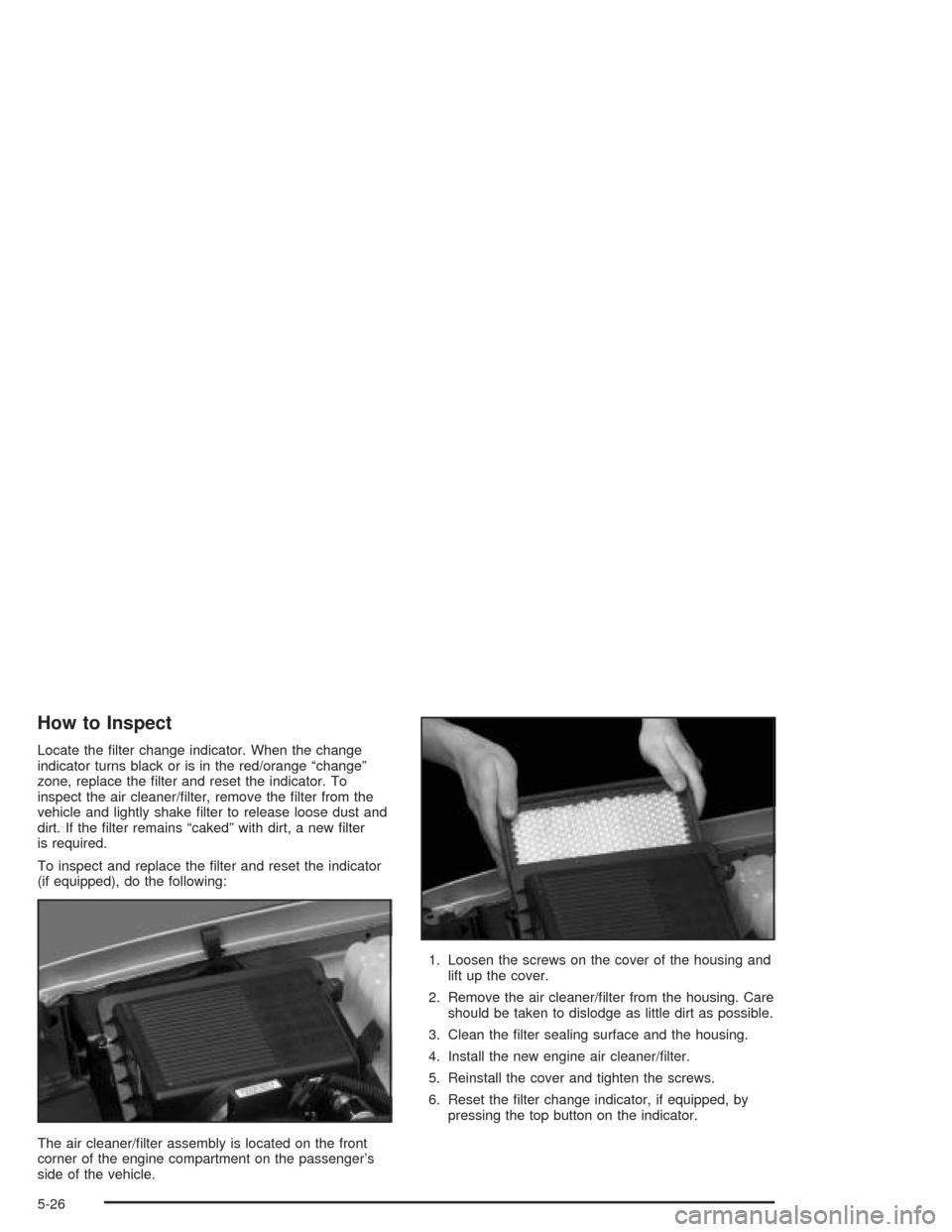
The air cleaner/lter assembly is located on the front
corner of the engine compartment on the passenger’s
side of the vehicle.1. Loosen the screws on the cover of the housing and
lift up the cover.
2. Remove the air cleaner/lter from the housing. Care
should be taken to dislodge as little dirt as possible.
3. Clean the lter sealing surface and the housing.
4. Install the new engine air cleaner/lter.
5. Reinstall the cover and tighten the screws.
6. Reset the lter change indicator, if equipped, by
pressing the top button on the indicator.
5-26
Page 434 of 584
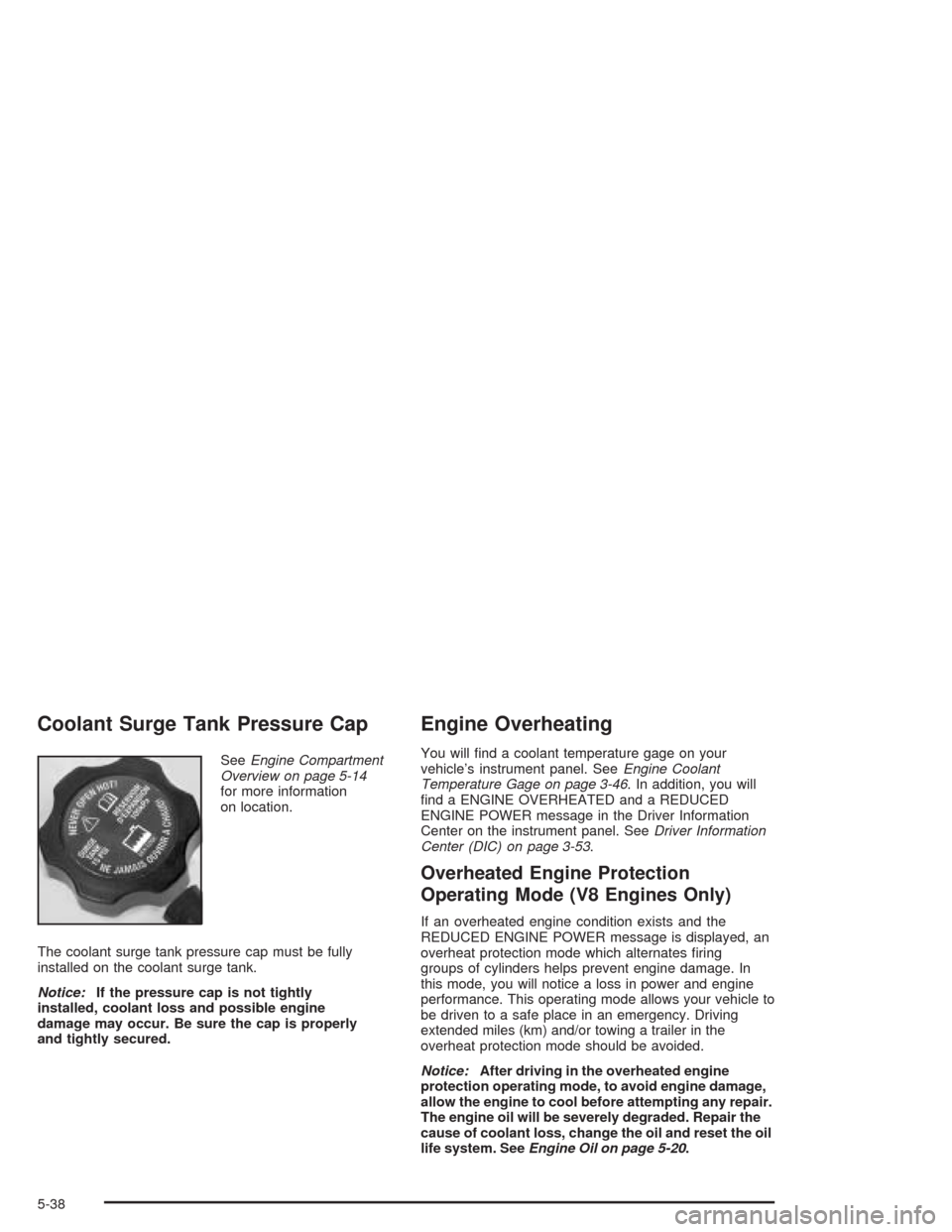
Coolant Surge Tank Pressure Cap
SeeEngine Compartment
Overview on page 5-14
for more information
on location.
The coolant surge tank pressure cap must be fully
installed on the coolant surge tank.
Notice:If the pressure cap is not tightly
installed, coolant loss and possible engine
damage may occur. Be sure the cap is properly
and tightly secured.
Engine Overheating
You will nd a coolant temperature gage on your
vehicle’s instrument panel. SeeEngine Coolant
Temperature Gage on page 3-46. In addition, you will
nd a ENGINE OVERHEATED and a REDUCED
ENGINE POWER message in the Driver Information
Center on the instrument panel. SeeDriver Information
Center (DIC) on page 3-53.
Overheated Engine Protection
Operating Mode (V8 Engines Only)
If an overheated engine condition exists and the
REDUCED ENGINE POWER message is displayed, an
overheat protection mode which alternates ring
groups of cylinders helps prevent engine damage. In
this mode, you will notice a loss in power and engine
performance. This operating mode allows your vehicle to
be driven to a safe place in an emergency. Driving
extended miles (km) and/or towing a trailer in the
overheat protection mode should be avoided.
Notice:After driving in the overheated engine
protection operating mode, to avoid engine damage,
allow the engine to cool before attempting any repair.
The engine oil will be severely degraded. Repair the
cause of coolant loss, change the oil and reset the oil
life system. SeeEngine Oil on page 5-20.
5-38
Page 485 of 584
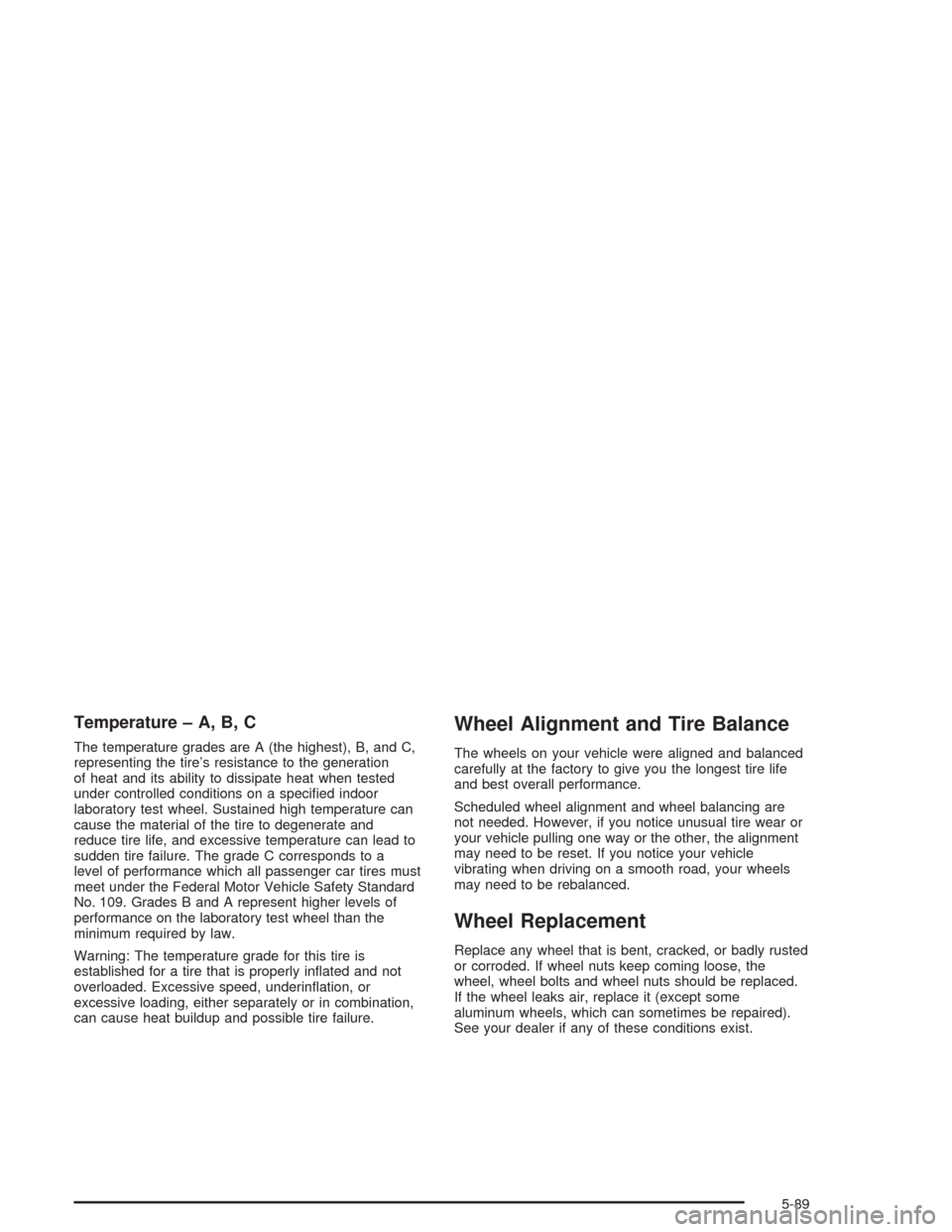
Temperature – A, B, C
The temperature grades are A (the highest), B, and C,
representing the tire’s resistance to the generation
of heat and its ability to dissipate heat when tested
under controlled conditions on a specied indoor
laboratory test wheel. Sustained high temperature can
cause the material of the tire to degenerate and
reduce tire life, and excessive temperature can lead to
sudden tire failure. The grade C corresponds to a
level of performance which all passenger car tires must
meet under the Federal Motor Vehicle Safety Standard
No. 109. Grades B and A represent higher levels of
performance on the laboratory test wheel than the
minimum required by law.
Warning: The temperature grade for this tire is
established for a tire that is properly inated and not
overloaded. Excessive speed, underination, or
excessive loading, either separately or in combination,
can cause heat buildup and possible tire failure.
Wheel Alignment and Tire Balance
The wheels on your vehicle were aligned and balanced
carefully at the factory to give you the longest tire life
and best overall performance.
Scheduled wheel alignment and wheel balancing are
not needed. However, if you notice unusual tire wear or
your vehicle pulling one way or the other, the alignment
may need to be reset. If you notice your vehicle
vibrating when driving on a smooth road, your wheels
may need to be rebalanced.
Wheel Replacement
Replace any wheel that is bent, cracked, or badly rusted
or corroded. If wheel nuts keep coming loose, the
wheel, wheel bolts and wheel nuts should be replaced.
If the wheel leaks air, replace it (except some
aluminum wheels, which can sometimes be repaired).
See your dealer if any of these conditions exist.
5-89
Page 536 of 584

Owner Checks and Services on page 6-9tells you what
should be checked, when to check it and what
you can easily do to help keep your vehicle in
good condition.
The proper replacement parts, uids and lubricants to
use are listed inRecommended Fluids and Lubricants
on page 6-13andNormal Maintenance Replacement
Parts on page 6-16. When your vehicle is serviced,
make sure these are used. All parts should be replaced
and all necessary repairs done before you or anyone
else drives the vehicle. We recommend the use of
genuine GM parts.
Scheduled Maintenance
When the CHANGE ENGINE OIL message comes on, it
means that service is required for your vehicle. Have
your vehicle serviced as soon as possible within the next
600 miles (1 000 km). It is possible that, if you are
driving under the best conditions, the engine oil
life system may not indicate that vehicle service is
necessary for over a year. However, your engine oil and
lter must be changed at least once a year and at
this time the system must be reset. Your GM
Goodwrench dealer has GM-trained service technicians
who will perform this work using genuine GM parts
and reset the system.If the engine oil life system is ever reset accidentally,
you must service your vehicle within 3,000 miles
(5 000 km) since your last service. Remember to reset
the oil life system whenever the oil is changed. See
Engine Oil on page 5-20for information on the Engine
Oil Life System and resetting the system.
When the CHANGE ENGINE OIL message appears,
certain services, checks and inspections are required.
Required services are described in the following for
“MaintenanceI” and “MaintenanceII.” Generally,
it is recommended that your rst service be
MaintenanceI, your second service be MaintenanceII
and that you alternate MaintenanceIand MaintenanceII
thereafter. However, in some cases, MaintenanceII
may be required more often.
MaintenanceI— Use MaintenanceIif the CHANGE
ENGINE OIL message comes on within ten months
since vehicle was purchased or MaintenanceII
was performed.
MaintenanceII— Use MaintenanceIIif the previous
service performed was MaintenanceI. Always use
MaintenanceIIwhenever the message comes on ten
months or more since the last service or if the message
has not come on at all for one year.
6-4
Page 537 of 584
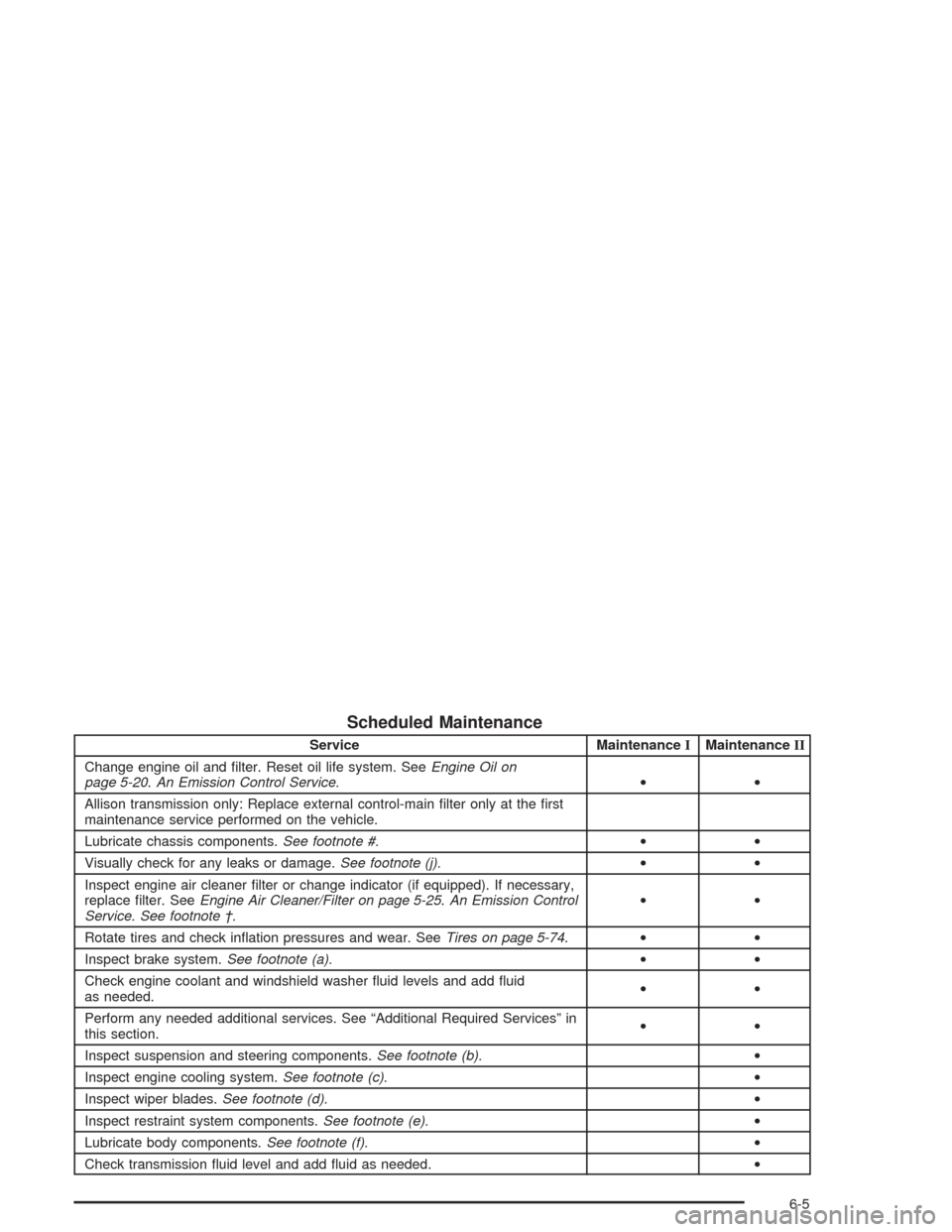
Scheduled Maintenance
Service MaintenanceIMaintenanceII
Change engine oil and lter. Reset oil life system. SeeEngine Oil on
page 5-20.An Emission Control Service.••
Allison transmission only: Replace external control-main lter only at the rst
maintenance service performed on the vehicle.
Lubricate chassis components.See footnote #.••
Visually check for any leaks or damage.See footnote (j).••
Inspect engine air cleaner lter or change indicator (if equipped). If necessary,
replace lter. SeeEngine Air Cleaner/Filter on page 5-25.An Emission Control
Service. See footnote †.••
Rotate tires and check ination pressures and wear. SeeTires on page 5-74.••
Inspect brake system.See footnote (a).••
Check engine coolant and windshield washer uid levels and add uid
as needed.••
Perform any needed additional services. See “Additional Required Services” in
this section.••
Inspect suspension and steering components.See footnote (b).•
Inspect engine cooling system.See footnote (c).•
Inspect wiper blades.See footnote (d).•
Inspect restraint system components.See footnote (e).•
Lubricate body components.See footnote (f).•
Check transmission uid level and add uid as needed.•
6-5
Page 577 of 584
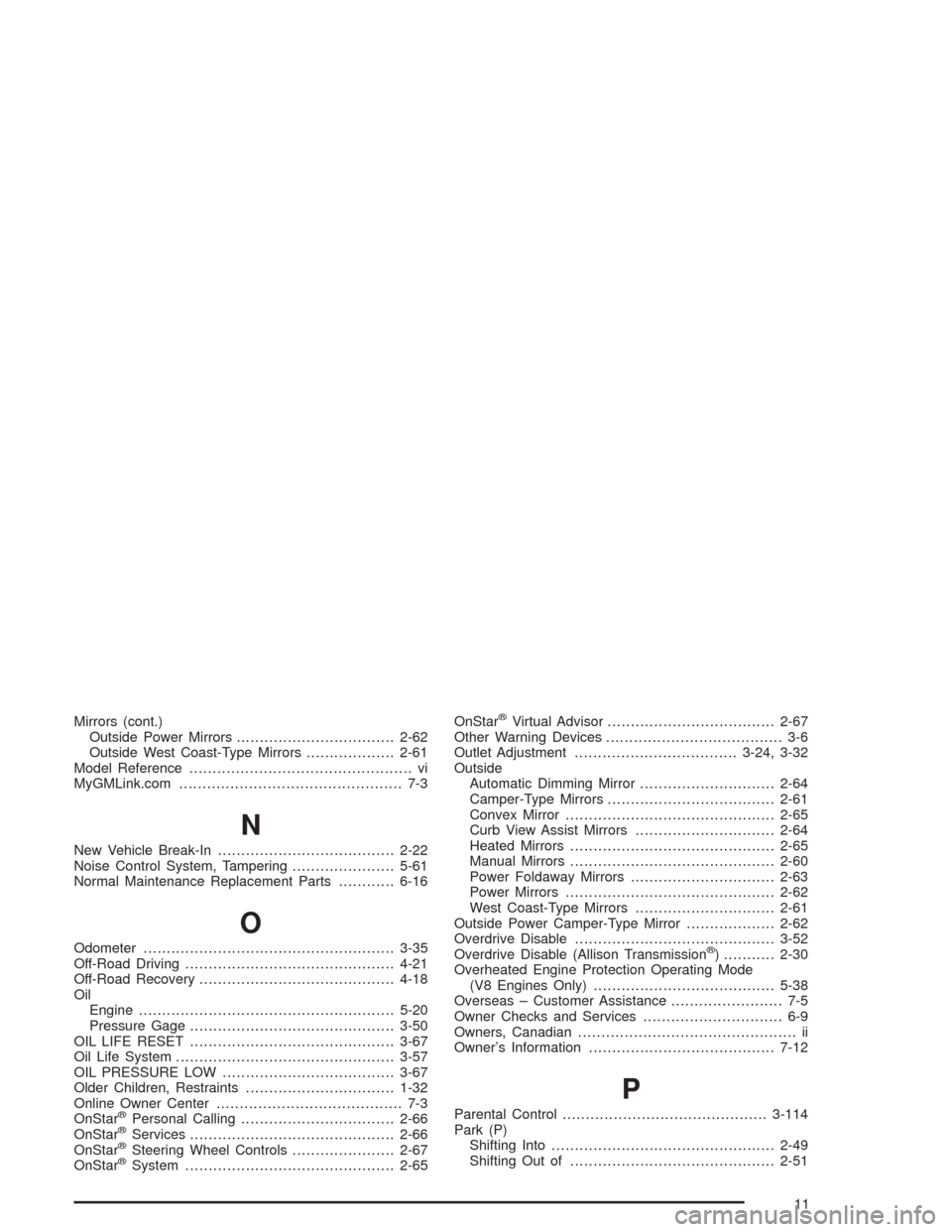
Mirrors (cont.)
Outside Power Mirrors..................................2-62
Outside West Coast-Type Mirrors...................2-61
Model Reference................................................ vi
MyGMLink.com................................................ 7-3
N
New Vehicle Break-In......................................2-22
Noise Control System, Tampering......................5-61
Normal Maintenance Replacement Parts............6-16
O
Odometer......................................................3-35
Off-Road Driving.............................................4-21
Off-Road Recovery..........................................4-18
Oil
Engine.......................................................5-20
Pressure Gage............................................3-50
OIL LIFE RESET............................................3-67
Oil Life System...............................................3-57
OIL PRESSURE LOW.....................................3-67
Older Children, Restraints................................1-32
Online Owner Center........................................ 7-3
OnStar
®Personal Calling.................................2-66
OnStar®Services............................................2-66
OnStar®Steering Wheel Controls......................2-67
OnStar®System.............................................2-65OnStar
®Virtual Advisor....................................2-67
Other Warning Devices...................................... 3-6
Outlet Adjustment...................................3-24, 3-32
Outside
Automatic Dimming Mirror.............................2-64
Camper-Type Mirrors....................................2-61
Convex Mirror.............................................2-65
Curb View Assist Mirrors..............................2-64
Heated Mirrors............................................2-65
Manual Mirrors............................................2-60
Power Foldaway Mirrors...............................2-63
Power Mirrors.............................................2-62
West Coast-Type Mirrors..............................2-61
Outside Power Camper-Type Mirror...................2-62
Overdrive Disable...........................................3-52
Overdrive Disable (Allison Transmission
®) ...........2-30
Overheated Engine Protection Operating Mode
(V8 Engines Only).......................................5-38
Overseas – Customer Assistance........................ 7-5
Owner Checks and Services.............................. 6-9
Owners, Canadian............................................... ii
Owner’s Information........................................7-12
P
Parental Control............................................3-114
Park (P)
Shifting Into................................................2-49
Shifting Out of............................................2-51
11