radio controls CHEVROLET SILVERADO 2006 1.G User Guide
[x] Cancel search | Manufacturer: CHEVROLET, Model Year: 2006, Model line: SILVERADO, Model: CHEVROLET SILVERADO 2006 1.GPages: 594, PDF Size: 3.41 MB
Page 278 of 594

Setting Preset Stations
Up to 30 stations (six FM1, six FM2, and six AM,
six XM1 and six XM2 (if equipped)), can be programed
on the six numbered pushbuttons, by performing the
following steps:
1. Turn the radio on.
2. Press BAND to select FM1, FM2, AM, or XM1
or XM2.
3. Tune in the desired station.
4. Press and hold one of the six numbered
pushbuttons until you hear a beep. Whenever that
numbered pushbutton is pressed, the station
that was set will return for that pushbutton.
5. Repeat the steps for each pushbutton.
To store an equalization setting to a preset station
perform the following:
1. Tune to the preset station.
2. Press and release the AUTO EQ button to select
the equalization setting.
Once the equalization no longer appears on the
display, the equalization will be set for that preset
station.
Setting the Tone (Bass/Treble)
AUDIO:Push and release the AUDIO knob until BASS
or TREB appears on the display. Turn the knob to
increase or to decrease. The display will show the bass
or treble level. If a station is weak or noisy, decrease
the treble.
To adjust the bass or treble to the middle position while
it is displayed, push and hold the AUDIO knob. The
radio will produce one beep and adjust the display level
to the middle position.
To adjust all tone and speaker controls to the middle
position, push and hold the AUDIO knob when no tone
or speaker controls are displayed. ALL CENTERED
will appear on the display and you will hear a beep.
AUTO EQ (Automatic Equalization):Press this button
to select customized equalization settings designed
for country/western, jazz, talk, pop, rock, and classical.
The radio will save separate AUTO EQ settings for
each preset and source.
If the radio is equipped with the Bose
®audio system,
the equalization settings are either CUSTOM or TALK.
3-102
Page 279 of 594
Adjusting the Speakers (Balance/Fade)
AUDIO:To adjust the balance between the right
and the left speakers, push and release the AUDIO
knob until BAL appears on the display. Turn the knob to
move the sound toward the right or the left speakers.
To adjust the fade between the front and rear speakers,
push and release the AUDIO knob until FAD appears
on the display. Turn the knob to move the sound toward
the front or the rear speakers.
To adjust the balance or fade to the middle position
while it is displayed, push and hold the AUDIO knob.
The radio will produce one beep and adjust the display
level to the middle position.
To adjust all tone and speaker controls to the middle
position, push and hold the AUDIO knob when no tone
or speaker controls are displayed. ALL CENTERED
will appear on the display and you will hear a beep.
Finding a Program Type (PTY) Station
(RDS and XM™)
To select and nd a desired PTY perform the following:
1. Press the TYPE button to activate program type
select mode. P-TYPE and the last selected PTY
will appear on the display.
2. Turn the TYPE knob or press and release the
TYPE button to select a PTY.
3. Once the desired PTY is displayed, press either the
TYPE or the SEEK arrows to select and to take you
to the PTY’s rst station.
4. To go to another station within that PTY, press the
TYPE button then, press either the TYPE or the
SEEK arrows once. If the PTY is not displayed, go
back to Step 1.
5. Press either the TYPE or the SEEK arrows twice to
exit program type select mode.
3-103
Page 301 of 594
Cleaning the Video Screen
Pour some isopropyl or rubbing alcohol on a clean
cloth and gently wipe the video screen. Do not spray
directly onto the screen and do not press too hard or
too long on the video screen.
Rear Seat Audio (RSA)
This feature allows rear seat passengers to listen to any
of the sources: radio, cassette tapes, CDs, or DVDs.
However, the rear seat passengers can only control the
sources that the front seat passengers are not
listening to. For example, rear seat passengers may
listen to and control cassette tapes, CDs, or DVDs
through the headphones while the driver listens to the
radio through the front speakers. The rear seat
passengers have control of the volume for each set of
headphones.
The front seat audio controls always have priority over
the RSA controls. If the front seat passengers switch the
source for the main radio to a remote source, the RSA will
not be able to control the source. You can operate the
rear seat audio when the main radio is off.
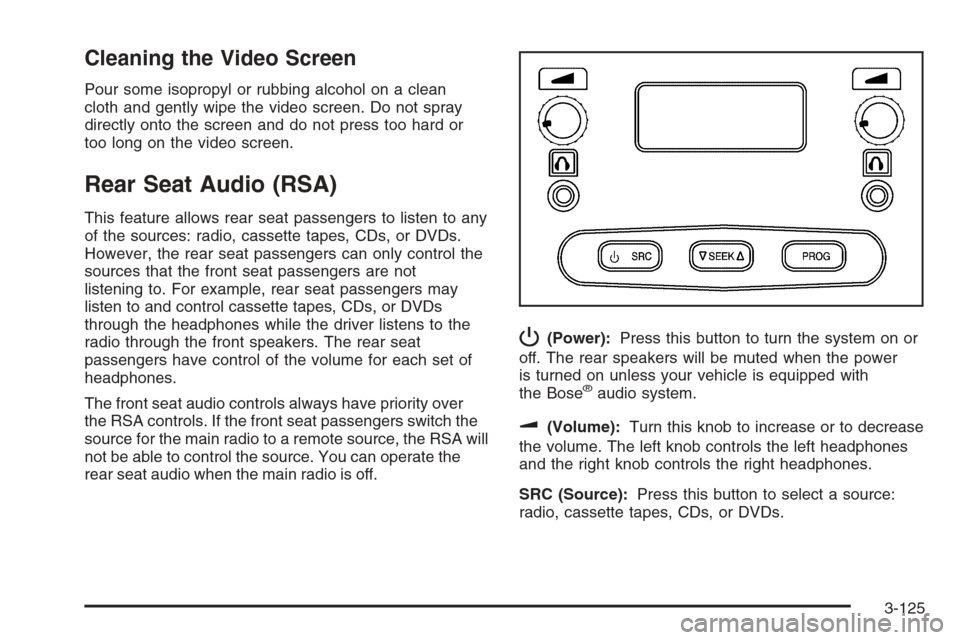
P(Power):Press this button to turn the system on or
off. The rear speakers will be muted when the power
is turned on unless your vehicle is equipped with
the Bose
®audio system.
u(Volume):Turn this knob to increase or to decrease
the volume. The left knob controls the left headphones
and the right knob controls the right headphones.
SRC (Source):Press this button to select a source:
radio, cassette tapes, CDs, or DVDs.
3-125
Page 303 of 594
Audio Steering Wheel Controls
If your vehicle has this feature, some audio controls can
be adjusted at the steering wheel. They include the
following:
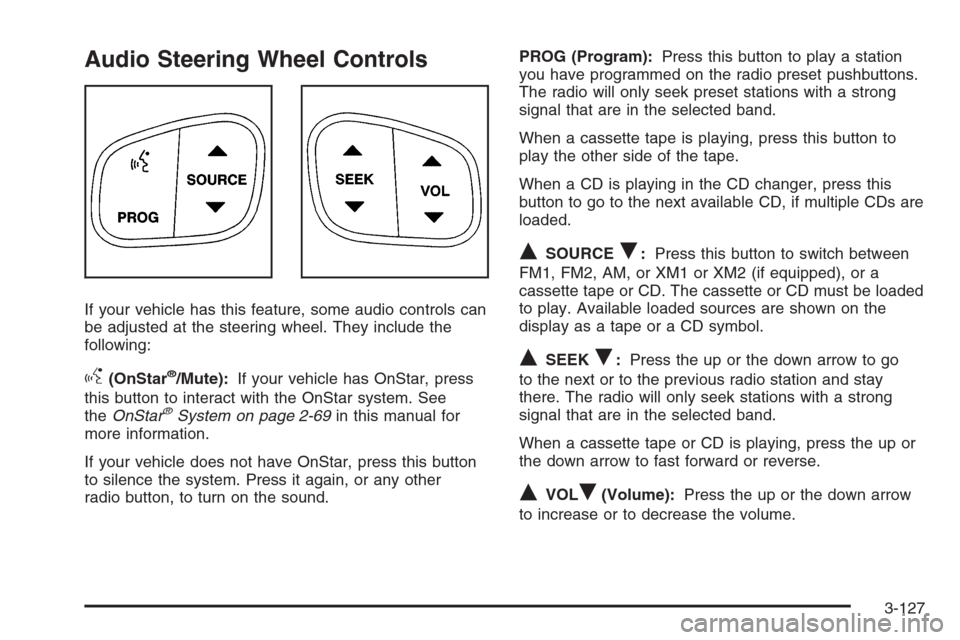
g(OnStar®/Mute):If your vehicle has OnStar, press
this button to interact with the OnStar system. See
theOnStar
®System on page 2-69in this manual for
more information.
If your vehicle does not have OnStar, press this button
to silence the system. Press it again, or any other
radio button, to turn on the sound.PROG (Program):Press this button to play a station
you have programmed on the radio preset pushbuttons.
The radio will only seek preset stations with a strong
signal that are in the selected band.
When a cassette tape is playing, press this button to
play the other side of the tape.
When a CD is playing in the CD changer, press this
button to go to the next available CD, if multiple CDs are
loaded.
QSOURCER:Press this button to switch between
FM1, FM2, AM, or XM1 or XM2 (if equipped), or a
cassette tape or CD. The cassette or CD must be loaded
to play. Available loaded sources are shown on the
display as a tape or a CD symbol.
QSEEKR:Press the up or the down arrow to go
to the next or to the previous radio station and stay
there. The radio will only seek stations with a strong
signal that are in the selected band.
When a cassette tape or CD is playing, press the up or
the down arrow to fast forward or reverse.
QVOLR(Volume):Press the up or the down arrow
to increase or to decrease the volume.
3-127
Page 580 of 594
Appearance Care (cont.)
Weatherstrips............................................5-119
Windshield and Wiper Blades......................5-121
Ashtray(s)......................................................3-19
Audio System(s).............................................3-70
AM-FM Radio.............................................3-72
Audio Steering Wheel Controls....................3-127
Care of Your Cassette Tape Player...............3-128
Care of Your CD and DVD Player................3-130
Care of Your CDs and DVDs .......................3-129
Chime Level Adjustment.............................3-130
Fixed Mast Antenna...................................3-130
Radio with Cassette and CD.........................3-85
Radio with CD............................................3-74
Radio with Six-Disc CD................................3-99
Rear Seat Audio (RSA)...............................3-125
Setting the Time for Radios with
Radio Data Systems (RDS).......................3-71
Setting the Time for Radios without
Radio Data Systems (RDS).......................3-71
Theft-Deterrent Feature...............................3-126
Understanding Radio Reception...................3-128
XM™ Satellite Radio Antenna System...........3-130
Automatic Headlamp System............................3-14
Automatic Transmission
Fluid..................................................5-27, 5-30
Operation...................................................2-24
Auxiliary Roof Mounted Lamp Switch.................3-16B
Battery..........................................................5-51
Battery Warning Light......................................3-39
Before Leaving on a Long Trip.........................4-39
Brake
Anti-Lock Brake System (ABS)........................ 4-7
Emergencies................................................ 4-9
Parking......................................................2-49
System Warning Light..................................3-41
Brakes..........................................................5-48
Braking........................................................... 4-6
Braking in Emergencies..................................... 4-9
Break-In, New Vehicle.....................................2-20
Bulb Replacement...........................................5-62
Center High-Mounted Stoplamp (CHMSL)
and Cargo Lamp......................................5-67
Front Turn Signal, Sidemarker
and Daytime Running Lamps.....................5-64
Halogen Bulbs............................................5-62
Headlamps.................................................5-62
License Plate Lamps....................................5-71
Pickup Box Identication and
Fender Marker Lamps...............................5-69
Replacement Bulbs......................................5-72
Roof Marker Lamps.....................................5-66
Taillamps, Turn Signal, Stoplamps
and Back-up Lamps.................................5-69
Buying New Tires...........................................5-87
2
Page 591 of 594
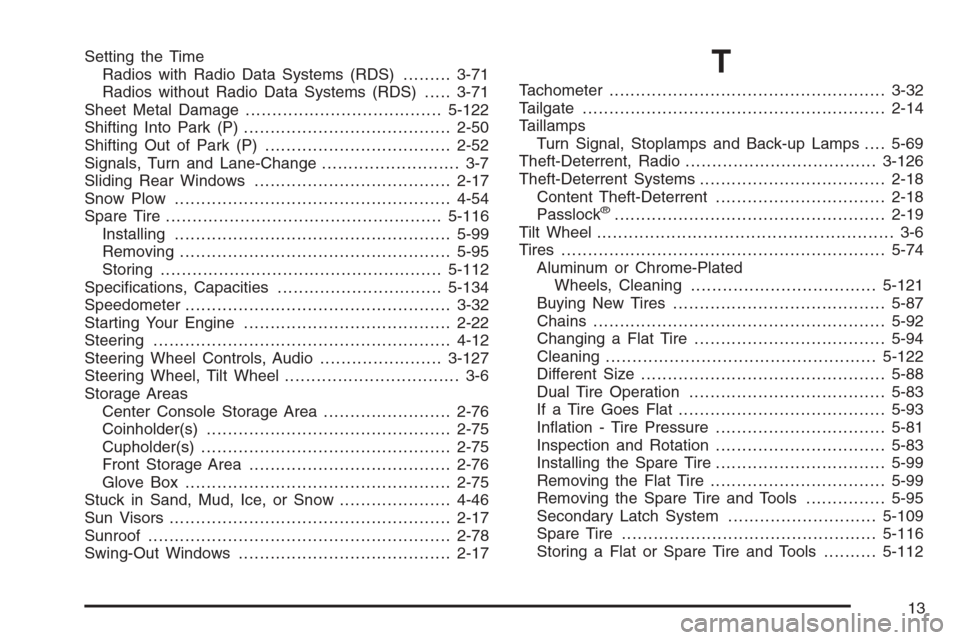
Setting the Time
Radios with Radio Data Systems (RDS).........3-71
Radios without Radio Data Systems (RDS).....3-71
Sheet Metal Damage.....................................5-122
Shifting Into Park (P).......................................2-50
Shifting Out of Park (P)...................................2-52
Signals, Turn and Lane-Change.......................... 3-7
Sliding Rear Windows.....................................2-17
Snow Plow....................................................4-54
Spare Tire....................................................5-116
Installing....................................................5-99
Removing...................................................5-95
Storing.....................................................5-112
Specications, Capacities...............................5-134
Speedometer..................................................3-32
Starting Your Engine.......................................2-22
Steering........................................................4-12
Steering Wheel Controls, Audio.......................3-127
Steering Wheel, Tilt Wheel................................. 3-6
Storage Areas
Center Console Storage Area........................2-76
Coinholder(s)..............................................2-75
Cupholder(s)...............................................2-75
Front Storage Area......................................2-76
Glove Box..................................................2-75
Stuck in Sand, Mud, Ice, or Snow.....................4-46
Sun Visors.....................................................2-17
Sunroof.........................................................2-78
Swing-Out Windows........................................2-17T
Tachometer....................................................3-32
Tailgate.........................................................2-14
Taillamps
Turn Signal, Stoplamps and Back-up Lamps....5-69
Theft-Deterrent, Radio....................................3-126
Theft-Deterrent Systems...................................2-18
Content Theft-Deterrent................................2-18
Passlock
®...................................................2-19
Tilt Wheel........................................................ 3-6
Tires.............................................................5-74
Aluminum or Chrome-Plated
Wheels, Cleaning...................................5-121
Buying New Tires........................................5-87
Chains.......................................................5-92
Changing a Flat Tire....................................5-94
Cleaning...................................................5-122
Different Size..............................................5-88
Dual Tire Operation.....................................5-83
If a Tire Goes Flat.......................................5-93
Ination - Tire Pressure................................5-81
Inspection and Rotation................................5-83
Installing the Spare Tire................................5-99
Removing the Flat Tire.................................5-99
Removing the Spare Tire and Tools...............5-95
Secondary Latch System............................5-109
Spare Tire................................................5-116
Storing a Flat or Spare Tire and Tools..........5-112
13