ignition CHEVROLET SILVERADO 2006 1.G Owner's Guide
[x] Cancel search | Manufacturer: CHEVROLET, Model Year: 2006, Model line: SILVERADO, Model: CHEVROLET SILVERADO 2006 1.GPages: 594, PDF Size: 3.41 MB
Page 154 of 594
Automatic Dimming Rearview
Mirror with OnStar
®, Compass and
Temperature Display
Your vehicle may have this feature. When on, an
automatic dimming mirror automatically dims to the
proper level to minimize glare from lights behind
you after dark.
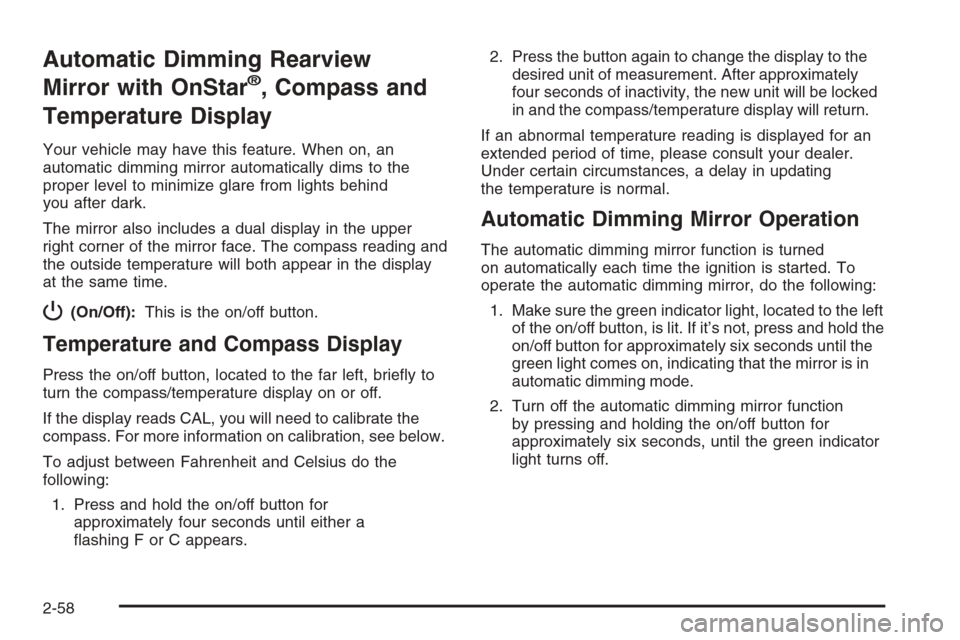
The mirror also includes a dual display in the upper
right corner of the mirror face. The compass reading and
the outside temperature will both appear in the display
at the same time.
P(On/Off):This is the on/off button.
Temperature and Compass Display
Press the on/off button, located to the far left, briey to
turn the compass/temperature display on or off.
If the display reads CAL, you will need to calibrate the
compass. For more information on calibration, see below.
To adjust between Fahrenheit and Celsius do the
following:
1. Press and hold the on/off button for
approximately four seconds until either a
ashing F or C appears.2. Press the button again to change the display to the
desired unit of measurement. After approximately
four seconds of inactivity, the new unit will be locked
in and the compass/temperature display will return.
If an abnormal temperature reading is displayed for an
extended period of time, please consult your dealer.
Under certain circumstances, a delay in updating
the temperature is normal.
Automatic Dimming Mirror Operation
The automatic dimming mirror function is turned
on automatically each time the ignition is started. To
operate the automatic dimming mirror, do the following:
1. Make sure the green indicator light, located to the left
of the on/off button, is lit. If it’s not, press and hold the
on/off button for approximately six seconds until the
green light comes on, indicating that the mirror is in
automatic dimming mode.
2. Turn off the automatic dimming mirror function
by pressing and holding the on/off button for
approximately six seconds, until the green indicator
light turns off.
2-58
Page 158 of 594
Automatic Dimming Rearview Mirror
with Compass and Temperature
Display
If the vehicle is equipped with an automatic mirror,
it will, when on, automatically dim to the proper level
to minimize glare from lights behind you after dark.
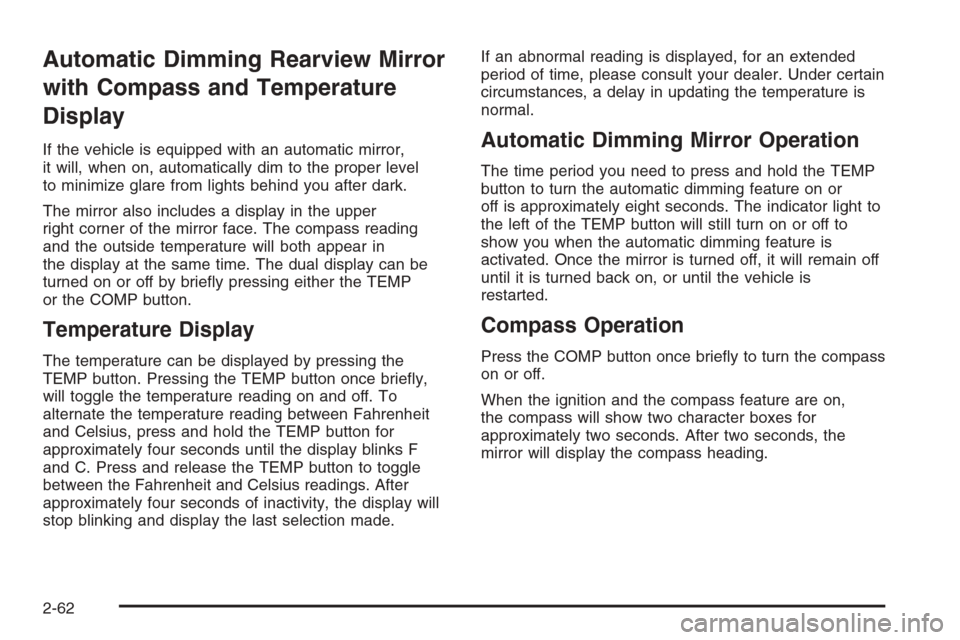
The mirror also includes a display in the upper
right corner of the mirror face. The compass reading
and the outside temperature will both appear in
the display at the same time. The dual display can be
turned on or off by briey pressing either the TEMP
or the COMP button.
Temperature Display
The temperature can be displayed by pressing the
TEMP button. Pressing the TEMP button once briey,
will toggle the temperature reading on and off. To
alternate the temperature reading between Fahrenheit
and Celsius, press and hold the TEMP button for
approximately four seconds until the display blinks F
and C. Press and release the TEMP button to toggle
between the Fahrenheit and Celsius readings. After
approximately four seconds of inactivity, the display will
stop blinking and display the last selection made.If an abnormal reading is displayed, for an extended
period of time, please consult your dealer. Under certain
circumstances, a delay in updating the temperature is
normal.
Automatic Dimming Mirror Operation
The time period you need to press and hold the TEMP
button to turn the automatic dimming feature on or
off is approximately eight seconds. The indicator light to
the left of the TEMP button will still turn on or off to
show you when the automatic dimming feature is
activated. Once the mirror is turned off, it will remain off
until it is turned back on, or until the vehicle is
restarted.
Compass Operation
Press the COMP button once briey to turn the compass
on or off.
When the ignition and the compass feature are on,
the compass will show two character boxes for
approximately two seconds. After two seconds, the
mirror will display the compass heading.
2-62
Page 174 of 594
4. To add cargo to the
box, remove all bows
and the back rail
and stow them safely.
To clean the tonneau cover, use mild soap and water.
If necessary, use a soft bristle brush to remove dirt
trapped in the grain of the material.
Sunroof
The vehicle may be equipped with a power sliding
sunroof. To open or close your sunroof, the ignition must
be on or Retained Accessory Power (RAP) must be
active. SeeRetained Accessory Power (RAP) on
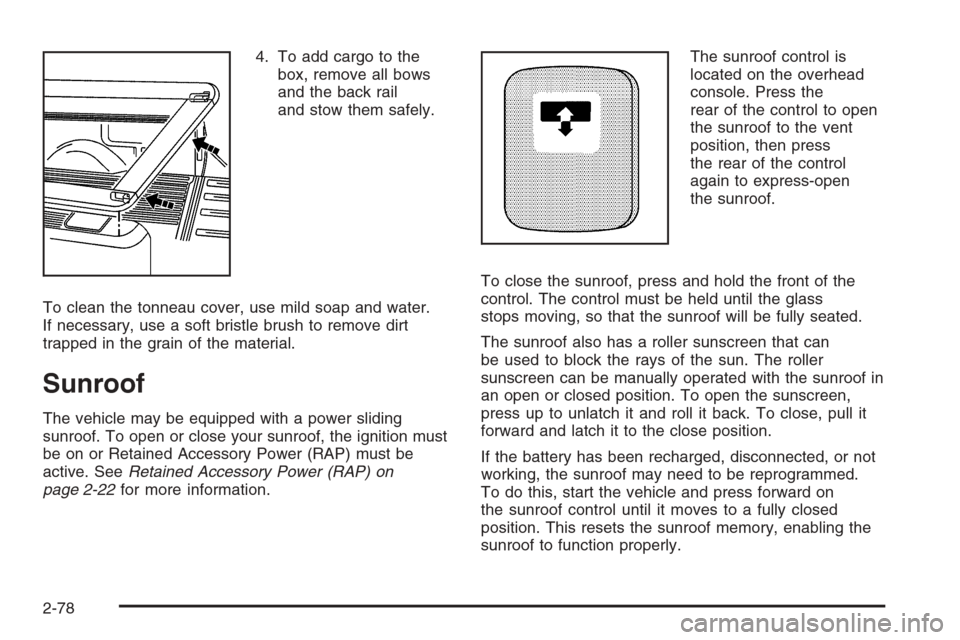
page 2-22for more information.The sunroof control is
located on the overhead
console. Press the
rear of the control to open
the sunroof to the vent
position, then press
the rear of the control
again to express-open
the sunroof.
To close the sunroof, press and hold the front of the
control. The control must be held until the glass
stops moving, so that the sunroof will be fully seated.
The sunroof also has a roller sunscreen that can
be used to block the rays of the sun. The roller
sunscreen can be manually operated with the sunroof in
an open or closed position. To open the sunscreen,
press up to unlatch it and roll it back. To close, pull it
forward and latch it to the close position.
If the battery has been recharged, disconnected, or not
working, the sunroof may need to be reprogrammed.
To do this, start the vehicle and press forward on
the sunroof control until it moves to a fully closed
position. This resets the sunroof memory, enabling the
sunroof to function properly.
2-78
Page 176 of 594
Easy Exit Seat
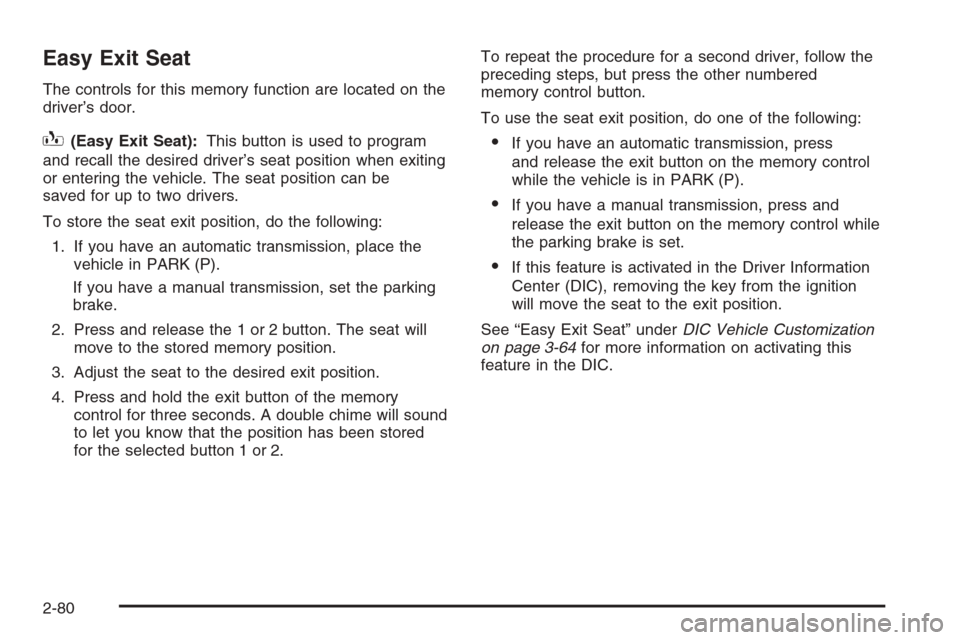
The controls for this memory function are located on the
driver’s door.
B(Easy Exit Seat):This button is used to program
and recall the desired driver’s seat position when exiting
or entering the vehicle. The seat position can be
saved for up to two drivers.
To store the seat exit position, do the following:
1. If you have an automatic transmission, place the
vehicle in PARK (P).
If you have a manual transmission, set the parking
brake.
2. Press and release the 1 or 2 button. The seat will
move to the stored memory position.
3. Adjust the seat to the desired exit position.
4. Press and hold the exit button of the memory
control for three seconds. A double chime will sound
to let you know that the position has been stored
for the selected button 1 or 2.To repeat the procedure for a second driver, follow the
preceding steps, but press the other numbered
memory control button.
To use the seat exit position, do one of the following:If you have an automatic transmission, press
and release the exit button on the memory control
while the vehicle is in PARK (P).
If you have a manual transmission, press and
release the exit button on the memory control while
the parking brake is set.
If this feature is activated in the Driver Information
Center (DIC), removing the key from the ignition
will move the seat to the exit position.
See “Easy Exit Seat” underDIC Vehicle Customization
on page 3-64for more information on activating this
feature in the DIC.
2-80
Page 182 of 594
Hazard Warning Flashers
The hazard warning ashers warn others. They also let
police know you have a problem. Your front and rear
turn signal lamps will ash on and off.
The hazard warning
asher button is located
on top of the steering
column.
The hazard warning ashers work no matter what
ignition position the key is in, and even if the key is
not in the ignition.
Press the button to make the front and rear turn signal
lamps ash on and off. Press the button again to
turn the ashers off.
When the hazard warning ashers are on, your turn
signals will not work.
Other Warning Devices
If you carry reective triangles, you can set them up at
the side of the road about 300 feet (100 m) behind
your vehicle.
Horn
To sound the horn, press the center pad on the steering
wheel.
Tilt Wheel
If your vehicle is equipped with a tilt wheel, it will allow
you to adjust the steering wheel before you drive.
You can raise it to the highest level to give your legs
more room when you exit and enter your vehicle.
The tilt steering wheel lever is located on the lower left
side of the column.
3-6
Page 189 of 594
Erasing Speed Memory
When you turn off the cruise control or the ignition, your
cruise control set speed memory is erased.
Headlamps
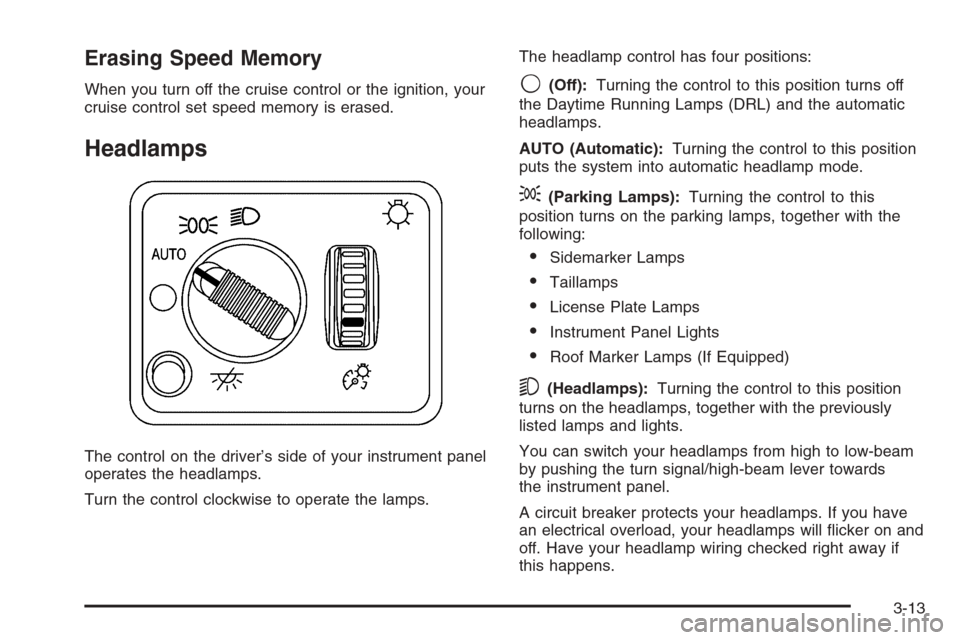
The control on the driver’s side of your instrument panel
operates the headlamps.
Turn the control clockwise to operate the lamps.The headlamp control has four positions:
9(Off):Turning the control to this position turns off
the Daytime Running Lamps (DRL) and the automatic
headlamps.
AUTO (Automatic):Turning the control to this position
puts the system into automatic headlamp mode.
;(Parking Lamps):Turning the control to this
position turns on the parking lamps, together with the
following:
Sidemarker Lamps
Taillamps
License Plate Lamps
Instrument Panel Lights
Roof Marker Lamps (If Equipped)
5(Headlamps):Turning the control to this position
turns on the headlamps, together with the previously
listed lamps and lights.
You can switch your headlamps from high to low-beam
by pushing the turn signal/high-beam lever towards
the instrument panel.
A circuit breaker protects your headlamps. If you have
an electrical overload, your headlamps will icker on and
off. Have your headlamp wiring checked right away if
this happens.
3-13
Page 190 of 594
Headlamps on Reminder
A reminder chime will sound when your headlamps or
parking lamps are manually turned on and your
ignition is off and a door is open. To disable the chime,
turn the light off then back on.
Daytime Running Lamps (DRL)
Daytime Running Lamps (DRL) can make it easier for
others to see the front of your vehicle during the
day. DRL can be helpful in many different driving
conditions, but they can be especially helpful in the short
periods after dawn and before sunset. Fully functional
DRL are required on all vehicles rst sold in Canada.
The DRL system will come on when the following
conditions are met:
The ignition is on
The exterior lamps control is in AUTO
The light sensor determines it is daytime
When the DRL are on, only your DRL lamps will be on.
The taillamps, sidemarker and other lamps will not be on.
The instrument panel back lighting will not be on either.When it begins to get dark, the automatic headlamp
system will switch from DRL to the headlamps.
When you turn the headlamp switch off, the headlamps
will go off, and your DRL lamps will illuminate,
provided it is not dark outside.
Automatic Headlamp System
When it is dark enough outside, your automatic
headlamp system will turn on the headlamps at the
normal brightness, along with the taillamps, sidemarker,
parking lamps, and the instrument panel lights. The
radio back lighting will also be dimly lit.
To turn off the automatic headlamp system, turn the
exterior lamps switch to the off position. Turning off
the automatic headlamp system with the headlamp
switch is not available for vehicles rst sold in Canada.
Your vehicle has a light sensor located on the top of
the instrument panel in the defroster grille that regulates
when the automatic headlamps turn on. Be sure it is
not covered, or the system will come on whenever the
ignition is on.
3-14
Page 192 of 594
Fog Lamps
If your vehicle has fog lamps, use them for better vision
in foggy or misty conditions.
The fog lamp button is
located on the left side of
the instrument panel.
Your parking lamps and/or low-beam headlamps must
be on for your fog lamps to work.
Press the button to turn the fog lamps on. Press the
button again to turn them off. An indicator light will glow
in the button when the fog lamps are on.
Remember, fog lamps alone will not give off as much
light as your headlamps. Never use your fog lamps
in the dark without turning on your headlamps.The fog lamps will go off whenever your high-beam
headlamps come on. When the high beams go off, the
fog lamps will come on again.
The fog lamps will be cancelled after the ignition is
turned off. If you still want to use the fog lamps after you
restart the vehicle, you will need to press the fog
lamp button again.
Some localities have laws that require the headlamps to
be on along with the fog lamps.
Auxiliary Roof Mounted Lamp
If your vehicle has this feature, this button includes
wiring provisions for a dealer or a qualied service
center to install an auxiliary roof lamp.
This button is located
on the center of the
instrument panel near
the climate controls.
3-16
Page 194 of 594
Entry Lighting
Your vehicle has an illuminated entry feature.
When the doors are opened, the dome lamps will come
on if the dome override button is in the extended
position. If the dome override button is pressed in, the
lamps will not come on.
Exit Lighting
With exit lighting, the interior lamps will come on when
you remove the key from the ignition. They will turn
off automatically in 20 seconds. The lights will not come
on if the dome override button is pressed in.
Front Reading Lamps
The reading lamps are located on the overhead console.
To turn the reading lamps on or off, press the button
located next to each lamp.
The lamps can be adjusted to a desired direction.
Your vehicle may also have reading lamps in other
locations. To turn the lamps on or off, press the button
located next to the lamp. The lamps are xed and
cannot be adjusted.
Cargo Lamp
The cargo lamp button is
located on the left side of
the instrument panel.
Press the button to turn
the cargo lamp on.
Press the button again to
turn it off.
An indicator light on the instrument panel cluster will
illuminate when the cargo lamp is turned on, and
the ignition key is turned to RUN.
Accessory Power Outlet(s)
With accessory power outlets you can plug in auxiliary
electrical equipment such as a cellular telephone or
CB radio.
Your vehicle may have two accessory power outlets, or
may have one accessory power outlet located near
the cigarette lighter, if equipped. The cigarette lighter is
designed to t only in the receptacle to the right of
the accessory power outlet.
3-18
Page 208 of 594
Speedometer and Odometer
Your speedometer lets you see your speed in both
miles per hour (mph) and kilometers per hour (km/h).
Your odometer shows how far your vehicle has
been driven, in either miles (used in the United States)
or kilometers (used in Canada).
Engine Hour Meter Display
The Driver Information Center (DIC) can also display
the number of hours the engine has run. To display the
hour meter, turn the ignition off, press and hold the
reset button for at least four seconds. The hour meter
will be displayed for up to 30 seconds, or until the
ignition is turned on. SeeDIC Operation and Displays
on page 3-52for more information.
Trip Odometer
The trip odometer can tell you how far your vehicle has
been driven since you last set the trip odometer to zero.Press the reset button, located on the instrument panel
cluster next to the trip odometer display, to toggle
between the trip odometer and the regular odometer.
Holding the reset button for approximately one second
while the trip odometer is displayed will reset it.
To display the odometer reading with the ignition off,
press the reset button.
SeeDIC Operation and Displays on page 3-52for more
information.
Tachometer
Your tachometer displays the engine speed in
revolutions per minute (rpm). See “Grade Braking
(Allison Transmission
®)” underTow/Haul Mode on
page 2-30for more information.
Notice:If you operate the engine with the
tachometer in the solid red area, your vehicle could
be damaged. The damages would not be covered
by your warranty. Do not operate the engine in
the solid red area.
3-32