light CHEVROLET SILVERADO 2006 1.G Repair Manual
[x] Cancel search | Manufacturer: CHEVROLET, Model Year: 2006, Model line: SILVERADO, Model: CHEVROLET SILVERADO 2006 1.GPages: 594, PDF Size: 3.41 MB
Page 199 of 594
Defogging and Defrosting
Fog on the inside of the windows is a result of high
humidity (moisture) condensing on the cool window
glass. This can be minimized if the climate control
system is used properly. There are two modes to choose
from to clear fog or frost from your windshield. Use
the defog mode to clear the windows of fog or moisture
and warm the passengers. Use the defrost mode to
remove fog or frost from the windshield more quickly.
Turn the right knob to select one of the following modes:
-(Defog):This mode directs the air to the oor
outlets, windshield and the side window outlets. The air
conditioning compressor will run automatically to
dehumidify the air to prevent window fogging. The
recirculation mode cannot be selected while in the
defog mode.
1(Defrost):This mode directs most of the air to the
windshield and the side window outlets, with only a
little air directed to the oor outlets. The air conditioning
compressor will run automatically to dehumidify the
air to prevent window fogging. The recirculation mode
cannot be selected while in defrost mode.
Do not drive the vehicle until all the windows are clear.
Rear Window Defogger
If your vehicle has this feature, the lines you see on the
rear window warm the glass. The rear window defogger
uses a warming grid to remove fog from the rear window.
If your vehicle has a sliding rear window, you will not
have a rear window defogger; however, your vehicle will
still have a mirror button to activate the heated outside
rearview mirrors, if equipped.
<(Rear):Press this button to turn the rear window
defogger on or off. An indicator light in the button
will come on to let you know that the rear window
defogger is activated. This button will also activate the
heated mirrors, if equipped.
The rear window defogger will automatically turn off
several minutes after the button is pressed. Pressing the
button while the defogger is running can also turn off
the defogger.
W(Mirror):If your vehicle does not have a rear defogger
and is equipped with heated mirrors, your vehicle will have
this button to activate the heated mirrors.
Notice:Do not use anything sharp on the inside
of the rear window. If you do, you could cut or
damage the warming grid, and the repairs would
not be covered by your warranty. Do not attach
a temporary vehicle license, tape, a decal or
anything similar to the defogger grid.
3-23
Page 201 of 594
The passenger’s temperature setting can be set to
match the driver’s temperature setting by pressing and
holding the AUTO button for four seconds. Both the
driver and passenger arrows will be displayed.
Automatic Operation
AUTO (Automatic):When automatic operation is
active the system will control the inside temperature,
the air delivery, and the fan speed.
Use the steps below to place the entire system in
automatic mode:
1. Press the AUTO button.
When AUTO is selected, the display will change to
show the current driver’s set temperature, delivery
mode and fan speed. Press the AUTO button again
within ve seconds to display the passenger’s set
temperature.
If the driver and passenger’s temperature settings
are not the same, the opposite side temperature
setting will be displayed for an additional
ve seconds. To make the passenger’s temperature
the same as the driver’s press and hold the
AUTO button for about four seconds.
When AUTO is selected, the air conditioning
operation and air inlet will be automatically
controlled. The air conditioning compressor will
run when the outside temperature is over about 40°F
(4°C). The air inlet will normally be set to outside air.If it’s hot outside, the air inlet may automatically
switch to recirculate inside air to help quickly cool
down your vehicle. The light on the button will
illuminate in recirculation.
2. Set the driver’s and passenger’s temperature.
To nd your comfort setting, start with a 74°F (23°C)
temperature setting and allow about 20 minutes
for the system to regulate. Turn the driver’s or
passenger’s side temperature knob to adjust the
temperature setting as necessary. If you choose the
temperature setting of 60°F (15°C) the system
will remain at the maximum cooling setting. If you
choose the temperature setting of 90°F (32°C)
the system will remain at the maximum heat setting.
Choosing either maximum setting will not cause
the vehicle to heat or cool any faster.
Be careful not to cover the sensor located on the
top of the instrument panel near the windshield. This
sensor regulates air temperature based on sun
load, and also turns on your headlamps.
To avoid blowing cold air in cold weather, the
system will delay turning on the fan until warm air is
available. The length of delay depends on the
engine coolant temperature. Pressing the fan switch
will override this delay and change the fan to a
selected speed.
3-25
Page 202 of 594
9(Off):Press this button to turn off the entire climate
control system. Outside air will still enter the vehicle,
and will be directed to the oor. This direction can
be changed by pressing the mode button.
The temperature can also be adjusted using either
temperature knob. Press the up or down arrows on the
fan switch, the defrost button, the AUTO button, or the air
conditioning button to turn the system on when it is off.
Manual Operation
You may manually adjust the air delivery mode or
fan speed.
w9x(Fan):The switch with the fan symbol allows
you to manually adjust the fan speed. Press the up
arrow to increase fan speed and the down arrow
to decrease fan speed.
Pressing this button when the system is off will turn the
system on.
C(Mode):Press this button to manually change the
direction of the airow in your vehicle; repeatedly press
the button until the desired mode appears on the display.
If you press the mode button to select an air delivery
mode, the display will change to show you the selected
air mode delivery. The display will then show the current
status of the system. When the system is turned off, the
display will go blank after displaying the current status of
the system.
H(Panel):This setting will deliver air to the instrument
panel outlets.
)(Bi-Level):This setting will deliver warmer air to
the oor and cooler air to the instrument panel outlets.
6(Floor):This setting will deliver air to the oor
outlets.
-(Defog):See “Defogging and Defrosting” later in
this section.
@(Recirculation):Press this button to limit the
amount of outside air entering your vehicle. The light on
the recirculation button will glow. This is helpful when you
are trying to limit odors entering your vehicle and for
maximum air conditioning performance in hot weather.
Press this button again to allow outside air to enter the
vehicle. The light on the recirculation button will go off.
Pressing this button also cancels the auto recirculation
feature. To resume the auto recirculation function, press
the AUTO button. Each time the vehicle is started, the
system will revert to the auto recirculation function.
If you select recirculation while in defrost, defog or oor,
the light in the button will ash and then go out to let you
know that this is not allowed. This is normal and helps to
prevent fogging.
3-26
Page 205 of 594
If your vehicle has a sliding rear window, you will not
have a rear window defogger; however, your vehicle will
still have a mirror button to activate the heated outside
rearview mirrors, if equipped.
<(Rear):Press this button to turn the rear window
defogger on or off. An indicator light in the button
will come on to let you know that the rear window
defogger is activated. This button will also activate the
heated mirrors, if equipped.
The rear window defogger will automatically turn off
several minutes after the button is pressed. Pressing the
button while the defogger is running can also turn off
the defogger.
W(Mirror):If your vehicle does not have a rear
defogger and is equipped with heated mirrors, your
vehicle will have this button to activate them.
Notice:Do not use a razor blade or sharp object
to clear the inside rear window. Do not adhere
anything to the defogger grid lines in the rear glass.
These actions may damage the rear defogger.
Repairs would not be covered by your warranty.
Outlet Adjustment
Use the air outlets located in the center and on the side
of your instrument panel to direct the airow.
Operation Tips
Keep the hood and front air inlets free of ice, snow,
or any other obstruction (such as leaves). The
heater and defroster will work better, reducing the
chance of fogging the inside of your windows.
When you enter a vehicle in cold weather, turn the
fan knob all the way to the right for a few moments
before driving. This helps clear the intake ducts
of snow and moisture, and reduces the chance of
fogging the inside of your window.
Keep the air path under the front seats clear of
objects. This helps air to circulate throughout
your vehicle.
Adding outside equipment to the front of your
vehicle, such as hood-air deectors, may affect the
performance of the heating and air conditioning
system. Check with your dealer before adding
equipment to the outside of your vehicle.
3-29
Page 206 of 594
Warning Lights, Gages, and
Indicators
This part describes the warning lights and gages on
your vehicle. The pictures will help you locate them.
Warning lights and gages can signal that something is
wrong before it becomes serious enough to cause
an expensive repair or replacement. Paying attention to
your warning lights and gages could also save you
or others from injury.
Warning lights come on when there may be or is a
problem with one of your vehicle’s functions. As you
will see in the details on the next few pages, some
warning lights come on briey when you start the engine
just to let you know they are working. If you are
familiar with this section, you should not be alarmed
when this happens.Gages can indicate when there may be or is a problem
with one of your vehicle’s functions. Often gages
and warning lights work together to let you know when
there is a problem with your vehicle.
When one of the warning lights comes on and stays
on when you are driving, or when one of the gages
shows there may be a problem, check the section
that tells you what to do about it. Please follow
this manual’s advice. Waiting to do repairs can be
costly — and even dangerous. So please get to know
your warning lights and gages. They are a big help.
Your vehicle also has a Driver Information Center (DIC)
that works along with warning lights and gages. See
DIC Warnings and Messages on page 3-54.
3-30
Page 207 of 594

Instrument Panel Cluster
Your instrument cluster is designed to let you know at a glance how your vehicle is running. You will know how fast you
are going, about how much fuel you have and many other things you will need to know to drive safely and economically.United States Heavy Duty Automatic Transmission version shown.
Canada, Light Duty Automatic and Manual Transmission Clusters similar.
3-31
Page 209 of 594
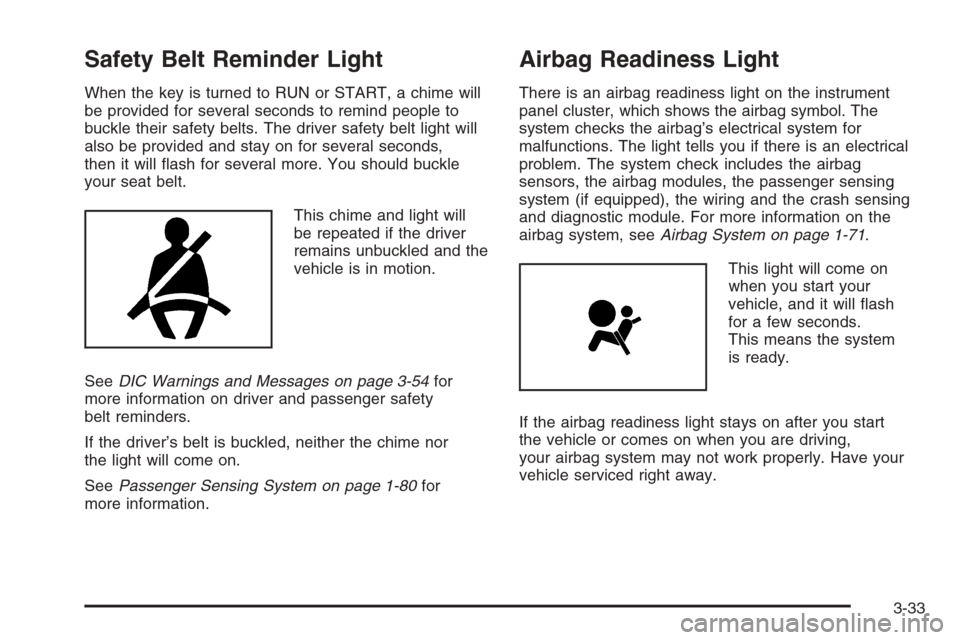
Safety Belt Reminder Light
When the key is turned to RUN or START, a chime will
be provided for several seconds to remind people to
buckle their safety belts. The driver safety belt light will
also be provided and stay on for several seconds,
then it will ash for several more. You should buckle
your seat belt.
This chime and light will
be repeated if the driver
remains unbuckled and the
vehicle is in motion.
SeeDIC Warnings and Messages on page 3-54for
more information on driver and passenger safety
belt reminders.
If the driver’s belt is buckled, neither the chime nor
the light will come on.
SeePassenger Sensing System on page 1-80for
more information.
Airbag Readiness Light
There is an airbag readiness light on the instrument
panel cluster, which shows the airbag symbol. The
system checks the airbag’s electrical system for
malfunctions. The light tells you if there is an electrical
problem. The system check includes the airbag
sensors, the airbag modules, the passenger sensing
system (if equipped), the wiring and the crash sensing
and diagnostic module. For more information on the
airbag system, seeAirbag System on page 1-71.
This light will come on
when you start your
vehicle, and it will ash
for a few seconds.
This means the system
is ready.
If the airbag readiness light stays on after you start
the vehicle or comes on when you are driving,
your airbag system may not work properly. Have your
vehicle serviced right away.
3-33
Page 210 of 594
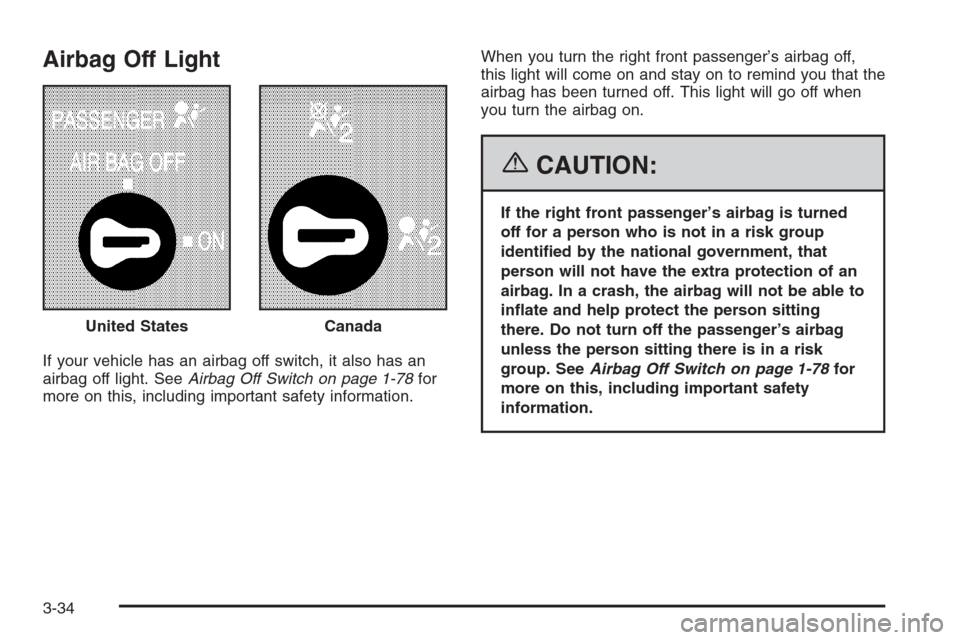
Airbag Off Light
If your vehicle has an airbag off switch, it also has an
airbag off light. SeeAirbag Off Switch on page 1-78for
more on this, including important safety information.When you turn the right front passenger’s airbag off,
this light will come on and stay on to remind you that the
airbag has been turned off. This light will go off when
you turn the airbag on.
{CAUTION:
If the right front passenger’s airbag is turned
off for a person who is not in a risk group
identied by the national government, that
person will not have the extra protection of an
airbag. In a crash, the airbag will not be able to
inate and help protect the person sitting
there. Do not turn off the passenger’s airbag
unless the person sitting there is in a risk
group. SeeAirbag Off Switch on page 1-78for
more on this, including important safety
information. United States
Canada
3-34
Page 211 of 594
{CAUTION:
If the airbag readiness light ever comes on
when you have turned off the airbag, it means
that something may be wrong with the airbag
system. The right front passenger’s airbag
could inate even though the switch is off.
If your vehicle is a regular cab pickup and this
ever happens, do not let anyone whom the
national government has identied as a
member of a passenger airbag risk group sit
in the right front passenger’s position (for
example, do not secure a rear-facing child
restraint in your vehicle) until you have your
vehicle serviced.
CAUTION: (Continued)
CAUTION: (Continued)
If your vehicle is an extended cab pickup and
this ever happens, do not let anyone whom
the national government has identied as a
member of the passenger airbag risk group sit
in the right front passenger’s position (for
example, do not secure a rear-facing child
restraint in the right front passenger’s seat)
until you have your vehicle serviced.
3-35
Page 212 of 594
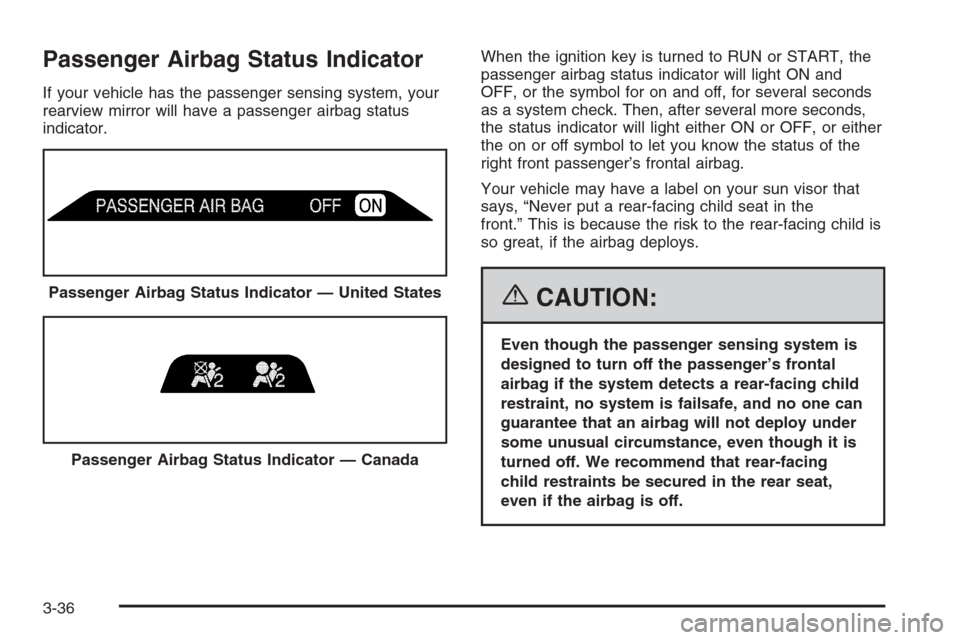
Passenger Airbag Status Indicator
If your vehicle has the passenger sensing system, your
rearview mirror will have a passenger airbag status
indicator.When the ignition key is turned to RUN or START, the
passenger airbag status indicator will light ON and
OFF, or the symbol for on and off, for several seconds
as a system check. Then, after several more seconds,
the status indicator will light either ON or OFF, or either
the on or off symbol to let you know the status of the
right front passenger’s frontal airbag.
Your vehicle may have a label on your sun visor that
says, “Never put a rear-facing child seat in the
front.” This is because the risk to the rear-facing child is
so great, if the airbag deploys.
{CAUTION:
Even though the passenger sensing system is
designed to turn off the passenger’s frontal
airbag if the system detects a rear-facing child
restraint, no system is failsafe, and no one can
guarantee that an airbag will not deploy under
some unusual circumstance, even though it is
turned off. We recommend that rear-facing
child restraints be secured in the rear seat,
even if the airbag is off. Passenger Airbag Status Indicator — United States
Passenger Airbag Status Indicator — Canada
3-36