light CHEVROLET SILVERADO 2007 1.G Owner's Manual
[x] Cancel search | Manufacturer: CHEVROLET, Model Year: 2007, Model line: SILVERADO, Model: CHEVROLET SILVERADO 2007 1.GPages: 684, PDF Size: 3.4 MB
Page 125 of 684
Tailgate Removal
The tailgate can be removed to allow for different
loading situations. Although the tailgate can be
removed without assistance, you may want
someone to assist you with the removal to avoid
possible damage to the vehicle.
To remove the tailgate, do the following:
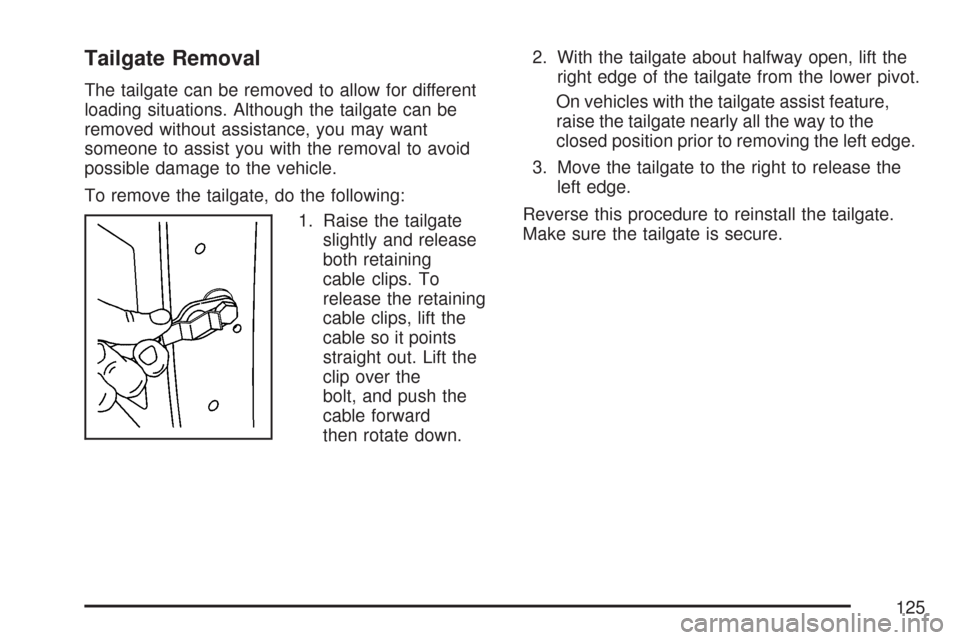
1. Raise the tailgate
slightly and release
both retaining
cable clips. To
release the retaining
cable clips, lift the
cable so it points
straight out. Lift the
clip over the
bolt, and push the
cable forward
then rotate down.2. With the tailgate about halfway open, lift the
right edge of the tailgate from the lower pivot.
On vehicles with the tailgate assist feature,
raise the tailgate nearly all the way to the
closed position prior to removing the left edge.
3. Move the tailgate to the right to release the
left edge.
Reverse this procedure to reinstall the tailgate.
Make sure the tailgate is secure.
125
Page 128 of 684
Express Down Windows
The driver and front passenger windows also have
an express down feature that allows the windows
to be lowered without holding the switch. Press
down fully on the window switch, then release, to
activate the express down mode. The express
down mode can be canceled at any time by pulling
up on the switch. To open the window partway,
press the switch to the rst depression position,
until the window is at the desired position.
Window Lockout
o
(Window Lockout):If your crew cab or
extended cab vehicle has power windows, the
driver’s door power window switch has a lockout
feature. The lockout switch is located in front of the
window switches. This feature prevents the rear
windows from operating, except from the
driver’s position. Press the switch to engage or
disengage the lockout feature. An indicator light on
the switch will come on when the lockout feature
is engaged, and will go off when disengaged.
Power Sliding Rear Window
{CAUTION:
Leaving children, helpless adults, or pets
in a vehicle with the windows closed is
dangerous. They can be overcome from
extreme heat in warm or hot weather and
suffer permanent injuries or even death
from heat stroke.
Leaving children in a vehicle with the
ignition key is dangerous for many
reasons, children or others could be badly
injured or even killed. They could operate
the power windows or other controls or
even make the vehicle move. The
windows will function with the keys in the
ignition and they could be seriously
injured or killed if caught in the path of a
closing window. Do not leave keys in a
vehicle with children.
CAUTION: (Continued)
128
Page 130 of 684
Content Theft-Deterrent
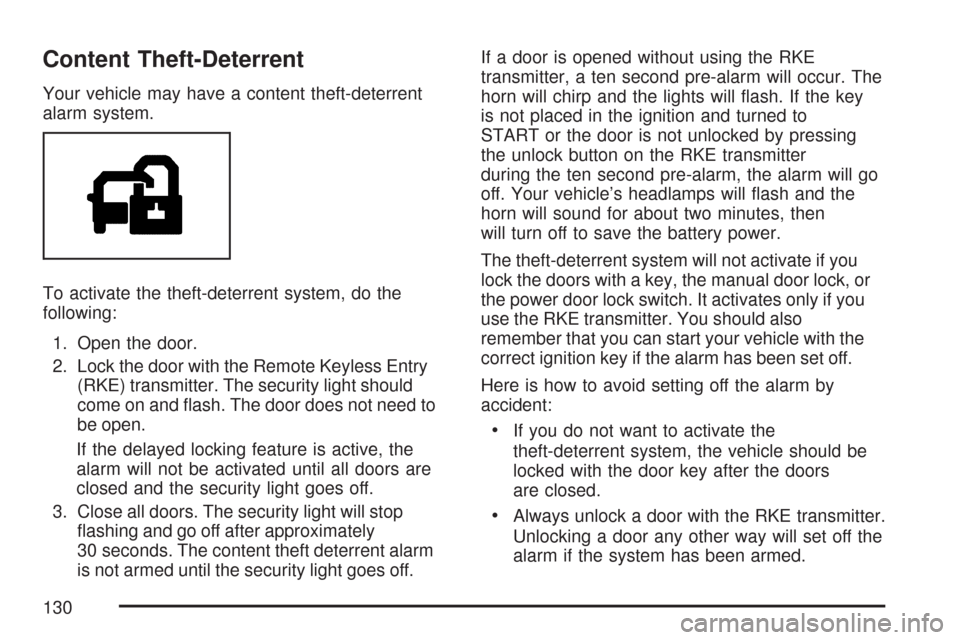
Your vehicle may have a content theft-deterrent
alarm system.
To activate the theft-deterrent system, do the
following:
1. Open the door.
2. Lock the door with the Remote Keyless Entry
(RKE) transmitter. The security light should
come on and ash. The door does not need to
be open.
If the delayed locking feature is active, the
alarm will not be activated until all doors are
closed and the security light goes off.
3. Close all doors. The security light will stop
ashing and go off after approximately
30 seconds. The content theft deterrent alarm
is not armed until the security light goes off.If a door is opened without using the RKE
transmitter, a ten second pre-alarm will occur. The
horn will chirp and the lights will ash. If the key
is not placed in the ignition and turned to
START or the door is not unlocked by pressing
the unlock button on the RKE transmitter
during the ten second pre-alarm, the alarm will go
off. Your vehicle’s headlamps will ash and the
horn will sound for about two minutes, then
will turn off to save the battery power.
The theft-deterrent system will not activate if you
lock the doors with a key, the manual door lock, or
the power door lock switch. It activates only if you
use the RKE transmitter. You should also
remember that you can start your vehicle with the
correct ignition key if the alarm has been set off.
Here is how to avoid setting off the alarm by
accident:
If you do not want to activate the
theft-deterrent system, the vehicle should be
locked with the door key after the doors
are closed.
Always unlock a door with the RKE transmitter.
Unlocking a door any other way will set off the
alarm if the system has been armed.
130
Page 131 of 684
If you set off the alarm by accident, turn off the
alarm by pressing unlock on the RKE transmitter or
by placing the key in the ignition and turning it
to START.
Testing the Alarm
The alarm can be tested by following these steps:
1. From inside the vehicle, lower the driver’s
window and open the driver’s door.
2. Activate the system by locking the doors with
the RKE transmitter.
3. Get out of the vehicle, close the door and wait
for the security light to go out.
4. Then reach in through the window, unlock the
door with the manual door lock and open the
door. This should set off the alarm.
If the alarm does not sound when it should, but
the vehicle’s headlamps ash, check to see if the
horn works. The horn fuse may be blown. To
replace the fuse, seeFuses and Circuit Breakers
on page 612.
If the alarm does not sound or the vehicle’s
headlamps do not ash, see your dealer for
service.
PASS-Key®III+
The PASS-Key®III+ system operates on a radio
frequency subject to Federal Communications
Commission (FCC) Rules and with Industry
Canada.
This device complies with Part 15 of the FCC
Rules. Operation is subject to the following
two conditions:
1. This device may not cause harmful
interference.
2. This device must accept any interference
received, including interference that may cause
undesired operation.
This device complies with RSS-210 of Industry
Canada. Operation is subject to the following
two conditions:
1. This device may not cause interference.
2. This device must accept any interference
received, including interference that may cause
undesired operation of the device.
Changes or modications to this system by other
than an authorized service facility could void
authorization to use this equipment.
PASS-Key
®III+ uses a radio frequency
transponder in the key that matches a decoder in
your vehicle.
131
Page 132 of 684
PASS-Key®III+ Operation
Your vehicle has PASS-Key®III+ (Personalized
Automotive Security System) theft-deterrent
system. PASS-Key
®III+ is a passive
theft-deterrent system. This means you do not
have to do anything special to arm or disarm the
system. It works when you transition the key
to RUN, ACCESSORY or START from the OFF
position.
When the PASS-Key
®III+ system senses that
someone is using the wrong key, it prevents the
vehicle from starting. Anyone using a
trial-and-error method to start the vehicle will be
discouraged because of the high number of
electrical key codes.
If the engine does not start and the security light
on the instrument panel cluster comes on
when trying to start the vehicle, the key may have
a damaged transponder. Turn the ignition off
and try again.If the engine still does not start, and the key
appears to be undamaged, try another ignition
key. At this time, you may also want to check the
fuse, seeFuses and Circuit Breakers on
page 612. If the engine still does not start with the
other key, your vehicle needs service. If your
vehicle does start, the rst key may be faulty. See
your dealer who can service the PASS-Key
®III+
to have a new key made. In an emergency,
contact Roadside Assistance.
It is possible for the PASS-Key
®III+ decoder to
learn the transponder value of a new or
replacement key. Up to nine additional keys may
be programmed for the vehicle. The following
procedure is for programming additional keys only.
If all the currently programmed keys are lost or
do not operate, you must see your dealer or
a locksmith who can service PASS-Key
®III+ to
have keys made and programmed to the system.
132
Page 133 of 684
See your dealer or a locksmith who can service
PASS-Key®III+ to get a new key blank that is cut
exactly as the ignition key that operates the
system.
To program the new additional key do the
following:
1. Verify that the new key has a
1stamped on it.
2. Insert the original, already programmed, key
in the ignition and start the engine. If the
engine will not start, see your dealer
for service.
3. After the engine has started, turn the key to
OFF, and remove the key.
4. Insert the new key to be programmed
and turn it to the RUN position within
ve seconds of removing the original key.5. The security light will turn off once the key
has been programmed.
6. Repeat Steps 1 through 5 if additional keys
are to be programmed.
If you are driving and the security light comes on
and stays on, you may be able to restart your
engine. Your PASS-Key®III+ system, however,
may not be working properly and must be serviced
by your dealer.
If you lose or damage your PASS-Key
®III+ key,
see your dealer or a locksmith who can service
PASS-Key
®III+ to have a new key made.
133
Page 147 of 684
The tow/haul mode adjusts the transmission shift
pattern to reduce shift cycling, providing
increased performance, vehicle control, and
transmission cooling when towing or hauling
heavy loads.
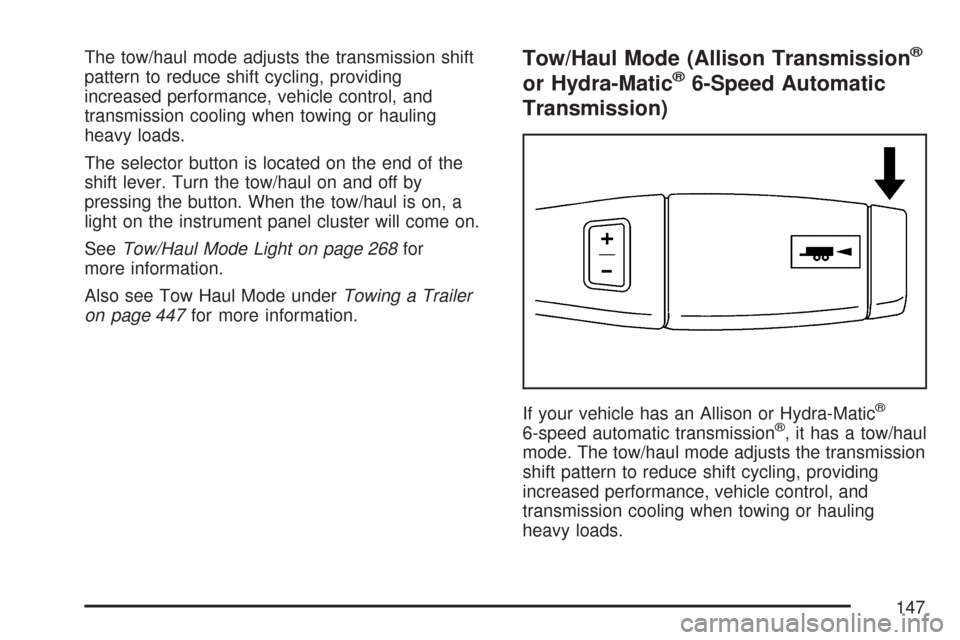
The selector button is located on the end of the
shift lever. Turn the tow/haul on and off by
pressing the button. When the tow/haul is on, a
light on the instrument panel cluster will come on.
SeeTow/Haul Mode Light on page 268for
more information.
Also see Tow Haul Mode underTowing a Trailer
on page 447for more information.Tow/Haul Mode (Allison Transmission®
or Hydra-Matic®6-Speed Automatic
Transmission)
If your vehicle has an Allison or Hydra-Matic®
6-speed automatic transmission®, it has a tow/haul
mode. The tow/haul mode adjusts the transmission
shift pattern to reduce shift cycling, providing
increased performance, vehicle control, and
transmission cooling when towing or hauling
heavy loads.
147
Page 148 of 684
Turn the tow/haul mode on and off by pressing the
button, located on the end of the shift lever.
When the tow/haul is on, a light on the instrument
panel cluster will come on.
SeeTow/Haul Mode Light on page 268for more
information.
Also see “Tow Haul Mode” underTowing a Trailer
on page 447for more information.
Grade Braking (Allison Transmission®
or Hydra-Matic®6-Speed Automatic
Transmission)
The Grade Braking shift modes can be activated
by pressing the button on the end of the shift
control lever. While in Range Selection Mode,
Grade Braking is deactivated allowing the driver to
select a desired range of gears.Grade Braking is only active while the Tow/Haul
Mode is selected and you are not in the Range
Selection Mode. See “Tow/Haul Mode listed
previously andAutomatic Transmission Operation
on page 140for more information on the Range
Slection Mode. Grade Braking assists in
maintaining desired vehicle speeds when driving
on downhill grades by automatically implementing
a shift schedule that utilizes the engine and
transmission to slow the vehicle. This reduces
wear on the braking system and increases control
of the vehicle. Grade Braking monitors vehicle
speed, acceleration, engine torque and brake
pedal usage. Using this information, it detects
when the truck is on a downhill grade and
the driver desires to slow the vehicle by pressing
the brake. See the diesel supplement for
information on Cruise Grade Braking.
Also seeTowing a Trailer on page 447for more
information.
148
Page 150 of 684
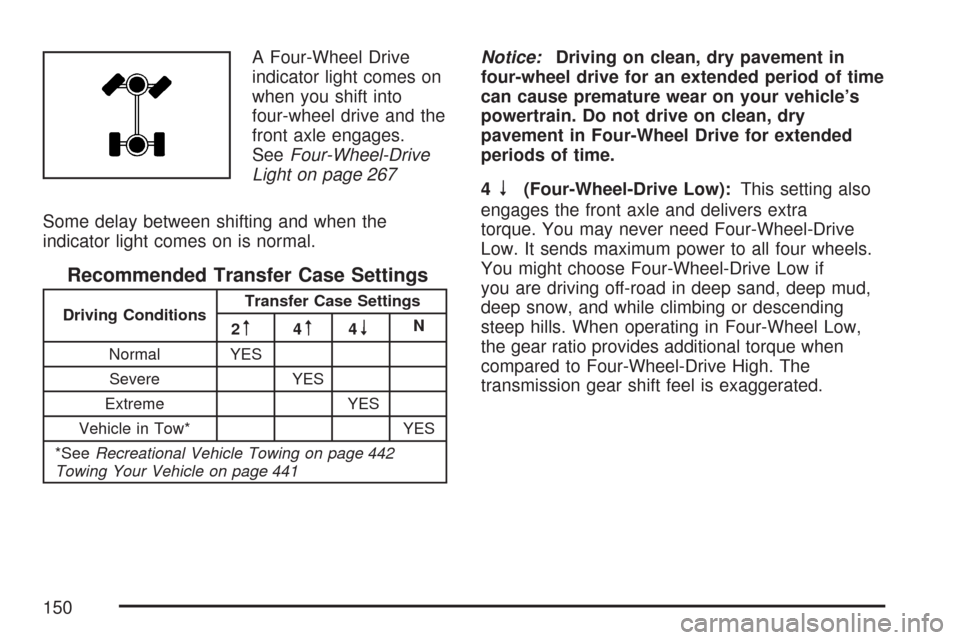
A Four-Wheel Drive
indicator light comes on
when you shift into
four-wheel drive and the
front axle engages.
SeeFour-Wheel-Drive
Light on page 267
Some delay between shifting and when the
indicator light comes on is normal.
Recommended Transfer Case Settings
Driving ConditionsTransfer Case Settings
2m4m4nN
Normal YES
Severe YES
Extreme YES
Vehicle in Tow* YES
*SeeRecreational Vehicle Towing on page 442
Towing Your Vehicle on page 441
Notice:Driving on clean, dry pavement in
four-wheel drive for an extended period of time
can cause premature wear on your vehicle’s
powertrain. Do not drive on clean, dry
pavement in Four-Wheel Drive for extended
periods of time.
4
n(Four-Wheel-Drive Low):This setting also
engages the front axle and delivers extra
torque. You may never need Four-Wheel-Drive
Low. It sends maximum power to all four wheels.
You might choose Four-Wheel-Drive Low if
you are driving off-road in deep sand, deep mud,
deep snow, and while climbing or descending
steep hills. When operating in Four-Wheel Low,
the gear ratio provides additional torque when
compared to Four-Wheel-Drive High. The
transmission gear shift feel is exaggerated.
150
Page 153 of 684
Shifting In or Out of Four-Wheel-Drive Low
Notice:Shifting the transfer case into
Four-Wheel-Drive Low while moving at speeds
faster than 3 mph (5 km/h) may cause
premature wear to the transfer case, and may
cause the gears to grind. To avoid causing
premature wear, and grinding the gears, do not
shift the transfer case into Four-Wheel-Drive
Low while the vehicle is moving faster than
3 mph (5 km/h).
Shifting into Four-Wheel-Drive Low should be done,
if possible, with the vehicle at a slight roll, 3 mph
(5 km/h) or less.
Shift the transmission into NEUTRAL (N).
{CAUTION:
Shifting the transfer case to NEUTRAL can
cause your vehicle to roll even if the
transmission is in PARK (P). You or
someone else could be seriously injured.
Be sure to set the parking brake before
placing the transfer case in NEUTRAL. See
Parking Brake on page 164.
Shifting into Four-Wheel-Drive Low with
the vehicle at a stop may be more difficult.
You may be unable to complete the shift to
Four-Wheel-Drive Low, and will end up in
NEUTRAL. This is normal, and is a function of
the gear teeth aligning in your transfer case.
When this happens, make sure the engine is
on, shift your transmission momentarily to
drive and back to NEUTRAL, and then
complete the shift.
Shift the transfer case shift lever in one
continuous motion into the Four-Wheel-Drive
Low position.
When Four-Wheel-Drive Low do not drive
faster than 45 mph. This will reduce wear and
extend the life of your transfer case.
Shifting In or Out of NEUTRAL
1. With the vehicle running and the engine at an
idle set the parking brake.
2. Place the transmission into NEUTRAL (N).
Shift the transfer case in one continuous motion
into or out of the NEUTRAL position.
153