light CHEVROLET SILVERADO 2009 2.G Manual PDF
[x] Cancel search | Manufacturer: CHEVROLET, Model Year: 2009, Model line: SILVERADO, Model: CHEVROLET SILVERADO 2009 2.GPages: 600, PDF Size: 3.24 MB
Page 212 of 600
Rear Window Defogger
For vehicles with a rear window defogger, a warming
grid is used to remove fog from the rear window.
<(Rear):Press to turn the rear window defogger on
or off. An indicator light on the button comes on to
show that the rear window defogger is on.
The rear window defogger only works when the ignition
is in ON/RUN. The rear window defogger stays on
for approximately 10 minutes after the button is pressed,
unless the ignition is turned to ACC/ACCESSORY or
LOCK/OFF. The defogger can also be turned off by
turning off the engine.
Notice:Do not use anything sharp on the inside
of the rear window. If you do, you could cut or
damage the warming grid, and the repairs would
not be covered by the vehicle warranty. Do not
attach a temporary vehicle license, tape, a decal or
anything similar to the defogger grid.
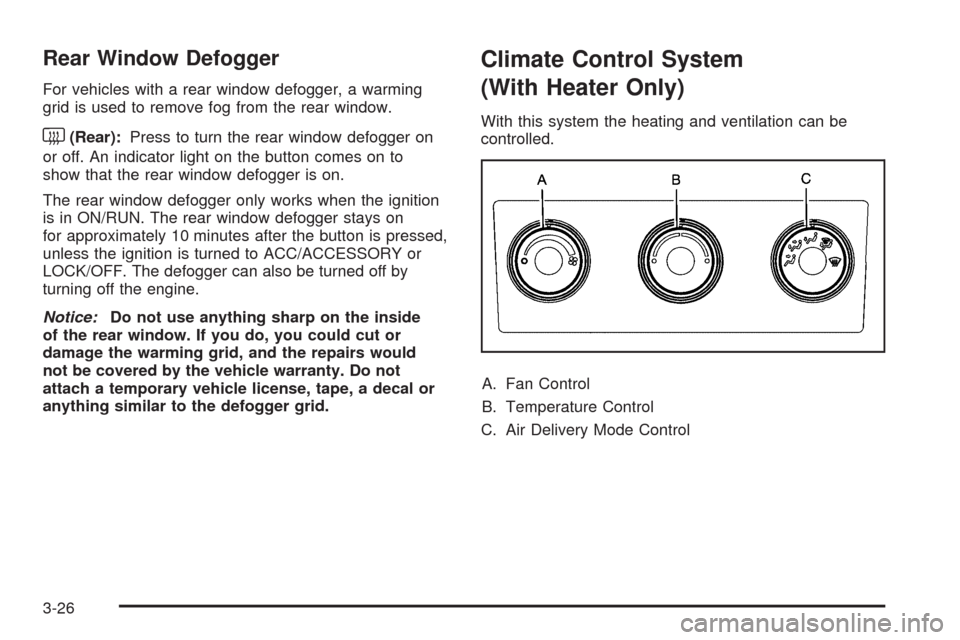
Climate Control System
(With Heater Only)
With this system the heating and ventilation can be
controlled.
A. Fan Control
B. Temperature Control
C. Air Delivery Mode Control
3-26
Page 215 of 600
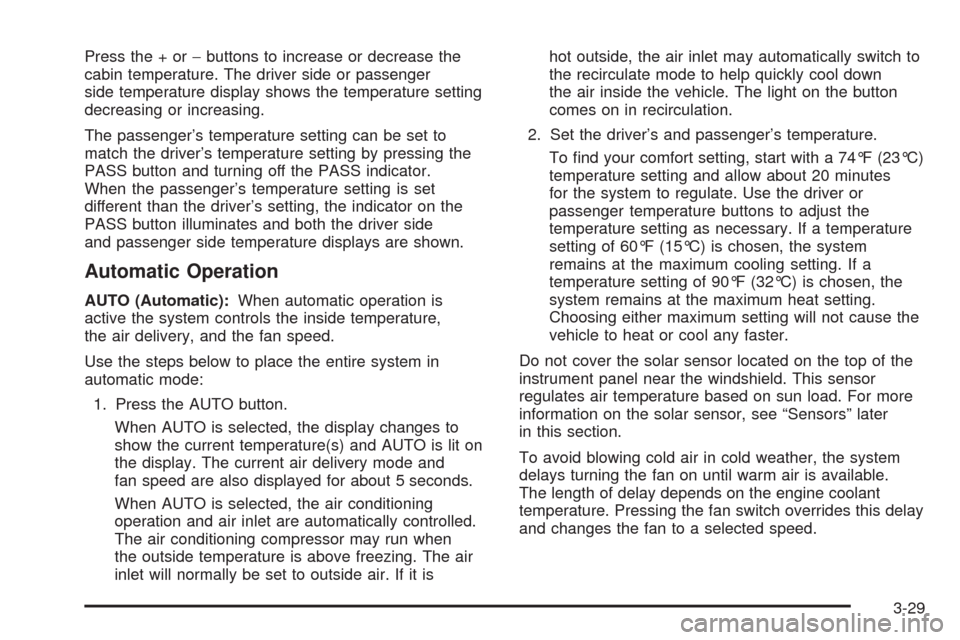
Press the + or−buttons to increase or decrease the
cabin temperature. The driver side or passenger
side temperature display shows the temperature setting
decreasing or increasing.
The passenger’s temperature setting can be set to
match the driver’s temperature setting by pressing the
PASS button and turning off the PASS indicator.
When the passenger’s temperature setting is set
different than the driver’s setting, the indicator on the
PASS button illuminates and both the driver side
and passenger side temperature displays are shown.
Automatic Operation
AUTO (Automatic):When automatic operation is
active the system controls the inside temperature,
the air delivery, and the fan speed.
Use the steps below to place the entire system in
automatic mode:
1. Press the AUTO button.
When AUTO is selected, the display changes to
show the current temperature(s) and AUTO is lit on
the display. The current air delivery mode and
fan speed are also displayed for about 5 seconds.
When AUTO is selected, the air conditioning
operation and air inlet are automatically controlled.
The air conditioning compressor may run when
the outside temperature is above freezing. The air
inlet will normally be set to outside air. If it ishot outside, the air inlet may automatically switch to
the recirculate mode to help quickly cool down
the air inside the vehicle. The light on the button
comes on in recirculation.
2. Set the driver’s and passenger’s temperature.
To nd your comfort setting, start with a 74°F (23°C)
temperature setting and allow about 20 minutes
for the system to regulate. Use the driver or
passenger temperature buttons to adjust the
temperature setting as necessary. If a temperature
setting of 60°F (15°C) is chosen, the system
remains at the maximum cooling setting. If a
temperature setting of 90°F (32°C) is chosen, the
system remains at the maximum heat setting.
Choosing either maximum setting will not cause the
vehicle to heat or cool any faster.
Do not cover the solar sensor located on the top of the
instrument panel near the windshield. This sensor
regulates air temperature based on sun load. For more
information on the solar sensor, see “Sensors” later
in this section.
To avoid blowing cold air in cold weather, the system
delays turning the fan on until warm air is available.
The length of delay depends on the engine coolant
temperature. Pressing the fan switch overrides this delay
and changes the fan to a selected speed.
3-29
Page 216 of 600
Manual Operation
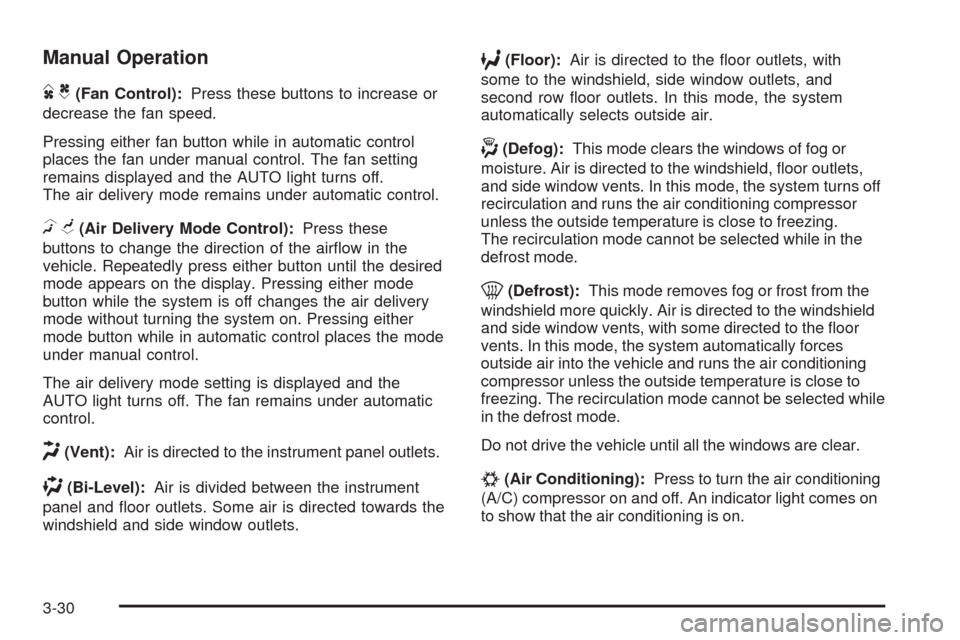
DC(Fan Control):Press these buttons to increase or
decrease the fan speed.
Pressing either fan button while in automatic control
places the fan under manual control. The fan setting
remains displayed and the AUTO light turns off.
The air delivery mode remains under automatic control.
HG(Air Delivery Mode Control):Press these
buttons to change the direction of the airow in the
vehicle. Repeatedly press either button until the desired
mode appears on the display. Pressing either mode
button while the system is off changes the air delivery
mode without turning the system on. Pressing either
mode button while in automatic control places the mode
under manual control.
The air delivery mode setting is displayed and the
AUTO light turns off. The fan remains under automatic
control.
H(Vent):Air is directed to the instrument panel outlets.
)(Bi-Level):Air is divided between the instrument
panel and oor outlets. Some air is directed towards the
windshield and side window outlets.
6(Floor):Air is directed to the oor outlets, with
some to the windshield, side window outlets, and
second row oor outlets. In this mode, the system
automatically selects outside air.
-(Defog):This mode clears the windows of fog or
moisture. Air is directed to the windshield, oor outlets,
and side window vents. In this mode, the system turns off
recirculation and runs the air conditioning compressor
unless the outside temperature is close to freezing.
The recirculation mode cannot be selected while in the
defrost mode.
0(Defrost):This mode removes fog or frost from the
windshield more quickly. Air is directed to the windshield
and side window vents, with some directed to the oor
vents. In this mode, the system automatically forces
outside air into the vehicle and runs the air conditioning
compressor unless the outside temperature is close to
freezing. The recirculation mode cannot be selected while
in the defrost mode.
Do not drive the vehicle until all the windows are clear.
#(Air Conditioning):Press to turn the air conditioning
(A/C) compressor on and off. An indicator light comes on
to show that the air conditioning is on.
3-30
Page 217 of 600
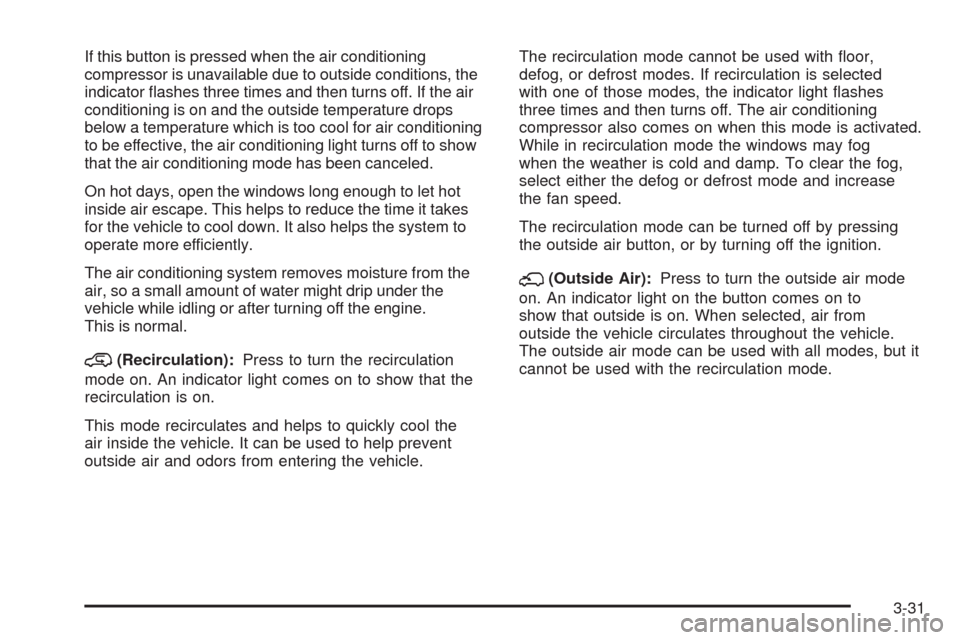
If this button is pressed when the air conditioning
compressor is unavailable due to outside conditions, the
indicator ashes three times and then turns off. If the air
conditioning is on and the outside temperature drops
below a temperature which is too cool for air conditioning
to be effective, the air conditioning light turns off to show
that the air conditioning mode has been canceled.
On hot days, open the windows long enough to let hot
inside air escape. This helps to reduce the time it takes
for the vehicle to cool down. It also helps the system to
operate more efficiently.
The air conditioning system removes moisture from the
air, so a small amount of water might drip under the
vehicle while idling or after turning off the engine.
This is normal.
@(Recirculation):Press to turn the recirculation
mode on. An indicator light comes on to show that the
recirculation is on.
This mode recirculates and helps to quickly cool the
air inside the vehicle. It can be used to help prevent
outside air and odors from entering the vehicle.The recirculation mode cannot be used with oor,
defog, or defrost modes. If recirculation is selected
with one of those modes, the indicator light ashes
three times and then turns off. The air conditioning
compressor also comes on when this mode is activated.
While in recirculation mode the windows may fog
when the weather is cold and damp. To clear the fog,
select either the defog or defrost mode and increase
the fan speed.
The recirculation mode can be turned off by pressing
the outside air button, or by turning off the ignition.
;(Outside Air):Press to turn the outside air mode
on. An indicator light on the button comes on to
show that outside is on. When selected, air from
outside the vehicle circulates throughout the vehicle.
The outside air mode can be used with all modes, but it
cannot be used with the recirculation mode.
3-31
Page 219 of 600
The climate control system uses the information from
these sensors to maintain your comfort setting by
adjusting the outlet temperature, fan speed, and the
air delivery mode. The system may also supply
cooler air to the side of the vehicle facing the sun.
The recirculation mode will also be used as needed to
maintain cool outlet temperatures.
Outlet Adjustment
Use the air outlets located in the center and on the side
of the instrument panel to direct the airow. Use the
thumbwheels near the air outlets to open or close off
the airow.
Operation Tips
Clear away any ice, snow, or leaves from air inlets
at the base of the windshield that could block the
ow of air into the vehicle.
Keep the path under the front seats clear of objects
to help circulate the air inside of the vehicle more
effectively.
Use of non-GM approved hood deectors can
adversely affect the performance of the system.
Check with your dealer/retailer before adding
equipment to the outside of the vehicle.
Warning Lights, Gages, and
Indicators
Warning lights and gages can signal that something is
wrong before it becomes serious enough to cause
an expensive repair or replacement. Paying attention to
the warning lights and gages could prevent injury.
Warning lights come on when there may be or is a
problem with one of the vehicle’s functions. Some
warning lights come on briey when the engine is started
to indicate they are working.
Gages can indicate when there may be or is a problem
with one of the vehicle’s functions. Often gages and
warning lights work together to indicate a problem with
the vehicle.
When one of the warning lights comes on and stays on
while driving, or when one of the gages shows there
may be a problem, check the section that explains
what to do. Follow this manual’s advice. Waiting to do
repairs can be costly and even dangerous.
3-33
Page 220 of 600

Instrument Panel Cluster
The instrument cluster is designed to show how the vehicle is running. It shows how fast the vehicle is going, about
how much fuel the vehicle has and many other things needed to drive safely and economically. For vehicles with
a DURAMAX
®Diesel engine, see the DURAMAX®Diesel manual for more information. United States Light Duty Premium version shown. Canada, Uplevel, Base, Heavy Duty Clusters similar.
3-34
Page 222 of 600
Safety Belt Reminders
Safety Belt Reminder Light
When the engine is started, a chime sounds for
several seconds to remind a driver to fasten the safety
belt, unless the driver safety belt is already buckled.
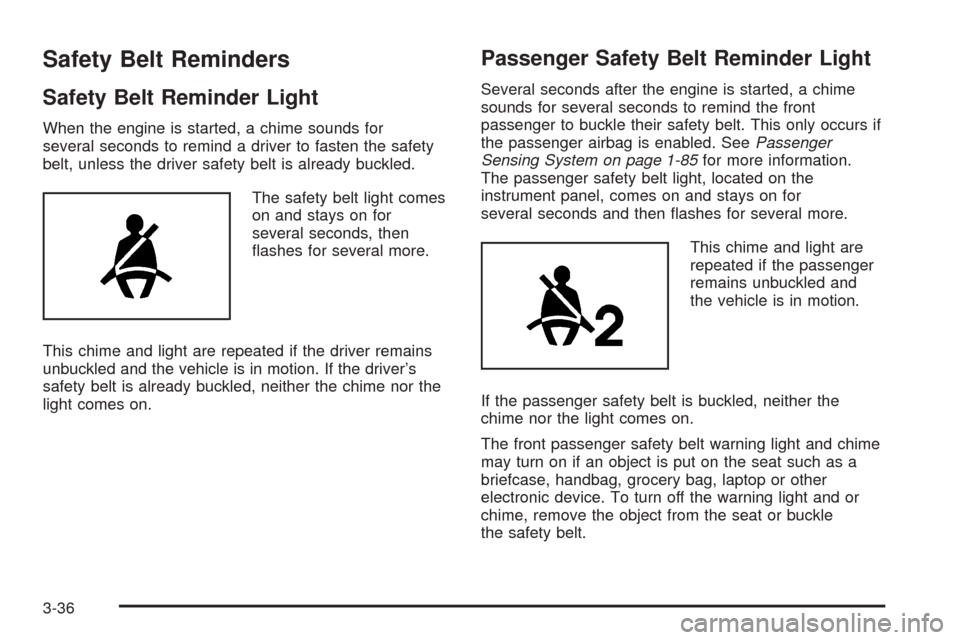
The safety belt light comes
on and stays on for
several seconds, then
ashes for several more.
This chime and light are repeated if the driver remains
unbuckled and the vehicle is in motion. If the driver’s
safety belt is already buckled, neither the chime nor the
light comes on.
Passenger Safety Belt Reminder Light
Several seconds after the engine is started, a chime
sounds for several seconds to remind the front
passenger to buckle their safety belt. This only occurs if
the passenger airbag is enabled. SeePassenger
Sensing System on page 1-85for more information.
The passenger safety belt light, located on the
instrument panel, comes on and stays on for
several seconds and then ashes for several more.
This chime and light are
repeated if the passenger
remains unbuckled and
the vehicle is in motion.
If the passenger safety belt is buckled, neither the
chime nor the light comes on.
The front passenger safety belt warning light and chime
may turn on if an object is put on the seat such as a
briefcase, handbag, grocery bag, laptop or other
electronic device. To turn off the warning light and or
chime, remove the object from the seat or buckle
the safety belt.
3-36
Page 223 of 600
Airbag Readiness Light
The system checks the airbag’s electrical system for
possible malfunctions. If the light stays on it indicates
there is an electrical problem. The system check
includes the airbag sensor, the pretensioners, the airbag
modules, the wiring and the crash sensing and
diagnostic module. For more information on the airbag
system, seeAirbag System on page 1-74.
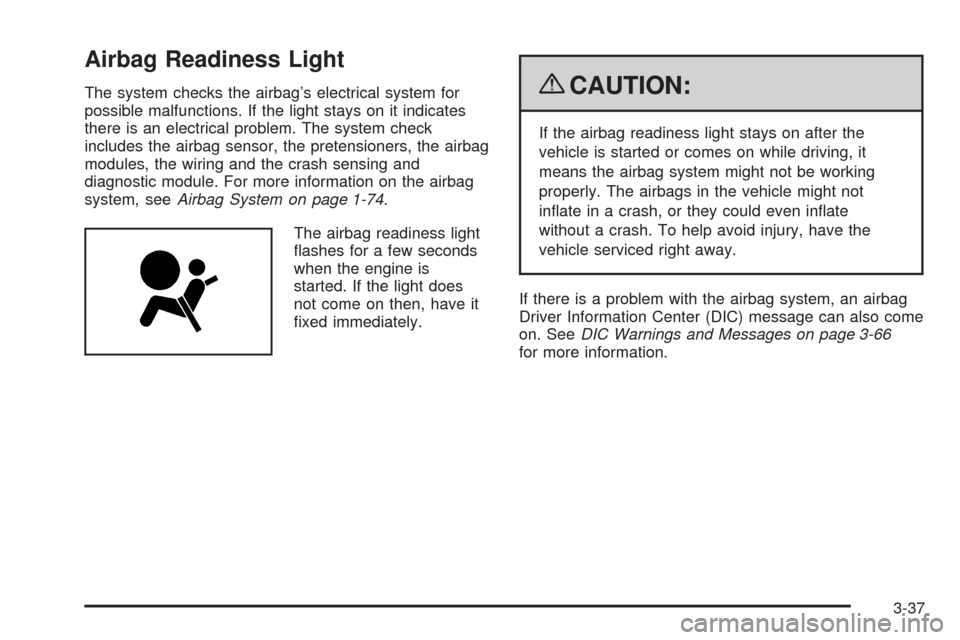
The airbag readiness light
ashes for a few seconds
when the engine is
started. If the light does
not come on then, have it
xed immediately.{CAUTION:
If the airbag readiness light stays on after the
vehicle is started or comes on while driving, it
means the airbag system might not be working
properly. The airbags in the vehicle might not
inate in a crash, or they could even inate
without a crash. To help avoid injury, have the
vehicle serviced right away.
If there is a problem with the airbag system, an airbag
Driver Information Center (DIC) message can also come
on. SeeDIC Warnings and Messages on page 3-66
for more information.
3-37
Page 224 of 600
Airbag Off Light
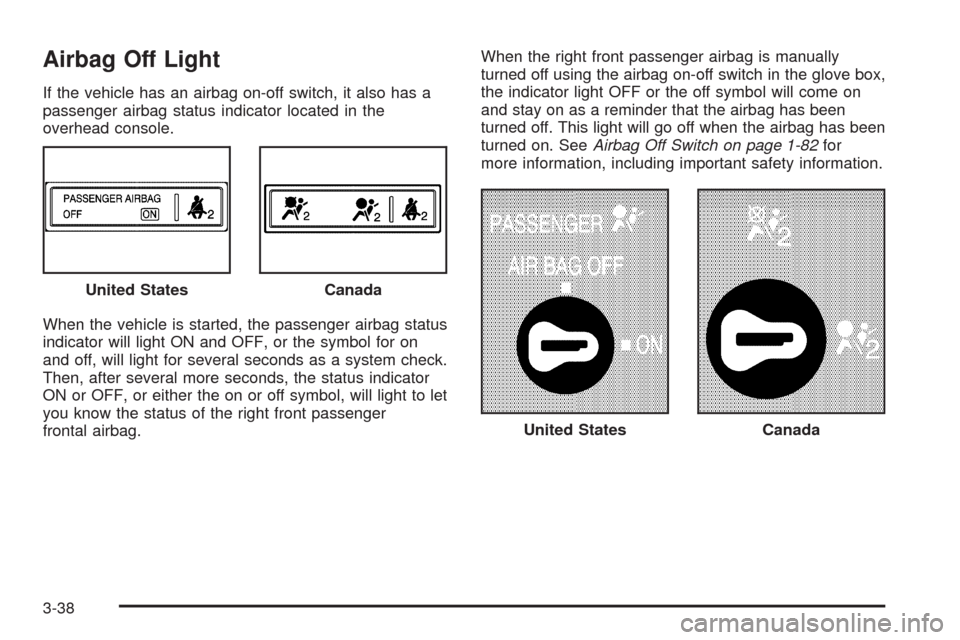
If the vehicle has an airbag on-off switch, it also has a
passenger airbag status indicator located in the
overhead console.
When the vehicle is started, the passenger airbag status
indicator will light ON and OFF, or the symbol for on
and off, will light for several seconds as a system check.
Then, after several more seconds, the status indicator
ON or OFF, or either the on or off symbol, will light to let
you know the status of the right front passenger
frontal airbag.When the right front passenger airbag is manually
turned off using the airbag on-off switch in the glove box,
the indicator light OFF or the off symbol will come on
and stay on as a reminder that the airbag has been
turned off. This light will go off when the airbag has been
turned on. SeeAirbag Off Switch on page 1-82for
more information, including important safety information.
United States
Canada
United StatesCanada
3-38
Page 225 of 600
{CAUTION:
If the right front passenger’s airbag is turned off
for a person who is not in a risk group identied
by the national government, that person will not
have the extra protection of an airbag. In a crash,
the airbag will not be able to inate and help
protect the person sitting there.
Do not turn off the passenger’s airbag unless the
person sitting there is in a risk group identied by
the national government. SeeAirbag Off Switch on
page 1-82for more on this, including important
safety information.
{CAUTION:
If the airbag readiness light ever comes on and
stays on, it means that something may be wrong
with the airbag system. For example, the right
front passenger airbag could inate even though
the airbag on-off switch is turned off.
To help avoid injury to yourself or others, have the
vehicle serviced right away. SeeAirbag Readiness
Light on page 3-37for more information, including
important safety information.
If the word ON or the on symbol is lit, it means that the
right front passenger frontal airbag is enabled (may
inate). SeeAirbag Off Switch on page 1-82for more
information, including important safety information.
If, after several seconds, both status indicator lights
remain on, or if there are no lights at all, there may be
a problem with the lights or the airbag on-off switch.
See your dealer/retailer for service.
3-39