engine CHEVROLET SILVERADO 2011 2.G Manual Online
[x] Cancel search | Manufacturer: CHEVROLET, Model Year: 2011, Model line: SILVERADO, Model: CHEVROLET SILVERADO 2011 2.GPages: 588, PDF Size: 7.99 MB
Page 347 of 588
Black plate (53,1)Chevrolet Silverado Owner Manual - 2011
Driving and Operating 9-53
Drive Systems
Four-Wheel Drive
If the vehicle has Four-Wheel
Drive, you can send the engine's
driving power to all four wheels
for extra traction. To get the most
satisfaction out of Four-Wheel
Drive, you must be familiar with
its operation. Read the following
before using Four-Wheel Drive.
See the appropriate text for the
transfer case in the vehicle.
Notice:Driving on clean, dry
pavement in Four-Wheel Drive
High or Four-Wheel Drive Low for
an extended period of time may
cause premature wear on the
vehicle's powertrain. Do not
drive on clean, dry pavement
in Four-Wheel Drive High or
Four-Wheel Drive Low for
extended periods of time. While driving on clean dry pavement
and during tight turns, you may
experience vibration in the steering
system.
If the vehicle has StabiliTrak®,
shifting into Four-Wheel Drive
Low will turn Traction Control and
StabiliTrak
®off. See StabiliTrak®
System on page 9‑70.
Front Axle
The front axle engages and
disengages automatically when you
shift the transfer case. Some delay
for the axle to engage or disengage
is normal.
Manual Transfer Case
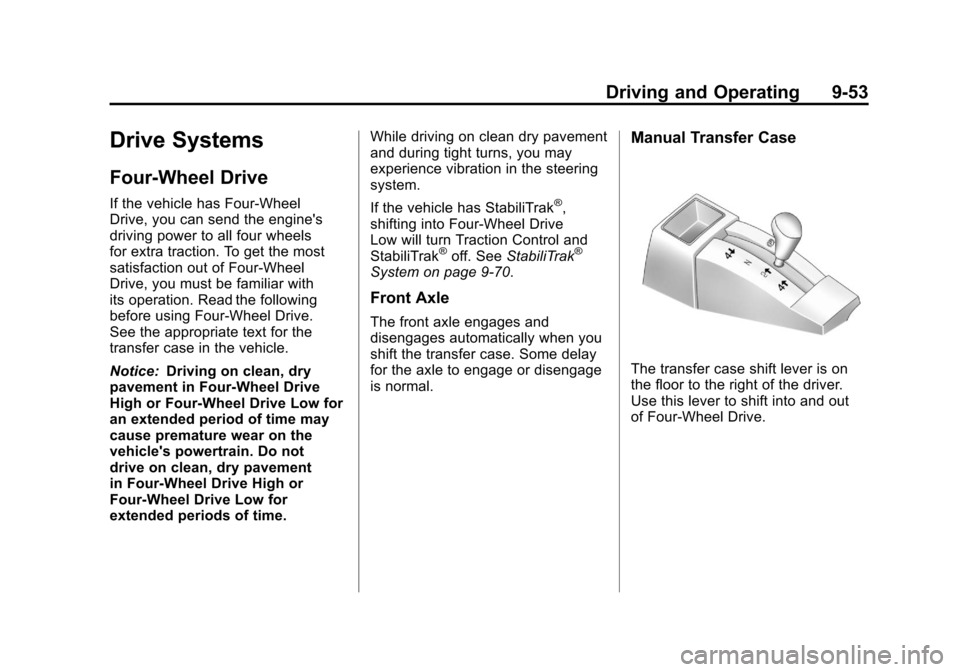
The transfer case shift lever is on
the floor to the right of the driver.
Use this lever to shift into and out
of Four-Wheel Drive.
Page 350 of 588
Black plate (56,1)Chevrolet Silverado Owner Manual - 2011
9-56 Driving and Operating
When Using the Manual
Transfer Case
.Shifts into or out of Four-Wheel
Drive Low or N (Neutral) should
be made using quick motions to
avoid excessive gear grinding.
Shifting slowly may make it more
difficult to shift.
.You may notice that it is harder
to shift when the vehicle is cold.
After the vehicle warms up the
shifting will return to normal.
.While in Four-Wheel High or
Four-Wheel Drive Low you
may experience reduced fuel
economy.
.Avoid driving in Four-Wheel
Drive on clean, dry pavement.
It may cause your tires to wear
faster, make the transfer case
harder to shift, and run noisier.
.If the transfer case shifter is
in the N (Neutral) position and
you have difficulty reaching the
selected transfer case mode,
with the engine running, shift
the transmission momentarily
to D (Drive) and then back to
N (Neutral). This will realign the
gear teeth in the transfer case
and allow you to complete the
shift.
Shifting from Two-Wheel Drive
High to Four-Wheel Drive High
.Shifts between Two-Wheel Drive
High and Four-Wheel Drive High
can be made at any vehicle
speed.
.Shift the transfer case lever
in one continuous motion into
either the Four-Wheel Drive
High or Two-Wheel Drive High
position.
.Shifting from Two-Wheel Drive
High to Four-Wheel Drive High
while the vehicle is in motion
may require that moderate force
be applied to the shift lever for a
few seconds before Four-Wheel
Drive High can be engaged,
especially in cold weather.
.In extremely cold weather, it may
be necessary to slow or stop the
vehicle to shift into Four-Wheel
Drive High.
.While in Four-Wheel Drive High,
the vehicle can be driven at any
posted legal speed limit.
Page 351 of 588
Black plate (57,1)Chevrolet Silverado Owner Manual - 2011
Driving and Operating 9-57
Shifting In or Out of Four-Wheel
Drive Low
Notice:Shifting the transfer
case into Four-Wheel-Drive Low
while moving at speeds faster
than 5 km/h (3 mph) may cause
premature wear to the transfer
case, and may cause the gears
to grind. To avoid causing
premature wear, and grinding the
gears, do not shift the transfer
case into Four-Wheel-Drive Low
while the vehicle is moving faster
than 5 km/h (3 mph).
.Shifting into Four-Wheel Drive
Low should be done, if possible,
with the vehicle at a slight roll,
5 km/h (3 mph) or less.
.Shift the transmission into
N (Neutral).
{WARNING
Shifting the transfer case to
N (Neutral) can cause the vehicle
to roll even if the transmission
is in P (Park). You or someone
else could be seriously injured.
Be sure to set the parking brake
before placing the transfer case in
N (Neutral). See Parking Brake
on page 9‑68.
.Shifting into Four-Wheel Drive
Low with the vehicle at a stop
may be more difficult. You may
be unable to complete the shift
to Four-Wheel Drive Low, and
the transfer case will end up in
N (Neutral). This is normal, and
is a function of the gear teeth
aligning in the transfer case.
When this happens, make
sure the engine is on, shift
the transmission momentarily
to D (Drive) and back to
N (Neutral), and then complete
the transfer case shift.
.Shift the transfer case shift lever
in one continuous motion into
the Four-Wheel Drive Low
position.
.When in Four-Wheel Drive
Low do not drive faster than
72 km/h (45 mph). This will
reduce wear and extend the
life of your transfer case.
Shifting In or Out of Neutral
1. With the vehicle running and the engine at an idle, set the parking
brake.
2. Place the transmission into N (Neutral).
Shift the transfer case in one
continuous motion into or out
of the N (Neutral) position.
Page 354 of 588
Black plate (60,1)Chevrolet Silverado Owner Manual - 2011
9-60 Driving and Operating
Shifting Into Four-Wheel
Drive Low
When Four-Wheel Drive Low is
engaged, vehicle speed should
be kept below 72 km/h (45 mph).
Extended high-speed operation in
Four-Wheel Drive Low may damage
or shorten the life of the drivetrain.
To shift to the Four-Wheel Drive
Low position, the ignition must be
in ON/RUN and the vehicle must be
stopped or moving less than 5 km/h
(3 mph) with the transmission in
N (Neutral). The preferred method
for shifting into Four-Wheel Drive
Low is to have the vehicle moving
1.6 to 3.2 km/h (1 to 2 mph). Turn the
knob to the Four-Wheel Drive Low
position. You must wait for the
Four-Wheel Drive Low indicator
light to stop flashing and remain
on before shifting the transmission
in gear.
Notice:Shifting the transmission
into gear before the requested
mode indicator light has stopped flashing could damage the
transfer case. To help avoid
damaging the vehicle, always wait
for the mode indicator lights to
stop flashing before shifting the
transmission into gear.
It is typical for the vehicle to
exhibit significant engagement
noise and bump when shifting
between Four-Wheel Drive Low
and Four-Wheel Drive High ranges
or from transfer case N (Neutral)
with the engine running.
If the knob is turned to the
Four-Wheel Drive Low position
when the vehicle is in gear and/or
moving, the Four-Wheel Drive
Low indicator light will flash for
30 seconds and not complete the
shift unless the vehicle is moving
less than 5 km/h (3 mph) and the
transmission is in N (Neutral).
After 30 seconds the transfer case
will shift to Four-Wheel Drive
High mode.
Shifting Out of Four-Wheel
Drive Low
To shift from Four-Wheel Drive
Low to Four-Wheel Drive High,
or Two-Wheel Drive High, the
vehicle must be stopped or
moving less than 5 km/h (3 mph)
with the transmission in N (Neutral)
and the ignition in ON/RUN.
The preferred method for shifting
out of Four-Wheel Drive Low
is to have the vehicle moving
1.6 to 3.2 km/h (1 to 2 mph). Turn the
knob to the Four-Wheel Drive High
or Two-Wheel Drive High position.
You must wait for the Four-Wheel
Drive High or Two-Wheel Drive High
indicator light to stop flashing and
remain on before shifting the
transmission into gear.
Page 355 of 588
Black plate (61,1)Chevrolet Silverado Owner Manual - 2011
Driving and Operating 9-61
Notice:Shifting the transmission
into gear before the requested
mode indicator light has stopped
flashing could damage the
transfer case. To help avoid
damaging the vehicle, always
wait for the mode indicator lights
to stop flashing before shifting
the transmission into gear.
It is typical for the vehicle to exhibit
significant engagement noise
and bump when shifting between
Four-Wheel Drive Low and
Four-Wheel Drive High ranges
or from transfer case N (Neutral)
with the engine running.
If the knob is turned to the
Four-Wheel Drive High,
or Two-Wheel Drive High switch
position when the vehicle is in gear
and/or moving, the Four-Wheel
Drive High, or Two-Wheel Drive
High indicator light will flash for
30 seconds but will not complete the
shift unless your vehicle is moving
less than 3 mph (5 km/h) and the
transmission is in N (Neutral). Shifting into Neutral
To shift the transfer case to
N (Neutral) do the following:
1. Make sure the vehicle is parked
so that it will not roll.
2. Set the parking brake and press and hold the regular brake
pedal. See Parking Brake
on
page 9‑68for more information.
3. Start the vehicle or turn the ignition to ON/RUN.
4. Shift the transmission to N (Neutral).
5. Shift the transfer case to Two-Wheel Drive High.
6. Turn the transfer case dial clockwise to N (Neutral) until
it stops and hold it there until
the Neutral light starts blinking. This will take at least
10 seconds. Then slowly release
the dial to the four low position.
The N (Neutral) light will come
on when the transfer case shift
to N (Neutral) is complete.
7. If the engine is running, verify that the transfer case is in
N (Neutral) by shifting the
transmission to R (Reverse)
for one second, then shift the
transmission to D (Drive) for
one second.
8. Turn the ignition to ACC/ ACCESSORY, which will turn
the engine off.
9. Place the transmission shift lever in P (Park).
10. Release the parking brake prior to moving the vehicle.
11. Turn the ignition to LOCK/OFF.
Page 356 of 588
Black plate (62,1)Chevrolet Silverado Owner Manual - 2011
9-62 Driving and Operating
Shifting Out of Neutral
To shift the transfer case out of
N (Neutral) do the following:
1. Set the parking brake and applythe regular brake pedal.
2. Turn the ignition to ON/RUN with the engine off, and shift the
transmission to N (Neutral).
3. Turn the transfer case dial to Two-Wheel Drive High.
After the transfer case has
shifted out of N (Neutral), the
N (Neutral) light will go out.
4. Release the parking brake prior to moving the vehicle. Notice:
Shifting the transmission
into gear before the requested
mode indicator light has stopped
flashing could damage the
transfer case. To help avoid
damaging the vehicle, always
wait for the mode indicator lights
to stop flashing before shifting
the transmission into gear.
5. Start the engine and shift the
transmission to the desired
position.
Excessively shifting the transfer
case into or out of the different
modes may cause the transfer case
to enter the shift protection mode.
This will protect the transfer case
from possible damage and will only
allow the transfer case to respond
to one shift per 10 seconds. The
transfer case may stay in this mode
for up to three minutes.Automatic Transfer Case
The transfer case knob is located
next to the steering column.
Use the dial to shift into and out of
Four-Wheel Drive.
Page 358 of 588
Black plate (64,1)Chevrolet Silverado Owner Manual - 2011
9-64 Driving and Operating
If the SERVICE 4 WHEEL DRIVE
message stays on, you should
take the vehicle to your dealer
for service. See“SERVICE
4 WHEEL DRIVE message”
under Transmission Messages
on
page 5‑52.
Shifting Into Four-Wheel Drive
High or AUTO (Automatic
Four-Wheel Drive)
Turn the knob to the Four-Wheel
Drive High or AUTO position. This
can be done at any speed, except
when shifting from Four-Wheel
Drive Low. The indicator light will
flash while shifting. It will remain
on when the shift is completed.
Shifting Into Two-Wheel
Drive High
Turn the knob to the Two-Wheel
Drive High position. This can be
done at any speed, except when
shifting from Four-Wheel Drive Low.
The indicator light will flash while
shifting. It will remain on when the
shift is completed. Shifting Into Four-Wheel
Drive Low
When Four-Wheel Drive Low is
engaged, vehicle speed should
be kept below 72 km/h (45 mph).
Extended high-speed operation in
Four-Wheel Drive Low may damage
or shorten the life of the drivetrain.
To shift to the Four-Wheel Drive
Low position, the ignition must be
in ON/RUN and the vehicle must
be stopped or moving less than
5 km/h (3 mph) with the transmission
in N (Neutral). The preferred method
for shifting into Four-Wheel Drive
Low is to have the vehicle moving
1.6 to 3.2 km/h (1 to 2 mph). Turn the
knob to the Four-Wheel Drive Low
position. You must wait for the
Four-Wheel Drive Low indicator light
to stop flashing and remain on
before shifting the transmission
into gear.
Notice:
Shifting the transmission
into gear before the requested
mode indicator light has stopped flashing could damage the
transfer case. To help avoid
damaging the vehicle, always
wait for the mode indicator lights
to stop flashing before shifting
the transmission into gear.
It is typical for the vehicle to exhibit
significant engagement noise
and bump when shifting between
Four-Wheel Drive Low and
Four-Wheel Drive High ranges
or from N (Neutral) with the
engine running.
If the knob is turned to the
Four-Wheel Drive Low position
when the vehicle is in gear and/or
moving, the Four-Wheel Drive
Low indicator light will flash for
30 seconds and not complete the
shift unless the vehicle is moving
less than 5 km/h (3 mph) and the
transmission is in N (Neutral).
After 30 seconds the transfer
case will shift to Four-Wheel
Drive High mode.
Page 359 of 588
Black plate (65,1)Chevrolet Silverado Owner Manual - 2011
Driving and Operating 9-65
Shifting Out of Four-Wheel
Drive Low
To shift from Four-Wheel Drive
Low to Four-Wheel Drive High,
AUTO or Two-Wheel Drive High,
the vehicle must be stopped or
moving less than 5 km/h (3 mph)
with the transmission in N (Neutral)
and the ignition in ON/RUN. The
preferred method for shifting out of
Four-Wheel Drive Low is to have
the vehicle moving 1 to 2 mph
(1.6 to 3.2 km/h). Turn the knob to
the Four-Wheel Drive High, AUTO
or Two-Wheel Drive High position.
You must wait for the Four-Wheel
Drive High, AUTO or Two-Wheel
Drive High indicator light to stop
flashing and remain on before
shifting the transmission into gear.
Notice:Shifting the transmission
into gear before the requested
mode indicator light has stopped
flashing could damage the
transfer case. To help avoid damaging the vehicle, always
wait for the mode indicator lights
to stop flashing before shifting
the transmission into gear.
It is typical for the vehicle to
exhibit significant engagement
noise and bump when shifting
between Four-Wheel Drive Low
and Four-Wheel Drive High ranges
or from N (Neutral) with the engine
running.
If the knob is turned to the
Four-Wheel Drive High, AUTO,
or Two-Wheel Drive High switch
position when the vehicle is in gear
and/or moving, the Four-Wheel
Drive High, AUTO or Two-Wheel
Drive High indicator light will flash
for 30 seconds but will not complete
the shift unless the vehicle is
moving less than 5 km/h (3 mph)
and the transmission is in
N (Neutral).
Shifting into Neutral
To shift the transfer case to
N (Neutral) do the following:
1. Make sure the vehicle is parked
so that it will not roll.
2. Set the parking brake and apply the regular brake pedal.
See Parking Brake
on
page 9‑68for more information.
3. Shifting the transfer case into N (Neutral) can be done with
or without the engine running.
Shifting without the engine
running should be done with
the ignition in ON/RUN.
4. Put the transmission in N (Neutral).
5. Shift the transfer case to Two-Wheel Drive High.
Page 360 of 588
Black plate (66,1)Chevrolet Silverado Owner Manual - 2011
9-66 Driving and Operating
6. Turn the transfer case dialclockwise to N (Neutral) until
it stops and hold it there until
the N (Neutral) light starts
blinking. This will take at least
10 seconds. Then slowly release
the dial to the four low position.
The N (Neutral) light will come
on when the transfer case shift
to N (Neutral) is complete.
7. If the engine is running, make sure that the transfer case is
in N (Neutral) by shifting the
transmission to R (Reverse)
for one second, then shift the
transmission to D (Drive) for
one second.
8. Turn the ignition to ACC/ ACCESSORY, which will turn
the engine off. 9. Place the transmission shift
lever in P (Park).
10. Release the parking brake prior to moving the vehicle.
11. Turn the ignition to LOCK/OFF.
Shifting Out of Neutral
To shift out of N (Neutral) do the
following:
1. Set the parking brake and apply the regular brake pedal.
2. Turn the ignition to ON/RUN with the engine off, and shift the
transmission to N (Neutral).
3. Turn the transfer case dial to Two-Wheel Drive High,
Four-Wheel Drive High,
or AUTO.
After the transfer case has
shifted out of N (Neutral), the
N (Neutral) light will go out. 4. Release the parking brake prior
to moving the vehicle.
Notice: Shifting the transmission
into gear before the requested
mode indicator light has stopped
flashing could damage the
transfer case. To help avoid
damaging the vehicle, always
wait for the mode indicator lights
to stop flashing before shifting
the transmission into gear.
5. Start the engine and shift the transmission to the desired
position.
Page 361 of 588
Black plate (67,1)Chevrolet Silverado Owner Manual - 2011
Driving and Operating 9-67
Brakes
Antilock Brake
System (ABS)
This vehicle might have the Antilock
Brake System (ABS), an advanced
electronic braking system that helps
prevent a braking skid.
When the engine is started and the
vehicle begins to drive away, ABS
checks itself. A momentary motor or
clicking noise might be heard while
this test is going on. This is normal.
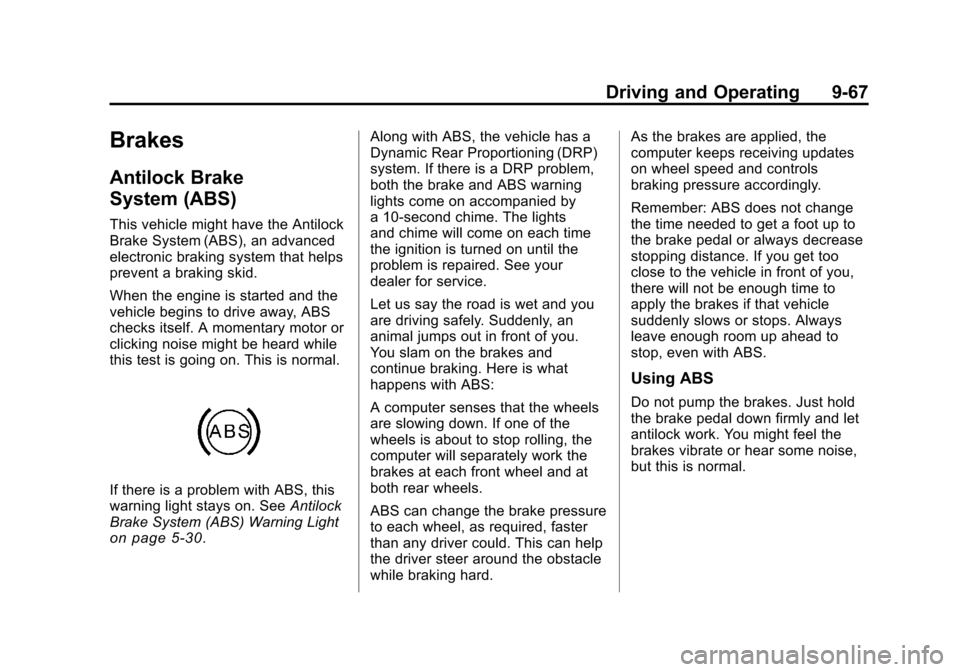
If there is a problem with ABS, this
warning light stays on. SeeAntilock
Brake System (ABS) Warning Light
on page 5‑30. Along with ABS, the vehicle has a
Dynamic Rear Proportioning (DRP)
system. If there is a DRP problem,
both the brake and ABS warning
lights come on accompanied by
a 10‐second chime. The lights
and chime will come on each time
the ignition is turned on until the
problem is repaired. See your
dealer for service.
Let us say the road is wet and you
are driving safely. Suddenly, an
animal jumps out in front of you.
You slam on the brakes and
continue braking. Here is what
happens with ABS:
A computer senses that the wheels
are slowing down. If one of the
wheels is about to stop rolling, the
computer will separately work the
brakes at each front wheel and at
both rear wheels.
ABS can change the brake pressure
to each wheel, as required, faster
than any driver could. This can help
the driver steer around the obstacle
while braking hard. As the brakes are applied, the
computer keeps receiving updates
on wheel speed and controls
braking pressure accordingly.
Remember: ABS does not change
the time needed to get a foot up to
the brake pedal or always decrease
stopping distance. If you get too
close to the vehicle in front of you,
there will not be enough time to
apply the brakes if that vehicle
suddenly slows or stops. Always
leave enough room up ahead to
stop, even with ABS.
Using ABS
Do not pump the brakes. Just hold
the brake pedal down firmly and let
antilock work. You might feel the
brakes vibrate or hear some noise,
but this is normal.