seat memory CHEVROLET SILVERADO 2011 2.G Owners Manual
[x] Cancel search | Manufacturer: CHEVROLET, Model Year: 2011, Model line: SILVERADO, Model: CHEVROLET SILVERADO 2011 2.GPages: 588, PDF Size: 7.99 MB
Page 7 of 588
Black plate (1,1)Chevrolet Silverado Owner Manual - 2011
In Brief 1-1
In Brief
Instrument Panel
Instrument Panel (Base/UplevelVersion) . . . . . . . . . . . . . . . . . . . . . 1-2
Instrument Panel (Premium Version) . . . . . . . . . . . . . . . . . . . . . 1-6
Initial Drive Information
Initial Drive Information . . . . . . . . 1-8
Remote Keyless Entry (RKE)System . . . . . . . . . . . . . . . . . . . . . . 1-8
Remote Vehicle Start . . . . . . . . . 1-9
Door Locks . . . . . . . . . . . . . . . . . . . 1-9
Windows . . . . . . . . . . . . . . . . . . . . . 1-10
Seat Adjustment . . . . . . . . . . . . . 1-11
Memory Features . . . . . . . . . . . . 1-13
Heated Seats . . . . . . . . . . . . . . . . 1-14
Head Restraint Adjustment . . . . . . . . . . . . . . . . . 1-15
Safety Belt . . . . . . . . . . . . . . . . . . . 1-15 Sensing System for
Passenger Airbag . . . . . . . . . . 1-15
Mirror Adjustment . . . . . . . . . . . . 1-16
Steering Wheel Adjustment . . . . . . . . . . . . . . . . . 1-17
Throttle and Brake Pedal Adjustment . . . . . . . . . . . . . . . . . 1-17
Interior Lighting . . . . . . . . . . . . . . 1-18
Exterior Lighting . . . . . . . . . . . . . 1-19
Windshield Wiper/Washer . . . . 1-19
Climate Controls . . . . . . . . . . . . . 1-20
Transmission . . . . . . . . . . . . . . . . 1-22
Four-Wheel Drive . . . . . . . . . . . . 1-23
Vehicle Features
Radio(s) . . . . . . . . . . . . . . . . . . . . . 1-25
Satellite Radio . . . . . . . . . . . . . . . 1-26
Portable Audio Devices . . . . . . 1-27
Bluetooth
®. . . . . . . . . . . . . . . . . . . 1-27
Steering Wheel Controls . . . . . 1-27
Navigation System . . . . . . . . . . . 1-28 Driver Information
Center (DIC) . . . . . . . . . . . . . . . 1-28
Cruise Control . . . . . . . . . . . . . . . 1-29
Rear Vision Camera (RVC) . . . . . . . . . . . . . 1-30
Ultrasonic Parking Assist . . . . 1-30
Power Outlets . . . . . . . . . . . . . . . 1-30
Universal Remote System . . . 1-31
Sunroof . . . . . . . . . . . . . . . . . . . . . . 1-31
Performance and Maintenance
StabiliTrak®System . . . . . . . . . 1-32
Tire Pressure Monitor . . . . . . . . 1-33
Engine Oil Life System . . . . . . 1-34
Fuel E85 (85% Ethanol) . . . . . 1-34
Driving for Better Fuel Economy . . . . . . . . . . . . . . . . . . . 1-34
Roadside Assistance Program . . . . . . . . . . . . . . . . . . . . 1-35
OnStar
®. . . . . . . . . . . . . . . . . . . . . 1-35
Page 19 of 588
Black plate (13,1)Chevrolet Silverado Owner Manual - 2011
In Brief 1-13
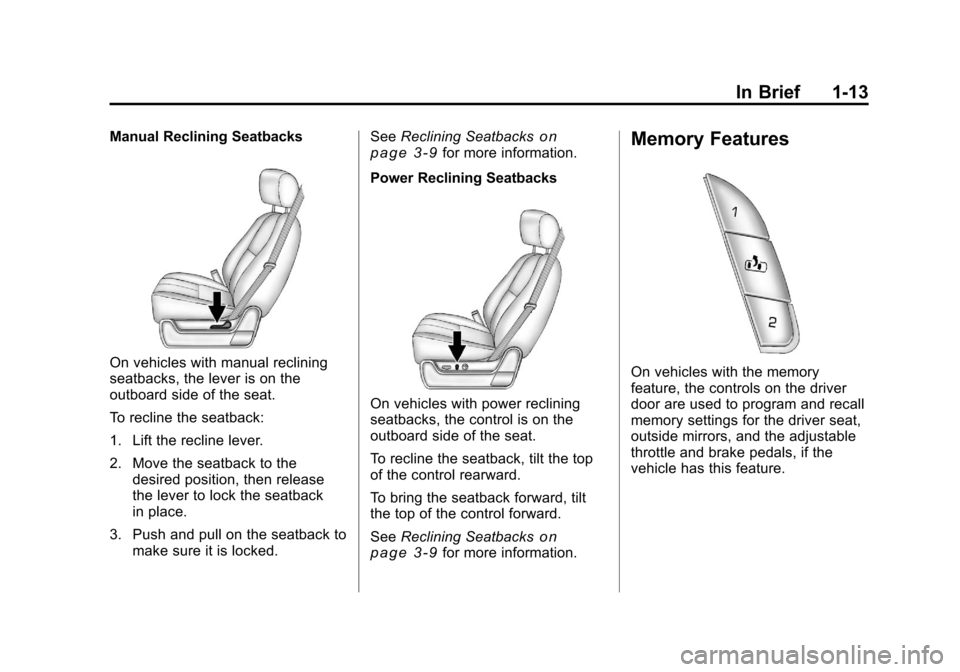
Manual Reclining Seatbacks
On vehicles with manual reclining
seatbacks, the lever is on the
outboard side of the seat.
To recline the seatback:
1. Lift the recline lever.
2. Move the seatback to thedesired position, then release
the lever to lock the seatback
in place.
3. Push and pull on the seatback to make sure it is locked. See
Reclining Seatbacks
on
page 3‑9for more information.
Power Reclining Seatbacks
On vehicles with power reclining
seatbacks, the control is on the
outboard side of the seat.
To recline the seatback, tilt the top
of the control rearward.
To bring the seatback forward, tilt
the top of the control forward.
See Reclining Seatbacks
on
page 3‑9for more information.
Memory Features
On vehicles with the memory
feature, the controls on the driver
door are used to program and recall
memory settings for the driver seat,
outside mirrors, and the adjustable
throttle and brake pedals, if the
vehicle has this feature.
Page 20 of 588
Black plate (14,1)Chevrolet Silverado Owner Manual - 2011
1-14 In Brief
Storing Memory Positions
To save into memory:
1. Adjust the driver seat andseatback recliner, both outside
mirrors, and the throttle and
brake pedals, if available.
See Power Mirrors
on
page 2‑16and Adjustable
Throttle and Brake Pedalon
page 9‑32for more information.
Not all mirrors and adjustable
throttles and brake pedals will
have the ability to save and
recall their positions.
2. Press and hold “1”until
two beeps sound.
3. Repeat for a second driver position using “2.”
To recall the memory positions,
press and release “1”or“2.” The
vehicle must be in P (Park). A single
beep will sound. The seat, outside mirrors, and adjustable throttle and
brake pedals, if available, will move
to the position previously stored for
the identified driver.
See
“Memory Seat, Mirrors,
and Pedals” underPower Seat
Adjustment
on page 3‑5and
Vehicle Personalization (with DIC
Buttons)
on page 5‑53for more
information.
Easy Exit Driver Seat
The easy exit driver seat feature
can move the seat rearward to allow
extra room to exit the vehicle.
B: Press to recall the easy exit
seat position. The vehicle must be
in P (Park).
See “Memory Seat, Mirrors,
and Pedals” underPower Seat
Adjustment
on page 3‑5and
Vehicle Personalization (with DIC
Buttons)
on page 5‑53for more
information.
Heated Seats
On vehicles with heated front seats,
the controls are located on the
driver and passenger doors.
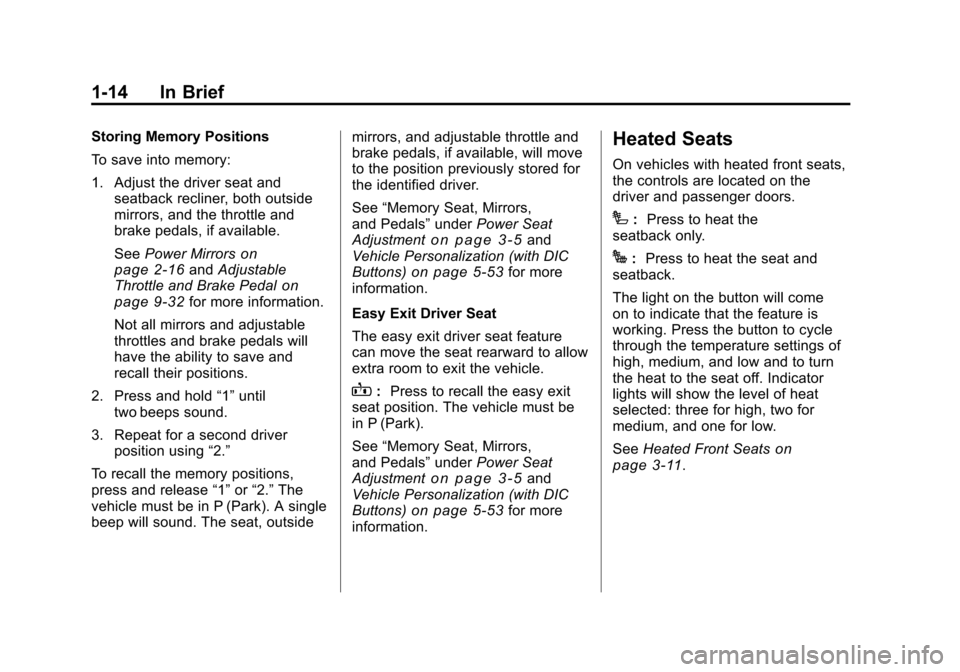
I: Press to heat the
seatback only.
J: Press to heat the seat and
seatback.
The light on the button will come
on to indicate that the feature is
working. Press the button to cycle
through the temperature settings of
high, medium, and low and to turn
the heat to the seat off. Indicator
lights will show the level of heat
selected: three for high, two for
medium, and one for low.
See Heated Front Seats
on
page 3‑11.
Page 48 of 588
Black plate (4,1)Chevrolet Silverado Owner Manual - 2011
2-4 Keys, Doors and Windows
K(Unlock):Press once to unlock
only the driver door. If
Kis pressed
again within three seconds, all
remaining doors unlock. The interior
lamps may come on and stay on for
20 seconds or until the ignition is
turned on.
If enabled through the DIC, the turn
signal lamps flash twice to indicate
unlocking has occurred. See Vehicle
Personalization (with DIC Buttons)
on page 5‑53. If enabled through
the DIC, the exterior lights may turn
on. See “Approach Lighting” under
Vehicle Personalization (with DIC
Buttons) on page 5‑53.
Pressing
Kon the RKE transmitter
disarms the content theft‐deterrent
system. See Anti-Theft Alarm
System on page 2‑12.
L(Vehicle Locator/Panic
Alarm): Press and release to
locate the vehicle. The turn signal
lamps flash and the horn sounds
three times. Press and hold
Lfor more than
two seconds to activate the panic
alarm. The turn signal lamps flash
and the horn sounds repeatedly
for 30 seconds. The alarm turns
off when the ignition is moved to
ON/RUN or
Lis pressed again.
The ignition must be in LOCK/OFF
for the panic alarm to work.
The vehicle comes with two
transmitters. Each transmitter will
have a number on it: "1" or "2."
These numbers correspond to the
driver of the vehicle. For example,
the memory seat position for
driver 1 will be recalled when
using the transmitter labeled "1",
if enabled through the DIC.
See “Memory Seat, Mirrors,
and Pedals” underPower Seat
Adjustment
on page 3‑5and
Vehicle Personalization (with DIC
Buttons)
on page 5‑53for more
information.
Programming Transmitters to
the Vehicle
Only RKE transmitters
programmed to this vehicle
will work. If a transmitter is
lost or stolen, a replacement
can be purchased and programmed
through your dealer. When the
replacement transmitter is
programmed to this vehicle,
all remaining transmitters must
also be reprogrammed. Any lost or
stolen transmitters will no longer
work once the new transmitter is
programmed. Each vehicle can
have up to eight transmitters
programmed to it. See your dealer
for transmitter programming.
Battery Replacement
Replace the battery if the REPLACE
BATTERY IN REMOTE KEY
message displays in the DIC.
Page 74 of 588
Black plate (6,1)Chevrolet Silverado Owner Manual - 2011
3-6 Seats and Restraints
Memory Seat, Mirrors, and
Pedals
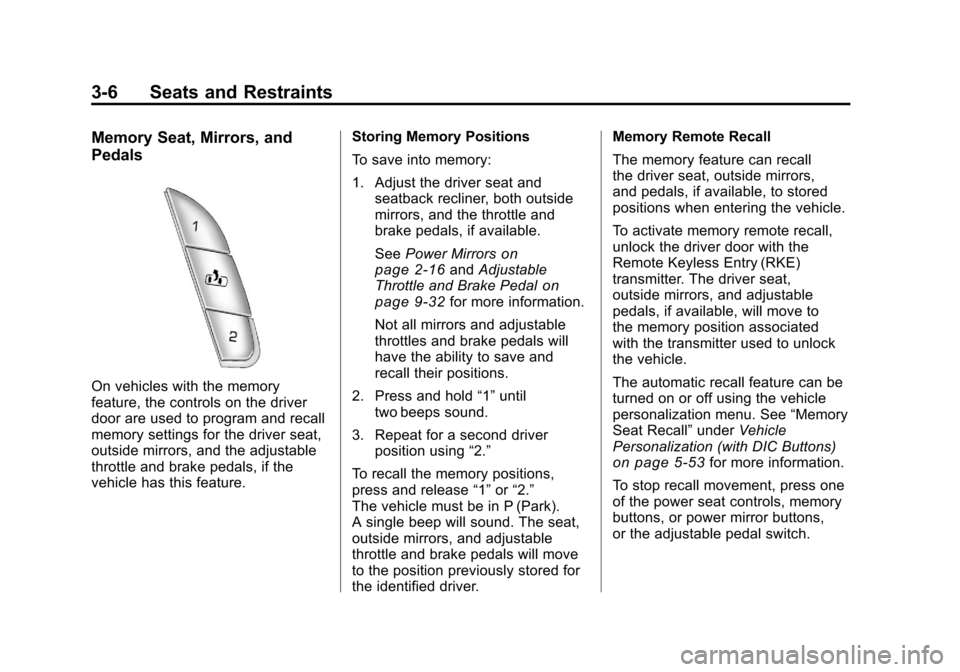
On vehicles with the memory
feature, the controls on the driver
door are used to program and recall
memory settings for the driver seat,
outside mirrors, and the adjustable
throttle and brake pedals, if the
vehicle has this feature.Storing Memory Positions
To save into memory:
1. Adjust the driver seat and
seatback recliner, both outside
mirrors, and the throttle and
brake pedals, if available.
See Power Mirrors
on
page 2‑16and Adjustable
Throttle and Brake Pedalon
page 9‑32for more information.
Not all mirrors and adjustable
throttles and brake pedals will
have the ability to save and
recall their positions.
2. Press and hold “1”until
two beeps sound.
3. Repeat for a second driver position using “2.”
To recall the memory positions,
press and release “1”or“2.”
The vehicle must be in P (Park).
A single beep will sound. The seat,
outside mirrors, and adjustable
throttle and brake pedals will move
to the position previously stored for
the identified driver. Memory Remote Recall
The memory feature can recall
the driver seat, outside mirrors,
and pedals, if available, to stored
positions when entering the vehicle.
To activate memory remote recall,
unlock the driver door with the
Remote Keyless Entry (RKE)
transmitter. The driver seat,
outside mirrors, and adjustable
pedals, if available, will move to
the memory position associated
with the transmitter used to unlock
the vehicle.
The automatic recall feature can be
turned on or off using the vehicle
personalization menu. See
“Memory
Seat Recall” underVehicle
Personalization (with DIC Buttons)
on page 5‑53for more information.
To stop recall movement, press one
of the power seat controls, memory
buttons, or power mirror buttons,
or the adjustable pedal switch.
Page 75 of 588
Black plate (7,1)Chevrolet Silverado Owner Manual - 2011
Seats and Restraints 3-7
If something has blocked the driver
seat and/or the adjustable pedals
while recalling a memory position,
the recall may stop. Remove the
obstruction; then press and hold the
appropriate manual control for the
memory item that is not recalling
for two seconds. Try recalling the
memory position again by pressing
the appropriate memory button.
If the memory position is still not
recalling, see your dealer for
service.
Easy Exit Driver Seat
The easy exit driver seat feature
can move the seat rearward to allow
extra room to exit the vehicle.
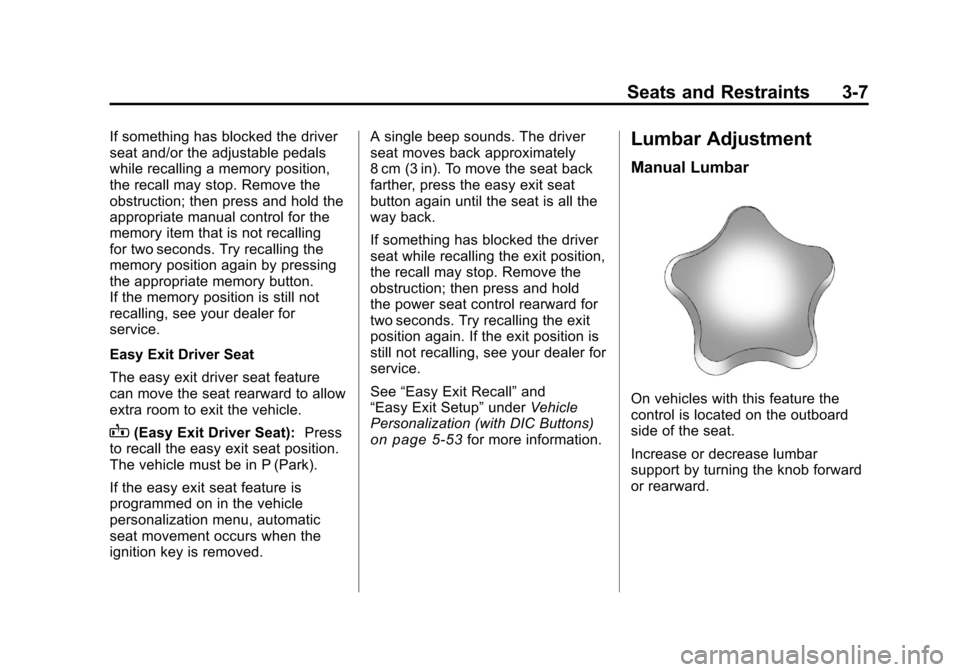
B(Easy Exit Driver Seat):Press
to recall the easy exit seat position.
The vehicle must be in P (Park).
If the easy exit seat feature is
programmed on in the vehicle
personalization menu, automatic
seat movement occurs when the
ignition key is removed. A single beep sounds. The driver
seat moves back approximately
8 cm (3 in). To move the seat back
farther, press the easy exit seat
button again until the seat is all the
way back.
If something has blocked the driver
seat while recalling the exit position,
the recall may stop. Remove the
obstruction; then press and hold
the power seat control rearward for
two seconds. Try recalling the exit
position again. If the exit position is
still not recalling, see your dealer for
service.
See
“Easy Exit Recall” and
“Easy Exit Setup” underVehicle
Personalization (with DIC Buttons)on page 5‑53for more information.
Lumbar Adjustment
Manual Lumbar
On vehicles with this feature the
control is located on the outboard
side of the seat.
Increase or decrease lumbar
support by turning the knob forward
or rearward.
Page 76 of 588
Black plate (8,1)Chevrolet Silverado Owner Manual - 2011
3-8 Seats and Restraints
Power Lumbar
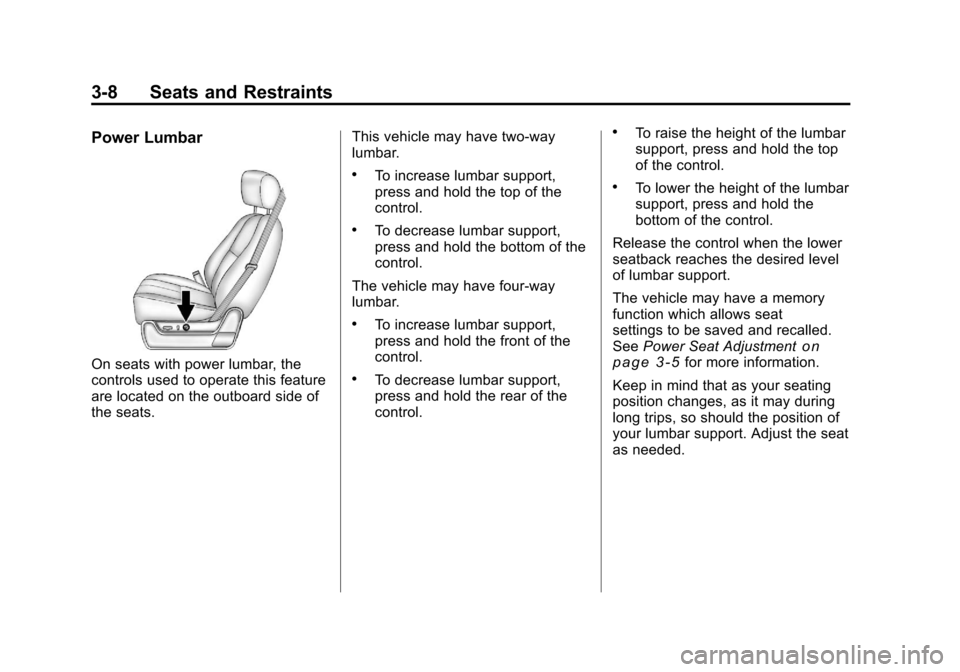
On seats with power lumbar, the
controls used to operate this feature
are located on the outboard side of
the seats.This vehicle may have two‐way
lumbar.
.To increase lumbar support,
press and hold the top of the
control.
.To decrease lumbar support,
press and hold the bottom of the
control.
The vehicle may have four‐way
lumbar.
.To increase lumbar support,
press and hold the front of the
control.
.To decrease lumbar support,
press and hold the rear of the
control.
.To raise the height of the lumbar
support, press and hold the top
of the control.
.To lower the height of the lumbar
support, press and hold the
bottom of the control.
Release the control when the lower
seatback reaches the desired level
of lumbar support.
The vehicle may have a memory
function which allows seat
settings to be saved and recalled.
See Power Seat Adjustment
on
page 3‑5for more information.
Keep in mind that as your seating
position changes, as it may during
long trips, so should the position of
your lumbar support. Adjust the seat
as needed.
Page 209 of 588
Black plate (59,1)Chevrolet Silverado Owner Manual - 2011
Instruments and Controls 5-59
DRIVER MIRROR:The driver
outside mirror will be tilted down
when the vehicle is shifted into
R (Reverse).
PASSENGER MIRROR: The
passenger outside mirror will be
tilted down when the vehicle is
shifted into R (Reverse).
BOTH MIRRORS: The driver and
passenger outside mirrors will be
tilted down when the vehicle is
shifted into R (Reverse).
NO CHANGE: No change will be
made to this feature. The current
setting will remain.
To select a setting, press the
set/reset button while the desired
setting is displayed on the DIC.
EASY EXIT RECALL
If the vehicle has this feature,
it allows you to select your
preference for the automatic easy
exit seat feature. See “Memory
Seat, Mirrors, and Pedals” inPower
Seat Adjustment
on page 3‑5for more information. Press the customization button until
EASY EXIT RECALL appears on
the DIC display. Press the set/reset
button once to access the settings
for this feature. Then press the
customization button to scroll
through the following settings:
DOOR BUTTON ONLY:
No
automatic seat exit recall will occur.
The recall will only occur after
pressing the easy exit seat button.
BUTTON & KEY OUT (default):
If the features are enabled through
the EASY EXIT SETUP menu, the
driver seat will move back when the
key is removed from the ignition or
the easy exit seat button is pressed.
The automatic easy exit seat
movement will only occur one time
after the key is removed from the
ignition. If the automatic movement
has already occurred, and you put
the key back in the ignition and
remove it again, the seat will stay
in the original exit position, unless
a memory recall took place prior to
removing the key again. NO CHANGE:
No change will be
made to this feature. The current
setting will remain.
To select a setting, press the
set/reset button while the desired
setting is displayed on the DIC.
EASY EXIT SETUP
If the vehicle has this feature, it
allows you to select which areas
will recall with the automatic easy
exit seat feature. It also allows
you to turn off the automatic easy
exit feature. See “Memory Seat,
Mirrors, and Pedals” inPower Seat
Adjustment
on page 3‑5and
“EASY EXIT RECALL” earlier for
more information.
Press the customization button until
EASY EXIT SETUP appears on the
DIC display. Press the set/reset
button once to access the settings
for this feature. Then press the
menu up/down button to scroll
through the following settings:
OFF: No automatic seat exit will
recall.
Page 210 of 588
Black plate (60,1)Chevrolet Silverado Owner Manual - 2011
5-60 Instruments and Controls
SEAT ONLY (default):The driver
seat will recall.
NO CHANGE: No change will be
made to this feature. The current
setting will remain.
To select a setting, press the
set/reset button while the desired
setting is displayed on the DIC.
MEMORY SEAT RECALL
If the vehicle has this feature,
it allows you to select your
preference for the remote memory
seat recall feature. See “Memory
Seat, Mirrors, and Pedals” inPower
Seat Adjustment
on page 3‑5for more information.
Press the customization button
until MEMORY SEAT RECALL
appears on the DIC display. Press
the set/reset button once to access
the settings for this feature. Then
press the customization button to
scroll through the following settings:
OFF (default): No remote memory
seat recall will occur. ON:
The driver seat and, on
some vehicles, the outside mirrors
will automatically move to the
stored driving position when the
unlock button on the Remote
Keyless Entry (RKE) transmitter
is pressed. On some vehicles with
the adjustable throttle and brake
pedal feature, the pedals will also
automatically move.
NO CHANGE: No change will be
made to this feature. The current
setting will remain.
To select a setting, press the
set/reset button while the desired
setting is displayed on the DIC.
FACTORY SETTINGS
This feature allows you to set all of
the customization features back to
their factory default settings. Press the customization button until
FACTORY SETTINGS appears on
the DIC display. Press the set/reset
button once to access the settings
for this feature. Then press the
customization button to scroll
through the following settings:
RESTORE ALL (default):
The
customization features will be set
to their factory default settings.
DO NOT RESTORE: The
customization features will not be
set to their factory default settings.
To select a setting, press the
set/reset button while the desired
setting is displayed on the DIC.
EXIT FEATURE SETTINGS
This feature allows you to exit the
feature settings menu.
Press the customization button
until PRESS
VTO EXIT FEATURE
SETTINGS appears in the DIC
display. Press the set/reset button
once to exit the menu.
Page 275 of 588
Black plate (49,1)Chevrolet Silverado Owner Manual - 2011
Infotainment System 7-49
PROG (Program):Press this
button to go to the next preset
radio station or channel set on the
main radio. This function is inactive,
with some radios, if the front seat
passengers are listening to the
radio.
While a CD or DVD‐A disc is
playing, press this button to go to
the beginning of the CD or DVD‐A.
This function is inactive, with some
radios, if the front seat passengers
are listening to the CD or DVD‐A.
While a disc is playing in the CD or
DVD changer, press this button to
select the next disc, if multiple discs
are loaded. This function is inactive,
with some radios, if the front seat
passengers are listening to the disc.
While a DVD video menu is being
displayed, press the PROG button
to perform the menu function, Enter.Phone
Bluetooth
Vehicles with a Bluetooth system
can use a Bluetooth‐capable cell
phone with a Hands‐Free Profile
to make and receive phone calls.
The system can be used while
the key is in the ON/RUN or
ACC/ACCESSORY position.
The range of the Bluetooth system
can be up to 9.1 m (30 ft). Not all
phones support all functions, and
not all phones are guaranteed to
work with the in-vehicle Bluetooth
system. See www.gm.com/bluetooth
for more information on compatible
phones.
Voice Recognition
The Bluetooth system uses voice
recognition to interpret voice
commands to dial phone numbers
and name tags.
For additional information, say
“Help” while you are in a voice
recognition menu. Noise:
Keep interior noise levels
to a minimum. The system may not
recognize voice commands if there
is too much background noise.
When to Speak: A short tone
sounds after the system responds
indicating when it is waiting for a
voice command. Wait until the tone
and then speak.
How to Speak: Speak clearly in a
calm and natural voice.
Audio System
When using the in‐vehicle Bluetooth
system, sound comes through
the vehicle's front audio system
speakers and overrides the audio
system. Use the audio system
volume knob, during a call, to
change the volume level. The
adjusted volume level remains in
memory for later calls. To prevent
missed calls, a minimum volume
level is used if the volume is turned
down too low.