AUX CHEVROLET SILVERADO 2012 2.G Owner's Manual
[x] Cancel search | Manufacturer: CHEVROLET, Model Year: 2012, Model line: SILVERADO, Model: CHEVROLET SILVERADO 2012 2.GPages: 584, PDF Size: 8.03 MB
Page 263 of 584
Black plate (49,1)Chevrolet Silverado Owner Manual - 2012
Infotainment System 7-49
Tips and Troubleshooting Chart (cont'd)
ProblemRecommended Action
Sometimes the wireless headphone audio cuts out or
buzzes. Check for obstructions, low batteries, reception range,
and interference from cellular telephone towers, or use
a cellular telephone in the vehicle.
Check that the headphones are on correctly using the
L (left) and R (right) on the headphones.
The remote and/or the headphones are lost. See your dealer for assistance.
The DVD is playing, but there is no picture or sound. Check that the RSE video screen is sourced to the DVD player.
DVD Display Error Messages
The DVD display error message
depends on the radio that is in the
vehicle. The video screen can
display one of the following:
Disc Load/Eject Error:This
message displays when there are
disc load or eject problems. Disc Format Error:
This message
displays if the disc is inserted with
the disc label wrong side up, or if
the disc is damaged.
Disc Region Error: This message
displays if the disc is not from a
correct region.
No Disc Inserted: This message
displays if no disc is present when
EJECT or DVD AUX is pressed on
the radio.
DVD Distortion
Video distortion can occur when
operating cellular phones, scanners,
CB radios, Global Position Systems
(GPS)*, two-way radios, mobile fax
machines, or walkie talkies.
It might be necessary to turn off the
DVD player when operating one of
these devices in or near the vehicle.
*Excludes the OnStar
®System.
Page 264 of 584
Black plate (50,1)Chevrolet Silverado Owner Manual - 2012
7-50 Infotainment System
Cleaning the RSE Overhead
Console
When cleaning the RSE overhead
console surface, use only a clean
cloth dampened with clean water.
Cleaning the Video Screen
When cleaning the video screen,
use only a clean cloth dampened
with clean water. Use care when
directly touching or cleaning the
screen, as damage could result.
Rear Seat Audio (RSA)
System
Vehicles with this feature allow the
rear seat passengers to listen to
and control any of the music
sources: radio, CDs, DVDs, or other
auxiliary sources. However, the rear
seat passengers can only control
the music sources the front seat
passengers are not listening to
(except on some radios where dual
control is allowed). For example,
rear seat passengers can controland listen to a CD through the
headphones, while the driver listens
to the radio through the front
speakers. The rear seat passengers
have control of the volume for each
set of headphones.
The radio functionality is controlled
by both the RSA and the front radio.
Only one band can be tuned to at
one time. Changing the band on the
RSA or the front radio will change
the band on the other system,
if they are both sourced to the radio.
The RSA functions can be used
even while the main radio is off.
The front audio system will display
the headphone icon when the RSA
is on, and it will disappear from the
display when the RSA is off.
Audio can be heard through wired
headphones (not included) plugged
into the jacks on the RSA. If the
vehicle has this feature, audio can
also be heard on Channel 2 of the
wireless headphones.
Depending on the audio system, the
rear speakers may continue to play
when the RSA audio is active
through the headphones.
To listen to an iPod or portable
audio device through the RSA,
attach the iPod or portable audio
device to the front auxiliary input
(if available), located on the front
audio system. Turn the iPod on,
then choose the front auxiliary input
with the RSA SRCE button.
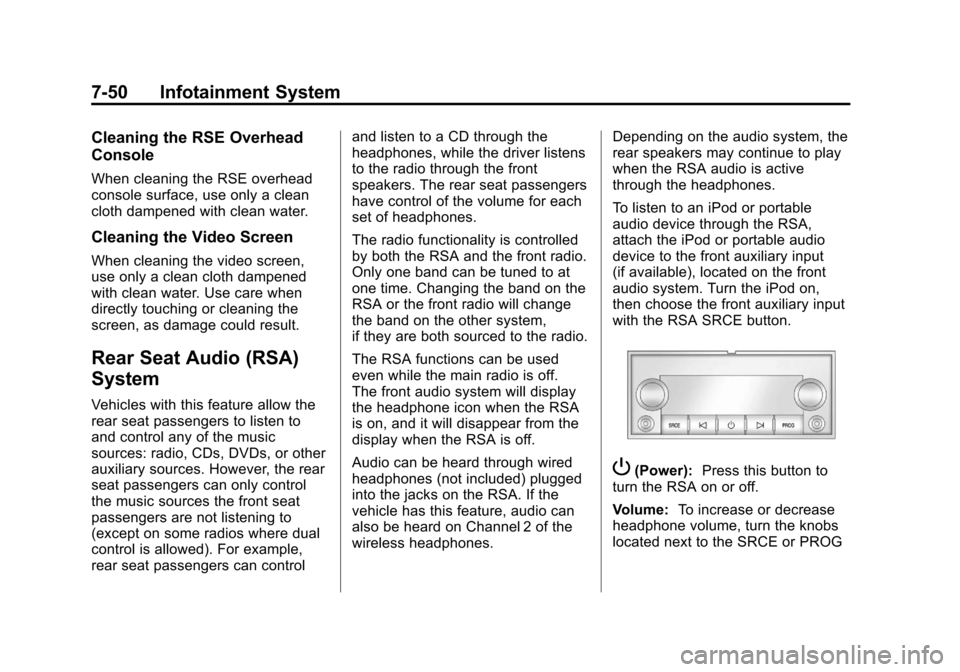
P(Power):
Press this button to
turn the RSA on or off.
Volume: To increase or decrease
headphone volume, turn the knobs
located next to the SRCE or PROG
Page 265 of 584

Black plate (51,1)Chevrolet Silverado Owner Manual - 2012
Infotainment System 7-51
buttons. The left knob controls the
left headphones and the right knob
controls the right headphones.
SRCE (Source):Press this
button to switch between the radio
(AM‐FM), XM™ (if equipped),
CD, and if the vehicle has these
features, DVD, front auxiliary, and
rear auxiliary.
© ¨(Seek): When listening to FM,
AM, or XM™ (if equipped), press
the seek arrows to go to the
previous or to the next station or
channels and stay there. This
function is inactive, with some
radios, if the front seat passengers
are listening to the radio.
Press and hold either seek arrow
until the display flashes, to tune to
an individual station. The display
stops flashing after the buttons
have not been pushed for more than
two seconds. This function is
inactive, with some radios, if the
front seat passengers are listening
to the radio. While listening to a disc, press the
left seek arrow to go back to the
start of the current track or chapter
(if more than 10 seconds have
played). Press the right seek arrow
to go the next track or chapter on
the disc. This function is inactive,
with some radios, if the front seat
passengers are listening to the disc.
While a DVD video menu is being
displayed, press either seek arrow
to perform a cursor up or down on
the menu. Hold either seek arrow to
perform a cursor left or right on
the menu.
PROG (Program):
Press this
button to go to the next preset radio
station or channel set on the main
radio. This function is inactive,
with some radios, if the front seat
passengers are listening to the
radio. While a CD or DVD‐A disc is
playing, press this button to go to
the beginning of the CD or DVD‐A.
This function is inactive, with some
radios, if the front seat passengers
are listening to the CD or DVD‐A.
While a disc is playing in the CD or
DVD changer, press this button to
select the next disc, if multiple discs
are loaded. This function is inactive,
with some radios, if the front seat
passengers are listening to the disc.
While a DVD video menu is being
displayed, press the PROG button
to perform the menu function, Enter.
Page 390 of 584
Black plate (104,1)Chevrolet Silverado Owner Manual - 2012
9-104 Driving and Operating
Safety Chains
Always attach chains between the
vehicle and the trailer. Cross the
safety chains under the tongue of
the trailer to help prevent the tongue
from contacting the road if it
becomes separated from the hitch.
Instructions about safety chains
may be provided by the hitch
manufacturer or by the trailer
manufacturer. If the trailer being
towed weighs up to 2 271 kg
(5,000 lbs) with a factory-installed
step bumper, safety chains may be
attached to the attaching points on
the bumper; otherwise, safety
chains should be attached to holes
on the trailer hitch platform. Always
leave just enough slack so the
combination can turn. Never allow
safety chains to drag on the ground.
Trailer Brakes
A loaded trailer that weighs more
than 900 kg (2,000 lbs) needs to
have its own brake system that is
adequate for the weight of the
trailer. Be sure to read and follow
the instructions for the trailer brakes
so they are installed, adjusted, and
maintained properly.
Do not tap into the vehicle's
hydraulic brake system.
Auxiliary Battery
The auxiliary battery provision can
be used to supply electrical power
to additional equipment that may be
added, such as a slide-in camper.
If the vehicle has this provision, this
relay will be located on the driver
side of the vehicle, next to the
underhood electrical center.
Be sure to follow the proper
installation instructions included
with any electrical equipment that is
installed.Notice:
Leaving electrical
equipment on for extended
periods will drain the battery.
Always turn off electrical
equipment when not in use and
do not use equipment that
exceeds the maximum amperage
rating for the auxiliary battery
provision.
Trailer Wiring Harness
The vehicle is equipped with one of
the following wiring harnesses for
towing a trailer or hauling a slide-in
camper.
Basic Trailer Wiring
All regular, extended cab and crew
cab pickups have a seven‐wire
trailer towing harness.
For vehicles not equipped with
heavy duty trailering, the harness
is secured to the vehicle's frame
behind the spare tire mount.
The harness requires the installation
of a trailer connector, which is
available through your dealer.
Page 391 of 584
Black plate (105,1)Chevrolet Silverado Owner Manual - 2012
Driving and Operating 9-105
If towing a light‐duty trailer with a
standard four‐way round pin
connector, an adapter is available
from your dealer.
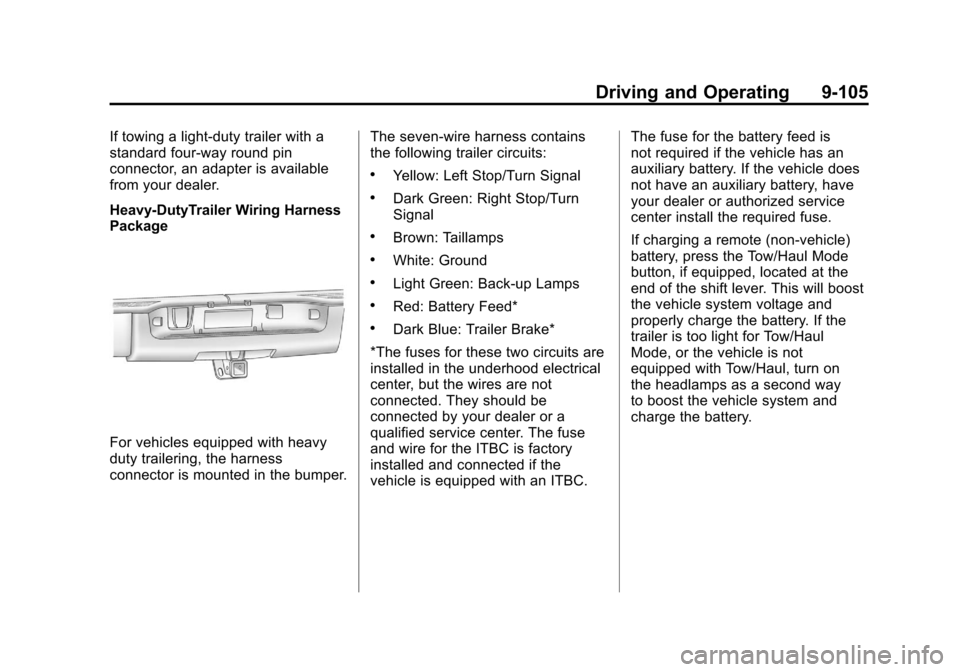
Heavy-DutyTrailer Wiring Harness
Package
For vehicles equipped with heavy
duty trailering, the harness
connector is mounted in the bumper.The seven-wire harness contains
the following trailer circuits:
.Yellow: Left Stop/Turn Signal
.Dark Green: Right Stop/Turn
Signal
.Brown: Taillamps
.White: Ground
.Light Green: Back-up Lamps
.Red: Battery Feed*
.Dark Blue: Trailer Brake*
*The fuses for these two circuits are
installed in the underhood electrical
center, but the wires are not
connected. They should be
connected by your dealer or a
qualified service center. The fuse
and wire for the ITBC is factory
installed and connected if the
vehicle is equipped with an ITBC. The fuse for the battery feed is
not required if the vehicle has an
auxiliary battery. If the vehicle does
not have an auxiliary battery, have
your dealer or authorized service
center install the required fuse.
If charging a remote (non-vehicle)
battery, press the Tow/Haul Mode
button, if equipped, located at the
end of the shift lever. This will boost
the vehicle system voltage and
properly charge the battery. If the
trailer is too light for Tow/Haul
Mode, or the vehicle is not
equipped with Tow/Haul, turn on
the headlamps as a second way
to boost the vehicle system and
charge the battery.
Page 405 of 584
Black plate (119,1)Chevrolet Silverado Owner Manual - 2012
Driving and Operating 9-119
Emergency Roof Lamp
Provisions
Vehicles with the RPO VYU snow
plow prep package also have an
emergency roof lamp provision
package, RPO TRW. Wiring for the
emergency roof lamp is provided
above the overhead console.
SeeAuxiliary Roof-Mounted Lamp
on page 6‑7 for switch location.
Pickup Conversion to
Chassis Cab
We are aware that some vehicle
owners might consider having the
pickup box removed and a
commercial or recreational body
installed. Owners should be aware
that, as manufactured, there are
differences between a chassis cab
and a pickup with the box removed
which could affect vehicle safety.
The components necessary to adapt
a pickup to permit its safe use with
a specialized body should be
installed by the body builder.
Page 455 of 584

Black plate (49,1)Chevrolet Silverado Owner Manual - 2012
Vehicle Care 10-49
FusesUsage
17 Air Conditioning
Compressor
18 Oxygen Sensors
19 Transmission
Controls (Ignition)
20 Fuel Pump
21 Fuel System Control
Module
22 Not Used
23 Not Used
24 Fuel Injectors,
Ignition Coils
(Left Side)
25 Trailer Park Lamps
26 Driver Side
Park Lamps
27 Passenger Side
Park Lamps
28 Fog Lamps
29 Horn Fuses
Usage
30 Passenger Side
High-Beam
Headlamp
31 Daytime Running
Lamps (DRL)
32 Driver Side
High-Beam
Headlamp
33 Daytime Running
Lamps 2
34 Sunroof
35 Key Ignition System,
Theft Deterrent
System
36 Windshield Wiper
37 SEO B2 Upfitter
Usage (Battery)
38 Electric Adjustable
Pedals
39 Climate Controls
(Battery) Fuses
Usage
40 Airbag System
(Ignition)
41 Amplifier
42 Audio System
43 Miscellaneous
(Ignition), Cruise
Control
44 Not Used
45 Airbag System
(Battery)
46 Instrument Panel
Cluster
47 Power Take-Off
48 Auxiliary Climate
Control (Ignition)
49 Center High-Mounted
Stoplamp (CHMSL)
50 Rear Defogger
51 Heated Mirrors
Page 456 of 584

Black plate (50,1)Chevrolet Silverado Owner Manual - 2012
10-50 Vehicle Care
FusesUsage
52 SEO B1 Upfitter
Usage (Battery)
53 Cigarette Lighter,
Auxiliary Power
Outlet
54 SEO Upfitter Usage
55 Climate Controls
(Ignition)
56 Engine Control
Module, Secondary
Fuel Pump (Ignition)
J-Case Fuses Usage
57 Cooling Fan 1
58 Not Used
59 Heavy Duty Antilock
Brake System
60 Cooling Fan 2
61 Antilock Brake
System 1 J-Case
Fuses Usage
62 Starter
63 Stud 2 (Trailer
Brakes)
64 Left Bussed
Electrical Center 1
65 Not Used
66 Not Used
67 Transfer Case
68 Stud 1 (Trailer
Connector Battery
Power) (Optional -
40A Fuse Required)
69 Mid-Bussed
Electrical Center 1
70 Climate Control
Blower
71 Not Used
72 Left Bussed
Electrical Center 2 Relays
Usage
FAN HI Cooling Fan
High Speed
FAN LO Cooling Fan
Low Speed
FAN CNTRL Cooling Fan
Control
HDLP
LO/HID Low-Beam
Headlamp
FOG LAMP Front Fog Lamps
A/C
CMPRSR Air Conditioning
Compressor
STRTR Starter
PWR/TRN Powertrain
FUEL PMP Fuel Pump
PRK LAMP Parking Lamps
REAR
DEFOG Rear Defogger
RUN/CRNK Switched Power
Page 500 of 584
Black plate (94,1)Chevrolet Silverado Owner Manual - 2012
10-94 Vehicle Care
If your vehicle has a diesel
engine, the remote negative (−)
terminal is the negative (−) post
on the auxiliary battery on the
driver side of the engine
compartment.
For more information on the
location of the remote
positive (+) and remote
negative (−) terminals,
seeEngine Compartment
Overview on page 10‑6
{WARNING
An electric fan can start up even
when the engine is not running
and can injure you. Keep hands,
clothing and tools away from any
underhood electric fan.
{WARNING
Using an open flame near a
battery can cause battery gas to
explode. People have been hurt
doing this, and some have been
blinded. Use a flashlight if you
need more light.
Be sure the battery has enough
water. You do not need to add
water to the battery installed in
your new vehicle. But if a battery
has filler caps, be sure the right
amount of fluid is there. If it is low,
add water to take care of that
first. If you do not, explosive gas
could be present.
Battery fluid contains acid that
can burn you. Do not get it on
you. If you accidentally get it in
your eyes or on your skin, flush
the place with water and get
medical help immediately.
{WARNING
Fans or other moving engine
parts can injure you badly. Keep
your hands away from moving
parts once the engine is running.
6. Check that the jumper cables do not have loose or missing
insulation. If they do, you could
get a shock. The vehicles could
be damaged too.
Before you connect the cables,
here are some basic things you
should know. Positive (+) will go
to positive (+) or to a remote
positive (+) terminal if the vehicle
has one. Negative (−) will go to a
heavy, unpainted metal engine
part or to a remote negative (−)
terminal if the vehicle has one.
Page 572 of 584

Black plate (2,1)Chevrolet Silverado Owner Manual - 2012
i-2 INDEX
AutomaticDoor Locks . . . . . . . . . . . . . . . . . . . . 2-8
Headlamp System . . . . . . . . . . . . . 6-4
Automatic Transmission . . . . . . . 9-38 Fluid . . . . . . . . . . . . . . . . . 10-11, 10-14
Manual Mode . . . . . . . . . . . . . . . . . 9-42
Shift Lock ControlFunction Check . . . . . . . . . . . 10-37
Auxiliary Roof Mounted Lamp . . . . . . . . . . . 6-7
Auxiliary Devices . . . . . . . . . . . . . . 7-34
Axle, Front . . . . . . . . . . . . . . . . . . . . 10-33
Axle, Rear . . . . . . . . . . . . . . . . . . . . 10-34
B
Battery . . . . . . . . . . . . . . . . . . . . . . . 10-31
Jump Starting . . . . . . . . . . . . . . . 10-92
Load Management . . . . . . . . . . . . . 6-9
Power Protection . . . . . . . . . . . . . 6-10
Voltage and ChargingMessages . . . . . . . . . . . . . . . . . . . 5-42
Blade Replacement, Wiper . . . . . . . . . . . . . . . . . . . . . . . 10-39
Bluetooth . . . . . . . . . . . . . . . . . . . . . . 7-52 Brake
Pedal and Adjustable
Throttle . . . . . . . . . . . . . . . . . . . . . . 9-26
Brake System Warning Light . . . . . . . . . . . . . . . . . . . . . . . . . 5-26
Brakes . . . . . . . . . . . . . . . . . . . . . . . . 10-28 Antilock . . . . . . . . . . . . . . . . . . . . . . . 9-58
Assist . . . . . . . . . . . . . . . . . . . . . . . . . 9-61
Fluid . . . . . . . . . . . . . . . . . . . . . . . . 10-30
Parking . . . . . . . . . . . . . . . . . . . . . . . 9-60
System Messages . . . . . . . . . . . . 5-42
Braking . . . . . . . . . . . . . . . . . . . . . . . . . 9-4
Break-In, New Vehicle . . . . . . . . . 9-26
Bulb Replacement . . . . . . . . . . . . 10-45 Center High-MountedStoplamp (CHMSL) and
Cargo Lamp . . . . . . . . . . . . . . . 10-44
Fog Lamps . . . . . . . . . . . . . . . . . . . . 6-6
Halogen Bulbs . . . . . . . . . . . . . . 10-42
Headlamp Aiming . . . . . . . . . . . 10-39
Headlamps . . . . . . . . . . . . . . . . . 10-42
Headlamps, Front Turn Signal, Sidemarker, and
Parking Lamps . . . . . . . . . . . . 10-42
License Plate Lamps . . . . . . . 10-45 Bulb Replacement (cont'd)
Pick-up Box Identification
and Fender Marker
Lamps . . . . . . . . . . . . . . . . . . . . 10-43
Taillamps . . . . . . . . . . . . . . . . . . . 10-43
Taillamps, Turn Signal, Stoplamps, and
Back-up Lamps . . . . . . . . . . . 10-44
Buying New Tires . . . . . . . . . . . . . 10-72
C
Calibration . . . . . . . . . . . . . . . . . . . . . . 5-6
California
Fuel Requirements . . . . . . . . . . . 9-77
Perchlorate MaterialsRequirements . . . . . . . . . . . . . . . 10-3
Warning . . . . . . . . . . . . . . . . . . . . . . 10-3
Camera, Rear Vision . . . . . . . . . . 9-70
Canadian Vehicle Owners . . . . . . . . iii
Capacities and Specifications . . . . . . . . . . . . . . . . 12-2
Carbon Monoxide Engine Exhaust . . . . . . . . . . . . . . . 9-36
Tailgate . . . . . . . . . . . . . . . . . . . . . . . 2-10
Winter Driving . . . . . . . . . . . . . . . . 9-14