lock CHEVROLET SILVERADO 2017 3.G Owners Manual
[x] Cancel search | Manufacturer: CHEVROLET, Model Year: 2017, Model line: SILVERADO, Model: CHEVROLET SILVERADO 2017 3.GPages: 509, PDF Size: 8.87 MB
Page 285 of 509
Chevrolet Silverado Owner Manual (GMNA-Localizing-U.S./Canada/Mexico-9956065) - 2017 - CRC - 4/29/16
284 Driving and Operating
Neutral and release the clutchpedal. Then press the clutch againand shift into R (Reverse). Do notattempt to shift into 5 (Fifth) prior toshifting into R (Reverse). Thetransmission has a lock out feature,which prevents a 5 (Fifth) gear toR(Reverse) gear shift.
Caution
Shifting to R (Reverse) while the
vehicle is moving forward could
damage the transmission. The
repairs would not be covered by
the vehicle warranty. Shift to
R(Reverse) only after the vehicle
is stopped.
Use R (Reverse), along with theparking brake, for parking thevehicle.
Shift Speeds
{Warning
If you skip a gear when
downshifting, you could lose
control of the vehicle. You could
injure yourself or others. Do not
shift down more than one gear at
atimewhendownshifting.
Drive Systems
Four-Wheel Drive
If equipped, four-wheel driveengages the front axle for extratraction. Read the appropriatesection for transfer case operationbefore using.
Caution
Do not drive on clean, dry
pavement in 4mand 4n(if
equipped) for an extended period
of time. These conditions may
cause premature wear on the
vehicle’spowertrain.
Driving on clean, dry pavement in4HI or 4LO may:
.Cause a vibration to be felt inthe steering system.
.Cause tires to wear faster.
.Make the transfer case harder toshift, and cause it to run noisier.
Page 289 of 509
Chevrolet Silverado Owner Manual (GMNA-Localizing-U.S./Canada/Mexico-9956065) - 2017 - CRC - 4/29/16
288 Driving and Operating
1. The ignition must be in ON/RUN and the vehicle must bestopped or moving less than5km/h (3mph) with thetransmission in N (Neutral). It isbest for the vehicle to bemoving 1.6 to 3.2 km/h(1 to 2 mph).
2. Turn the knob to 4n.Waitfor
the 4nindicator light to stop
flashing before shifting thetransmission into gear.
If the transmission is in gear and/ormoving more than 5 km/h (3 mph),
the 4nindicator light will flash for
30 seconds and not complete theshift. After 30 seconds the transfer
case will shift to 4m.Turntheknob
to 4mto see the indicator. With the
vehicle moving less than 5 km/h(3 mph), and the transmission inN(Neutral), attempt the shift again.
Shifting Out of 4n
1. To shift out of 4nthe vehicle
must be stopped or movingless than 5 km/h (3 mph) withthe transmission in N (Neutral)
and the ignition in ON/RUN.It is best for the vehicle to bemoving 1.6 to 3.2 km/h(1 to 2 mph).
2. Turn the knob to 4mor 2m.
Wait for the 4mor 2mindicator
light to stop flashing beforeshifting the transmissioninto gear.
If the transmission is in gear and/ormoving more than 5 km/h (3 mph),
the 4mor 2mindicator light will flash
for 30 seconds, but will not completethe shift. With the vehicle movingless than 5 km/h (3 mph), and thetransmission in N (Neutral), attemptthe shift again.
Shifting Into N (Neutral)
To s h i f t :
1. Park the vehicle on a levelsurface.
2. Set the parking brake andpress and hold the brakepedal. SeeParkingBrake0293.
3. Start the vehicle or turn theignition to ON/RUN.
4. Shift the transmission toN(Neutral).
5. Shift the transfer case to 2m.
6. Turn the transfer case knobclockwise to N (Neutral) until itstops and hold it there until theN(Neutral) light starts blinking.This will take at least10 seconds. Then slowly
release the dial to the 4n
position. The N (Neutral) lightwill come on when the transfercase shift to N (Neutral) iscomplete.
7. With the engine running, verifythat the transfer case is inN(Neutral) by shifting thetransmission to R (Reverse),then to D (Drive). There shouldbe no movement of the vehiclewhile shifting the transmission.
8. Turn the engine off, and theignition to ACC/ACCESSORY.
9. Place the transmission shiftlever in P (Park). SeeRecreational VehicleTo w i n g0437.
Page 290 of 509
Chevrolet Silverado Owner Manual (GMNA-Localizing-U.S./Canada/Mexico-9956065) - 2017 - CRC - 4/29/16
Driving and Operating 289
10. Turn the ignition to LOCK/OFF.
Shifting Out of N (Neutral)
To s h i f t :
1. Set the parking brake andapply the brake pedal.
2. Turn the ignition to ON/RUNwith the engine off.
3. Shift the transmission toN(Neutral).
4. Turn the transfer case knob to
2m.
After the transfer case hasshifted out of N (Neutral), theN(Neutral) light will goout.
5. Release the parking brake.
Caution
Shifting the transmission into gear
before the requested mode
indicator light has stopped
flashing could damage the
transfer case.
6. Start the engine and shift thetransmission to thedesired gear.
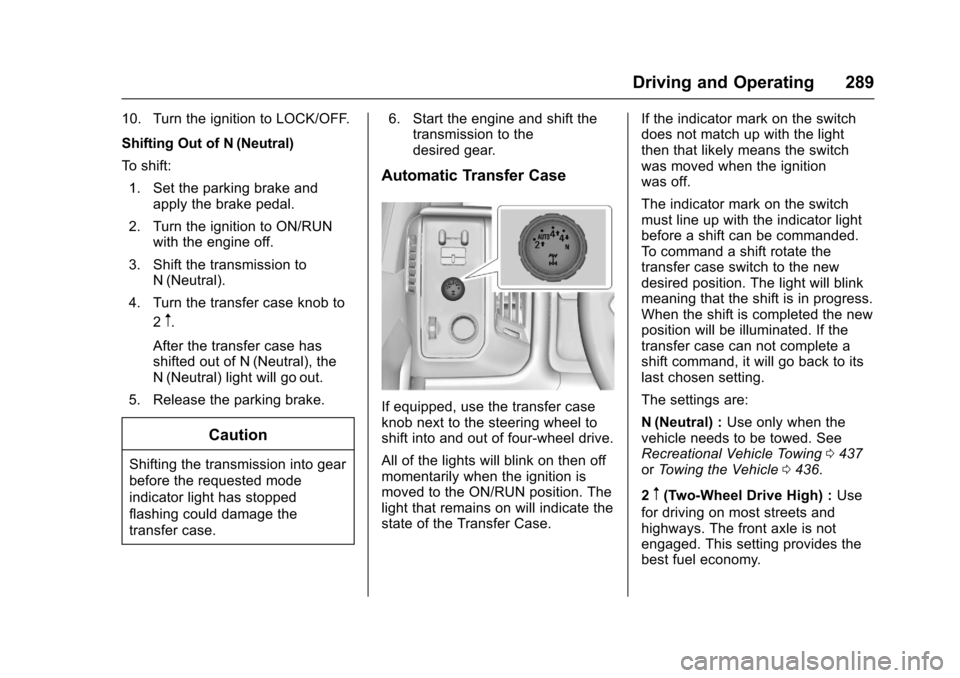
Automatic Transfer Case
If equipped, use the transfer caseknob next to the steering wheel toshift into and out of four-wheel drive.
All of the lights will blink on then offmomentarily when the ignition ismoved to the ON/RUN position. Thelight that remains on will indicate thestate of the Transfer Case.
If the indicator mark on the switchdoes not match up with the lightthen that likely means the switchwas moved when the ignitionwas off.
The indicator mark on the switchmust line up with the indicator lightbefore a shift can be commanded.To c o m m a n d a s h i f t r o t a t e t h etransfer case switch to the newdesired position. The light will blinkmeaning that the shift is in progress.When the shift is completed the newposition will be illuminated. If thetransfer case can not complete ashift command, it will go back to itslast chosen setting.
The settings are:
N(Neutral) :Use only when thevehicle needs to be towed. SeeRecreational Vehicle Towing0437orTo w i n g t h e V e h i c l e0436.
2m(Two-Wheel Drive High) :Use
for driving on most streets andhighways. The front axle is notengaged. This setting provides thebest fuel economy.
Page 292 of 509
Chevrolet Silverado Owner Manual (GMNA-Localizing-U.S./Canada/Mexico-9956065) - 2017 - CRC - 4/29/16
Driving and Operating 291
If the transmission is in gear and/ormoving more than 5 km/h (3 mph),
the 4nindicator light will flash for
30 seconds and not complete theshift. After 30 seconds the transfer
case will shift to 4m.Turntheknob
to 4mto display the indicator. With
the vehicle moving less than 5 km/h(3 mph), and the transmission inN(Neutral), attempt the shift again.
Shifting Out of 4n
To s h i f t :
1. The vehicle must be stopped ormoving less than 5 km/h(3 mph) with the transmissionin N (Neutral) and the ignition inON/RUN. It is best for thevehicle to be moving1.6 to 3.2 km/h (1 to 2 mph).
2. Turn the knob to 4m,AUTO,
or 2m.Waitforthe4m,AUTO,
or 2mindicator light to stop
flashing before shifting thetransmission into gear.
Caution
Shifting the transmission into gear
before the requested mode
indicator light has stopped
flashing could damage the
transfer case.
If the transmission is in gear and/ormoving more than 5 km/h (3 mph),
the 4m,AUTO,or2mindicator light
will flash for 30 seconds but will notcomplete the shift. With the vehiclemoving less than 5 km/h (3 mph),and the transmission in N (Neutral),attempt the shift again.
Shifting Into N (Neutral)
To s h i f t i n t o N ( N e u t r a l ) :
1. Park the vehicle on a levelsurface.
2. Set the parking brake andpress and hold the brakepedal. SeeParkingBrake0293.
3. Start the vehicle or turn theignition to ON/RUN.
4. Shift the transmission toN(Neutral).
5. Shift the transfer case to 2m.
6. Turn the transfer case knobclockwise to N (Neutral) until itstops and hold it there until theN(Neutral) light starts blinking.This will take at least10 seconds. Then slowly
release the dial to the 4n
position. The N (Neutral) lightwill come on when the transfercase shift to N (Neutral) iscomplete.
7. With the engine running, verifythat the transfer case is inN(Neutral) by shifting thetransmission to R (Reverse),then shift the transmission toD(Drive). There should be nomovement of the vehicle whileshifting the transmission.
8. Turn the engine off, and theignition to ACC/ACCESSORY.
9. Place the transmission shiftlever in P (Park). SeeRecreational VehicleTo w i n g0437.
Page 293 of 509
Chevrolet Silverado Owner Manual (GMNA-Localizing-U.S./Canada/Mexico-9956065) - 2017 - CRC - 4/29/16
292 Driving and Operating
10. Turn the ignition to LOCK/OFF.
Shifting Out of N (Neutral)
To s h i f t o u t o f N ( N e u t r a l ) :
1. Set the parking brake andapply the brake pedal.
2. Turn the ignition to ON/RUNwith the engine off.
3. Shift the transmission toN(Neutral).
4. Turn the transfer case knob tothe desired setting.
After the transfer case hasshifted out of N (Neutral), theN(Neutral) light will goout.
5. Release the parking brake.
6. Start the engine and shift thetransmission to thedesired gear.
Brakes
Antilock Brake
System (ABS)
This vehicle has an Antilock BrakeSystem (ABS), an advancedelectronic braking system that helpsprevent a braking skid.
When the vehicle begins to driveaway, ABS checks itself.Amomentarymotororclickingnoisemay be heard while this test is goingon, and it may even be noticed thatthe brake pedal moves a little. Thisis normal.
If there is a problem with ABS, thiswarning light stays on. SeeAntilockBrake System (ABS) WarningLight0141.
If driving safely on a wet road and itbecomes necessary to slam on thebrakes and continue braking toavoid a sudden obstacle, acomputer senses the wheels areslowing down. If one of the wheelsis about to stop rolling, the computerwill separately work the brakes ateach wheel.
ABS can change the brake pressureto each wheel, as required, fasterthan any driver could. This can helpyou steer around the obstacle whilebraking hard.
As the brakes are applied, thecomputer keeps receiving updateson wheel speed and controlsbraking pressure accordingly.
Remember: ABS does not changethe time needed to get a foot up tothe brake pedal or always decreasestopping distance. If you get tooclose to the vehicle in front of you,there will not be enough time toapply the brakes if that vehiclesuddenly slows or stops. Alwaysleave enough room up ahead tostop, even with ABS.
Page 299 of 509
Chevrolet Silverado Owner Manual (GMNA-Localizing-U.S./Canada/Mexico-9956065) - 2017 - CRC - 4/29/16
298 Driving and Operating
When enabled, if the vehicle is at aspeed above 22 km/h (14 mph) andless than 60 km/h (37 mph), a DICmessage will display. SeeVehicleSpeed Messages0160.
Locking Rear Axle
Vehicles with a locking rear axle cangive more traction on snow, mud,ice, sand, or gravel. It works like astandard axle most of the time, butwhen traction is low, this feature willallow the rear wheel with the mosttraction to move the vehicle.
Cruise Control
{Warning
Cruise control can be dangerous
where you cannot drive safely at
asteadyspeed.Donotuse
cruise control on winding roads or
in heavy traffic.
Cruise control can be dangerous
on slippery roads. On such roads,
fast changes in tire traction can
cause excessive wheel slip, and
you could lose control. Do not use
cruise control on slippery roads.
With cruise control a speed of about40 km/h (25 mph) or more can bemaintained without keeping yourfoot on the accelerator. Cruisecontrol does not work at speedsbelow about 40 km/h (25 mph).
If equipped with an Allison orHydra-Matic 6-speed automatictransmission, see“To w / H a u l M o d eGrade Braking”underTo w / H a u lMode0282for an explanation of
how cruise control interacts with theRange Selection Mode, Tow/HaulMode, and Grade Braking systems.
If the cruise control is being usedand the Traction Control system(TCS) or StabiliTrak begins to limitwheel spin, the cruise control willautomatically disengage. SeeTr a c t i o n C o n t r o l / E l e c t r o n i c S t a b i l i t yControl0295.Whenroadconditions allow you to safely use itagain, cruise control can be turnedback on.
If the brakes are applied, cruisecontrol disengages.
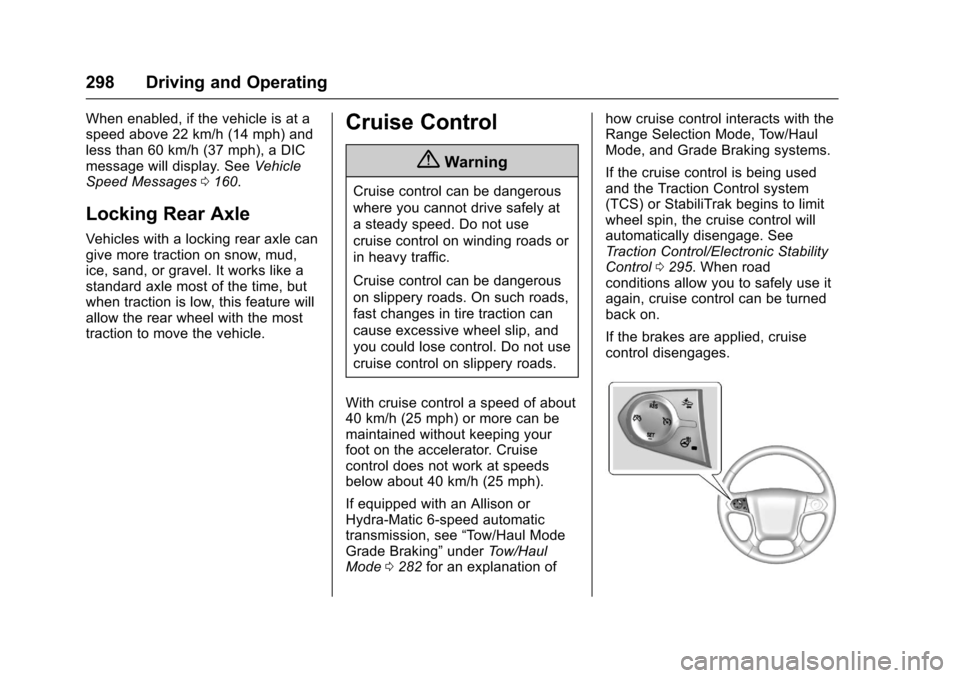
Page 304 of 509
Chevrolet Silverado Owner Manual (GMNA-Localizing-U.S./Canada/Mexico-9956065) - 2017 - CRC - 4/29/16
Driving and Operating 303
Parking Assist
With RPA, and if equipped with FPA,as the vehicle moves at speeds ofless than 8 km/h (5 mph) thesensors on the bumpers may detectobjects up to 2.5 m (8 ft) behind and1.2 m (4 ft) in front of the vehiclewithin a zone 25 cm (10 in) high offthe ground and below bumper level.These detection distances may beshorter during warmer or humidweather. Blocked sensors will notdetect objects and can also causefalse detections. Keep the sensorsclean of mud, dirt, snow, ice, andslush; and clean sensors after a carwash in freezing temperatures.
{Warning
The Parking Assist system does
not detect children, pedestrians,
bicyclists, animals, or objects
located below the bumper or that
are too close or too far from the
vehicle. It is not available at
speeds greater than 8 km/h
(5 mph). To prevent injury, death,
(Continued)
Warning (Continued)
or vehicle damage, even with
Parking Assist, always check the
area around the vehicle and
check all mirrors before moving
forward or backing.
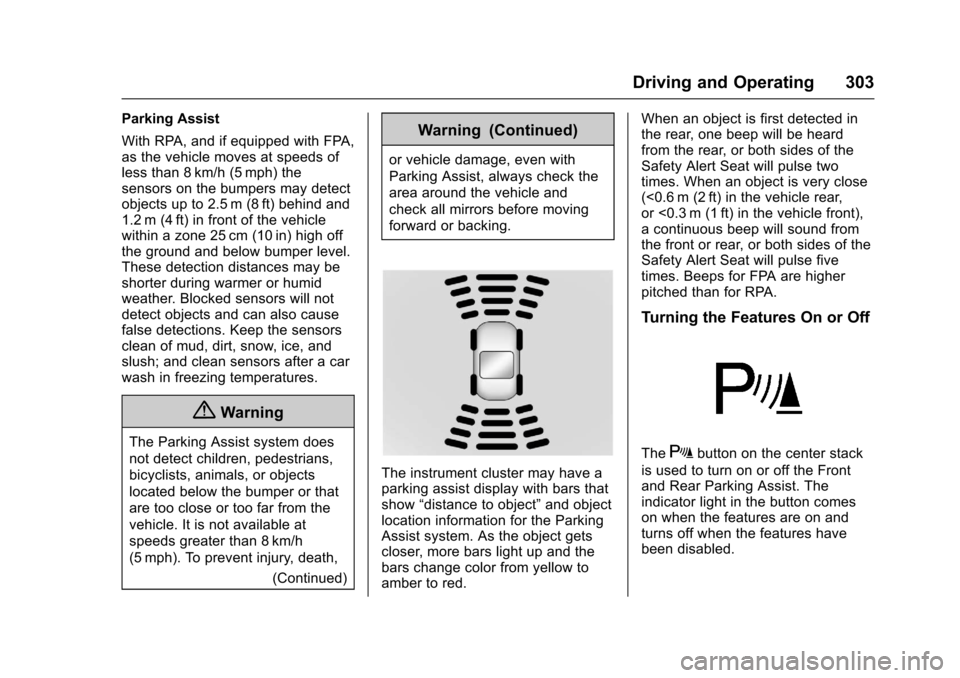
The instrument cluster may have aparking assist display with bars thatshow“distance to object”and objectlocation information for the ParkingAssist system. As the object getscloser, more bars light up and thebars change color from yellow toamber to red.
When an object is first detected inthe rear, one beep will be heardfrom the rear, or both sides of theSafety Alert Seat will pulse twotimes. When an object is very close(<0.6 m (2 ft) in the vehicle rear,or <0.3 m (1 ft) in the vehicle front),acontinuousbeepwillsoundfromthe front or rear, or both sides of theSafety Alert Seat will pulse fivetimes. Beeps for FPA are higherpitched than for RPA.
Turning the Features On or Off
TheXbutton on the center stack
is used to turn on or off the Frontand Rear Parking Assist. Theindicator light in the button comeson when the features are on andturns off when the features havebeen disabled.
Page 306 of 509
Chevrolet Silverado Owner Manual (GMNA-Localizing-U.S./Canada/Mexico-9956065) - 2017 - CRC - 4/29/16
Driving and Operating 305
display green. Vehicles may not bedetected on curves, highway exitramps, or hills, due to poor visibility;or if a vehicle ahead is partiallyblocked by pedestrians or otherobjects. FCA will not detect anothervehicle ahead until it is completelyin the driving lane.
{Warning
FCA does not provide a warning
to help avoid a crash, unless it
detects a vehicle. FCA may not
detect a vehicle ahead if the FCA
sensor is blocked by dirt, snow,
or ice, or if the windshield is
damaged. It may also not detect a
vehicle on winding or hilly roads,
or in conditions that can limit
visibility such as fog, rain,
or snow, or if the headlamps or
windshield are not cleaned or in
proper condition. Keep the
windshield, headlamps, and FCA
sensors clean and in good repair.
Collision Alert
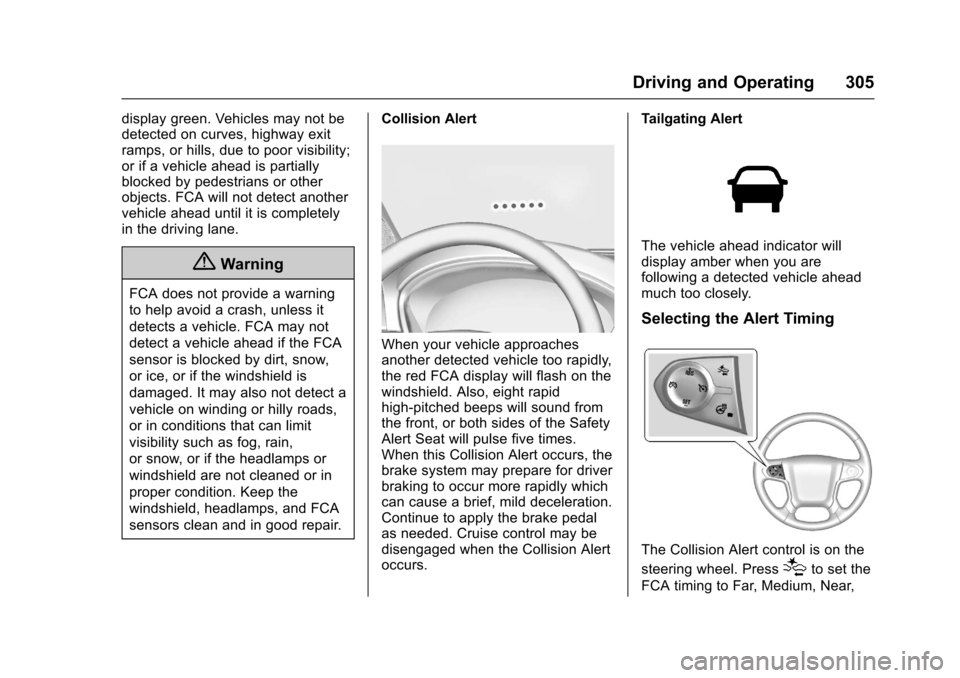
When your vehicle approachesanother detected vehicle too rapidly,the red FCA display will flash on thewindshield. Also, eight rapidhigh-pitched beeps will sound fromthe front, or both sides of the SafetyAlert Seat will pulse five times.When this Collision Alert occurs, thebrake system may prepare for driverbraking to occur more rapidly whichcan cause a brief, mild deceleration.Continue to apply the brake pedalas needed. Cruise control may bedisengaged when the Collision Alertoccurs.
Tailgating Alert
The vehicle ahead indicator willdisplay amber when you arefollowing a detected vehicle aheadmuch too closely.
Selecting the Alert Timing
The Collision Alert control is on the
steering wheel. Press[to set the
FCA timing to Far, Medium, Near,
Page 308 of 509
Chevrolet Silverado Owner Manual (GMNA-Localizing-U.S./Canada/Mexico-9956065) - 2017 - CRC - 4/29/16
Driving and Operating 307
Warning (Continued)
.Detect a vehicle ahead if itis partially blocked bypedestrians or other objects.
Complete attention is always
required while driving, and you
should be ready to take action
and apply the brakes and/or steer
the vehicle to avoid crashes.
FA B m a y s l o w t h e v e h i c l e t o acomplete stop to try to avoid apotential crash. If this happens, FABmay engage the Electric ParkingBrake (EPB) to hold the vehicle at astop. Release the EPB or firmlypress the accelerator pedal.
{Warning
FA B m a y a u t o m a t i c a l l y b r a k e t h e
vehicle suddenly in situations
where it is unexpected and
undesired. It could respond to a
turning vehicle ahead, guardrails,
signs, and other non-moving
(Continued)
Warning (Continued)
objects. To override FAB, firmly
press the accelerator pedal, if it is
safe to do so.
Intelligent Brake Assist (IBA)
IBA may activate when the brakepedal is applied quickly by providingaboosttobrakingbasedonthespeed of approach and distance toavehicleahead.
Minor brake pedal pulsations orpedal movement during this time isnormal and the brake pedal shouldcontinue to be applied as needed.IBA will automatically disengageonly when the brake pedal isreleased.
{Warning
IBA may increase vehicle braking
in situations when it may not be
necessary. You could block the
(Continued)
Warning (Continued)
flow of traffic. If this occurs, take
your foot off the brake pedal and
then apply the brakes as needed.
FA B a n d I B A c a n b e d i s a b l e dthrough vehicle personalization. Seethe“Auto Collision Preparation”information in“Collision/DetectionSystems”underVehiclePersonalization0160.
{Warning
Using FAB or IBA while towing a
trailer could cause you to lose
control of the vehicle and crash.
Turn the system to Alert or Off
when towing a trailer.
Lane Departure Warning
(LDW) (2500/3500 Series)
If equipped, LDW may help avoidcrashes due to unintentional lanedepartures. It may provide an alert ifthe vehicle is crossing a lane
Page 309 of 509
Chevrolet Silverado Owner Manual (GMNA-Localizing-U.S./Canada/Mexico-9956065) - 2017 - CRC - 4/29/16
308 Driving and Operating
marking without using a turn signalin that direction. LDW uses acamera sensor to detect the lanemarkings at speeds of 56 km/h(35 mph) or greater.
{Warning
The LDW system does not steer
the vehicle. The LDW system
may not:
.Provide enough time toavoid a crash.
.Detect lane markings underpoor weather or visibilityconditions. This can occur ifthe windshield orheadlamps are blocked bydirt, snow, or ice; if they arenot in proper condition; or ifthe sun shines directly intothe camera.
.Detect road edges.
.Detect lanes on winding orhilly roads.
(Continued)
Warning (Continued)
If LDW only detects lane
markings on one side of the road,
it will only warn you when
departing the lane on the side
where it has detected a lane
marking. Always keep your
attention on the road and
maintain proper vehicle position
within the lane, or vehicle
damage, injury, or death could
occur. Always keep the
windshield, headlamps, and
camera sensors clean and in
good repair. Do not use LDW in
bad weather conditions.
How the System Works
The LDW camera sensor is on thewindshield ahead of the rearviewmirror.
To t u r n L D W o n a n d o f f , p r e s s@on
the center stack. The controlindicator will light when LDW is on.
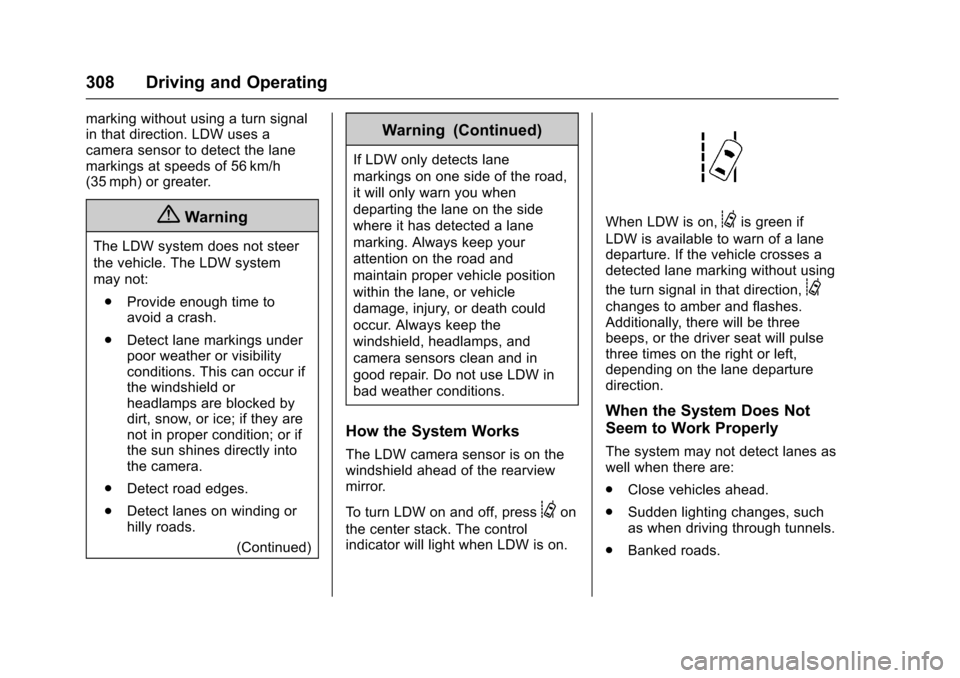
When LDW is on,@is green if
LDW is available to warn of a lanedeparture. If the vehicle crosses adetected lane marking without using
the turn signal in that direction,@
changes to amber and flashes.Additionally, there will be threebeeps, or the driver seat will pulsethree times on the right or left,depending on the lane departuredirection.
When the System Does Not
Seem to Work Properly
The system may not detect lanes aswell when there are:
.Close vehicles ahead.
.Sudden lighting changes, suchas when driving through tunnels.
.Banked roads.