fuel CHEVROLET SILVERADO 2017 3.G User Guide
[x] Cancel search | Manufacturer: CHEVROLET, Model Year: 2017, Model line: SILVERADO, Model: CHEVROLET SILVERADO 2017 3.GPages: 509, PDF Size: 8.87 MB
Page 132 of 509
Chevrolet Silverado Owner Manual (GMNA-Localizing-U.S./Canada/Mexico-9956065) - 2017 - CRC - 4/29/16
Instruments and Controls 131
be displayed in the Info app. See“Driver Information Center (DIC)(Uplevel)”in the Index.
Speed Warning :The SpeedWarning display allows the driver toset a speed that they do not want toexceed. To set the Speed Warning,
presspwhen Speed Warning is
displayed, or pressVon the main
view to set the speed value. Pressworxto adjust the value. PressVto set the speed. Once the speedis set, this feature can be turned off
by pressingVwhile viewing this
page. If the selected speed limit isexceeded, a pop-up warning isdisplayed with a chime.
Software Information :Pressp
while Software Information ishighlighted to display open sourcesoftware information.
Speedometer
The speedometer shows thevehicle's speed in either kilometersper hour (km/h) or miles perhour (mph).
Odometer
The odometer shows how far thevehicle has been driven, in eitherkilometers or miles.
Trip Odometer
The trip odometer shows how farthe vehicle has been driven sincethe trip odometer was last reset.
The trip odometer is accessed andreset through the Driver InformationCenter (DIC). SeeDriverInformation Center (DIC) (BaseLevel)0145orDriver InformationCenter (DIC) (Uplevel)0147.
Tachometer
The tachometer displays the enginespeed in revolutions perminute (rpm).
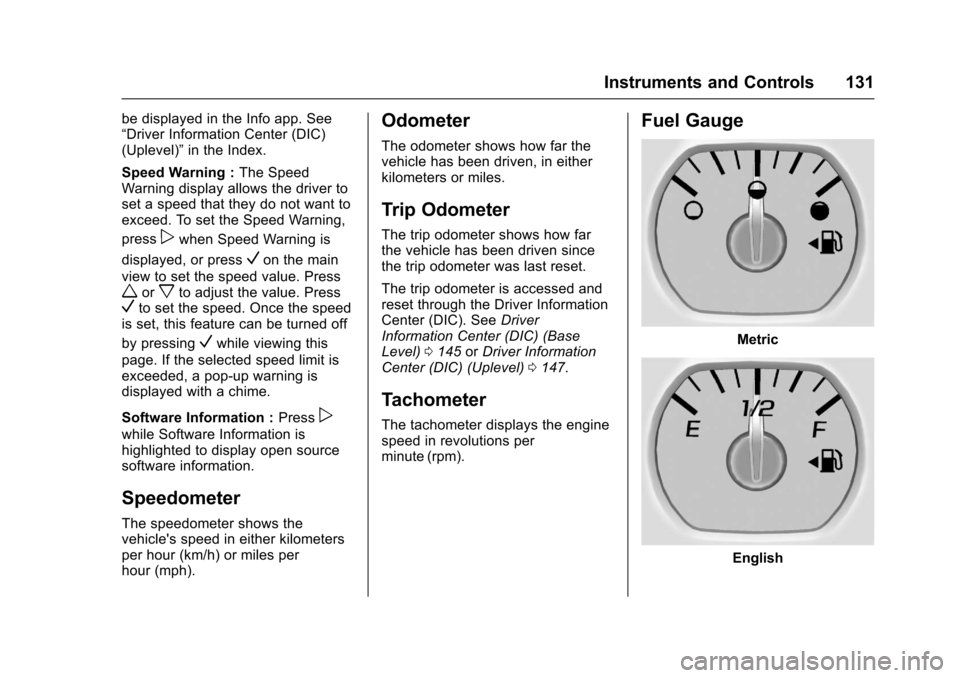
Fuel Gauge
Metric
English
Page 133 of 509
Chevrolet Silverado Owner Manual (GMNA-Localizing-U.S./Canada/Mexico-9956065) - 2017 - CRC - 4/29/16
132 Instruments and Controls
When the ignition is on, the fuelgauge indicates about how muchfuel is left in the tank.
There is an arrow near the fuelgauge pointing to the side of thevehicle the fuel door is on.
When the indicator nears empty, thelow fuel light comes on. There still isalittlefuelleft,butthevehicleshould be refueled soon.
Here are four things that someowners ask about. None of theseshow a problem with the fuel gauge:
.At the service station, the fuelpump shuts off before the gaugereads full.
.It takes a little more or less fuelto fill up than the gaugeindicated. For example, thegauge may have indicated thetank was half full, but it actuallytook a little more or less thanhalf the tank's capacity to fillthe tank.
.The gauge moves a little whileturning a corner or speeding up.
.The gauge takes a few secondsto stabilize after the ignition isturned on, and goes back toempty when the ignition isturned off.
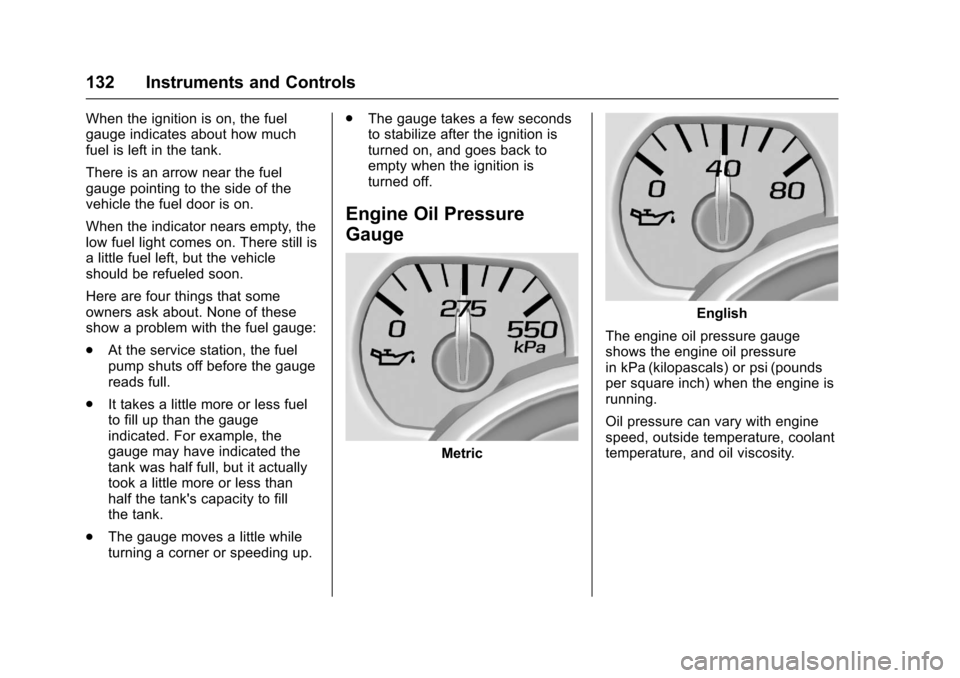
Engine Oil Pressure
Gauge
Metric
English
The engine oil pressure gaugeshows the engine oil pressurein kPa (kilopascals) or psi (poundsper square inch) when the engine isrunning.
Oil pressure can vary with enginespeed, outside temperature, coolanttemperature, and oil viscosity.
Page 135 of 509
Chevrolet Silverado Owner Manual (GMNA-Localizing-U.S./Canada/Mexico-9956065) - 2017 - CRC - 4/29/16
134 Instruments and Controls
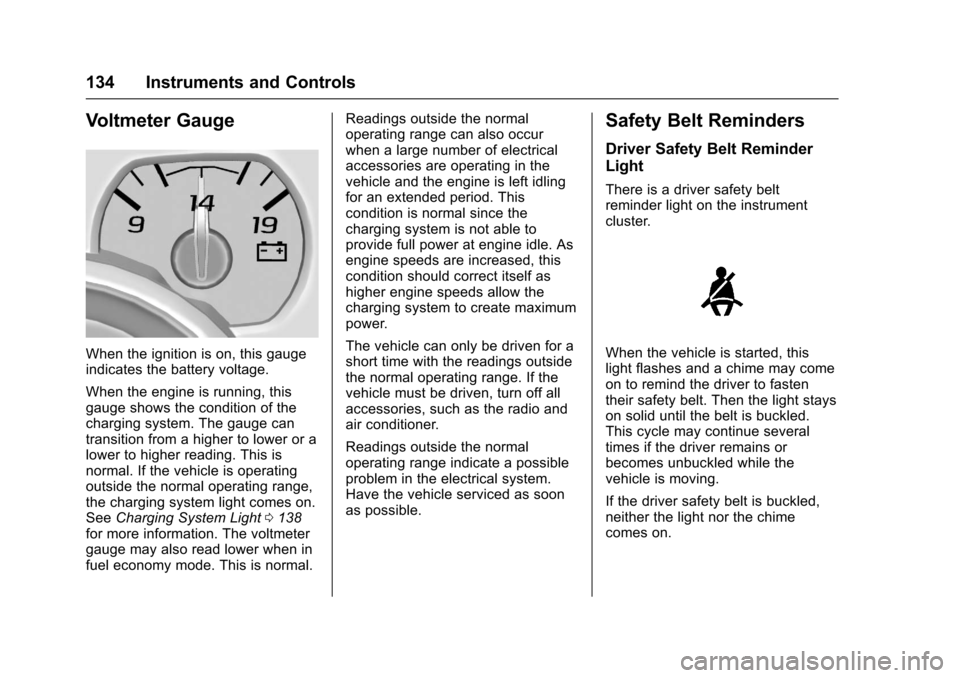
Voltmeter Gauge
When the ignition is on, this gaugeindicates the battery voltage.
When the engine is running, thisgauge shows the condition of thecharging system. The gauge cantransition from a higher to lower or alower to higher reading. This isnormal. If the vehicle is operatingoutside the normal operating range,the charging system light comes on.SeeCharging System Light0138for more information. The voltmetergauge may also read lower when infuel economy mode. This is normal.
Readings outside the normaloperating range can also occurwhen a large number of electricalaccessories are operating in thevehicle and the engine is left idlingfor an extended period. Thiscondition is normal since thecharging system is not able toprovide full power at engine idle. Asengine speeds are increased, thiscondition should correct itself ashigher engine speeds allow thecharging system to create maximumpower.
The vehicle can only be driven for ashort time with the readings outsidethe normal operating range. If thevehicle must be driven, turn off allaccessories, such as the radio andair conditioner.
Readings outside the normaloperating range indicate a possibleproblem in the electrical system.Have the vehicle serviced as soonas possible.
Safety Belt Reminders
Driver Safety Belt Reminder
Light
There is a driver safety beltreminder light on the instrumentcluster.
When the vehicle is started, thislight flashes and a chime may comeon to remind the driver to fastentheir safety belt. Then the light stayson solid until the belt is buckled.This cycle may continue severaltimes if the driver remains orbecomes unbuckled while thevehicle is moving.
If the driver safety belt is buckled,neither the light nor the chimecomes on.
Page 139 of 509
Chevrolet Silverado Owner Manual (GMNA-Localizing-U.S./Canada/Mexico-9956065) - 2017 - CRC - 4/29/16
138 Instruments and Controls
Warning (Continued)
with the airbag system. To help
avoid injury to yourself or others,
have the vehicle serviced right
away. SeeAirbag Readiness
Light0135for more information,
including important safety
information.
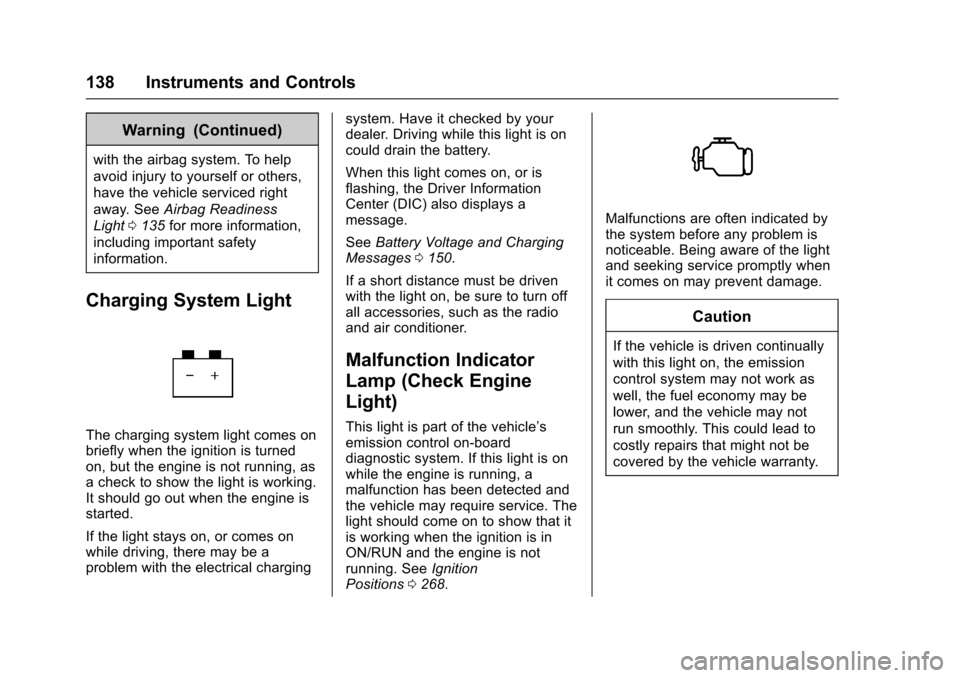
Charging System Light
The charging system light comes onbriefly when the ignition is turnedon, but the engine is not running, asachecktoshowthelightisworking.It should go out when the engine isstarted.
If the light stays on, or comes onwhile driving, there may be aproblem with the electrical charging
system. Have it checked by yourdealer. Driving while this light is oncould drain the battery.
When this light comes on, or isflashing, the Driver InformationCenter (DIC) also displays amessage.
SeeBattery Voltage and ChargingMessages0150.
If a short distance must be drivenwith the light on, be sure to turn offall accessories, such as the radioand air conditioner.
Malfunction Indicator
Lamp (Check Engine
Light)
This light is part of the vehicle’semission control on-boarddiagnostic system. If this light is onwhile the engine is running, amalfunction has been detected andthe vehicle may require service. Thelight should come on to show that itis working when the ignition is inON/RUN and the engine is notrunning. SeeIgnitionPositions0268.
Malfunctions are often indicated bythe system before any problem isnoticeable. Being aware of the lightand seeking service promptly whenit comes on may prevent damage.
Caution
If the vehicle is driven continually
with this light on, the emission
control system may not work as
well, the fuel economy may be
lower, and the vehicle may not
run smoothly. This could lead to
costly repairs that might not be
covered by the vehicle warranty.
Page 140 of 509
Chevrolet Silverado Owner Manual (GMNA-Localizing-U.S./Canada/Mexico-9956065) - 2017 - CRC - 4/29/16
Instruments and Controls 139
Caution
Modifications to the engine,
transmission, exhaust, intake,
or fuel system, or the use of
replacement tires that do not
meet the original tire
specifications, can cause this light
to come on. This could lead to
costly repairs not covered by the
vehicle warranty. This could also
affect the vehicle’sabilitytopass
an Emissions Inspection/
Maintenance test. See
Accessories and
Modifications0352.
If the light is flashing :Amalfunction has been detected thatcould damage the emission controlsystem and increase vehicleemissions. Diagnosis and servicemay be required.
To h e l p p r e v e n t d a m a g e , r e d u c evehicle speed and avoid hardaccelerations and uphill grades.
If towing a trailer, reduce theamount of cargo being hauled assoon as possible.
If the light continues to flash, find asafe place to park. Turn the vehicleoff and wait at least 10 secondsbefore restarting the engine. If thelight is still flashing, follow theprevious guidelines and see yourdealer for service as soon aspossible.
If the light is on steady :Amalfunction has been detected.Diagnosis and service may berequired.
Check the following:
.If fuel has been added to thevehicle using the capless funneladapter, make sure that it hasbeen removed. See“Filling theTa n k w i t h a P o r t a b l e G a s C a n”underFilling the Tank0313.The diagnostic system candetect if the adapter has beenleft installed in the vehicle,allowing fuel to evaporate intothe atmosphere. A few drivingtrips with the adapter removedmay turn off the light.
.Poor fuel quality can causeinefficient engine operation andpoor driveability, which may goaway once the engine is warmedup. If this occurs, change thefuel brand. It may require atleast one full tank of the properfuel to turn the light off. SeeFuel0311.
If the light remains on, see yourdealer.
Emissions Inspection and
Maintenance Programs
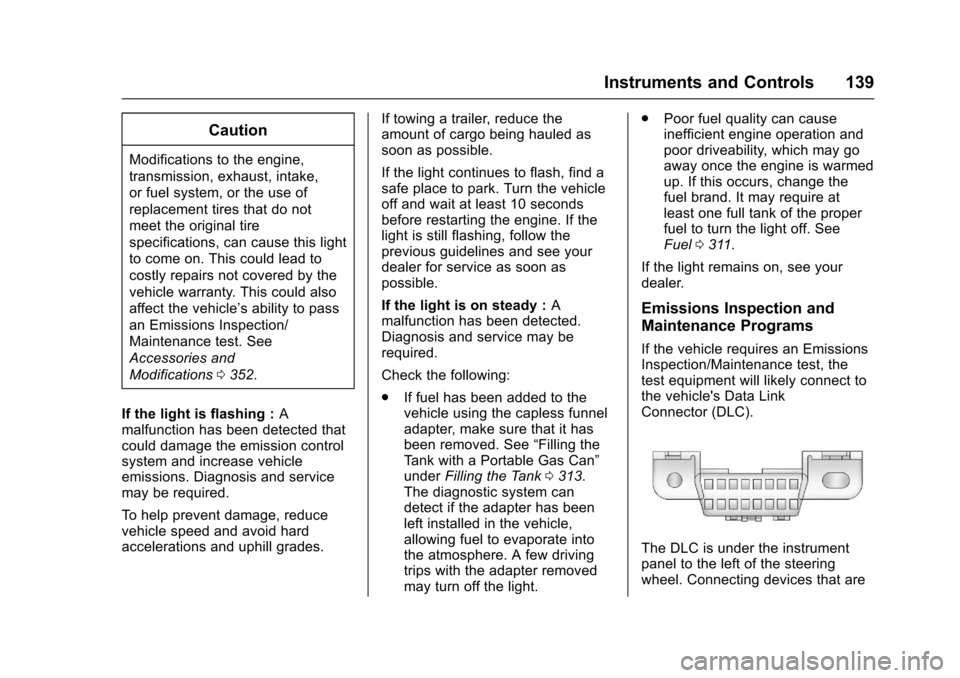
If the vehicle requires an EmissionsInspection/Maintenance test, thetest equipment will likely connect tothe vehicle's Data LinkConnector (DLC).
The DLC is under the instrumentpanel to the left of the steeringwheel. Connecting devices that are
Page 145 of 509
Chevrolet Silverado Owner Manual (GMNA-Localizing-U.S./Canada/Mexico-9956065) - 2017 - CRC - 4/29/16
144 Instruments and Controls
When the Light Is On Steady
This indicates that one or more ofthe tires are significantlyunderinflated.
ADriverInformationCenter(DIC)tire pressure message may alsodisplay. SeeTire Messages0157.Stop as soon as possible, andinflate the tires to the pressure valueshown on the Tire and LoadingInformation label. SeeTirePressure0405.
When the Light Flashes First andThen Is On Steady
If the light flashes for about a minuteand then stays on, there may be aproblem with the TPMS. If theproblem is not corrected, the lightwill come on at every ignition cycle.SeeTire Pressure MonitorOperation0408.
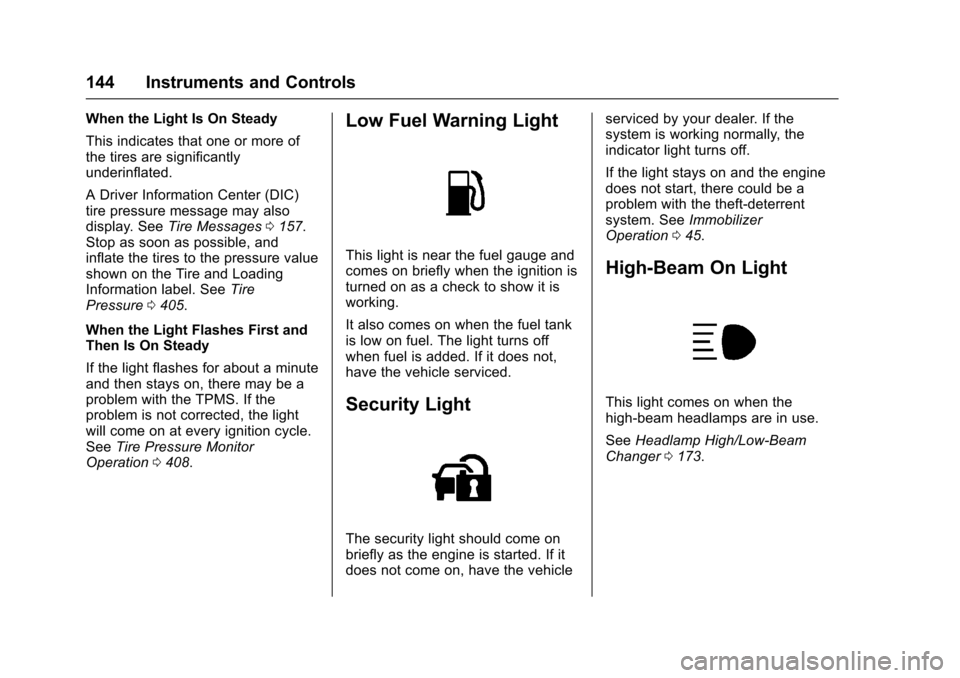
Low Fuel Warning Light
This light is near the fuel gauge andcomes on briefly when the ignition isturned on as a check to show it isworking.
It also comes on when the fuel tankis low on fuel. The light turns offwhen fuel is added. If it does not,have the vehicle serviced.
Security Light
The security light should come onbriefly as the engine is started. If itdoes not come on, have the vehicle
serviced by your dealer. If thesystem is working normally, theindicator light turns off.
If the light stays on and the enginedoes not start, there could be aproblem with the theft-deterrentsystem. SeeImmobilizerOperation045.
High-Beam On Light
This light comes on when thehigh-beam headlamps are in use.
SeeHeadlamp High/Low-BeamChanger0173.
Page 146 of 509
Chevrolet Silverado Owner Manual (GMNA-Localizing-U.S./Canada/Mexico-9956065) - 2017 - CRC - 4/29/16
Instruments and Controls 145
IntelliBeam®Light
This light comes on when theIntelliBeam system, if equipped, isenabled.
SeeExterior Lamp Controls0171.
Front Fog Lamp Light
For vehicles with fog lamps, thislight comes on when the fog lampsare on.
The light goes out when the foglamps are turned off. SeeFogLamps0176for more information.
Lamps On Reminder
This light comes on when theexterior lamps are in use. SeeExterior Lamp Controls0171.
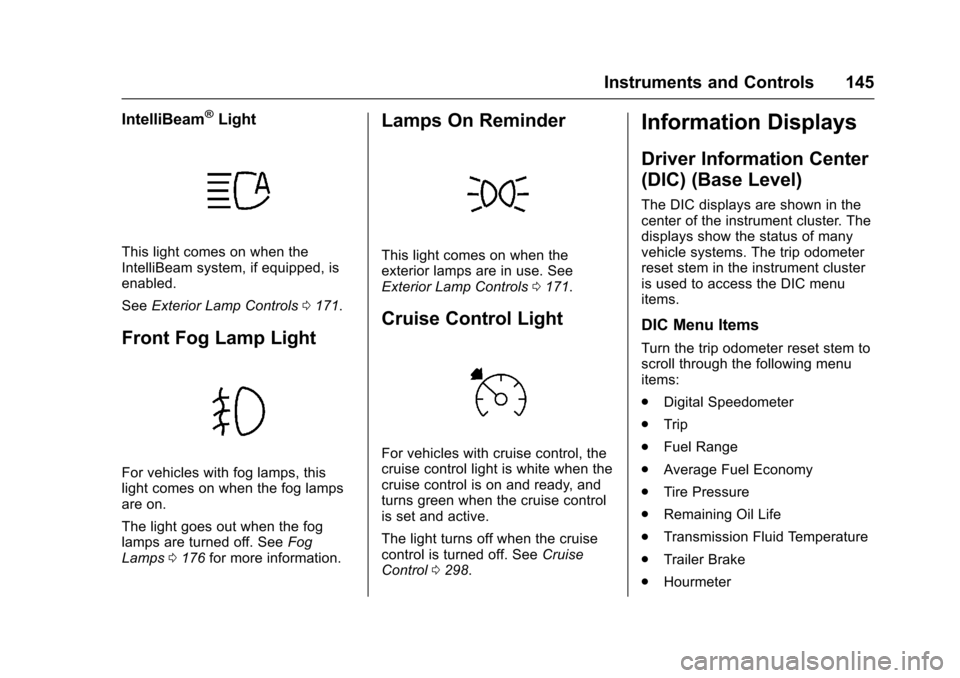
Cruise Control Light
For vehicles with cruise control, thecruise control light is white when thecruise control is on and ready, andturns green when the cruise controlis set and active.
The light turns off when the cruisecontrol is turned off. SeeCruiseControl0298.
Information Displays
Driver Information Center
(DIC) (Base Level)
The DIC displays are shown in thecenter of the instrument cluster. Thedisplays show the status of manyvehicle systems. The trip odometerreset stem in the instrument clusteris used to access the DIC menuitems.
DIC Menu Items
Turn the trip odometer reset stem toscroll through the following menuitems:
.Digital Speedometer
.Trip
.Fuel Range
.Average Fuel Economy
.Tire Pressure
.Remaining Oil Life
.Transmission Fluid Temperature
.Trailer Brake
.Hourmeter
Page 147 of 509

Chevrolet Silverado Owner Manual (GMNA-Localizing-U.S./Canada/Mexico-9956065) - 2017 - CRC - 4/29/16
146 Instruments and Controls
.Unit
Digital Speedometer
The speedometer shows how fastthe vehicle is moving in eitherkilometers per hour (km/h) or milesper hour (mph). The speedometercannot be reset.
Trip
Turn the trip odometer reset stemuntil TRIP displays. The currentdistance traveled, in eitherkilometers (km) or miles (mi), sincethe last reset for the trip odometer isshown. The trip odometer can bereset to zero by pressing andholding the trip odometer reset stemwhile the trip odometer is displayed.
Fuel Range
This display shows the approximatedistance the vehicle can be drivenwithout refueling. The fuel rangeestimate is based on an average ofthe vehicle's fuel economy overrecent driving history and theamount of fuel remaining in the fueltank. Fuel range cannot be reset.
Average Fuel Economy
The Average Fuel Economy displayshows the approximate averageliters per 100 kilometers (L/100 km)or miles per gallon (mpg). Thisnumber reflects only theapproximate average fuel economythat the vehicle has right now, andwill change as driving conditionschange. This number is based onthe number of L/100 km (mpg)recorded since the last time thismenu item was reset. Reset thisdisplay by pressing the tripodometer reset stem.
Tire Pressure
Turn the trip odometer reset stemuntil a vehicle with the approximatepressures of all four tires displays.Tire pressure is displayed in eitherkilopascal (kPa) or in pounds persquare inch (psi).
SeeTire Pressure Monitor System0407andTire Pressure MonitorOperation0408.
Remaining Oil Life
Turn the trip odometer reset stemuntil REMAINING OIL LIFEdisplays. An estimate of the oil'sremaining useful life is shown.REMAINING OIL LIFE 99% means99% of the current oil life remains.
When the remaining oil life is low,the CHANGE ENGINE OIL SOONmessage will appear on the display.SeeEngine Oil Messages0152.The oil should be changed as soonas possible. SeeEngine Oil0359.In addition to the engine oil lifesystem monitoring the oil life,additional maintenance isrecommended in the MaintenanceSchedule. SeeMaintenanceSchedule0452.
The Oil Life display must be resetafter each oil change. It will notreset itself. Do not reset the Oil Lifedisplay at any time other than whenthe oil has just been changed.It cannot be reset accurately untilthe next oil change. To reset theengine oil life system, seeEngineOil Life System0362.
Page 149 of 509
Chevrolet Silverado Owner Manual (GMNA-Localizing-U.S./Canada/Mexico-9956065) - 2017 - CRC - 4/29/16
148 Instruments and Controls
1. Pressoto access the cluster
applications.
2. Pressworxto scroll to the
Settings application.
3. PressVto enter the
Settings menu.
4. Scroll to Info Pages and
pressp.
5. Pressworxto move
through the list of possibleinformation displays.
6. PressVwhile an item is
highlighted to select ordeselect that item. When anitem is selected, a checkmarkwill appear next to it.
DIC Info Pages
The following is the list of allpossible DIC info page displays.Some may not be available for yourparticular vehicle. Some items maynot be turned on by default but canbe turned on through the Settingsapp. See“DIC Info Page Options”earlier in this section.
Speed :Shows the vehicle speed ineither kilometers per hour (km/h) ormiles per hour (mph).
Tr i p A o r Tr i p B :Shows thecurrent distance traveled, in eitherkilometers (km) or miles (mi), sincethe trip odometer was last reset.
This also shows the approximateaverage liters per 100 kilometers(L/100 km) or miles pergallon (mpg). This number iscalculated based on the number ofL/100 km (mpg) recorded since thelast time this menu item was reset.This number reflects only theapproximate average fuel economythat the vehicle has right now, andwill change as driving conditionschange.
Press and holdVwhile this display
is active to reset the trip odometerand the average fuel economy. TripAandTripBcanalsoberesetby
pressingpand choosing reset.
Fuel Range :Shows theapproximate distance the vehiclecan be driven without refueling.LOW will be displayed when the
vehicle is low on fuel. The fuelrange estimate is based on anaverage of the vehicle's fueleconomy over recent driving historyand the amount of fuel remaining inthe fuel tank.
Oil Life :Shows an estimate of theoil's remaining useful life.If REMAINING OIL LIFE 99% isdisplayed, that means 99% of thecurrent oil life remains.
When the remaining oil life is low,the CHANGE ENGINE OIL SOONmessage will appear on the display.SeeEngine Oil Messages0152.The oil should be changed as soonas possible. SeeEngine Oil0359.In addition to the engine oil lifesystem monitoring the oil life,additional maintenance isrecommended in the MaintenanceSchedule. SeeMaintenanceSchedule0452.
The Oil Life display must be resetafter each oil change. It will notreset itself. Do not reset the Oil Lifedisplay at any time other than whenthe oil has just been changed.It cannot be reset accurately until
Page 150 of 509
Chevrolet Silverado Owner Manual (GMNA-Localizing-U.S./Canada/Mexico-9956065) - 2017 - CRC - 4/29/16
Instruments and Controls 149
the next oil change. To reset theengine oil life system, press and
holdVfor several seconds while
the Oil Life display is active. SeeEngine Oil Life System0362.
Tire Pressure :Shows theapproximate pressures of all fourtires. Tire pressure is displayed ineither kilopascal (kPa) or in poundsper square inch (psi). If the pressureis low, the value for that tire isshown in amber. SeeTire PressureMonitor System0407andTirePressure Monitor Operation0408.
Fuel Economy :The centerdisplays the approximateinstantaneous fuel economy as anumber and bar graph. Displayedabove the bar graph is a runningaverage of fuel economy for themost recently traveled selecteddistance. Displayed below the bargraph is the best average fueleconomy that has been achieved forthe selected distance. The selecteddistance is displayed at the top ofthe page as“last xxx mi/km.”Nextto the odometer, the Active FuelManagement displays the number of
cylinders the vehicle is runningon. SeeActive FuelManagement®0275.
Presspto select the distance or
reset best value. Usewandxto
choose the distance and pressV.
Presswandxto select“Reset
Best Score.”PressVto reset the
best average fuel economy. Afterreset, the momentary average fueleconomy will display.
The display provides information onhow current driving behavior affectsthe running average and how wellrecent driving compares to the bestthat has been achieved for theselected distance.
Timer :This display can be used as
atimer.Tostartthetimer,pressV
while this display is active. Thedisplay will show the amount of timethat has passed since the timer was
last reset. To stop the timer, pressV
briefly while this display is activeand the timer is running. To reset
the timer to zero, press and holdV
while this display is active, or presspand select reset.
Speed Limit (If Equipped) :Showssign information, which comes fromaroadwaydatabaseintheonboardnavigation.
Engine Hours :Shows the totalnumber of hours the engine has run.
Tr a n s m i s s i o n F l u i dTe m p e r a t u r e :Shows thetemperature of the automatictransmission fluid in either degreesCelsius (°C) or degreesFahrenheit (°F).
Tr a i l e r B r a k e ( I f E q u i p p e d ) :Onvehicles with the Integrated TrailerBrake Control (ITBC) system, thetrailer brake display appears inthe DIC.
TRAILER GAIN shows the trailergain setting. This setting can beadjusted from 0.0 to 10.0 with eitheratrailerconnectedordisconnected.