brakes CHEVROLET SILVERADO 2017 3.G Owner's Manual
[x] Cancel search | Manufacturer: CHEVROLET, Model Year: 2017, Model line: SILVERADO, Model: CHEVROLET SILVERADO 2017 3.GPages: 509, PDF Size: 8.87 MB
Page 296 of 509
Chevrolet Silverado Owner Manual (GMNA-Localizing-U.S./Canada/Mexico-9956065) - 2017 - CRC - 4/29/16
Driving and Operating 295
facing downhill or if the vehicle isfacing uphill and in R (Reverse).There may be situations on minorhills (less than 5% grade) with aloaded vehicle or while pulling atrailer where HSA may activate.
If you release the brake pedal andthen reapply the brake pedal whileHSA is activated, the brake pedaltypically feels firmer with less pedaltravel.
Ride Control Systems
Traction Control/
Electronic Stability
Control
System Operation
The vehicle has a Traction ControlSystem (TCS) and StabiliTrak®,anelectronic stability control system.These systems help limit wheel spinand assist the driver in maintainingcontrol, especially on slippery roadconditions.
TCS activates if it senses any of thedrive wheels are spinning orbeginning to lose traction. When thishappens, TCS applies the brakes tothe spinning wheels and reducesengine power to limit wheel spin.
StabiliTrak activates when thevehicle senses a difference betweenthe intended path and the directionthe vehicle is actually traveling.StabiliTrak selectively appliesbraking pressure to any one of thevehicle wheel brakes to assist thedriver in keeping the vehicle on the
intended path. Trailer Sway Control(TSC) is also on automatically whenthe vehicle is started. SeeTr a i l e rSway Control (TSC)0344.
If cruise control is being used andtraction control or StabiliTrak beginsto limit wheel spin, cruise control willdisengage. Cruise control may beturned back on when roadconditions allow.
Both systems come onautomatically when the vehicle isstarted and begins to move. Thesystems may be heard or felt whilethey are operating or whileperforming diagnostic checks. Thisis normal and does not mean thereis a problem with the vehicle.
It is recommended to leave bothsystems on for normal drivingconditions, but it may be necessaryto turn TCS off if the vehicle getsstuck in sand, mud, ice, or snow.SeeIf the Vehicle Is Stuck0258and“Turning the Systems Off andOn”later in this section.
When the transfer case (if equipped)is in Four-Wheel Drive Low, thestability system is automatically
Page 298 of 509
Chevrolet Silverado Owner Manual (GMNA-Localizing-U.S./Canada/Mexico-9956065) - 2017 - CRC - 4/29/16
Driving and Operating 297
appropriate message will display inthe DIC. SeeRide Control SystemMessages0154.
To t u r n T C S a n d S t a b i l i T r a k o n
again, press and releaseg.The
traction off lightiand the
StabiliTrak OFF lightgin the
instrument cluster turn off.
StabiliTrak will automatically turn onif the vehicle exceeds 56 km/h(35 mph). Traction control willremain off.
The vehicle has a Trailer SwayControl (TSC) feature and a HillStart Assist (HSA) feature. SeeTr a i l e r S w a y C o n t r o l ( T S C )0344orHill Start Assist (HSA)0294.
Adding accessories can affect thevehicle performance. SeeAccessories andModifications0352.
Hill Descent
Control (HDC)
If equipped, HDC can be used whendriving downhill. It sets andmaintains vehicle speed whiledescending a very steep incline in aforward or reverse gear.
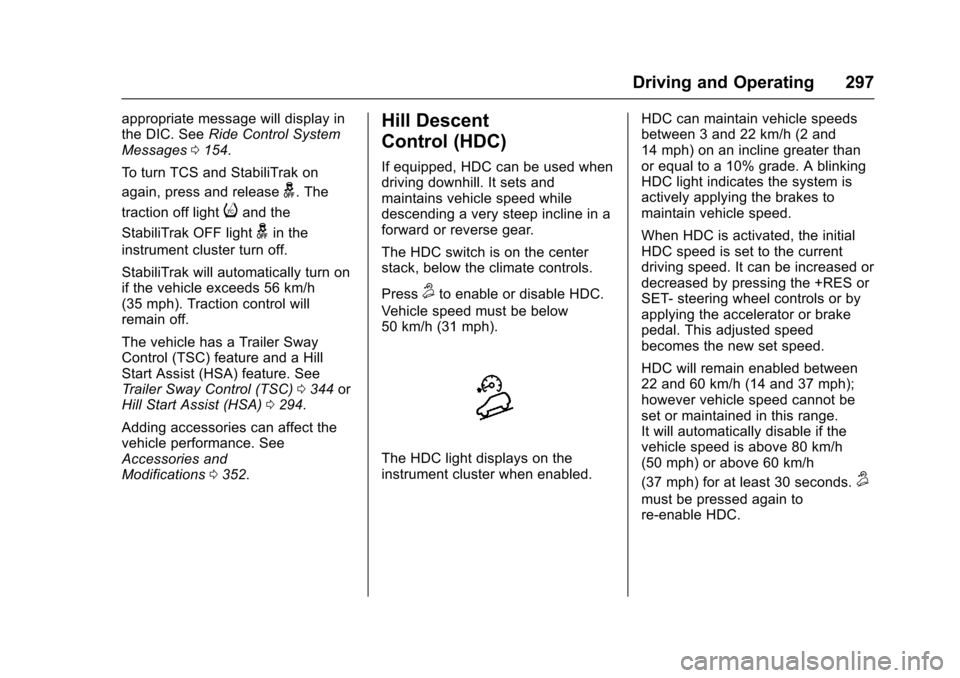
The HDC switch is on the centerstack, below the climate controls.
Press5to enable or disable HDC.
Vehicle speed must be below50 km/h (31 mph).
The HDC light displays on theinstrument cluster when enabled.
HDC can maintain vehicle speedsbetween 3 and 22 km/h (2 and14 mph) on an incline greater thanor equal to a 10% grade. A blinkingHDC light indicates the system isactively applying the brakes tomaintain vehicle speed.
When HDC is activated, the initialHDC speed is set to the currentdriving speed. It can be increased ordecreased by pressing the +RES orSET- steering wheel controls or byapplying the accelerator or brakepedal. This adjusted speedbecomes the new set speed.
HDC will remain enabled between22 and 60 km/h (14 and 37 mph);however vehicle speed cannot beset or maintained in this range.It will automatically disable if thevehicle speed is above 80 km/h(50 mph) or above 60 km/h
(37 mph) for at least 30 seconds.5
must be pressed again tore-enable HDC.
Page 299 of 509
Chevrolet Silverado Owner Manual (GMNA-Localizing-U.S./Canada/Mexico-9956065) - 2017 - CRC - 4/29/16
298 Driving and Operating
When enabled, if the vehicle is at aspeed above 22 km/h (14 mph) andless than 60 km/h (37 mph), a DICmessage will display. SeeVehicleSpeed Messages0160.
Locking Rear Axle
Vehicles with a locking rear axle cangive more traction on snow, mud,ice, sand, or gravel. It works like astandard axle most of the time, butwhen traction is low, this feature willallow the rear wheel with the mosttraction to move the vehicle.
Cruise Control
{Warning
Cruise control can be dangerous
where you cannot drive safely at
asteadyspeed.Donotuse
cruise control on winding roads or
in heavy traffic.
Cruise control can be dangerous
on slippery roads. On such roads,
fast changes in tire traction can
cause excessive wheel slip, and
you could lose control. Do not use
cruise control on slippery roads.
With cruise control a speed of about40 km/h (25 mph) or more can bemaintained without keeping yourfoot on the accelerator. Cruisecontrol does not work at speedsbelow about 40 km/h (25 mph).
If equipped with an Allison orHydra-Matic 6-speed automatictransmission, see“To w / H a u l M o d eGrade Braking”underTo w / H a u lMode0282for an explanation of
how cruise control interacts with theRange Selection Mode, Tow/HaulMode, and Grade Braking systems.
If the cruise control is being usedand the Traction Control system(TCS) or StabiliTrak begins to limitwheel spin, the cruise control willautomatically disengage. SeeTr a c t i o n C o n t r o l / E l e c t r o n i c S t a b i l i t yControl0295.Whenroadconditions allow you to safely use itagain, cruise control can be turnedback on.
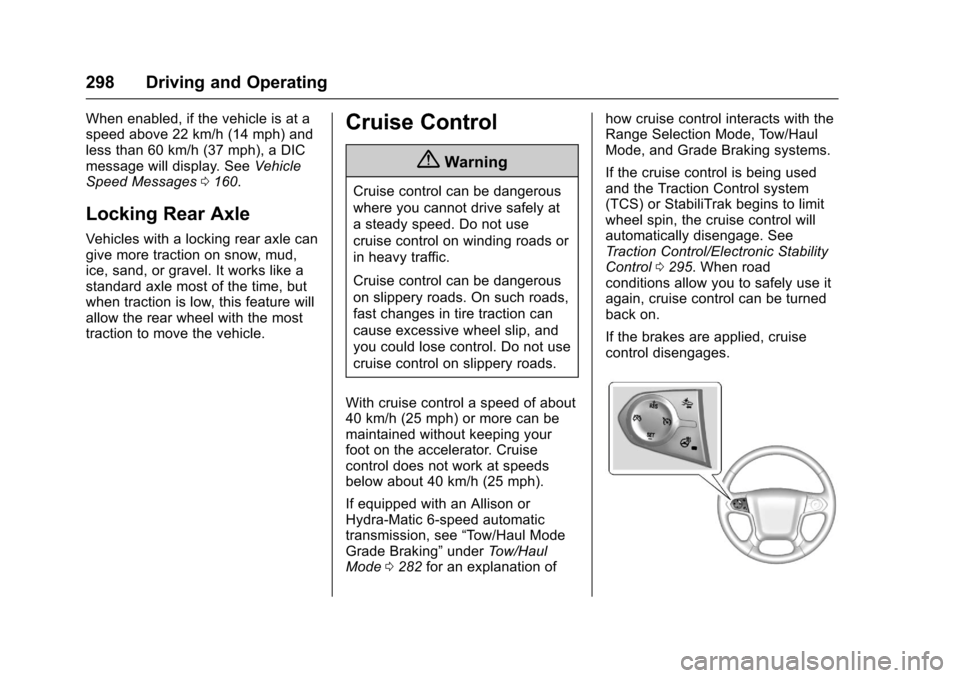
If the brakes are applied, cruisecontrol disengages.
Page 300 of 509
Chevrolet Silverado Owner Manual (GMNA-Localizing-U.S./Canada/Mexico-9956065) - 2017 - CRC - 4/29/16
Driving and Operating 299
5:Press to turn the system on oroff. The indicator light is white whencruise control is on and turns offwhen cruise control is off.
+RES :If there is a set speed inmemory, press briefly to resume tothat speed or press and hold toaccelerate. If cruise control isalready active, use to increasevehicle speed.
SET✓:Press briefly to set thespeed and activate cruise control.If cruise control is already active,use to decrease vehicle speed.
*:Press to disengage cruisecontrol without erasing the setspeed from memory.
Setting Cruise Control
If5is on when not in use, SET✓or
+RES could get pressed and go into
cruise when not desired. Keep5
off when cruise is not being used.
1. Press5to turn the cruise
system on.
2. Get up to the desired speed.
3. Press and release SET✓.
4. Remove foot from theaccelerator.
The cruise control indicator on theinstrument cluster turns green aftercruise control has been set to thedesired speed. SeeInstrumentCluster0128.
Resuming a Set Speed
If the cruise control is set at adesired speed and then the brakes
are applied or*is pressed, the
cruise control is disengaged withouterasing the set speed from memory.
Once the vehicle speed reachesabout 40 km/h (25 mph) or more,briefly press +RES . The vehiclereturns to the previous set speed.
Increasing Speed While UsingCruise Control
If the cruise control system isalready activated:
.Press and hold +RES until thedesired speed is reached, thenrelease it.
.To i n c r e a s e v e h i c l e s p e e d i nsmall increments, briefly press+RES. For each press, thevehicle goes about 1.6 km/h(1 mph) faster.
The speedometer reading can bedisplayed in either English or metricunits. SeeInstrument Cluster0128.The increment value used dependson the units displayed.
Reducing Speed While UsingCruise Control
If the cruise control system isalready activated:
.Press and hold SET–until thedesired lower speed is reached,then release it.
.To s l o w d o w n i n s m a l lincrements, briefly press SET–.For each press, the vehicle goesabout 1.6 km/h (1 mph) slower.
The speedometer reading can bedisplayed in either English or metricunits. SeeInstrument Cluster0128.The increment value used dependson the units displayed.
Page 302 of 509
Chevrolet Silverado Owner Manual (GMNA-Localizing-U.S./Canada/Mexico-9956065) - 2017 - CRC - 4/29/16
Driving and Operating 301
Driver Assistance
Systems
This vehicle may have features thatwork together to help avoid crashesor reduce crash damage whiledriving, backing, and parking. Readthis entire section before usingthese systems.
{Warning
Do not rely on the Driver
Assistance Systems. These
systems do not replace the need
for paying attention and driving
safely. You may not hear or feel
alerts or warnings provided by
these systems. Failure to use
proper care when driving may
result in injury, death, or vehicle
damage. SeeDefensive
Driving0248.
(Continued)
Warning (Continued)
Under many conditions, these
systems will not:
.Detect children,pedestrians, bicyclists,or animals.
.Detect vehicles or objectsoutside the area monitoredby the system.
.Work at all driving speeds.
.Warn you or provide youwith enough time to avoid acrash.
.Work under poor visibility orbad weather conditions.
.Work if the detection sensoris not cleaned or is coveredby ice, snow, mud, or dirt.
.Work if the detection sensoris covered up, such as withasticker,magnet,ormetalplate.
(Continued)
Warning (Continued)
.Work if the area surrounding
the detection sensor is
damaged or not properly
repaired.
Complete attention is always
required while driving, and you
should be ready to take action
and apply the brakes and/or steer
the vehicle to avoid crashes.
Audible or Safety Alert Seat
Some driver assistance featuresalert the driver of obstacles bybeeping. To change the volume ofthe warning chime, see“Comfortand Convenience”underVehiclePersonalization0160.
If equipped with the Safety AlertSeat, the driver seat cushion mayprovide a vibrating pulse alertinstead of beeping. To change this,see“Collision/Detection Systems”underVehiclePersonalization0160.
Page 305 of 509
Chevrolet Silverado Owner Manual (GMNA-Localizing-U.S./Canada/Mexico-9956065) - 2017 - CRC - 4/29/16
304 Driving and Operating
Front and Rear Parking Assist canbe turned off, on, or on with towbarthrough vehicle personalization. See“Park Assist”underVehiclePersonalization0160.Iftheparkingassist is turned off through vehiclepersonalization, the parking assistbutton on the center stack will bedisabled. To turn the parking assiston again, select On in the vehiclepersonalization menu. The On withTo w b a r s e t t i n g a l l o w s f o r t h eparking assist to work properly withasmallitemattachedtothetrailerhitch. Turn off parking assist whentowing a trailer.
To t u r n t h e r e a r p a r k i n g a s s i s tsymbols or guidance lines on or off,see“Rear Camera”underVehiclePersonalization0160.
Assistance Systems for
Driving
If equipped, when driving thevehicle in a forward gear, ForwardCollision Alert (FCA), LaneDeparture Warning (LDW), and/or
Lane Keep Assist (LKA) can help toavoid a crash or reduce crashdamage.
Forward Collision Alert
(FCA) System
If equipped, the FCA system mayhelp to avoid or reduce the harmcaused by front-end crashes. Whenapproaching a vehicle ahead tooquickly, FCA provides a red flashingalert on the windshield and rapidlybeeps or pulses the driver seat.FCA also lights an amber visualalert if following another vehiclemuch too closely.
FCA detects vehicles within adistance of approximately 60 m(197 ft) and operates at speedsabove 40 km/h (25 mph).
{Warning
FCA is a warning system and
does not apply the brakes. When
approaching a slower-moving or
stopped vehicle ahead too rapidly,
(Continued)
Warning (Continued)
or when following a vehicle too
closely, FCA may not provide a
warning with enough time to help
avoid a crash. It also may not
provide any warning at all. FCA
does not warn of pedestrians,
animals, signs, guardrails,
bridges, construction barrels,
or other objects. Be ready to take
action and apply the brakes. See
Defensive Driving0248.
FCA can be disabled with the FCAsteering wheel control.
Detecting the Vehicle Ahead
FCA warnings will not occur unlessthe FCA system detects a vehicleahead. When a vehicle is detected,the vehicle ahead indicator will
Page 308 of 509
Chevrolet Silverado Owner Manual (GMNA-Localizing-U.S./Canada/Mexico-9956065) - 2017 - CRC - 4/29/16
Driving and Operating 307
Warning (Continued)
.Detect a vehicle ahead if itis partially blocked bypedestrians or other objects.
Complete attention is always
required while driving, and you
should be ready to take action
and apply the brakes and/or steer
the vehicle to avoid crashes.
FA B m a y s l o w t h e v e h i c l e t o acomplete stop to try to avoid apotential crash. If this happens, FABmay engage the Electric ParkingBrake (EPB) to hold the vehicle at astop. Release the EPB or firmlypress the accelerator pedal.
{Warning
FA B m a y a u t o m a t i c a l l y b r a k e t h e
vehicle suddenly in situations
where it is unexpected and
undesired. It could respond to a
turning vehicle ahead, guardrails,
signs, and other non-moving
(Continued)
Warning (Continued)
objects. To override FAB, firmly
press the accelerator pedal, if it is
safe to do so.
Intelligent Brake Assist (IBA)
IBA may activate when the brakepedal is applied quickly by providingaboosttobrakingbasedonthespeed of approach and distance toavehicleahead.
Minor brake pedal pulsations orpedal movement during this time isnormal and the brake pedal shouldcontinue to be applied as needed.IBA will automatically disengageonly when the brake pedal isreleased.
{Warning
IBA may increase vehicle braking
in situations when it may not be
necessary. You could block the
(Continued)
Warning (Continued)
flow of traffic. If this occurs, take
your foot off the brake pedal and
then apply the brakes as needed.
FA B a n d I B A c a n b e d i s a b l e dthrough vehicle personalization. Seethe“Auto Collision Preparation”information in“Collision/DetectionSystems”underVehiclePersonalization0160.
{Warning
Using FAB or IBA while towing a
trailer could cause you to lose
control of the vehicle and crash.
Turn the system to Alert or Off
when towing a trailer.
Lane Departure Warning
(LDW) (2500/3500 Series)
If equipped, LDW may help avoidcrashes due to unintentional lanedepartures. It may provide an alert ifthe vehicle is crossing a lane
Page 317 of 509
Chevrolet Silverado Owner Manual (GMNA-Localizing-U.S./Canada/Mexico-9956065) - 2017 - CRC - 4/29/16
316 Driving and Operating
.The trailer must be equippedwith brakes adequate for theintended use. A loaded trailerweighing more than 900 kg(2,000 lb) must be equipped withits own brake system, withbrakes working on all axles.Trailer braking equipmentconforming to CanadianStandards Association (CSA)requirement CAN3-D313, or itsequivalent, is recommended.
.Do not tow a trailer during thefirst 800 km (500 mi) to preventdamage to the engine, axle,or other parts.
.Then during the first 800 km(500 mi) of trailer towing, do notdrive over 80 km/h (50 mph) anddo not make starts at full throttle.
.Vehicles can tow in D (Drive).The Tow/Haul Mode may beused if the transmission shiftstoo often. SeeTo w / H a u lMode0282.
.Turn off Park Assist whentowing.
{Warning
When towing a trailer, exhaust
gases may collect at the rear of
the vehicle and enter if the
liftgate, trunk/hatch, or rear-most
window is open.
When towing a trailer:
.Do not drive with theliftgate, trunk/hatch,or rear-most window open.
.Fully open the air outlets onor under the instrumentpanel.
.Also adjust the climatecontrol system to a settingthat brings in only outsideair. See“Climate ControlSystems”in the Index.
For more information about
carbon monoxide, seeEngine
Exhaust0276.
To w i n g a t r a i l e r r e q u i r e s a c e r t a i namount of experience. Thecombination you are driving islonger and not as responsive as the
vehicle itself. Get acquainted withthe handling and braking of the rigbefore setting out for the open road.
The structure, tires, and brakes ofthe trailer must be rated to carry theload. Inadequate trailer equipmentcan cause the combination tooperate in an unexpected or unsafemanner.
Before starting, check all trailer hitchparts and attachments, safetychains, electrical connectors, lamps,tires, and mirrors. Get familiar withthe handling and braking of the rig.If the trailer has electric brakes, startthe combination moving and thenapply the trailer brake controller byhand to be sure the brakes work.
During the trip, check occasionallyto be sure that the load is secureand the lamps and any trailerbrakes still work.
Following Distance
Stay at least twice as far behind thevehicle ahead as you would whendriving the vehicle without a trailer.This can help to avoid heavybraking and sudden turns.
Page 318 of 509
Chevrolet Silverado Owner Manual (GMNA-Localizing-U.S./Canada/Mexico-9956065) - 2017 - CRC - 4/29/16
Driving and Operating 317
Passing
More passing distance is neededwhen towing a trailer. Thecombination will not accelerate asquickly and is longer so it isnecessary to go much fartherbeyond the passed vehicle beforereturning to the lane.
Backing Up
Hold the bottom of the steeringwheel with one hand. To move thetrailer to the left, move that hand tothe left. To move the trailer to theright, move your hand to the right.Always back up slowly and,if possible, have someoneguide you.
Making Turns
Caution
Making very sharp turns while
trailering could cause the trailer to
come in contact with the vehicle.
The vehicle could be damaged.
Avoid making very sharp turns
while trailering.
When turning with a trailer, makewider turns than normal. Do this sothe trailer will not strike softshoulders, curbs, road signs, trees,or other objects. Avoid jerky orsudden maneuvers. Signal well inadvance.
If the trailer turn signal bulbs burnout, the arrows on the instrumentcluster will still flash for turns. It isimportant to check occasionally tobe sure the trailer bulbs are stillworking.
Driving on Grades
Reduce speed and shift to a lowergearbeforestarting down a long orsteep downgrade. If thetransmission is not shifted down, thebrakes might get hot and no longerwork well.
Vehicles can tow in D (Drive). Shiftthe transmission to a lower gear ifthe transmission shifts too oftenunder heavy loads and/or hillyconditions.
The Tow/Haul Mode may be used ifthe transmission shifts too often.SeeTo w / H a u l M o d e0282.
When towing at high altitude onsteep uphill grades, consider thefollowing: Engine coolant will boil atalowertemperaturethanatnormalaltitudes. If the engine is turned offimmediately after towing at highaltitude on steep uphill grades, thevehicle may show signs similar toengine overheating. To avoid this,let the engine run while parked,preferably on level ground, with thetransmission in P (Park) for a fewminutes before turning the engineoff. If the overheat warning comeson, seeEngine Overheating0372.
Parking on Hills
{Warning
Parking the vehicle on a hill with
the trailer attached can be
dangerous. If something goes
wrong, the rig could start to move.
People can be injured, and both
the vehicle and the trailer can be
damaged. When possible, always
park the rig on a flat surface.
Page 319 of 509
Chevrolet Silverado Owner Manual (GMNA-Localizing-U.S./Canada/Mexico-9956065) - 2017 - CRC - 4/29/16
318 Driving and Operating
If parking the rig on a hill:
1. Press the brake pedal, but donot shift into P (Park) yet. Turnthe wheels into the curb iffacing downhill or into traffic iffacing uphill.
2. Have someone place chocksunder the trailer wheels.
3. When the wheel chocks are inplace, release the regularbrakes until the chocks absorbthe load.
4. Reapply the brake pedal. Thenapply the parking brake andshift into P (Park).
5. Release the brake pedal.
Leaving After Parking on a Hill
1. Apply and hold the brakepedal.
2. Start the engine.
3. Shift into a gear.
4. Release the parking brake.
5. Let up on the brake pedal.
6. Drive slowly until the trailer isclear of the chocks.
7. Stop and have someone pickup and store the chocks.
Maintenance when Trailer
Towing
The vehicle needs service moreoften when pulling a trailer. SeeMaintenance Schedule0452.Things that are especially importantin trailer operation are automatictransmission fluid, engine oil, axlelubricant, belts, cooling system, andbrake system. It is a good idea toinspect these before and duringthe trip.
Check periodically to see that allhitch nuts and bolts are tight.
Trailer Towing
If the vehicle has a diesel engine,see the Duramax dieselsupplement.
If the vehicle is bi-fuel, see thebi-fuel supplement.
Do not tow a trailer during break-in.SeeNew Vehicle Break-In0267.
{Warning
The driver can lose control when
pulling a trailer if the correct
equipment is not used or the
vehicle is not driven properly. For
example, if the trailer is too heavy
or the trailer brakes are
inadequate for the load, the
vehicle may not stop as expected.
The driver and passengers could
be seriously injured. The vehicle
may also be damaged; the
resulting repairs would not be
covered by the vehicle warranty.
Pull a trailer only if all the steps in
this section have been followed.
Ask your dealer for advice and
information about towing a trailer
with the vehicle.
Caution
Pulling a trailer improperly can
damage the vehicle and result in
costly repairs not covered by the
(Continued)