wheel CHEVROLET SILVERADO 2017 3.G Owner's Manual
[x] Cancel search | Manufacturer: CHEVROLET, Model Year: 2017, Model line: SILVERADO, Model: CHEVROLET SILVERADO 2017 3.GPages: 509, PDF Size: 8.87 MB
Page 120 of 509
Chevrolet Silverado Owner Manual (GMNA-Localizing-U.S./Canada/Mexico-9956065) - 2017 - CRC - 4/29/16
Instruments and Controls 119
Instruments and
Controls
Controls
Steering Wheel Adjustment . . . 120Steering Wheel Controls . . . . . . 121Heated Steering Wheel . . . . . . . 121Horn . . . . . . . . . . . . . . . . . . . . . . . . . . 122Windshield Wiper/Washer . . . . 122Compass . . . . . . . . . . . . . . . . . . . . . 122Clock . . . . . . . . . . . . . . . . . . . . . . . . . 123Power Outlets . . . . . . . . . . . . . . . . 124Wireless Charging . . . . . . . . . . . . 126
Warning Lights, Gauges, and
Indicators
Warning Lights, Gauges, andIndicators . . . . . . . . . . . . . . . . . . . 127Instrument Cluster . . . . . . . . . . . . 128Speedometer . . . . . . . . . . . . . . . . . 131Odometer . . . . . . . . . . . . . . . . . . . . . 131Trip Odometer . . . . . . . . . . . . . . . . 131Ta c h o m e t e r . . . . . . . . . . . . . . . . . . . 1 3 1Fuel Gauge . . . . . . . . . . . . . . . . . . . 131Engine Oil PressureGauge . . . . . . . . . . . . . . . . . . . . . . 132Engine Coolant TemperatureGauge . . . . . . . . . . . . . . . . . . . . . . 133Voltmeter Gauge . . . . . . . . . . . . . 134
Safety Belt Reminders . . . . . . . . 134Airbag Readiness Light . . . . . . . 135Airbag On-Off Light . . . . . . . . . . . 136Passenger Airbag StatusIndicator . . . . . . . . . . . . . . . . . . . . 137Charging System Light . . . . . . . 138Malfunction Indicator Lamp(Check Engine Light) . . . . . . . . 138Brake System WarningLight . . . . . . . . . . . . . . . . . . . . . . . . 140Antilock Brake System (ABS)Warning Light . . . . . . . . . . . . . . . 141Four-Wheel-Drive Light . . . . . . . 141To w / H a u l M o d e L i g h t . . . . . . . . . 1 4 1Hill Descent Control Light . . . . 141Lane Departure Warning(LDW) Light (2500/3500Series) . . . . . . . . . . . . . . . . . . . . . . 142Lane Keep Assist (LKA) Light(1500 Series) . . . . . . . . . . . . . . . 142Vehicle Ahead Indicator . . . . . . 142Traction Off Light . . . . . . . . . . . . . 142StabiliTrak®OFF Light . . . . . . . . 143Traction Control System (TCS)/StabiliTrak®Light . . . . . . . . . . . 143Tire Pressure Light . . . . . . . . . . . 143Low Fuel Warning Light . . . . . . 144Security Light . . . . . . . . . . . . . . . . . 144High-Beam On Light . . . . . . . . . . 144Front Fog Lamp Light . . . . . . . . . 145Lamps On Reminder . . . . . . . . . 145
Cruise Control Light . . . . . . . . . . 145
Information Displays
Driver Information Center (DIC)(Base Level) . . . . . . . . . . . . . . . . 145Driver Information Center (DIC)(Uplevel) . . . . . . . . . . . . . . . . . . . . 147
Vehicle Messages
Vehicle Messages . . . . . . . . . . . . 150Battery Voltage and ChargingMessages . . . . . . . . . . . . . . . . . . . 150Brake System Messages . . . . . 151Compass Messages . . . . . . . . . . 151Door Ajar Messages . . . . . . . . . . 151Engine Cooling SystemMessages . . . . . . . . . . . . . . . . . . . 152Engine Oil Messages . . . . . . . . . 152Engine Power Messages . . . . . 153Fuel System Messages . . . . . . . 153Key and Lock Messages . . . . . 153Lamp Messages . . . . . . . . . . . . . . 153Object Detection SystemMessages . . . . . . . . . . . . . . . . . . . 153Ride Control SystemMessages . . . . . . . . . . . . . . . . . . . 154Airbag System Messages . . . . 155Safety Belt Messages . . . . . . . . 155Security Messages . . . . . . . . . . . 156Steering SystemMessages . . . . . . . . . . . . . . . . . . . 156
Page 121 of 509
Chevrolet Silverado Owner Manual (GMNA-Localizing-U.S./Canada/Mexico-9956065) - 2017 - CRC - 4/29/16
120 Instruments and Controls
Tire Messages . . . . . . . . . . . . . . . . 157Transmission Messages . . . . . . 157Vehicle ReminderMessages . . . . . . . . . . . . . . . . . . . 159Vehicle Speed Messages . . . . . 160Washer Fluid Messages . . . . . . 160
Vehicle Personalization
Vehicle Personalization . . . . . . . 160
Universal Remote System
Universal Remote System . . . . 168Universal Remote SystemProgramming . . . . . . . . . . . . . . . 168Universal Remote SystemOperation . . . . . . . . . . . . . . . . . . . 170
Controls
Steering Wheel
Adjustment
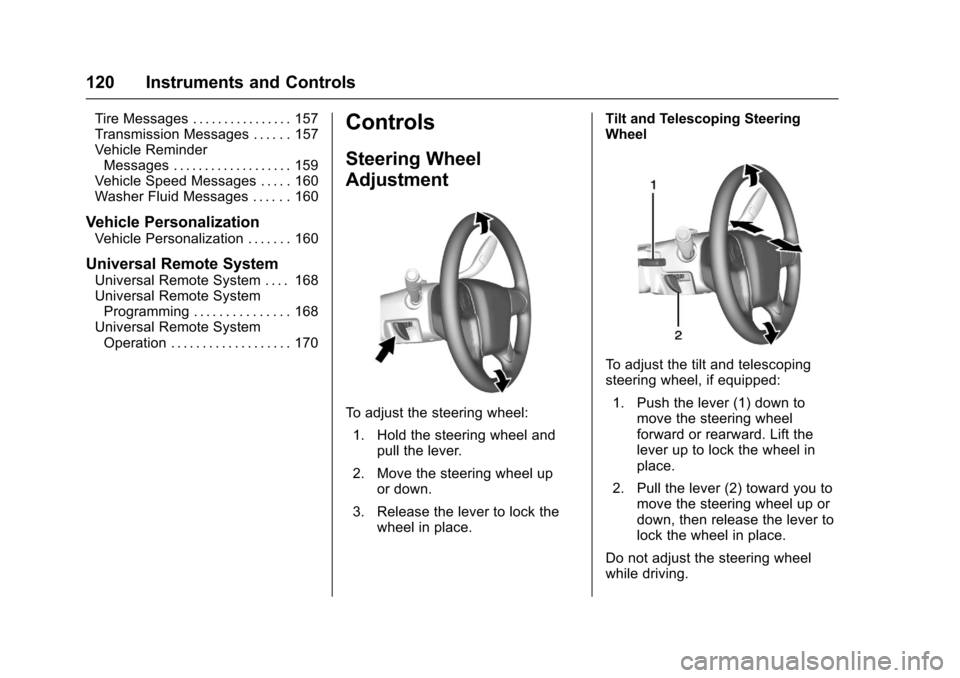
To a d j u s t t h e s t e e r i n g w h e e l :
1. Hold the steering wheel andpull the lever.
2. Move the steering wheel upor down.
3. Release the lever to lock thewheel in place.
Tilt and Telescoping SteeringWheel
To a d j u s t t h e t i l t a n d t e l e s c o p i n gsteering wheel, if equipped:
1. Push the lever (1) down tomove the steering wheelforward or rearward. Lift thelever up to lock the wheel inplace.
2. Pull the lever (2) toward you tomove the steering wheel up ordown, then release the lever tolock the wheel in place.
Do not adjust the steering wheelwhile driving.
Page 122 of 509
Chevrolet Silverado Owner Manual (GMNA-Localizing-U.S./Canada/Mexico-9956065) - 2017 - CRC - 4/29/16
Instruments and Controls 121
Steering Wheel Controls
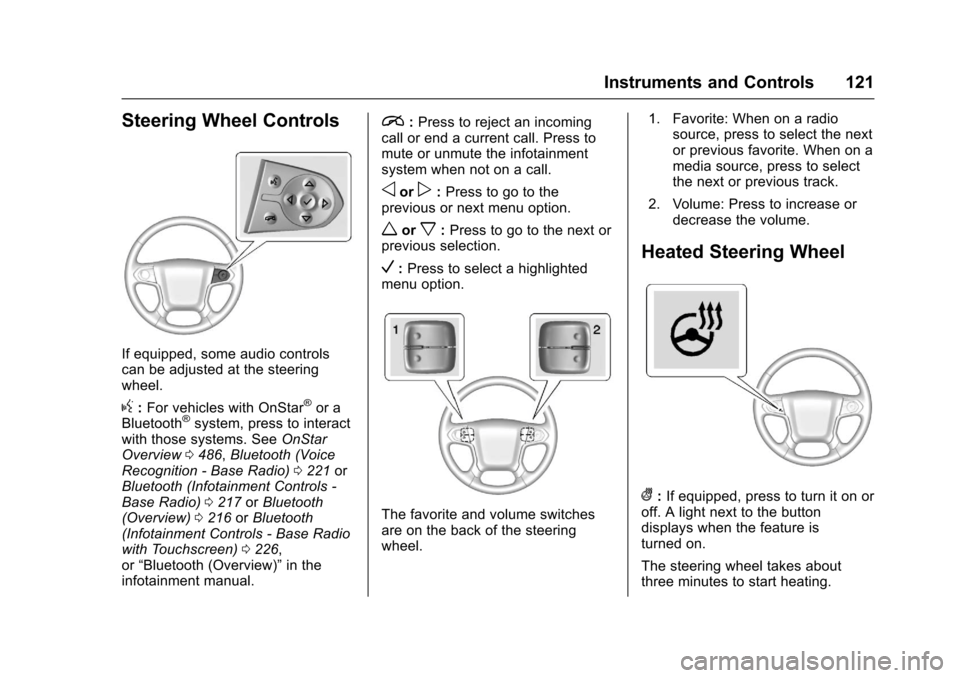
If equipped, some audio controlscan be adjusted at the steeringwheel.
g:For vehicles with OnStar®or aBluetooth®system, press to interactwith those systems. SeeOnStarOverview0486,Bluetooth (VoiceRecognition - Base Radio)0221orBluetooth (Infotainment Controls -Base Radio)0217orBluetooth(Overview)0216orBluetooth(Infotainment Controls - Base Radiowith Touchscreen)0226,or“Bluetooth (Overview)”in theinfotainment manual.
i:Press to reject an incomingcall or end a current call. Press tomute or unmute the infotainmentsystem when not on a call.
oorp:Press to go to theprevious or next menu option.
worx:Press to go to the next orprevious selection.
V:Press to select a highlightedmenu option.
The favorite and volume switchesare on the back of the steeringwheel.
1. Favorite: When on a radiosource, press to select the nextor previous favorite. When on amedia source, press to selectthe next or previous track.
2. Volume: Press to increase ordecrease the volume.
Heated Steering Wheel
(:If equipped, press to turn it on oroff. A light next to the buttondisplays when the feature isturned on.
The steering wheel takes aboutthree minutes to start heating.
Page 123 of 509
Chevrolet Silverado Owner Manual (GMNA-Localizing-U.S./Canada/Mexico-9956065) - 2017 - CRC - 4/29/16
122 Instruments and Controls
Horn
To s o u n d t h e h o r n , p r e s saon the
steering wheel.
Windshield Wiper/Washer
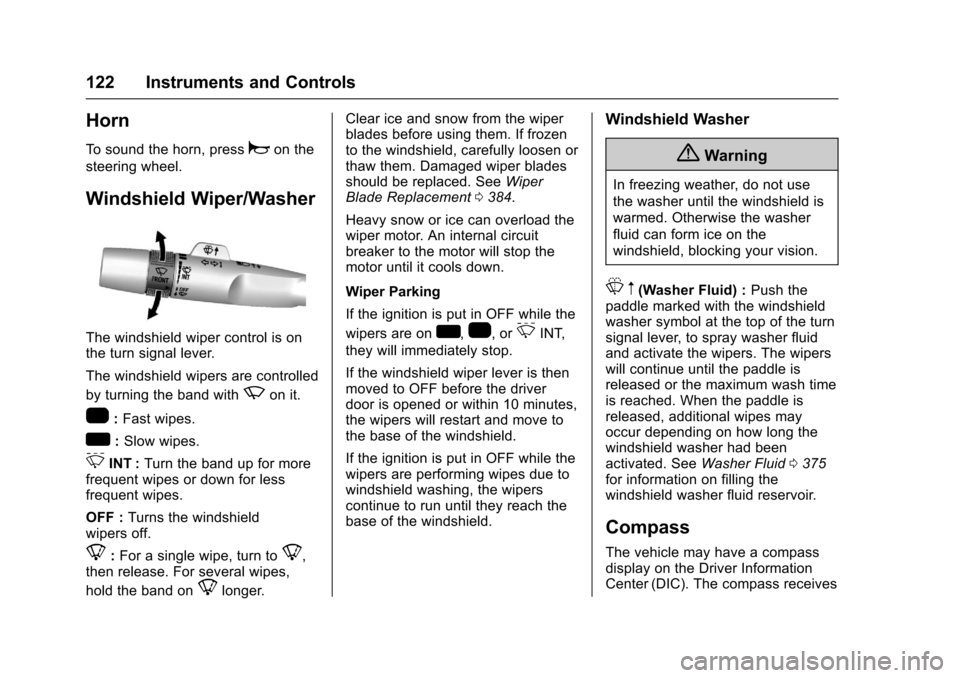
The windshield wiper control is onthe turn signal lever.
The windshield wipers are controlled
by turning the band withzon it.
1:Fast wipes.
w:Slow wipes.
3INT :Turn the band up for morefrequent wipes or down for lessfrequent wipes.
OFF :Turns the windshieldwipers off.
8:For a single wipe, turn to8,then release. For several wipes,
hold the band on8longer.
Clear ice and snow from the wiperblades before using them. If frozento the windshield, carefully loosen orthaw them. Damaged wiper bladesshould be replaced. SeeWiperBlade Replacement0384.
Heavy snow or ice can overload thewiper motor. An internal circuitbreaker to the motor will stop themotor until it cools down.
Wiper Parking
If the ignition is put in OFF while the
wipers are onw,1,or3INT,
they will immediately stop.
If the windshield wiper lever is thenmoved to OFF before the driverdoor is opened or within 10 minutes,the wipers will restart and move tothe base of the windshield.
If the ignition is put in OFF while thewipers are performing wipes due towindshield washing, the wiperscontinue to run until they reach thebase of the windshield.
Windshield Washer
{Warning
In freezing weather, do not use
the washer until the windshield is
warmed. Otherwise the washer
fluid can form ice on the
windshield, blocking your vision.
Lm(Washer Fluid) :Push thepaddle marked with the windshieldwasher symbol at the top of the turnsignal lever, to spray washer fluidand activate the wipers. The wiperswill continue until the paddle isreleased or the maximum wash timeis reached. When the paddle isreleased, additional wipes mayoccur depending on how long thewindshield washer had beenactivated. SeeWasher Fluid0375for information on filling thewindshield washer fluid reservoir.
Compass
The vehicle may have a compassdisplay on the Driver InformationCenter (DIC). The compass receives
Page 131 of 509
Chevrolet Silverado Owner Manual (GMNA-Localizing-U.S./Canada/Mexico-9956065) - 2017 - CRC - 4/29/16
130 Instruments and Controls
Cluster Menu (Uplevel Cluster)
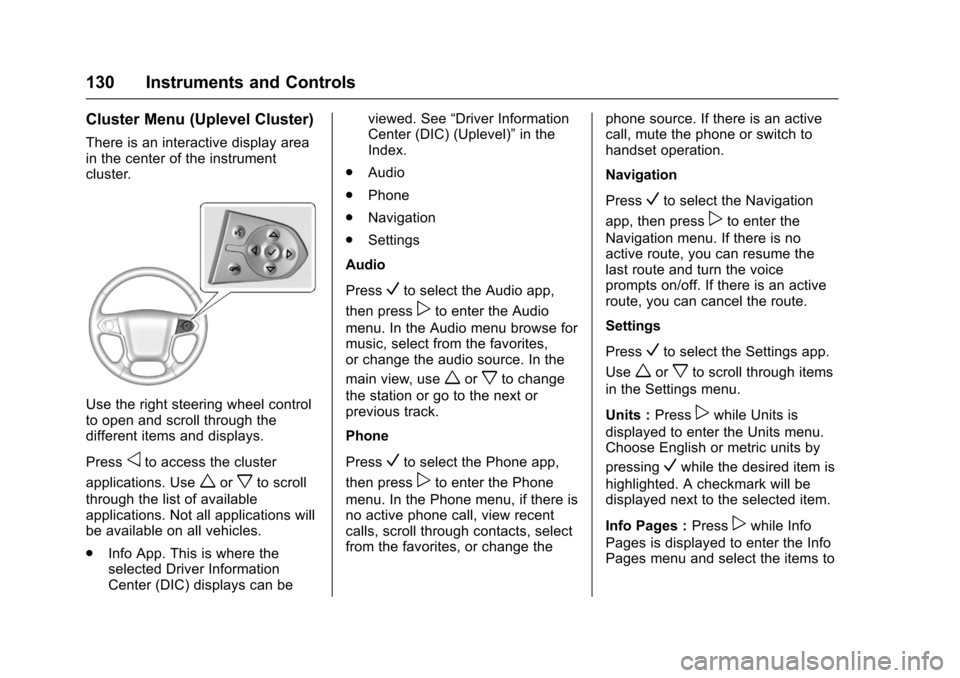
There is an interactive display areain the center of the instrumentcluster.
Use the right steering wheel controlto open and scroll through thedifferent items and displays.
Pressoto access the cluster
applications. Useworxto scroll
through the list of availableapplications. Not all applications willbe available on all vehicles.
.Info App. This is where theselected Driver InformationCenter (DIC) displays can be
viewed. See“Driver InformationCenter (DIC) (Uplevel)”in theIndex.
.Audio
.Phone
.Navigation
.Settings
Audio
PressVto select the Audio app,
then presspto enter the Audio
menu. In the Audio menu browse formusic, select from the favorites,or change the audio source. In the
main view, useworxto change
the station or go to the next orprevious track.
Phone
PressVto select the Phone app,
then presspto enter the Phone
menu. In the Phone menu, if there isno active phone call, view recentcalls, scroll through contacts, selectfrom the favorites, or change the
phone source. If there is an activecall, mute the phone or switch tohandset operation.
Navigation
PressVto select the Navigation
app, then presspto enter the
Navigation menu. If there is noactive route, you can resume thelast route and turn the voiceprompts on/off. If there is an activeroute, you can cancel the route.
Settings
PressVto select the Settings app.
Useworxto scroll through items
in the Settings menu.
Units :Presspwhile Units is
displayed to enter the Units menu.Choose English or metric units by
pressingVwhile the desired item is
highlighted. A checkmark will bedisplayed next to the selected item.
Info Pages :Presspwhile Info
Pages is displayed to enter the InfoPages menu and select the items to
Page 140 of 509
Chevrolet Silverado Owner Manual (GMNA-Localizing-U.S./Canada/Mexico-9956065) - 2017 - CRC - 4/29/16
Instruments and Controls 139
Caution
Modifications to the engine,
transmission, exhaust, intake,
or fuel system, or the use of
replacement tires that do not
meet the original tire
specifications, can cause this light
to come on. This could lead to
costly repairs not covered by the
vehicle warranty. This could also
affect the vehicle’sabilitytopass
an Emissions Inspection/
Maintenance test. See
Accessories and
Modifications0352.
If the light is flashing :Amalfunction has been detected thatcould damage the emission controlsystem and increase vehicleemissions. Diagnosis and servicemay be required.
To h e l p p r e v e n t d a m a g e , r e d u c evehicle speed and avoid hardaccelerations and uphill grades.
If towing a trailer, reduce theamount of cargo being hauled assoon as possible.
If the light continues to flash, find asafe place to park. Turn the vehicleoff and wait at least 10 secondsbefore restarting the engine. If thelight is still flashing, follow theprevious guidelines and see yourdealer for service as soon aspossible.
If the light is on steady :Amalfunction has been detected.Diagnosis and service may berequired.
Check the following:
.If fuel has been added to thevehicle using the capless funneladapter, make sure that it hasbeen removed. See“Filling theTa n k w i t h a P o r t a b l e G a s C a n”underFilling the Tank0313.The diagnostic system candetect if the adapter has beenleft installed in the vehicle,allowing fuel to evaporate intothe atmosphere. A few drivingtrips with the adapter removedmay turn off the light.
.Poor fuel quality can causeinefficient engine operation andpoor driveability, which may goaway once the engine is warmedup. If this occurs, change thefuel brand. It may require atleast one full tank of the properfuel to turn the light off. SeeFuel0311.
If the light remains on, see yourdealer.
Emissions Inspection and
Maintenance Programs
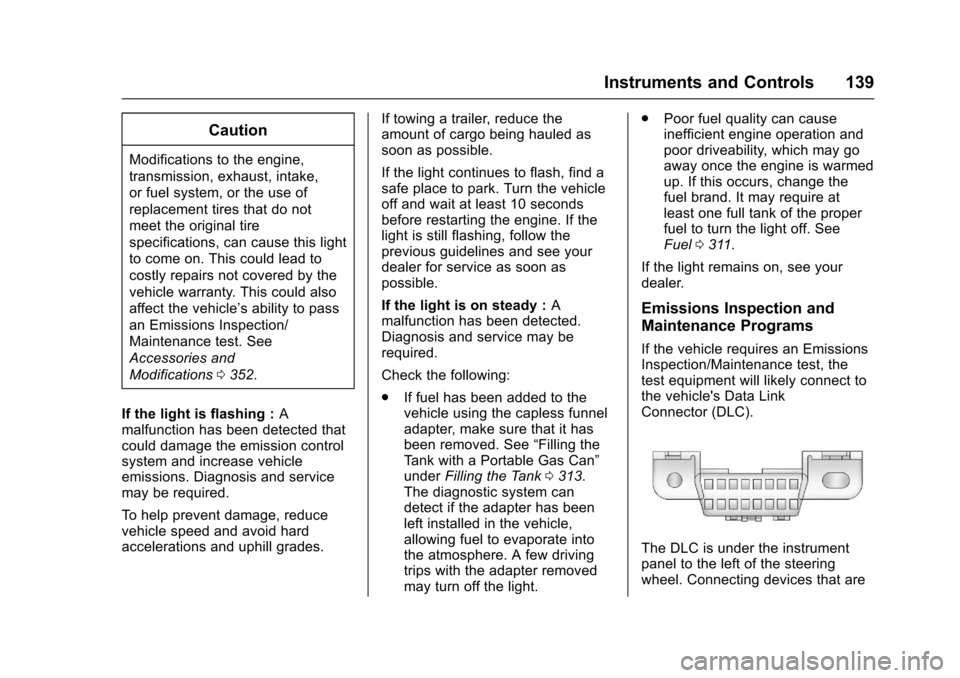
If the vehicle requires an EmissionsInspection/Maintenance test, thetest equipment will likely connect tothe vehicle's Data LinkConnector (DLC).
The DLC is under the instrumentpanel to the left of the steeringwheel. Connecting devices that are
Page 142 of 509
Chevrolet Silverado Owner Manual (GMNA-Localizing-U.S./Canada/Mexico-9956065) - 2017 - CRC - 4/29/16
Instruments and Controls 141
Antilock Brake System
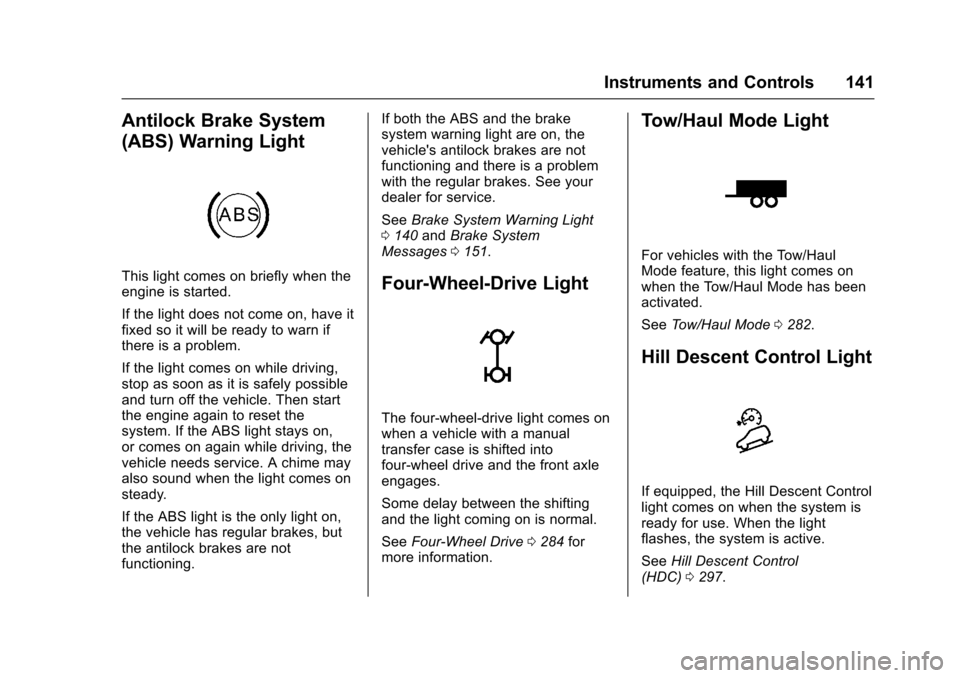
(ABS) Warning Light
This light comes on briefly when theengine is started.
If the light does not come on, have itfixed so it will be ready to warn ifthere is a problem.
If the light comes on while driving,stop as soon as it is safely possibleand turn off the vehicle. Then startthe engine again to reset thesystem. If the ABS light stays on,or comes on again while driving, thevehicle needs service. A chime mayalso sound when the light comes onsteady.
If the ABS light is the only light on,the vehicle has regular brakes, butthe antilock brakes are notfunctioning.
If both the ABS and the brakesystem warning light are on, thevehicle's antilock brakes are notfunctioning and there is a problemwith the regular brakes. See yourdealer for service.
SeeBrake System Warning Light0140andBrake SystemMessages0151.
Four-Wheel-Drive Light
The four-wheel-drive light comes onwhen a vehicle with a manualtransfer case is shifted intofour-wheel drive and the front axleengages.
Some delay between the shiftingand the light coming on is normal.
SeeFour-Wheel Drive0284formore information.
Tow/Haul Mode Light
For vehicles with the Tow/HaulMode feature, this light comes onwhen the Tow/Haul Mode has beenactivated.
SeeTo w / H a u l M o d e0282.
Hill Descent Control Light
If equipped, the Hill Descent Controllight comes on when the system isready for use. When the lightflashes, the system is active.
SeeHill Descent Control(HDC)0297.
Page 143 of 509
Chevrolet Silverado Owner Manual (GMNA-Localizing-U.S./Canada/Mexico-9956065) - 2017 - CRC - 4/29/16
142 Instruments and Controls
Lane Departure Warning
(LDW) Light (2500/3500
Series)
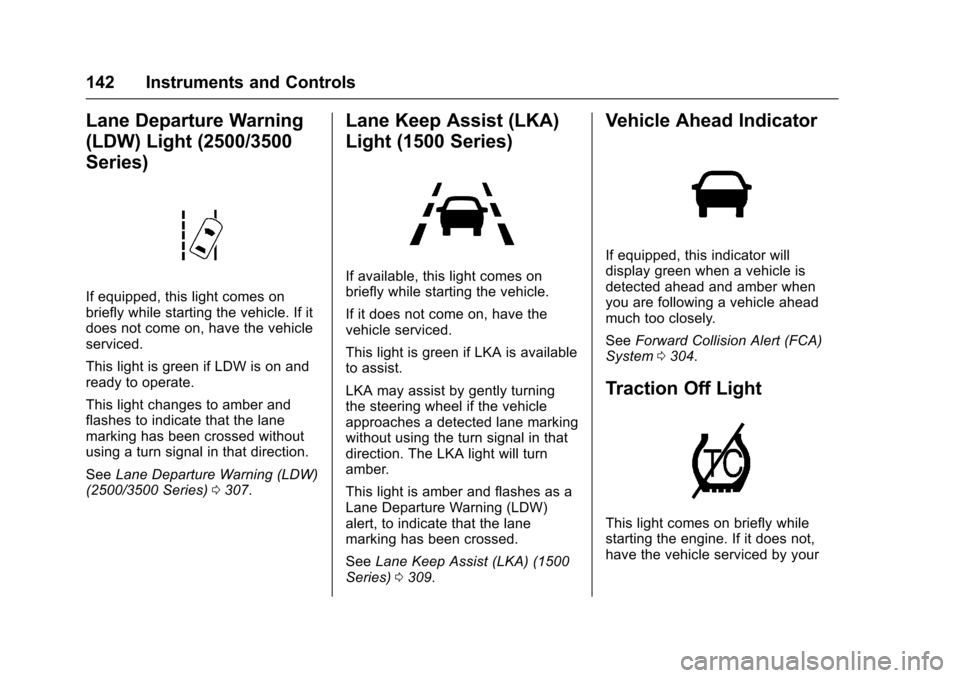
If equipped, this light comes onbriefly while starting the vehicle. If itdoes not come on, have the vehicleserviced.
This light is green if LDW is on andready to operate.
This light changes to amber andflashes to indicate that the lanemarking has been crossed withoutusing a turn signal in that direction.
SeeLane Departure Warning (LDW)(2500/3500 Series)0307.
Lane Keep Assist (LKA)
Light (1500 Series)
If available, this light comes onbriefly while starting the vehicle.
If it does not come on, have thevehicle serviced.
This light is green if LKA is availableto assist.
LKA may assist by gently turningthe steering wheel if the vehicleapproaches a detected lane markingwithout using the turn signal in thatdirection. The LKA light will turnamber.
This light is amber and flashes as aLane Departure Warning (LDW)alert, to indicate that the lanemarking has been crossed.
SeeLane Keep Assist (LKA) (1500Series)0309.
Vehicle Ahead Indicator
If equipped, this indicator willdisplay green when a vehicle isdetected ahead and amber whenyou are following a vehicle aheadmuch too closely.
SeeForward Collision Alert (FCA)System0304.
Traction Off Light
This light comes on briefly whilestarting the engine. If it does not,have the vehicle serviced by your
Page 144 of 509
Chevrolet Silverado Owner Manual (GMNA-Localizing-U.S./Canada/Mexico-9956065) - 2017 - CRC - 4/29/16
Instruments and Controls 143
dealer. If the system is workingnormally, the indicator light thenturns off.
The traction off light comes on whenthe Traction Control System (TCS)has been turned off by pressing andreleasing the TCS/StabiliTrakbutton.
This light and the StabiliTrak OFFlight come on when StabiliTrak isturned off.
If the TCS is off, wheel spin is notlimited. Adjust driving accordingly.
SeeTr a c t i o n C o n t r o l / E l e c t r o n i cStability Control0295.
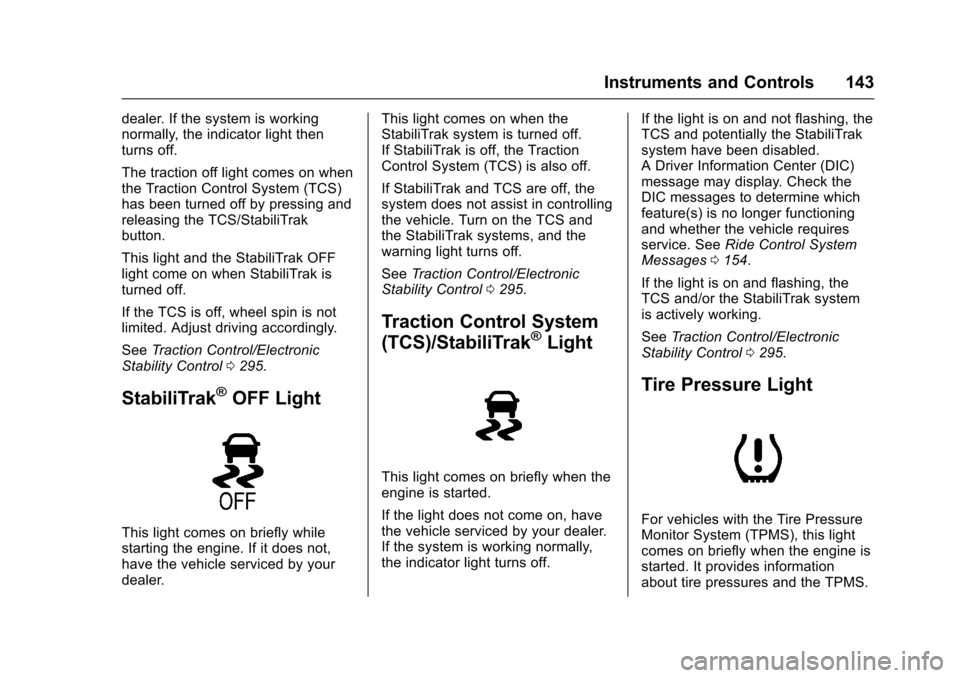
StabiliTrak®OFF Light
This light comes on briefly whilestarting the engine. If it does not,have the vehicle serviced by yourdealer.
This light comes on when theStabiliTrak system is turned off.If StabiliTrak is off, the TractionControl System (TCS) is also off.
If StabiliTrak and TCS are off, thesystem does not assist in controllingthe vehicle. Turn on the TCS andthe StabiliTrak systems, and thewarning light turns off.
SeeTr a c t i o n C o n t r o l / E l e c t r o n i cStability Control0295.
Traction Control System
(TCS)/StabiliTrak®Light
This light comes on briefly when theengine is started.
If the light does not come on, havethe vehicle serviced by your dealer.If the system is working normally,the indicator light turns off.
If the light is on and not flashing, theTCS and potentially the StabiliTraksystem have been disabled.ADriverInformationCenter(DIC)message may display. Check theDIC messages to determine whichfeature(s) is no longer functioningand whether the vehicle requiresservice. SeeRide Control SystemMessages0154.
If the light is on and flashing, theTCS and/or the StabiliTrak systemis actively working.
SeeTr a c t i o n C o n t r o l / E l e c t r o n i cStability Control0295.
Tire Pressure Light
For vehicles with the Tire PressureMonitor System (TPMS), this lightcomes on briefly when the engine isstarted. It provides informationabout tire pressures and the TPMS.
Page 148 of 509
Chevrolet Silverado Owner Manual (GMNA-Localizing-U.S./Canada/Mexico-9956065) - 2017 - CRC - 4/29/16
Instruments and Controls 147
Transmission Fluid Temperature
The temperature of the automatictransmission fluid displays in eitherdegrees Celsius (°C) or degreesFahrenheit (°F).
Trailer Brake
On vehicles with the IntegratedTrailer Brake Control (ITBC) system,turn the trip odometer reset stemuntil TRAILER GAIN and TRAILEROUTPUT displays.
TRAILER GAIN shows the TrailerGain setting. This setting can beadjusted from 0.0 to 10.0 with eitheratrailerconnectedordisconnected.
TRAILER OUTPUT shows thepower output to the trailer anytime atrailer with electric brakes isconnected. Output is displayed as abar graph. Dashes may appear inthe TRAILER OUTPUT display if atrailer is not connected.
Hourmeter
This display shows the total numberof hours the engine has run.
Unit
This will change the displays on theinstrument cluster and DIC to eithermetric or English (US)measurements. To change the units,press the trip odometer reset stemwhen UNITS is displayed to enterthe Unit menu. Turn the tripodometer reset stem to switchbetween English and metric. Pressthe trip odometer reset stem whenthe desired setting is displayed.
Compass
The vehicle may have a compass inthe Driver Information Center (DIC).SeeCompass0122.
Driver Information Center
(DIC) (Uplevel)
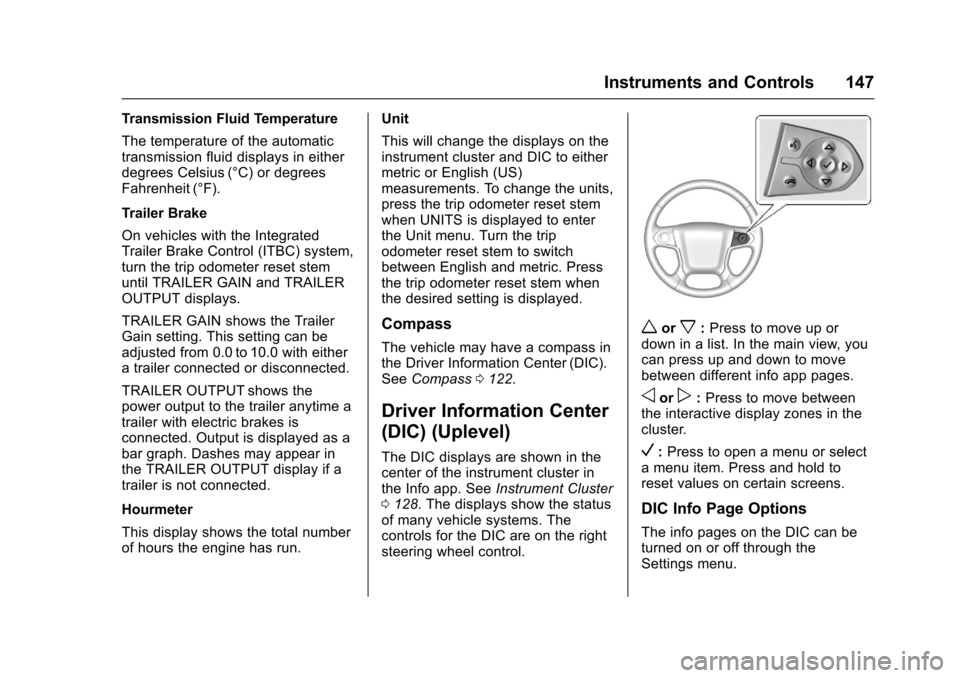
The DIC displays are shown in thecenter of the instrument cluster inthe Info app. SeeInstrument Cluster0128.Thedisplaysshowthestatusof many vehicle systems. Thecontrols for the DIC are on the rightsteering wheel control.
worx:Press to move up ordown in a list. In the main view, youcan press up and down to movebetween different info app pages.
oorp:Press to move betweenthe interactive display zones in thecluster.
V:Press to open a menu or selectamenuitem.Pressandholdtoreset values on certain screens.
DIC Info Page Options
The info pages on the DIC can beturned on or off through theSettings menu.