Infotainment CHEVROLET SILVERADO 2020 Owner's Guide
[x] Cancel search | Manufacturer: CHEVROLET, Model Year: 2020, Model line: SILVERADO, Model: CHEVROLET SILVERADO 2020Pages: 495, PDF Size: 8.09 MB
Page 459 of 495
Chevrolet Silverado Owner Manual (GMNA-Localizing-U.S./Canada/Mexico-
13337620) - 2020 - CTC - 1/27/20
458 Customer Information
Customer
Information
Customer Information
Customer SatisfactionProcedure . . . . . . . . . . . . . . . . . . . 458
Customer Assistance Offices . . . . . . . . . . . . . . . . . . . . . . 460
Customer Assistance for Text Telephone (TTY) Users . . . . . 461
Online Owner Center . . . . . . . . . 461
GM Mobility Reimbursement Program . . . . . . . . . . . . . . . . . . . . 462
Roadside Assistance Program . . . . . . . . . . . . . . . . . . . . 462
Scheduling Service Appointments . . . . . . . . . . . . . . . 464
Courtesy Transportation Program . . . . . . . . . . . . . . . . . . . . 464
Collision Damage Repair . . . . . 465
Publication Ordering Information . . . . . . . . . . . . . . . . . . 467
Radio Frequency Statement . . . . . . . . . . . . . . . . . . . 468
Reporting Safety Defects
Reporting Safety Defects tothe United States
Government . . . . . . . . . . . . . . . . . 468
Reporting Safety Defects to the Canadian
Government . . . . . . . . . . . . . . . . . 469
Reporting Safety Defects to General Motors . . . . . . . . . . . . . 469
Vehicle Data Recording and
Privacy
Vehicle Data Recording andPrivacy . . . . . . . . . . . . . . . . . . . . . . 470
Cybersecurity . . . . . . . . . . . . . . . . . 470
Event Data Recorders . . . . . . . . 470
OnStar . . . . . . . . . . . . . . . . . . . . . . . 471
Infotainment System . . . . . . . . . . 471
Customer Information
Customer Satisfaction
Procedure
Your satisfaction and goodwill are
important to your dealer and to
Chevrolet. Normally, any concerns
with the sales transaction or the
operation of the vehicle will be
resolved by your dealer's sales or
service departments. Sometimes,
however, despite the best intentions
of all concerned, misunderstandings
can occur. If your concern has not
been resolved to your satisfaction,
the following steps should be taken:
STEP ONE : Discuss your concern
with a member of dealership
management. Normally, concerns
can be quickly resolved at that level.
If the matter has already been
reviewed with the sales, service,
or parts manager, contact the owner
of your dealership or the general
manager.
STEP TWO : If after contacting a
member of dealership management,
it appears your concern cannot be
Page 468 of 495
Chevrolet Silverado Owner Manual (GMNA-Localizing-U.S./Canada/Mexico-
13337620) - 2020 - CTC - 1/27/20
Customer Information 467
.Vehicle make, model, and
model year
. Vehicle Identification
Number (VIN)
. Insurance company and policy
number
. General description of the
damage to the other vehicle
Choose a reputable repair facility
that uses quality replacement parts.
See “Collision Parts” earlier in this
section.
If the airbag has inflated, see What
Will You See after an Airbag
Inflates? 074.
Managing the Vehicle Damage
Repair Process
In the event that the vehicle requires
damage repairs, GM recommends
that you take an active role in its
repair. If you have a pre-determined
repair facility of choice, take the
vehicle there, or have it towed there.
Specify to the facility that any
required replacement collision parts
be original equipment parts, either
new Genuine GM parts or recycled original GM parts. Remember,
recycled parts will not be covered by
the GM vehicle warranty.
Insurance pays the bill for the repair,
but you must live with the repair.
Depending on your policy limits,
your insurance company may
initially value the repair using
aftermarket parts. Discuss this with
the repair professional, and insist on
Genuine GM parts. Remember,
if the vehicle is leased, you may be
obligated to have the vehicle
repaired with Genuine GM parts,
even if your insurance coverage
does not pay the full cost.
If another party's insurance
company is paying for the repairs,
you are not obligated to accept a
repair valuation based on that
insurance company's collision policy
repair limits, as you have no
contractual limits with that company.
In such cases, you can have control
of the repair and parts choices as
long as the cost stays within
reasonable limits.
Publication Ordering
Information
Service Manuals
Service manuals have the diagnosis
and repair information on the
engine, transmission, axle,
suspension, brakes, electrical
system, steering system, body, etc.
Customer Literature
Owner
’s manuals are written
specifically for owners and are
intended to provide basic
operational information about the
vehicle. The owner ’s manual
includes the Maintenance Schedule
for all models.
Customer literature publications
available for purchase include
owner ’s manuals, warranty
manuals, infotainment manuals, and
portfolios. Portfolios include an
owner ’s manual, warranty manual,
infotainment manual, if applicable,
and zip lock bag or pouch.
Page 472 of 495
Chevrolet Silverado Owner Manual (GMNA-Localizing-U.S./Canada/Mexico-
13337620) - 2020 - CTC - 1/27/20
Customer Information 471
.Whether or not the driver and
passenger safety belts were
buckled/fastened;
. How far (if at all) the driver was
depressing the accelerator and/
or brake pedal; and,
. How fast the vehicle was
traveling.
These data can help provide a
better understanding of the
circumstances in which crashes and
injuries occur.
Note
EDR data are recorded by your
vehicle only if a non-trivial crash
situation occurs; no data are
recorded by the EDR under normal
driving conditions and no personal
data (e.g., name, gender, age, and
crash location) are recorded.
However, other parties, such as law
enforcement, could combine the
EDR data with the type of
personally identifying data routinely
acquired during a crash
investigation. To read data recorded by an EDR,
special equipment is required, and
access to the vehicle or the EDR is
needed. In addition to the vehicle
manufacturer, other parties, such as
law enforcement, that have the
special equipment, can read the
information if they have access to
the vehicle or the EDR.
GM will not access these data or
share it with others except: with the
consent of the vehicle owner or,
if the vehicle is leased, with the
consent of the lessee; in response
to an official request by police or
similar government office; as part of
GM's defense of litigation through
the discovery process; or, as
required by law. Data that GM
collects or receives may also be
used for GM research needs or may
be made available to others for
research purposes, where a need is
shown and the data is not tied to a
specific vehicle or vehicle owner.OnStar
If the vehicle is equipped with
OnStar and has an active service
plan, additional data may be
collected and transmitted through
the OnStar system. This includes
information about the vehicle’s
operation; collisions involving the
vehicle; the use of the vehicle and
its features, including infotainment;
and the location and approximate
GPS speed of the vehicle. Refer to
the OnStar Terms and Conditions
and Privacy Statement on the
OnStar website.
See
OnStar Additional Information
0 474.
Infotainment System
If the vehicle is equipped with a
navigation system as part of the
infotainment system, use of the
system may result in the storage of
destinations, addresses, telephone
numbers, and other trip information.
See the infotainment manual for
information on stored data and for
deletion instructions.
Page 474 of 495
Chevrolet Silverado Owner Manual (GMNA-Localizing-U.S./Canada/Mexico-
13337620) - 2020 - CTC - 1/27/20
OnStar 473
Press=to:
. Open the OnStar app on the
infotainment display. See the
infotainment manual for
information on how to use the
OnStar app.
Or
. Give OnStar Turn-by-Turn
Navigation voice commands.
. Obtain and customize the Wi-Fi
hotspot name or SSID and
password, if equipped.
Press
Qto connect to an
Advisor to:
. Verify account information or
update contact information.
. Get driving directions.
. Receive a Diagnostic check of
the vehicle's key operating
systems. .
Receive Roadside Assistance.
. Manage Wi-Fi Settings,
if equipped.
Press
>to get a priority connection
to an OnStar Advisor available 24/
7 to:
. Get help for an emergency.
. Be a Good Samaritan or
respond to an AMBER Alert.
. Get assistance in severe
weather or other crisis situations
and find evacuation routes.
OnStar Services
Emergency
Emergency Services require an
active safety and security plan. With
Automatic Crash Response, built-in
sensors can automatically alert a
specially trained OnStar Advisor
who is immediately connected in to
the vehicle to help.
Press
>for a priority connection to
an OnStar Advisor who can contact
emergency service providers, direct
them to your exact location, and
relay important information.
With OnStar Crisis Assist, specially
trained Advisors are available
24 hours a day, 7 days a week, to
provide a central point of contact,
assistance, and information during a
crisis.
With Roadside Assistance, Advisors
can locate a nearby service provider
to help with a flat tire, a battery
jump, or an empty gas tank.
Page 476 of 495
Chevrolet Silverado Owner Manual (GMNA-Localizing-U.S./Canada/Mexico-
13337620) - 2020 - CTC - 1/27/20
OnStar 475
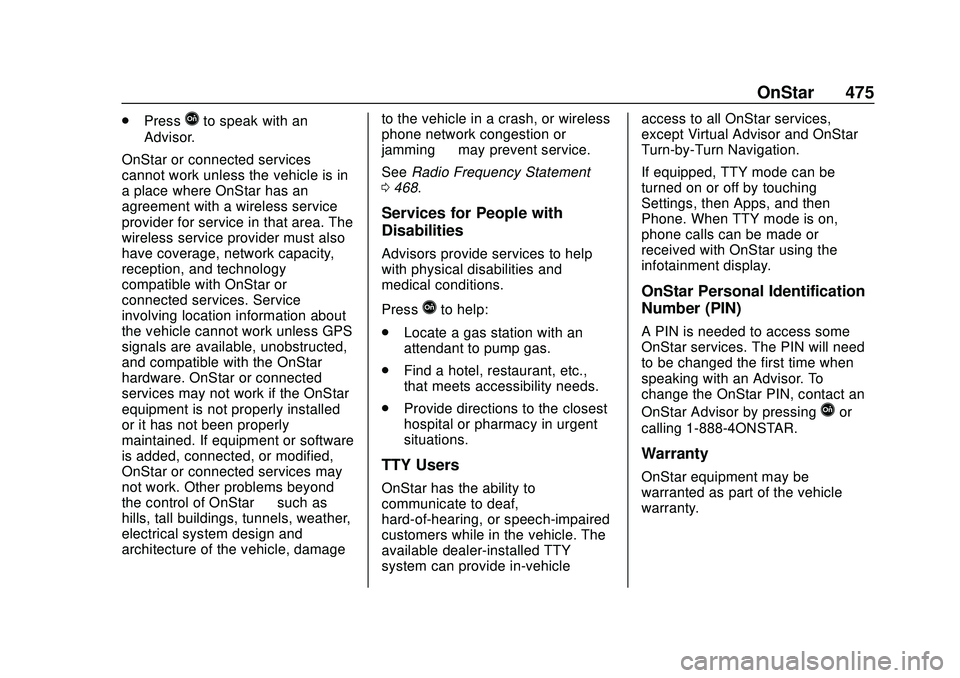
.PressQto speak with an
Advisor.
OnStar or connected services
cannot work unless the vehicle is in
a place where OnStar has an
agreement with a wireless service
provider for service in that area. The
wireless service provider must also
have coverage, network capacity,
reception, and technology
compatible with OnStar or
connected services. Service
involving location information about
the vehicle cannot work unless GPS
signals are available, unobstructed,
and compatible with the OnStar
hardware. OnStar or connected
services may not work if the OnStar
equipment is not properly installed
or it has not been properly
maintained. If equipment or software
is added, connected, or modified,
OnStar or connected services may
not work. Other problems beyond
the control of OnStar —such as
hills, tall buildings, tunnels, weather,
electrical system design and
architecture of the vehicle, damage to the vehicle in a crash, or wireless
phone network congestion or
jamming
—may prevent service.
See Radio Frequency Statement
0 468.
Services for People with
Disabilities
Advisors provide services to help
with physical disabilities and
medical conditions.
Press
Qto help:
. Locate a gas station with an
attendant to pump gas.
. Find a hotel, restaurant, etc.,
that meets accessibility needs.
. Provide directions to the closest
hospital or pharmacy in urgent
situations.
TTY Users
OnStar has the ability to
communicate to deaf,
hard-of-hearing, or speech-impaired
customers while in the vehicle. The
available dealer-installed TTY
system can provide in-vehicle access to all OnStar services,
except Virtual Advisor and OnStar
Turn-by-Turn Navigation.
If equipped, TTY mode can be
turned on or off by touching
Settings, then Apps, and then
Phone. When TTY mode is on,
phone calls can be made or
received with OnStar using the
infotainment display.
OnStar Personal Identification
Number (PIN)
A PIN is needed to access some
OnStar services. The PIN will need
to be changed the first time when
speaking with an Advisor. To
change the OnStar PIN, contact an
OnStar Advisor by pressing
Qor
calling 1-888-4ONSTAR.
Warranty
OnStar equipment may be
warranted as part of the vehicle
warranty.
Page 479 of 495
Chevrolet Silverado Owner Manual (GMNA-Localizing-U.S./Canada/Mexico-
13337620) - 2020 - CTC - 1/27/20
478 Connected Services
Connected
Services
Connected Services
Navigation . . . . . . . . . . . . . . . . . . . . 478
Connections . . . . . . . . . . . . . . . . . . 479
Diagnostics . . . . . . . . . . . . . . . . . . . 480
Connected Services
Navigation
Navigation requires a specific
OnStar or connected service plan.
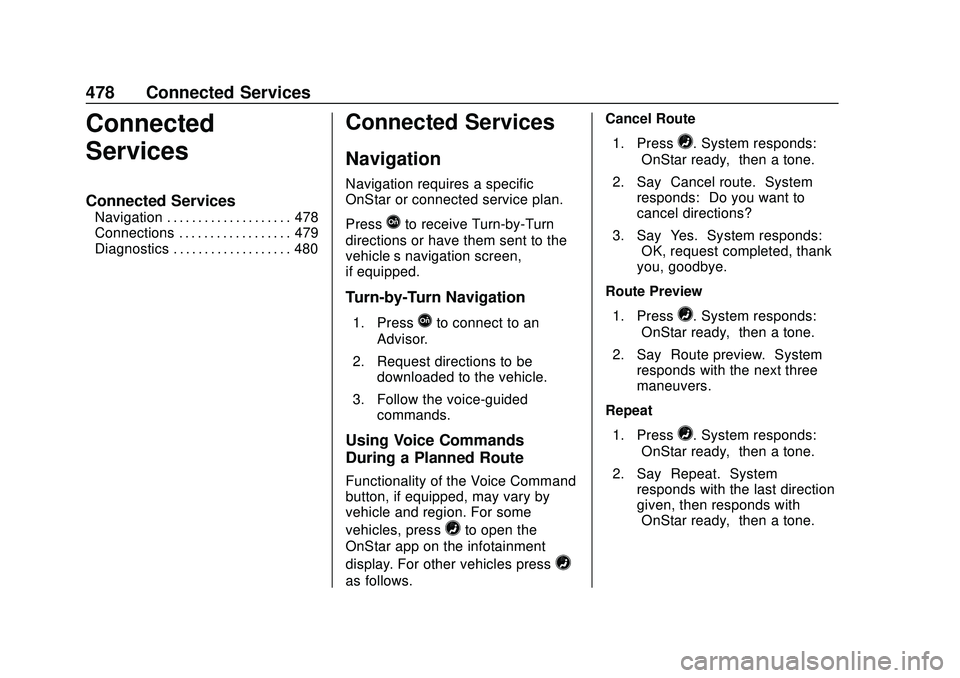
Press
Qto receive Turn-by-Turn
directions or have them sent to the
vehicle’s navigation screen,
if equipped.
Turn-by-Turn Navigation
1. PressQto connect to an
Advisor.
2. Request directions to be downloaded to the vehicle.
3. Follow the voice-guided commands.
Using Voice Commands
During a Planned Route
Functionality of the Voice Command
button, if equipped, may vary by
vehicle and region. For some
vehicles, press
=to open the
OnStar app on the infotainment
display. For other vehicles press
=
as follows. Cancel Route
1. Press
=. System responds:
“OnStar ready,” then a tone.
2. Say “Cancel route.” System
responds: “Do you want to
cancel directions?”
3. Say “Yes.”System responds:
“OK, request completed, thank
you, goodbye.”
Route Preview
1. Press
=. System responds:
“OnStar ready,” then a tone.
2. Say “Route preview.” System
responds with the next three
maneuvers.
Repeat
1. Press
=. System responds:
“OnStar ready,” then a tone.
2. Say “Repeat.” System
responds with the last direction
given, then responds with
“OnStar ready,” then a tone.
Page 480 of 495
Chevrolet Silverado Owner Manual (GMNA-Localizing-U.S./Canada/Mexico-
13337620) - 2020 - CTC - 1/27/20
Connected Services 479
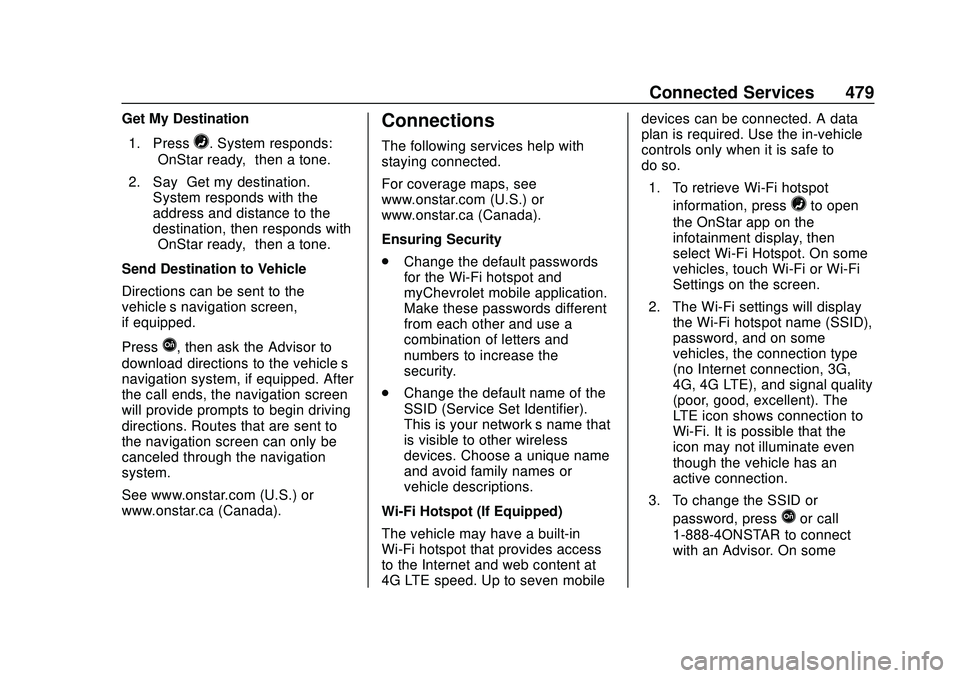
Get My Destination1. Press
=. System responds:
“OnStar ready,” then a tone.
2. Say “Get my destination.”
System responds with the
address and distance to the
destination, then responds with
“OnStar ready,” then a tone.
Send Destination to Vehicle
Directions can be sent to the
vehicle’s navigation screen,
if equipped.
Press
Q, then ask the Advisor to
download directions to the vehicle’s
navigation system, if equipped. After
the call ends, the navigation screen
will provide prompts to begin driving
directions. Routes that are sent to
the navigation screen can only be
canceled through the navigation
system.
See www.onstar.com (U.S.) or
www.onstar.ca (Canada).
Connections
The following services help with
staying connected.
For coverage maps, see
www.onstar.com (U.S.) or
www.onstar.ca (Canada).
Ensuring Security
. Change the default passwords
for the Wi-Fi hotspot and
myChevrolet mobile application.
Make these passwords different
from each other and use a
combination of letters and
numbers to increase the
security.
. Change the default name of the
SSID (Service Set Identifier).
This is your network’s name that
is visible to other wireless
devices. Choose a unique name
and avoid family names or
vehicle descriptions.
Wi-Fi Hotspot (If Equipped)
The vehicle may have a built-in
Wi-Fi hotspot that provides access
to the Internet and web content at
4G LTE speed. Up to seven mobile devices can be connected. A data
plan is required. Use the in-vehicle
controls only when it is safe to
do so.
1. To retrieve Wi-Fi hotspot information, press
=to open
the OnStar app on the
infotainment display, then
select Wi-Fi Hotspot. On some
vehicles, touch Wi-Fi or Wi-Fi
Settings on the screen.
2. The Wi-Fi settings will display the Wi-Fi hotspot name (SSID),
password, and on some
vehicles, the connection type
(no Internet connection, 3G,
4G, 4G LTE), and signal quality
(poor, good, excellent). The
LTE icon shows connection to
Wi-Fi. It is possible that the
icon may not illuminate even
though the vehicle has an
active connection.
3. To change the SSID or password, press
Qor call
1-888-4ONSTAR to connect
with an Advisor. On some
Page 485 of 495
Chevrolet Silverado Owner Manual (GMNA-Localizing-U.S./Canada/Mexico-
13337620) - 2020 - CTC - 1/27/20
484 Index
Data CollectionInfotainment System . . . . . . . . . . 471
OnStar . . . . . . . . . . . . . . . . . . . . . . . 471
Data Recorders, Event . . . . . . . . . 470
Daytime Running Lamps (DRL) . . . . . . . . . . . . . . . . . . 165
Defensive Driving . . . . . . . . . . . . . . . 184
Delayed Locking . . . . . . . . . . . . . . . . . 27
Diagnostics
Connected Services . . . . . . . . . . 480
Differential, Limited-Slip . . . . . . . . 239
Distracted Driving . . . . . . . . . . . . . . . 184
Dome Lamps . . . . . . . . . . . . . . . . . . . 170
Door
Ajar Light . . . . . . . . . . . . . . . . . . . . . 144
Delayed Locking . . . . . . . . . . . . . . . . 27
Locks . . . . . . . . . . . . . . . . . . . . . . . . . . . 26
Power Locks . . . . . . . . . . . . . . . . . . . . 27
Drive Belt Routing, Engine . . . . . . 457
Driver Assistance Systems . . . . . 252
Driver Information Center (DIC) . . . . . . . . . . . . . 145, 146
Driver Mode Control . . . . . . . . . . . . 234
Driver Mode Control Light . . . . . . 142
Driving Assistance Systems . . . . . . . . . . 264
Better Fuel Economy . . . . . . . . . 183 Driving (cont'd)
Characteristics and
Towing Tips . . . . . . . . . . . . . . . . . 283
Defensive . . . . . . . . . . . . . . . . . . . . . 184
Drunk . . . . . . . . . . . . . . . . . . . . . . . . . 185
Hill and Mountain Roads . . . . . . 194
If the Vehicle is Stuck . . . . . . . . . 196
Loss of Control . . . . . . . . . . . . . . . 187
Off-Road . . . . . . . . . . . . . . . . . . . . . 188
Off-Road Recovery . . . . . . . . . . . 187
Vehicle Load Limits . . . . . . . . . . . 197
Wet Roads . . . . . . . . . . . . . . . . . . . 193
Winter . . . . . . . . . . . . . . . . . . . . . . . . 194
Dual Automatic Climate Control System . . . . . . . . . . . . . . . . 176
E
E85 or FlexFuel . . . . . . . . . . . . . . . . 278
Electric Brake Boost . . . . . . . . . . . . 228
Electric Parking Brake . . . . . . . . . . 229
Electric Parking Brake Light . . . . 137
Electrical Equipment,Add-On . . . . . . . . . . . . . . . . . . . . . . . 318
Electrical System Engine Compartment FuseBlock . . . . . . . . . . . . . . . . . . . . . . . . 367
Fuses and Circuit Breakers . . . 366 Electrical System (cont'd)
Instrument Panel Fuse
Block . . . . . . . . . . . . . . . . . . . 370, 372
Overload . . . . . . . . . . . . . . . . . . . . . 366
Electronic Stability Control (ESC) Off Light . . . . . . . . . . . . . . . . 141
Emergency
OnStar . . . . . . . . . . . . . . . . . . . . . . . 473
Engine Air Cleaner/Filter . . . . . . . . . . . . . 340
Check Light (MalfunctionIndicator) . . . . . . . . . . . . . . . . . . . . 135
Compartment Overview . . . . . . . 328
Coolant Temperature Gauge . . . . . . . . . . . . . . . . . . . . . . 131
Coolant Temperature
Warning Light . . . . . . . . . . . . . . . 141
Cooling System . . . . . . . . . . . . . . . 342
Drive Belt Routing . . . . . . . . . . . . 457
Exhaust . . . . . . . . . . . . . . . . . . . . . . 216
Fan . . . . . . . . . . . . . . . . . . . . . . . . . . . 349
Heater . . . . . . . . . . . . . . . . . . . . . . . . .211
Oil Life System . . . . . . . . . . . . . . . 337
Oil Pressure Gauge . . . . . . . . . . 130
Oil Pressure Light . . . . . . . . . . . . 143
Overheated Protection Operating Mode . . . . . . . . . . . . . 348
Overheating . . . . . . . . . . . . . . . . . . 347
Page 487 of 495
Chevrolet Silverado Owner Manual (GMNA-Localizing-U.S./Canada/Mexico-
13337620) - 2020 - CTC - 1/27/20
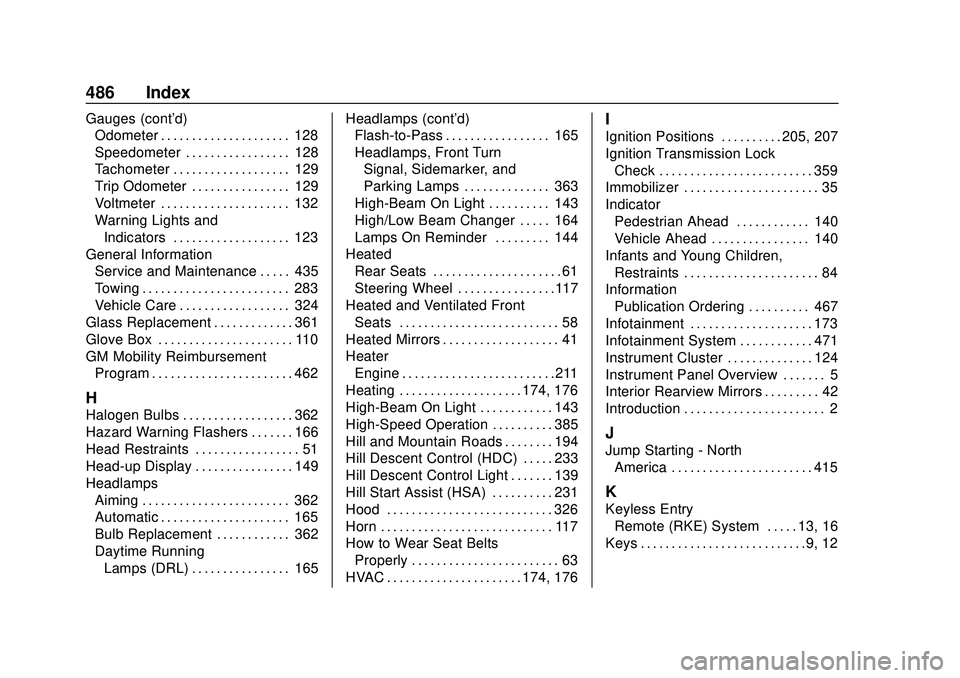
486 Index
Gauges (cont'd)Odometer . . . . . . . . . . . . . . . . . . . . . 128
Speedometer . . . . . . . . . . . . . . . . . 128
Tachometer . . . . . . . . . . . . . . . . . . . 129
Trip Odometer . . . . . . . . . . . . . . . . 129
Voltmeter . . . . . . . . . . . . . . . . . . . . . 132
Warning Lights and
Indicators . . . . . . . . . . . . . . . . . . . 123
General Information Service and Maintenance . . . . . 435
Towing . . . . . . . . . . . . . . . . . . . . . . . . 283
Vehicle Care . . . . . . . . . . . . . . . . . . 324
Glass Replacement . . . . . . . . . . . . . 361
Glove Box . . . . . . . . . . . . . . . . . . . . . . 110
GM Mobility Reimbursement Program . . . . . . . . . . . . . . . . . . . . . . . 462
H
Halogen Bulbs . . . . . . . . . . . . . . . . . . 362
Hazard Warning Flashers . . . . . . . 166
Head Restraints . . . . . . . . . . . . . . . . . 51
Head-up Display . . . . . . . . . . . . . . . . 149
Headlamps
Aiming . . . . . . . . . . . . . . . . . . . . . . . . 362
Automatic . . . . . . . . . . . . . . . . . . . . . 165
Bulb Replacement . . . . . . . . . . . . 362
Daytime RunningLamps (DRL) . . . . . . . . . . . . . . . . 165 Headlamps (cont'd)
Flash-to-Pass . . . . . . . . . . . . . . . . . 165
Headlamps, Front Turn
Signal, Sidemarker, and
Parking Lamps . . . . . . . . . . . . . . 363
High-Beam On Light . . . . . . . . . . 143
High/Low Beam Changer . . . . . 164
Lamps On Reminder . . . . . . . . . 144
Heated Rear Seats . . . . . . . . . . . . . . . . . . . . . 61
Steering Wheel . . . . . . . . . . . . . . . .117
Heated and Ventilated Front
Seats . . . . . . . . . . . . . . . . . . . . . . . . . . 58
Heated Mirrors . . . . . . . . . . . . . . . . . . . 41
Heater Engine . . . . . . . . . . . . . . . . . . . . . . . . .211
Heating . . . . . . . . . . . . . . . . . . . . 174, 176
High-Beam On Light . . . . . . . . . . . . 143
High-Speed Operation . . . . . . . . . . 385
Hill and Mountain Roads . . . . . . . . 194
Hill Descent Control (HDC) . . . . . 233
Hill Descent Control Light . . . . . . . 139
Hill Start Assist (HSA) . . . . . . . . . . 231
Hood . . . . . . . . . . . . . . . . . . . . . . . . . . . 326
Horn . . . . . . . . . . . . . . . . . . . . . . . . . . . . 117
How to Wear Seat Belts Properly . . . . . . . . . . . . . . . . . . . . . . . . 63
HVAC . . . . . . . . . . . . . . . . . . . . . . 174, 176
I
Ignition Positions . . . . . . . . . . 205, 207
Ignition Transmission Lock Check . . . . . . . . . . . . . . . . . . . . . . . . . 359
Immobilizer . . . . . . . . . . . . . . . . . . . . . . 35
Indicator
Pedestrian Ahead . . . . . . . . . . . . 140
Vehicle Ahead . . . . . . . . . . . . . . . . 140
Infants and Young Children, Restraints . . . . . . . . . . . . . . . . . . . . . . 84
Information Publication Ordering . . . . . . . . . . 467
Infotainment . . . . . . . . . . . . . . . . . . . . 173
Infotainment System . . . . . . . . . . . . 471
Instrument Cluster . . . . . . . . . . . . . . 124
Instrument Panel Overview . . . . . . . 5
Interior Rearview Mirrors . . . . . . . . . 42
Introduction . . . . . . . . . . . . . . . . . . . . . . . 2
J
Jump Starting - North America . . . . . . . . . . . . . . . . . . . . . . . 415
K
Keyless EntryRemote (RKE) System . . . . . 13, 16
Keys . . . . . . . . . . . . . . . . . . . . . . . . . . .9, 12
Page 492 of 495
Chevrolet Silverado Owner Manual (GMNA-Localizing-U.S./Canada/Mexico-
13337620) - 2020 - CTC - 1/27/20
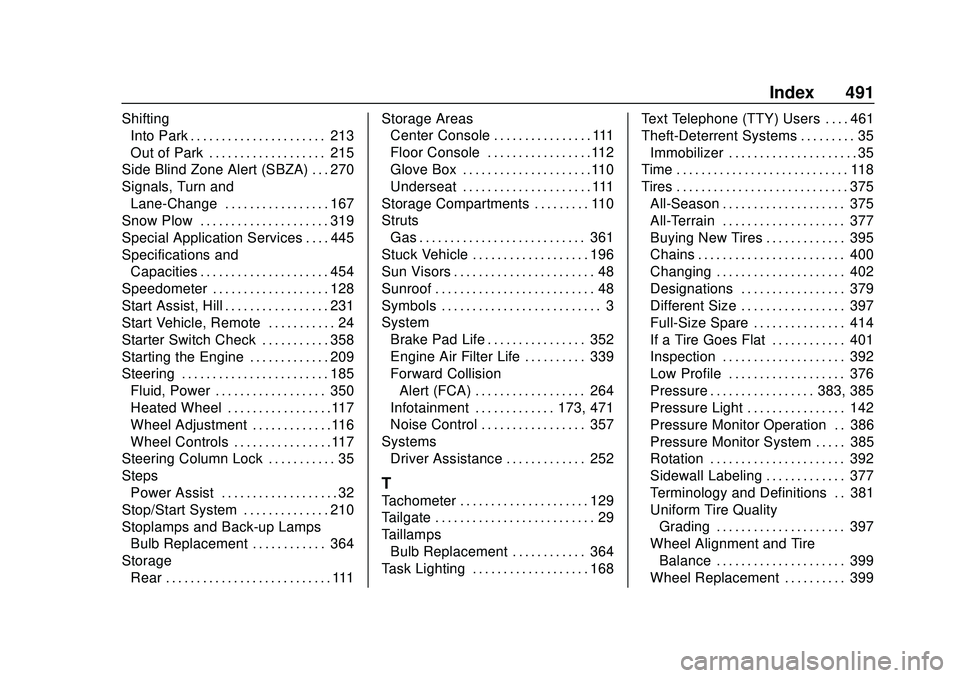
Index 491
ShiftingInto Park . . . . . . . . . . . . . . . . . . . . . . 213
Out of Park . . . . . . . . . . . . . . . . . . . 215
Side Blind Zone Alert (SBZA) . . . 270
Signals, Turn and Lane-Change . . . . . . . . . . . . . . . . . 167
Snow Plow . . . . . . . . . . . . . . . . . . . . . 319
Special Application Services . . . . 445
Specifications and
Capacities . . . . . . . . . . . . . . . . . . . . . 454
Speedometer . . . . . . . . . . . . . . . . . . . 128
Start Assist, Hill . . . . . . . . . . . . . . . . . 231
Start Vehicle, Remote . . . . . . . . . . . 24
Starter Switch Check . . . . . . . . . . . 358
Starting the Engine . . . . . . . . . . . . . 209
Steering . . . . . . . . . . . . . . . . . . . . . . . . 185
Fluid, Power . . . . . . . . . . . . . . . . . . 350
Heated Wheel . . . . . . . . . . . . . . . . .117
Wheel Adjustment . . . . . . . . . . . . .116
Wheel Controls . . . . . . . . . . . . . . . .117
Steering Column Lock . . . . . . . . . . . 35
Steps
Power Assist . . . . . . . . . . . . . . . . . . . 32
Stop/Start System . . . . . . . . . . . . . . 210
Stoplamps and Back-up Lamps Bulb Replacement . . . . . . . . . . . . 364
Storage Rear . . . . . . . . . . . . . . . . . . . . . . . . . . . 111 Storage Areas
Center Console . . . . . . . . . . . . . . . . 111
Floor Console . . . . . . . . . . . . . . . . .112
Glove Box . . . . . . . . . . . . . . . . . . . . .110
Underseat . . . . . . . . . . . . . . . . . . . . . 111
Storage Compartments . . . . . . . . . 110
Struts Gas . . . . . . . . . . . . . . . . . . . . . . . . . . . 361
Stuck Vehicle . . . . . . . . . . . . . . . . . . . 196
Sun Visors . . . . . . . . . . . . . . . . . . . . . . . 48
Sunroof . . . . . . . . . . . . . . . . . . . . . . . . . . 48
Symbols . . . . . . . . . . . . . . . . . . . . . . . . . . 3
System Brake Pad Life . . . . . . . . . . . . . . . . 352
Engine Air Filter Life . . . . . . . . . . 339
Forward CollisionAlert (FCA) . . . . . . . . . . . . . . . . . . 264
Infotainment . . . . . . . . . . . . . 173, 471
Noise Control . . . . . . . . . . . . . . . . . 357
Systems Driver Assistance . . . . . . . . . . . . . 252
T
Tachometer . . . . . . . . . . . . . . . . . . . . . 129
Tailgate . . . . . . . . . . . . . . . . . . . . . . . . . . 29
Taillamps
Bulb Replacement . . . . . . . . . . . . 364
Task Lighting . . . . . . . . . . . . . . . . . . . 168 Text Telephone (TTY) Users . . . . 461
Theft-Deterrent Systems . . . . . . . . . 35
Immobilizer . . . . . . . . . . . . . . . . . . . . . 35
Time . . . . . . . . . . . . . . . . . . . . . . . . . . . . 118
Tires . . . . . . . . . . . . . . . . . . . . . . . . . . . . 375 All-Season . . . . . . . . . . . . . . . . . . . . 375
All-Terrain . . . . . . . . . . . . . . . . . . . . 377
Buying New Tires . . . . . . . . . . . . . 395
Chains . . . . . . . . . . . . . . . . . . . . . . . . 400
Changing . . . . . . . . . . . . . . . . . . . . . 402
Designations . . . . . . . . . . . . . . . . . 379
Different Size . . . . . . . . . . . . . . . . . 397
Full-Size Spare . . . . . . . . . . . . . . . 414
If a Tire Goes Flat . . . . . . . . . . . . 401
Inspection . . . . . . . . . . . . . . . . . . . . 392
Low Profile . . . . . . . . . . . . . . . . . . . 376
Pressure . . . . . . . . . . . . . . . . . 383, 385
Pressure Light . . . . . . . . . . . . . . . . 142
Pressure Monitor Operation . . 386
Pressure Monitor System . . . . . 385
Rotation . . . . . . . . . . . . . . . . . . . . . . 392
Sidewall Labeling . . . . . . . . . . . . . 377
Terminology and Definitions . . 381
Uniform Tire QualityGrading . . . . . . . . . . . . . . . . . . . . . 397
Wheel Alignment and Tire Balance . . . . . . . . . . . . . . . . . . . . . 399
Wheel Replacement . . . . . . . . . . 399