stop start CHEVROLET SILVERADO EV 2024 User Guide
[x] Cancel search | Manufacturer: CHEVROLET, Model Year: 2024, Model line: SILVERADO EV, Model: CHEVROLET SILVERADO EV 2024Pages: 429, PDF Size: 8.98 MB
Page 183 of 429
Chevrolet Silverado EV Owner Manual (GMNA-Localizing-U.S./Canada-
16702912) - 2024 - CRC - 1/17/23
182 Driving and Operating
Keep the inside of the windows clean to
reduce fogging. Turn off the front defroster
and rear defogger when they are not
needed.
Avoid driving with the windows open at
highway speeds.
Use the battery gauge on the instrument
cluster to view the effect of climate control
settings on your estimated driving range.
SeeBattery Gauge (High Voltage) 0110.
Outside Temperature
In cold weather conditions, it is best to plug
in the vehicle overnight, then remote start
the vehicle.
Allow the vehicle to warm up for
20 minutes before driving.
If possible, use a level 2 (240 volt) high
power charge station for best results. This
allows the interior of the vehicle and high
voltage battery to warm to the optimal
temperature.
In colder temperatures, while these
efficiency tips will help, the driving range
will be lower due to higher energy usage
including energy spent heating the cabin.
Vehicle Charging/Maintenance
Charging
Keep the vehicle plugged in, even when fully
charged, to maintain the battery
temperature ready for the next drive. This is
important when outside temperatures are
extremely hot or cold.
Maintenance
Always keep the tires properly inflated and
aligned.
Avoid unnecessary use of electrical
accessories. Power used for functions other
than propelling the vehicle will reduce
driving range.
Cargo Weight
The weight of excess cargo in the vehicle
affects efficiency and driving range. Avoid
carrying more than is needed.
Using a rooftop carrier will reduce efficiency
due to additional weight and drag.
Distracted Driving
Distraction comes in many forms and can
take your focus from the task of driving.
Exercise good judgment and do not let other
activities divert your attention away from the road. Many local governments have
enacted laws regarding driver distraction.
Become familiar with the local laws in
your area.
To avoid distracted driving, keep your eyes
on the road, keep your hands on the
steering wheel, and focus your attention on
driving.
.Do not use a phone in demanding driving
situations. Use a hands-free method to
place or receive necessary phone calls.
.Watch the road. Do not read, take notes,
or look up information on phones or
other electronic devices.
.Designate a front seat passenger to
handle potential distractions.
.Become familiar with vehicle features
before driving, such as programming
favorite radio stations and adjusting
climate control and seat settings. Program
all trip information into any navigation
device prior to driving.
.Wait until the vehicle is parked to
retrieve items that have fallen to the
floor.
.Stop or park the vehicle to tend to
children.
Page 186 of 429
Chevrolet Silverado EV Owner Manual (GMNA-Localizing-U.S./Canada-
16702912) - 2024 - CRC - 1/17/23
Driving and Operating 185
The vehicle's right wheels can drop off the
edge of a road onto the shoulder while
driving. Follow these tips:1. Ease off the accelerator and then, if there is nothing in the way, steer the
vehicle so that it straddles the edge of
the pavement.
2. Turn the steering wheel about one-eighth of a turn, until the right front
tire contacts the pavement edge.
3. Turn the steering wheel to go straight down the roadway.
Loss of Control
Skidding
There are three types of skids that
correspond to the vehicle's three control
systems:
.Braking Skid —wheels are not rolling.
.Steering or Cornering Skid —too much
speed or steering in a curve causes tires
to slip and lose cornering force.
.Acceleration Skid —too much throttle
causes the driving wheels to spin.
Antilock brakes help to avoid only the
braking skid. Defensive drivers avoid most skids by taking
reasonable care suited to existing conditions,
and by not exceeding those conditions. But
skids are always possible.
If the vehicle starts to skid, follow these
suggestions:
.Ease your foot off the accelerator pedal
and steer the way you want the vehicle
to go. The vehicle may straighten out,
but if it skids again from oversteer, be
ready to correct another skid if it occurs.
.Slow down and adjust your driving
according to weather conditions. Stopping
distance may be longer and vehicle
control may be affected when traction is
reduced by water, snow, ice, gravel,
or other material on the road. Learn to
recognize warning clues
—such as
enough water, ice, or packed snow on the
road to make a mirrored surface —and
slow down when you have any doubt.
.Try to avoid sudden steering, acceleration,
or braking, including reducing vehicle
speed by shifting to a lower gear. Any
sudden changes could cause the tires to
slide.
Off-Road Driving
Four-wheel-drive vehicles can be used for
off-road driving. Vehicles without four-wheel
drive and vehicles not equipped with All
Terrain (AT) or On-Off Road (OOR) tires must
not be driven off-road except on a level,
solid surface. For contact information about
the original equipment tires, see the
warranty manual.
One of the best ways for successful off-road
driving is to control the speed.
{Warning
When driving off-road, bouncing and
quick changes in direction can easily
throw you out of position. This could
cause you to lose control and crash. You
and your passengers should always wear
seat belts.
Off-Road Vehicle Features
If equipped, the following off-road features
may be available:
.Four-Wheel Steering: Provides the ability
to steer the vehicle with all four wheels,
reducing the turning diameter and
improving maneuverability of the vehicle.
See Four-Wheel Steering 0210.
Page 188 of 429
Chevrolet Silverado EV Owner Manual (GMNA-Localizing-U.S./Canada-
16702912) - 2024 - CRC - 1/17/23
Driving and Operating 187
Warning (Continued)
another vehicle. You could be seriously
injured or killed. As you near the top of a
hill, slow down and stay alert.
.When possible, drive straight up or down
the hill.
.Slow down when approaching the top of
the hill.
.Use headlamps even during the day to
make the vehicle more visible.
.Never go downhill forward or backward
with the vehicle in N (Neutral). The brakes
could overheat and you could lose
control.
.When driving down a hill, keep the
vehicle headed straight down. Use L (Low)
mode to slow the vehicle and help keep
the vehicle under control.
{Warning
Do not coast downhill in N (Neutral) or
with the vehicle turned off. SeeHill and
Mountain Roads 0190 for tips on
maximizing regenerative braking and
minimizing the load on the brake system. (Continued)
Warning (Continued)
Heavy braking when going down a hill
can cause your brakes to overheat and
fade. This could cause loss of control and
you or others could be injured or killed.
Apply the brakes lightly when descending
a hill and use a low mode to keep vehicle
speed under control.
.Avoid turns that take the vehicle across
the incline of the hill. Driving across an
incline puts more weight on the downhill
wheels, which could cause a downhill
slide or a rollover.
.Loose gravel, muddy spots, or even wet
grass can cause the tires to slip sideways,
downhill. If the vehicle slips sideways, it
can hit an object or a rut and potentially
roll over.
.Hidden obstacles can make the steepness
of the incline more severe. If a rock is
driven across with the uphill wheels, or if
the downhill wheels drop into a rut or
depression, the vehicle can tilt even more.
.If an incline must be driven across, and
the vehicle starts to slide, turn downhill.
This should help straighten out the
vehicle and prevent side slipping.
{Warning
Getting out of the vehicle on the
downhill side when stopped across an
incline is dangerous. If the vehicle rolls
over, you could be crushed or killed.
Always get out on the uphill side of the
vehicle and stay well clear of the
rollover path.
Driving in Mud, Sand, Snow, or Ice
Use L (Low) mode when driving in mud.
Keep the vehicle moving to avoid getting
stuck.
Traction changes when driving on sand. On
loose sand, such as on beaches or sand
dunes, the tires tend to sink into the sand.
This affects steering, accelerating, and
braking. Drive at a reduced speed and avoid
sharp turns or abrupt maneuvers.
Traction is reduced on hard-packed snow and
ice, and it is easy to lose control. Reduce
vehicle speed when driving on hard-packed
snow and ice.
Page 198 of 429
Chevrolet Silverado EV Owner Manual (GMNA-Localizing-U.S./Canada-
16702912) - 2024 - CRC - 1/17/23
Driving and Operating 197
Truck-Camper Loading Information
The vehicle was neither designed nor
intended to carry a slide-in camper.Caution
Adding a slide-in camper or similar
equipment to the vehicle can damage it,
and the repairs would not be covered by
the vehicle warranty. Do not install a
slide-in camper or similar equipment on
the vehicle.
Starting and Operating
New Vehicle Break-In
Caution
Avoid making hard stops for the first
322 km (200 mi). During this time the
new brake linings are not yet broken in.
Hard stops with new linings can mean
premature wear and earlier replacement.
Follow this breaking-in guideline every
time you get new brake linings.
Following break-in, vehicle speed and load
can be gradually increased.
Power Modes
Powering On
This vehicle is equipped with Hands-Free
Start, which automatically starts the vehicle
when you enter with a remote key, press
the brake, or close the driver door.
If a remote key was left in the vehicle after
the last power cycle, closing the driver door
will not turn on the vehicle. The brake pedal
must be pressed to turn the vehicle on.
Driver Information Center (DIC) messages
will display explaining how to turn on the
vehicle.
If the remote key is not in the vehicle or
something is interfering with the remote
key, a message displays in the DIC.
If the vehicle does not turn on due to a low
remote key battery, the vehicle can still be
driven. SeeRemote Key Operation 09.
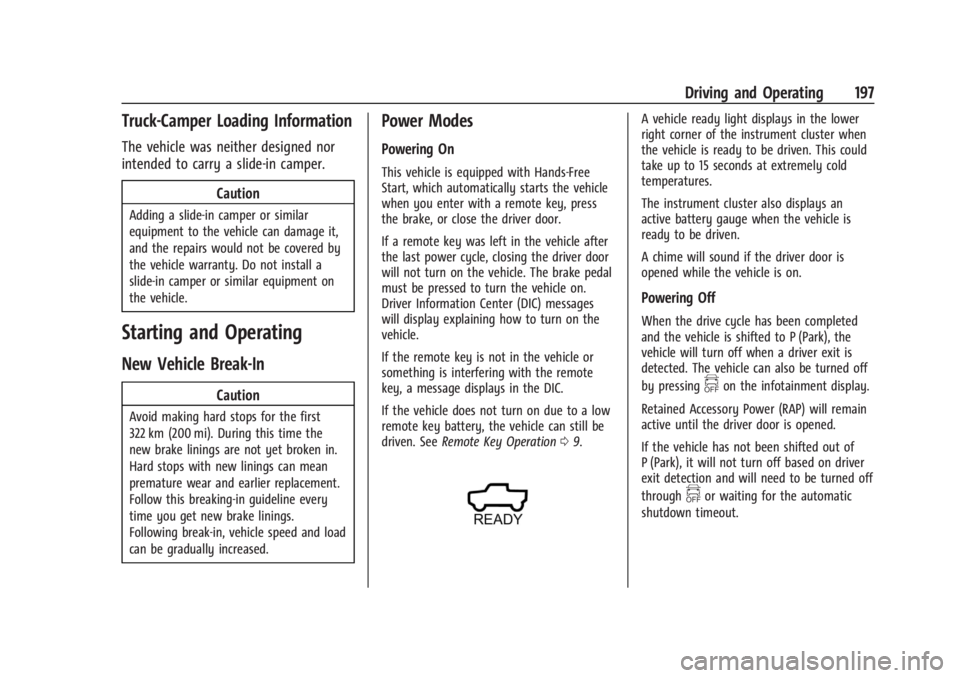
A vehicle ready light displays in the lower
right corner of the instrument cluster when
the vehicle is ready to be driven. This could
take up to 15 seconds at extremely cold
temperatures.
The instrument cluster also displays an
active battery gauge when the vehicle is
ready to be driven.
A chime will sound if the driver door is
opened while the vehicle is on.
Powering Off
When the drive cycle has been completed
and the vehicle is shifted to P (Park), the
vehicle will turn off when a driver exit is
detected. The vehicle can also be turned off
by pressing
fon the infotainment display.
Retained Accessory Power (RAP) will remain
active until the driver door is opened.
If the vehicle has not been shifted out of
P (Park), it will not turn off based on driver
exit detection and will need to be turned off
through
for waiting for the automatic
shutdown timeout.
Page 199 of 429
Chevrolet Silverado EV Owner Manual (GMNA-Localizing-U.S./Canada-
16702912) - 2024 - CRC - 1/17/23
198 Driving and Operating
If the vehicle must be shut off in an
emergency:1. Brake using firm and steady pressure. Do not pump the brakes repeatedly. This
may deplete power assist, requiring
increased brake pedal force.
2. Shift the vehicle to N (Neutral). This can be done while the vehicle is moving.
After shifting to N (Neutral), firmly apply
the brakes and steer the vehicle to a
safe location.
3. Come to a complete stop, shift to P (Park), and turn the vehicle off.
4. Set the parking brake. See Electric
Parking Brake 0205.
{Warning
Turning off the vehicle while moving may
disable the airbags. While driving, only
shut the propulsion system off in an
emergency.
If a drive mode is entered where
fis
present while moving, the vehicle can be
shut off while driving. Press
fand follow
the instructions displayed in the Driver
Information Center (DIC) to confirm that
vehicle off mode is desired. Climate control functions, such as defrost,
heating, and air conditioning are only
available while the vehicle is powered on.
Turning the vehicle off will turn off all
climate controls.
If a collision is detected an additional
emergency vehicle off display will be shown
and can be pressed to turn the vehicle off.
Keeping Vehicle On After Driver Exit
{Warning
It is dangerous to get out of the vehicle
if the P (Park) button is not pressed with
the parking brake set. The vehicle
can roll.
Do not leave the vehicle when the
propulsion system is running. If you have
left the propulsion system running, the
vehicle can move suddenly. You or others
could be injured. To be sure the vehicle
will not move, even when you are on
fairly level ground, always set the
parking brake and press the P (Park)
button.
Press
gon the infotainment display to
keep the vehicle on after a driver exit is
detected.
gneeds to be selected each
time the vehicle is shifted to P (Park) to be
active. The vehicle will remain on for a set
time displayed in a notification upon
activation.
gcan be reselected to restart
the time interval.
Before exiting the vehicle, press the P (Park)
button and the Electric Parking Brake (EPB)
switch, then activate
g. See Shifting Into
Park 0199.
Using
gwill reduce the charge level of
the high voltage battery. Ensure your
battery has sufficient charge before
activating
g. See Battery Gauge (High
Voltage) 0110.
gshould only be used when the vehicle
is attended. A horn chirp will sound if the
vehicle turns off during the set time
interval.
Page 202 of 429
Chevrolet Silverado EV Owner Manual (GMNA-Localizing-U.S./Canada-
16702912) - 2024 - CRC - 1/17/23
Driving and Operating 201
Warning (Continued)
will not move, even when you are on
fairly level ground, always set the
parking brake and press the P (Park)
button.
The vehicle will not shift into P (Park) if it is
moving too fast. Stop the vehicle and shift
into P (Park).
To shift in and out of P (Park), see Shifting
Into Park 0199 and
Shifting out of Park 0199.
R : Use this gear to back up.
If the vehicle is shifted from either
R (Reverse) to D (Drive) or L (Low),
or D (Drive) or L (Low) to R (Reverse) while
the speed is too high, the vehicle may shift
to N (Neutral). Reduce the vehicle speed and
try the shift again.
To shift into R (Reverse): 1. Bring the vehicle to a complete stop.
2. From the center position, move the shift lever rearward toward you, and then up.
R is illuminated in red.
3. After releasing the shift lever, it will return to the center position. To shift out of R (Reverse):
1. Bring the vehicle to a complete stop.
2. Shift to the desired gear.
3. After releasing the shift lever, it will return to the center position.
At low vehicle speeds, R (Reverse) can be
used to rock the vehicle back and forth to
get out of snow, ice, or sand without
damaging the electric drive unit. See If the
Vehicle Is Stuck 0192.
N : In this position, the propulsion system is
inactive. If the vehicle is moving and turned
off, restart the propulsion system in
N (Neutral) only.
Caution
The vehicle is not designed to stay in
N (Neutral) for extended periods of time.
It will automatically shift into P (Park).
To shift into N (Neutral): 1. Move the shift lever rearward toward the driver.
.If the vehicle is in P (Park), apply the
brake pedal while moving the shift
lever rearward.
.The N indicator will illuminate red. 2. After releasing the shift lever, it will
return to the center position.
To shift out of N (Neutral): 1. Bring the vehicle to a complete stop.
2. Hold the brake pedal down
3. Shift into the desired gear.
If the brake pedal is not applied, the vehicle
may remain in N (Neutral).
Car Wash Mode
This vehicle includes a Car Wash Mode that
allows the vehicle to remain in N (Neutral)
for use in automatic car washes.
Car Wash Mode is not to be used for vehicle
towing. If the vehicle needs to be towed,
see Transporting a Disabled Vehicle 0378.
Caution
The vehicle is not designed to stay in
N (Neutral) for extended periods of time.
It will automatically shift into P (Park).
Car Wash Mode (Vehicle Off) –Driver In
Vehicle
To place the vehicle in N (Neutral) with the
vehicle off and occupied:
1. Drive to the entrance of the car wash.
Page 206 of 429
Chevrolet Silverado EV Owner Manual (GMNA-Localizing-U.S./Canada-
16702912) - 2024 - CRC - 1/17/23
Driving and Operating 205
Braking in Emergencies
ABS allows steering and braking at the same
time. In many emergencies, steering can
help even more than braking.
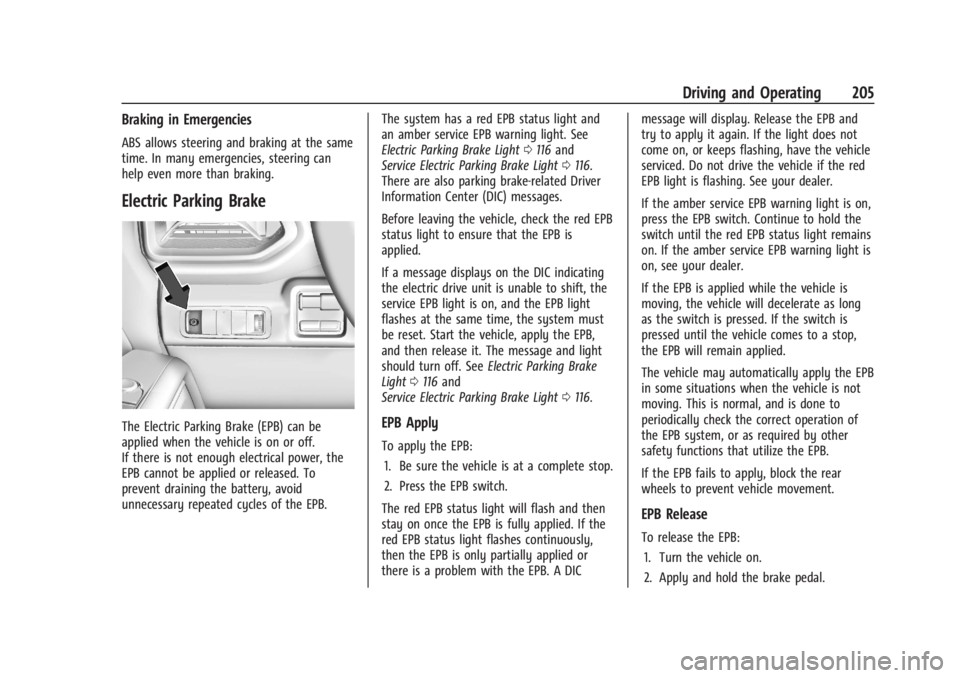
Electric Parking Brake
The Electric Parking Brake (EPB) can be
applied when the vehicle is on or off.
If there is not enough electrical power, the
EPB cannot be applied or released. To
prevent draining the battery, avoid
unnecessary repeated cycles of the EPB.The system has a red EPB status light and
an amber service EPB warning light. See
Electric Parking Brake Light
0116 and
Service Electric Parking Brake Light 0116.
There are also parking brake-related Driver
Information Center (DIC) messages.
Before leaving the vehicle, check the red EPB
status light to ensure that the EPB is
applied.
If a message displays on the DIC indicating
the electric drive unit is unable to shift, the
service EPB light is on, and the EPB light
flashes at the same time, the system must
be reset. Start the vehicle, apply the EPB,
and then release it. The message and light
should turn off. See Electric Parking Brake
Light 0116 and
Service Electric Parking Brake Light 0116.EPB Apply
To apply the EPB:
1. Be sure the vehicle is at a complete stop.
2. Press the EPB switch.
The red EPB status light will flash and then
stay on once the EPB is fully applied. If the
red EPB status light flashes continuously,
then the EPB is only partially applied or
there is a problem with the EPB. A DIC message will display. Release the EPB and
try to apply it again. If the light does not
come on, or keeps flashing, have the vehicle
serviced. Do not drive the vehicle if the red
EPB light is flashing. See your dealer.
If the amber service EPB warning light is on,
press the EPB switch. Continue to hold the
switch until the red EPB status light remains
on. If the amber service EPB warning light is
on, see your dealer.
If the EPB is applied while the vehicle is
moving, the vehicle will decelerate as long
as the switch is pressed. If the switch is
pressed until the vehicle comes to a stop,
the EPB will remain applied.
The vehicle may automatically apply the EPB
in some situations when the vehicle is not
moving. This is normal, and is done to
periodically check the correct operation of
the EPB system, or as required by other
safety functions that utilize the EPB.
If the EPB fails to apply, block the rear
wheels to prevent vehicle movement.
EPB Release
To release the EPB:
1. Turn the vehicle on.
2. Apply and hold the brake pedal.
Page 207 of 429
Chevrolet Silverado EV Owner Manual (GMNA-Localizing-U.S./Canada-
16702912) - 2024 - CRC - 1/17/23
206 Driving and Operating
3. Press the EPB switch.
The EPB is released when the red parking
brake status light is off.
If the amber service EPB warning light is on,
release the EPB by pressing and holding the
EPB switch. Continue to hold the switch
until the red parking brake status light is
off. If either light stays on after release is
attempted, see your dealer.
Caution
Driving with the parking brake on can
overheat the brake system and cause
premature wear or damage to brake
system parts. Make sure that the parking
brake is fully released and the brake
warning light is off before driving.
If you are towing a trailer and parking on a
hill, see Driving Characteristics and Towing
Tips 0294.
Automatic EPB Release
The EPB automatically releases if the vehicle
is running, placed into gear, and an attempt
is made to drive away. Avoid rapid
acceleration when the EPB is applied, to
preserve parking brake lining life.
Brake Assist
Brake Assist detects rapid brake pedal
applications due to emergency braking
situations and provides additional braking to
activate the Antilock Brake System (ABS) if
the brake pedal is not pushed hard enough
to activate ABS normally. Minor noise, brake
pedal pulsation, and/or pedal movement
during this time may occur. Continue to
apply the brake pedal as the driving
situation dictates. Brake Assist disengages
when the brake pedal is released.
Hill Start Assist (HSA)
{Warning
Do not rely on the HSA feature. HSA does
not replace the need to pay attention
and drive safely. You may not hear or
feel alerts or warnings provided by this
system. Failure to use proper care when
driving may result in injury, death,
or vehicle damage. See Defensive Driving
0 183.
When the vehicle is stopped on a grade, Hill
Start Assist (HSA) prevents the vehicle from
rolling in an unintended direction during the
transition from brake pedal release to accelerator pedal apply. The brakes release
when the accelerator pedal is applied. If the
accelerator pedal is not applied within a few
minutes, the Electric Parking Brake will
apply. The brakes may also release under
other conditions. Do not rely on HSA to hold
the vehicle.
HSA is available when the vehicle is facing
uphill in a forward gear, or when facing
downhill in R (Reverse). The vehicle must
come to a complete stop on a grade for HSA
to activate.
Regenerative Braking
Regenerative braking takes some of the
energy from the moving vehicle and turns it
back into electrical energy. This energy is
then stored back into the high voltage
battery system, contributing to increased
energy efficiency.
Regenerative power may be limited when
the battery is near full charge or cold. See
“Regenerative Power Limited”
underPower
Indicator Gauge 0111. Regenerative braking
supplements your vehicle’s conventional
brakes, especially when going downhill. See
Hill and Mountain Roads 0190.
Page 209 of 429
Chevrolet Silverado EV Owner Manual (GMNA-Localizing-U.S./Canada-
16702912) - 2024 - CRC - 1/17/23
208 Driving and Operating
ESC activates when the vehicle senses a
difference between the intended path and
the direction the vehicle is actually traveling.
ESC selectively applies braking pressure to
one or more of the vehicle wheel brakes to
assist the driver in keeping the vehicle on
the intended path. Trailer Sway Control
(TSC) is also on automatically when the
vehicle is started. SeeTrailer Sway Control
(TSC) 0309.
If cruise control is being used and traction
control or ESC begins to limit wheel spin,
cruise control will disengage. Cruise control
may be turned back on when road
conditions allow.
Both systems come on automatically when
the vehicle is started and begins to move.
The systems may be heard or felt while
they are operating or while performing
diagnostic checks. This is normal and does
not mean there is a problem with the
vehicle.
It is recommended to leave both systems on
for normal driving conditions, but it may be
necessary to turn TCS off if the vehicle gets
stuck in sand, mud, ice, or snow. See If the
Vehicle Is Stuck 0192 and “Turning the
Systems Off and On” later in this section.
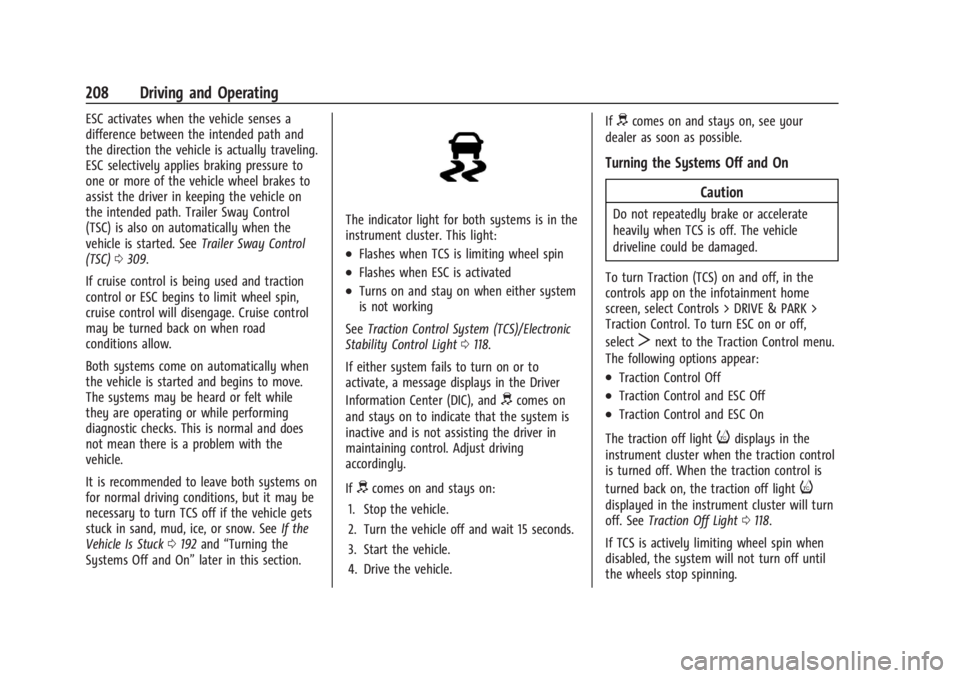
The indicator light for both systems is in the
instrument cluster. This light:
.Flashes when TCS is limiting wheel spin
.Flashes when ESC is activated
.Turns on and stay on when either system
is not working
See Traction Control System (TCS)/Electronic
Stability Control Light 0118.
If either system fails to turn on or to
activate, a message displays in the Driver
Information Center (DIC), and
dcomes on
and stays on to indicate that the system is
inactive and is not assisting the driver in
maintaining control. Adjust driving
accordingly.
If
dcomes on and stays on:
1. Stop the vehicle.
2. Turn the vehicle off and wait 15 seconds.
3. Start the vehicle.
4. Drive the vehicle. If
dcomes on and stays on, see your
dealer as soon as possible.
Turning the Systems Off and On
Caution
Do not repeatedly brake or accelerate
heavily when TCS is off. The vehicle
driveline could be damaged.
To turn Traction (TCS) on and off, in the
controls app on the infotainment home
screen, select Controls > DRIVE & PARK >
Traction Control. To turn ESC on or off,
select
Tnext to the Traction Control menu.
The following options appear:
.Traction Control Off
.Traction Control and ESC Off
.Traction Control and ESC On
The traction off light
idisplays in the
instrument cluster when the traction control
is turned off. When the traction control is
turned back on, the traction off light
i
displayed in the instrument cluster will turn
off. See Traction Off Light 0118.
If TCS is actively limiting wheel spin when
disabled, the system will not turn off until
the wheels stop spinning.
Page 226 of 429
Chevrolet Silverado EV Owner Manual (GMNA-Localizing-U.S./Canada-
16702912) - 2024 - CRC - 1/17/23
Driving and Operating 225
attention is on the road ahead, ACC
automatically resumes. For more
information, see“Attention to the Road" in
Super Cruise 0227. If necessary, briefly press
and release the thumbwheel up to +RES or
apply the accelerator pedal to resume ACC.
If stopped for more than two minutes, or if
the driver door is opened and the driver
seat belt is unbuckled, the ACC system
automatically applies the Electric Parking
Brake (EPB) to hold the vehicle. The EPB
light will turn on. To release the EPB, press
the accelerator pedal. See Electric Parking
Brake 0205.
A DIC warning message may display
indicating to shift to P (Park) before exiting
the vehicle.
{Warning
If ACC has stopped the vehicle, and if ACC
is disengaged, turned off, or canceled, the
vehicle will no longer be held at a stop.
The vehicle can move. When ACC is
holding the vehicle at a stop, always be
prepared to manually apply the brakes.
{Warning
Leaving the vehicle without placing it in
P (Park) can be dangerous. Do not leave
the vehicle while it is being held at a
stop by ACC. Always place the vehicle in
P (Park) and turn it off before leaving the
vehicle.
ACC Override
If you apply the accelerator pedal while ACC
is engaged, the ACC indicator light turns
blue in the instrument cluster and the HUD,
if equipped, indicating that ACC braking will
not occur. ACC will resume operation when
the accelerator pedal is released.
{Warning
The ACC will not automatically apply the
brakes if your foot is resting on the
accelerator pedal. You could crash into a
vehicle ahead of you. Curves in the Road
{Warning
On curves, ACC may not detect a vehicle
ahead in your lane. You could be startled
if the vehicle accelerates up to the set
speed, especially when following a vehicle
exiting or entering exit ramps. You could
lose control of the vehicle or crash. Do
not use ACC while driving on an entrance
or exit ramp. Always be ready to use the
brakes if necessary.
{Warning
On curves, ACC may respond to a vehicle
in another lane, or may not have time to
react to a vehicle in your lane. You could
crash into a vehicle ahead of you, or lose
control of your vehicle. Give extra
attention in curves and be ready to use
the brakes if necessary. Select an
appropriate speed while driving in curves.
ACC may operate differently when the
vehicle approaches a sharp curve in the road
ahead. If the ACC system detects that a