warning CHEVROLET SILVERADO EV 2024 User Guide
[x] Cancel search | Manufacturer: CHEVROLET, Model Year: 2024, Model line: SILVERADO EV, Model: CHEVROLET SILVERADO EV 2024Pages: 429, PDF Size: 8.98 MB
Page 29 of 429
Chevrolet Silverado EV Owner Manual (GMNA-Localizing-U.S./Canada-
16702912) - 2024 - CRC - 1/23/23
28 Keys, Doors, and Windows
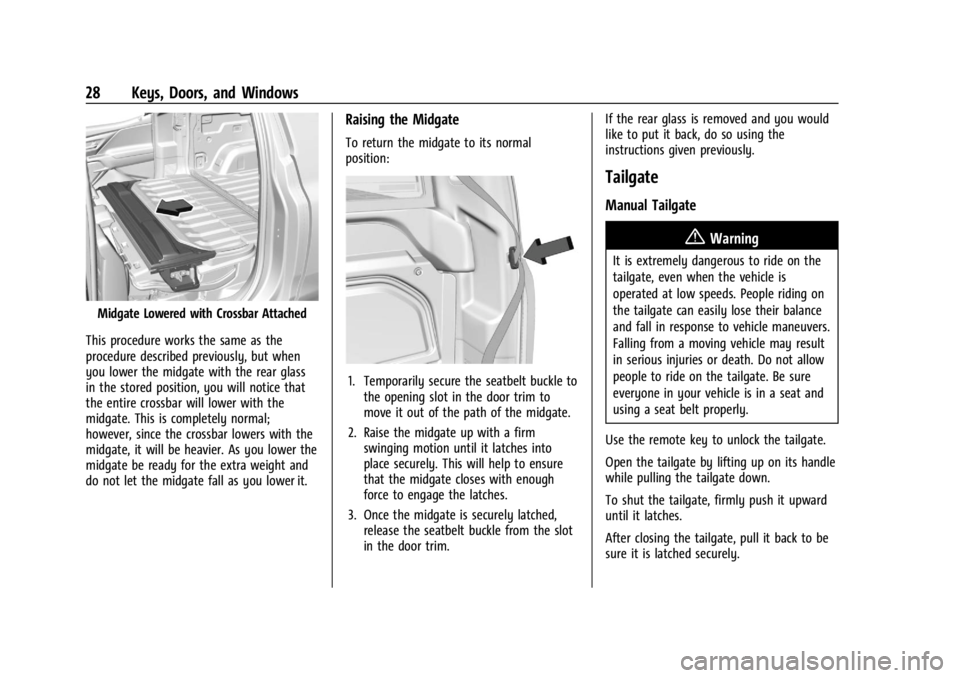
Midgate Lowered with Crossbar Attached
This procedure works the same as the
procedure described previously, but when
you lower the midgate with the rear glass
in the stored position, you will notice that
the entire crossbar will lower with the
midgate. This is completely normal;
however, since the crossbar lowers with the
midgate, it will be heavier. As you lower the
midgate be ready for the extra weight and
do not let the midgate fall as you lower it.
Raising the Midgate
To return the midgate to its normal
position:
1. Temporarily secure the seatbelt buckle to the opening slot in the door trim to
move it out of the path of the midgate.
2. Raise the midgate up with a firm swinging motion until it latches into
place securely. This will help to ensure
that the midgate closes with enough
force to engage the latches.
3. Once the midgate is securely latched, release the seatbelt buckle from the slot
in the door trim. If the rear glass is removed and you would
like to put it back, do so using the
instructions given previously.
Tailgate
Manual Tailgate
{Warning
It is extremely dangerous to ride on the
tailgate, even when the vehicle is
operated at low speeds. People riding on
the tailgate can easily lose their balance
and fall in response to vehicle maneuvers.
Falling from a moving vehicle may result
in serious injuries or death. Do not allow
people to ride on the tailgate. Be sure
everyone in your vehicle is in a seat and
using a seat belt properly.
Use the remote key to unlock the tailgate.
Open the tailgate by lifting up on its handle
while pulling the tailgate down.
To shut the tailgate, firmly push it upward
until it latches.
After closing the tailgate, pull it back to be
sure it is latched securely.
Page 30 of 429
Chevrolet Silverado EV Owner Manual (GMNA-Localizing-U.S./Canada-
16702912) - 2024 - CRC - 1/23/23
Keys, Doors, and Windows 29
Some tailgates electronically control if the
tailgate is locked or unlocked. If the battery
is disconnected or has low voltage, and the
tailgate is locked, the tailgate will not open.
The tailgate will resume operation when the
battery is reconnected or recharged.
MultiFlex Tailgate
{Warning
Make sure there is no one in the way of
the power tailgate as it is opening and
closing, and keep hands away from the
tailgate hinges when in use. You or
others could be injured if caught in the
path of the power tailgate or tailgate
hinges.
Caution
To avoid damage to the tailgate, make
sure the area behind the tailgate is clear
before opening it.In the case of a dead battery, the tailgate
can be opened manually. Contact your
dealer or Roadside Assistance.
Use the remote key to lock or unlock the
tailgate. See
Remote Key Operation 09.
The vehicle must be in P (Park).
Switches in the inner tailgate prevent the
primary tailgate from being opened when
the inner tailgate is not fully closed. When
the primary or inner tailgate are open, a
message may display on the Driver
Information Center (DIC).
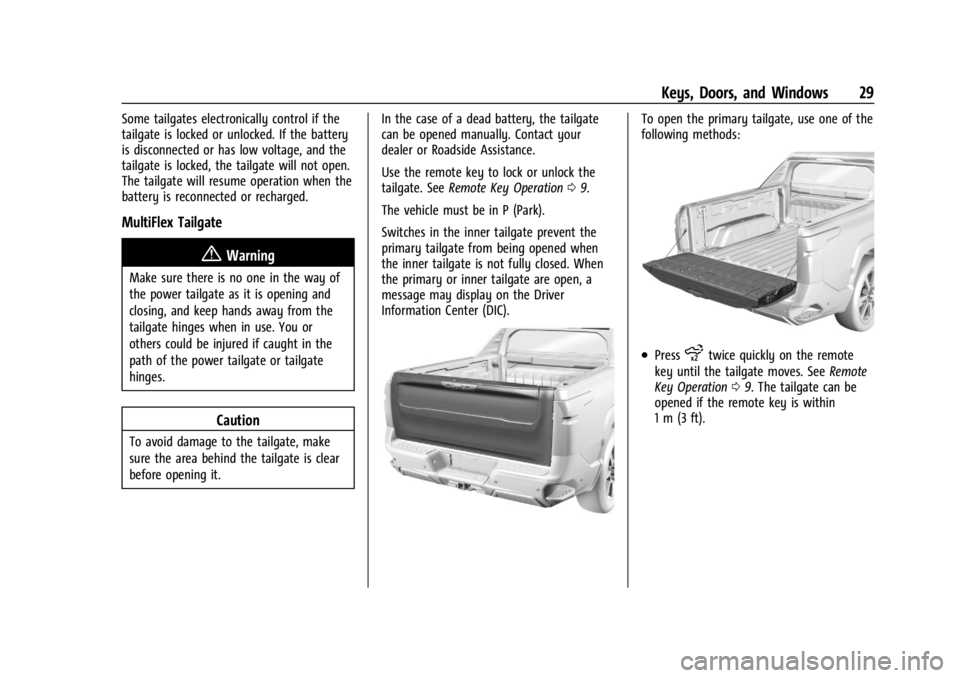
To open the primary tailgate, use one of the
following methods:
.Pressxtwice quickly on the remote
key until the tailgate moves. See Remote
Key Operation 09. The tailgate can be
opened if the remote key is within
1 m (3 ft).
Page 32 of 429
Chevrolet Silverado EV Owner Manual (GMNA-Localizing-U.S./Canada-
16702912) - 2024 - CRC - 1/23/23
Keys, Doors, and Windows 31
Caution
To avoid vehicle damage, do not open
the inner tailgate when the primary
tailgate is open if there is not enough
distance to the attached hitch ball or
trailer.
To close the inner tailgate with the primary
tailgate closed, firmly push or pull it upward
until it latches. Pull or push it back to be
sure it is latched securely.
To close the inner tailgate with the primary
tailgate open:
.Hold the primary tailgate and firmly close
the inner tailgate.
.Raise the inner tailgate so it meets the
primary tailgate and close together at the
same time.
When using the tailgate step as a load stop,
the load must be secured as the load could
shift. See Cargo Tie-Downs 094.
Tailgate Step (Step Mode)
{Warning
To avoid personal injury, keep hands
away from the hinges when operating
the tailgate step.
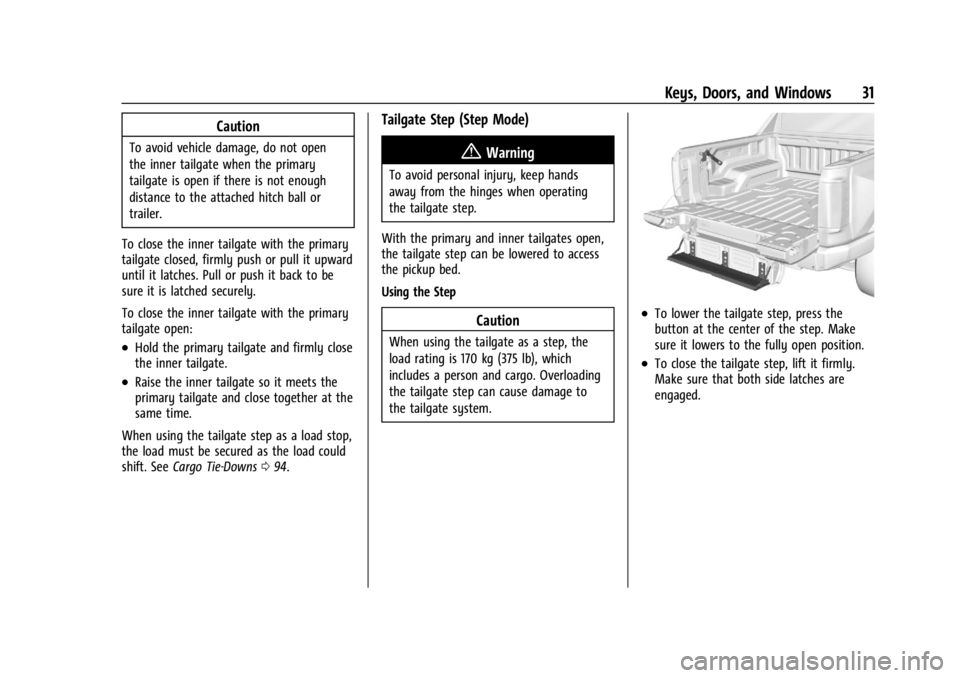
With the primary and inner tailgates open,
the tailgate step can be lowered to access
the pickup bed.
Using the Step
Caution
When using the tailgate as a step, the
load rating is 170 kg (375 lb), which
includes a person and cargo. Overloading
the tailgate step can cause damage to
the tailgate system.
.To lower the tailgate step, press the
button at the center of the step. Make
sure it lowers to the fully open position.
.To close the tailgate step, lift it firmly.
Make sure that both side latches are
engaged.
Page 39 of 429
Chevrolet Silverado EV Owner Manual (GMNA-Localizing-U.S./Canada-
16702912) - 2024 - CRC - 1/23/23
38 Keys, Doors, and Windows
{Warning
The Rear Camera Mirror (RCM) has a
limited view. Portions of the road,
vehicles, and other objects may not be
seen. Do not drive or park the vehicle
using only this camera. Objects may
appear closer than they are. Check the
outside mirrors or glance over your
shoulder when making lane changes or
merging. Failure to use proper care may
result in injury, death, or vehicle damage.
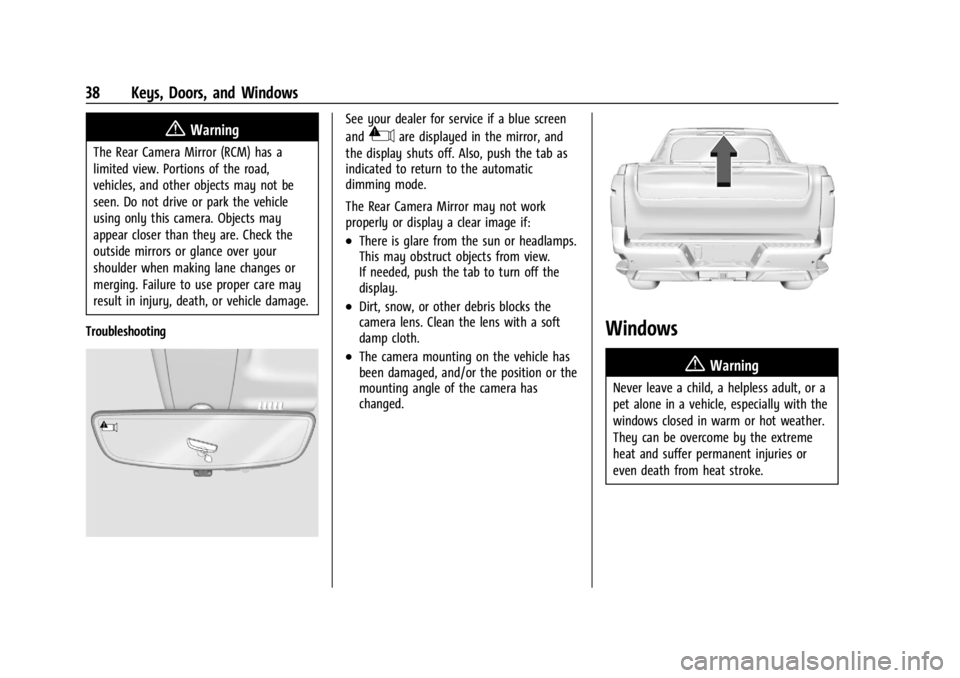
Troubleshooting
See your dealer for service if a blue screen
and
3are displayed in the mirror, and
the display shuts off. Also, push the tab as
indicated to return to the automatic
dimming mode.
The Rear Camera Mirror may not work
properly or display a clear image if:
.There is glare from the sun or headlamps.
This may obstruct objects from view.
If needed, push the tab to turn off the
display.
.Dirt, snow, or other debris blocks the
camera lens. Clean the lens with a soft
damp cloth.
.The camera mounting on the vehicle has
been damaged, and/or the position or the
mounting angle of the camera has
changed.
Windows
{
Warning
Never leave a child, a helpless adult, or a
pet alone in a vehicle, especially with the
windows closed in warm or hot weather.
They can be overcome by the extreme
heat and suffer permanent injuries or
even death from heat stroke.
Page 40 of 429
Chevrolet Silverado EV Owner Manual (GMNA-Localizing-U.S./Canada-
16702912) - 2024 - CRC - 1/23/23
Keys, Doors, and Windows 39
The vehicle aerodynamics are designed to
improve vehicle range performance. This
may result in a pulsing sound when either
rear window is down and the front windows
are up. To reduce the sound, open either a
front window or the sunroof, if equipped.
Power Windows
{Warning
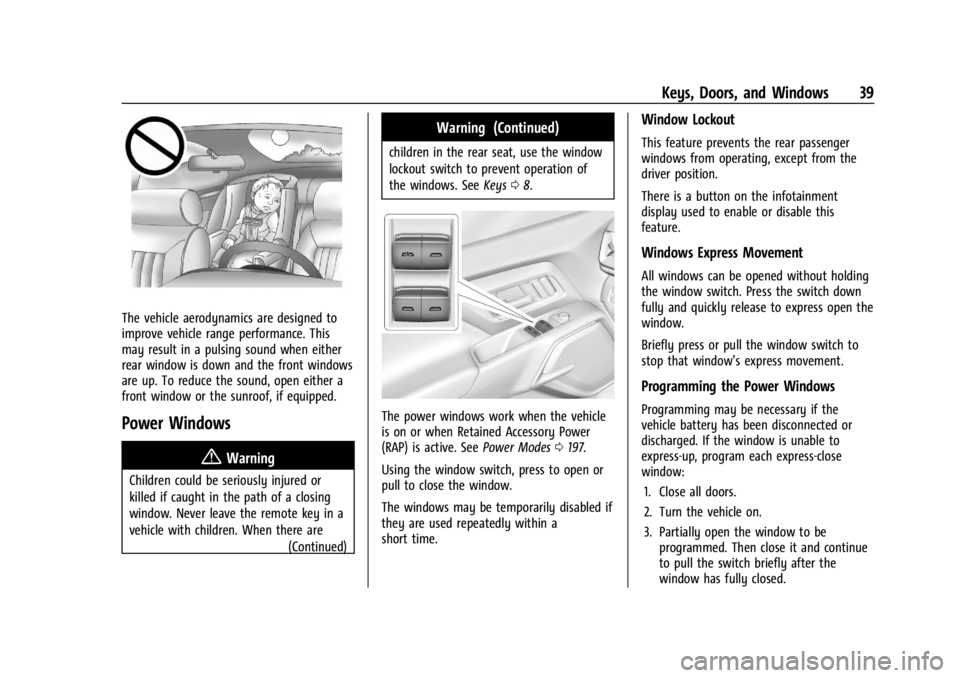
Children could be seriously injured or
killed if caught in the path of a closing
window. Never leave the remote key in a
vehicle with children. When there are(Continued)
Warning (Continued)
children in the rear seat, use the window
lockout switch to prevent operation of
the windows. SeeKeys08.
The power windows work when the vehicle
is on or when Retained Accessory Power
(RAP) is active. See Power Modes0197.
Using the window switch, press to open or
pull to close the window.
The windows may be temporarily disabled if
they are used repeatedly within a
short time.
Window Lockout
This feature prevents the rear passenger
windows from operating, except from the
driver position.
There is a button on the infotainment
display used to enable or disable this
feature.
Windows Express Movement
All windows can be opened without holding
the window switch. Press the switch down
fully and quickly release to express open the
window.
Briefly press or pull the window switch to
stop that window’s express movement.
Programming the Power Windows
Programming may be necessary if the
vehicle battery has been disconnected or
discharged. If the window is unable to
express-up, program each express-close
window: 1. Close all doors.
2. Turn the vehicle on.
3. Partially open the window to be programmed. Then close it and continue
to pull the switch briefly after the
window has fully closed.
Page 42 of 429
Chevrolet Silverado EV Owner Manual (GMNA-Localizing-U.S./Canada-
16702912) - 2024 - CRC - 1/13/23
Seats and Restraints 41
Seats and Restraints
Head Restraints
Head Restraints . . . . . . . . . . . . . . . . . . . . . . . . . 41
Front Seats
Seat Adjustment . . . . . . . . . . . . . . . . . . . . . . . . 43
Power Seat Adjustment . . . . . . . . . . . . . . . . 43
Reclining Seatbacks . . . . . . . . . . . . . . . . . . . . . 43
Lumbar Adjustment . . . . . . . . . . . . . . . . . . . . 45
Memory Seats . . . . . . . . . . . . . . . . . . . . . . . . . . 45
Heated and Ventilated Front Seats . . . . . 47
Rear Seats
Rear Seats . . . . . . . . . . . . . . . . . . . . . . . . . . . . . . 49
Heated Rear Seats . . . . . . . . . . . . . . . . . . . . . . 51
Seat Belts
Seat Belts . . . . . . . . . . . . . . . . . . . . . . . . . . . . . . 52
Buckle To Drive . . . . . . . . . . . . . . . . . . . . . . . . . 53
How to Wear Seat Belts Properly . . . . . . 54
Lap-Shoulder Belt . . . . . . . . . . . . . . . . . . . . . . . 56
Seat Belt Use During Pregnancy . . . . . . . . 58
Seat Belt Extender . . . . . . . . . . . . . . . . . . . . . . 59
Safety System Check . . . . . . . . . . . . . . . . . . . 59
Seat Belt Care . . . . . . . . . . . . . . . . . . . . . . . . . . 59
Replacing Seat Belt System Parts after aCrash . . . . . . . . . . . . . . . . . . . . . . . . . . . . . . . . . 59
Airbag System
Airbag System . . . . . . . . . . . . . . . . . . . . . . . . . 60
Where Are the Airbags? . . . . . . . . . . . . . . . . 61
When Should an Airbag Inflate? . . . . . . . . 62
What Makes an Airbag Inflate? . . . . . . . . . 63
How Does an Airbag Restrain? . . . . . . . . . 63
What Will You See after an AirbagInflates? . . . . . . . . . . . . . . . . . . . . . . . . . . . . . . 64
Passenger Sensing System . . . . . . . . . . . . . 65
Servicing the Airbag-Equipped Vehicle . . . . . . . . . . . . . . . . . . . . . . . . . . . . . . . 68
Adding Equipment to the Airbag-Equipped Vehicle . . . . . . . . . . . . . . 68
Airbag System Check . . . . . . . . . . . . . . . . . . . 69
Replacing Airbag System Parts after a Crash . . . . . . . . . . . . . . . . . . . . . . . . . . . . . . . . . 69
Child Restraints
Older Children . . . . . . . . . . . . . . . . . . . . . . . . . . 70
Infants and Young Children . . . . . . . . . . . . . 71
Child Restraint Systems . . . . . . . . . . . . . . . . . 73
Where to Put the Restraint . . . . . . . . . . . . . 75
Lower Anchors and Tethers for Children(LATCH System) . . . . . . . . . . . . . . . . . . . . . . . 76
Replacing LATCH System Parts After a Crash . . . . . . . . . . . . . . . . . . . . . . . . . . . . . . . . . 85
Securing Child Restraints (With the Seat Belt in the Rear Seat) . . . . . . . . . . . . . . . . 86
Securing Child Restraints (With the Seat Belt in the Front Passenger Seat) . . . . . 88
Head Restraints
{
Warning
With head restraints that are not
installed and adjusted properly, there is a
greater chance that occupants will suffer
a neck/spinal injury in a crash. Do not
drive until the head restraints for all
occupants are installed and adjusted
properly.
Front Seats
The vehicle's front seats have adjustable
head restraints in the outboard seating
positions.
Page 44 of 429
Chevrolet Silverado EV Owner Manual (GMNA-Localizing-U.S./Canada-
16702912) - 2024 - CRC - 1/13/23
Seats and Restraints 43
If you are installing a child restraint in the
rear seat, seeLower Anchors and Tethers for
Children (LATCH System) 076.
Front Seats
Seat Adjustment
{Warning
You can lose control of the vehicle if you
try to adjust a driver seat while the
vehicle is moving. Adjust the driver seat
only when the vehicle is not moving.
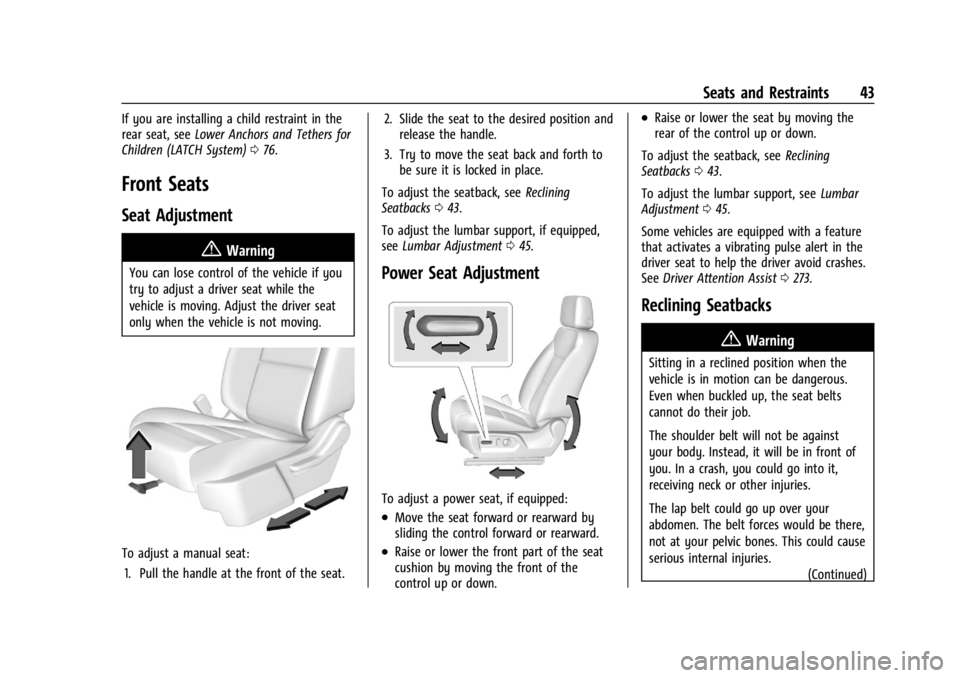
To adjust a manual seat:
1. Pull the handle at the front of the seat. 2. Slide the seat to the desired position and
release the handle.
3. Try to move the seat back and forth to be sure it is locked in place.
To adjust the seatback, see Reclining
Seatbacks 043.
To adjust the lumbar support, if equipped,
see Lumbar Adjustment 045.
Power Seat Adjustment
To adjust a power seat, if equipped:
.Move the seat forward or rearward by
sliding the control forward or rearward.
.Raise or lower the front part of the seat
cushion by moving the front of the
control up or down.
.Raise or lower the seat by moving the
rear of the control up or down.
To adjust the seatback, see Reclining
Seatbacks 043.
To adjust the lumbar support, see Lumbar
Adjustment 045.
Some vehicles are equipped with a feature
that activates a vibrating pulse alert in the
driver seat to help the driver avoid crashes.
See Driver Attention Assist 0273.
Reclining Seatbacks
{Warning
Sitting in a reclined position when the
vehicle is in motion can be dangerous.
Even when buckled up, the seat belts
cannot do their job.
The shoulder belt will not be against
your body. Instead, it will be in front of
you. In a crash, you could go into it,
receiving neck or other injuries.
The lap belt could go up over your
abdomen. The belt forces would be there,
not at your pelvic bones. This could cause
serious internal injuries.
(Continued)
Page 45 of 429
Chevrolet Silverado EV Owner Manual (GMNA-Localizing-U.S./Canada-
16702912) - 2024 - CRC - 1/13/23
44 Seats and Restraints
Warning (Continued)
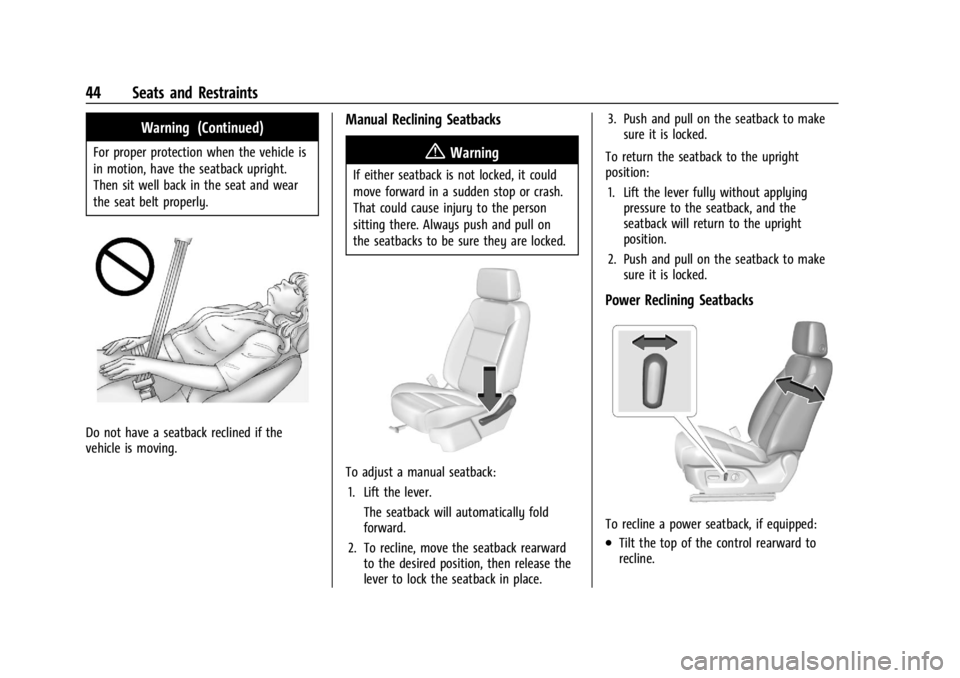
For proper protection when the vehicle is
in motion, have the seatback upright.
Then sit well back in the seat and wear
the seat belt properly.
Do not have a seatback reclined if the
vehicle is moving.
Manual Reclining Seatbacks
{Warning
If either seatback is not locked, it could
move forward in a sudden stop or crash.
That could cause injury to the person
sitting there. Always push and pull on
the seatbacks to be sure they are locked.
To adjust a manual seatback:1. Lift the lever. The seatback will automatically fold
forward.
2. To recline, move the seatback rearward to the desired position, then release the
lever to lock the seatback in place. 3. Push and pull on the seatback to make
sure it is locked.
To return the seatback to the upright
position: 1. Lift the lever fully without applying pressure to the seatback, and the
seatback will return to the upright
position.
2. Push and pull on the seatback to make sure it is locked.
Power Reclining Seatbacks
To recline a power seatback, if equipped:
.Tilt the top of the control rearward to
recline.
Page 48 of 429
Chevrolet Silverado EV Owner Manual (GMNA-Localizing-U.S./Canada-
16702912) - 2024 - CRC - 1/13/23
Seats and Restraints 47
If the memory seat recalls to the wrong
position, remote key number 1 or 2 may not
match the memory button number positions
they were saved to. Try the other remote
key or try saving the positions to the other
1 or 2 memory button. See“Saving Seating
Positions” previously in this section.
Automatic Seat Entry Memory recalls are
only available for remote key numbers 1 and
2. Remote keys 3–8 will not provide Seat
Entry Memory recalls.
Auto Seat Exit Memory Recall
Seat Exit Memory will begin movement to
the seating position of the
B
button when:
.The vehicle is turned off and the driver
door is open or opened within a
short time.
.A seating position has been previously
been saved to the
Bmemory button.
See “Saving Seating Positions” previously
in this section.
.Seat Exit Memory is enabled. See
“Enabling Automatic Recalls” previously in
this section.
.The vehicle is in P (Park). Seat Exit Memory recall will continue if the
vehicle is shifted out of P (Park) prior to
reaching the saved memory position.
Seat Exit Memory is not linked to a remote
key. The seating position saved to
Bis
used for all drivers.
Cancel Memory Seating Recalls
.During any memory recall:
Press a power seat control
Press SET memory button
.During Manual memory recall:
Release 1, 2, or
Bmemory button
.During Auto Seat Entry Memory Recall:
Turn vehicle off
Press SET, 1, 2, or
Bmemory buttons
.During Auto Seat Exit Memory Recall:
Press SET, 1, 2, or
Bmemory buttons
Obstructions
If something has blocked the seat while
recalling a memory position, the recall may
stop. Remove the obstruction and try the
recall again. If the memory position still
does not recall, see your dealer.
Heated and Ventilated Front
Seats
{Warning
If temperature change or pain to the skin
cannot be felt, the seat heater may cause
burns. To reduce the risk of burns, use
care when using the seat heater,
especially for long periods of time. Do
not place anything on the seat that
insulates against heat, such as a blanket,
cushion, cover, or similar item. This may
cause the seat heater to overheat. An
overheated seat heater may cause a burn
or may damage the seat.
Page 50 of 429
Chevrolet Silverado EV Owner Manual (GMNA-Localizing-U.S./Canada-
16702912) - 2024 - CRC - 1/13/23
Seats and Restraints 49
seats feature will not activate that seat. To
enable or disable auto heated or ventilated
seats, select Settings > Vehicle > Climate
and Air Quality > Auto Cooled or Auto
Heated Seats > ON or OFF.
Remote Start Heated and Ventilated Seats
During a remote start, the heated or
ventilated seats, if equipped, can be turned
on automatically. When it is cold outside,
the heated seats turn on, and when it is hot
outside the ventilated seats turn on. If the
auto heated or ventilated seats feature is
not on when then vehicle is turned on, the
heated or ventilated seats may be canceled.
If necessary, press the heated or ventilated
seat button to use the heated or ventilated
seats after the vehicle is started.
The heated or ventilated seat indicator lights
may turn on during a remote start.
The temperature performance of an
unoccupied seat may be reduced. This is
normal.
To enable or disable remote start heated or
ventilated seats, select Settings > Vehicle >
Remote Lock, Unlock, and Start > Remote
Start Auto Heat Seats or Remote Start Auto
Cool Seats > ON or OFF. SeeRemote Vehicle
Start 014.Rear Seats
Rear Seat Reminder
If equipped, the message REAR SEAT
REMINDER LOOK IN REAR SEAT displays
under certain conditions indicating there
may be an item or passenger in the rear
seat. Check before exiting the vehicle.
This feature will activate when a second row
door is opened while the vehicle is on or up
to 10 minutes before the vehicle is turned
on. There will be an alert when the vehicle
is turned off. The alert does not directly
detect objects in the rear seat; instead,
under certain conditions, it detects when a
rear door is opened and closed, indicating
that there may be something in the
rear seat.
The feature is active only once each time
the vehicle is turned on and off, and will
require reactivation by opening and closing
the second row doors. There may be an
alert even when there is nothing in the rear
seat; for example, if a child entered the
vehicle through the rear door and left the
vehicle without the vehicle being shut off. The feature can be turned on or off. Select
Settings > Vehicle > Rear Seat Reminder >
ON or OFF.Folding the Rear Seat Cushion (Uplevel
Models)
Either side of the rear seat cushion can be
folded down for added cargo space.
{Warning
Folding a rear seat with the seat belts
still fastened may cause damage to the
seat or the seat belts. Always unbuckle
the seat belts and return them to their
normal stowed position before folding a
rear seat.
{Warning
Do not operate the vehicle with the rear
seat cushion(s) folded down and the rear
seatbacks in the upright position. The
folded seat cushion is not locked. It can
move when the vehicle is in motion.
People in the vehicle could be injured in a
sudden stop or crash. Be sure to return
the seat cushion to the seating position
(Continued)