display CHEVROLET SILVERADO EV 2024 Owner's Manual
[x] Cancel search | Manufacturer: CHEVROLET, Model Year: 2024, Model line: SILVERADO EV, Model: CHEVROLET SILVERADO EV 2024Pages: 429, PDF Size: 8.98 MB
Page 106 of 429
Chevrolet Silverado EV Owner Manual (GMNA-Localizing-U.S./Canada-
16702912) - 2024 - CRC - 1/13/23
Instruments and Controls 105
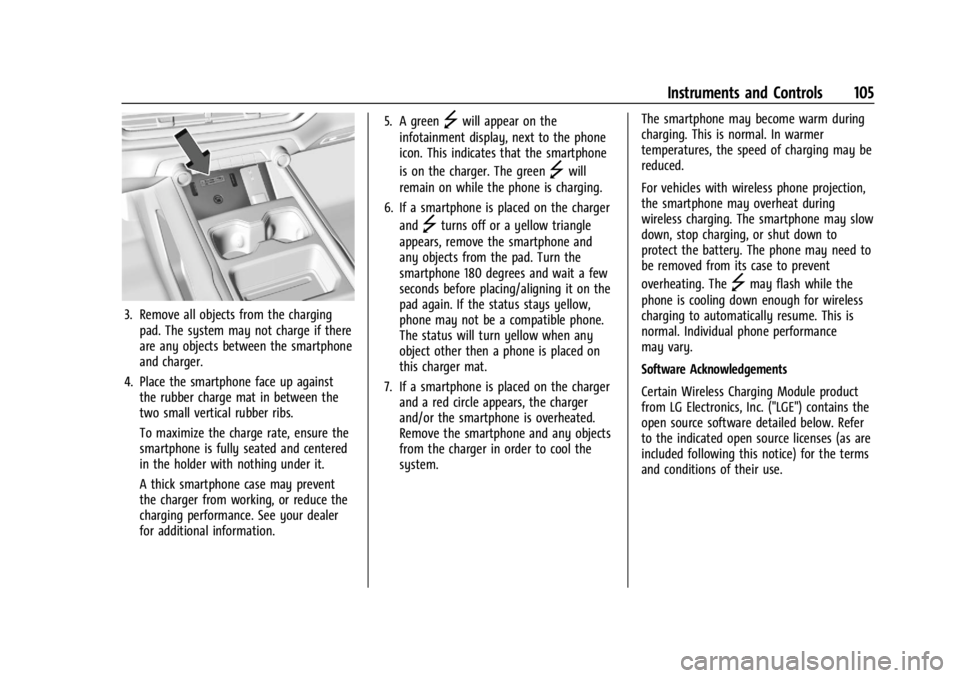
3. Remove all objects from the chargingpad. The system may not charge if there
are any objects between the smartphone
and charger.
4. Place the smartphone face up against the rubber charge mat in between the
two small vertical rubber ribs.
To maximize the charge rate, ensure the
smartphone is fully seated and centered
in the holder with nothing under it.
A thick smartphone case may prevent
the charger from working, or reduce the
charging performance. See your dealer
for additional information. 5. A green
]will appear on the
infotainment display, next to the phone
icon. This indicates that the smartphone
is on the charger. The green
]will
remain on while the phone is charging.
6. If a smartphone is placed on the charger and
]turns off or a yellow triangle
appears, remove the smartphone and
any objects from the pad. Turn the
smartphone 180 degrees and wait a few
seconds before placing/aligning it on the
pad again. If the status stays yellow,
phone may not be a compatible phone.
The status will turn yellow when any
object other then a phone is placed on
this charger mat.
7. If a smartphone is placed on the charger and a red circle appears, the charger
and/or the smartphone is overheated.
Remove the smartphone and any objects
from the charger in order to cool the
system. The smartphone may become warm during
charging. This is normal. In warmer
temperatures, the speed of charging may be
reduced.
For vehicles with wireless phone projection,
the smartphone may overheat during
wireless charging. The smartphone may slow
down, stop charging, or shut down to
protect the battery. The phone may need to
be removed from its case to prevent
overheating. The
]may flash while the
phone is cooling down enough for wireless
charging to automatically resume. This is
normal. Individual phone performance
may vary.
Software Acknowledgements
Certain Wireless Charging Module product
from LG Electronics, Inc. ("LGE") contains the
open source software detailed below. Refer
to the indicated open source licenses (as are
included following this notice) for the terms
and conditions of their use.
Page 109 of 429
Chevrolet Silverado EV Owner Manual (GMNA-Localizing-U.S./Canada-
16702912) - 2024 - CRC - 1/13/23
108 Instruments and Controls
Reconfigurable Instrument Cluster
The cluster display layout can be changed.
Some of the selectable views may not be
available for your particular vehicle.
The following are selectable views:
Clean :Displays no information zones.
Info : Displays one information zone under
the speedometer.
Gauge : Displays no information zones and
the gauges are located to the left and right
of the speedometer.
Infotainment : Displays one information
zone under the speedometer.
Driver Assistance : If equipped, displays
information for Adaptive Cruise Control
(ACC), Follow Distance, Lane Keep Assist
(LKA), and Forward Collision Alert (FCA).
Off Road : Displays one information zone
under the speedometer.
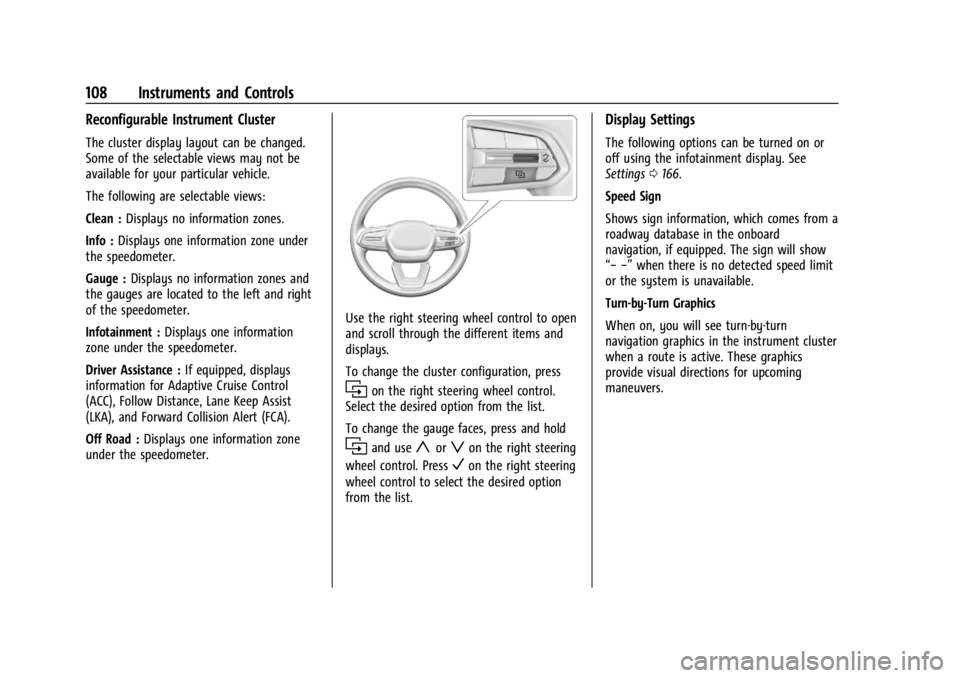
Use the right steering wheel control to open
and scroll through the different items and
displays.
To change the cluster configuration, press
ion the right steering wheel control.
Select the desired option from the list.
To change the gauge faces, press and hold
iand useyorzon the right steering
wheel control. Press
Von the right steering
wheel control to select the desired option
from the list.
Display Settings
The following options can be turned on or
off using the infotainment display. See
Settings 0166.
Speed Sign
Shows sign information, which comes from a
roadway database in the onboard
navigation, if equipped. The sign will show
“− −” when there is no detected speed limit
or the system is unavailable.
Turn-by-Turn Graphics
When on, you will see turn-by-turn
navigation graphics in the instrument cluster
when a route is active. These graphics
provide visual directions for upcoming
maneuvers.
Page 110 of 429
Chevrolet Silverado EV Owner Manual (GMNA-Localizing-U.S./Canada-
16702912) - 2024 - CRC - 1/13/23
Instruments and Controls 109
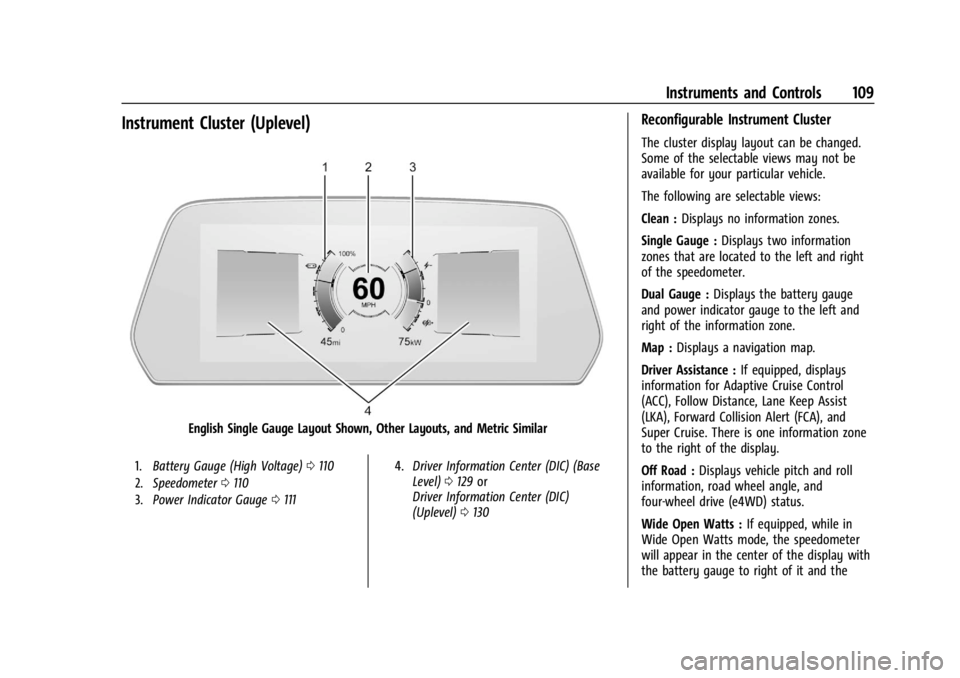
Instrument Cluster (Uplevel)
English Single Gauge Layout Shown, Other Layouts, and Metric Similar
1.Battery Gauge (High Voltage) 0110
2. Speedometer 0110
3. Power Indicator Gauge 0111 4.
Driver Information Center (DIC) (Base
Level) 0129 or
Driver Information Center (DIC)
(Uplevel) 0130
Reconfigurable Instrument Cluster
The cluster display layout can be changed.
Some of the selectable views may not be
available for your particular vehicle.
The following are selectable views:
Clean : Displays no information zones.
Single Gauge : Displays two information
zones that are located to the left and right
of the speedometer.
Dual Gauge : Displays the battery gauge
and power indicator gauge to the left and
right of the information zone.
Map : Displays a navigation map.
Driver Assistance : If equipped, displays
information for Adaptive Cruise Control
(ACC), Follow Distance, Lane Keep Assist
(LKA), Forward Collision Alert (FCA), and
Super Cruise. There is one information zone
to the right of the display.
Off Road : Displays vehicle pitch and roll
information, road wheel angle, and
four-wheel drive (e4WD) status.
Wide Open Watts : If equipped, while in
Wide Open Watts mode, the speedometer
will appear in the center of the display with
the battery gauge to right of it and the
Page 111 of 429
Chevrolet Silverado EV Owner Manual (GMNA-Localizing-U.S./Canada-
16702912) - 2024 - CRC - 1/13/23
110 Instruments and Controls
torque gauge to the left of it. There are two
information zones on the left and right of
the display. Follow the prompts on the
instrument cluster. SeeDriver Mode Control
0 209.
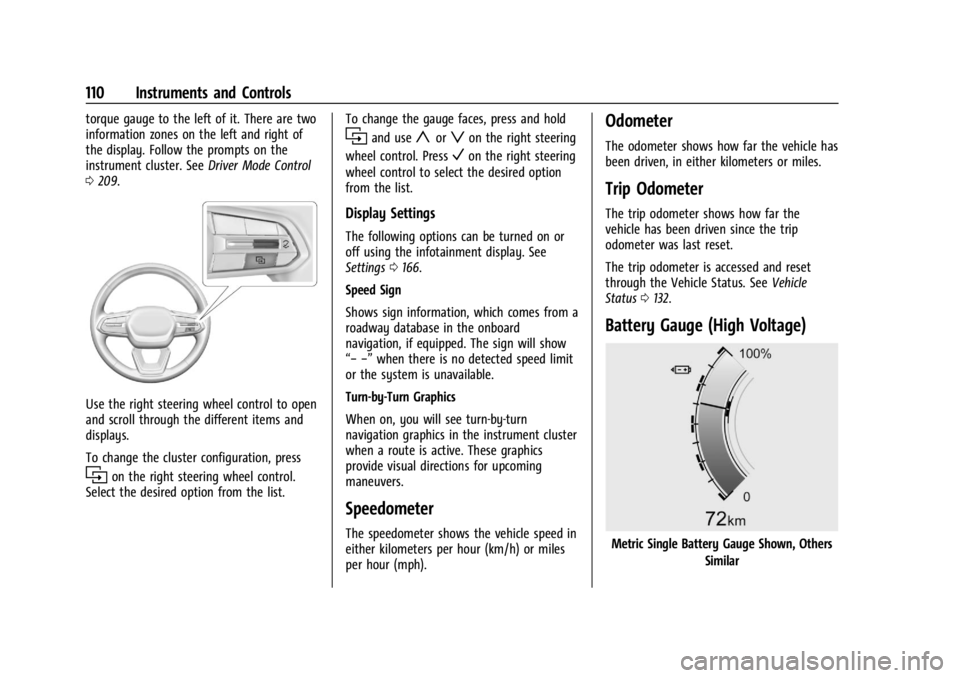
Use the right steering wheel control to open
and scroll through the different items and
displays.
To change the cluster configuration, press
ion the right steering wheel control.
Select the desired option from the list. To change the gauge faces, press and hold
iand useyorzon the right steering
wheel control. Press
Von the right steering
wheel control to select the desired option
from the list.
Display Settings
The following options can be turned on or
off using the infotainment display. See
Settings 0166.
Speed Sign
Shows sign information, which comes from a
roadway database in the onboard
navigation, if equipped. The sign will show
“− −” when there is no detected speed limit
or the system is unavailable.
Turn-by-Turn Graphics
When on, you will see turn-by-turn
navigation graphics in the instrument cluster
when a route is active. These graphics
provide visual directions for upcoming
maneuvers.
Speedometer
The speedometer shows the vehicle speed in
either kilometers per hour (km/h) or miles
per hour (mph).
Odometer
The odometer shows how far the vehicle has
been driven, in either kilometers or miles.
Trip Odometer
The trip odometer shows how far the
vehicle has been driven since the trip
odometer was last reset.
The trip odometer is accessed and reset
through the Vehicle Status. See Vehicle
Status 0132.
Battery Gauge (High Voltage)
Metric Single Battery Gauge Shown, Others
Similar
Page 112 of 429
Chevrolet Silverado EV Owner Manual (GMNA-Localizing-U.S./Canada-
16702912) - 2024 - CRC - 1/13/23
Instruments and Controls 111
English Single Battery Gauge Shown, OthersSimilar
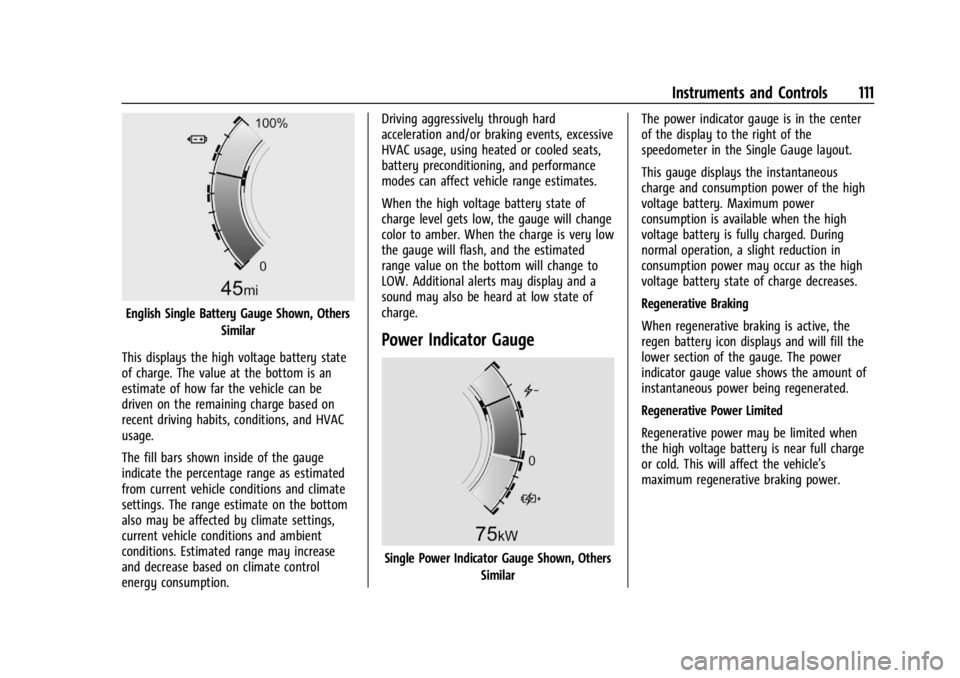
This displays the high voltage battery state
of charge. The value at the bottom is an
estimate of how far the vehicle can be
driven on the remaining charge based on
recent driving habits, conditions, and HVAC
usage.
The fill bars shown inside of the gauge
indicate the percentage range as estimated
from current vehicle conditions and climate
settings. The range estimate on the bottom
also may be affected by climate settings,
current vehicle conditions and ambient
conditions. Estimated range may increase
and decrease based on climate control
energy consumption. Driving aggressively through hard
acceleration and/or braking events, excessive
HVAC usage, using heated or cooled seats,
battery preconditioning, and performance
modes can affect vehicle range estimates.
When the high voltage battery state of
charge level gets low, the gauge will change
color to amber. When the charge is very low
the gauge will flash, and the estimated
range value on the bottom will change to
LOW. Additional alerts may display and a
sound may also be heard at low state of
charge.
Power Indicator Gauge
Single Power Indicator Gauge Shown, Others
Similar The power indicator gauge is in the center
of the display to the right of the
speedometer in the Single Gauge layout.
This gauge displays the instantaneous
charge and consumption power of the high
voltage battery. Maximum power
consumption is available when the high
voltage battery is fully charged. During
normal operation, a slight reduction in
consumption power may occur as the high
voltage battery state of charge decreases.
Regenerative Braking
When regenerative braking is active, the
regen battery icon displays and will fill the
lower section of the gauge. The power
indicator gauge value shows the amount of
instantaneous power being regenerated.
Regenerative Power Limited
Regenerative power may be limited when
the high voltage battery is near full charge
or cold. This will affect the vehicle’s
maximum regenerative braking power.
Page 116 of 429

Chevrolet Silverado EV Owner Manual (GMNA-Localizing-U.S./Canada-
16702912) - 2024 - CRC - 1/13/23
Instruments and Controls 115
This light comes on when a charge cord is
connected to the vehicle.
Battery Fault Light
This light indicates a fault with the high
voltage battery. A message may also display
in the Driver Information Center (DIC). See
your dealer for service.
Propulsion Power is Limited Light
These lights display when the vehicle
propulsion power is limited, which may
affect the vehicle’s ability to accelerate. The
vehicle may be driven while these lights are
on, but maximum acceleration and speed
may be limited.
Service Vehicle Soon Light
(Propulsion System Failure)
This light comes on if a condition exists that
may require the vehicle to be taken in for
service.
If the light comes on, take the vehicle to
your dealer for service as soon as possible.
Brake System Warning Light
MetricEnglishThis light comes on briefly when the vehicle
is turned on to show that the light is
working. If it does not come on then, have
it fixed so it will be ready to warn you if
there is a problem.
When the vehicle is on, the brake system
warning light also comes on when the
parking brake is set. The light stays on if
the parking brake does not fully release. If it
stays on after the parking brake is fully
released, there is a brake problem. Have the
brake system inspected right away. This
light may come on if the brake fluid is low.
See
Brake Fluid 0329.
If the light comes on while driving, pull off
the road and stop carefully. The brake pedal
might be harder to push, or the brake pedal
may go closer to the floor. It could take
longer to stop. If the light is still on, have
the vehicle towed for service. See
Transporting a Disabled Vehicle 0378.
{Warning
The brake system might not be working
properly if the brake system warning
light is on. Driving with the brake system
warning light on can lead to a crash.
If the light is still on after the vehicle has
(Continued)
Page 117 of 429
Chevrolet Silverado EV Owner Manual (GMNA-Localizing-U.S./Canada-
16702912) - 2024 - CRC - 1/13/23
116 Instruments and Controls
Warning (Continued)
been pulled off the road and carefully
stopped, have the vehicle towed for
service.
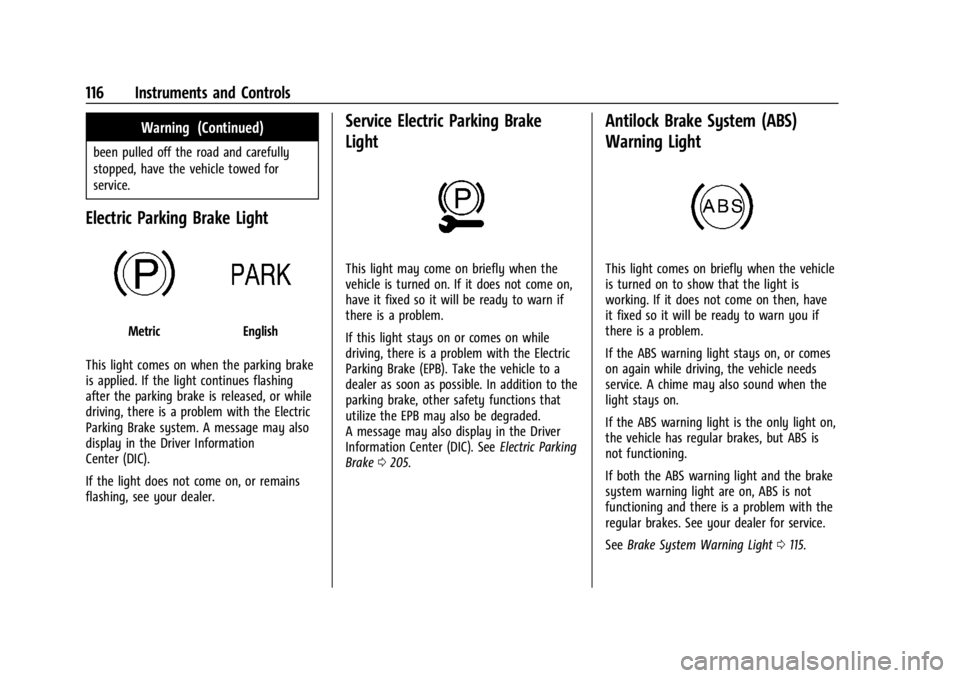
Electric Parking Brake Light
MetricEnglish
This light comes on when the parking brake
is applied. If the light continues flashing
after the parking brake is released, or while
driving, there is a problem with the Electric
Parking Brake system. A message may also
display in the Driver Information
Center (DIC).
If the light does not come on, or remains
flashing, see your dealer.
Service Electric Parking Brake
Light
This light may come on briefly when the
vehicle is turned on. If it does not come on,
have it fixed so it will be ready to warn if
there is a problem.
If this light stays on or comes on while
driving, there is a problem with the Electric
Parking Brake (EPB). Take the vehicle to a
dealer as soon as possible. In addition to the
parking brake, other safety functions that
utilize the EPB may also be degraded.
A message may also display in the Driver
Information Center (DIC). See Electric Parking
Brake 0205.
Antilock Brake System (ABS)
Warning Light
This light comes on briefly when the vehicle
is turned on to show that the light is
working. If it does not come on then, have
it fixed so it will be ready to warn you if
there is a problem.
If the ABS warning light stays on, or comes
on again while driving, the vehicle needs
service. A chime may also sound when the
light stays on.
If the ABS warning light is the only light on,
the vehicle has regular brakes, but ABS is
not functioning.
If both the ABS warning light and the brake
system warning light are on, ABS is not
functioning and there is a problem with the
regular brakes. See your dealer for service.
See Brake System Warning Light 0115.
Page 118 of 429
Chevrolet Silverado EV Owner Manual (GMNA-Localizing-U.S./Canada-
16702912) - 2024 - CRC - 1/13/23
Instruments and Controls 117
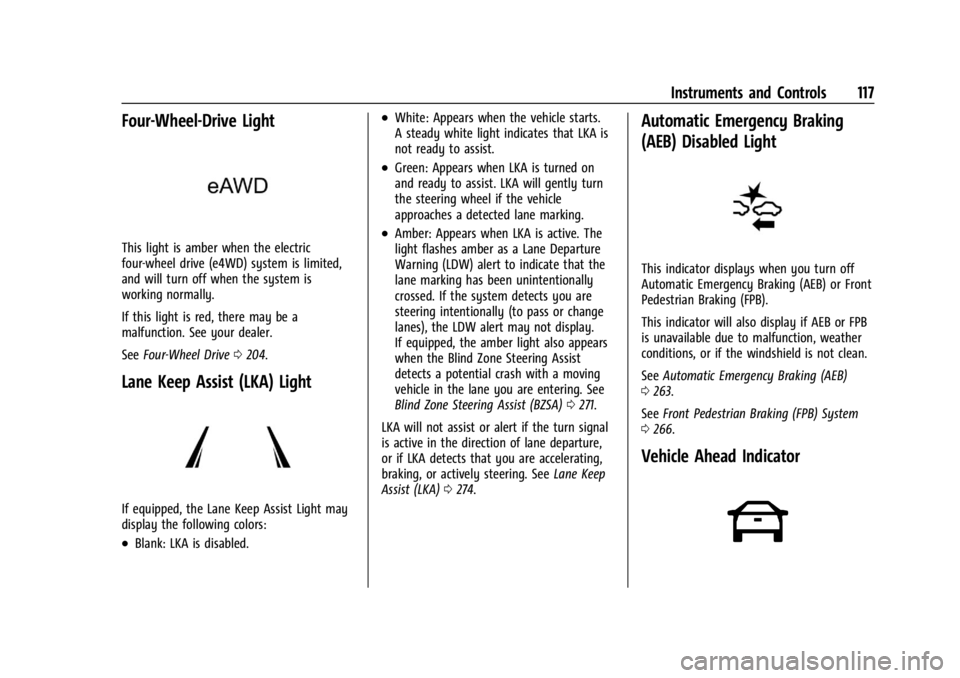
Four-Wheel-Drive Light
This light is amber when the electric
four-wheel drive (e4WD) system is limited,
and will turn off when the system is
working normally.
If this light is red, there may be a
malfunction. See your dealer.
SeeFour-Wheel Drive 0204.
Lane Keep Assist (LKA) Light
If equipped, the Lane Keep Assist Light may
display the following colors:
.Blank: LKA is disabled.
.White: Appears when the vehicle starts.
A steady white light indicates that LKA is
not ready to assist.
.Green: Appears when LKA is turned on
and ready to assist. LKA will gently turn
the steering wheel if the vehicle
approaches a detected lane marking.
.Amber: Appears when LKA is active. The
light flashes amber as a Lane Departure
Warning (LDW) alert to indicate that the
lane marking has been unintentionally
crossed. If the system detects you are
steering intentionally (to pass or change
lanes), the LDW alert may not display.
If equipped, the amber light also appears
when the Blind Zone Steering Assist
detects a potential crash with a moving
vehicle in the lane you are entering. See
Blind Zone Steering Assist (BZSA) 0271.
LKA will not assist or alert if the turn signal
is active in the direction of lane departure,
or if LKA detects that you are accelerating,
braking, or actively steering. See Lane Keep
Assist (LKA) 0274.
Automatic Emergency Braking
(AEB) Disabled Light
This indicator displays when you turn off
Automatic Emergency Braking (AEB) or Front
Pedestrian Braking (FPB).
This indicator will also display if AEB or FPB
is unavailable due to malfunction, weather
conditions, or if the windshield is not clean.
See Automatic Emergency Braking (AEB)
0 263.
See Front Pedestrian Braking (FPB) System
0 266.
Vehicle Ahead Indicator
Page 119 of 429
Chevrolet Silverado EV Owner Manual (GMNA-Localizing-U.S./Canada-
16702912) - 2024 - CRC - 1/13/23
118 Instruments and Controls
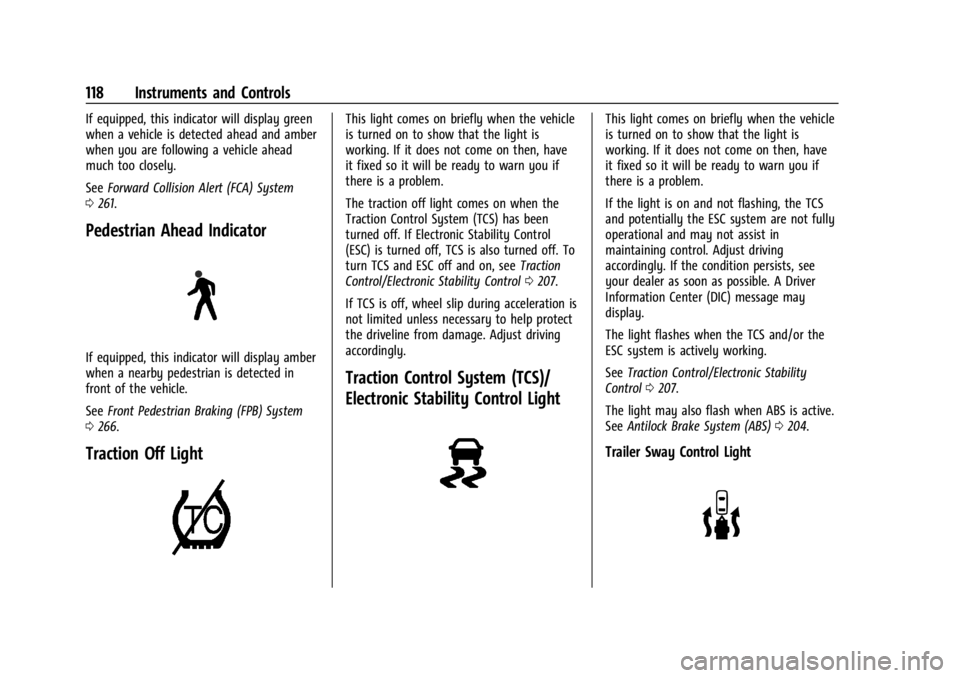
If equipped, this indicator will display green
when a vehicle is detected ahead and amber
when you are following a vehicle ahead
much too closely.
SeeForward Collision Alert (FCA) System
0 261.
Pedestrian Ahead Indicator
If equipped, this indicator will display amber
when a nearby pedestrian is detected in
front of the vehicle.
See Front Pedestrian Braking (FPB) System
0 266.
Traction Off Light
This light comes on briefly when the vehicle
is turned on to show that the light is
working. If it does not come on then, have
it fixed so it will be ready to warn you if
there is a problem.
The traction off light comes on when the
Traction Control System (TCS) has been
turned off. If Electronic Stability Control
(ESC) is turned off, TCS is also turned off. To
turn TCS and ESC off and on, see Traction
Control/Electronic Stability Control 0207.
If TCS is off, wheel slip during acceleration is
not limited unless necessary to help protect
the driveline from damage. Adjust driving
accordingly.
Traction Control System (TCS)/
Electronic Stability Control Light
This light comes on briefly when the vehicle
is turned on to show that the light is
working. If it does not come on then, have
it fixed so it will be ready to warn you if
there is a problem.
If the light is on and not flashing, the TCS
and potentially the ESC system are not fully
operational and may not assist in
maintaining control. Adjust driving
accordingly. If the condition persists, see
your dealer as soon as possible. A Driver
Information Center (DIC) message may
display.
The light flashes when the TCS and/or the
ESC system is actively working.
See Traction Control/Electronic Stability
Control 0207.
The light may also flash when ABS is active.
See Antilock Brake System (ABS) 0204.
Trailer Sway Control Light
Page 121 of 429
Chevrolet Silverado EV Owner Manual (GMNA-Localizing-U.S./Canada-
16702912) - 2024 - CRC - 1/13/23
120 Instruments and Controls
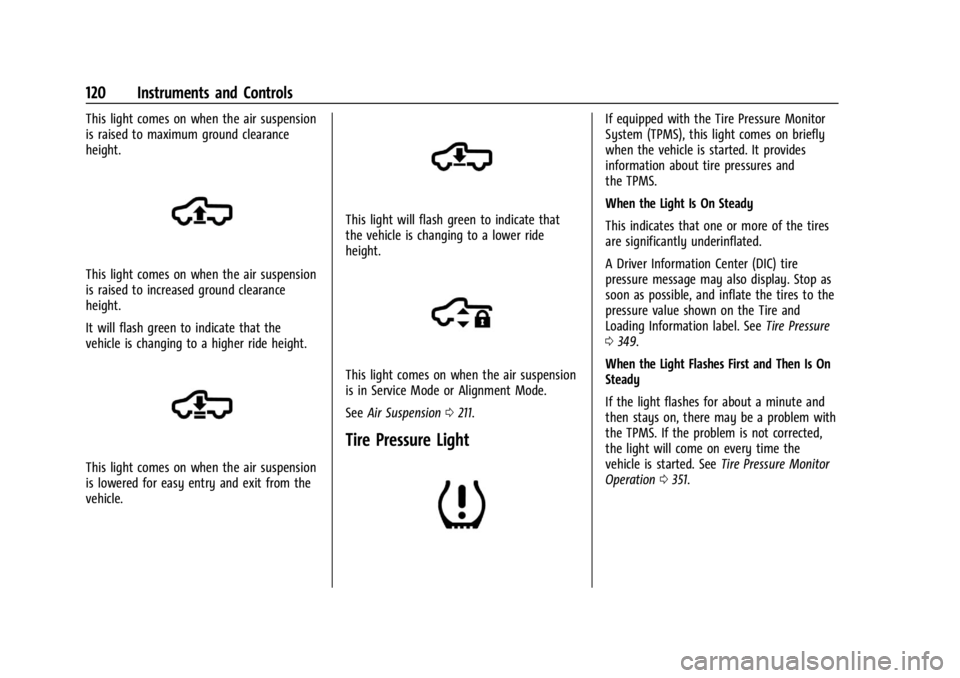
This light comes on when the air suspension
is raised to maximum ground clearance
height.
This light comes on when the air suspension
is raised to increased ground clearance
height.
It will flash green to indicate that the
vehicle is changing to a higher ride height.
This light comes on when the air suspension
is lowered for easy entry and exit from the
vehicle.
This light will flash green to indicate that
the vehicle is changing to a lower ride
height.
This light comes on when the air suspension
is in Service Mode or Alignment Mode.
SeeAir Suspension 0211.
Tire Pressure Light
If equipped with the Tire Pressure Monitor
System (TPMS), this light comes on briefly
when the vehicle is started. It provides
information about tire pressures and
the TPMS.
When the Light Is On Steady
This indicates that one or more of the tires
are significantly underinflated.
A Driver Information Center (DIC) tire
pressure message may also display. Stop as
soon as possible, and inflate the tires to the
pressure value shown on the Tire and
Loading Information label. See Tire Pressure
0 349.
When the Light Flashes First and Then Is On
Steady
If the light flashes for about a minute and
then stays on, there may be a problem with
the TPMS. If the problem is not corrected,
the light will come on every time the
vehicle is started. See Tire Pressure Monitor
Operation 0351.