check oil CHEVROLET SONIC 2012 2.G User Guide
[x] Cancel search | Manufacturer: CHEVROLET, Model Year: 2012, Model line: SONIC, Model: CHEVROLET SONIC 2012 2.GPages: 352, PDF Size: 6.32 MB
Page 226 of 352
Black plate (18,1)Chevrolet Sonic Owner Manual - 2012
10-18 Vehicle Care
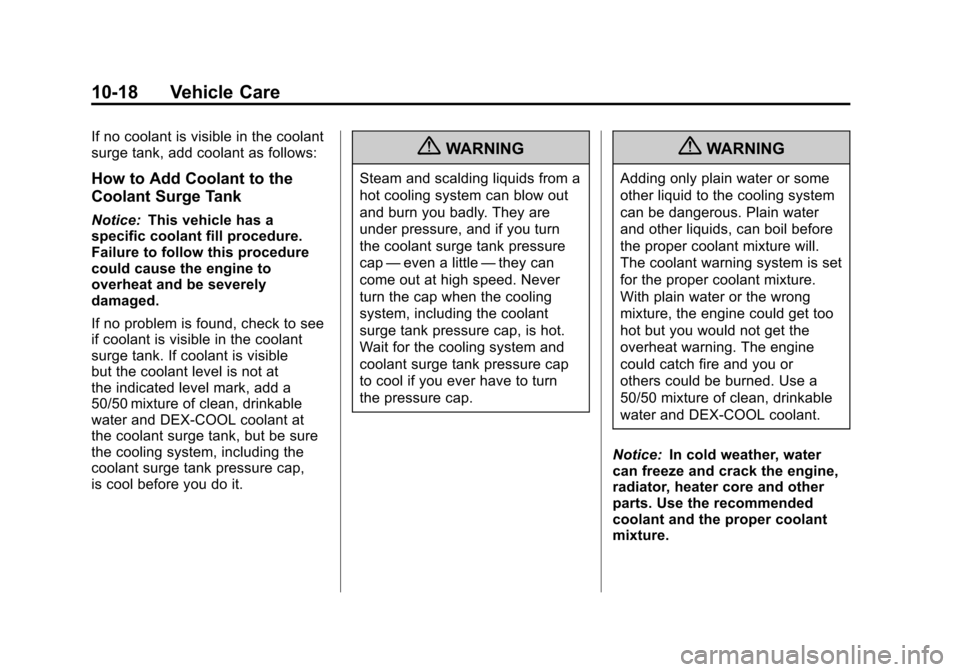
If no coolant is visible in the coolant
surge tank, add coolant as follows:
How to Add Coolant to the
Coolant Surge Tank
Notice:This vehicle has a
specific coolant fill procedure.
Failure to follow this procedure
could cause the engine to
overheat and be severely
damaged.
If no problem is found, check to see
if coolant is visible in the coolant
surge tank. If coolant is visible
but the coolant level is not at
the indicated level mark, add a
50/50 mixture of clean, drinkable
water and DEX-COOL coolant at
the coolant surge tank, but be sure
the cooling system, including the
coolant surge tank pressure cap,
is cool before you do it.
{WARNING
Steam and scalding liquids from a
hot cooling system can blow out
and burn you badly. They are
under pressure, and if you turn
the coolant surge tank pressure
cap —even a little —they can
come out at high speed. Never
turn the cap when the cooling
system, including the coolant
surge tank pressure cap, is hot.
Wait for the cooling system and
coolant surge tank pressure cap
to cool if you ever have to turn
the pressure cap.
{WARNING
Adding only plain water or some
other liquid to the cooling system
can be dangerous. Plain water
and other liquids, can boil before
the proper coolant mixture will.
The coolant warning system is set
for the proper coolant mixture.
With plain water or the wrong
mixture, the engine could get too
hot but you would not get the
overheat warning. The engine
could catch fire and you or
others could be burned. Use a
50/50 mixture of clean, drinkable
water and DEX-COOL coolant.
Notice: In cold weather, water
can freeze and crack the engine,
radiator, heater core and other
parts. Use the recommended
coolant and the proper coolant
mixture.
Page 296 of 352
Black plate (2,1)Chevrolet Sonic Owner Manual - 2012
11-2 Service and Maintenance
Your dealer recognizes the
importance of providing
competitively priced maintenance
and repair services. With trained
technicians, the dealer is the place
for routine maintenance such as oil
changes and tire rotations and
additional maintenance items like
tires, brakes, batteries, and wiper
blades.Notice:
Damage caused by
improper maintenance can lead to
costly repairs and may not be
covered by the vehicle warranty.
Maintenance intervals, checks,
inspections, recommended fluids,
and lubricants are important to
keep the vehicle in good working
condition.
The Tire Rotation and Required
Services are the responsibility of the
vehicle owner. It is recommended to
have your dealer perform these
services every 12 000 km/7,500 mi.
Proper vehicle maintenance helps to
keep the vehicle in good working
condition, improves fuel economy,
and reduces vehicle emissions. Because of the way people use
vehicles, maintenance needs vary.
There may need to be more
frequent checks and services.
The Additional Required
Services
‐Normal are for
vehicles that:
.Carry passengers and cargo
within recommended limits on
the Tire and Loading Information
label. See Vehicle Load Limits
on page 9‑11.
.Are driven on reasonable road
surfaces within legal driving
limits.
.Use the recommended fuel.
See Recommended Fuel on
page 9‑35.
Page 297 of 352
Black plate (3,1)Chevrolet Sonic Owner Manual - 2012
Service and Maintenance 11-3
Refer to the information in the
Maintenance Schedule Additional
Required Services‐Normal chart.
The Additional Required
Services ‐Severe are for vehicles
that are:
.Mainly driven in hilly or
mountainous terrain.
.Frequently towing a trailer.
.Used for high speed or
competitive driving.
.Used for taxi, police, or delivery
service. Refer to the information in the
Maintenance Schedule Additional
Required Services
‐Severe chart.
{WARNING
Performing maintenance work can
be dangerous and can cause
serious injury. Perform
maintenance work only if the
required information, proper tools,
and equipment are available.
If they are not, see your dealer to
have a trained technician do the
work. See Doing Your Own
Service Work on page 10‑4.
Maintenance
Schedule
Owner Checks and Services
At Each Fuel Stop
.Check the engine oil level. See
Engine Oil on page 10‑9.
Once a Month
.Check the tire inflation
pressures. See Tire Pressure on
page 10‑45.
.Inspect the tires for wear. See
Tire Inspection on page 10‑50.
.Check the windshield washer
fluid level. See Washer Fluid on
page 10‑21.
Page 298 of 352
Black plate (4,1)Chevrolet Sonic Owner Manual - 2012
11-4 Service and Maintenance
Engine Oil Change
When the Code 82 DIC message
displays, have the engine oil and
filter changed within the next
1 000 km/600 mi. If driven under the
best conditions, the engine oil life
system might not indicate the need
for vehicle service for more than a
year. The engine oil and filter must
be changed at least once a year
and the oil life system must be
reset. Your trained dealer technician
can perform this work. If the engine
oil life system is reset accidentally,
service the vehicle within 5 000 km/
3,000 mi since the last service.
Reset the oil life system when the
oil is changed. SeeEngine Oil Life
System on page 10‑12.
Tire Rotation and Required
Services Every 12 000 km/
7,500 mi
Rotate the tires, if recommended for
the vehicle, and perform the
following services. See Tire
Rotation on page 10‑50.
.Check engine oil level and oil
life percentage. If needed,
change engine oil and filter, and
reset oil life system. See Engine
Oil on page 10‑9 andEngine Oil
Life System on page 10‑12.
.Check engine coolant level. See
Engine Coolant on page 10‑16.
.Check windshield washer fluid
level. See Washer Fluid on
page 10‑21.
.Visually inspect windshield wiper
blades for wear, cracking,
or contamination. See Exterior
Care on page 10‑80. Replace
worn or damaged wiper blades.
See Wiper Blade Replacement
on page 10‑27.
.Check tire inflation pressures.
See Tire Pressure on
page 10‑45.
.Inspect tire wear. See Tire
Inspection on page 10‑50.
.Visually check for fluid leaks.
.Inspect engine air cleaner filter.
See Engine Air Cleaner/Filter on
page 10‑14.
.Inspect brake system.
Page 304 of 352
Black plate (10,1)Chevrolet Sonic Owner Manual - 2012
11-10 Service and Maintenance
Battery
The battery supplies power to start
the engine and operate any
additional electrical accessories.
.To avoid break‐down or failure to
start the vehicle, maintain a
battery with full cranking power.
.Trained dealer technicians have
the diagnostic equipment to test
the battery and ensure that the
connections and cables are
corrosion‐free.
Belts
.Belts may need replacing if they
squeak or show signs of
cracking or splitting.
.Trained dealer technicians
can inspect the belts and
recommend replacement
when necessary. Brakes
Brakes stop the vehicle and are
crucial to safe driving.
.Signs of brake wear may include
chirping, grinding, or squealing
noises, or difficulty stopping.
.Trained dealer technicians have
access to tools and equipment
to inspect the brakes and
recommend quality parts
engineered for the vehicle.
Fluids
Proper fluid levels and approved
fluids protect the vehicle’s systems
and components. See
Recommended Fluids and
Lubricants on page 11‑13 for GM
approved fluids.
.Engine oil and windshield
washer fluid levels should be
checked at every fuel fill.
.Instrument cluster lights may
come on to indicate that fluids
may be low and need to be
filled. Hoses
Hoses transport fluids and should
be regularly inspected to ensure
that there are no cracks or leaks.
With a multi‐point inspection, your
dealer can inspect the hoses and
advise if replacement is needed.
Lamps
Properly working headlamps,
taillamps, and brake lamps are
important to see and be seen on
the road.
.Signs that the headlamps need
attention include dimming, failure
to light, cracking, or damage.
The brake lamps need to be
checked periodically to ensure
that they light when braking.
.With a multi‐point inspection,
your dealer can check the lamps
and note any concerns.
Page 314 of 352
Black plate (2,1)Chevrolet Sonic Owner Manual - 2012
12-2 Technical Data
Vehicle Data
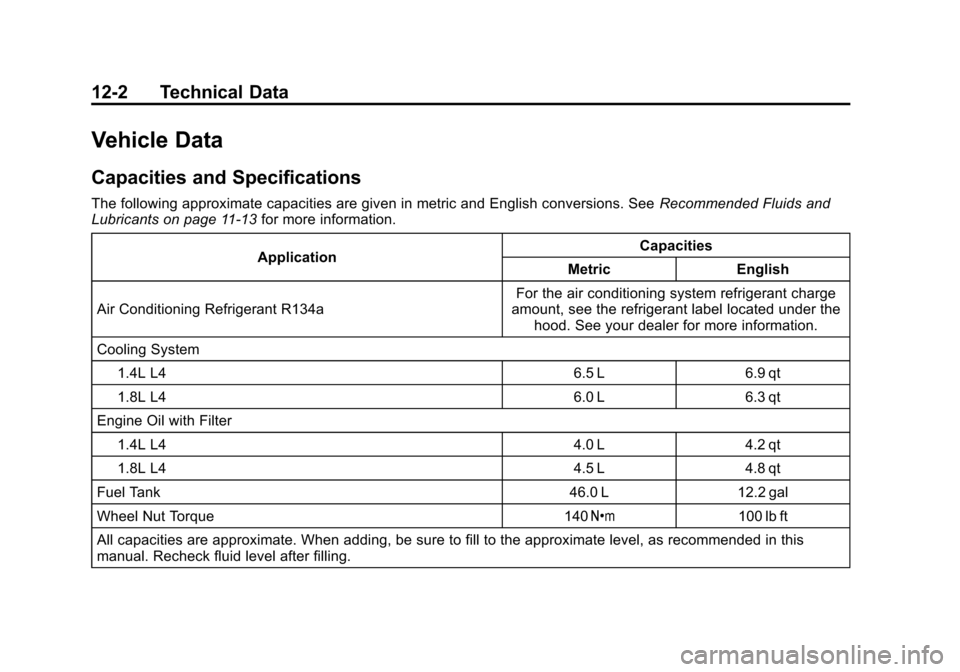
Capacities and Specifications
The following approximate capacities are given in metric and English conversions. SeeRecommended Fluids and
Lubricants on page 11‑13 for more information.
Application Capacities
Metric English
Air Conditioning Refrigerant R134a For the air conditioning system refrigerant charge
amount, see the refrigerant label located under the hood. See your dealer for more information.
Cooling System 1.4L L4 6.5 L 6.9 qt
1.8L L4 6.0 L 6.3 qt
Engine Oil with Filter 1.4L L4 4.0 L 4.2 qt
1.8L L4 4.5 L 4.8 qt
Fuel Tank 46.0 L 12.2 gal
Wheel Nut Torque 140 Y100 lb ft
All capacities are approximate. When adding, be sure to fill to the approximate level, as recommended in this
manual. Recheck fluid level after filling.
Page 336 of 352
Black plate (4,1)Chevrolet Sonic Owner Manual - 2012
14-4 OnStar
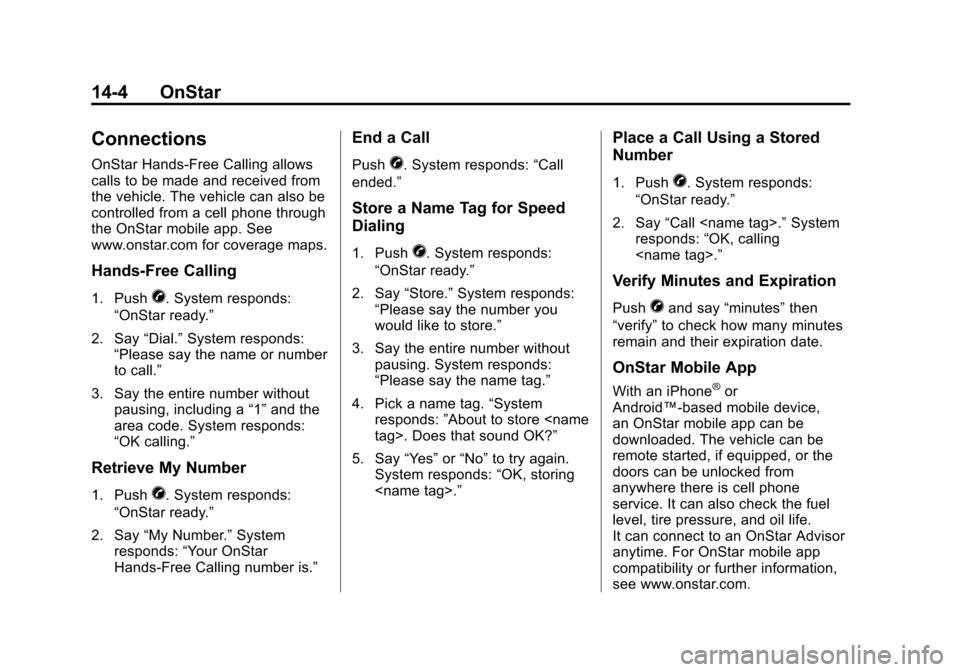
Connections
OnStar Hands-Free Calling allows
calls to be made and received from
the vehicle. The vehicle can also be
controlled from a cell phone through
the OnStar mobile app. See
www.onstar.com for coverage maps.
Hands-Free Calling
1. PushX. System responds:
“OnStar ready.”
2. Say “Dial.”System responds:
“Please say the name or number
to call.”
3. Say the entire number without pausing, including a “1”and the
area code. System responds:
“OK calling.”
Retrieve My Number
1. PushX. System responds:
“OnStar ready.”
2. Say “My Number.” System
responds: “Your OnStar
Hands-Free Calling number is.”
End a Call
PushX. System responds: “Call
ended.”
Store a Name Tag for Speed
Dialing
1. PushX. System responds:
“OnStar ready.”
2. Say “Store.” System responds:
“Please say the number you
would like to store.”
3. Say the entire number without pausing. System responds:
“Please say the name tag.”
4. Pick a name tag. “System
responds: ”About to store
5. Say “Yes”or“No” to try again.
System responds: “OK, storing
Place a Call Using a Stored
Number
1. PushX. System responds:
“OnStar ready.”
2. Say “Call
responds: “OK, calling
Verify Minutes and Expiration
PushXand say “minutes” then
“verify” to check how many minutes
remain and their expiration date.
OnStar Mobile App
With an iPhone®or
Android™-based mobile device,
an OnStar mobile app can be
downloaded. The vehicle can be
remote started, if equipped, or the
doors can be unlocked from
anywhere there is cell phone
service. It can also check the fuel
level, tire pressure, and oil life.
It can connect to an OnStar Advisor
anytime. For OnStar mobile app
compatibility or further information,
see www.onstar.com.
Page 344 of 352

Black plate (4,1)Chevrolet Sonic Owner Manual - 2012
i-4 INDEX
Devices, Auxiliary . . . . . . . . . . . . . 7-16
Diagnostics, OnStar®. . . . . . . . . . 14-5
Distracted Driving . . . . . . . . . . . . . . . 9-2
Dome Lamps . . . . . . . . . . . . . . . . . . . 6-5
Door Ajar Light . . . . . . . . . . . . . . . . . . . . . 5-22
Ajar Reminder . . . . . . . . . . . . . . . . . 2-7
Central Locking System . . . . . . . 2-7
Delayed Locking . . . . . . . . . . . . . . . 2-7
Locks . . . . . . . . . . . . . . . . . . . . . . . . . . 2-6
Drive Belt Routing, Engine . . . . . 12-3
Driver Information
Center (DIC) . . . . . . . . . . . . . . . . . 5-23
Driving Better Fuel Economy . . . . . . . . . . 9-2
Defensive . . . . . . . . . . . . . . . . . . . . . . 9-3
Drunk . . . . . . . . . . . . . . . . . . . . . . . . . . 9-3
For Better Fuel Economy . . . . . 1-20
Highway Hypnosis . . . . . . . . . . . . . 9-8
Hill and Mountain Roads . . . . . . . 9-8
If the Vehicle is Stuck . . . . . . . . . 9-10
Loss of Control . . . . . . . . . . . . . . . . 9-6
Off-Road Recovery . . . . . . . . . . . . 9-5
Vehicle Load Limits . . . . . . . . . . . 9-11
Wet Roads . . . . . . . . . . . . . . . . . . . . 9-6
Winter . . . . . . . . . . . . . . . . . . . . . . . . . 9-9E
Electrical Equipment,Add-On . . . . . . . . . . . . . . . . . . . . . . 9-39
Electrical System Engine CompartmentFuse Block . . . . . . . . . . . . . . . . 10-34
Fuses and Circuit
Breakers . . . . . . . . . . . . . . . . . . 10-34
Instrument Panel Fuse Block . . . . . . . . . . . . . . . . . . . . . . 10-37
Overload . . . . . . . . . . . . . . . . . . . 10-33
Emergency, OnStar
®. . . . . . . . . . 14-2
Engine Air Cleaner/Filter . . . . . . . . . . . 10-14
Check and Service EngineSoon Light . . . . . . . . . . . . . . . . . . 5-13
Compartment Overview . . . . . . . 10-6
Coolant . . . . . . . . . . . . . . . . . . . . . 10-16
Coolant Temperature Warning Light . . . . . . . . . . . . . . . 5-18
Cooling System . . . . . . . . . . . . . 10-15
Drive Belt Routing . . . . . . . . . . . . 12-3
Exhaust . . . . . . . . . . . . . . . . . . . . . . 9-22
Heater . . . . . . . . . . . . . . . . . . . . . . . . 9-19
Overheating . . . . . . . . . . . . . . . . 10-20
Pressure Light . . . . . . . . . . . . . . . . 5-19 Engine (cont'd)
Reduced Power Light . . . . . . . . . 5-21
Running While Parked . . . . . . . . 9-23
Starting . . . . . . . . . . . . . . . . . . 1-3, 9-17
Engine Oil Life System . . . . . . . . . . . . . . . . . 10-12
Event Data Recorders . . . . . . . . 13-14
Extender, Safety Belt . . . . . . . . . . 3-17
Exterior Lamp Controls . . . . . . . . . 6-1
F
Filter, Engine Air Cleaner . . . . . . . . . 10-14
Flash-to-Pass . . . . . . . . . . . . . . . . . . . 6-2
Flashers, Hazard Warning . . . . . . 6-3
Flat Tire . . . . . . . . . . . . . . . . . . . . . . 10-58 Changing . . . . . . . . . . . . . . . . . . . 10-67
Floor Mats . . . . . . . . . . . . . . . . . . . . 10-86
Fluid Automatic Transmission . . . . 10-13
Brakes . . . . . . . . . . . . . . . . . . . . . . 10-23
Washer . . . . . . . . . . . . . . . . . . . . . 10-21
Fog Lamps Bulb Replacement . . . . . . . . . . . . . 6-4