lock CHEVROLET SONIC 2012 2.G Service Manual
[x] Cancel search | Manufacturer: CHEVROLET, Model Year: 2012, Model line: SONIC, Model: CHEVROLET SONIC 2012 2.GPages: 352, PDF Size: 6.32 MB
Page 114 of 352
Black plate (16,1)Chevrolet Sonic Owner Manual - 2012
5-16 Instruments and Controls
Brake System Warning
Light
The vehicle brake system consists
of two hydraulic circuits. If one
circuit is not working, the remaining
circuit can still work to stop the
vehicle. For normal braking
performance, both circuits need to
be working
If the warning light comes on, there
is a brake problem. Have the brake
system inspected right away.
{WARNING
The brake system might not be
working properly if the brake
system warning light is on.
Driving with the brake system
warning light on can lead to a
crash. If the light is still on after
the vehicle has been pulled off
the road and carefully stopped,
have the vehicle towed for
service.
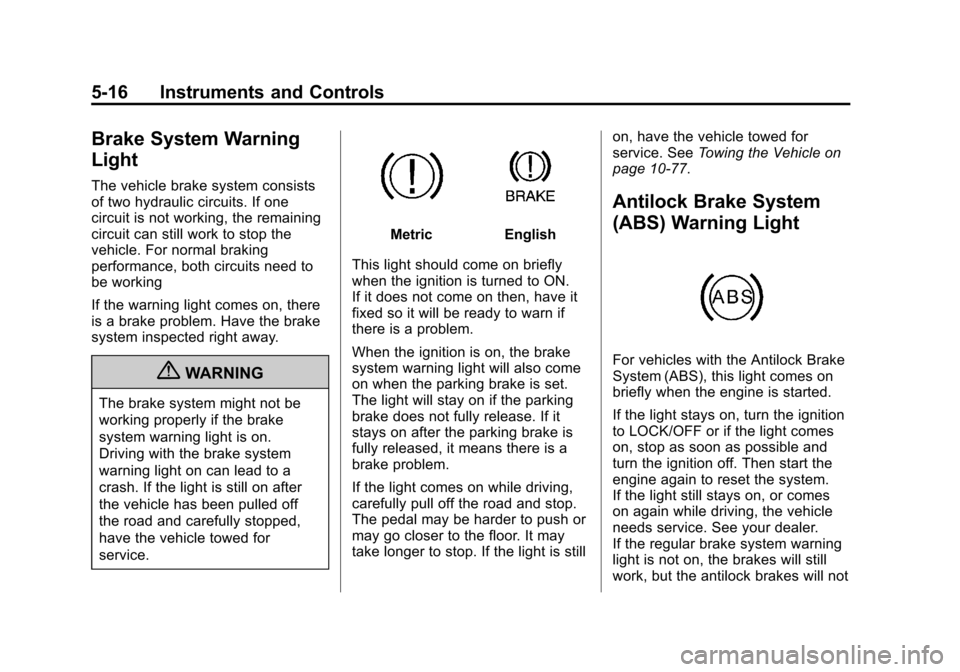
MetricEnglish
This light should come on briefly
when the ignition is turned to ON.
If it does not come on then, have it
fixed so it will be ready to warn if
there is a problem.
When the ignition is on, the brake
system warning light will also come
on when the parking brake is set.
The light will stay on if the parking
brake does not fully release. If it
stays on after the parking brake is
fully released, it means there is a
brake problem.
If the light comes on while driving,
carefully pull off the road and stop.
The pedal may be harder to push or
may go closer to the floor. It may
take longer to stop. If the light is still on, have the vehicle towed for
service. See
Towing the Vehicle on
page 10‑77.
Antilock Brake System
(ABS) Warning Light
For vehicles with the Antilock Brake
System (ABS), this light comes on
briefly when the engine is started.
If the light stays on, turn the ignition
to LOCK/OFF or if the light comes
on, stop as soon as possible and
turn the ignition off. Then start the
engine again to reset the system.
If the light still stays on, or comes
on again while driving, the vehicle
needs service. See your dealer.
If the regular brake system warning
light is not on, the brakes will still
work, but the antilock brakes will not
Page 115 of 352
Black plate (17,1)Chevrolet Sonic Owner Manual - 2012
Instruments and Controls 5-17
work. If the regular brake system
warning light is also on, the antilock
brakes will not work and there is a
problem with the regular brakes.
SeeBrake System Warning Light on
page 5‑16.
The ABS warning light will come on
briefly when the ignition is turned to
ON/RUN. This is normal. If the light
does not come on then, have it fixed
so it will be ready to warn if there is
a problem.
Up-Shift Light
For manual transmission vehicles,
there is an up-shift light that comes
on in the lower DIC area. It shows
when to shift to the next higher gear
for best fuel economy. See
Manual Transmission on
page 9‑26 for more information.
Speed Sensitive Power
Steering (SSPS) Warning
Light
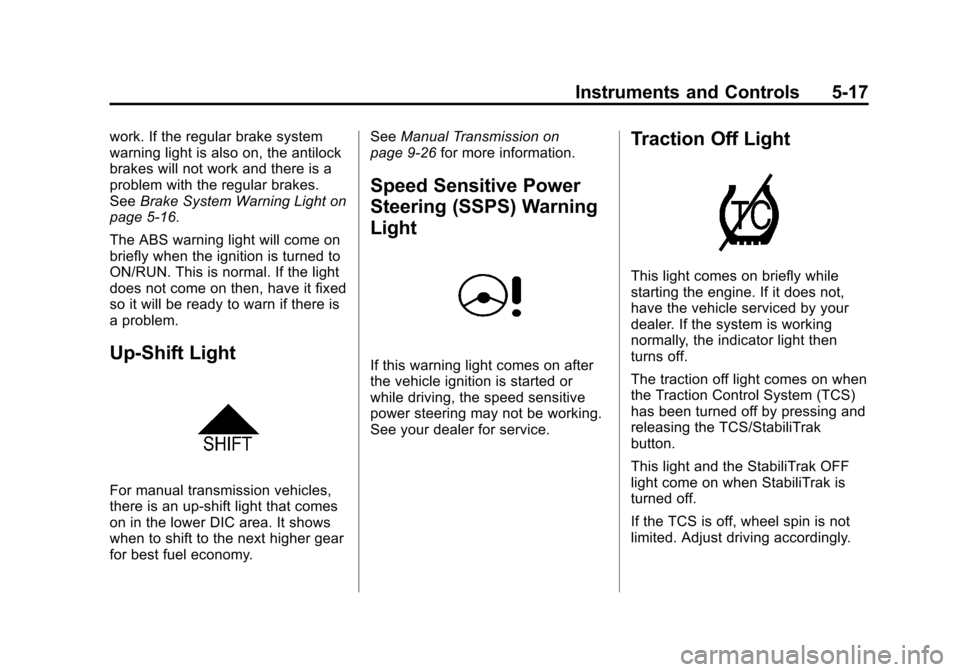
If this warning light comes on after
the vehicle ignition is started or
while driving, the speed sensitive
power steering may not be working.
See your dealer for service.
Traction Off Light
This light comes on briefly while
starting the engine. If it does not,
have the vehicle serviced by your
dealer. If the system is working
normally, the indicator light then
turns off.
The traction off light comes on when
the Traction Control System (TCS)
has been turned off by pressing and
releasing the TCS/StabiliTrak
button.
This light and the StabiliTrak OFF
light come on when StabiliTrak is
turned off.
If the TCS is off, wheel spin is not
limited. Adjust driving accordingly.
Page 125 of 352
Black plate (27,1)Chevrolet Sonic Owner Manual - 2012
Instruments and Controls 5-27
Vehicle
Personalization
The audio system controls are used
to access the personalization
menus for customizing vehicle
features.
CONFIG (Configuration):Press to
access the Configuration
Settings menu.
MENU/TUNE: Turn to scroll
through the menus. Press to enter
the menus and select the menu
items.
/BACK: Press to exit or move
backward in a menu.
Entering the Personalization
Menus
1. Press CONFIG to access the
Configuration Settings menu.
2. Turn the MENU/TUNE knob to highlight Vehicle Settings.
3. Press MENU/TUNE to select the Vehicle Settings menu. The following list of menu items may
be available:
.Comfort and Convenience
.Climate and Air Quality
.Language
.Lighting
.Power Door Locks
.Remote Lock, Unlock, Start
.Return to Factory Settings
Turn the MENU/TUNE knob to
highlight the menu. Press MENU/
TUNE to select it. Each of the
menus is detailed in the following
information.
Comfort and Convenience
Select the Comfort and
Convenience menu and the
following will be displayed:
.Chime Volume
.Auto Wipe in Reverse Gear Chime Volume
This allows selection of the chime
volume level.
Press MENU/TUNE when Chime
Volume is highlighted. Turn the
MENU/TUNE knob to select Normal
or High. Press MENU/TUNE to
confirm and go back to the
last menu.
Auto Wipe in Reverse Gear
When on and the vehicle on, this
feature will turn the rear wipers on
when the vehicle is placed in
R (Reverse) when the front wipers
are on.
Press MENU/TUNE when Auto
Wipe in Reverse Gear is
highlighted. Turn the MENU/TUNE
knob to select On or Off. Press
MENU/TUNE to confirm and go
back to the last menu.
Page 126 of 352
Black plate (28,1)Chevrolet Sonic Owner Manual - 2012
5-28 Instruments and Controls
Language
Select the Language menu and the
following will be displayed:
.English
.French
.Spanish
Turn the MENU/TUNE knob to
select the language. Press MENU/
TUNE to confirm and go back to the
last menu.
Exterior Lighting
Select the Lighting menu and the
following will be displayed:
.Exterior Vehicle Locator Lights
.Exit Lighting
Exterior Vehicle Locator Lights
This allows selection of whether the
exterior lamps will turn on when
unlocking the vehicle.
Press MENU/TUNE when Exterior
Vehicle Locator Lights is
highlighted. Turn the MENU/TUNE knob to select On or Off. Press
MENU/TUNE to confirm and go
back to the last menu.
Exit Lighting
Press MENU/TUNE when Exit
Lighting is highlighted. Turn the
MENU/TUNE knob to select Off,
30 Seconds, 1 Minute, or 2 Minutes.
Press MENU/TUNE to confirm and
go back to the last menu.
Power Door Locks
Select Power Door Locks and the
following will be displayed:
.Auto Door Unlock
.Unlock Door Anti Lock Out
.Delayed Door Lock
Auto Door Unlock
This allows selection of which of the
doors will automatically unlock when
the vehicle is shifted into P (Park) or
the key is removed. Press MENU/TUNE when Auto
Door Unlock is highlighted. Turn the
MENU/TUNE knob to select All
Doors, Driver Door, or Off. Press
MENU/TUNE to confirm and go
back to the last menu.
Unlock Door Anti Lock Out
When on, this feature will keep the
driver door from locking when the
door is open. If off is selected, the
Unlock Door Anti Lock Out menu
will be available and the door will
lock as programmed through
this menu.
Press MENU/TUNE when Unlock
Door Anti Lock Out is highlighted.
Turn the MENU/TUNE knob to
select On or Off. Press MENU/
TUNE to confirm and go back to the
last menu.
Page 127 of 352
Black plate (29,1)Chevrolet Sonic Owner Manual - 2012
Instruments and Controls 5-29
Delayed Door Lock
When on, this feature will delay
the locking of the doors until
five seconds after the last door is
closed. Three chimes will signal that
delayed locking is in use. Pressing
either
QorKon the RKE
transmitter twice will override the
delayed locking feature and
immediately lock all of the doors.
Press MENU/TUNE when Delayed
Door Lock is highlighted. Turn the
MENU/TUNE knob to select On or
Off. Press MENU/TUNE to confirm
and go back to the last menu.
Remote Lock, Unlock, Start
Select Remote Lock, Unlock, Start
and the following will be displayed:
.Remote Unlock Feedback
.Remote Lock Feedback
.Remote Door Unlock Remote Unlock Feedback
When on, the exterior lamps will
flash when unlocking the vehicle
with the RKE transmitter.
Press MENU/TUNE when Remote
Unlock Feedback is highlighted.
Turn the MENU/TUNE knob to
select On or Off. Press MENU/
TUNE to confirm and go back to
the last menu.
Remote Lock Feedback
This allows selection of what type of
feedback is given when locking the
vehicle with the RKE transmitter.
Press MENU/TUNE when Remote
Lock Feedback is highlighted. Turn
the MENU/TUNE knob to select
Lights and Horn, Lights Only, Horn
Only, or Off. Press MENU/TUNE to
confirm and go back to the
last menu.
Remote Door Unlock
This allows selection of which doors
will unlock when pressing
Kon the
RKE transmitter.
Press MENU/TUNE when Remote
Door Unlock is highlighted. Turn the
MENU/TUNE knob to select All
Doors or Driver Door Only. When
set to Driver Door Only, the driver
door will unlock the first time
Kis
pressed and all doors will unlock
when
Kis pressed a second time.
When set to All Doors, all of the
doors will unlock at the first press of
K. Press MENU/TUNE to confirm
and go back to the last menu.
Return to Factory Settings
Select Return to Factory Settings
to return all of the vehicle
personalization to the default
settings. Turn the MENU/TUNE
knob to select Yes or No. Press
MENU/TUNE to confirm and go
back to the last menu.
Page 138 of 352

Black plate (4,1)Chevrolet Sonic Owner Manual - 2012
7-4 Infotainment System
G. RADIO/BAND
.Changes the band while
listening to the radio.
.Selects the radio when
listening to a different
audio source.
H.
/BACK
.Menu: Moves one
level back.
.Character Input: Deletes
the last character. I. AUX
.Selects an external audio
source.
J.
HClock Menu
.Opens the Clock menu.
K.
5/>(Phone Mute)
.Opens the Phone
main menu.
.Mutes the audio system.
L. TONE
.Opens the Tone menu. M. INFO (Information)
.Shows available
information about the
current station.
N. CONFIG (Configuration)
.Opens the
Configuration menu.
O. AUX port
.3.5 mm (1/8 in) connection
for external devices.
Page 140 of 352
Black plate (6,1)Chevrolet Sonic Owner Manual - 2012
7-6 Infotainment System
G. INFO (Information)
.Radio: Shows available
information about the
current station.
.CD: Shows available
information about the
current track.
H. CD slot
I. SEEK
¨
.Radio: Seeks the next
station.
.CD: Selects the next track
or fast forwards within a
track.
J.
©SEEK
.Radio: Seeks the previous
station.
.CD: Selects the previous
track or rewinds within a
track.
K. CD/AUX
.Selects the CD player or
an external audio source. L. RADIO/BAND
.Changes the band while
listening to the radio.
.Selects the radio when
listening to a different
audio source.
M.
H
.Opens the Clock menu.
N. TONE
.Opens the Tone menu.
O. CONFIG (Configuration)
.Opens the
Configuration menu.
P.
/BACK
.Menu: Moves one
level back.
.Character Input: Deletes
the last character.
Q.
5/>(Phone/Mute)
.Opens the Phone menu.
.Mutes the audio system.
Operation
Controls
The infotainment system is operated
by using the pushbuttons,
multifunction knobs, menus shown
on the display, and steering wheel
controls, if equipped.
Turning the System On or Off
O/VOL (Power/Volume): Press to
turn the system on and off.
Automatic Switch‐Off
If the infotainment system has been
turned on after the ignition is turned
off, the system will turn off
automatically after 10 minutes.
Volume Control
O/VOL (PowerVolume): Turn to
adjust the volume.
5/>(Phone/Mute): For vehicles
with OnStar, press and hold
5/>
to mute the infotainment system.
Press and hold
5/>again, or turn
the
O/VOL knob to cancel mute.
Page 146 of 352
Black plate (12,1)Chevrolet Sonic Owner Manual - 2012
7-12 Infotainment System
MENU/TUNE:Turn to go to the
next XM channel.
Storing an XM Channel
Drivers are encouraged to set up
XM channel favorites while the
vehicle is not moving. Tune to
favorite stations using the
pushbuttons, favorites button, and
steering wheel controls. See
Defensive Driving on page 9‑3.
A maximum of 36 stations can be
programmed as favorites using the
six pushbuttons positioned below
the radio station frequency labels
and by using the radio favorites
page button (FAV 1‐2‐3 button).
Press the FAV 1‐2‐3 button to go
through up to six pages of favorites,
each having six favorite stations
available per page. If Automatic
Store is used, then four pages of
favorites are available. Each page
of favorites can contain any
combination of AM, FM, or XM
channels. To store an XM channel
as a favorite:
1. Tune in the desired channel. 2. Press and release the FAV 1‐2‐3
button to display the page where
the channel is to be stored.
3. Press and hold one of the six numbered pushbuttons until a
beep sounds. When the
pushbutton is pressed and
released, the channel that was
set will return.
4. Repeat Steps 1 through 3 for each XM channel to be stored
as a favorite.
To set up the number of favorites
pages:
1. Press and hold FAV 1‐2‐3 until the radio setup menu displays.
2. Select the desired number of favorites pages by pressing the
pushbutton located below the
displayed page numbers.
3. Press FAV 1‐2‐3 to return to the original main radio screen
showing the radio frequency
tabs and to begin the process of programming favorites for the
chosen number of numbered
pages.XM Radio Messages
UPDATING:
The encryption code
in the receiver is being updated, and
no action is required. This process
should take no longer than
30 seconds.
NO SIGNAL: The system is
functioning correctly, but the vehicle
is in a location that is blocking the
XM signal. When the vehicle is
moved into an open area, the signal
should return.
LOADING: The audio system is
acquiring and processing audio and
text data. No action is needed. This
message should disappear shortly.
OFF AIR: This channel is not
currently in service. Tune in to
another channel.
CH UNAVAILABLE: This
previously assigned channel is no
longer assigned. Tune to another
Page 166 of 352
Black plate (2,1)Chevrolet Sonic Owner Manual - 2012
8-2 Climate Controls
Temperature Control:Turn
clockwise or counterclockwise to
increase or decrease the
temperature.
A(Fan Control): Turn clockwise
or counterclockwise to increase or
decrease the fan speed. Turning the
fan control to 0 turns the fan off. The
fan must be turned on to run the air
conditioning compressor.
Air Delivery Mode Control: Turn
clockwise or counterclockwise to
change the current airflow mode.
Select from the following air delivery
modes:
Y(Vent): Air is directed to the
instrument panel outlets.
\(Bi-Level): Air is divided
between the instrument panel and
floor outlets.
[(Floor): Air is directed to the
floor outlets, with some air directed
to the rear outlets.
W(Defog): This mode clears the
windows of fog or moisture. Air is
directed to the floor, windshield, and
side window outlets.
1(Defrost): This mode clears
the windshield of fog or frost more
quickly. Air is directed to the
windshield and side window outlets.
Do not drive the vehicle until all
windows are clear.
#(Air Conditioning): For
vehicles with air conditioning, follow
these steps to use the system. Turn
Ato the desired speed. The air
conditioning does not operate when
the fan control knob is in the off
position. Press
#to turn the air
conditioning on and off. When
#is
pressed, an indicator light comes on
to show that the air conditioning
is on. For quick cool down on hot days, do
the following:
1. Open the windows to let hot air
escape.
2. Press
M.
3. Press
#.
4. Select the coolest temperature.
5. Select the highest
Aspeed.
Using these settings together for
long periods of time may cause the
air inside the vehicle to become too
dry. To prevent this from happening,
after the air in the vehicle has
cooled, turn the recirculation
mode off.
M(Recirculation): This mode
recirculates and helps to quickly
cool the air inside the vehicle. It can
be used to prevent outside air and
odors from entering the vehicle.
Page 167 of 352
Black plate (3,1)Chevrolet Sonic Owner Manual - 2012
Climate Controls 8-3
Press the button to turn the
recirculation mode on. An indicator
light comes on to show that the
recirculation is on. Press the button
again to return to outside air mode.
Using the recirculation mode for
extended periods may cause the
windows to fog. If this happens,
select the defrost mode.
M/LHeated Seats (If
Equipped): Press to heat the driver
or passenger seat. See Heated
Front Seats on page 3‑7.
Rear Window and Outside
Mirror Defogger
1(Rear Window Defogger):
Press to turn the rear window and
outside mirror defogger on or off.
An indicator light comes on to show
that the feature is on. The rear window defogger turns off
after about 10 minutes. It can also
be turned off by pressing
1again
or by turning the ignition to ACC/
ACCESSORY or LOCK/OFF.
If turned on again it runs for about
five minutes before turning off.
For vehicles with heated outside
rearview mirrors, they turn on with
the rear window defogger and help
to clear fog or frost from the surface
of the mirror. See Heated Mirrors on
page 2‑13.
Notice: Do not use anything
sharp on the inside of the rear
window. If you do, you could cut
or damage the warming grid, and
the repairs would not be covered
by the vehicle warranty. Do not
attach a temporary vehicle
license, tape, a decal, or anything
similar to the defogger grid.
Air Vents
Use the air vents located in the
center and on the side of the
instrument panel to direct the
airflow. Move the slats on the center
air vents to direct airflow.
Turn the knobs on the side air vents
counterclockwise or clockwise to
open or close off the airflow.
Operation Tips
.Clear away any ice, snow or
leaves from the air inlets at the
base of the windshield that may
block the flow of air into the
vehicle.
.Use of non-GM approved hood
deflectors may adversely affect
the performance of the system.
.Keep the path under the front
seats clear of objects to help
circulate the air inside the
vehicle more effectively.