display CHEVROLET SONIC 2017 2.G Service Manual
[x] Cancel search | Manufacturer: CHEVROLET, Model Year: 2017, Model line: SONIC, Model: CHEVROLET SONIC 2017 2.GPages: 342, PDF Size: 7.2 MB
Page 163 of 342
Chevrolet Sonic Owner Manual (GMNA-Localizing-U.S./Canada-10122660) -2017 - crc - 5/13/16
162 Infotainment System
Hands-Free Phone Controls
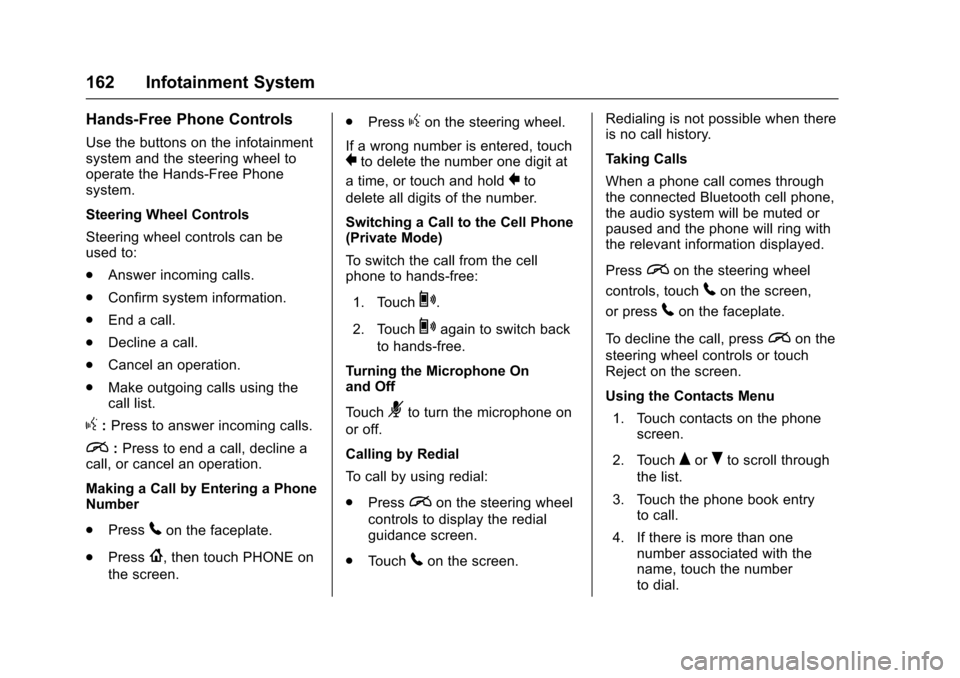
Use the buttons on the infotainmentsystem and the steering wheel tooperate the Hands-Free Phonesystem.
Steering Wheel Controls
Steering wheel controls can beused to:
.Answer incoming calls.
.Confirm system information.
.End a call.
.Decline a call.
.Cancel an operation.
.Make outgoing calls using thecall list.
g:Press to answer incoming calls.
i:Press to end a call, decline acall, or cancel an operation.
Making a Call by Entering a PhoneNumber
.Press5on the faceplate.
.Press{,thentouchPHONEon
the screen.
.Pressgon the steering wheel.
If a wrong number is entered, touch}to delete the number one digit at
atime,ortouchandhold}to
delete all digits of the number.
Switching a Call to the Cell Phone(Private Mode)
To s w i t c h t h e c a l l f r o m t h e c e l lphone to hands-free:
1. Touch0.
2. Touch0again to switch back
to hands-free.
Turning the Microphone Onand Off
To u c h3to turn the microphone on
or off.
Calling by Redial
To c a l l b y u s i n g r e d i a l :
.Pression the steering wheel
controls to display the redialguidance screen.
.To u c h5on the screen.
Redialing is not possible when thereis no call history.
Taking Calls
When a phone call comes throughthe connected Bluetooth cell phone,the audio system will be muted orpaused and the phone will ring withthe relevant information displayed.
Pression the steering wheel
controls, touch5on the screen,
or press5on the faceplate.
To d e c l i n e t h e c a l l , p r e s sion the
steering wheel controls or touchReject on the screen.
Using the Contacts Menu
1. Touch contacts on the phonescreen.
2. TouchQorRto scroll through
the list.
3. Touch the phone book entryto call.
4. If there is more than onenumber associated with thename, touch the numberto dial.
Page 164 of 342
Chevrolet Sonic Owner Manual (GMNA-Localizing-U.S./Canada-10122660) -2017 - crc - 5/13/16
Infotainment System 163
Searching for Contacts Entries
1. Touch contacts on the phonescreen.
2. Touch9on the contacts
screen.
3. Use the keypad to input thename to search. For details,see“Searching for a Name”following.
4. Touch the phone book entryto call.
5. If there is more than onenumber associated with thename, touch the numberto dial.
When the Bluetooth device andinfotainment system aresuccessfully paired, the phone bookwill download. Some phones maynot download automatically. If thishappens, connect it again orproceed with the phone bookdownload on the phone.
Searching for a Name
Select characters by using thekeypad on the phone book screen.As characters are selected, the
names that include those characterswill display on the phone bookscreen. As more characters of thename are entered, the list ofpossible names is shortened.
To s e a r c h f o r t h e n a m e A l e x :
1. Touch (abc) to select the firstcharacter.
2. Touch (jkl) three times to selectthe second character.
3. Touch (def) two times to selectthe third character.
4. Touch (wxy) two times to selectthe fourth character.
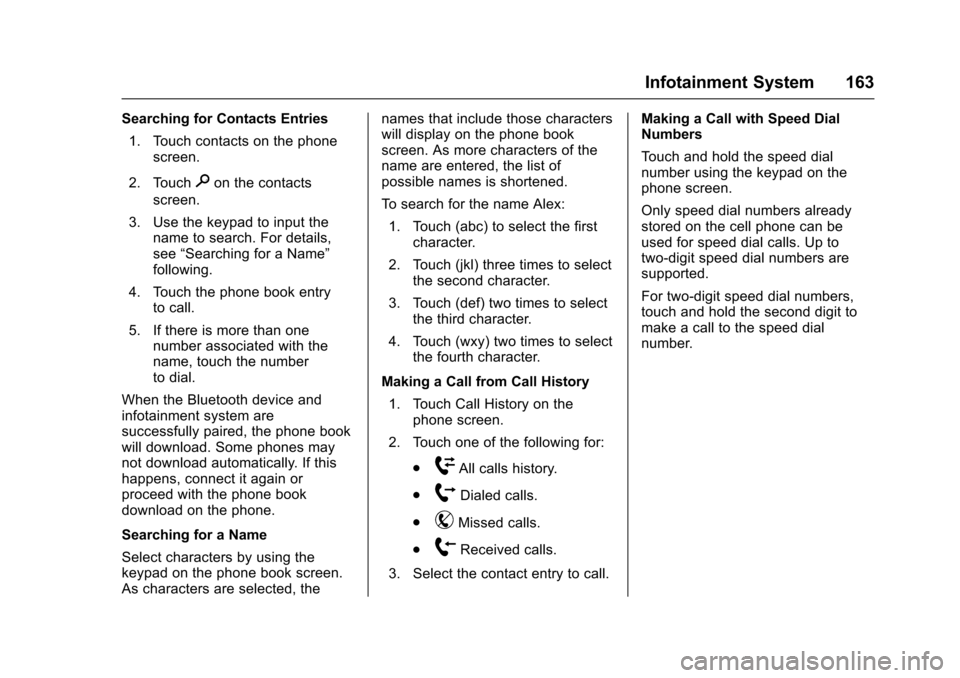
Making a Call from Call History
1. Touch Call History on thephone screen.
2. Touch one of the following for:
.WAll calls history.
.[Dialed calls.
.YMissed calls.
.XReceived calls.
3. Select the contact entry to call.
Making a Call with Speed DialNumbers
To u c h a n d h o l d t h e s p e e d d i a lnumber using the keypad on thephone screen.
Only speed dial numbers alreadystored on the cell phone can beused for speed dial calls. Up totwo-digit speed dial numbers aresupported.
For two-digit speed dial numbers,touch and hold the second digit tomake a call to the speed dialnumber.
Page 184 of 342
Chevrolet Sonic Owner Manual (GMNA-Localizing-U.S./Canada-10122660) -2017 - crc - 5/13/16
Driving and Operating 183
Caution
Using a tool to force the key to
turn in the ignition could cause
damage to the switch or break the
key. Use the correct key, make
sure it is all the way in, and turn it
only with your hand. If the key
cannot be turned by hand, see
your dealer.
1(ACC/ACCESSORY):This is theposition in which things like theradio and the windshield wipers canbe operated when the engine is off.
2(ON/RUN):This position can beused to operate the electricalaccessories and to display someinstrument cluster warning andindicator lights. This position canalso be used for service anddiagnostics, and to verify the properoperation of the malfunctionindicator lamp as may be requiredfor emission inspection purposes.The switch stays in this positionwhen the engine is running.
If you leave the key in the ACC/ACCESSORY or ON/RUN positionwith the engine off, the battery couldbe drained. You may not be able tostart the vehicle if the battery isallowed to drain for an extendedperiod of time.
3(START):This is the position thatstarts the engine. When the enginestarts, release the key. The ignitionswitch returns to ON/RUN fordriving.
Awarningtonewillsoundwhenthedriver door is opened, the ignition isin ACC/ACCESSORY or LOCK/OFF, and the key is in the ignition.If the ignition becomes difficult toturn, seeKeys026.
Ignition Positions
(Keyless Access)
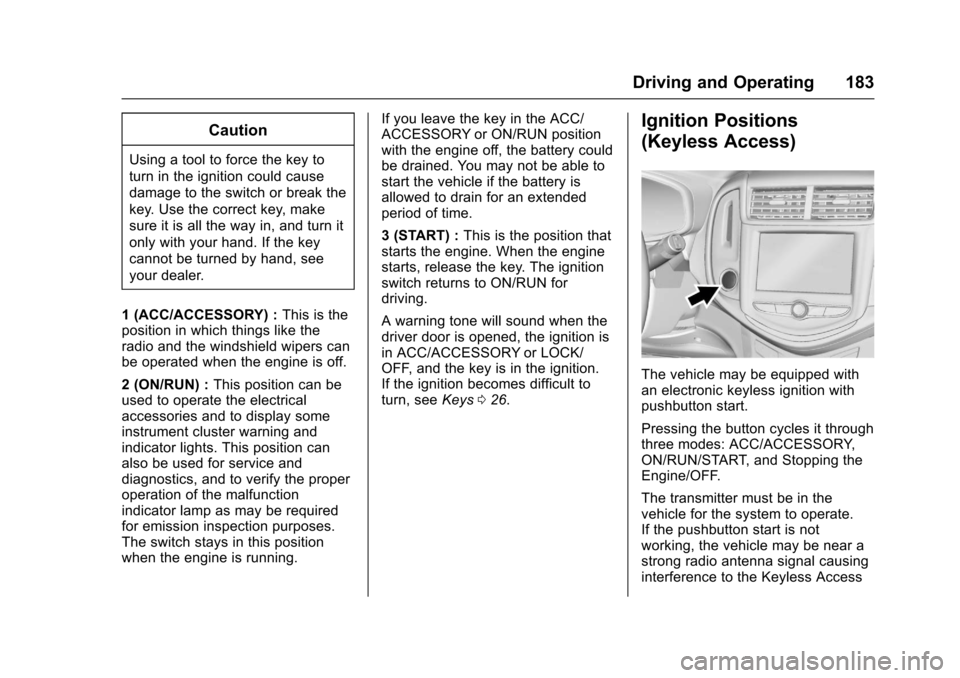
The vehicle may be equipped withan electronic keyless ignition withpushbutton start.
Pressing the button cycles it throughthree modes: ACC/ACCESSORY,ON/RUN/START, and Stopping theEngine/OFF.
The transmitter must be in thevehicle for the system to operate.If the pushbutton start is notworking, the vehicle may be near astrong radio antenna signal causinginterference to the Keyless Access
Page 185 of 342
Chevrolet Sonic Owner Manual (GMNA-Localizing-U.S./Canada-10122660) -2017 - crc - 5/13/16
184 Driving and Operating
system. SeeRemote Keyless Entry(RKE) System Operation (KeylessAccess)031orRemote KeylessEntry (RKE) System Operation (KeyAccess)029.
To s h i f t o u t o f P ( P a r k ) , t h e v e h i c l emust be in ACC/ACCESSORY orON/RUN and the brake pedal mustbe applied.
Stopping the Engine/OFF (NoIndicator Lights) :When thevehicle is stopped, press ENGINESTART/STOP once to turn theengine off.
If the vehicle is in P (Park), theignition will turn off, and RetainedAccessory Power (RAP) will remainactive. SeeRetained AccessoryPower (RAP)0187.
If the vehicle is not in P (Park), theignition will return to ACC/ACCESSORY and the DriverInformation Center (DIC) will displaythe message SHIFT TO PARK. SeeVehicle Messages0126.Whenthevehicle is shifted into P (Park), theignition system will switch to OFF.
Do not turn the engine off when thevehicle is moving. This will cause aloss of power assist in the brakeand steering systems and disablethe airbags.
If the vehicle must be shut off in anemergency:
1. Brake using a firm and steadypressure. Do not pump thebrakes repeatedly. This maydeplete power assist, requiringincreased brake pedal force.
2. Shift the vehicle to N (Neutral).This can be done while thevehicle is moving. After shiftingto N (Neutral), firmly apply thebrakes and steer the vehicle toasafelocation.
3. Come to a complete stop. Shiftto P (Park) with an automatictransmission, or Neutral with amanual transmission. Turn theignition to LOCK/OFF.
4. Set the parking brake. SeeParking Brake0196.
{Warning
Turning off the vehicle while
moving may cause loss of power
assist in the brake and steering
systems and disable the airbags.
While driving, only shut the
vehicle off in an emergency.
If the vehicle cannot be pulled over,and must be shut off while driving,press and hold ENGINE START/STOP for longer than two seconds,or press twice in five seconds.
ACC/ACCESSORY (AmberIndicator Light) :This mode allowsyou to use some electricalaccessories when the engine is off.
With the ignition off, pressing thebutton one time without the brakepedal applied will place the ignitionsystem in ACC/ACCESSORY.
The ignition will switch from ACC/ACCESSORY to OFF afterfive minutes to prevent batteryrundown.
Page 194 of 342
Chevrolet Sonic Owner Manual (GMNA-Localizing-U.S./Canada-10122660) -2017 - crc - 5/13/16
Driving and Operating 193
2. Press the + (plus) end of thebutton on the side of the shiftlever to upshift, or press the✓(minus) end of the button todownshift.
The Driver Information Center (DIC)in the instrument cluster will changefrom the currently displayedmessage to the letter M, for Manualposition, and a number indicatingthe requested gear.
While using manual mode, thetransmission will have firmer shiftingand sportier performance. You canuse this for sport driving or whenclimbing hills to stay in gear longeror to downshift for more power orengine braking.
The transmission will only allow youto shift into gears appropriate for thevehicle speed and enginerevolutions per minute (rpm):
.The transmission will notautomatically shift to the nexthigher gear if the vehicle speedor engine rpm is too low.
.The transmission will not allowshifting to the next lower gear ifthe vehicle speed or engine rpmis too high.
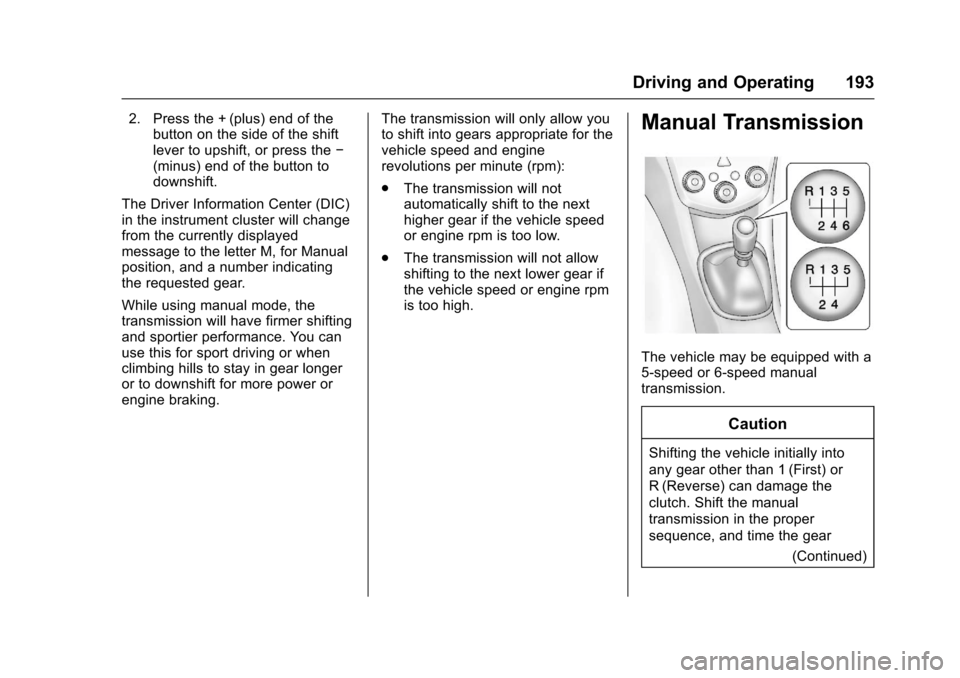
Manual Transmission
The vehicle may be equipped with a5-speed or 6-speed manualtransmission.
Caution
Shifting the vehicle initially into
any gear other than 1 (First) or
R(Reverse) can damage the
clutch. Shift the manual
transmission in the proper
sequence, and time the gear
(Continued)
Page 199 of 342
Chevrolet Sonic Owner Manual (GMNA-Localizing-U.S./Canada-10122660) -2017 - crc - 5/13/16
198 Driving and Operating
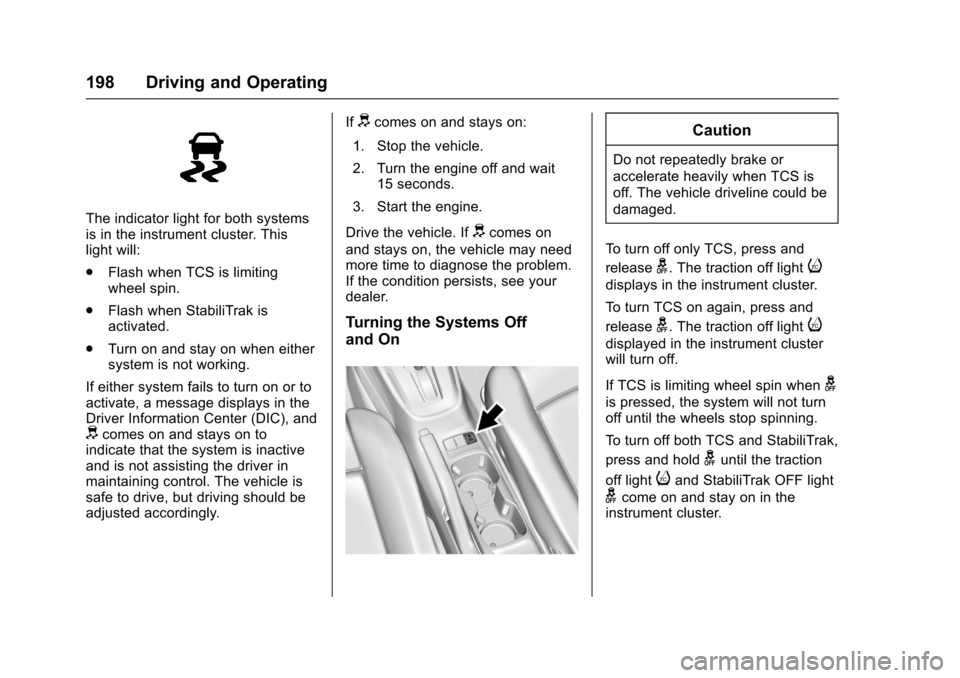
The indicator light for both systemsis in the instrument cluster. Thislight will:
.Flash when TCS is limitingwheel spin.
.Flash when StabiliTrak isactivated.
.Turn on and stay on when eithersystem is not working.
If either system fails to turn on or toactivate, a message displays in theDriver Information Center (DIC), anddcomes on and stays on toindicate that the system is inactiveand is not assisting the driver inmaintaining control. The vehicle issafe to drive, but driving should beadjusted accordingly.
Ifdcomes on and stays on:
1. Stop the vehicle.
2. Turn the engine off and wait15 seconds.
3. Start the engine.
Drive the vehicle. Ifdcomes on
and stays on, the vehicle may needmore time to diagnose the problem.If the condition persists, see yourdealer.
Turning the Systems Off
and On
Caution
Do not repeatedly brake or
accelerate heavily when TCS is
off. The vehicle driveline could be
damaged.
To t u r n o f f o n l y T C S , p r e s s a n d
releaseg.Thetractionofflighti
displays in the instrument cluster.
To t u r n T C S o n a g a i n , p r e s s a n d
releaseg.Thetractionofflighti
displayed in the instrument clusterwill turn off.
If TCS is limiting wheel spin wheng
is pressed, the system will not turnoff until the wheels stop spinning.
To t u r n o f f b o t h T C S a n d S t a b i l i T r a k ,
press and holdguntil the traction
off lightiand StabiliTrak OFF light
gcome on and stay on in theinstrument cluster.
Page 201 of 342
Chevrolet Sonic Owner Manual (GMNA-Localizing-U.S./Canada-10122660) -2017 - crc - 5/13/16
200 Driving and Operating
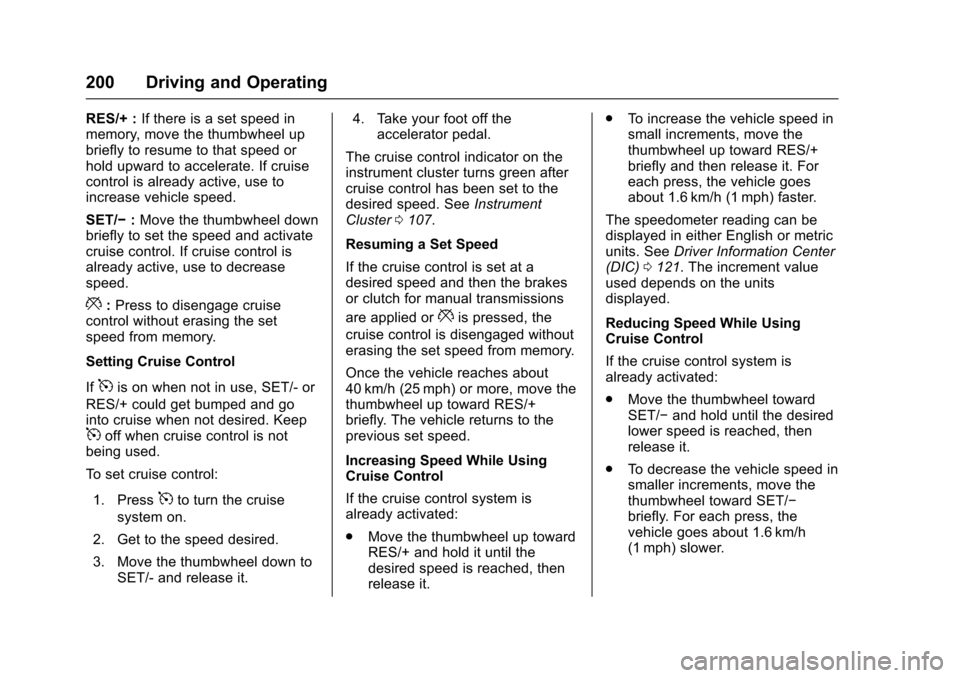
RES/+ :If there is a set speed inmemory, move the thumbwheel upbriefly to resume to that speed orhold upward to accelerate. If cruisecontrol is already active, use toincrease vehicle speed.
SET/✓:Move the thumbwheel downbriefly to set the speed and activatecruise control. If cruise control isalready active, use to decreasespeed.
*:Press to disengage cruisecontrol without erasing the setspeed from memory.
Setting Cruise Control
If5is on when not in use, SET/- or
RES/+ could get bumped and gointo cruise when not desired. Keep5off when cruise control is notbeing used.
To s e t c r u i s e c o n t r o l :
1. Press5to turn the cruise
system on.
2. Get to the speed desired.
3. Move the thumbwheel down toSET/- and release it.
4. Take your foot off theaccelerator pedal.
The cruise control indicator on theinstrument cluster turns green aftercruise control has been set to thedesired speed. SeeInstrumentCluster0107.
Resuming a Set Speed
If the cruise control is set at adesired speed and then the brakesor clutch for manual transmissions
are applied or*is pressed, the
cruise control is disengaged withouterasing the set speed from memory.
Once the vehicle reaches about40 km/h (25 mph) or more, move thethumbwheel up toward RES/+briefly. The vehicle returns to theprevious set speed.
Increasing Speed While UsingCruise Control
If the cruise control system isalready activated:
.Move the thumbwheel up towardRES/+ and hold it until thedesired speed is reached, thenrelease it.
.To i n c r e a s e t h e v e h i c l e s p e e d i nsmall increments, move thethumbwheel up toward RES/+briefly and then release it. Foreach press, the vehicle goesabout 1.6 km/h (1 mph) faster.
The speedometer reading can bedisplayed in either English or metricunits. SeeDriver Information Center(DIC)0121.Theincrementvalueused depends on the unitsdisplayed.
Reducing Speed While UsingCruise Control
If the cruise control system isalready activated:
.Move the thumbwheel towardSET/✓and hold until the desiredlower speed is reached, thenrelease it.
.To d e c r e a s e t h e v e h i c l e s p e e d i nsmaller increments, move thethumbwheel toward SET/✓briefly. For each press, thevehicle goes about 1.6 km/h(1 mph) slower.
Page 202 of 342
Chevrolet Sonic Owner Manual (GMNA-Localizing-U.S./Canada-10122660) -2017 - crc - 5/13/16
Driving and Operating 201
The speedometer reading can bedisplayed in either English or metricunits. SeeDriver Information Center(DIC)0121.Theincrementvalueused depends on the unitsdisplayed.
Passing Another Vehicle WhileUsing Cruise Control
Use the accelerator pedal toincrease the vehicle speed. Whenyou take your foot off the pedal, thevehicle slows down to the previousset cruise control speed. Whilepressing the accelerator pedal orshortly following the release tooverride cruise control, brieflymoving the thumbwheel towardSET/- will result in cruise control setto the current vehicle speed.
Using Cruise Control on Hills
How well cruise control works onhills depends on the vehicle speed,load, and the steepness of the hills.When going up steep hills, youmight have to step on theaccelerator pedal to maintain thevehicle speed. When goingdownhill, you might have to brake orshift to a lower gear to keep your
speed down. If the brake pedal isapplied, cruise control willdisengage.
Ending Cruise Control
There are four ways to end cruisecontrol:
.To d i s e n g a g e c r u i s e c o n t r o l ,step lightly on the brake pedal orclutch for manual transmission.
.Press*.
.Shift the transmission toN(Neutral).
.To t u r n o f f c r u i s e c o n t r o l ,
press5.
Erasing Speed Memory
The cruise control set speed is
erased from memory if5is pressed
or if the ignition is turned off.
Driver Assistance
Systems
Rear Vision
Camera (RVC)
This vehicle may have the RVCsystem. Read this entire sectionbefore using it.
The RVC system can assist thedriver when backing up bydisplaying a view of the area behindthe vehicle.
{Warning
The camera(s) do not display
children, pedestrians, bicyclists,
crossing traffic, animals, or any
other object outside of the
cameras’field of view, below the
bumper, or under the vehicle.
Shown distances may be different
from actual distances. Do not
drive or park the vehicle using
only these camera(s). Always
check behind and around the
(Continued)
Page 203 of 342
Chevrolet Sonic Owner Manual (GMNA-Localizing-U.S./Canada-10122660) -2017 - crc - 5/13/16
202 Driving and Operating
Warning (Continued)
vehicle before driving. Failure to
use proper care may result in
injury, death, or vehicle damage.
An image appears on theinfotainment screen when thevehicle is shifted into R (Reverse).The infotainment screen goes to theprevious screen after approximatelyfour seconds once the vehicle isshifted out of R (Reverse).
To r e t u r n t o t h e p r e v i o u s s c r e e nsooner, do one of the following:
.Shift into P (Park).
.Reach a vehicle speed of8km/h (5mph).
Guidelines
The RVC system has a guidelineoverlay that can help the driver alignthe vehicle when backing into aparking spot.
To t u r n t h e g u i d e l i n e s o n o r o f f :
1. Shift into P (Park).
2. From the home page on theinfotainment system, selectSettings.
3. Select Rear Camera Options.
4. Select Guidelines.
Rear Vision Camera ErrorMessages
SERVICE REAR VISION CAMERASYSTEM :This message candisplay when the system is notoperating properly.
If any other problem occurs or if aproblem persists, see your dealer.
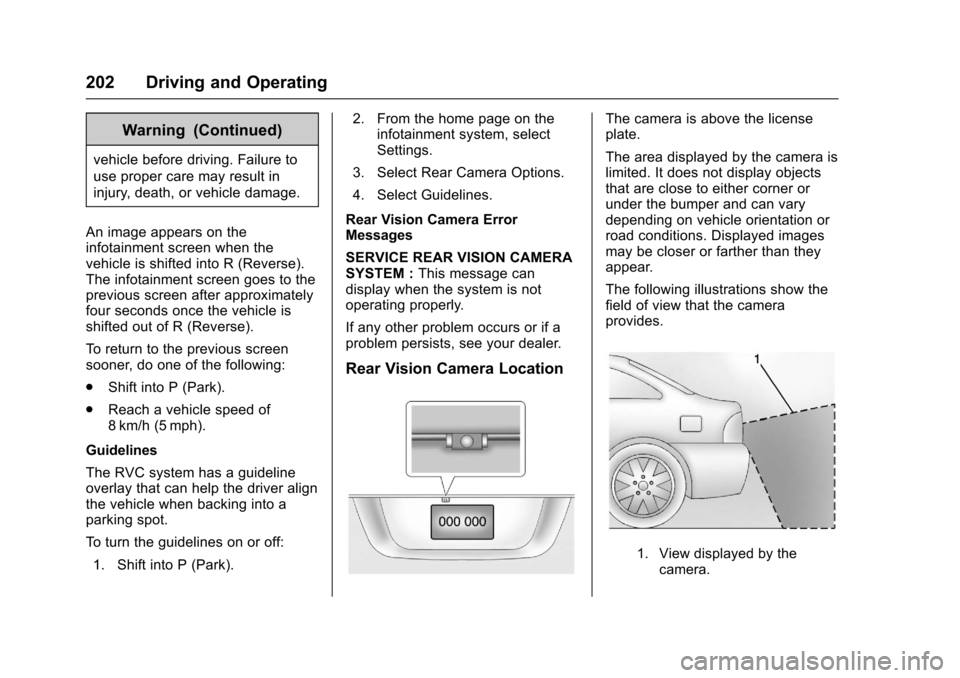
Rear Vision Camera Location
The camera is above the licenseplate.
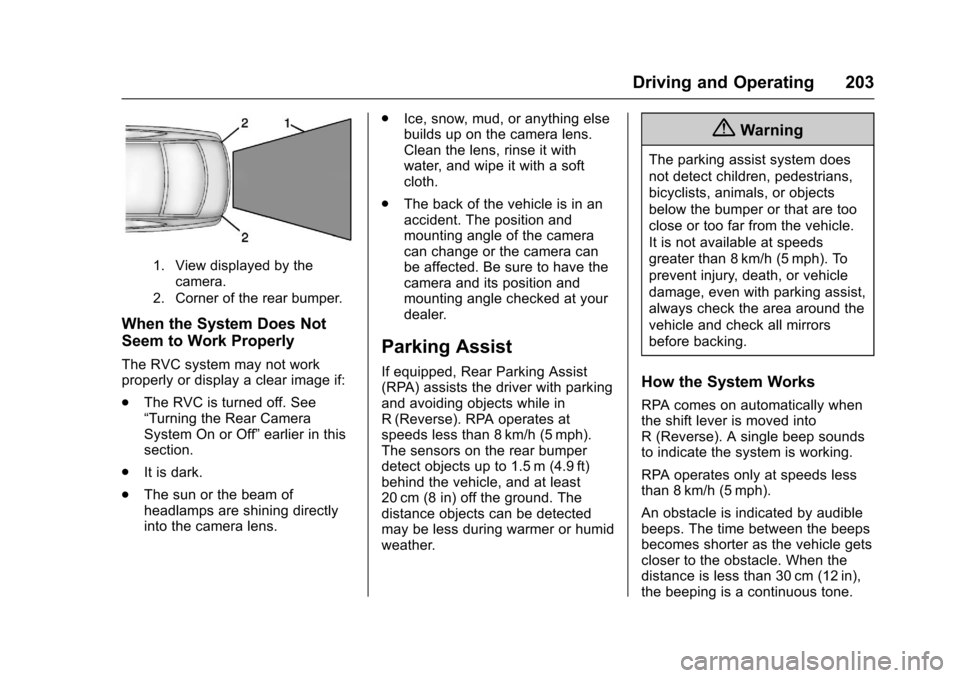
The area displayed by the camera islimited. It does not display objectsthat are close to either corner orunder the bumper and can varydepending on vehicle orientation orroad conditions. Displayed imagesmay be closer or farther than theyappear.
The following illustrations show thefield of view that the cameraprovides.
1. View displayed by thecamera.
Page 204 of 342
Chevrolet Sonic Owner Manual (GMNA-Localizing-U.S./Canada-10122660) -2017 - crc - 5/13/16
Driving and Operating 203
1. View displayed by thecamera.
2. Corner of the rear bumper.
When the System Does Not
Seem to Work Properly
The RVC system may not workproperly or display a clear image if:
.The RVC is turned off. See“Turning the Rear CameraSystem On or Off”earlier in thissection.
.It is dark.
.The sun or the beam ofheadlamps are shining directlyinto the camera lens.
.Ice, snow, mud, or anything elsebuilds up on the camera lens.Clean the lens, rinse it withwater, and wipe it with a softcloth.
.The back of the vehicle is in anaccident. The position andmounting angle of the cameracan change or the camera canbe affected. Be sure to have thecamera and its position andmounting angle checked at yourdealer.
Parking Assist
If equipped, Rear Parking Assist(RPA) assists the driver with parkingand avoiding objects while inR(Reverse). RPA operates atspeeds less than 8 km/h (5 mph).The sensors on the rear bumperdetect objects up to 1.5 m (4.9 ft)behind the vehicle, and at least20 cm (8 in) off the ground. Thedistance objects can be detectedmay be less during warmer or humidweather.
{Warning
The parking assist system does
not detect children, pedestrians,
bicyclists, animals, or objects
below the bumper or that are too
close or too far from the vehicle.
It is not available at speeds
greater than 8 km/h (5 mph). To
prevent injury, death, or vehicle
damage, even with parking assist,
always check the area around the
vehicle and check all mirrors
before backing.
How the System Works
RPA comes on automatically whenthe shift lever is moved intoR(Reverse).Asinglebeepsoundsto indicate the system is working.
RPA operates only at speeds lessthan 8 km/h (5 mph).
An obstacle is indicated by audiblebeeps. The time between the beepsbecomes shorter as the vehicle getscloser to the obstacle. When thedistance is less than 30 cm (12 in),the beeping is a continuous tone.