display CHEVROLET SONIC 2017 2.G Workshop Manual
[x] Cancel search | Manufacturer: CHEVROLET, Model Year: 2017, Model line: SONIC, Model: CHEVROLET SONIC 2017 2.GPages: 342, PDF Size: 7.2 MB
Page 205 of 342
Chevrolet Sonic Owner Manual (GMNA-Localizing-U.S./Canada-10122660) -2017 - crc - 5/13/16
204 Driving and Operating
Turning the System On and Off
The RPA system can be turned onand off using the infotainmentsystem controls. SeeVehiclePersonalization0127.
When the system is off, PARKASSIST OFF displays on the DriverInformation Center (DIC). Themessage disappears after a shortperiod of time.
RPA defaults to the on setting eachtime the vehicle is started.
Turn off RPA when towing a trailer.
When the System Does Not
Seem to Work Properly
The following messages may bedisplayed on the DIC:
SERVICE PARKING ASSIST :Ifthis message occurs, check thefollowing conditions:
.The sensors are not clean. Keepthe vehicle's rear bumper free ofmud, dirt, snow, ice, and slush.For cleaning instructions, seeExterior Care0280.
.The park assist sensors arecovered by frost or ice. Frost orice can form around and behindthe sensors and may not alwaysbe seen; this can occur afterwashing the vehicle in coldweather. The message may notclear until the frost or ice hasmelted.
If the above conditions do not exist,take the vehicle to your dealer torepair the system.
PA R K A S S I S T O F F :If the RPAsystem does not activate due to atemporary condition, the messagedisplays on the DIC. This can occurunder the following conditions:
.The driver has disabled thesystem.
.An object was hanging out of thetrunk during the last drive cycle.Once the object is removed,RPA will return to normaloperation.
.The bumper is damaged. Takethe vehicle to your dealer torepair the system.
.Other conditions, such asvibrations from a jackhammer orthe compression of air brakes onaverylargetruck,areaffectingsystem performance.
Forward Collision Alert
(FCA) System
If equipped, the FCA system mayhelp to avoid or reduce the harmcaused by front-end crashes. Whenapproaching a vehicle ahead tooquickly, FCA provides a red flashingalert on the windshield and rapidlybeeps.
FCA detects vehicles within adistance of approximately 60 m(197 ft) and operates at speedsabove 40 km/h (25 mph).
{Warning
FCA is a warning system and
does not apply the brakes. When
approaching a slower-moving or
stopped vehicle ahead too rapidly,
or when following a vehicle too
(Continued)
Page 206 of 342
Chevrolet Sonic Owner Manual (GMNA-Localizing-U.S./Canada-10122660) -2017 - crc - 5/13/16
Driving and Operating 205
Warning (Continued)
closely, FCA may not provide a
warning with enough time to help
avoid a crash. It also may not
provide any warning at all. FCA
does not warn of pedestrians,
animals, signs, guardrails,
bridges, construction barrels,
or other objects. Be ready to take
action and apply the brakes. See
Defensive Driving0172.
FCA can be disabled with the FCAsteering wheel control.
Detecting the Vehicle Ahead
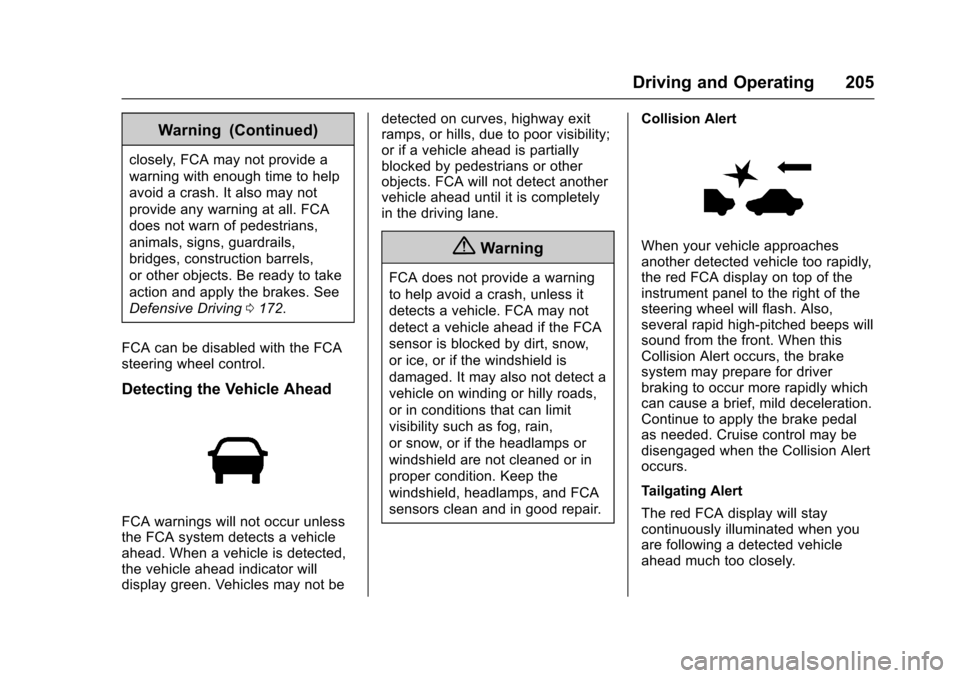
FCA warnings will not occur unlessthe FCA system detects a vehicleahead. When a vehicle is detected,the vehicle ahead indicator willdisplay green. Vehicles may not be
detected on curves, highway exitramps, or hills, due to poor visibility;or if a vehicle ahead is partiallyblocked by pedestrians or otherobjects. FCA will not detect anothervehicle ahead until it is completelyin the driving lane.
{Warning
FCA does not provide a warning
to help avoid a crash, unless it
detects a vehicle. FCA may not
detect a vehicle ahead if the FCA
sensor is blocked by dirt, snow,
or ice, or if the windshield is
damaged. It may also not detect a
vehicle on winding or hilly roads,
or in conditions that can limit
visibility such as fog, rain,
or snow, or if the headlamps or
windshield are not cleaned or in
proper condition. Keep the
windshield, headlamps, and FCA
sensors clean and in good repair.
Collision Alert
When your vehicle approachesanother detected vehicle too rapidly,the red FCA display on top of theinstrument panel to the right of thesteering wheel will flash. Also,several rapid high-pitched beeps willsound from the front. When thisCollision Alert occurs, the brakesystem may prepare for driverbraking to occur more rapidly whichcan cause a brief, mild deceleration.Continue to apply the brake pedalas needed. Cruise control may bedisengaged when the Collision Alertoccurs.
Tailgating Alert
The red FCA display will staycontinuously illuminated when youare following a detected vehicleahead much too closely.
Page 221 of 342
Chevrolet Sonic Owner Manual (GMNA-Localizing-U.S./Canada-10122660) -2017 - crc - 5/13/16
220 Vehicle Care
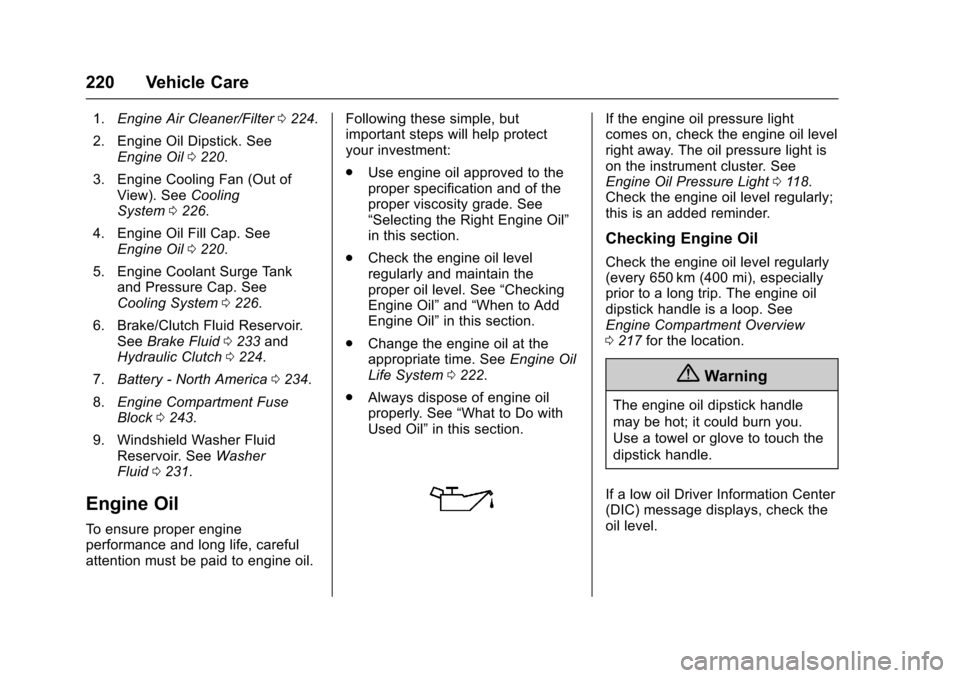
1.Engine Air Cleaner/Filter0224.
2. Engine Oil Dipstick. SeeEngine Oil0220.
3. Engine Cooling Fan (Out ofView). SeeCoolingSystem0226.
4. Engine Oil Fill Cap. SeeEngine Oil0220.
5. Engine Coolant Surge Tankand Pressure Cap. SeeCooling System0226.
6. Brake/Clutch Fluid Reservoir.SeeBrake Fluid0233andHydraulic Clutch0224.
7.Battery - North America0234.
8.Engine Compartment FuseBlock0243.
9. Windshield Washer FluidReservoir. SeeWasherFluid0231.
Engine Oil
To e n s u r e p r o p e r e n g i n eperformance and long life, carefulattention must be paid to engine oil.
Following these simple, butimportant steps will help protectyour investment:
.Use engine oil approved to theproper specification and of theproper viscosity grade. See“Selecting the Right Engine Oil”in this section.
.Check the engine oil levelregularly and maintain theproper oil level. See“CheckingEngine Oil”and“When to AddEngine Oil”in this section.
.Change the engine oil at theappropriate time. SeeEngine OilLife System0222.
.Always dispose of engine oilproperly. See“What to Do withUsed Oil”in this section.
If the engine oil pressure lightcomes on, check the engine oil levelright away. The oil pressure light ison the instrument cluster. SeeEngine Oil Pressure Light011 8.Check the engine oil level regularly;this is an added reminder.
Checking Engine Oil
Check the engine oil level regularly(every 650 km (400 mi), especiallyprior to a long trip. The engine oildipstick handle is a loop. SeeEngine Compartment Overview0217for the location.
{Warning
The engine oil dipstick handle
may be hot; it could burn you.
Use a towel or glove to touch the
dipstick handle.
If a low oil Driver Information Center(DIC) message displays, check theoil level.
Page 224 of 342
Chevrolet Sonic Owner Manual (GMNA-Localizing-U.S./Canada-10122660) -2017 - crc - 5/13/16
Vehicle Care 223
the oil life system to work properly,the system must be reset every timethe oil is changed.
When the system has calculatedthat oil life has been diminished, itindicates that an oil change is
necessary. A:%CHANGE
message in the DIC comes on. SeeEngine Oil Messages0127.Change the oil as soon as possiblewithin the next 1 000 km (600 mi).It is possible that, if driving underthe best conditions, the oil lifesystem might indicate that an oilchange is not necessary for up to ayear. The engine oil and filter mustbe changed at least once a yearand, at this time, the system mustbe reset. Your dealer has trainedservice people who will perform thiswork and reset the system. It is alsoimportant to check the oil regularlyover the course of an oil draininterval and keep it at the properlevel.
If the system is ever resetaccidentally, the oil must bechanged at 5 000 km (3,000 mi)
since the last oil change.Remember to reset the oil lifesystem whenever the oil is changed.
How to Reset the Engine Oil
Life System
Reset the system whenever theengine oil is changed so that thesystem can calculate the nextengine oil change. To reset thesystem:
1. Press MENU to showRemaining Oil Life on thedisplay. This display shows anestimate of the oil’sremaininguseful life. If 99% is displayed,that means that 99% of thecurrent oil life remains.
2. To reset the engine oil lifesystem, press SET/CLR whilethe oil life display is active.Select YES and press and holdSET/CLR. After a few seconds,there will be a single chime andthe oil life will be resetto 100%.
Be careful not to reset the oil lifedisplay accidentally at any timeother than after the oil is changed.It cannot be reset accurately.
If the:%CHANGE message in
the DIC comes back on when thevehicle is started, the engine oil lifesystem has not reset. Repeat theprocedure.
Automatic Transmission
Fluid
How to Check Automatic
Transmission Fluid
It is not necessary to check thetransmission fluid level.Atransmissionfluidleakistheonlyreason for fluid loss. If a leakoccurs, take the vehicle to yourdealer and have it repaired as soonas possible.
There is a special procedure forchecking and changing thetransmission fluid. Because thisprocedure is difficult, you shouldhave this done at your dealer.
Page 231 of 342
Chevrolet Sonic Owner Manual (GMNA-Localizing-U.S./Canada-10122660) -2017 - crc - 5/13/16
230 Vehicle Care
By this time, the coolant levelinside the coolant surge tankmay be lower. If the level islower, add more of the properDEX-COOL coolant mixture tothe coolant surge tank until thelevel reaches the indicatedlevel mark.
5. Replace the pressure captightly.
Check the level in the coolant surgetank when the cooling system hascooled down. If the coolant is not atthe proper level, repeat Steps 1–3andreinstallthepressurecap.If the coolant still is not at the properlevel when the system cools downagain, see your dealer.
Caution
If the pressure cap is not tightly
installed, coolant loss and
possible engine damage may
occur. Be sure the cap is properly
and tightly secured.
Engine Overheating
The vehicle has an indicator to warnof the engine overheating.
If the decision is made not to lift thehood when this warning appears,get service help right away. SeeRoadside AssistanceProgram0311.
If the decision is made to lift thehood, make sure the vehicle isparked on a level surface.
Then check to see if the enginecooling fan is running. If the engineis overheating, the fan should berunning. If it is not, do not continueto run the engine. Have the vehicleserviced.
Caution
Running the engine without
coolant may cause damage or a
fire. Vehicle damage would not be
covered by the vehicle warranty.
If Steam Is Coming from the
Engine Compartment
{Warning
Steam from an overheated engine
can burn you badly, even if you
just open the hood. Stay away
from the engine if you see or hear
steam coming from it. Just turn it
off and get everyone away from
the vehicle until it cools down.
Wait until there is no sign of
steam or coolant before you open
the hood.
If you keep driving when the
engine is overheated, the liquids
in it can catch fire. You or others
could be badly burned. Stop the
engine if it overheats, and get out
of the vehicle until the engine
is cool.
If No Steam Is Coming from
the Engine Compartment
If an engine overheat warning isdisplayed but no steam can be seenor heard, the problem may not be
Page 232 of 342
Chevrolet Sonic Owner Manual (GMNA-Localizing-U.S./Canada-10122660) -2017 - crc - 5/13/16
Vehicle Care 231
too serious. Sometimes the enginecan get a little too hot when thevehicle:
.Climbs a long hill on a hot day.
.Stops after high-speed driving.
.Idles for long periods in traffic.
If the overheat warning is displayedwith no sign of steam:
1. Turn the air conditioning off.
2. Turn the heater on to thehighest temperature and to thehighest fan speed. Open thewindows as necessary.
3. When it is safe to do so, pull offthe road, shift to P (Park) orN(Neutral) for an automatictransmission or Neutral for amanual transmission, and letthe engine idle.
If the overheat warning no longerdisplays, the vehicle can be driven.Continue to drive the vehicle slowlyfor about 10 minutes. Keep a safevehicle distance from the vehicle infront. If the warning does not come
back on, continue to drive normallyand have the cooling systemchecked for proper fill and function.
If the warning continues, pull over,stop, and park the vehicleright away.
If there is no sign of steam, idle theengine for three minutes whileparked. If the warning is stilldisplayed, turn off the engine until itcools down.
Washer Fluid
What to Use
When the vehicle needs windshieldwasher fluid, be sure to read themanufacturer's instructions beforeuse. If operating the vehicle in anarea where the temperature may fallbelow freezing, use a fluid that hassufficient protection againstfreezing.
Adding Washer Fluid
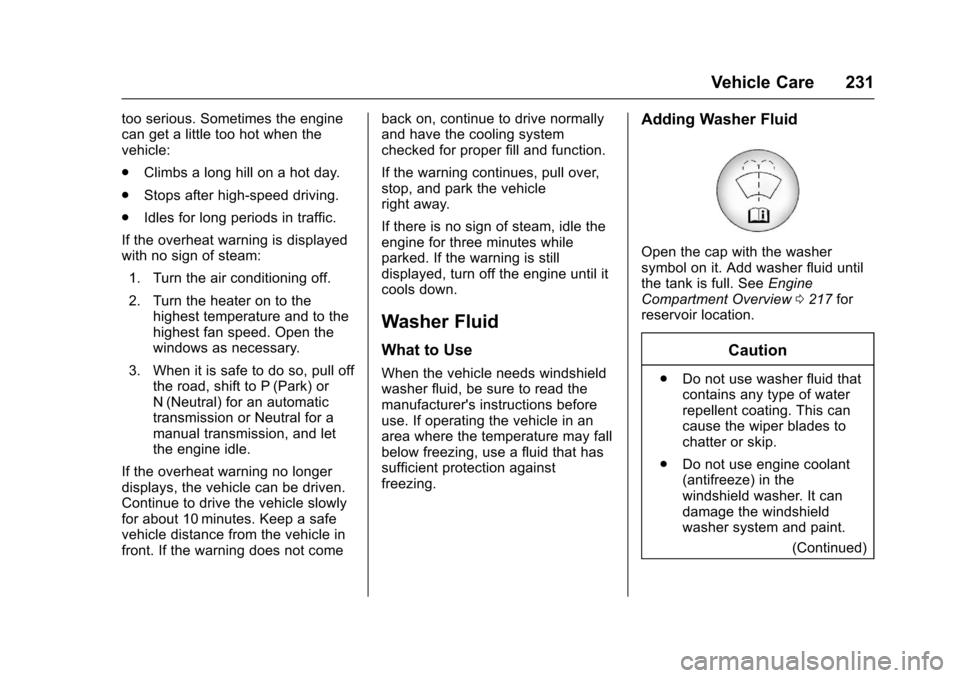
Open the cap with the washersymbol on it. Add washer fluid untilthe tank is full. SeeEngineCompartment Overview0217forreservoir location.
Caution
.Do not use washer fluid thatcontains any type of waterrepellent coating. This cancause the wiper blades tochatter or skip.
.Do not use engine coolant(antifreeze) in thewindshield washer. It candamage the windshieldwasher system and paint.
(Continued)
Page 249 of 342
Chevrolet Sonic Owner Manual (GMNA-Localizing-U.S./Canada-10122660) -2017 - crc - 5/19/16
248 Vehicle Care
FusesUsage
IPC/AOS Instrument panelcluster/Automaticoccupant sensingdisplay
SPARE–
RUN RELAY Run relay
L/GATERELAYLiftgate relay
IRAP RELAY IRAP Relay
TRAILER2 Trailer hitch 2
CLOCK-SPRINGClock spring
HVAC2 HVAC 2
HTDSTR WHLHeated steeringwheel
SPARE–
S/ROOF SW Sunroof switch
CIGAR APO Cigar auxiliarypower outlet
FusesUsage
ESCL Electric steeringcolumn lock
RAP/ACCYRELAYRetainedaccessory power/Accessory Relay
PWR WNDWFRONTFront powerwindows
IRAP ACCY IRAP accessory
BATTCON-NECTOR
Battery connector
Wheels and Tires
Tires
Every new GM vehicle has
high-quality tires made by a
leading tire manufacturer. See
the warranty manual for
information regarding the tire
warranty and where to get
service. For additional
information refer to the tire
manufacturer.
{Warning
.Poorly maintained and
improperly used tires are
dangerous.
.Overloading the tires can
cause overheating as a
result of too much
flexing. There could be a
blowout and a serious
crash. SeeVehicle Load
Limits0178.
(Continued)
Page 261 of 342
Chevrolet Sonic Owner Manual (GMNA-Localizing-U.S./Canada-10122660) -2017 - crc - 5/13/16
260 Vehicle Care
See your dealer for service or topurchase a relearn tool. A TPMSrelearn tool can also be purchased.See Tire Pressure Monitor SensorActivation Tool atwww.gmtoolsandequipment.com orcall 1-800-GM TOOLS(1-800-468-6657).
There are two minutes to match thefirst tire/wheel position, andfive minutes overall to match all fourtire/wheel positions. If it takeslonger, the matching process stopsand must be restarted.
The TPMS sensor matchingprocess is:
1. Set the parking brake.
2. Turn the ignition to ON/RUNwith the engine off or place thevehicle power mode in ON/RUN/START. SeeIgnitionPositions (Key Access)0182orIgnition Positions (KeylessAccess)0183.
3. Press the MENU button todisplay the menu items in theDriver InformationCenter (DIC).
4. Use the thumbwheel to scroll tothe Tire Learn menu itemscreen.
5. Press and hold the SET/CLRbutton to begin the sensormatching process.
Amessagerequestingacceptance of the process maydisplay.
6. The horn sounds twice tosignal the receiver is in relearnmode and the TIRE LEARNmessage may display on theDIC screen.
7. Start with the driver sidefront tire.
8. Place the relearn tool againstthe tire sidewall, near the valvestem. Then press the button toactivate the TPMS sensor.Ahornchirpconfirmsthatthesensor identification code hasbeen matched to this tire andwheel position.
9. Proceed to the passenger sidefront tire, and repeat theprocedure in Step 8.
10. Proceed to the passenger siderear tire, and repeat theprocedure in Step 8.
11 . P r o c e e d t o t h e d r i v e r s i d e r e a rtire, and repeat the procedurein Step 8. The horn sounds twotimes to indicate the sensoridentification code has beenmatched to the driver side reartire, and the TPMS sensormatching process is no longeractive. The TIRE LEARNmessage on the DIC displayscreen goes off.
12. Turn the vehicle off.
13. Set all four tires to therecommended air pressurelevel as indicated on the Tireand Loading Information label.
Tire Inspection
We recommend that the tires,
including the spare tire, if the
vehicle has one, be inspected
for signs of wear or damage at
least once a month.
Page 287 of 342
Chevrolet Sonic Owner Manual (GMNA-Localizing-U.S./Canada-10122660) -2017 - crc - 5/13/16
286 Vehicle Care
Speaker Covers
Va c u u m a r o u n d a s p e a k e r c o v e rgently, so that the speaker will notbe damaged. Clean spots with waterand mild soap.
Coated Moldings
Coated moldings should be cleaned.
.When lightly soiled, wipe with asponge or soft, lint-free clothdampened with water.
.When heavily soiled, use warmsoapy water.
Fabric/Carpet/Suede
Start by vacuuming the surfaceusing a soft brush attachment. If arotating vacuum brush attachment isbeing used, only use it on the floorcarpet. Before cleaning, gentlyremove as much of the soil aspossible:
.Gently blot liquids with a papertowel. Continue blotting until nomore soil can be removed.
.For solid soils, remove as muchas possible prior to vacuuming.
To c l e a n :
1. Saturate a clean, lint-freecolorfast cloth with water.Microfiber cloth isrecommended to prevent linttransfer to the fabric or carpet.
2. Remove excess moisture bygently wringing until water doesnot drip from the cleaning cloth.
3. Start on the outside edge of thesoil and gently rub toward thecenter. Fold the cleaning clothto a clean area frequently toprevent forcing the soil in to thefabric.
4. Continue gently rubbing thesoiled area until there is nolonger any color transfer fromthe soil to the cleaning cloth.
5. If the soil is not completelyremoved, use a mild soapsolution followed only by plainwater.
If the soil is not completelyremoved, it may be necessary touse a commercial upholsterycleaner or spot lifter. Test a smallhidden area for colorfastness beforeusing a commercial upholstery
cleaner or spot lifter. If ringformation occurs, clean the entirefabric or carpet.
After cleaning, use a paper towel toblot excess moisture.
Cleaning High Gloss Surfaces
and Vehicle Information and
Radio Displays
Use a microfiber cloth on high glosssurfaces or vehicle displays. First,use a soft bristle brush to removedirt that can scratch the surface.Then gently clean by rubbing with amicrofiber cloth. Never use windowcleaners or solvents. Periodicallyhand wash the microfiber clothseparately, using mild soap. Do notuse bleach or fabric softener. Rinsethoroughly and air dry beforenext use.
Caution
Do not attach a device with a
suction cup to the display. This
may cause damage and would
not be covered by the vehicle
warranty.
Page 291 of 342
Chevrolet Sonic Owner Manual (GMNA-Localizing-U.S./Canada-10122660) -2017 - crc - 5/13/16
290 Service and Maintenance
frequent checks and services. TheAdditional Required Services -Normal are for vehicles that:
.Carry passengers and cargowithin recommended limits onthe Tire and Loading Informationlabel. SeeVehicle LoadLimits0178.
.Are driven on reasonable roadsurfaces within legal drivinglimits.
.Use the recommended fuel. SeeFuel0207.
Refer to the information in theMaintenance Schedule AdditionalRequired Services - Normal chart.
The Additional Required Services -Severe are for vehicles that are:
.Mainly driven in heavy city trafficin hot weather.
.Mainly driven in hilly ormountainous terrain.
.Frequently towing a trailer.
.Used for high speed orcompetitive driving.
.Used for taxi, police, or deliveryservice.
Refer to the information in theMaintenance Schedule AdditionalRequired Services - Severe chart.
{Warning
Performing maintenance work can
be dangerous and can cause
serious injury. Perform
maintenance work only if the
required information, proper tools,
and equipment are available.
If they are not, see your dealer to
have a trained technician do the
work. SeeDoing Your Own
Service Work0214.
Maintenance
Schedule
Owner Checks and Services
At Each Fuel Stop
.Check the engine oil level. SeeEngine Oil0220.
Once a Month
.Check the tire inflationpressures. SeeTirePressure0256.
.Inspect the tires for wear. SeeTire Inspection0260.
.Check the windshield washerfluid level. SeeWasherFluid0231.
Engine Oil Change
When a:%CHANGE message
displays in the DIC, have the engineoil and filter changed within the next1000km/600mi. If driven under thebest conditions, the engine oil lifesystem may not indicate the needfor vehicle service for up to a year.The engine oil and filter must bechanged at least once a year and