headlamp CHEVROLET SONIC 2017 2.G Owners Manual
[x] Cancel search | Manufacturer: CHEVROLET, Model Year: 2017, Model line: SONIC, Model: CHEVROLET SONIC 2017 2.GPages: 342, PDF Size: 7.2 MB
Page 5 of 342
Chevrolet Sonic Owner Manual (GMNA-Localizing-U.S./Canada-10122660) -2017 - crc - 5/13/16
4 Introduction
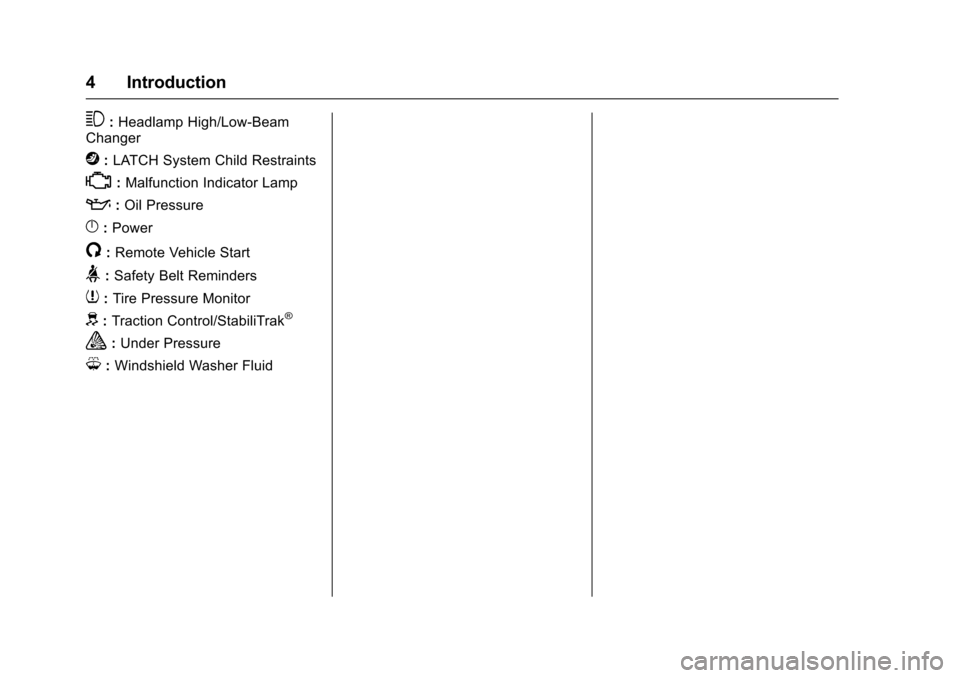
3:Headlamp High/Low-BeamChanger
j:LATCH System Child Restraints
*:Malfunction Indicator Lamp
::Oil Pressure
}:Power
/:Remote Vehicle Start
>:Safety Belt Reminders
7:Tire Pressure Monitor
d:Traction Control/StabiliTrak®
a:Under Pressure
M:Windshield Washer Fluid
Page 8 of 342

Chevrolet Sonic Owner Manual (GMNA-Localizing-U.S./Canada-10122660) -2017 - crc - 5/13/16
In Brief 7
1.Air Vents0168.
2.Exterior Lamp Controls0134.
Instrument Panel IlluminationControl0137.
3. Turn Signal Lever. SeeTu r nand Lane-ChangeSignals0136.
4.Instrument Cluster0107.
5.Windshield Wiper/Washer0102.
6. Card Holder.
7.Infotainment0141.
8. Light Sensor. SeeAutomaticHeadlamp System0135.
9.Instrument Panel Storage097.
10.Passenger SensingSystem071.
11 .Hazard WarningFlashers0136.
12.USB Port0149(If Equipped).
Auxiliary Devices0155(IfEquipped).
13. Shift Lever. SeeAutomaticTr a n s m i s s i o n0191(IfEquipped) orManualTr a n s m i s s i o n0193(IfEquipped).
14. Trunk Release (Sedan). SeeTr u n k ( S e d a n )041.
Lane Departure Warning(LDW)0206(If Equipped).
Tr a c t i o n C o n t r o l / E l e c t r o n i cStability Control0197.
15.Power Outlets0105.
16.Climate ControlSystems0166.
17. Central Locking Switch. SeeDoor Locks038.
18. Ignition Switch. SeeIgnitionPositions (Key Access)0182orIgnition Positions (KeylessAccess)0183.
19.Steering Wheel Controls0101.
20.Horn0102.
21.Steering WheelAdjustment0101.
22.Cruise Control0199.
Forward Collision Alert (FCA)System0204(If Equipped.
Heated Steering Wheel0102(If Equipped).
23. Data Link Connector (DLC)(Out of View). SeeMalfunctionIndicator Lamp (Check EngineLight)011 2.
24. Hood Release. SeeHood0215.
Page 15 of 342
Chevrolet Sonic Owner Manual (GMNA-Localizing-U.S./Canada-10122660) -2017 - crc - 5/13/16
14 In Brief
The passenger airbag statusindicator will be visible on theinstrument panel when the vehicle isstarted. SeePassenger AirbagStatus Indicator0111.
Mirror Adjustment
Exterior Mirrors
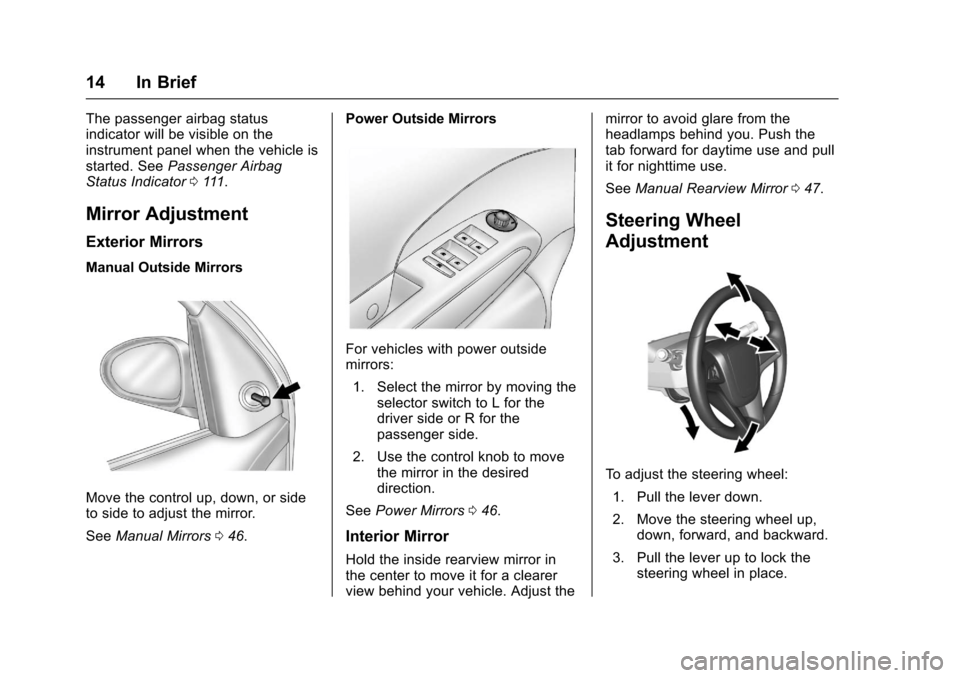
Manual Outside Mirrors
Move the control up, down, or sideto side to adjust the mirror.
SeeManual Mirrors046.
Power Outside Mirrors
For vehicles with power outsidemirrors:
1. Select the mirror by moving theselector switch to L for thedriver side or R for thepassenger side.
2. Use the control knob to movethe mirror in the desireddirection.
SeePower Mirrors046.
Interior Mirror
Hold the inside rearview mirror inthe center to move it for a clearerview behind your vehicle. Adjust the
mirror to avoid glare from theheadlamps behind you. Push thetab forward for daytime use and pullit for nighttime use.
SeeManual Rearview Mirror047.
Steering Wheel
Adjustment
To a d j u s t t h e s t e e r i n g w h e e l :
1. Pull the lever down.
2. Move the steering wheel up,down, forward, and backward.
3. Pull the lever up to lock thesteering wheel in place.
Page 16 of 342
Chevrolet Sonic Owner Manual (GMNA-Localizing-U.S./Canada-10122660) -2017 - crc - 5/13/16
In Brief 15
Do not adjust the steering wheelwhile driving.
Interior Lighting
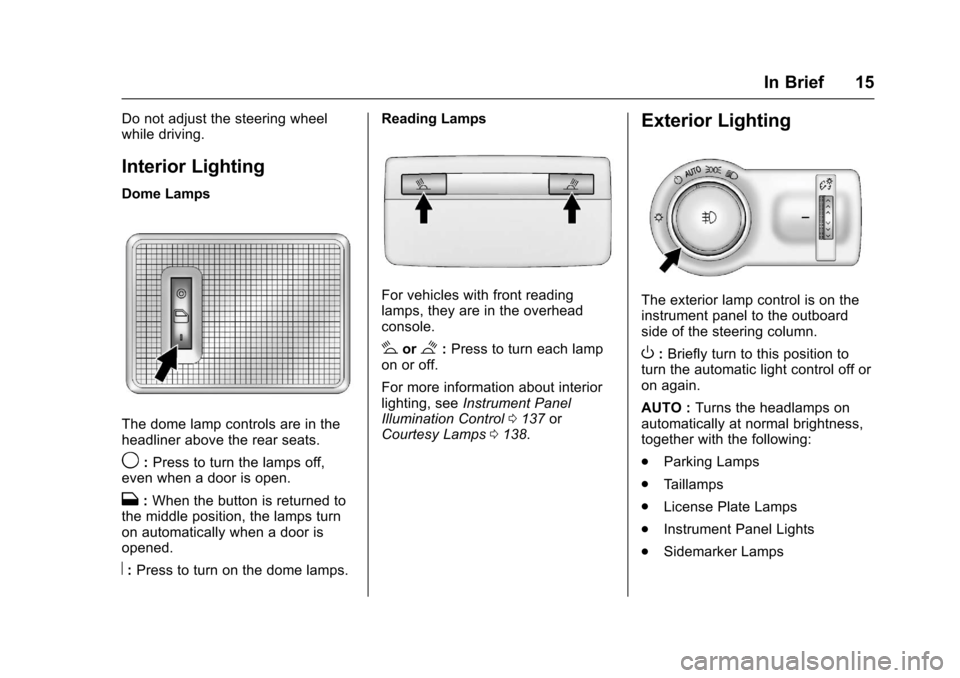
Dome Lamps
The dome lamp controls are in theheadliner above the rear seats.
9:Press to turn the lamps off,even when a door is open.
H:When the button is returned tothe middle position, the lamps turnon automatically when a door isopened.
R:Press to turn on the dome lamps.
Reading Lamps
For vehicles with front readinglamps, they are in the overheadconsole.
#or$:Press to turn each lampon or off.
For more information about interiorlighting, seeInstrument PanelIllumination Control0137orCourtesy Lamps0138.
Exterior Lighting
The exterior lamp control is on theinstrument panel to the outboardside of the steering column.
O:Briefly turn to this position toturn the automatic light control off oron again.
AUTO :Turns the headlamps onautomatically at normal brightness,together with the following:
.Parking Lamps
.Ta i l l a m p s
.License Plate Lamps
.Instrument Panel Lights
.Sidemarker Lamps
Page 17 of 342
Chevrolet Sonic Owner Manual (GMNA-Localizing-U.S./Canada-10122660) -2017 - crc - 5/13/16
16 In Brief
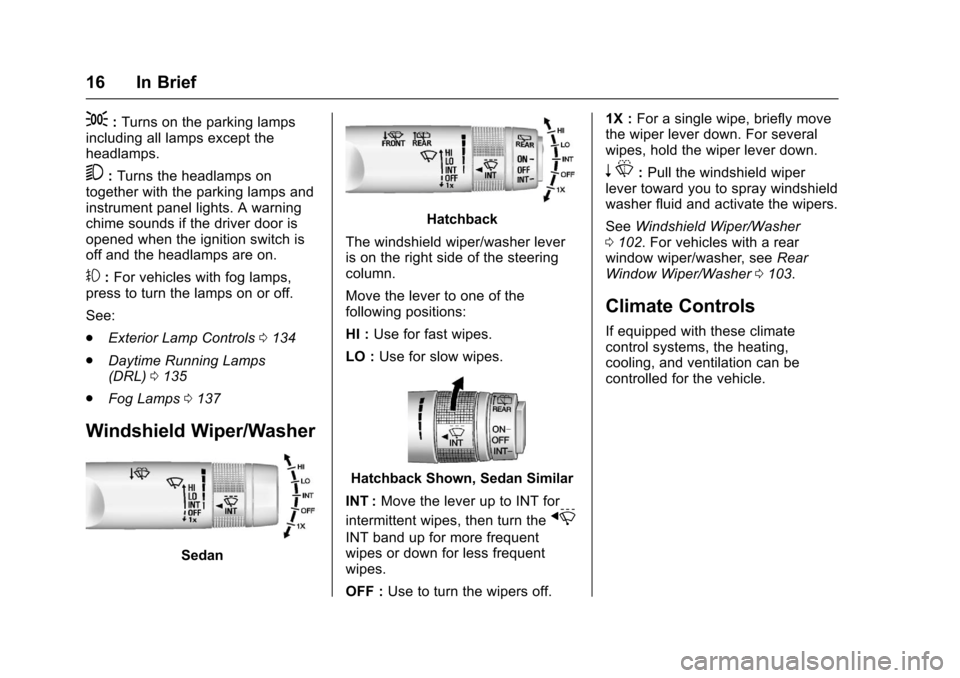
;:Turns on the parking lampsincluding all lamps except theheadlamps.
5:Turns the headlamps ontogether with the parking lamps andinstrument panel lights. A warningchime sounds if the driver door isopened when the ignition switch isoff and the headlamps are on.
#:For vehicles with fog lamps,press to turn the lamps on or off.
See:
.Exterior Lamp Controls0134
.Daytime Running Lamps(DRL)0135
.Fog Lamps0137
Windshield Wiper/Washer
Sedan
Hatchback
The windshield wiper/washer leveris on the right side of the steeringcolumn.
Move the lever to one of thefollowing positions:
HI :Use for fast wipes.
LO :Use for slow wipes.
Hatchback Shown, Sedan Similar
INT :Move the lever up to INT for
intermittent wipes, then turn thex
INT band up for more frequentwipes or down for less frequentwipes.
OFF :Use to turn the wipers off.
1X :For a single wipe, briefly movethe wiper lever down. For severalwipes, hold the wiper lever down.
nL:Pull the windshield wiperlever toward you to spray windshieldwasher fluid and activate the wipers.
SeeWindshield Wiper/Washer0102.Forvehicleswitharearwindow wiper/washer, seeRearWindow Wiper/Washer0103.
Climate Controls
If equipped with these climatecontrol systems, the heating,cooling, and ventilation can becontrolled for the vehicle.
Page 48 of 342
Chevrolet Sonic Owner Manual (GMNA-Localizing-U.S./Canada-10122660) -2017 - crc - 5/13/16
Keys, Doors, and Windows 47
Folding Mirrors
Manual Folding Mirrors
The vehicle has manual foldingmirrors. These mirrors can be foldedinward to prevent damage whengoing through an automatic carwash. To fold, pull the mirror towardthe vehicle. Push the mirror outwardto return it to the original position.
Heated Mirrors
1:If equipped, press to heat themirrors. See“Rear Window andOutside Mirror Defogger”underClimate Control Systems0166.
Interior Mirrors
Manual Rearview Mirror
Hold the inside rearview mirror inthe center to move it for a clearerview behind your vehicle. Adjust themirror to avoid glare from theheadlamps behind you. Push thetab forward for daytime use and pullit for nighttime use.
Vehicles with OnStar®have threecontrol buttons at the bottom of themirror. See your dealer for moreinformation about OnStar and howto subscribe to it. SeeOnStarOverview0321.
Windows
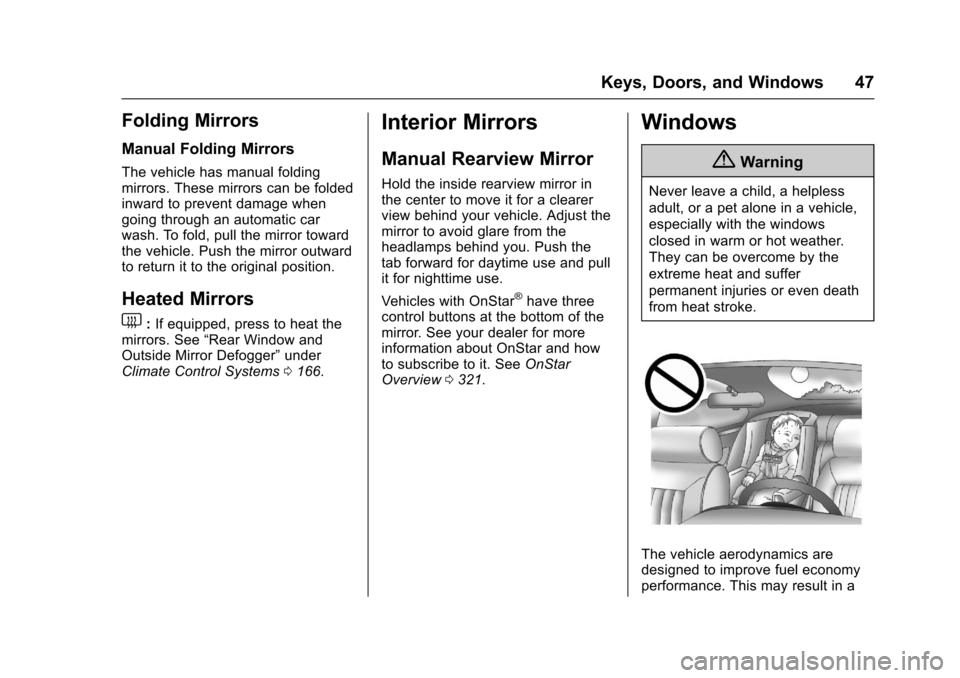
{Warning
Never leave a child, a helpless
adult, or a pet alone in a vehicle,
especially with the windows
closed in warm or hot weather.
They can be overcome by the
extreme heat and suffer
permanent injuries or even death
from heat stroke.
The vehicle aerodynamics aredesigned to improve fuel economyperformance. This may result in a
Page 121 of 342
Chevrolet Sonic Owner Manual (GMNA-Localizing-U.S./Canada-10122660) -2017 - crc - 5/13/16
120 Instruments and Controls
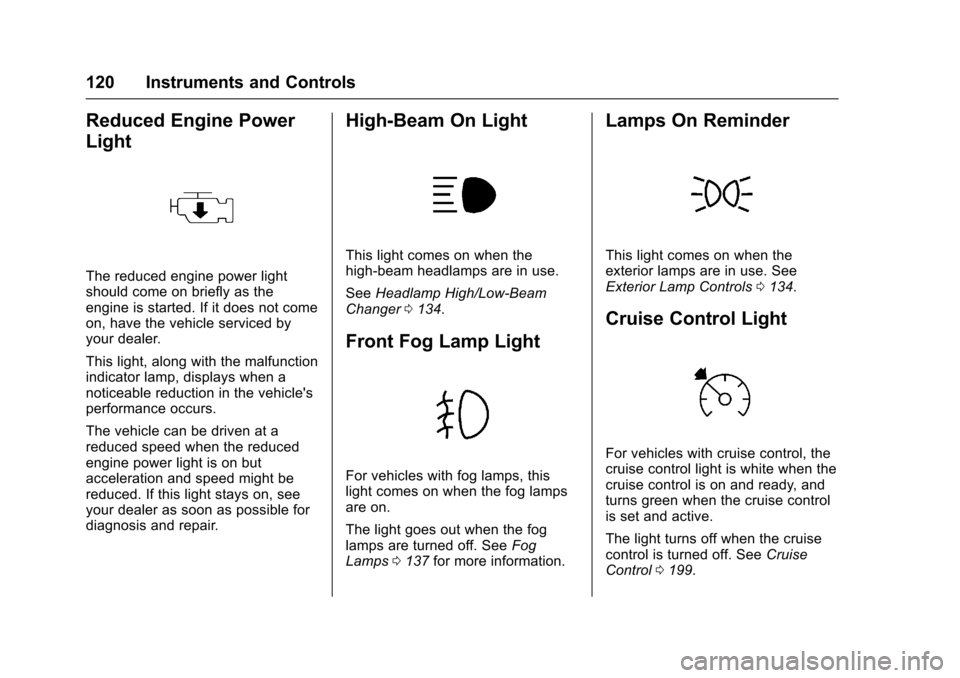
Reduced Engine Power
Light
The reduced engine power lightshould come on briefly as theengine is started. If it does not comeon, have the vehicle serviced byyour dealer.
This light, along with the malfunctionindicator lamp, displays when anoticeable reduction in the vehicle'sperformance occurs.
The vehicle can be driven at areduced speed when the reducedengine power light is on butacceleration and speed might bereduced. If this light stays on, seeyour dealer as soon as possible fordiagnosis and repair.
High-Beam On Light
This light comes on when thehigh-beam headlamps are in use.
SeeHeadlamp High/Low-BeamChanger0134.
Front Fog Lamp Light
For vehicles with fog lamps, thislight comes on when the fog lampsare on.
The light goes out when the foglamps are turned off. SeeFogLamps0137for more information.
Lamps On Reminder
This light comes on when theexterior lamps are in use. SeeExterior Lamp Controls0134.
Cruise Control Light
For vehicles with cruise control, thecruise control light is white when thecruise control is on and ready, andturns green when the cruise controlis set and active.
The light turns off when the cruisecontrol is turned off. SeeCruiseControl0199.
Page 135 of 342
Chevrolet Sonic Owner Manual (GMNA-Localizing-U.S./Canada-10122660) -2017 - crc - 5/13/16
134 Lighting
Lighting
Exterior Lighting
Exterior Lamp Controls . . . . . . . 134Headlamp High/Low-BeamChanger . . . . . . . . . . . . . . . . . . . . 134Flash-to-Pass . . . . . . . . . . . . . . . . 135Daytime RunningLamps (DRL) . . . . . . . . . . . . . . . 135Automatic HeadlampSystem . . . . . . . . . . . . . . . . . . . . . . 135Hazard Warning Flashers . . . . . 136Turn and Lane-ChangeSignals . . . . . . . . . . . . . . . . . . . . . . 136Fog Lamps . . . . . . . . . . . . . . . . . . . 137
Interior Lighting
Instrument Panel IlluminationControl . . . . . . . . . . . . . . . . . . . . . . 137Courtesy Lamps . . . . . . . . . . . . . . 138Dome Lamps . . . . . . . . . . . . . . . . . 138Reading Lamps . . . . . . . . . . . . . . 138
Lighting Features
Entry Lighting . . . . . . . . . . . . . . . . 138Exit Lighting . . . . . . . . . . . . . . . . . . 138Battery Load Management . . . 139Battery Power Protection . . . . . 139Exterior Lighting BatterySaver . . . . . . . . . . . . . . . . . . . . . . . 139
Exterior Lighting
Exterior Lamp Controls
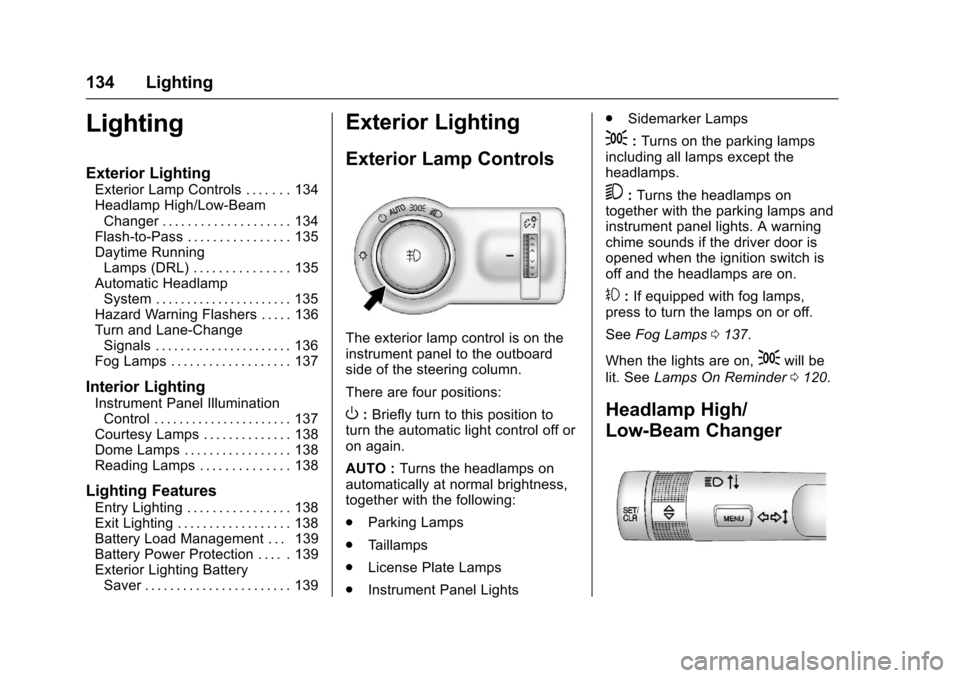
The exterior lamp control is on theinstrument panel to the outboardside of the steering column.
There are four positions:
O:Briefly turn to this position toturn the automatic light control off oron again.
AUTO :Turns the headlamps onautomatically at normal brightness,together with the following:
.Parking Lamps
.Ta i l l a m p s
.License Plate Lamps
.Instrument Panel Lights
.Sidemarker Lamps
;:Turns on the parking lampsincluding all lamps except theheadlamps.
5:Turns the headlamps ontogether with the parking lamps andinstrument panel lights. A warningchime sounds if the driver door isopened when the ignition switch isoff and the headlamps are on.
#:If equipped with fog lamps,press to turn the lamps on or off.
SeeFog Lamps0137.
When the lights are on,;will be
lit. SeeLamps On Reminder0120.
Headlamp High/
Low-Beam Changer
Page 136 of 342
Chevrolet Sonic Owner Manual (GMNA-Localizing-U.S./Canada-10122660) -2017 - crc - 5/13/16
Lighting 135
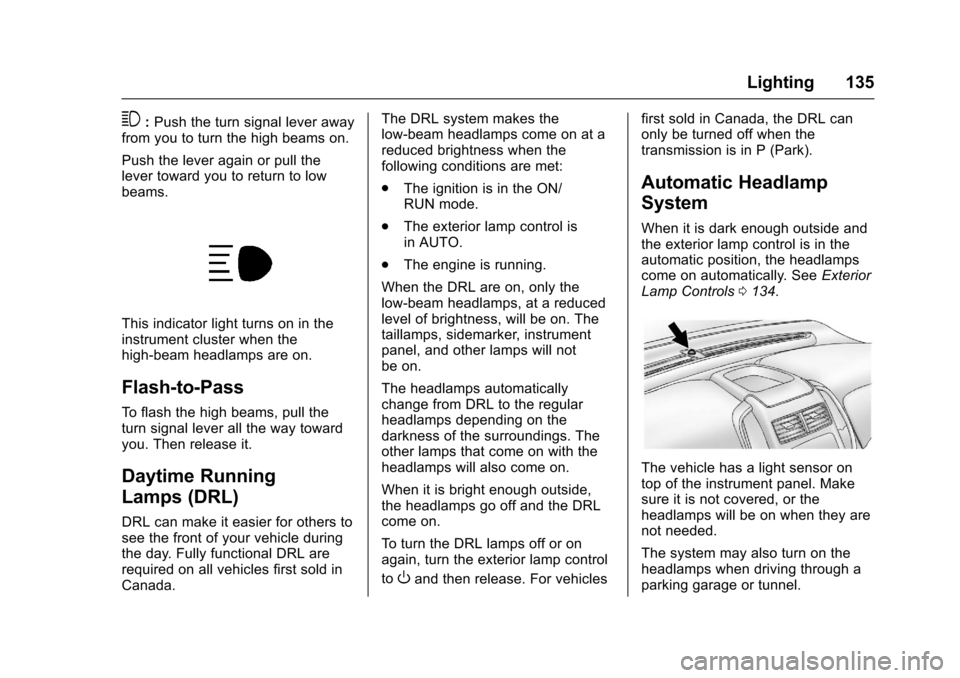
3:Push the turn signal lever awayfrom you to turn the high beams on.
Push the lever again or pull thelever toward you to return to lowbeams.
This indicator light turns on in theinstrument cluster when thehigh-beam headlamps are on.
Flash-to-Pass
To f l a s h t h e h i g h b e a m s , p u l l t h eturn signal lever all the way towardyou. Then release it.
Daytime Running
Lamps (DRL)
DRL can make it easier for others tosee the front of your vehicle duringthe day. Fully functional DRL arerequired on all vehicles first sold inCanada.
The DRL system makes thelow-beam headlamps come on at areduced brightness when thefollowing conditions are met:
.The ignition is in the ON/RUN mode.
.The exterior lamp control isin AUTO.
.The engine is running.
When the DRL are on, only thelow-beam headlamps, at a reducedlevel of brightness, will be on. Thetaillamps, sidemarker, instrumentpanel, and other lamps will notbe on.
The headlamps automaticallychange from DRL to the regularheadlamps depending on thedarkness of the surroundings. Theother lamps that come on with theheadlamps will also come on.
When it is bright enough outside,the headlamps go off and the DRLcome on.
To t u r n t h e D R L l a m p s o f f o r o nagain, turn the exterior lamp control
toOand then release. For vehicles
first sold in Canada, the DRL canonly be turned off when thetransmission is in P (Park).
Automatic Headlamp
System
When it is dark enough outside andthe exterior lamp control is in theautomatic position, the headlampscome on automatically. SeeExteriorLamp Controls0134.
The vehicle has a light sensor ontop of the instrument panel. Makesure it is not covered, or theheadlamps will be on when they arenot needed.
The system may also turn on theheadlamps when driving through aparking garage or tunnel.
Page 137 of 342
Chevrolet Sonic Owner Manual (GMNA-Localizing-U.S./Canada-10122660) -2017 - crc - 5/13/16
136 Lighting
Lights On with Wipers
If the windshield wipers areactivated in daylight with the engineon, and the exterior lamp control isin AUTO, the headlamps, parkinglamps, and other exterior lampscome on. The transition time for thelamps coming on varies based onwiper speed. When the wipers arenot operating, these lamps turn off.
Move the exterior lamp control toP
or;to disable this feature.
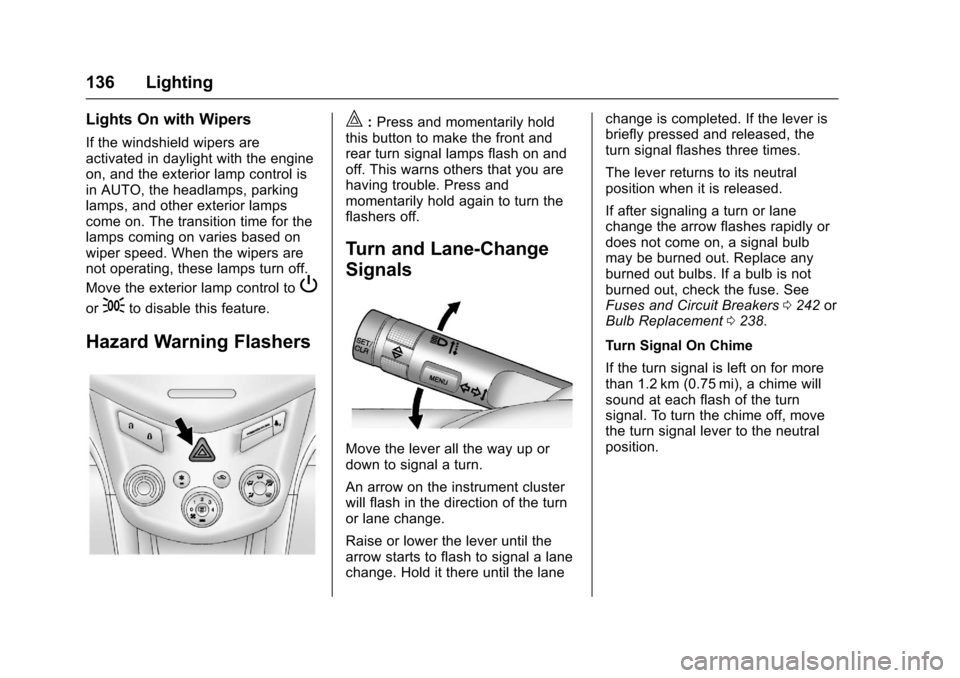
Hazard Warning Flashers
|:Press and momentarily holdthis button to make the front andrear turn signal lamps flash on andoff. This warns others that you arehaving trouble. Press andmomentarily hold again to turn theflashers off.
Turn and Lane-Change
Signals
Move the lever all the way up ordown to signal a turn.
An arrow on the instrument clusterwill flash in the direction of the turnor lane change.
Raise or lower the lever until thearrow starts to flash to signal a lanechange. Hold it there until the lane
change is completed. If the lever isbriefly pressed and released, theturn signal flashes three times.
The lever returns to its neutralposition when it is released.
If after signaling a turn or lanechange the arrow flashes rapidly ordoes not come on, a signal bulbmay be burned out. Replace anyburned out bulbs. If a bulb is notburned out, check the fuse. SeeFuses and Circuit Breakers0242orBulb Replacement0238.
Turn Signal On Chime
If the turn signal is left on for morethan 1.2 km (0.75 mi), a chime willsound at each flash of the turnsignal. To turn the chime off, movethe turn signal lever to the neutralposition.