engine overheat CHEVROLET SONIC 2020 User Guide
[x] Cancel search | Manufacturer: CHEVROLET, Model Year: 2020, Model line: SONIC, Model: CHEVROLET SONIC 2020Pages: 329, PDF Size: 5.56 MB
Page 215 of 329
Chevrolet Sonic Owner Manual (GMNA-Localizing-U.S./Canada-13566834) -
2020 - CRC - 10/4/19
214 Vehicle Care
What to Use
{Warning
Plain water, or other liquids such
as alcohol, can boil before the
proper coolant mixture will. With
plain water or the wrong mixture,
the engine could get too hot but
there would not be an overheat
warning. The engine could catch
fire and you or others could be
burned.
Use a 50/50 mixture of clean
drinkable water and DEX-COOL
coolant. This mixture:
. Gives freezing protection down
to−37 °C (−34 °F), outside
temperature.
. Gives boiling protection up to
129 °C (265 °F), engine
temperature.
. Protects against rust and
corrosion.
. Will not damage aluminum parts. .
Helps keep the proper engine
temperature.Caution
Do not use anything other than a
mix of DEX-COOL coolant that
meets GM Standard
GMW3420 and clean, drinkable
water. Anything else can cause
damage to the engine cooling
system and the vehicle, which
would not be covered by the
vehicle warranty.
Never dispose of engine coolant by
putting it in the trash, pouring it on
the ground, or into sewers, streams,
or bodies of water. Have the coolant
changed by an authorized service
center, familiar with legal
requirements regarding used
coolant disposal. This will help
protect the environment and your
health.
Checking Coolant
The vehicle must be on a level
surface when checking the coolant
level.
It is normal to see coolant moving in
the upper coolant hose return line
when the engine is running.
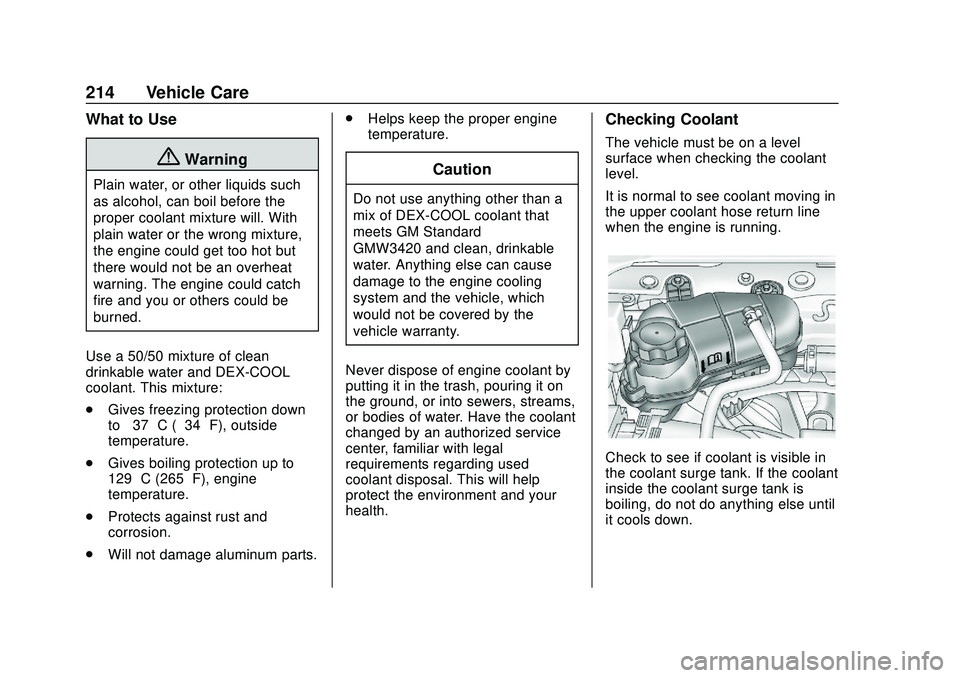
Check to see if coolant is visible in
the coolant surge tank. If the coolant
inside the coolant surge tank is
boiling, do not do anything else until
it cools down.
Page 216 of 329
Chevrolet Sonic Owner Manual (GMNA-Localizing-U.S./Canada-13566834) -
2020 - CRC - 10/4/19
Vehicle Care 215
If coolant is visible but the coolant
level is not at or above the mark
pointed to, add a 50/50 mixture of
clean drinkable water and
DEX-COOL coolant.
Be sure the cooling system is cool
before this is done.
If no coolant is visible in the coolant
surge tank, add coolant as follows:
How to Add Coolant to the
Coolant Surge Tank
{Warning
Steam and scalding liquids from a
hot cooling system are under
pressure. Turning the pressure
cap, even a little, can cause them
to come out at high speed and
you could be burned. Never turn
the cap when the cooling system,
including the pressure cap, is hot.
Wait for the cooling system and
pressure cap to cool.
{Warning
Plain water, or other liquids such
as alcohol, can boil before the
proper coolant mixture will. With
plain water or the wrong mixture,
the engine could get too hot but
there would not be an overheat
warning. The engine could catch
fire and you or others could be
burned.
{Warning
Spilling coolant on hot engine
parts can burn you. Coolant
contains ethylene glycol and it will
burn if the engine parts are hot
enough.
Caution
Failure to follow the specific
coolant fill procedure could cause
the engine to overheat and could
cause system damage. If coolant
is not visible in the surge tank,
contact your dealer.
If no problem is found, check to see
if coolant is visible in the coolant
surge tank. If coolant is visible but
the coolant level is not at the
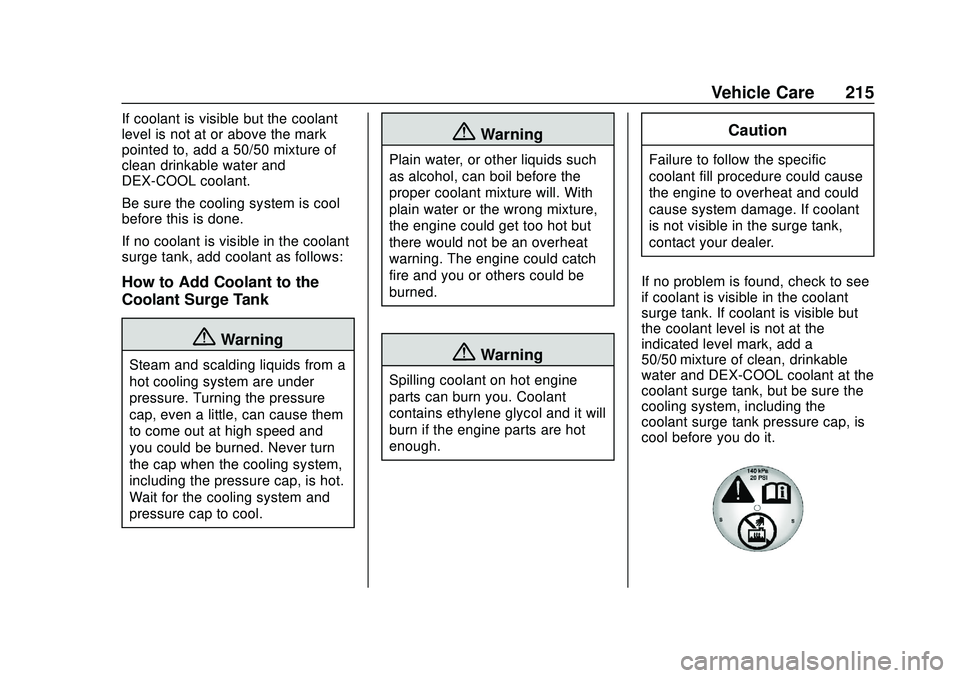
indicated level mark, add a
50/50 mixture of clean, drinkable
water and DEX-COOL coolant at the
coolant surge tank, but be sure the
cooling system, including the
coolant surge tank pressure cap, is
cool before you do it.
Page 217 of 329
Chevrolet Sonic Owner Manual (GMNA-Localizing-U.S./Canada-13566834) -
2020 - CRC - 10/4/19
216 Vehicle Care
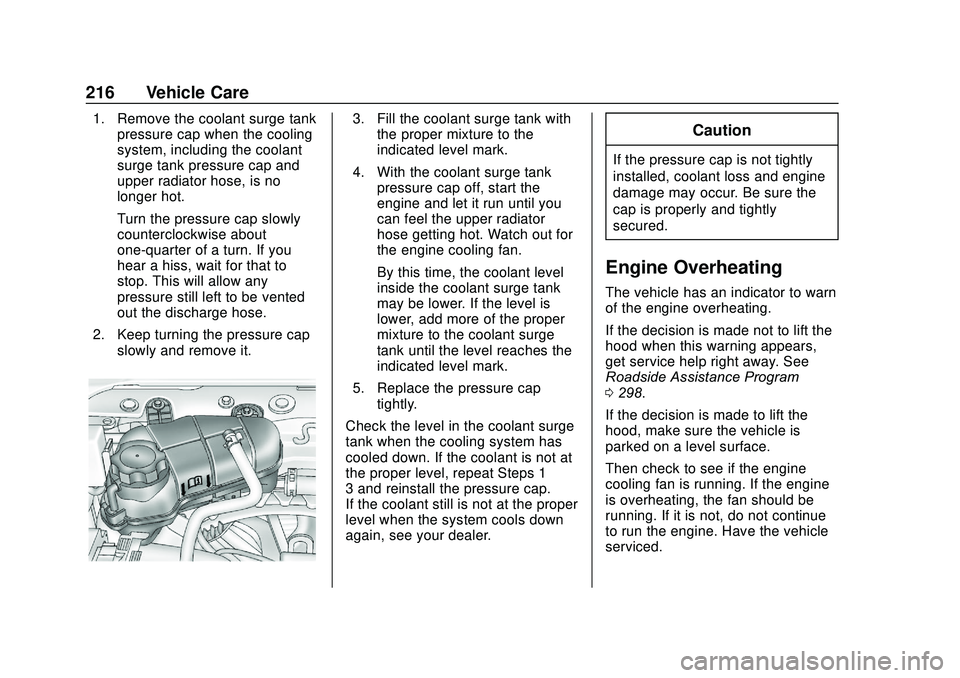
1. Remove the coolant surge tankpressure cap when the cooling
system, including the coolant
surge tank pressure cap and
upper radiator hose, is no
longer hot.
Turn the pressure cap slowly
counterclockwise about
one-quarter of a turn. If you
hear a hiss, wait for that to
stop. This will allow any
pressure still left to be vented
out the discharge hose.
2. Keep turning the pressure cap slowly and remove it.3. Fill the coolant surge tank withthe proper mixture to the
indicated level mark.
4. With the coolant surge tank pressure cap off, start the
engine and let it run until you
can feel the upper radiator
hose getting hot. Watch out for
the engine cooling fan.
By this time, the coolant level
inside the coolant surge tank
may be lower. If the level is
lower, add more of the proper
mixture to the coolant surge
tank until the level reaches the
indicated level mark.
5. Replace the pressure cap tightly.
Check the level in the coolant surge
tank when the cooling system has
cooled down. If the coolant is not at
the proper level, repeat Steps 1–
3 and reinstall the pressure cap.
If the coolant still is not at the proper
level when the system cools down
again, see your dealer.Caution
If the pressure cap is not tightly
installed, coolant loss and engine
damage may occur. Be sure the
cap is properly and tightly
secured.
Engine Overheating
The vehicle has an indicator to warn
of the engine overheating.
If the decision is made not to lift the
hood when this warning appears,
get service help right away. See
Roadside Assistance Program
0 298.
If the decision is made to lift the
hood, make sure the vehicle is
parked on a level surface.
Then check to see if the engine
cooling fan is running. If the engine
is overheating, the fan should be
running. If it is not, do not continue
to run the engine. Have the vehicle
serviced.
Page 218 of 329
Chevrolet Sonic Owner Manual (GMNA-Localizing-U.S./Canada-13566834) -
2020 - CRC - 10/4/19
Vehicle Care 217
Caution
Do not run the engine if there is a
leak in the engine cooling system.
This can cause a loss of all
coolant and can damage the
system and vehicle. Have any
leaks fixed right away.
If Steam Is Coming from the
Engine Compartment
{Warning
Steam and scalding liquids from a
hot cooling system are under
pressure. Turning the pressure
cap, even a little, can cause them
to come out at high speed and
you could be burned. Never turn
the cap when the cooling system,
including the pressure cap, is hot.
Wait for the cooling system and
pressure cap to cool.
If No Steam Is Coming from
the Engine Compartment
If an engine overheat warning is
displayed but no steam can be seen
or heard, the problem may not be
too serious. Sometimes the engine
can get a little too hot when the
vehicle:
.Climbs a long hill on a hot day.
. Stops after high-speed driving.
. Idles for long periods in traffic.
If the overheat warning is displayed
with no sign of steam: 1. Turn the air conditioning off.
2. Turn the heater on to the highest temperature and to the
highest fan speed. Open the
windows as necessary.
3. When it is safe to do so, pull off the road, shift to P (Park) or
N (Neutral) and let the
engine idle.
If the overheat warning no longer
displays, the vehicle can be driven.
Continue to drive the vehicle slowly
for about 10 minutes. Keep a safe vehicle distance from the vehicle in
front. If the warning does not come
back on, continue to drive normally
and have the cooling system
checked for proper fill and function.
If the warning continues, pull over,
stop, and park the vehicle
right away.
If there is no sign of steam, idle the
engine for three minutes while
parked. If the warning is still
displayed, turn off the engine until it
cools down.
Washer Fluid
What to Use
When the vehicle needs windshield
washer fluid, be sure to read the
manufacturer's instructions before
use. If operating the vehicle in an
area where the temperature may fall
below freezing, use a fluid that has
sufficient protection against
freezing.
Page 321 of 329
Chevrolet Sonic Owner Manual (GMNA-Localizing-U.S./Canada-13566834) -
2020 - CRC - 10/4/19
320 Index
Driving (cont'd)Wet Roads . . . . . . . . . . . . . . . . . . . 163
Winter . . . . . . . . . . . . . . . . . . . . . . . . 164
E
Electrical Equipment,
Add-On . . . . . . . . . . . . . . . . . . . . . . . 201
Electrical System
Engine Compartment FuseBlock . . . . . . . . . . . . . . . . . . . . . . . . 229
Fuses and Circuit Breakers . . . 229
Instrument Panel Fuse Block . . . . . . . . . . . . . . . . . . . . . . . . 231
Overload . . . . . . . . . . . . . . . . . . . . . 228
Emergency OnStar . . . . . . . . . . . . . . . . . . . . . . . 309
Engine
Air Cleaner/Filter . . . . . . . . . . . . . 212
Check Light (MalfunctionIndicator) . . . . . . . . . . . . . . . . . . . . 100
Compartment Overview . . . . . . . 207
Coolant Temperature Warning Light . . . . . . . . . . . . . . . 106
Cooling System . . . . . . . . . . . . . . . 213
Drive Belt Routing . . . . . . . . . . . . 293
Exhaust . . . . . . . . . . . . . . . . . . . . . . 179
Heater . . . . . . . . . . . . . . . . . . . . . . . . 176
Oil Life System . . . . . . . . . . . . . . . 210 Engine (cont'd)
Oil Pressure Light . . . . . . . . . . . . 106
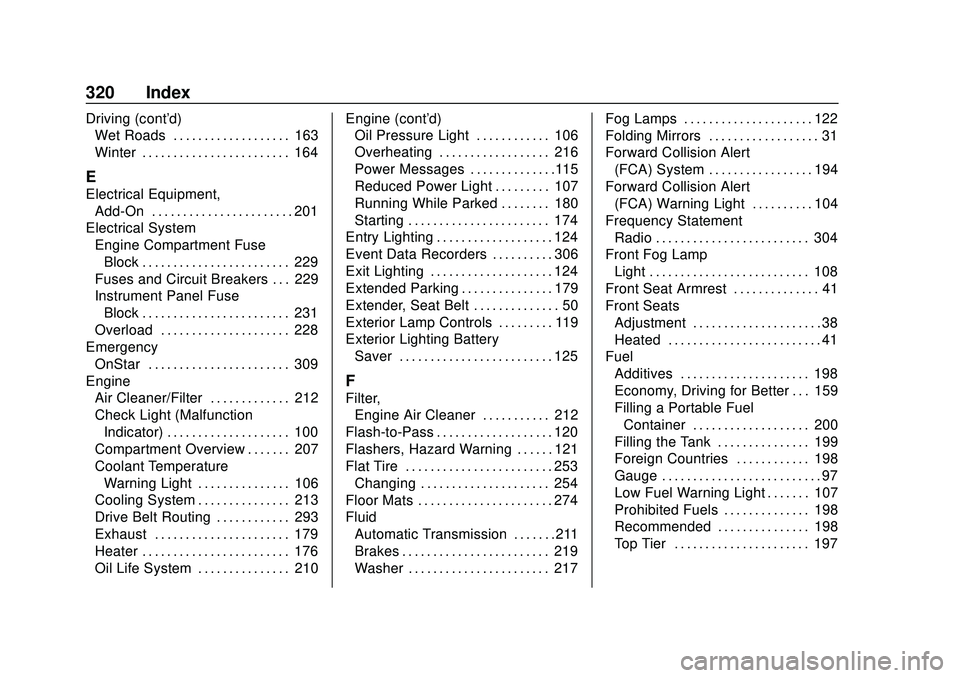
Overheating . . . . . . . . . . . . . . . . . . 216
Power Messages . . . . . . . . . . . . . .115
Reduced Power Light . . . . . . . . . 107
Running While Parked . . . . . . . . 180
Starting . . . . . . . . . . . . . . . . . . . . . . . 174
Entry Lighting . . . . . . . . . . . . . . . . . . . 124
Event Data Recorders . . . . . . . . . . 306
Exit Lighting . . . . . . . . . . . . . . . . . . . . 124
Extended Parking . . . . . . . . . . . . . . . 179
Extender, Seat Belt . . . . . . . . . . . . . . 50
Exterior Lamp Controls . . . . . . . . . 119
Exterior Lighting Battery Saver . . . . . . . . . . . . . . . . . . . . . . . . . 125
F
Filter,Engine Air Cleaner . . . . . . . . . . . 212
Flash-to-Pass . . . . . . . . . . . . . . . . . . . 120
Flashers, Hazard Warning . . . . . . 121
Flat Tire . . . . . . . . . . . . . . . . . . . . . . . . 253 Changing . . . . . . . . . . . . . . . . . . . . . 254
Floor Mats . . . . . . . . . . . . . . . . . . . . . . 274
Fluid Automatic Transmission . . . . . . .211
Brakes . . . . . . . . . . . . . . . . . . . . . . . . 219
Washer . . . . . . . . . . . . . . . . . . . . . . . 217 Fog Lamps . . . . . . . . . . . . . . . . . . . . . 122
Folding Mirrors . . . . . . . . . . . . . . . . . . 31
Forward Collision Alert
(FCA) System . . . . . . . . . . . . . . . . . 194
Forward Collision Alert (FCA) Warning Light . . . . . . . . . . 104
Frequency Statement
Radio . . . . . . . . . . . . . . . . . . . . . . . . . 304
Front Fog Lamp Light . . . . . . . . . . . . . . . . . . . . . . . . . . 108
Front Seat Armrest . . . . . . . . . . . . . . 41
Front Seats
Adjustment . . . . . . . . . . . . . . . . . . . . . 38
Heated . . . . . . . . . . . . . . . . . . . . . . . . . 41
Fuel Additives . . . . . . . . . . . . . . . . . . . . . 198
Economy, Driving for Better . . . 159
Filling a Portable Fuel
Container . . . . . . . . . . . . . . . . . . . 200
Filling the Tank . . . . . . . . . . . . . . . 199
Foreign Countries . . . . . . . . . . . . 198
Gauge . . . . . . . . . . . . . . . . . . . . . . . . . . 97
Low Fuel Warning Light . . . . . . . 107
Prohibited Fuels . . . . . . . . . . . . . . 198
Recommended . . . . . . . . . . . . . . . 198
Top Tier . . . . . . . . . . . . . . . . . . . . . . 197
Page 324 of 329
Chevrolet Sonic Owner Manual (GMNA-Localizing-U.S./Canada-13566834) -
2020 - CRC - 10/4/19
Index 323
Maintenance Schedule (cont'd)Recommended Fluids and
Lubricants . . . . . . . . . . . . . . . . . . . 287
Malfunction Indicator Lamp . . . . . 100
Manual Mirrors . . . . . . . . . . . . . . . . . . 30
Manual Mode . . . . . . . . . . . . . . . . . . . 182
Manual Windows . . . . . . . . . . . . . . . . 32
Media Avoiding Untrusted Devices . . 134
Messages Engine Power . . . . . . . . . . . . . . . . .115
Vehicle . . . . . . . . . . . . . . . . . . . . . . . .113
Vehicle Speed . . . . . . . . . . . . . . . . .115
Mirrors Convex . . . . . . . . . . . . . . . . . . . . . . . . . 30
Folding . . . . . . . . . . . . . . . . . . . . . . . . . 31
Heated . . . . . . . . . . . . . . . . . . . . . . . . . 31
Manual . . . . . . . . . . . . . . . . . . . . . . . . . 30
Manual Rearview . . . . . . . . . . . . . . . 31
Power . . . . . . . . . . . . . . . . . . . . . . . . . . 31
Monitor System, Tire
Pressure . . . . . . . . . . . . . . . . . . . . . . 242
Multi-band Antenna . . . . . . . . . . . . . 134
N
Navigation Connected Services . . . . . . . . . . 314
New Vehicle Break-In . . . . . . . . . . . 170
O
Odometer . . . . . . . . . . . . . . . . . . . . . . . . 97 Trip . . . . . . . . . . . . . . . . . . . . . . . . . . . . . 97
Off-Road Recovery . . . . . . . . . . . . . . . . . . . . . 162
Oil Engine . . . . . . . . . . . . . . . . . . . . . . . . 208
Engine Oil Life System . . . . . . . 210
Pressure Light . . . . . . . . . . . . . . . . 106
Older Children, Restraints . . . . . . . 64
Online Owner Center . . . . . . . . . . . 297
OnStar . . . . . . . . . . . . . . . . . . . . . . . . . 307
OnStar Additional Information . . . . . . . . . . . . . . . . . . . . 310
OnStar Emergency . . . . . . . . . . . . . 309
OnStar Overview . . . . . . . . . . . . . . . 308
OnStar Security . . . . . . . . . . . . . . . . 310
OnStar System . . . . . . . . . . . . . . . . . 139
Operate Pedal Light . . . . . . . . . . . . 103
Operation Fog Lamps . . . . . . . . . . . . . . . . . . . 122
Outlets Power . . . . . . . . . . . . . . . . . . . . . . . . . . 93
Overheating, Engine . . . . . . . . . . . . 216
Overview . . . . . . . . . . . . . . . . . . . . . . . 127
Instrument Panel . . . . . . . . . . . . . . . . 5
Owner Manual Indicator . . . . . . . . 102
P
Park Shifting Out of . . . . . . . . . . . . . . . . 178
Park Assist . . . . . . . . . . . . . . . . . . . . . 193
Parking Brake . . . . . . . . . . . . . . . . . . . . . . . . . 184
Brake and P (Park)Mechanism Check . . . . . . . . . . 222
Extended . . . . . . . . . . . . . . . . . . . . . 179
Over Things That Burn . . . . . . . 179
Ultrasonic Sensor Light . . . . . . . 104
Passenger Airbag Status Indicator . . . . . . . . . . . . . . . . . . . . . . . 99
Passenger Compartment Air
Filter . . . . . . . . . . . . . . . . . . . . . . . . . . 156
Passenger Sensing System . . . . . 58
Perchlorate Materials Requirements, California . . . . . . 204
Personalization
Vehicle . . . . . . . . . . . . . . . . . . . . . . . .115
Phone Apple CarPlay andAndroid Auto . . . . . . . . . . . . . . . . 146
Bluetooth . . . . . . . . . . . . . . . . 140, 141
Port USB . . . . . . . . . . . . . . . . . . . . . . . . . . 134
Power Mirrors . . . . . . . . . . . . . . . . . . . . . . . . . . 31