trunk CHEVROLET SONIC 2020 User Guide
[x] Cancel search | Manufacturer: CHEVROLET, Model Year: 2020, Model line: SONIC, Model: CHEVROLET SONIC 2020Pages: 329, PDF Size: 5.56 MB
Page 26 of 329
Chevrolet Sonic Owner Manual (GMNA-Localizing-U.S./Canada-13566834) -
2020 - CRC - 10/4/19
Keys, Doors, and Windows 25
Warning (Continued)
and set the fan speed to the
highest setting. See
“Climate Control Systems”
in the Index.
. If the vehicle is equipped
with a power liftgate, disable
the power liftgate function.
For more information about
carbon monoxide, see Engine
Exhaust 0179.
To lock or unlock the trunk from the
inside, press
QorKon the central
locking switch or on the driver door
lock switch.
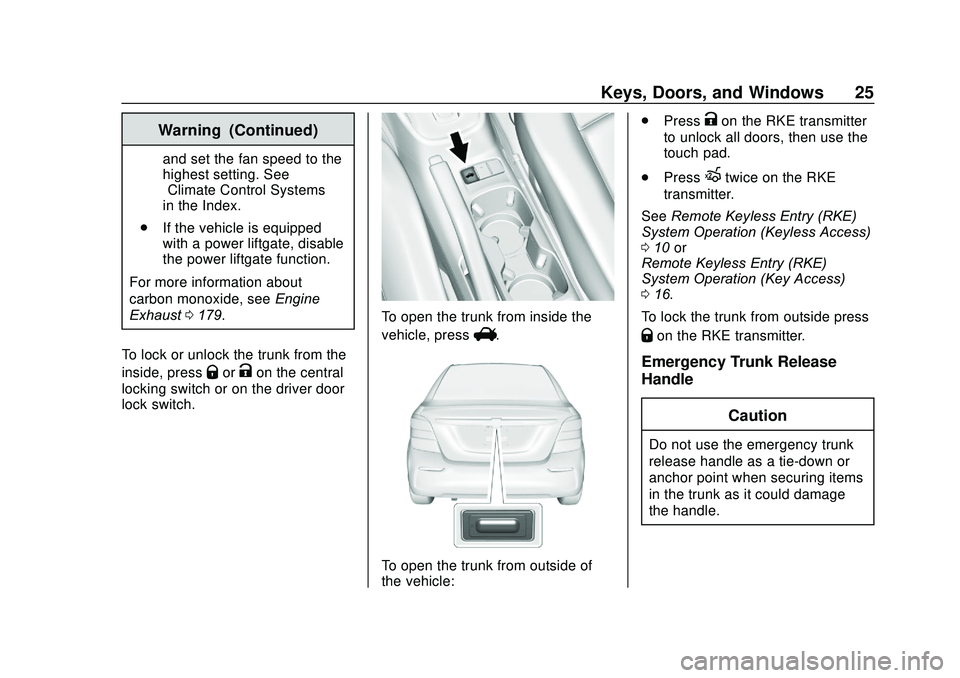
To open the trunk from inside the
vehicle, press
V.
To open the trunk from outside of
the vehicle: .
Press
Kon the RKE transmitter
to unlock all doors, then use the
touch pad.
. Press
Xtwice on the RKE
transmitter.
See Remote Keyless Entry (RKE)
System Operation (Keyless Access)
0 10 or
Remote Keyless Entry (RKE)
System Operation (Key Access)
0 16.
To lock the trunk from outside press
Qon the RKE transmitter.
Emergency Trunk Release
Handle
Caution
Do not use the emergency trunk
release handle as a tie-down or
anchor point when securing items
in the trunk as it could damage
the handle.
Page 27 of 329
Chevrolet Sonic Owner Manual (GMNA-Localizing-U.S./Canada-13566834) -
2020 - CRC - 10/4/19
26 Keys, Doors, and Windows
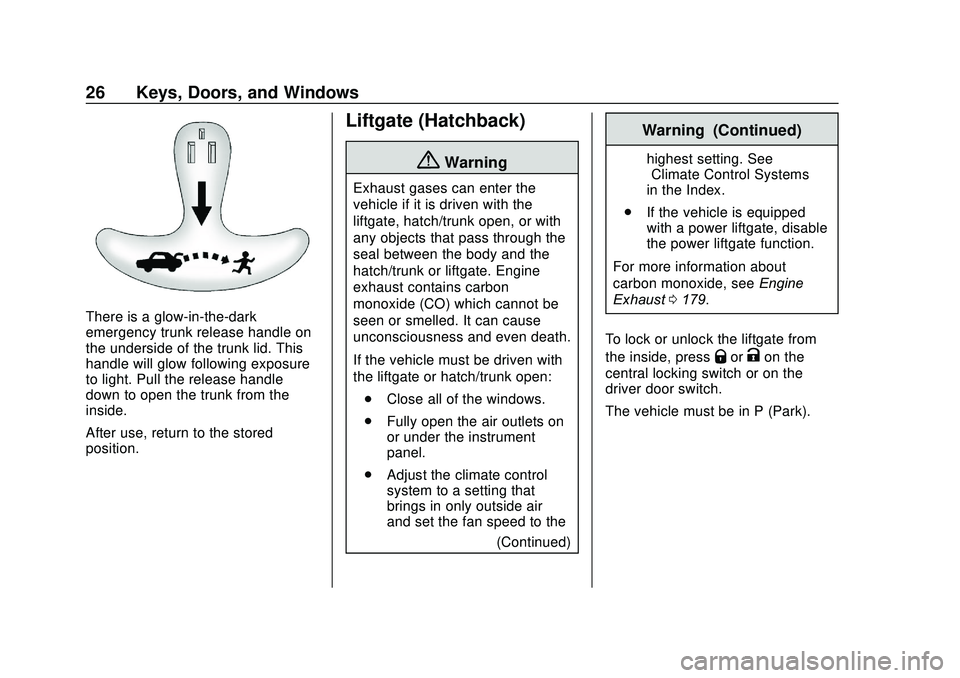
There is a glow-in-the-dark
emergency trunk release handle on
the underside of the trunk lid. This
handle will glow following exposure
to light. Pull the release handle
down to open the trunk from the
inside.
After use, return to the stored
position.
Liftgate (Hatchback)
{Warning
Exhaust gases can enter the
vehicle if it is driven with the
liftgate, hatch/trunk open, or with
any objects that pass through the
seal between the body and the
hatch/trunk or liftgate. Engine
exhaust contains carbon
monoxide (CO) which cannot be
seen or smelled. It can cause
unconsciousness and even death.
If the vehicle must be driven with
the liftgate or hatch/trunk open:. Close all of the windows.
. Fully open the air outlets on
or under the instrument
panel.
. Adjust the climate control
system to a setting that
brings in only outside air
and set the fan speed to the
(Continued)
Warning (Continued)
highest setting. See
“Climate Control Systems”
in the Index.
. If the vehicle is equipped
with a power liftgate, disable
the power liftgate function.
For more information about
carbon monoxide, see Engine
Exhaust 0179.
To lock or unlock the liftgate from
the inside, press
QorKon the
central locking switch or on the
driver door switch.
The vehicle must be in P (Park).
Page 28 of 329
Chevrolet Sonic Owner Manual (GMNA-Localizing-U.S./Canada-13566834) -
2020 - CRC - 10/4/19
Keys, Doors, and Windows 27
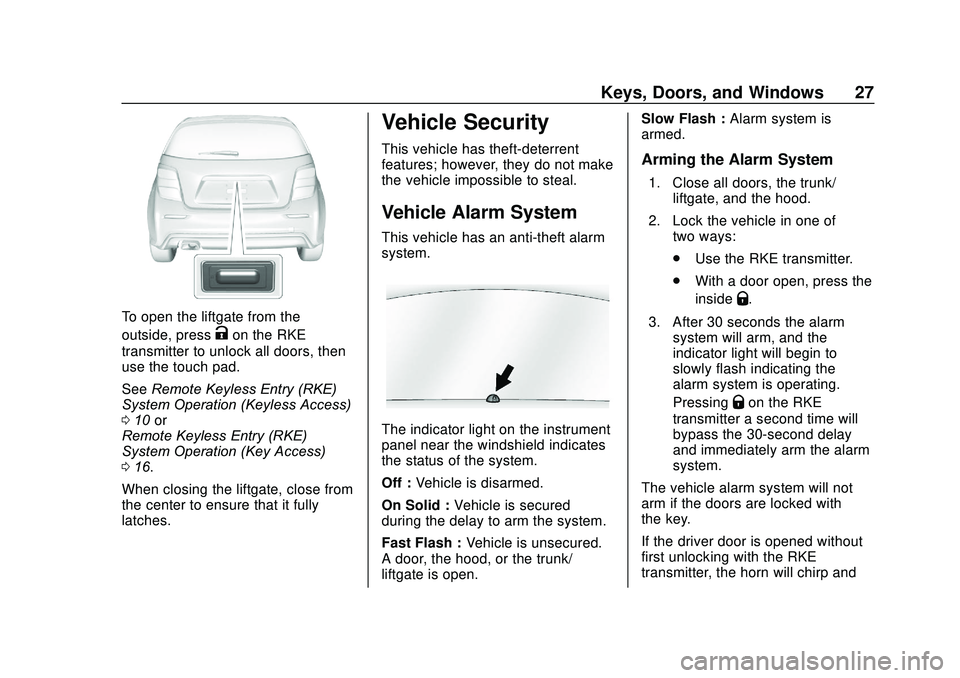
To open the liftgate from the
outside, press
Kon the RKE
transmitter to unlock all doors, then
use the touch pad.
See Remote Keyless Entry (RKE)
System Operation (Keyless Access)
0 10 or
Remote Keyless Entry (RKE)
System Operation (Key Access)
0 16.
When closing the liftgate, close from
the center to ensure that it fully
latches.
Vehicle Security
This vehicle has theft-deterrent
features; however, they do not make
the vehicle impossible to steal.
Vehicle Alarm System
This vehicle has an anti-theft alarm
system.
The indicator light on the instrument
panel near the windshield indicates
the status of the system.
Off : Vehicle is disarmed.
On Solid : Vehicle is secured
during the delay to arm the system.
Fast Flash : Vehicle is unsecured.
A door, the hood, or the trunk/
liftgate is open. Slow Flash :
Alarm system is
armed.
Arming the Alarm System
1. Close all doors, the trunk/ liftgate, and the hood.
2. Lock the vehicle in one of two ways:
.Use the RKE transmitter.
. With a door open, press the
inside
Q.
3. After 30 seconds the alarm system will arm, and the
indicator light will begin to
slowly flash indicating the
alarm system is operating.
Pressing
Qon the RKE
transmitter a second time will
bypass the 30-second delay
and immediately arm the alarm
system.
The vehicle alarm system will not
arm if the doors are locked with
the key.
If the driver door is opened without
first unlocking with the RKE
transmitter, the horn will chirp and
Page 195 of 329
Chevrolet Sonic Owner Manual (GMNA-Localizing-U.S./Canada-13566834) -
2020 - CRC - 10/4/19
194 Driving and Operating
.The Park Assist sensors are
covered by frost or ice. Frost or
ice can form around and behind
the sensors and may not always
be seen; this can occur after
washing the vehicle in cold
weather. The message may not
clear until the frost or ice has
melted.
If the above conditions do not exist,
take the vehicle to your dealer to
repair the system.
PARK ASSIST OFF : If the RPA
system does not activate due to a
temporary condition, the message
displays on the DIC. This can occur
under the following conditions:
. An object was hanging out of the
trunk during the last drive cycle.
Once the object is removed,
RPA will return to normal
operation.
. The bumper is damaged. Take
the vehicle to your dealer to
repair the system. .
Other conditions, such as
vibrations from a jackhammer or
the compression of air brakes on
a very large truck, are affecting
system performance.
Forward Collision Alert
(FCA) System
If equipped, the FCA system may
help to avoid or reduce the harm
caused by front-end crashes. When
approaching a vehicle ahead too
quickly, FCA provides a red flashing
alert on the windshield and rapidly
beeps.
FCA detects vehicles within a
distance of approximately 60 m
(197 ft) and operates at speeds
above 40 km/h (25 mph).
{Warning
FCA is a warning system and
does not apply the brakes. When
approaching a slower-moving or
stopped vehicle ahead too rapidly,
or when following a vehicle too
(Continued)
Warning (Continued)
closely, FCA may not provide a
warning with enough time to help
avoid a crash. It also may not
provide any warning at all. FCA
does not warn of pedestrians,
animals, signs, guardrails,
bridges, construction barrels,
or other objects. Be ready to take
action and apply the brakes. See
Defensive Driving0160.
FCA can be disabled with the FCA
steering wheel control.
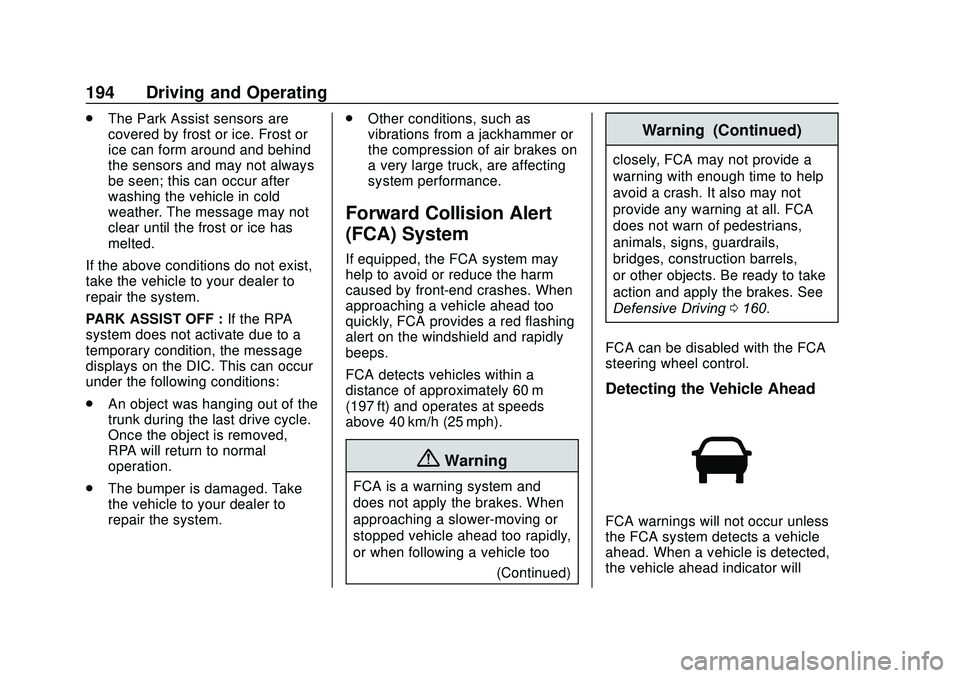
Detecting the Vehicle Ahead
FCA warnings will not occur unless
the FCA system detects a vehicle
ahead. When a vehicle is detected,
the vehicle ahead indicator will
Page 201 of 329
Chevrolet Sonic Owner Manual (GMNA-Localizing-U.S./Canada-13566834) -
2020 - CRC - 10/4/19
200 Driving and Operating
Warning (Continued)
.Under certain conditions,
fuel fires.
Be careful not to spill fuel. Wait
five seconds after you have finished
pumping before removing the fill
nozzle. Clean fuel from painted
surfaces as soon as possible. See
Exterior Care 0266. Reinstall the
cap by turning it clockwise until it
clicks. Push the fuel door closed.
{Warning
If a fire starts while you are
refueling, do not remove the fill
nozzle. Shut off the flow of fuel by
shutting off the pump or by
notifying the station attendant.
Leave the area immediately.
Caution
If a new fuel cap is needed, get
the right type of cap from your
dealer. The wrong type of fuel cap
may not fit properly, may turn on
the malfunction indicator lamp,
and could damage the fuel
system and emissions system.
See Malfunction Indicator Lamp
(Check Engine Light) 0100.
Filling a Portable Fuel
Container
{Warning
Never fill a portable fuel container
while it is in the vehicle. Static
electricity discharge from the
container can ignite the fuel
vapor. You or others could be
badly burned and the vehicle
could be damaged. To help avoid
injury to you and others:
(Continued)
Warning (Continued)
.Dispense fuel only into
approved containers.
. Do not fill a container while
it is inside a vehicle, in a
vehicle's trunk, in a pickup
bed, or on any surface other
than the ground.
. Bring the fill nozzle in
contact with the inside of
the fill opening before
operating the nozzle.
Maintain contact until filling
is complete.
. Keep sparks, flames, and
smoking materials away
from fuel.
. Do not use electronic
devices while pumping fuel.
Page 224 of 329

Chevrolet Sonic Owner Manual (GMNA-Localizing-U.S./Canada-13566834) -
2020 - CRC - 10/4/19
Vehicle Care 223
3. Install the new blade onto thearm and make sure the tabs
are fully set in the locked
position.
4. Repeat the steps for the other wiper.
Rear Wiper Blade Replacement
1. Pull the wiper arm a shortdistance away from the
glass (1).
2. Pull the blade out from the arm (2).
It may require extra effort to
remove the old blade.
3. Once the blade pin disengages
from the wiper arm, remove the
wiper blade by sliding the pin
out of the guide hole.
4. Reverse the steps to install the new blade.
Windshield Replacement
Driver Assistance Systems
If the windshield needs to be
replaced and the vehicle is
equipped with a front camera sensor
for the Driver Assistance Systems, a
GM replacement windshield is
recommended. The replacement
windshield must be installed
according to GM specifications for
proper alignment. If it is not, these
systems may not work properly, they
may display messages, or they may
not work at all. See your dealer for
proper windshield replacement.
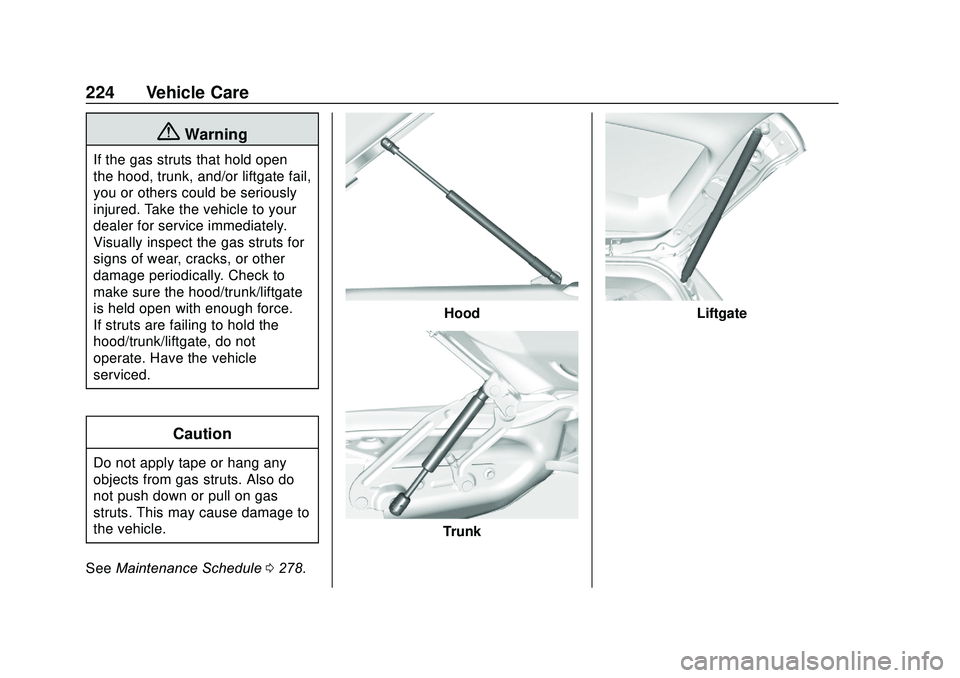
Gas Strut(s)
This vehicle is equipped with gas
strut(s) to provide assistance in
lifting and holding open the hood/
trunk/liftgate system in full open
position.
Page 225 of 329
Chevrolet Sonic Owner Manual (GMNA-Localizing-U.S./Canada-13566834) -
2020 - CRC - 10/4/19
224 Vehicle Care
{Warning
If the gas struts that hold open
the hood, trunk, and/or liftgate fail,
you or others could be seriously
injured. Take the vehicle to your
dealer for service immediately.
Visually inspect the gas struts for
signs of wear, cracks, or other
damage periodically. Check to
make sure the hood/trunk/liftgate
is held open with enough force.
If struts are failing to hold the
hood/trunk/liftgate, do not
operate. Have the vehicle
serviced.
Caution
Do not apply tape or hang any
objects from gas struts. Also do
not push down or pull on gas
struts. This may cause damage to
the vehicle.
See Maintenance Schedule 0278.
Hood
Trunk
Liftgate
Page 228 of 329
Chevrolet Sonic Owner Manual (GMNA-Localizing-U.S./Canada-13566834) -
2020 - CRC - 10/4/19
Vehicle Care 227
3. Turn Signal Lamp
4. Taillamp
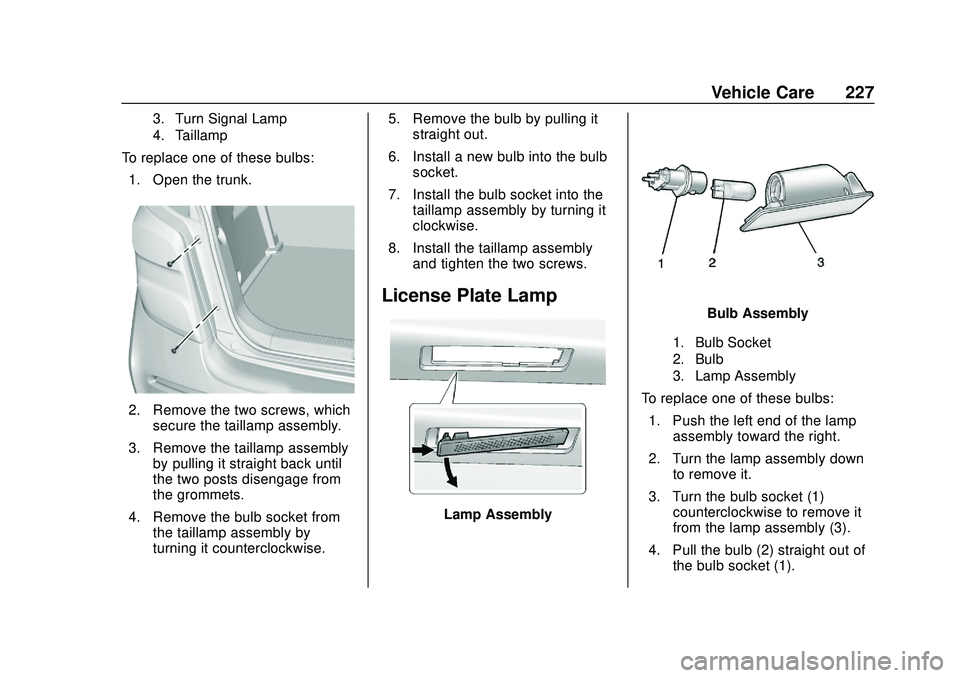
To replace one of these bulbs:1. Open the trunk.
2. Remove the two screws, which secure the taillamp assembly.
3. Remove the taillamp assembly by pulling it straight back until
the two posts disengage from
the grommets.
4. Remove the bulb socket from the taillamp assembly by
turning it counterclockwise. 5. Remove the bulb by pulling it
straight out.
6. Install a new bulb into the bulb socket.
7. Install the bulb socket into the taillamp assembly by turning it
clockwise.
8. Install the taillamp assembly and tighten the two screws.
License Plate Lamp
Lamp Assembly
Bulb Assembly
1. Bulb Socket
2. Bulb
3. Lamp Assembly
To replace one of these bulbs:
1. Push the left end of the lamp assembly toward the right.
2. Turn the lamp assembly down to remove it.
3. Turn the bulb socket (1) counterclockwise to remove it
from the lamp assembly (3).
4. Pull the bulb (2) straight out of the bulb socket (1).
Page 255 of 329
Chevrolet Sonic Owner Manual (GMNA-Localizing-U.S./Canada-13566834) -
2020 - CRC - 10/4/19
254 Vehicle Care
if possible. Turn on the hazard
warning flashers. SeeHazard
Warning Flashers 0121.
{Warning
Changing a tire can be
dangerous. The vehicle can slip
off the jack and roll over or fall
causing injury or death. Find a
level place to change the tire. To
help prevent the vehicle from
moving:
1. Set the parking brake firmly.
2. Put the vehicle in P (Park).
3. Turn off the engine and donot restart while the vehicle
is raised.
4. Do not allow passengers to remain in the vehicle.
5. Place wheel blocks, if equipped, on both sides of
the tire at the opposite
corner of the tire being
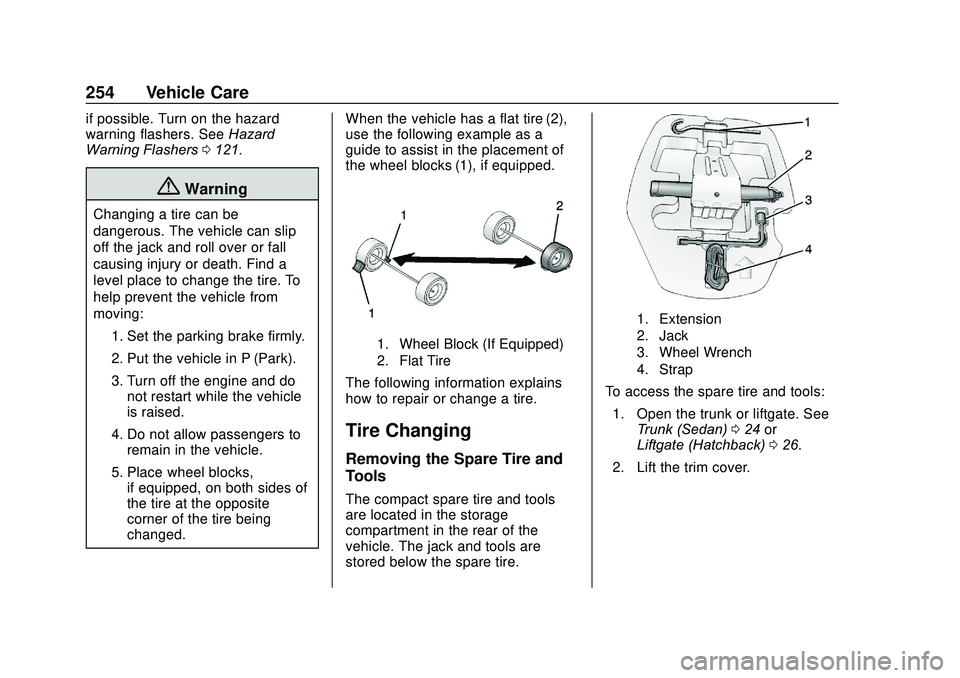
changed. When the vehicle has a flat tire (2),
use the following example as a
guide to assist in the placement of
the wheel blocks (1), if equipped.
1. Wheel Block (If Equipped)
2. Flat Tire
The following information explains
how to repair or change a tire.
Tire Changing
Removing the Spare Tire and
Tools
The compact spare tire and tools
are located in the storage
compartment in the rear of the
vehicle. The jack and tools are
stored below the spare tire.
1. Extension
2. Jack
3. Wheel Wrench
4. Strap
To access the spare tire and tools:
1. Open the trunk or liftgate. See Trunk (Sedan) 024 or
Liftgate (Hatchback) 026.
2. Lift the trim cover.
Page 259 of 329
Chevrolet Sonic Owner Manual (GMNA-Localizing-U.S./Canada-13566834) -
2020 - CRC - 10/4/19
258 Vehicle Care
14. Tighten the wheel nuts firmly ina crisscross sequence, as
shown.
Caution
Wheel covers will not fit on the
vehicle's compact spare. If you try
to put a wheel cover on the
compact spare, the cover or the
spare could be damaged.
Storing a Flat or Spare Tire
and Tools
{Warning
Storing a jack, a tire, or other
equipment in the passenger
compartment of the vehicle could
cause injury. In a sudden stop or
collision, loose equipment could
strike someone. Store all these in
the proper place.
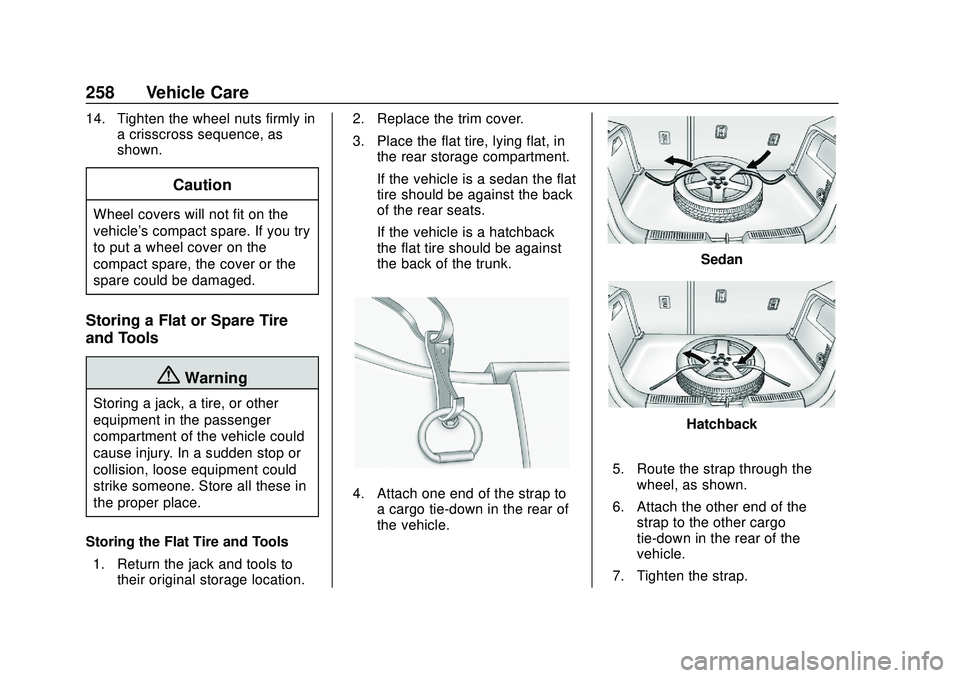
Storing the Flat Tire and Tools 1. Return the jack and tools to their original storage location. 2. Replace the trim cover.
3. Place the flat tire, lying flat, in
the rear storage compartment.
If the vehicle is a sedan the flat
tire should be against the back
of the rear seats.
If the vehicle is a hatchback
the flat tire should be against
the back of the trunk.
4. Attach one end of the strap toa cargo tie-down in the rear of
the vehicle.
Sedan
Hatchback
5. Route the strap through the wheel, as shown.
6. Attach the other end of the strap to the other cargo
tie-down in the rear of the
vehicle.
7. Tighten the strap.