brake CHEVROLET SONIC 2020 Owner's Manual
[x] Cancel search | Manufacturer: CHEVROLET, Model Year: 2020, Model line: SONIC, Model: CHEVROLET SONIC 2020Pages: 329, PDF Size: 5.56 MB
Page 4 of 329
Chevrolet Sonic Owner Manual (GMNA-Localizing-U.S./Canada-13566834) -
2020 - CRC - 10/4/19
Introduction 3
{Danger
Danger indicates a hazard with a
high level of risk which will result
in serious injury or death.
{Warning
Warning indicates a hazard that
could result in injury or death.
Caution
Caution indicates a hazard that
could result in property or vehicle
damage.
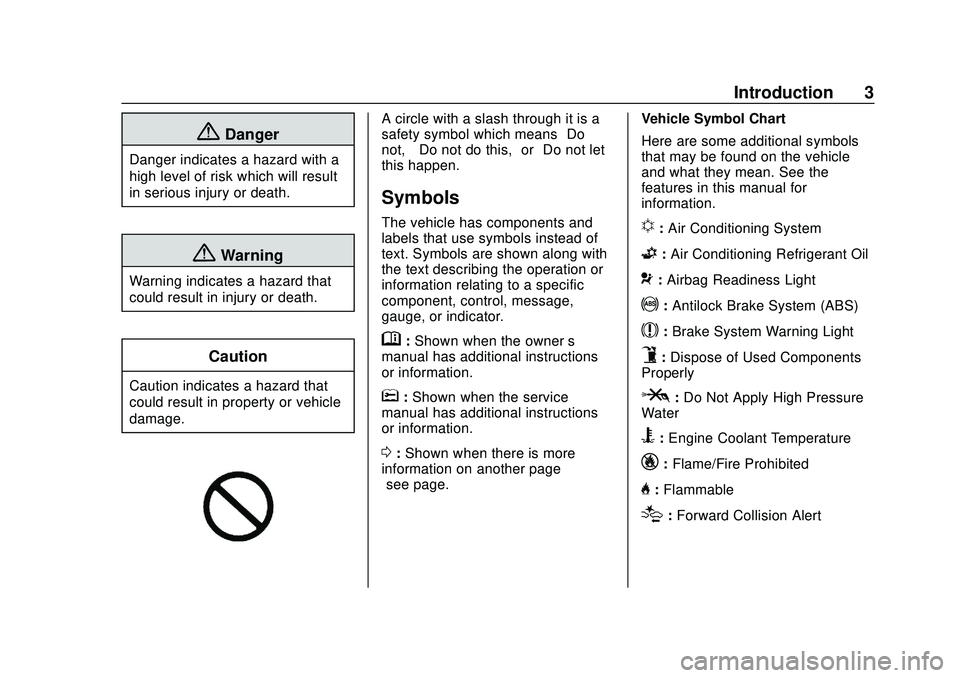
A circle with a slash through it is a
safety symbol which means“Do
not,” “Do not do this,” or“Do not let
this happen.”
Symbols
The vehicle has components and
labels that use symbols instead of
text. Symbols are shown along with
the text describing the operation or
information relating to a specific
component, control, message,
gauge, or indicator.
M: Shown when the owner ’s
manual has additional instructions
or information.
*: Shown when the service
manual has additional instructions
or information.
0: Shown when there is more
information on another page —
“see page.” Vehicle Symbol Chart
Here are some additional symbols
that may be found on the vehicle
and what they mean. See the
features in this manual for
information.
u:
Air Conditioning System
G: Air Conditioning Refrigerant Oil
9:Airbag Readiness Light
!: Antilock Brake System (ABS)
$:Brake System Warning Light
9:Dispose of Used Components
Properly
P: Do Not Apply High Pressure
Water
B: Engine Coolant Temperature
_: Flame/Fire Prohibited
H:Flammable
[:Forward Collision Alert
Page 16 of 329
Chevrolet Sonic Owner Manual (GMNA-Localizing-U.S./Canada-13566834) -
2020 - CRC - 10/4/19
Keys, Doors, and Windows 15
2. With the vehicle in P (Park) orN (Neutral), press the brake
pedal and press ENGINE
START/STOP. See Starting the
Engine 0174.
Replace the transmitter battery
as soon as possible.
Battery Replacement
{Warning
Never allow children to play with
the RKE transmitter. The
transmitter contains a small
battery, which can be a choking
hazard. If swallowed, internal
burns can occur, resulting in
severe injury or death. Seek
medical attention immediately if a
battery is swallowed.
{Warning
To avoid personal injury, do not
touch metal surfaces on the RKE
transmitter when it has been
exposed to extreme heat. These
surfaces can be hot to the touch
at temperatures above 59 °C (138
°F).
Caution
When replacing the battery, do
not touch any of the circuitry on
the transmitter. Static from your
body could damage the
transmitter.
Caution
Always replace the battery with
the correct type. Replacing the
battery with an incorrect type
could potentially create a risk of
battery explosion. Dispose of
used batteries according to
instructions and local laws. Do
not attempt to burn, crush, or cut
the used battery, and avoid
exposing the battery to
environments with extremely low
air pressures or high
temperatures.
Replace the battery if the DIC
displays REPLACE BATTERY IN
REMOTE KEY.
Page 24 of 329
Chevrolet Sonic Owner Manual (GMNA-Localizing-U.S./Canada-13566834) -
2020 - CRC - 10/4/19
Keys, Doors, and Windows 23
Remote Keyless Entry (RKE)
System Operation (Key Access)
016.
Free-Turning Locks
The door key lock cylinder turns
freely when either the wrong key is
used, or the correct key is not fully
inserted. The free-turning door lock
feature prevents the lock from being
forced open. To reset the lock, turn
it to the vertical position with the
correct key fully inserted. Remove
the key and insert it again. If this
does not reset the lock, turn the key
halfway around in the cylinder and
repeat the reset procedure.
Delayed Locking
This feature delays the actual
locking of the doors until
five seconds after all doors are
closed. Delayed locking can only be
turned on when the Open Door
Anti-Lockout feature has been
turned off.
When
Qis pressed on the driver or
passenger door power lock switch
while the door is open, a chime will sound three times to indicate that
delayed locking is active. The doors
will then lock automatically
five seconds after all doors are
closed.
If a door is reopened before
five seconds have elapsed, the
five-second timer will reset once all
the doors are closed again. Press
Q
on the door lock switch again,
or press
Qon the RKE transmitter,
to override this feature and lock the
doors immediately.
Delayed locking can be
programmed. See Vehicle
Personalization 0115.
Automatic Door Locks
The vehicle is programmed so that
when the doors are closed, the
ignition is on, and the shift lever is
moved out of P (Park) the doors and
the trunk/liftgate will lock.
If a vehicle door is unlocked and
then opened and closed, the doors
will lock either when your foot is removed from the brake or the
vehicle speed becomes faster than
13 km/h (8 mph).
To unlock the doors and the trunk/
liftgate:
.
Press
Kon the center stack or
the driver door switch.
. Place the transmission in
P (Park).
This feature can be programmed.
See Vehicle Personalization 0115.
Lockout Protection
If the ignition is on or in ACC/
ACCESSORY and the power door
lock switch is pressed with the
driver door open, all the doors will
lock and only the driver door will
unlock.
Lockout Protection can be manually
overridden with the driver door open
by pressing and holding
Qon the
power door lock switch.
Page 58 of 329
Chevrolet Sonic Owner Manual (GMNA-Localizing-U.S./Canada-13566834) -
2020 - CRC - 10/4/19
Seats and Restraints 57
But airbags would not help in many
types of collisions, primarily
because the occupant's motion is
not toward those airbags. SeeWhen
Should an Airbag Inflate? 055.
Airbags should never be regarded
as anything more than a supplement
to seat belts.
What Will You See after
an Airbag Inflates?
After frontal, knee, and
seat-mounted side impact airbags
inflate, they quickly deflate, so
quickly that some people may not
even realize the airbags inflated.
Roof-rail airbags may still be at least
partially inflated for some time after
they inflate. Some components of
the airbag module may be hot for
several minutes. For location of the
airbags, see Where Are the
Airbags? 054.
The parts of the airbag that come
into contact with you may be warm,
but not too hot to touch. There may
be some smoke and dust coming
from the vents in the deflated airbags. Airbag inflation does not
prevent the driver from seeing out of
the windshield or being able to steer
the vehicle, nor does it prevent
people from leaving the vehicle.
{Warning
When an airbag inflates, there
may be dust in the air. This dust
could cause breathing problems
for people with a history of
asthma or other breathing trouble.
To avoid this, everyone in the
vehicle should get out as soon as
it is safe to do so. If you have
breathing problems but cannot
get out of the vehicle after an
airbag inflates, then get fresh air
by opening a window or a door.
If you experience breathing
problems following an airbag
deployment, you should seek
medical attention.
The vehicle has a feature that may
automatically unlock the doors, turn
on the interior lamps and hazard
warning flashers, and shut off the fuel system after the airbags inflate.
The feature may also activate,
without airbag inflation, after an
event that exceeds a predetermined
threshold. After turning the ignition
off and then on again, the fuel
system will return to normal
operation; the doors can be locked,
the interior lamps can be turned off,
and the hazard warning flashers can
be turned off using the controls for
those features. If any of these
systems are damaged in the crash
they may not operate as normal.
{Warning
A crash severe enough to inflate
the airbags may have also
damaged important functions in
the vehicle, such as the fuel
system, brake and steering
systems, etc. Even if the vehicle
appears to be drivable after a
moderate crash, there may be
concealed damage that could
make it difficult to safely operate
the vehicle.
(Continued)
Page 90 of 329
Chevrolet Sonic Owner Manual (GMNA-Localizing-U.S./Canada-13566834) -
2020 - CRC - 10/4/19
Instruments and Controls 89
Instruments and
Controls
Controls
Steering Wheel Adjustment . . . . 90
Steering Wheel Controls . . . . . . . 90
Heated Steering Wheel . . . . . . . . 91
Horn . . . . . . . . . . . . . . . . . . . . . . . . . . . 91
Windshield Wiper/Washer . . . . . . 91
Rear Window Wiper/Washer . . . 92
Compass . . . . . . . . . . . . . . . . . . . . . . 93
Clock . . . . . . . . . . . . . . . . . . . . . . . . . . 93
Power Outlets . . . . . . . . . . . . . . . . . 93
Warning Lights, Gauges, and
Indicators
Warning Lights, Gauges, andIndicators . . . . . . . . . . . . . . . . . . . . 94
Instrument Cluster . . . . . . . . . . . . . 95
Speedometer . . . . . . . . . . . . . . . . . . 97
Odometer . . . . . . . . . . . . . . . . . . . . . . 97
Trip Odometer . . . . . . . . . . . . . . . . . 97
Tachometer . . . . . . . . . . . . . . . . . . . . 97
Fuel Gauge . . . . . . . . . . . . . . . . . . . . 97
Seat Belt Reminders . . . . . . . . . . . 98
Airbag Readiness Light . . . . . . . . 98
Passenger Airbag Status Indicator . . . . . . . . . . . . . . . . . . . . . . 99 Charging System Light . . . . . . . 100
Malfunction Indicator Lamp
(Check Engine Light) . . . . . . . . 100
Service Vehicle Soon Light . . . 102
Owner Manual Indicator . . . . . . 102
Brake System Warning Light . . . . . . . . . . . . . . . . . . . . . . . . 102
Antilock Brake System (ABS) Warning Light . . . . . . . . . . . . . . . 103
Operate Pedal Light . . . . . . . . . . 103
Power Steering Warning Light . . . . . . . . . . . . . . . . . . . . . . . . 103
Lane Departure Warning (LDW) Light . . . . . . . . . . . . . . . . . 104
Forward Collision Alert (FCA) Warning Light . . . . . . . . . . . . . . . 104
Vehicle Ahead Indicator . . . . . . 104
Ultrasonic Parking Sensor Light . . . . . . . . . . . . . . . . . . . . . . . . 104
Traction Off Light . . . . . . . . . . . . . 105
StabiliTrak OFF Light . . . . . . . . . 105
Traction Control System (TCS)/ StabiliTrak Light . . . . . . . . . . . . . 105
Engine Coolant Temperature Warning Light . . . . . . . . . . . . . . . 106
Tire Pressure Light . . . . . . . . . . . 106
Engine Oil Pressure Light . . . . 106
Low Fuel Warning Light . . . . . . 107
Immobilizer Light . . . . . . . . . . . . . 107 Reduced Engine Power
Light . . . . . . . . . . . . . . . . . . . . . . . . 107
High-Beam On Light . . . . . . . . . . 108
Front Fog Lamp Light . . . . . . . . . 108
Lamps On Reminder . . . . . . . . . 108
Cruise Control Light . . . . . . . . . . 108
Hood Ajar Light . . . . . . . . . . . . . . . 108
Door Ajar Light . . . . . . . . . . . . . . . 109
Information Displays
Driver Information Center (DIC) . . . . . . . . . . . . . . . . 109
Vehicle Messages
Vehicle Messages . . . . . . . . . . . . 113
Engine Power Messages . . . . . 115
Vehicle Speed Messages . . . . . 115
Vehicle Personalization
Vehicle Personalization . . . . . . . 115
Page 103 of 329
Chevrolet Sonic Owner Manual (GMNA-Localizing-U.S./Canada-13566834) -
2020 - CRC - 10/4/19
102 Instruments and Controls
.The light does not come on
when the ignition is on with the
engine not running for Key
Access or in Service Mode for
Keyless Access.
. Critical emission control systems
have not been completely
diagnosed. If this happens, the
vehicle would not be ready for
inspection and might require
several days of routine driving
before the system is ready for
inspection. This can happen if
the 12-volt battery has recently
been replaced or run down, or if
the vehicle has been recently
serviced.
See your dealer if the vehicle will
not pass or cannot be made ready
for the test.Service Vehicle Soon
Light
For vehicles with this light, it comes
on if a condition exists that may
require the vehicle to be taken in for
service.
If the light comes on, take the
vehicle to your dealer for service as
soon as possible.
Owner Manual Indicator
This symbol is shown when you
need to see the owner ’s manual for
additional instructions or
information.
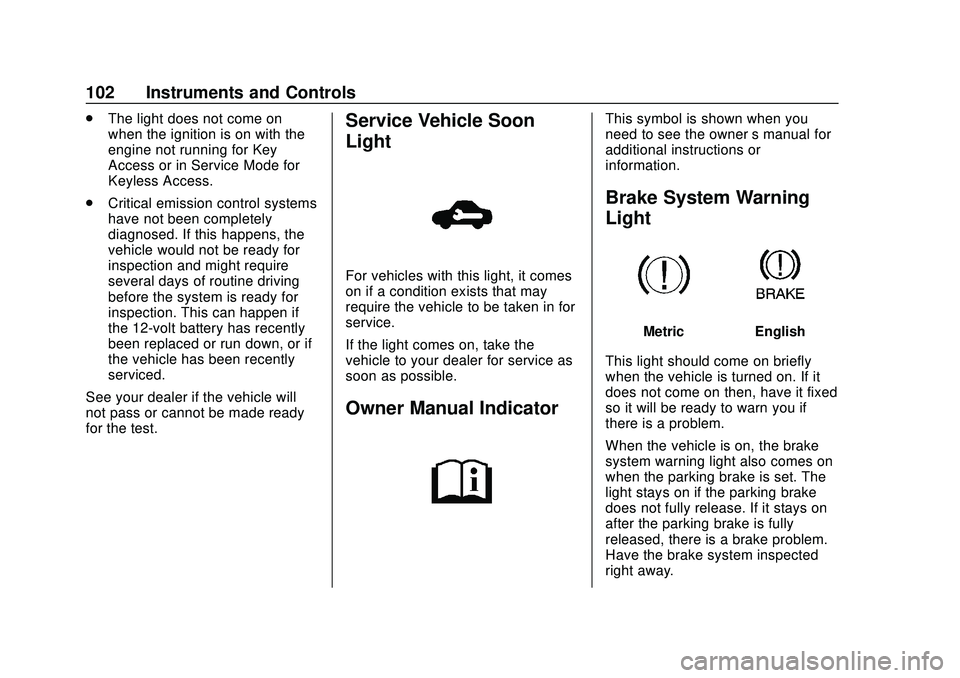
Brake System Warning
Light
MetricEnglish
This light should come on briefly
when the vehicle is turned on. If it
does not come on then, have it fixed
so it will be ready to warn you if
there is a problem.
When the vehicle is on, the brake
system warning light also comes on
when the parking brake is set. The
light stays on if the parking brake
does not fully release. If it stays on
after the parking brake is fully
released, there is a brake problem.
Have the brake system inspected
right away.
Page 104 of 329
Chevrolet Sonic Owner Manual (GMNA-Localizing-U.S./Canada-13566834) -
2020 - CRC - 10/4/19
Instruments and Controls 103
If the light comes on while driving,
pull off the road and stop carefully.
The brake pedal might be harder to
push, or the brake pedal may go
closer to the floor. It could take
longer to stop. If the light is still on,
have the vehicle towed for service.
SeeTowing the Vehicle 0262.
{Warning
The brake system might not be
working properly if the brake
system warning light is on.
Driving with the brake system
warning light on can lead to a
crash. If the light is still on after
the vehicle has been pulled off
the road and carefully stopped,
have the vehicle towed for
service.
Antilock Brake System
(ABS) Warning Light
This light comes on briefly when the
engine is started.
If it does not, have the vehicle
serviced by your dealer. If the
system is working normally, the
indicator light then goes off.
If the ABS light stays on, turn the
ignition off. If the light comes on
while driving, stop as soon as it is
safely possible and turn the ignition
off. Then start the engine again to
reset the system. If the ABS light
stays on, or comes on again while
driving, the vehicle needs service.
If the regular brake system warning
light is not on, the vehicle still has
brakes, but not antilock brakes.
If the regular brake system warning
light is also on, the vehicle does not have antilock brakes and there is a
problem with the regular brakes.
See
Brake System Warning Light
0 102.
Operate Pedal Light
This light comes on when the clutch
or brake pedal needs to be applied
to start the vehicle.
Power Steering Warning
Light
This light comes on briefly when the
ignition is turned on as a check to
show it is working.
Page 114 of 329
Chevrolet Sonic Owner Manual (GMNA-Localizing-U.S./Canada-13566834) -
2020 - CRC - 10/4/19
Instruments and Controls 113
OIL LIFE 99 % is displayed, that
means 99% of the current oil life
remains.
When the remaining oil life is low,
the CHANGE ENGINE OIL SOON
message will appear on the display.
The oil should changed as soon as
possible. SeeEngine Oil0208. In
addition to the engine oil life system
monitoring the oil life, additional
maintenance is recommended in the
Maintenance Schedule. See
Maintenance Schedule 0278.
Remember, the Oil Life display must
be reset after each oil change. It will
not reset itself. Also, be careful not
to reset the Oil Life display
accidentally at any time other than
when the oil has just been changed.
It cannot be reset accurately until
the next oil change. To reset the
engine oil life system, press SET/
CLR while the Oil Life display is
active. See Engine Oil Life System
0 210.Vehicle Messages
Messages displayed on the DIC
indicate the status of the vehicle or
some action that may be needed to
correct a condition. Multiple
messages appear one after another.
All messages should be taken
seriously.
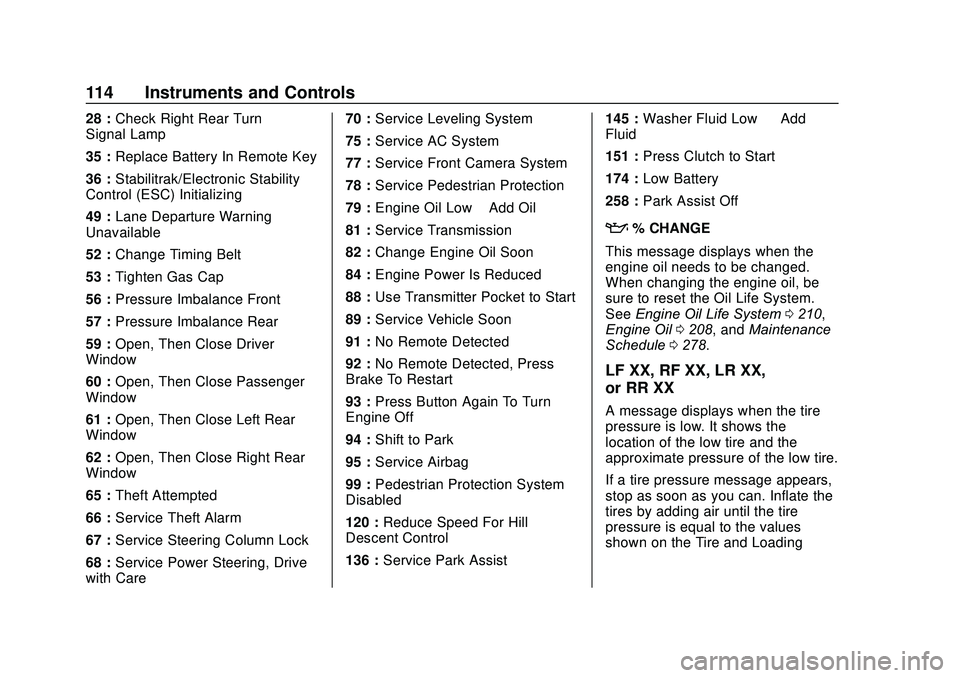
Base Level Cluster
On the base level cluster, vehicle
messages appear as code numbers.
Some of these codes may appear
with the Service Vehicle Soon light
in the DIC display.
2 : No Remote Detected. Press
Clutch to Restart
3 : Coolant Level Low Add Coolant
4 : A/C Off Due to High
Engine Temp
5 : Steering Column Is Locked
6 : Step on Brake to Release Park
Brake
7 : Turn Steering Wheel, Turn Key
Off, Then On 9 :
Turn Steering Wheel, Start
Vehicle Again
10 : Brakes Overheated
11 : Brakes Worn
12 : Vehicle Overloaded
13 : Compressor Overheated
15 : Check High-Mounted
Brake Lamp
16 : Check Brake Lamps
17 : Headlamp Leveling Malfunction
18 : Left Low Beam Failure
19 : Check Rear Fog Lamp
20 : Check Right Low Beam Lamp
21 : Check Left Position Lamp
22 : Check Right Position Lamp
23 : Reversing Lamp Failure
24 : License Plate Lamp Failure
25 : Check Left Front Turn
Signal Lamp
26 : Left Rear Turn Indicator Failure
27 : Check Right Front Turn
Signal Lamp
Page 115 of 329
Chevrolet Sonic Owner Manual (GMNA-Localizing-U.S./Canada-13566834) -
2020 - CRC - 10/4/19
114 Instruments and Controls
28 :Check Right Rear Turn
Signal Lamp
35 : Replace Battery In Remote Key
36 : Stabilitrak/Electronic Stability
Control (ESC) Initializing
49 : Lane Departure Warning
Unavailable
52 : Change Timing Belt
53 : Tighten Gas Cap
56 : Pressure Imbalance Front
57 : Pressure Imbalance Rear
59 : Open, Then Close Driver
Window
60 : Open, Then Close Passenger
Window
61 : Open, Then Close Left Rear
Window
62 : Open, Then Close Right Rear
Window
65 : Theft Attempted
66 : Service Theft Alarm
67 : Service Steering Column Lock
68 : Service Power Steering, Drive
with Care 70 :
Service Leveling System
75 : Service AC System
77 : Service Front Camera System
78 : Service Pedestrian Protection
79 : Engine Oil Low –Add Oil
81 : Service Transmission
82 : Change Engine Oil Soon
84 : Engine Power Is Reduced
88 : Use Transmitter Pocket to Start
89 : Service Vehicle Soon
91 : No Remote Detected
92 : No Remote Detected, Press
Brake To Restart
93 : Press Button Again To Turn
Engine Off
94 : Shift to Park
95 : Service Airbag
99 : Pedestrian Protection System
Disabled
120 : Reduce Speed For Hill
Descent Control
136 : Service Park Assist 145 :
Washer Fluid Low —Add
Fluid
151 : Press Clutch to Start
174 : Low Battery
258 : Park Assist Off
:% CHANGE
This message displays when the
engine oil needs to be changed.
When changing the engine oil, be
sure to reset the Oil Life System.
See Engine Oil Life System 0210,
Engine Oil 0208, and Maintenance
Schedule 0278.
LF XX, RF XX, LR XX,
or RR XX
A message displays when the tire
pressure is low. It shows the
location of the low tire and the
approximate pressure of the low tire.
If a tire pressure message appears,
stop as soon as you can. Inflate the
tires by adding air until the tire
pressure is equal to the values
shown on the Tire and Loading
Page 116 of 329
Chevrolet Sonic Owner Manual (GMNA-Localizing-U.S./Canada-13566834) -
2020 - CRC - 10/4/19
Instruments and Controls 115
Information label. SeeTires0233,
Vehicle Load Limits 0166, and Tire
Pressure 0240.
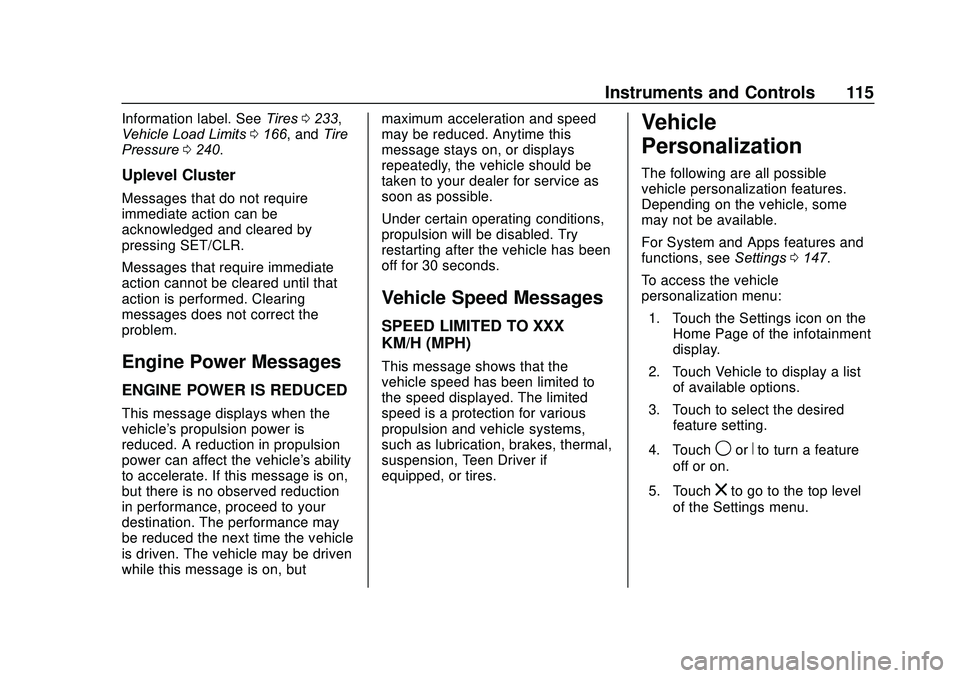
Uplevel Cluster
Messages that do not require
immediate action can be
acknowledged and cleared by
pressing SET/CLR.
Messages that require immediate
action cannot be cleared until that
action is performed. Clearing
messages does not correct the
problem.
Engine Power Messages
ENGINE POWER IS REDUCED
This message displays when the
vehicle's propulsion power is
reduced. A reduction in propulsion
power can affect the vehicle's ability
to accelerate. If this message is on,
but there is no observed reduction
in performance, proceed to your
destination. The performance may
be reduced the next time the vehicle
is driven. The vehicle may be driven
while this message is on, but maximum acceleration and speed
may be reduced. Anytime this
message stays on, or displays
repeatedly, the vehicle should be
taken to your dealer for service as
soon as possible.
Under certain operating conditions,
propulsion will be disabled. Try
restarting after the vehicle has been
off for 30 seconds.
Vehicle Speed Messages
SPEED LIMITED TO XXX
KM/H (MPH)
This message shows that the
vehicle speed has been limited to
the speed displayed. The limited
speed is a protection for various
propulsion and vehicle systems,
such as lubrication, brakes, thermal,
suspension, Teen Driver if
equipped, or tires.
Vehicle
Personalization
The following are all possible
vehicle personalization features.
Depending on the vehicle, some
may not be available.
For System and Apps features and
functions, see
Settings0147.
To access the vehicle
personalization menu: 1. Touch the Settings icon on the Home Page of the infotainment
display.
2. Touch Vehicle to display a list of available options.
3. Touch to select the desired feature setting.
4. Touch
9orRto turn a feature
off or on.
5. Touch
zto go to the top level
of the Settings menu.