warning CHEVROLET SONIC 2020 Owner's Manual
[x] Cancel search | Manufacturer: CHEVROLET, Model Year: 2020, Model line: SONIC, Model: CHEVROLET SONIC 2020Pages: 329, PDF Size: 5.56 MB
Page 3 of 329
Chevrolet Sonic Owner Manual (GMNA-Localizing-U.S./Canada-13566834) -
2020 - CRC - 10/4/19
2 Introduction
Introduction
The names, logos, emblems,
slogans, vehicle model names, and
vehicle body designs appearing in
this manual including, but not limited
to, GM, the GM logo, CHEVROLET,
the CHEVROLET Emblem, and
SONIC are trademarks and/or
service marks of General Motors
LLC, its subsidiaries, affiliates,
or licensors.
For vehicles first sold in Canada,
substitute the name“General
Motors of Canada Company” for
Chevrolet Motor Division wherever it
appears in this manual. This manual describes features that
may or may not be on the vehicle
because of optional equipment that
was not purchased on the vehicle,
model variants, country
specifications, features/applications
that may not be available in your
region, or changes subsequent to
the printing of this owner
’s manual.
Refer to the purchase
documentation relating to your
specific vehicle to confirm the
features.
Keep this manual in the vehicle for
quick reference.
Canadian Vehicle Owners
A French language manual can be
obtained from your dealer, at
www.helminc.com, or from:
Propriétaires Canadiens
On peut obtenir un exemplaire de
ce guide en français auprès du
concessionnaire ou à l'adresse
suivante: Helm, Incorporated
Attention: Customer Service
47911 Halyard Drive
Plymouth, MI 48170
USA
Using this Manual
To quickly locate information about
the vehicle, use the Index in the
back of the manual. It is an
alphabetical list of what is in the
manual and the page number where
it can be found.
Danger, Warning, and
Caution
Warning messages found on vehicle
labels and in this manual describe
hazards and what to do to avoid or
reduce them.
Litho in U.S.A.
Part No. 84481546 B Second Printing©2019 General Motors LLC. All Rights Reserved.
Page 4 of 329
Chevrolet Sonic Owner Manual (GMNA-Localizing-U.S./Canada-13566834) -
2020 - CRC - 10/4/19
Introduction 3
{Danger
Danger indicates a hazard with a
high level of risk which will result
in serious injury or death.
{Warning
Warning indicates a hazard that
could result in injury or death.
Caution
Caution indicates a hazard that
could result in property or vehicle
damage.
A circle with a slash through it is a
safety symbol which means“Do
not,” “Do not do this,” or“Do not let
this happen.”
Symbols
The vehicle has components and
labels that use symbols instead of
text. Symbols are shown along with
the text describing the operation or
information relating to a specific
component, control, message,
gauge, or indicator.
M: Shown when the owner ’s
manual has additional instructions
or information.
*: Shown when the service
manual has additional instructions
or information.
0: Shown when there is more
information on another page —
“see page.” Vehicle Symbol Chart
Here are some additional symbols
that may be found on the vehicle
and what they mean. See the
features in this manual for
information.
u:
Air Conditioning System
G: Air Conditioning Refrigerant Oil
9:Airbag Readiness Light
!: Antilock Brake System (ABS)
$:Brake System Warning Light
9:Dispose of Used Components
Properly
P: Do Not Apply High Pressure
Water
B: Engine Coolant Temperature
_: Flame/Fire Prohibited
H:Flammable
[:Forward Collision Alert
Page 5 of 329
Chevrolet Sonic Owner Manual (GMNA-Localizing-U.S./Canada-13566834) -
2020 - CRC - 10/4/19
4 Introduction
R:Fuse Block Cover Lock
Location
+: Fuses
j:ISOFIX/LATCH System Child
Restraints
Q: Keep Fuse Block Covers
Properly Installed
|: Lane Change Alert
@:Lane Departure Warning
A:Lane Keep Assist
*: Malfunction Indicator Lamp
::Oil Pressure
X:Park Assist
~:Pedestrian Ahead Indicator
O:Power
7:Rear Cross Traffic Alert
I:Registered Technician
/:Remote Vehicle Start
>:Seat Belt Reminders
I: Side Blind Zone Alert
h:Stop/Start
7:Tire Pressure Monitor
d:Traction Control/StabiliTrak/
Electronic Stability Control (ESC)
a: Under Pressure
V:Vehicle Ahead Indicator
Page 7 of 329
Chevrolet Sonic Owner Manual (GMNA-Localizing-U.S./Canada-13566834) -
2020 - CRC - 10/4/19
6 Introduction
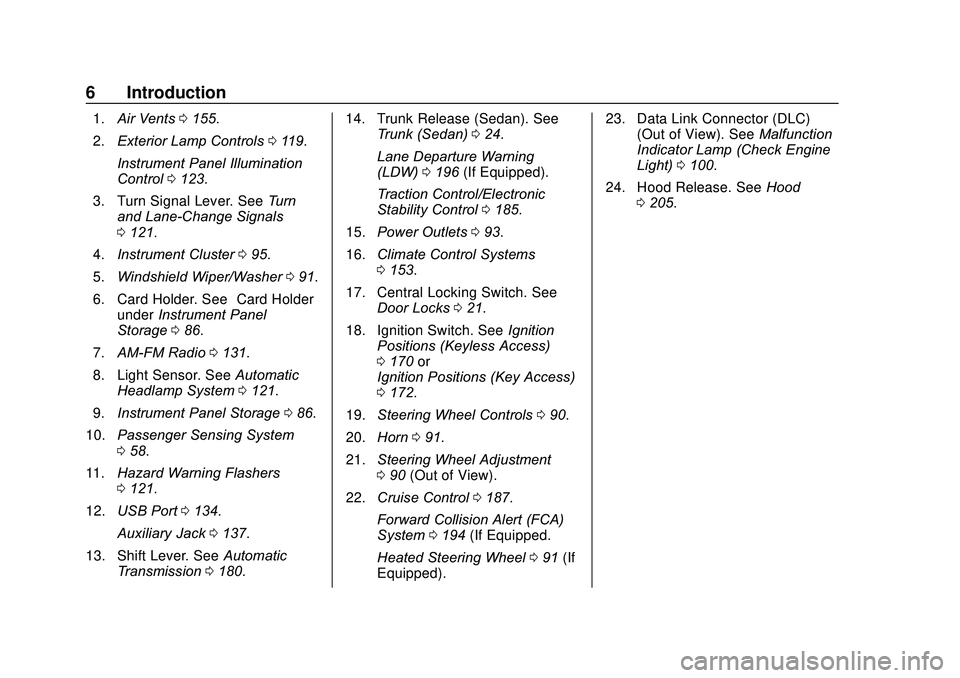
1.Air Vents 0155.
2. Exterior Lamp Controls 0119.
Instrument Panel Illumination
Control 0123.
3. Turn Signal Lever. See Turn
and Lane-Change Signals
0 121.
4. Instrument Cluster 095.
5. Windshield Wiper/Washer 091.
6. Card Holder. See “Card Holder”
under Instrument Panel
Storage 086.
7. AM-FM Radio 0131.
8. Light Sensor. See Automatic
Headlamp System 0121.
9. Instrument Panel Storage 086.
10. Passenger Sensing System
058.
11. Hazard Warning Flashers
0121.
12. USB Port 0134.
Auxiliary Jack 0137.
13. Shift Lever. See Automatic
Transmission 0180. 14. Trunk Release (Sedan). See
Trunk (Sedan) 024.
Lane Departure Warning
(LDW) 0196 (If Equipped).
Traction Control/Electronic
Stability Control 0185.
15. Power Outlets 093.
16. Climate Control Systems
0153.
17. Central Locking Switch. See Door Locks 021.
18. Ignition Switch. See Ignition
Positions (Keyless Access)
0 170 or
Ignition Positions (Key Access)
0 172.
19. Steering Wheel Controls 090.
20. Horn 091.
21. Steering Wheel Adjustment
090 (Out of View).
22. Cruise Control 0187.
Forward Collision Alert (FCA)
System 0194 (If Equipped.
Heated Steering Wheel 091 (If
Equipped). 23. Data Link Connector (DLC)
(Out of View). See Malfunction
Indicator Lamp (Check Engine
Light) 0100.
24. Hood Release. See Hood
0 205.
Page 8 of 329
Chevrolet Sonic Owner Manual (GMNA-Localizing-U.S./Canada-13566834) -
2020 - CRC - 10/4/19
Keys, Doors, and Windows 7
Keys, Doors, and
Windows
Keys and Locks
Keys . . . . . . . . . . . . . . . . . . . . . . . . . . . . 7
Remote Keyless Entry (RKE)System . . . . . . . . . . . . . . . . . . . . . . . 10
Remote Keyless Entry (RKE) System Operation (Keyless
Access) . . . . . . . . . . . . . . . . . . . . . . 10
Remote Keyless Entry (RKE) System Operation (Key
Access) . . . . . . . . . . . . . . . . . . . . . . 16
Remote Vehicle Start . . . . . . . . . . 20
Door Locks . . . . . . . . . . . . . . . . . . . . 21
Delayed Locking . . . . . . . . . . . . . . . 23
Automatic Door Locks . . . . . . . . . 23
Lockout Protection . . . . . . . . . . . . . 23
Safety Locks . . . . . . . . . . . . . . . . . . . 24
Doors
Trunk (Sedan) . . . . . . . . . . . . . . . . . 24
Liftgate (Hatchback) . . . . . . . . . . . 26
Vehicle Security
Vehicle Security . . . . . . . . . . . . . . . . 27
Vehicle Alarm System . . . . . . . . . 27
Immobilizer . . . . . . . . . . . . . . . . . . . . 28 Immobilizer Operation (Key
Access) . . . . . . . . . . . . . . . . . . . . . . 28
Immobilizer Operation (Keyless Access) . . . . . . . . . . . . . . . . . . . . . . 29
Exterior Mirrors
Convex Mirrors . . . . . . . . . . . . . . . . 30
Manual Mirrors . . . . . . . . . . . . . . . . . 30
Power Mirrors . . . . . . . . . . . . . . . . . . 31
Folding Mirrors . . . . . . . . . . . . . . . . . 31
Heated Mirrors . . . . . . . . . . . . . . . . . 31
Interior Mirrors
Manual Rearview Mirror . . . . . . . . 31
Windows
Windows . . . . . . . . . . . . . . . . . . . . . . . 32
Manual Windows . . . . . . . . . . . . . . 32
Power Windows . . . . . . . . . . . . . . . 32
Sun Visors . . . . . . . . . . . . . . . . . . . . . 34
Roof
Sunroof . . . . . . . . . . . . . . . . . . . . . . . . 34
Keys and Locks
Keys
{Warning
Leaving children in a vehicle with
an ignition key or Remote
Keyless Entry (RKE) transmitter is
dangerous and children or others
could be seriously injured or
killed. They could operate the
power window or other controls or
make the vehicle move. The
windows will function with the key
in the ignition or with the RKE
transmitter in the vehicle, and
children or others could be caught
in the path of a closing window.
Do not leave children in a vehicle
with the ignition key or an RKE
transmitter.
Page 9 of 329
Chevrolet Sonic Owner Manual (GMNA-Localizing-U.S./Canada-13566834) -
2020 - CRC - 10/4/19
8 Keys, Doors, and Windows
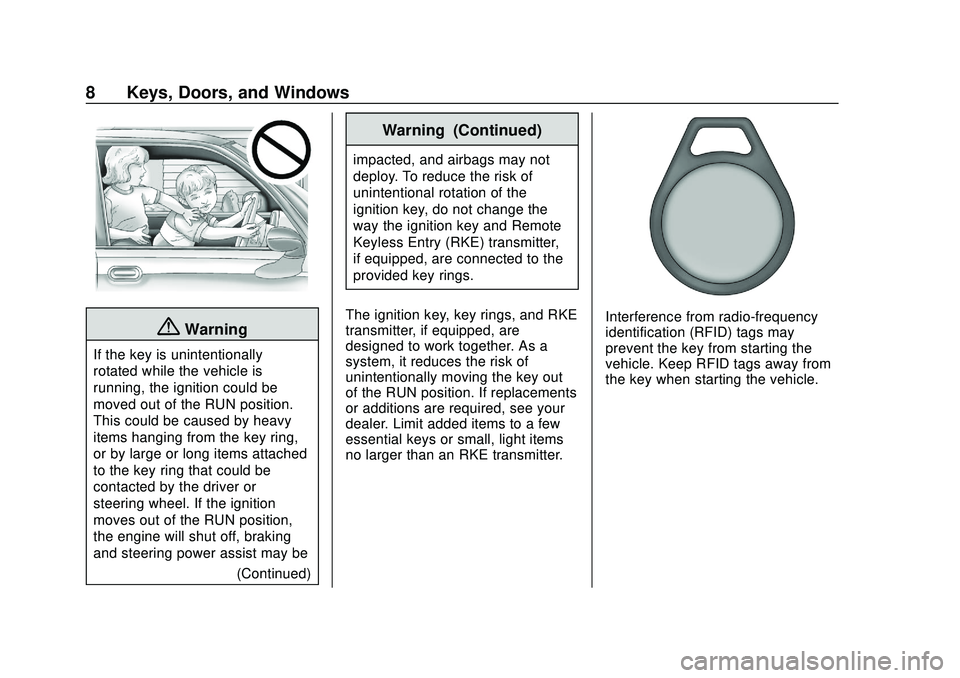
{Warning
If the key is unintentionally
rotated while the vehicle is
running, the ignition could be
moved out of the RUN position.
This could be caused by heavy
items hanging from the key ring,
or by large or long items attached
to the key ring that could be
contacted by the driver or
steering wheel. If the ignition
moves out of the RUN position,
the engine will shut off, braking
and steering power assist may be(Continued)
Warning (Continued)
impacted, and airbags may not
deploy. To reduce the risk of
unintentional rotation of the
ignition key, do not change the
way the ignition key and Remote
Keyless Entry (RKE) transmitter,
if equipped, are connected to the
provided key rings.
The ignition key, key rings, and RKE
transmitter, if equipped, are
designed to work together. As a
system, it reduces the risk of
unintentionally moving the key out
of the RUN position. If replacements
or additions are required, see your
dealer. Limit added items to a few
essential keys or small, light items
no larger than an RKE transmitter.
Interference from radio-frequency
identification (RFID) tags may
prevent the key from starting the
vehicle. Keep RFID tags away from
the key when starting the vehicle.
Page 16 of 329
Chevrolet Sonic Owner Manual (GMNA-Localizing-U.S./Canada-13566834) -
2020 - CRC - 10/4/19
Keys, Doors, and Windows 15
2. With the vehicle in P (Park) orN (Neutral), press the brake
pedal and press ENGINE
START/STOP. See Starting the
Engine 0174.
Replace the transmitter battery
as soon as possible.
Battery Replacement
{Warning
Never allow children to play with
the RKE transmitter. The
transmitter contains a small
battery, which can be a choking
hazard. If swallowed, internal
burns can occur, resulting in
severe injury or death. Seek
medical attention immediately if a
battery is swallowed.
{Warning
To avoid personal injury, do not
touch metal surfaces on the RKE
transmitter when it has been
exposed to extreme heat. These
surfaces can be hot to the touch
at temperatures above 59 °C (138
°F).
Caution
When replacing the battery, do
not touch any of the circuitry on
the transmitter. Static from your
body could damage the
transmitter.
Caution
Always replace the battery with
the correct type. Replacing the
battery with an incorrect type
could potentially create a risk of
battery explosion. Dispose of
used batteries according to
instructions and local laws. Do
not attempt to burn, crush, or cut
the used battery, and avoid
exposing the battery to
environments with extremely low
air pressures or high
temperatures.
Replace the battery if the DIC
displays REPLACE BATTERY IN
REMOTE KEY.
Page 20 of 329
Chevrolet Sonic Owner Manual (GMNA-Localizing-U.S./Canada-13566834) -
2020 - CRC - 10/4/19
Keys, Doors, and Windows 19
After the two keys are learned,
remaining keys can be learned by
following the procedure in
“Programming with Two
Recognized Keys.”
Battery Replacement
{Warning
Never allow children to play with
the RKE transmitter. The
transmitter contains a small
battery, which can be a choking
hazard. If swallowed, internal
burns can occur, resulting in
severe injury or death. Seek
medical attention immediately if a
battery is swallowed.
{Warning
To avoid personal injury, do not
touch metal surfaces on the RKE
transmitter when it has been
exposed to extreme heat. These(Continued)
Warning (Continued)
surfaces can be hot to the touch
at temperatures above 59 °C
(138 °F).
Caution
When replacing the battery, do
not touch any of the circuitry on
the transmitter. Static from your
body could damage the
transmitter.
Caution
Always replace the battery with
the correct type. Replacing the
battery with an incorrect type
could potentially create a risk of
battery explosion. Dispose of
used batteries according to
instructions and local laws. Do
not attempt to burn, crush, or cut(Continued)
Caution (Continued)
the used battery, and avoid
exposing the battery to
environments with extremely low
air pressures or high
temperatures.
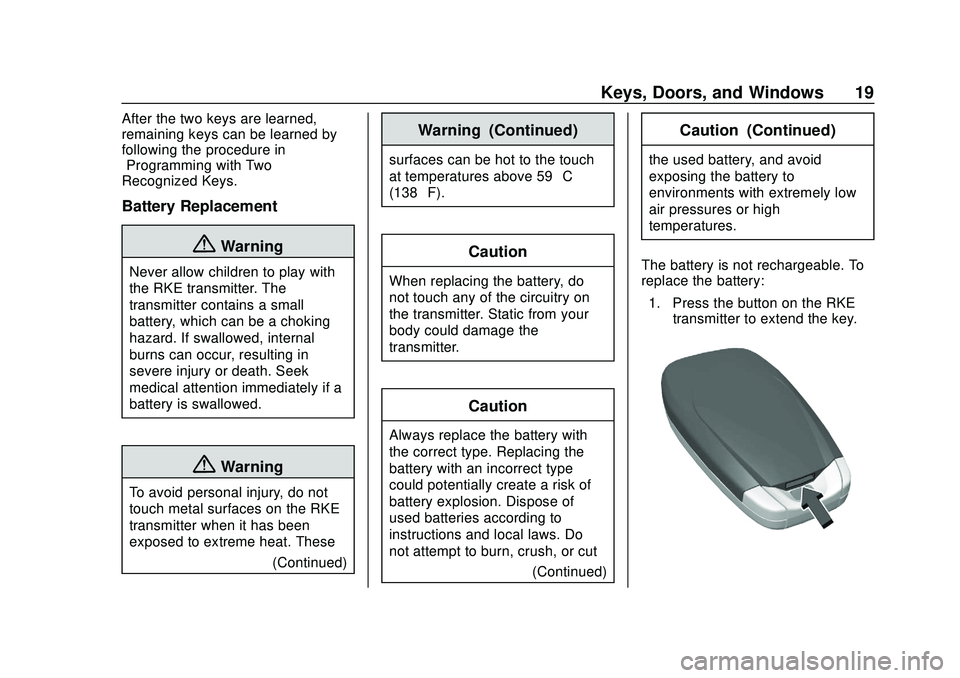
The battery is not rechargeable. To
replace the battery: 1. Press the button on the RKE transmitter to extend the key.
Page 22 of 329
Chevrolet Sonic Owner Manual (GMNA-Localizing-U.S./Canada-13566834) -
2020 - CRC - 10/4/19
Keys, Doors, and Windows 21
The engine will continue to run for
15 minutes. After 30 seconds,
repeat the steps if a 15-minute
extension is desired. Remote start
can be extended only once.
Turn the ignition on before driving.
Extending Engine Run Time
The engine run time can also be
extended by another 15 minutes,
if during the first 15 minutes
Steps 1 and 2 are repeated while
the engine is still running. An
extension can be requested
30 seconds after starting. This
provides a total of 30 minutes.
When the remote start is extended,
the second 10-minute period is
added on to the first 15 minutes for
a total of 30 minutes.
A maximum of two remote starts,
or a single start with an extension,
are allowed between ignition cycles.
After this, the ignition must be
turned on then off before the remote
start procedure can be used again.Canceling a Remote Start
To cancel a remote start, do one of
the following:
.
Press and hold
/until the
parking lamps turn off.
. Turn on the hazard warning
flashers.
. Turn the vehicle on and then off.
Conditions in Which Remote Start
Will Not Work
The remote vehicle start feature will
not operate if:
. The vehicle is not off.
. The key is in the ignition (Key
Access).
. A transmitter is in the vehicle
(Keyless Access).
. The hood is not closed.
. The hazard warning flashers
are on.
. The malfunction indicator lamp
is on.
. The engine coolant temperature
is too high. .
The oil pressure is low.
. Two remote vehicle starts, or a
single remote start with an
extension, have already
been used.
. The vehicle is not in P (Park).
Door Locks
{Warning
Unlocked doors can be
dangerous.
. Passengers, especially
children, can easily open
the doors and fall out of a
moving vehicle. The doors
can be unlocked and
opened while the vehicle is
moving. The chance of
being thrown out of the
vehicle in a crash is
increased if the doors are
not locked. So, all
passengers should wear
seat belts properly and the
(Continued)
Page 23 of 329
Chevrolet Sonic Owner Manual (GMNA-Localizing-U.S./Canada-13566834) -
2020 - CRC - 10/4/19
22 Keys, Doors, and Windows
Warning (Continued)
doors should be locked
whenever the vehicle is
driven.
. Young children who get into
unlocked vehicles may be
unable to get out. A child
can be overcome by
extreme heat and can suffer
permanent injuries or even
death from heat stroke.
Always lock the vehicle
whenever leaving it.
. Outsiders can easily enter
through an unlocked door
when you slow down or stop
the vehicle. Locking the
doors can help prevent this
from happening.
To lock or unlock the doors from
outside the vehicle:
. Use the key in the driver door to
lock all doors or unlock the
driver door only. .
Press
QorKon the Remote
Keyless Entry (RKE) transmitter.
See Remote Keyless Entry
(RKE) System Operation
(Keyless Access) 010 or
Remote Keyless Entry (RKE)
System Operation (Key Access)
0 16.
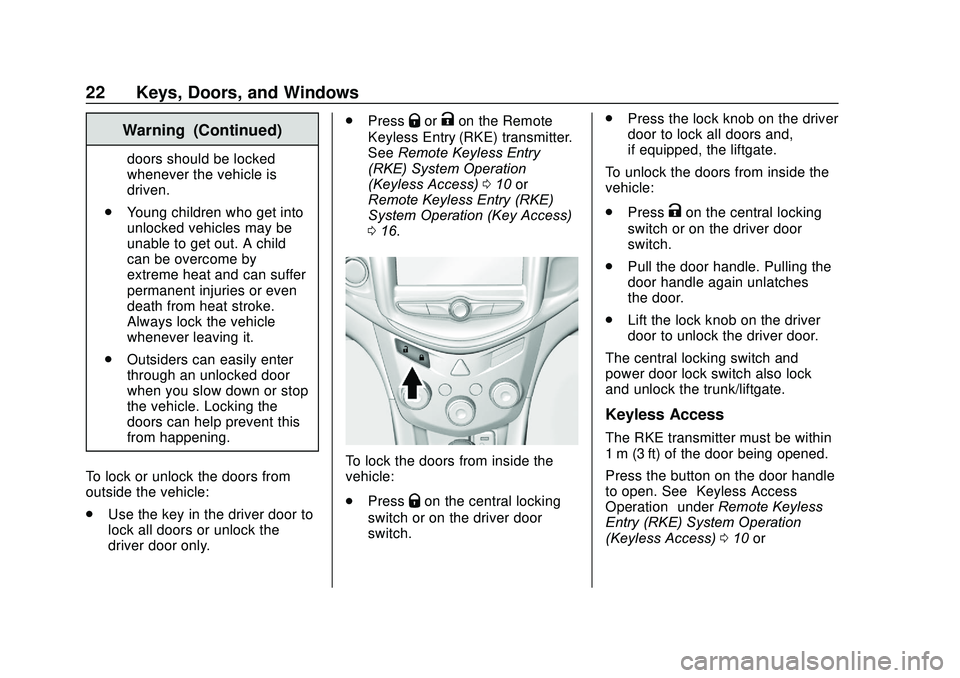
To lock the doors from inside the
vehicle:
.
Press
Qon the central locking
switch or on the driver door
switch. .
Press the lock knob on the driver
door to lock all doors and,
if equipped, the liftgate.
To unlock the doors from inside the
vehicle:
. Press
Kon the central locking
switch or on the driver door
switch.
. Pull the door handle. Pulling the
door handle again unlatches
the door.
. Lift the lock knob on the driver
door to unlock the driver door.
The central locking switch and
power door lock switch also lock
and unlock the trunk/liftgate.
Keyless Access
The RKE transmitter must be within
1 m (3 ft) of the door being opened.
Press the button on the door handle
to open. See “Keyless Access
Operation” underRemote Keyless
Entry (RKE) System Operation
(Keyless Access) 010 or