service CHEVROLET SPARK 2013 3.G Owner's Manual
[x] Cancel search | Manufacturer: CHEVROLET, Model Year: 2013, Model line: SPARK, Model: CHEVROLET SPARK 2013 3.GPages: 350, PDF Size: 5.89 MB
Page 107 of 350
Black plate (17,1)Chevrolet Spark Owner Manual - 2013 - crc - 9/11/12
Instruments and Controls 5-17
If the indicator/warning light is on
and flashing, the TCS and/or the
StabiliTrak system is actively
working.
SeeStabiliTrak
®System on
page 9‑28 andTraction Control
System (TCS) on page 9‑27.
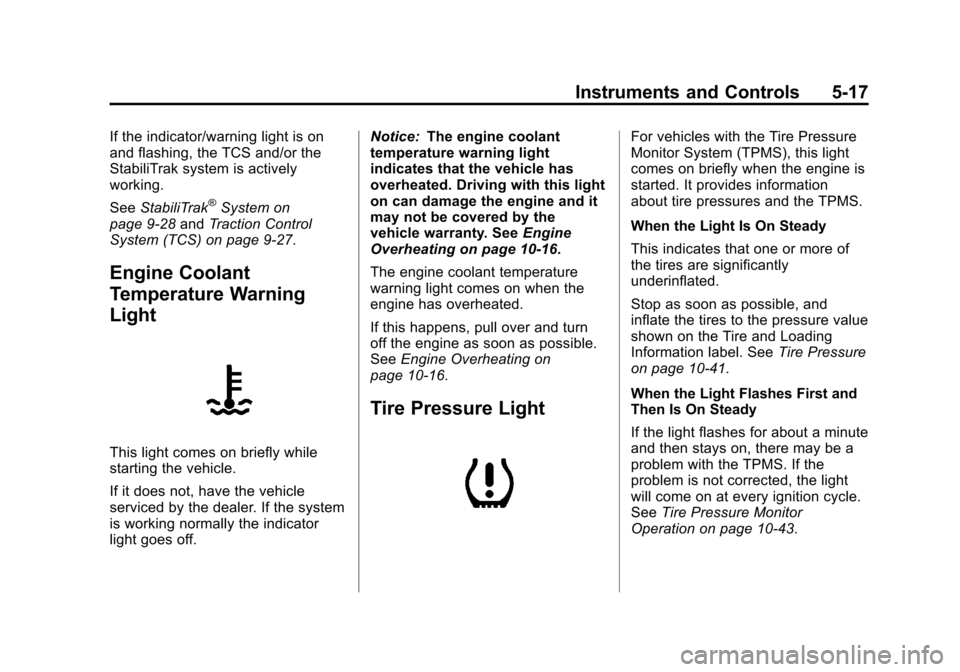
Engine Coolant
Temperature Warning
Light
This light comes on briefly while
starting the vehicle.
If it does not, have the vehicle
serviced by the dealer. If the system
is working normally the indicator
light goes off. Notice:
The engine coolant
temperature warning light
indicates that the vehicle has
overheated. Driving with this light
on can damage the engine and it
may not be covered by the
vehicle warranty. See Engine
Overheating on page 10‑16.
The engine coolant temperature
warning light comes on when the
engine has overheated.
If this happens, pull over and turn
off the engine as soon as possible.
See Engine Overheating on
page 10‑16.
Tire Pressure Light
For vehicles with the Tire Pressure
Monitor System (TPMS), this light
comes on briefly when the engine is
started. It provides information
about tire pressures and the TPMS.
When the Light Is On Steady
This indicates that one or more of
the tires are significantly
underinflated.
Stop as soon as possible, and
inflate the tires to the pressure value
shown on the Tire and Loading
Information label. See Tire Pressure
on page 10‑41.
When the Light Flashes First and
Then Is On Steady
If the light flashes for about a minute
and then stays on, there may be a
problem with the TPMS. If the
problem is not corrected, the light
will come on at every ignition cycle.
See Tire Pressure Monitor
Operation on page 10‑43.
Page 108 of 350
Black plate (18,1)Chevrolet Spark Owner Manual - 2013 - crc - 9/11/12
5-18 Instruments and Controls
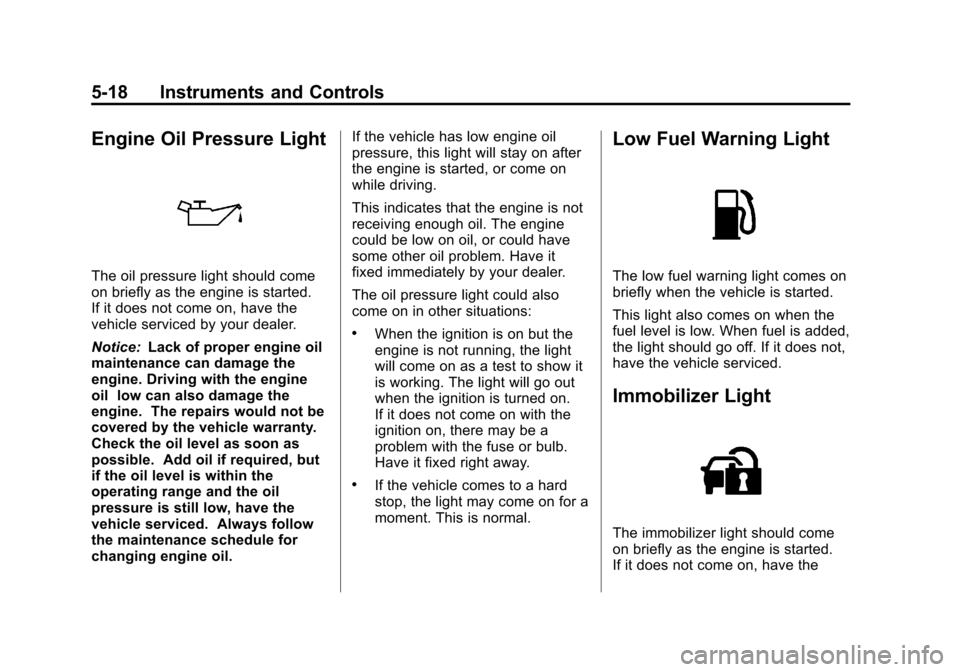
Engine Oil Pressure Light
The oil pressure light should come
on briefly as the engine is started.
If it does not come on, have the
vehicle serviced by your dealer.
Notice:Lack of proper engine oil
maintenance can damage the
engine. Driving with the engine
oil low can also damage the
engine. The repairs would not be
covered by the vehicle warranty.
Check the oil level as soon as
possible. Add oil if required, but
if the oil level is within the
operating range and the oil
pressure is still low, have the
vehicle serviced. Always follow
the maintenance schedule for
changing engine oil. If the vehicle has low engine oil
pressure, this light will stay on after
the engine is started, or come on
while driving.
This indicates that the engine is not
receiving enough oil. The engine
could be low on oil, or could have
some other oil problem. Have it
fixed immediately by your dealer.
The oil pressure light could also
come on in other situations:
.When the ignition is on but the
engine is not running, the light
will come on as a test to show it
is working. The light will go out
when the ignition is turned on.
If it does not come on with the
ignition on, there may be a
problem with the fuse or bulb.
Have it fixed right away.
.If the vehicle comes to a hard
stop, the light may come on for a
moment. This is normal.
Low Fuel Warning Light
The low fuel warning light comes on
briefly when the vehicle is started.
This light also comes on when the
fuel level is low. When fuel is added,
the light should go off. If it does not,
have the vehicle serviced.
Immobilizer Light
The immobilizer light should come
on briefly as the engine is started.
If it does not come on, have the
Page 109 of 350

Black plate (19,1)Chevrolet Spark Owner Manual - 2013 - crc - 9/11/12
Instruments and Controls 5-19
vehicle serviced by your dealer.
If the system is working normally,
the indicator light turns off.
If the light stays on and the engine
does not start, there could be a
problem with the immobilizer
system. SeeImmobilizer Operation
on page 2‑9.
Reduced Engine Power
Light
The reduced engine power light
should come on briefly as the
engine is started. If it does not come
on, have the vehicle serviced by
your dealer.
This light, along with the malfunction
indicator lamp, displays when a
noticeable reduction in the vehicle's
performance occurs. Stop the vehicle and turn off the ignition. Wait
10 seconds and restart the vehicle.
This might correct the condition.
The vehicle can be driven at a
reduced speed when the reduced
engine power light is on but
acceleration and speed might be
reduced. The performance could be
reduced until the next time the
vehicle is driven. If this light stays
on, see your dealer as soon as
possible for diagnosis and repair.
High-Beam On Light
This light comes on when the
high-beam headlamps are in use.
See
Headlamp High/Low-Beam
Changer on page 6‑1 for more
information.
Daytime Running Lamps
(DRL) Indicator Light
This light, in the display on the top
of the center stack, turns on
whenever the Daytime Running
Lamps are in use.
See Daytime Running Lamps (DRL)
on page 6‑2.
Page 114 of 350

Black plate (24,1)Chevrolet Spark Owner Manual - 2013 - crc - 9/11/12
5-24 Instruments and Controls
When the remaining oil life is low,
the Code 82 message will appear
on the display. The oil should be
changed as soon as possible. See
Engine Oil on page 10‑7. In addition
to the engine oil life system
monitoring the oil life, additional
maintenance is recommended in the
Maintenance Schedule. See
Maintenance Schedule on
page 11‑3.
Remember, the oil life display must
be reset after each oil change. It will
not reset itself. Also, be careful not
to reset the oil life display
accidentally at any time other than
when the oil has just been changed.
It cannot be reset accurately until
the next oil change. To reset the
engine oil life system, seeEngine
Oil Life System on page 10‑9. Units
Press SET/CLR and move
worx
to change units when UNIT is
displayed. Select 1, 2, or 3 for the
unit display. 1 is Imperial units, 2 is
US units, and 3 is metric units.
Press and hold SET/CLR to confirm
the setting. The number will flash.
This will change the displays on the
cluster and DIC to the type of
measurements selected.
Tire Learn
This display allows for matching of
the TPMS sensors. See
Tire
Pressure Monitor System on
page 10‑42 andTire Pressure
Monitor Operation on page 10‑43.
Vehicle Messages
DIC messages display when the
status of the vehicle has changed
and action may be needed to
correct the condition. Multiple
messages appear one after another.
All messages should be taken
seriously.
Vehicle messages appear as code
numbers. The owner manual
indicator and service vehicle soon
light may also be displayed.
The following is a list of all possible
messages. Depending on the
vehicle, some of these messages
may not be available.
10: Brakes Overheated
15: Check High Mounted
Brake Lamp
16: Check Brake Lamps
17: Headlamp Leveling
Malfunction —Contact Service
Page 115 of 350

Black plate (25,1)Chevrolet Spark Owner Manual - 2013 - crc - 9/11/12
Instruments and Controls 5-25
18:Left Low Beam Failure
20: Right Low Beam Failure
21: Check Left Position Lamp
22: Check Right Position Lamp
23: Reversing Lamp Failure
24: License Plate Lamp Failure
25: Left Front Turn Indicator Failure
26: Left Rear Turn Indicator Failure
27: Right Front Turn Indicator
Failure
28: Right Rear Turn Indicator
Failure
58: Winter Tire Recognition
65: Theft Attempted
75: Service AC System
81: Service Transmission
82: Change Engine Oil Soon
89: Service Vehicle Soon
95: Service AirbagVehicle
Personalization
Personalization Menu (Radio
without Touchscreen)
The audio system controls and
touchscreen are used to access the
personalization menus for
customizing vehicle features.
The following are all possible
personalization features. Depending
on the vehicle, some may not be
available.
CONFIG (Configuration): Press to
access the Configuration
Settings Menu.
MENU/TUNE: Turn to scroll
through the menus or setup items.
Press to enter the menus and select
the menu items.
/BACK : Press to exit, or return to
the previous screen or menu.
To access a menu:
1. Press the CONFIG button. 2. Turn the MENU/TUNE knob to
select the desired menu.
3. Press the MENU/TUNE knob.
Settings menus and functions may
vary depending on vehicle option.
Press the CONFIG button and the
following list of menu items may be
available:
.Languages
.Time and Data Settings
.Radio Settings
.Vehicle Settings
.Comfort & Convenience
Language
Select the Language menu and the
following may be displayed:
.English
.French
.Spanish
1. Turn MENU/TUNE to the desired language.
Page 139 of 350
Black plate (9,1)Chevrolet Spark Owner Manual - 2013 - crc - 9/11/12
Infotainment System 7-9
Tone Settings:Press menu, then
tone settings from the AM or
FM menu.
.EQ (Equalizer): PressSorTto
select a sound style or turn off
the sound style.
.Bass, Mid (Midrange), or Treble:
Press −or + to change the
desired sound style from −12
to +12.
.Fader or Balance: Adjust the
front/rear or left/right speakers.
.Reset: Restore the settings back
to default settings.
Press OK to exit Tone Settings.
Radio
AM-FM Radio
Playing the Radio without
Touchscreen
Audio Source Menu
O/ VOL (Power/Volume): Press to
turn the system on and off. Turn to
increase or decrease the volume.
MENU/TUNE: Turn to change the
radio station.
RADIO/BAND: Press to select AM
and FM.
INFO: Press to display additional
information that may be available for
the current song.
FAV 123: Press to open the
favorites list and select a
favorite page.
Preset Buttons 1–6: Press to
select preset stations.
Radio Broadcast Data
System (RBDS)
RBDS is a service by FM stations
that makes it easier to find radio
stations with fault-free reception.
RBDS stations are indicated by the
program name instead of the
broadcasting frequency.
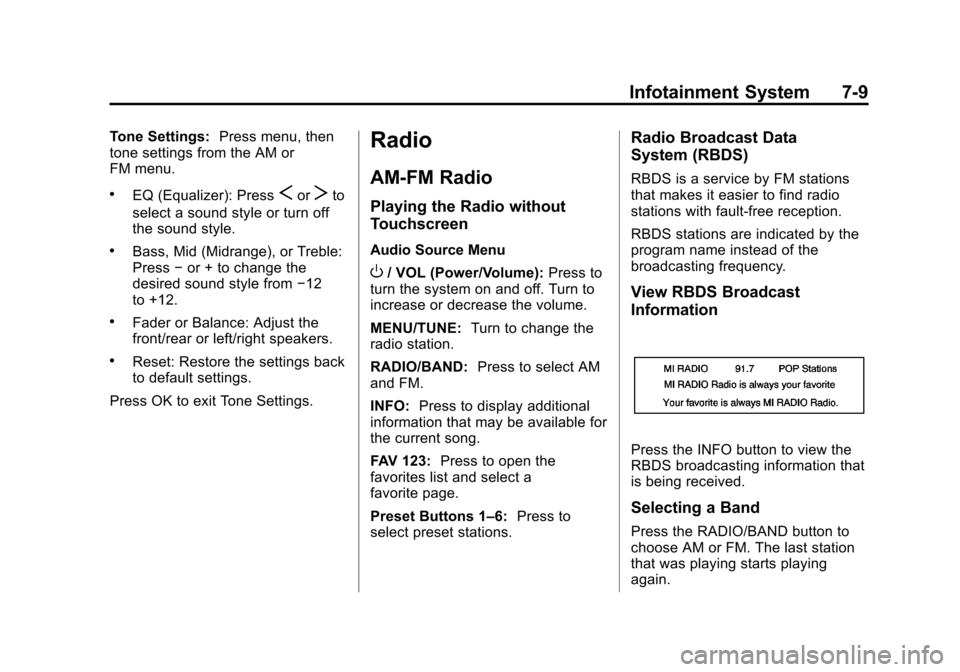
View RBDS Broadcast
Information
Press the INFO button to view the
RBDS broadcasting information that
is being received.
Selecting a Band
Press the RADIO/BAND button to
choose AM or FM. The last station
that was playing starts playing
again.
Page 143 of 350
Black plate (13,1)Chevrolet Spark Owner Manual - 2013 - crc - 9/11/12
Infotainment System 7-13
Update Station List
.From the AM or FM menu, press
update AM or FM station list on
the screen. The broadcasting list
updating will begin.
.During the AM or FM
broadcasting list update, press
Cancel to stop the updates.
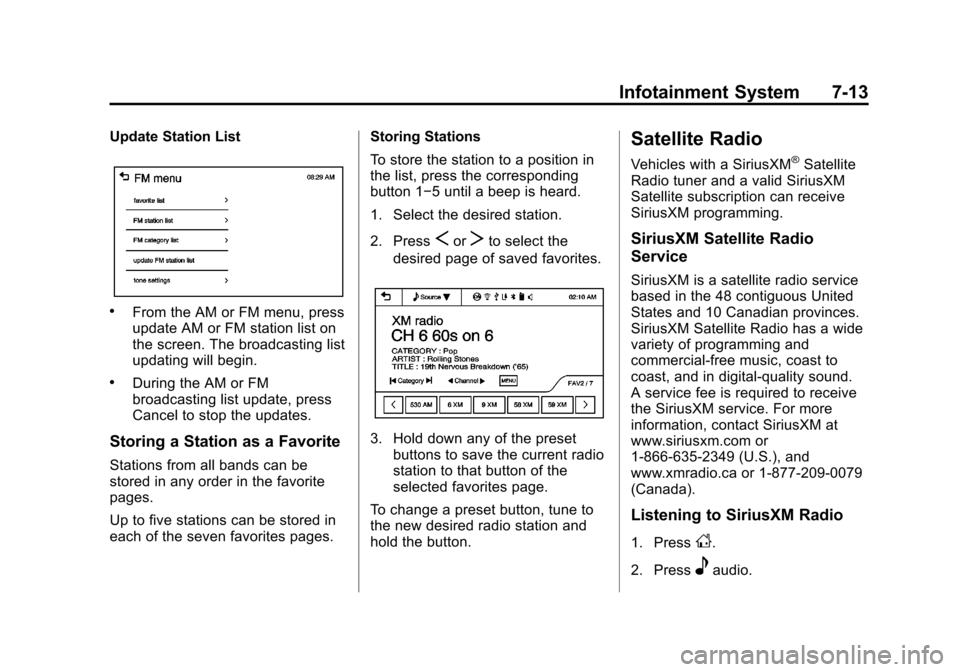
Storing a Station as a Favorite
Stations from all bands can be
stored in any order in the favorite
pages.
Up to five stations can be stored in
each of the seven favorites pages.Storing Stations
To store the station to a position in
the list, press the corresponding
button 1−5 until a beep is heard.
1. Select the desired station.
2. Press
SorTto select the
desired page of saved favorites.
3. Hold down any of the preset buttons to save the current radio
station to that button of the
selected favorites page.
To change a preset button, tune to
the new desired radio station and
hold the button.
Satellite Radio
Vehicles with a SiriusXM®Satellite
Radio tuner and a valid SiriusXM
Satellite subscription can receive
SiriusXM programming.
SiriusXM Satellite Radio
Service
SiriusXM is a satellite radio service
based in the 48 contiguous United
States and 10 Canadian provinces.
SiriusXM Satellite Radio has a wide
variety of programming and
commercial-free music, coast to
coast, and in digital-quality sound.
A service fee is required to receive
the SiriusXM service. For more
information, contact SiriusXM at
www.siriusxm.com or
1-866-635-2349 (U.S.), and
www.xmradio.ca or 1-877-209-0079
(Canada).
Listening to SiriusXM Radio
1. PressD.
2. Press
eaudio.
Page 146 of 350
Black plate (16,1)Chevrolet Spark Owner Manual - 2013 - crc - 9/11/12
7-16 Infotainment System
AM
The range for most AM stations is
greater than for FM, especially at
night. The longer range can cause
station frequencies to interfere with
each other. Static can occur when
things like storms and power lines
interfere with radio reception. When
this happens, try reducing the treble
on the radio.
SiriusXM®Satellite Radio
Service
SiriusXM Satellite Radio Service
gives digital radio reception from
coast to coast in the 48 contiguous
United States, and in Canada. Just
as with FM, tall buildings or hills can
interfere with satellite radio signals,
causing the sound to fade in and
out. In addition, traveling or standing
under heavy foliage, bridges,
garages, or tunnels may cause loss
of the SiriusXM signal for a period
of time.
Cellular Phone Usage
Cellular phone usage can cause
interference with the vehicle's radio.
Multi-Band Antenna
The multi-band antenna is on the
roof of the vehicle. The antenna is
used for the AM-FM radio, OnStar,
the SiriusXM Satellite Radio Service
System, and GPS (Global
Positioning System), if the vehicle
has these features. Keep the
antenna clear of obstructions for
clear reception.
Audio Players
USB Port
Using the USB Port
The infotainment system can play
music or movies by connecting an
auxiliary device to the USB port,
if equipped.
USB Support
The USB connector is in the center
stack, and uses the USB 2.0
standard.
USB Supported Devices
.USB Flash Drives
.Portable USB Hard Drives
.2G–5G iPod nano®
.1G–3G iPod touch®
.120GB/160GB iPod classic®
.3G/3GS/4/4S iPhone®
Not all iPods and USB drives are
compatible with the USB port.
Page 149 of 350

Black plate (19,1)Chevrolet Spark Owner Manual - 2013 - crc - 9/11/12
Infotainment System 7-19
Using the AUX Movie Menu
1. Press MENU from the AUXmovie screen. The AUX menu is
displayed. 2. Press the desired menu.
.tone settings: Adjust the
sound setup. See
“Tone
Settings” under“Radio
Controls with Touchscreen”
in Operation on page 7‑6.
.clock/temp display: To
display the clock and
temperature on the full
screen, select On or Off.
.display settings: Adjust the
brightness and contrast of
the screen.
3. Press
4.
Navigation
OnStar®System
If equipped, this vehicle has a
comprehensive, in-vehicle system
that can connect to a live Advisor
for Emergency, Security, Navigation,
Connection, and Diagnostic
Services.
For safety, some features are
disabled while the vehicle is in
motion.
Control Panel Overview
OnStar Light
The OnStar system status light is
next to the OnStar buttons. If the
status light is:
.Solid Green: System is ready.
.Flashing Green: On a call.
.Red: Indicates a problem.
Page 150 of 350
Black plate (20,1)Chevrolet Spark Owner Manual - 2013 - crc - 9/11/12
7-20 Infotainment System
OnStar Buttons
X:Press to speak to an Advisor.
.Make a call, end a call,
or answer an incoming call.
.Give OnStar Hands-Free Calling
voice commands.
.Give OnStar Turn-by-Turn
Navigation voice commands.
Requires the available Directions
and Connections service plan.
Q: Press to connect to an
Advisor.
.Verify account information or
update contact information.
.Get driving directions. Requires
the available Directions and
Connections service plan.
.Receive On-Demand
Diagnostics for a check on the
vehicle’s key operating systems.
.Receive Roadside Assistance.
]: Press to connect to an
Emergency Advisor. Hands-Free Calling
Press
Xto make a call, end a call,
and answer an incoming call.
Press
Xto give OnStar Hands-Free
Calling voice commands.
Press
Xto give OnStar
Turn-by-Turn Navigation voice
commands for automated directions.
.Press1to hide the
Turn-by-Turn Navigation screen.
When the route is changed, the
Turn-by-Turn Navigation screen
is displayed. The Turn-by-Turn
Navigation screen is only
displayed on the AM/FM/XM
radio mode and AUX/USB/
iPod mode.
.Press$to mute the
Turn-by-Turn Navigation voice
guidance.
.Pressqto move to the
navigation settings menu.
‐ Press update route to update
the route, then press Yes.
Press Cancel route to cancel it
or No to not update the route.
‐ Press cancel route to cancel
the route, then press Yes. The
navigation settings menu
disappears and the
Turn-by-Turn Navigation voice
guidance is shut down.
‐ Press my destination to check
the destination. The
destination name and
remaining distance to
destination are displayed on
the screen for about
five seconds. Then the current
Turn-by-Turn Navigation
information is displayed.