light CHEVROLET SPARK 2013 3.G Owner's Guide
[x] Cancel search | Manufacturer: CHEVROLET, Model Year: 2013, Model line: SPARK, Model: CHEVROLET SPARK 2013 3.GPages: 350, PDF Size: 5.89 MB
Page 104 of 350
Black plate (14,1)Chevrolet Spark Owner Manual - 2013 - crc - 9/11/12
5-14 Instruments and Controls
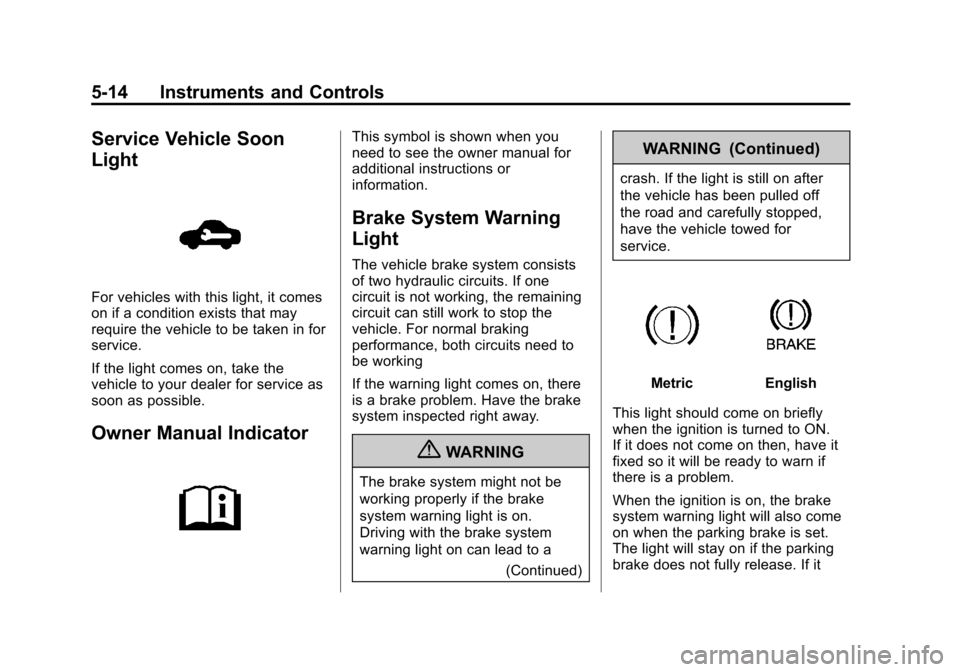
Service Vehicle Soon
Light
For vehicles with this light, it comes
on if a condition exists that may
require the vehicle to be taken in for
service.
If the light comes on, take the
vehicle to your dealer for service as
soon as possible.
Owner Manual Indicator
This symbol is shown when you
need to see the owner manual for
additional instructions or
information.
Brake System Warning
Light
The vehicle brake system consists
of two hydraulic circuits. If one
circuit is not working, the remaining
circuit can still work to stop the
vehicle. For normal braking
performance, both circuits need to
be working
If the warning light comes on, there
is a brake problem. Have the brake
system inspected right away.
{WARNING
The brake system might not be
working properly if the brake
system warning light is on.
Driving with the brake system
warning light on can lead to a(Continued)
WARNING (Continued)
crash. If the light is still on after
the vehicle has been pulled off
the road and carefully stopped,
have the vehicle towed for
service.
MetricEnglish
This light should come on briefly
when the ignition is turned to ON.
If it does not come on then, have it
fixed so it will be ready to warn if
there is a problem.
When the ignition is on, the brake
system warning light will also come
on when the parking brake is set.
The light will stay on if the parking
brake does not fully release. If it
Page 105 of 350
Black plate (15,1)Chevrolet Spark Owner Manual - 2013 - crc - 9/11/12
Instruments and Controls 5-15
stays on after the parking brake is
fully released, it means there is a
brake problem.
If the light comes on while driving,
carefully pull off the road and stop.
The pedal may be harder to push or
may go closer to the floor. It may
take longer to stop. If the light is still
on, have the vehicle towed for
service. SeeTowing the Vehicle on
page 10‑65.
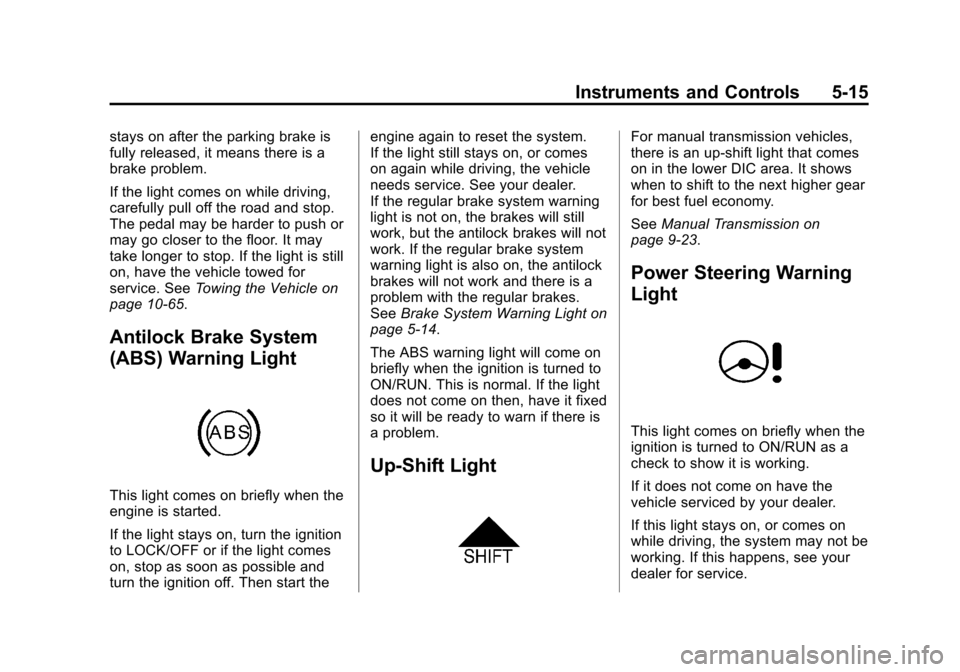
Antilock Brake System
(ABS) Warning Light
This light comes on briefly when the
engine is started.
If the light stays on, turn the ignition
to LOCK/OFF or if the light comes
on, stop as soon as possible and
turn the ignition off. Then start the engine again to reset the system.
If the light still stays on, or comes
on again while driving, the vehicle
needs service. See your dealer.
If the regular brake system warning
light is not on, the brakes will still
work, but the antilock brakes will not
work. If the regular brake system
warning light is also on, the antilock
brakes will not work and there is a
problem with the regular brakes.
See
Brake System Warning Light on
page 5‑14.
The ABS warning light will come on
briefly when the ignition is turned to
ON/RUN. This is normal. If the light
does not come on then, have it fixed
so it will be ready to warn if there is
a problem.
Up-Shift Light
For manual transmission vehicles,
there is an up-shift light that comes
on in the lower DIC area. It shows
when to shift to the next higher gear
for best fuel economy.
See Manual Transmission on
page 9‑23.
Power Steering Warning
Light
This light comes on briefly when the
ignition is turned to ON/RUN as a
check to show it is working.
If it does not come on have the
vehicle serviced by your dealer.
If this light stays on, or comes on
while driving, the system may not be
working. If this happens, see your
dealer for service.
Page 106 of 350
Black plate (16,1)Chevrolet Spark Owner Manual - 2013 - crc - 9/11/12
5-16 Instruments and Controls
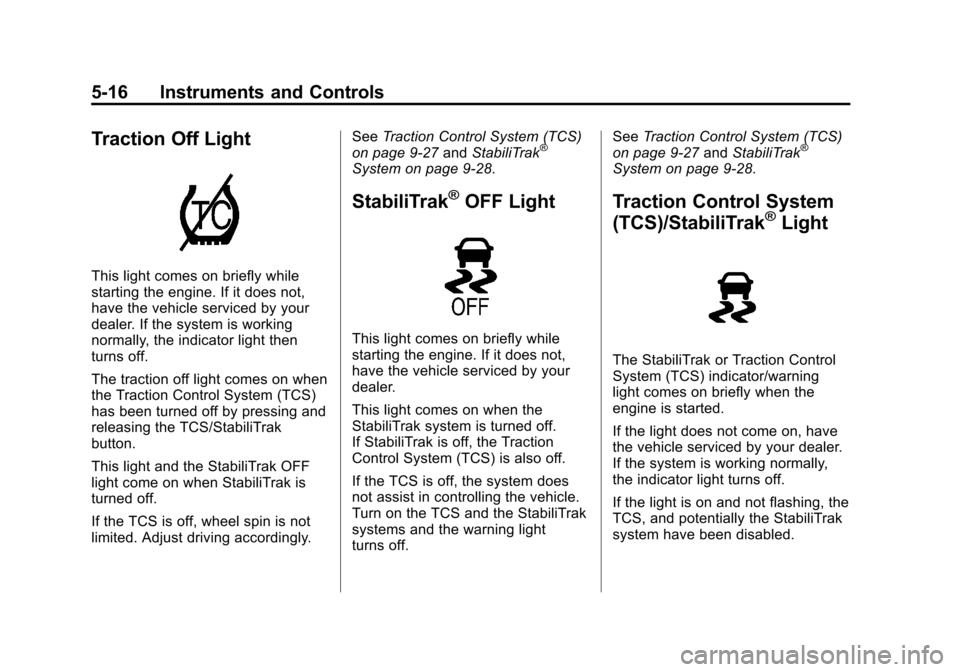
Traction Off Light
This light comes on briefly while
starting the engine. If it does not,
have the vehicle serviced by your
dealer. If the system is working
normally, the indicator light then
turns off.
The traction off light comes on when
the Traction Control System (TCS)
has been turned off by pressing and
releasing the TCS/StabiliTrak
button.
This light and the StabiliTrak OFF
light come on when StabiliTrak is
turned off.
If the TCS is off, wheel spin is not
limited. Adjust driving accordingly.See
Traction Control System (TCS)
on page 9‑27 andStabiliTrak
®
System on page 9‑28.
StabiliTrak®OFF Light
This light comes on briefly while
starting the engine. If it does not,
have the vehicle serviced by your
dealer.
This light comes on when the
StabiliTrak system is turned off.
If StabiliTrak is off, the Traction
Control System (TCS) is also off.
If the TCS is off, the system does
not assist in controlling the vehicle.
Turn on the TCS and the StabiliTrak
systems and the warning light
turns off. See
Traction Control System (TCS)
on page 9‑27 andStabiliTrak
®
System on page 9‑28.
Traction Control System
(TCS)/StabiliTrak®Light
The StabiliTrak or Traction Control
System (TCS) indicator/warning
light comes on briefly when the
engine is started.
If the light does not come on, have
the vehicle serviced by your dealer.
If the system is working normally,
the indicator light turns off.
If the light is on and not flashing, the
TCS, and potentially the StabiliTrak
system have been disabled.
Page 107 of 350
Black plate (17,1)Chevrolet Spark Owner Manual - 2013 - crc - 9/11/12
Instruments and Controls 5-17
If the indicator/warning light is on
and flashing, the TCS and/or the
StabiliTrak system is actively
working.
SeeStabiliTrak
®System on
page 9‑28 andTraction Control
System (TCS) on page 9‑27.
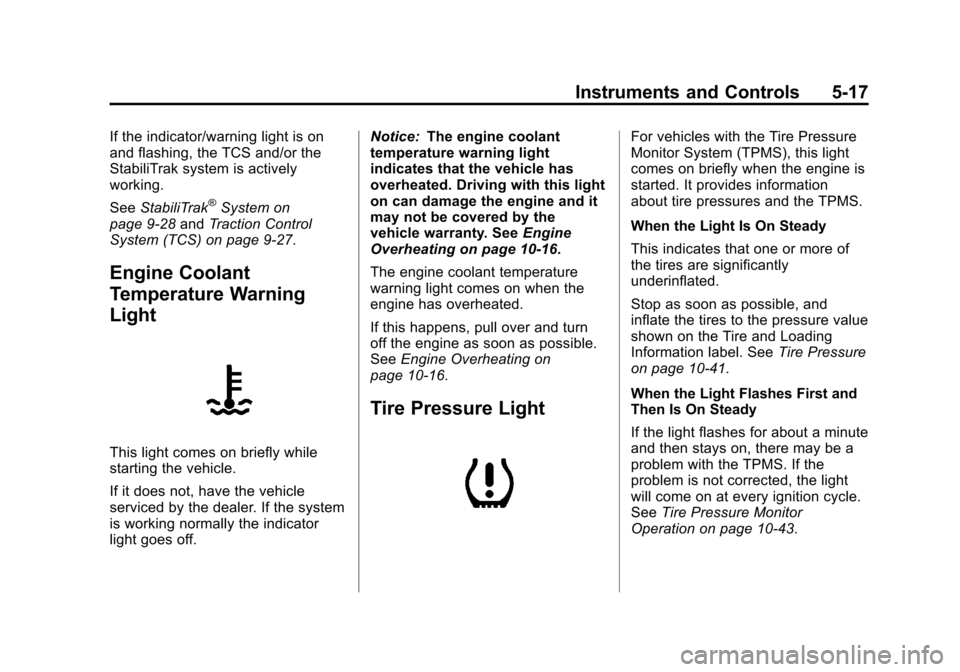
Engine Coolant
Temperature Warning
Light
This light comes on briefly while
starting the vehicle.
If it does not, have the vehicle
serviced by the dealer. If the system
is working normally the indicator
light goes off. Notice:
The engine coolant
temperature warning light
indicates that the vehicle has
overheated. Driving with this light
on can damage the engine and it
may not be covered by the
vehicle warranty. See Engine
Overheating on page 10‑16.
The engine coolant temperature
warning light comes on when the
engine has overheated.
If this happens, pull over and turn
off the engine as soon as possible.
See Engine Overheating on
page 10‑16.
Tire Pressure Light
For vehicles with the Tire Pressure
Monitor System (TPMS), this light
comes on briefly when the engine is
started. It provides information
about tire pressures and the TPMS.
When the Light Is On Steady
This indicates that one or more of
the tires are significantly
underinflated.
Stop as soon as possible, and
inflate the tires to the pressure value
shown on the Tire and Loading
Information label. See Tire Pressure
on page 10‑41.
When the Light Flashes First and
Then Is On Steady
If the light flashes for about a minute
and then stays on, there may be a
problem with the TPMS. If the
problem is not corrected, the light
will come on at every ignition cycle.
See Tire Pressure Monitor
Operation on page 10‑43.
Page 108 of 350
Black plate (18,1)Chevrolet Spark Owner Manual - 2013 - crc - 9/11/12
5-18 Instruments and Controls
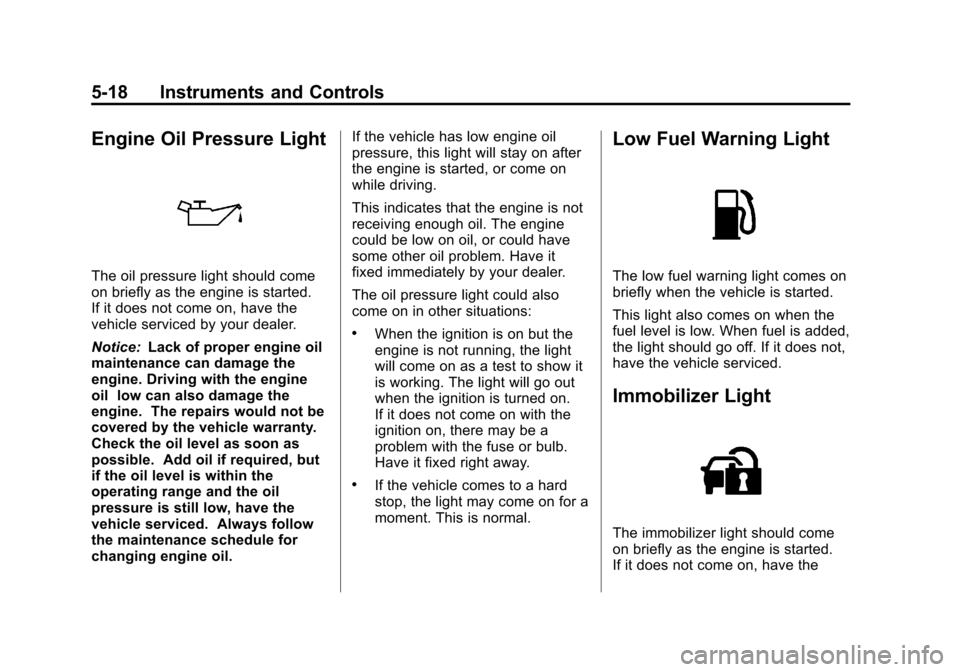
Engine Oil Pressure Light
The oil pressure light should come
on briefly as the engine is started.
If it does not come on, have the
vehicle serviced by your dealer.
Notice:Lack of proper engine oil
maintenance can damage the
engine. Driving with the engine
oil low can also damage the
engine. The repairs would not be
covered by the vehicle warranty.
Check the oil level as soon as
possible. Add oil if required, but
if the oil level is within the
operating range and the oil
pressure is still low, have the
vehicle serviced. Always follow
the maintenance schedule for
changing engine oil. If the vehicle has low engine oil
pressure, this light will stay on after
the engine is started, or come on
while driving.
This indicates that the engine is not
receiving enough oil. The engine
could be low on oil, or could have
some other oil problem. Have it
fixed immediately by your dealer.
The oil pressure light could also
come on in other situations:
.When the ignition is on but the
engine is not running, the light
will come on as a test to show it
is working. The light will go out
when the ignition is turned on.
If it does not come on with the
ignition on, there may be a
problem with the fuse or bulb.
Have it fixed right away.
.If the vehicle comes to a hard
stop, the light may come on for a
moment. This is normal.
Low Fuel Warning Light
The low fuel warning light comes on
briefly when the vehicle is started.
This light also comes on when the
fuel level is low. When fuel is added,
the light should go off. If it does not,
have the vehicle serviced.
Immobilizer Light
The immobilizer light should come
on briefly as the engine is started.
If it does not come on, have the
Page 109 of 350

Black plate (19,1)Chevrolet Spark Owner Manual - 2013 - crc - 9/11/12
Instruments and Controls 5-19
vehicle serviced by your dealer.
If the system is working normally,
the indicator light turns off.
If the light stays on and the engine
does not start, there could be a
problem with the immobilizer
system. SeeImmobilizer Operation
on page 2‑9.
Reduced Engine Power
Light
The reduced engine power light
should come on briefly as the
engine is started. If it does not come
on, have the vehicle serviced by
your dealer.
This light, along with the malfunction
indicator lamp, displays when a
noticeable reduction in the vehicle's
performance occurs. Stop the vehicle and turn off the ignition. Wait
10 seconds and restart the vehicle.
This might correct the condition.
The vehicle can be driven at a
reduced speed when the reduced
engine power light is on but
acceleration and speed might be
reduced. The performance could be
reduced until the next time the
vehicle is driven. If this light stays
on, see your dealer as soon as
possible for diagnosis and repair.
High-Beam On Light
This light comes on when the
high-beam headlamps are in use.
See
Headlamp High/Low-Beam
Changer on page 6‑1 for more
information.
Daytime Running Lamps
(DRL) Indicator Light
This light, in the display on the top
of the center stack, turns on
whenever the Daytime Running
Lamps are in use.
See Daytime Running Lamps (DRL)
on page 6‑2.
Page 110 of 350
Black plate (20,1)Chevrolet Spark Owner Manual - 2013 - crc - 9/11/12
5-20 Instruments and Controls
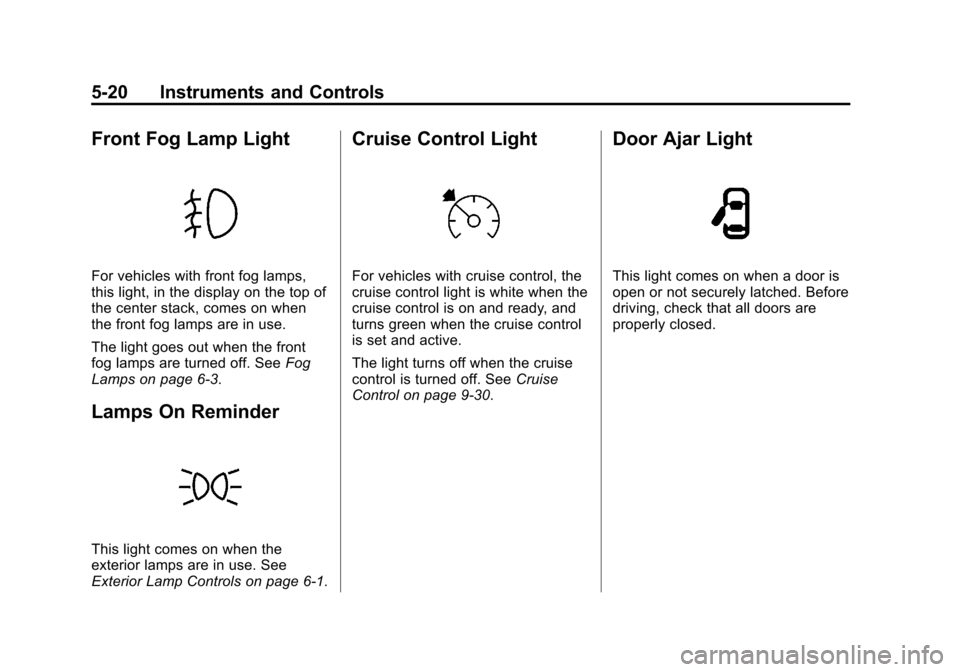
Front Fog Lamp Light
For vehicles with front fog lamps,
this light, in the display on the top of
the center stack, comes on when
the front fog lamps are in use.
The light goes out when the front
fog lamps are turned off. SeeFog
Lamps on page 6‑3.
Lamps On Reminder
This light comes on when the
exterior lamps are in use. See
Exterior Lamp Controls on page 6‑1.
Cruise Control Light
For vehicles with cruise control, the
cruise control light is white when the
cruise control is on and ready, and
turns green when the cruise control
is set and active.
The light turns off when the cruise
control is turned off. See Cruise
Control on page 9‑30.
Door Ajar Light
This light comes on when a door is
open or not securely latched. Before
driving, check that all doors are
properly closed.
Page 114 of 350

Black plate (24,1)Chevrolet Spark Owner Manual - 2013 - crc - 9/11/12
5-24 Instruments and Controls
When the remaining oil life is low,
the Code 82 message will appear
on the display. The oil should be
changed as soon as possible. See
Engine Oil on page 10‑7. In addition
to the engine oil life system
monitoring the oil life, additional
maintenance is recommended in the
Maintenance Schedule. See
Maintenance Schedule on
page 11‑3.
Remember, the oil life display must
be reset after each oil change. It will
not reset itself. Also, be careful not
to reset the oil life display
accidentally at any time other than
when the oil has just been changed.
It cannot be reset accurately until
the next oil change. To reset the
engine oil life system, seeEngine
Oil Life System on page 10‑9. Units
Press SET/CLR and move
worx
to change units when UNIT is
displayed. Select 1, 2, or 3 for the
unit display. 1 is Imperial units, 2 is
US units, and 3 is metric units.
Press and hold SET/CLR to confirm
the setting. The number will flash.
This will change the displays on the
cluster and DIC to the type of
measurements selected.
Tire Learn
This display allows for matching of
the TPMS sensors. See
Tire
Pressure Monitor System on
page 10‑42 andTire Pressure
Monitor Operation on page 10‑43.
Vehicle Messages
DIC messages display when the
status of the vehicle has changed
and action may be needed to
correct the condition. Multiple
messages appear one after another.
All messages should be taken
seriously.
Vehicle messages appear as code
numbers. The owner manual
indicator and service vehicle soon
light may also be displayed.
The following is a list of all possible
messages. Depending on the
vehicle, some of these messages
may not be available.
10: Brakes Overheated
15: Check High Mounted
Brake Lamp
16: Check Brake Lamps
17: Headlamp Leveling
Malfunction —Contact Service
Page 117 of 350
Black plate (27,1)Chevrolet Spark Owner Manual - 2013 - crc - 9/11/12
Instruments and Controls 5-27
wind noise as the vehicle speeds up
or slows down, so that the volume
level is consistent.
1. Turn the MENU/TUNE knob tothe desired value.
2. Press the MENU/TUNE knob to select the value.
Maximum Startup Volume
Select to manually set the startup
volume of the radio.
1. Turn the MENU/TUNE knob to increase or decrease the value.
2. To save press the MENU/TUNE or
/BACK button.
Radio Favorites
Select to manually set the number
of favorite pages.
1. Turn the MENU/TUNE knob to select 1-6.
2. Press the MENU/TUNE knob to select the value.
Vehicle Settings
Select the Radio Settings menu and
the following may be displayed:
.Comfort and Convenience
.Lighting
.Power Door Locks
.Lock, Unlock, Settings
.Vehicle Factory Settings
Comfort and Convenience
Select the Comfort and
Convenience menu and the
following may be displayed:
.Chime Volume
.Auto Wipe in Reverse Gear
Chime Volume
Select to set the chime volume level
to Normal or High.
1. Turn the MENU/TUNE knob to select Chime Volume.
2. Press the MENU/TUNE knob to select. 3. Turn the MENU/TUNE knob to
the desired level.
4. Press the MENU/TUNE knob to select the level.
Auto Wipe in Reverse Gear
Select to set the Auto Wipe in
Reverse Gear feature on or off.
When on, and the front wipers are
on, the rear window wiper will turn
on automatically when the vehicle is
shifted into R (Reverse).
1. Turn the MENU/TUNE knob to select Auto Wipe in
Reverse Gear.
2. Press the MENU/TUNE knob to turn On or Off.
Lighting
Select the Lighting menu and the
following may be displayed:
.Exit Lighting
Exit Lighting
Select to set how long the exterior
lamps stay on when leaving the
vehicle and it is dark outside.
Page 118 of 350
Black plate (28,1)Chevrolet Spark Owner Manual - 2013 - crc - 9/11/12
5-28 Instruments and Controls
1. Turn the MENU/TUNE knob tothe desired time.
2. Press the MENU/TUNE knob to select.
Power Door Locks
Select Power Door Locks and the
following may be displayed:
.Auto Door Unlock
.Unlocked Door Anti Lock Out
.Delayed Door Lock
Auto Door Unlock
Select to set which of the doors will
automatically unlock when the
vehicle is shifted into P (Park),
select All Doors, Driver Door, or Off.
1. Turn the MENU/TUNE knob to the desired selection.
2. Press the MENU/TUNE knob to select.
Unlocked Door Anti Lock Out
When on, this feature will keep the
driver door from locking when the
door is open. If Off is selected, the Delayed Door Lock menu will be
available and the door will lock as
programmed through this menu.
1. Turn the MENU/TUNE knob to
On or Off.
2. Press the MENU/TUNE knob to select.
Delayed Door Lock
When on, this feature will delay the
locking of the doors after the last
door is closed.
1. Turn the MENU/TUNE knob to On or Off.
2. Press the MENU/TUNE knob to select.
Lock, Unlock, Settings
Select Power Door Locks and the
following may be displayed:
.Remote Unlock Light Feedback
.Remote Lock Light and Horn
Feedback
.Remote Door Unlock Remote Unlock Light Feedback
When on, the exterior lamps will
flash when unlocking the vehicle
with the Remote Keyless Entry
(RKE) transmitter, select Flash
Lights or Lights Off.
1. Turn the MENU/TUNE knob to
the desired selection.
2. Press the MENU/TUNE knob to select.
Remote Lock Light and Horn
Feedback
Select to set which type of feedback
is given when pressing
Qon the
RKE transmitter, select Lights and
Horn, Lights only, Horn Only, or Off.
1. Turn the MENU/TUNE knob to the desired selection.
2. Press the MENU/TUNE knob to select.