Jack CHEVROLET SPARK 2013 3.G Owners Manual
[x] Cancel search | Manufacturer: CHEVROLET, Model Year: 2013, Model line: SPARK, Model: CHEVROLET SPARK 2013 3.GPages: 350, PDF Size: 5.89 MB
Page 147 of 350
Black plate (17,1)Chevrolet Spark Owner Manual - 2013 - crc - 9/11/12
Infotainment System 7-17
Make sure the iPod has the latest
firmware from Apple®for proper
operation. iPod firmware can be
updated using the latest iTunes
®
application. See www.apple.com/
itunes.
For help with identifying your iPod,
go to www.apple.com/support.
The USB port can play both lower
and upper case .mp3, .wma, .ogg,
and .wav files stored on a USB
storage device.
USB Supported File and Folder
Structure
The Infotainment system supports:
.Up to 2,500 folders.
.Up to 10 folders in depth.
.Up to 2,500 music files.
.Up to 2,500 photo files.
.Up to 250 movie files.
.ID3 Tag (versions 1.0/1.1/2.2/
2.3/2.4).
.FAT16.
.FAT32.
.exFAT.
Connecting a USB Storage
Device or iPod/iPhone
To connect a USB storage device,
connect the device to the USB port.
To connect an iPod/iPhone, connect
one end of the device’ s cable to the
iPod/iPhone and the other end to
the USB port.
The iPod/iPhone charges while it is
connected to the vehicle if the
vehicle is in the ACC/ACCESSORY
or ON/RUN position. When the
vehicle is turned off, the iPod/
iPhone automatically powers off and
will not charge or draw power from
the vehicle's battery. For more information on USB
usage, see
“Audio System
Information” underPictures and
Movies (Audio System) on
page 7‑36 orPictures and Movies
(Picture System) on page 7‑41 or
Pictures and Movies (Movie
System) on page 7‑42.
Auxiliary Devices
Using the Auxiliary Input Jack
Settings menus and functions may
vary depending on vehicle options.
The auxiliary input jack in the center
stack can be used to connect
external audio devices such as an
iPod
®, iPhone®, MP3 player, CD
player, and other supported devices
for use as another source for audio
listening. This input jack is not an
audio output; do not plug
headphones into the front auxiliary
input jack.
Page 148 of 350
Black plate (18,1)Chevrolet Spark Owner Manual - 2013 - crc - 9/11/12
7-18 Infotainment System
Radio without Touchscreen
To use a portable device, connect
the device with a 3.5 mm (1/8 in)
cable to the auxiliary input jack. The
radio will automatically switch to the
device if the radio is on.
When a device is already
connected, press the AUX button to
begin playing the device.
Use the
O/VOL knob to adjust the
volume.
Radio with Touchscreen
The infotainment system can play
music or movies connected by the
auxiliary device.
Play will begin when the system has
finished reading the information on
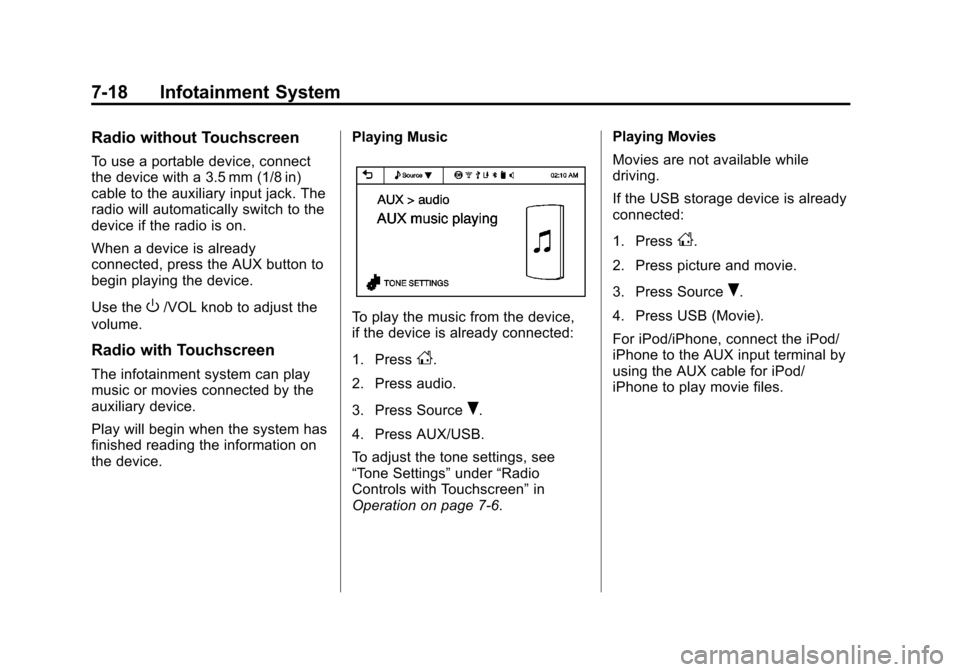
the device. Playing Music
To play the music from the device,
if the device is already connected:
1. Press
D.
2. Press audio.
3. Press Source
R.
4. Press AUX/USB.
To adjust the tone settings, see
“Tone Settings” under“Radio
Controls with Touchscreen” in
Operation on page 7‑6. Playing Movies
Movies are not available while
driving.
If the USB storage device is already
connected:
1. Press
D.
2. Press picture and movie.
3. Press Source
R.
4. Press USB (Movie).
For iPod/iPhone, connect the iPod/
iPhone to the AUX input terminal by
using the AUX cable for iPod/
iPhone to play movie files.
Page 272 of 350
Black plate (54,1)Chevrolet Spark Owner Manual - 2013 - crc - 9/11/12
10-54 Vehicle Care
It is unusual for a tire to blow out,
especially if the tires are maintained
properly. SeeTires on page 10‑34.
air goes out of a tire, it is much
more likely to leak out slowly. But if
there is ever a blowout, here are a
few tips about what to expect and
what to do.
If a front tire fails, the flat tire will
create a drag that pulls the vehicle
toward that side. Take your foot off
the accelerator pedal and grip the
steering wheel firmly. Steer to
maintain lane position, and then
gently brake to a stop, well off the
road, if possible.
A rear blowout, particularly on a
curve, acts much like a skid and
may require the same correction as
used in a skid. Stop pressing the
accelerator pedal and steer to
straighten the vehicle. It may be
very bumpy and noisy. Gently brake
to a stop, well off the road,
if possible.{WARNING
Driving on a flat tire will cause
permanent damage to the tire.
Re-inflating a tire after it has been
driven on while severely
underinflated or flat may cause a
blowout and a serious crash.
Never attempt to re-inflate a tire
that has been driven on while
severely underinflated or flat.
Have your dealer or an authorized
tire service center repair or
replace the flat tire as soon as
possible.
{WARNING
Lifting a vehicle and getting under
it to do maintenance or repairs is
dangerous without the
appropriate safety equipment and
training. If a jack is provided with
the vehicle, it is designed only for
(Continued)
WARNING (Continued)
changing a flat tire. If it is used for
anything else, you or others could
be badly injured or killed if the
vehicle slips off the jack. If a jack
is provided with the vehicle, only
use it for changing a flat tire.
If a tire goes flat, avoid further tire
and wheel damage by driving slowly
to a level place, well off the road,
if possible.
1. Turn on the hazard warning flashers. See Hazard Warning
Flashers on page 6‑2.
2. Park the vehicle. Set the parking brake firmly and put the shift
lever in P (Park). See Shifting
Into Park on page 9‑17.
3. Turn off the engine.
4. Inspect the flat tire.
If the tire has been separated from
the wheel, has damaged sidewalls,
or has a puncture larger than a