battery CHEVROLET SPARK 2018 Owner's Guide
[x] Cancel search | Manufacturer: CHEVROLET, Model Year: 2018, Model line: SPARK, Model: CHEVROLET SPARK 2018Pages: 338, PDF Size: 5.66 MB
Page 271 of 338
Chevrolet Spark Owner Manual (GMNA-Localizing-U.S./Canada-11348464) -
2018 - crc - 9/19/17
270 Vehicle Care
Warning (Continued)
and some have been blinded.
Use a flashlight if you need more
light.
Battery fluid contains acid that
can burn you. Do not get it on
you. If you accidentally get it in
your eyes or on your skin, flush
the place with water and get
medical help immediately.
{Warning
Fans or other moving engine
parts can injure you badly. Keep
your hands away from moving
parts once the engine is running.
5. Connect one end of the red positive (+) cable to the
positive (+) post (2) on the
discharged battery. 6. Connect the other end of the
red positive (+) cable to the
positive (+) post (3) of the good
battery.
7. Connect one end of the black negative (–) cable to the
negative (–) post (4) of the
good battery.
8. Connect the other end of the black negative (–) cable to the
negative (–) grounding point (1)
for the discharged battery.
9. Start the engine in the vehicle with the good battery and run
the engine at idle speed for at
least four minutes.
10. Try to start the vehicle that had the dead battery. If it will not
start after a few tries, it
probably needs service.
Caution
If the jumper cables are
connected or removed in the
wrong order, electrical shorting
(Continued)
Caution (Continued)
may occur and damage the
vehicle. The repairs would not be
covered by the vehicle warranty.
Always connect and remove the
jumper cables in the correct order,
making sure that the cables do
not touch each other or other
metal.
Jumper Cable Removal
Reverse the sequence exactly when
removing the jumper cables.
After starting the disabled vehicle
and removing the jumper cables,
allow it to idle for several minutes.
Page 292 of 338
Chevrolet Spark Owner Manual (GMNA-Localizing-U.S./Canada-11348464) -
2018 - crc - 9/19/17
Service and Maintenance 291
(4)Or every five years, whichever
comes first. See Cooling System
0 220.
(5) Or every ten years, whichever
comes first. Inspect for fraying,
excessive cracking, or damage;
replace, if needed.
(6) Replace brake fluid every three
years. See Brake Fluid 0226.Special Application
Services
.
Severe Commercial Use
Vehicles Only: Lubricate chassis
components every oil change.
. Have underbody flushing service
performed. See "Underbody
Maintenance" in Exterior Care
0 274.
Additional
Maintenance and Care
Your vehicle is an important
investment and caring for it properly
may help to avoid future costly
repairs. To maintain vehicle
performance, additional
maintenance services may be
required.
It is recommended that your dealer
perform these services —their
trained dealer technicians know
your vehicle best. Your dealer can
also perform a thorough
assessment with a multi-point
inspection to recommend when your
vehicle may need attention.
The following list is intended to
explain the services and conditions
to look for that may indicate
services are required.
Battery
The 12-volt battery supplies power
to start the engine and operate any
additional electrical accessories.
Page 293 of 338

Chevrolet Spark Owner Manual (GMNA-Localizing-U.S./Canada-11348464) -
2018 - crc - 9/19/17
292 Service and Maintenance
.To avoid break-down or failure to
start the vehicle, maintain a
battery with full cranking power.
. Trained dealer technicians have
the diagnostic equipment to test
the battery and ensure that the
connections and cables are
corrosion-free.
Belts
. Belts may need replacing if they
squeak or show signs of
cracking or splitting.
. Trained dealer technicians have
access to tools and equipment
to inspect the belts and
recommend adjustment or
replacement when necessary.
Brakes
Brakes stop the vehicle and are
crucial to safe driving.
. Signs of brake wear may include
chirping, grinding, or squealing
noises, or difficulty stopping. .
Trained dealer technicians have
access to tools and equipment
to inspect the brakes and
recommend quality parts
engineered for the vehicle.
Fluids
Proper fluid levels and approved
fluids protect the vehicle’s systems
and components. See
Recommended Fluids and
Lubricants 0294 for GM approved
fluids.
. Engine oil and windshield
washer fluid levels should be
checked at every fuel fill.
. Instrument cluster lights may
come on to indicate that fluids
may be low and need to be
filled.
Hoses
Hoses transport fluids and should
be regularly inspected to ensure
that there are no cracks or leaks.
With a multi-point inspection, your
dealer can inspect the hoses and
advise if replacement is needed. Lamps
Properly working headlamps,
taillamps, and brake lamps are
important to see and be seen on
the road.
.
Signs that the headlamps need
attention include dimming, failure
to light, cracking, or damage.
The brake lamps need to be
checked periodically to ensure
that they light when braking.
. With a multi-point inspection,
your dealer can check the lamps
and note any concerns.
Shocks and Struts
Shocks and struts help aid in control
for a smoother ride.
. Signs of wear may include
steering wheel vibration, bounce/
sway while braking, longer
stopping distance, or uneven
tire wear.
. As part of the multi-point
inspection, trained dealer
technicians can visually inspect
the shocks and struts for signs
Page 306 of 338
Chevrolet Spark Owner Manual (GMNA-Localizing-U.S./Canada-11348464) -
2018 - crc - 9/19/17
Customer Information 305
Roadside Assistance is not a part of
the New Vehicle Limited Warranty.
General Motors North America and
Chevrolet reserve the right to make
any changes or discontinue the
Roadside Assistance program at
any time without notification.
General Motors North America and
Chevrolet reserve the right to limit
services or payment to an owner or
driver if they decide the claims are
made too often, or the same type of
claim is made many times.
Services Provided
.Emergency Fuel Delivery:
Delivery of enough fuel for the
vehicle to get to the nearest
service station.
. Lock-Out Service: Service to
unlock the vehicle if you are
locked out. A remote unlock may
be available if you have OnStar.
For security reasons, the driver
must present identification
before this service is given.
. Emergency Tow from a Public
Road or Highway: Tow to the
nearest Chevrolet dealer for warranty service, or if the vehicle
was in a crash and cannot be
driven. Assistance is not given
when the vehicle is stuck in the
sand, mud, or snow.
. Flat Tire Change: Service to
change a flat tire with the spare
tire. The spare tire, if equipped,
must be in good condition and
properly inflated. It is the owner's
responsibility for the repair or
replacement of the tire if it is not
covered by the warranty.
. Battery Jump Start: Service to
jump start a dead battery.
. Trip Interruption Benefits and
Assistance: If your trip is
interrupted due to a warranty
event, incidental expenses may
be reimbursed within the
Powertrain warranty period.
Items considered are reasonable
and customary hotel, meals,
rental car, or a vehicle being
delivered back to the customer,
up to 500 miles.
Services Not Included in
Roadside Assistance
. Impound towing caused by
violation of any laws
. Legal fines
. Mounting, dismounting,
or changing of snow tires,
chains, or other traction devices
Service is not provided if a vehicle
is in an area that is not accessible
to the service vehicle or is not a
regularly traveled or maintained
public road, which includes ice and
winter roads. Off-road use is not
covered.
Services Specific to
Canadian-Purchased Vehicles
. Fuel Delivery: Reimbursement
is up to 7 liters. If available,
diesel fuel delivery may be
restricted. Propane and other
fuels are not provided through
this service.
. Lock-Out Service: Vehicle
registration is required.
Page 315 of 338
Chevrolet Spark Owner Manual (GMNA-Localizing-U.S./Canada-11348464) -
2018 - crc - 9/19/17
314 OnStar
OnStar
OnStar Overview
OnStar Overview . . . . . . . . . . . . . 314
OnStar Services
Emergency . . . . . . . . . . . . . . . . . . . 315
Security . . . . . . . . . . . . . . . . . . . . . . 316
Navigation . . . . . . . . . . . . . . . . . . . . 316
Connections . . . . . . . . . . . . . . . . . . 317
Diagnostics . . . . . . . . . . . . . . . . . . . 319
OnStar Additional Information
OnStar AdditionalInformation . . . . . . . . . . . . . . . . . . 320
OnStar Overview
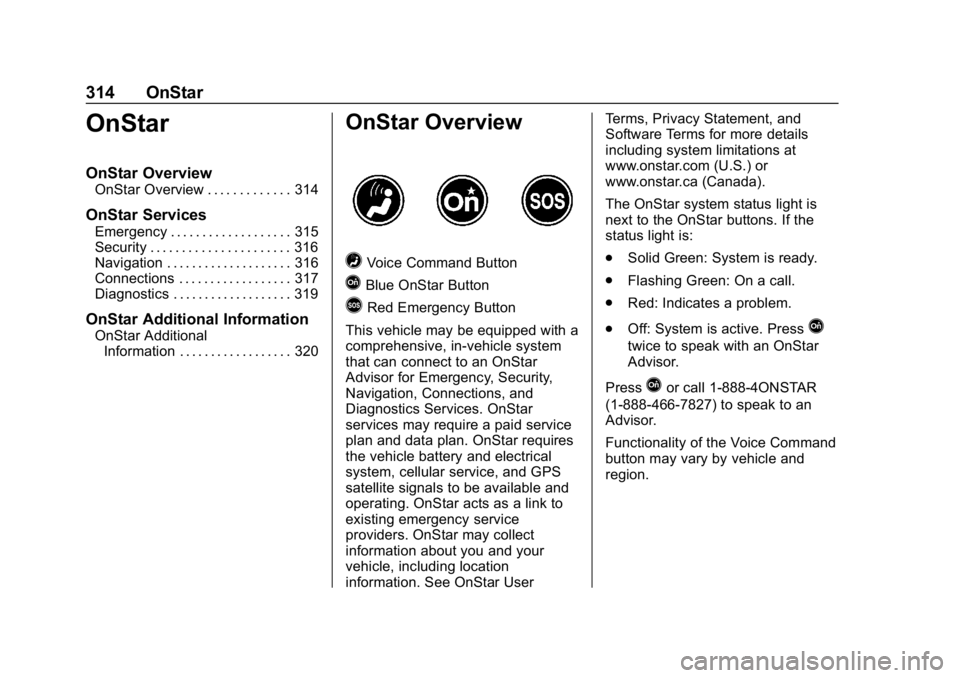
=Voice Command Button
QBlue OnStar Button
>Red Emergency Button
This vehicle may be equipped with a
comprehensive, in-vehicle system
that can connect to an OnStar
Advisor for Emergency, Security,
Navigation, Connections, and
Diagnostics Services. OnStar
services may require a paid service
plan and data plan. OnStar requires
the vehicle battery and electrical
system, cellular service, and GPS
satellite signals to be available and
operating. OnStar acts as a link to
existing emergency service
providers. OnStar may collect
information about you and your
vehicle, including location
information. See OnStar User Terms, Privacy Statement, and
Software Terms for more details
including system limitations at
www.onstar.com (U.S.) or
www.onstar.ca (Canada).
The OnStar system status light is
next to the OnStar buttons. If the
status light is:
.
Solid Green: System is ready.
. Flashing Green: On a call.
. Red: Indicates a problem.
. Off: System is active. Press
Q
twice to speak with an OnStar
Advisor.
Press
Qor call 1-888-4ONSTAR
(1-888-466-7827) to speak to an
Advisor.
Functionality of the Voice Command
button may vary by vehicle and
region.
Page 316 of 338
Chevrolet Spark Owner Manual (GMNA-Localizing-U.S./Canada-11348464) -
2018 - crc - 9/19/17
OnStar 315
Press=to:
. Open the OnStar app on the
infotainment display. See the
infotainment manual for
information on how to use the
OnStar app.
Or
. Make a call, end a call,
or answer an incoming call.
. Give OnStar Hands-Free Calling
voice commands.
. Give OnStar Turn-by-Turn
Navigation voice commands.
. Obtain and customize the Wi-Fi
hotspot name or SSID and
password, if equipped.
Press
Qto connect to an
Advisor to:
. Verify account information or
update contact information.
. Get driving directions.
. Receive a Diagnostic check of
the vehicle's key operating
systems.
. Receive Roadside Assistance. .
Manage Wi-Fi Settings,
if equipped.
Press
>to get a priority connection
to an OnStar Advisor available
24/7 to:
. Get help for an emergency.
. Be a Good Samaritan or
respond to an AMBER Alert.
. Get assistance in severe
weather or other crisis situations
and find evacuation routes.
OnStar Services
Emergency
Emergency Services require an
active, OnStar service plan
(excludes Basic Plan). With
Automatic Crash Response, built-in
sensors can automatically alert a
specially trained OnStar Advisor
who is immediately connected in to
the vehicle to help.
Press
>for a priority connection to
an OnStar Advisor who can contact
emergency service providers, direct
them to your exact location, and
relay important information.
With OnStar Crisis Assist, specially
trained Advisors are available
24 hours a day, 7 days a week, to
provide a central point of contact,
assistance, and information during a
crisis.
With Roadside Assistance, Advisors
can locate a nearby service provider
to help with a flat tire, a battery
jump, or an empty gas tank.
Page 320 of 338

Chevrolet Spark Owner Manual (GMNA-Localizing-U.S./Canada-11348464) -
2018 - crc - 9/19/17
OnStar 319
3. Say the entire number withoutpausing, including a “1”and the
area code. System responds:
“OK, calling.”
Calling 911 Emergency
1. Press=. System responds:
“OnStar ready.”
2. Say “Call.”System responds:
“Call. Please say the name or
number to call.”
3. Say “911”without pausing.
System responds: “911.”
4. Say “Call.”System responds:
“OK, dialing 911.”
Retrieve My Number
1. Press=. System responds:
“OnStar ready.”
2. Say “My number.” System
responds: “Your OnStar
Hands-Free Calling number is,”
then says the number.
End a Call
Press=. System responds: “Call
ended.”
Verify Minutes and Expiration
Press=and say “Minutes” then
“Verify” to check how many minutes
remain and their expiration date.
Diagnostics
By monitoring and reporting on the
vehicle’s key systems, OnStar
Advanced Diagnostics provides a
way to keep up on maintenance.
Capabilities vary by model. See
www.onstar.com for details and
system limitations. Message and
data rates may apply. Advanced
Diagnostics requires an active
OnStar paid service plan, e-mail
address on file, and enrollment in
Advanced Diagnostics.
Includes:
. Diagnostic Alerts: Set
preferences to receive real-time
e-mails, texts, or monthly
reports of the vehicle’s health.
Or press
Qto have an Advisor
initiate a remote diagnostic
report. .
Proactive Alerts: Receive a
real-time e-mail or text message
regarding potential issues with
key vehicle components, such
as the battery, fuel system,
or starter system. Alerts for
potential issues appear on the
infotainment display. Proactive
Alerts are designed to help
predict specific types of issues
based on information collected
from the vehicle. Other factors
may affect vehicle performance.
Not all issues will deliver alerts.
In some cases, a dealer service
check may be required to
confirm the accuracy of the
alerts.
. Dealer Maintenance Notification:
Have the vehicle notify your
preferred dealer when it is time
for maintenance. Your dealer will
then contact you to set up an
appointment.
To begin, pressQto speak to an
Advisor, or see www.onstar.com.
Page 323 of 338

Chevrolet Spark Owner Manual (GMNA-Localizing-U.S./Canada-11348464) -
2018 - crc - 9/19/17
322 OnStar
Global Positioning
System (GPS)
.Obstruction of the GPS can
occur in a large city with tall
buildings; in parking garages;
around airports; in tunnels and
underpasses; or in an area with
very dense trees. If GPS signals
are not available, the OnStar
system should still operate to
call OnStar. However, OnStar
could have difficulty identifying
the exact location.
. In emergency situations, OnStar
can use the last stored GPS
location to send to emergency
responders.
A temporary loss of GPS can cause
loss of the ability to send a
Turn-by-Turn Navigation route. The
Advisor may give a verbal route or
may ask for a call back after the
vehicle is driven into an open area.
Cellular and GPS Antennas
Cellular reception is required for
OnStar to send remote signals to
the vehicle. Do not place items over or near the antenna to prevent
blocking cellular and GPS signal
reception.
Unable to Connect to OnStar
Message
If there is limited cellular coverage
or the cellular network has reached
maximum capacity, this message
may come on. Press
Qto try the
call again or try again after driving a
few miles into another cellular area.
Vehicle and Power Issues
OnStar services require a vehicle
electrical system, wireless service,
and GPS satellite technologies to be
available and operating for features
to function properly. These systems
may not operate if the battery is
discharged or disconnected.
Add-on Electrical Equipment
The OnStar system is integrated
into the electrical architecture of the
vehicle. Do not add any electrical
equipment. See Add-On Electrical
Equipment 0207. Added electrical equipment may interfere with the
operation of the OnStar system and
cause it to not operate.
Vehicle Software Updates
OnStar or GM may remotely deliver
software updates or changes to the
vehicle without further notice or
consent. These updates or changes
may enhance or maintain safety,
security, or the operation of the
vehicle or the vehicle systems.
Software updates or changes may
affect or erase data or settings that
are stored in the vehicle, such as
OnStar Hands-Free Calling name
tags, saved navigation destinations,
or pre-set radio stations. Neither
OnStar nor GM is responsible for
any affected or erased data or
settings. These updates or changes
may also collect personal
information. Such collection is
described in the OnStar privacy
statement or separately disclosed at
the time of installation. These
updates or changes may also cause
a system to automatically
communicate with GM servers to
collect information about vehicle
Page 328 of 338

Chevrolet Spark Owner Manual (GMNA-Localizing-U.S./Canada-11348464) -
2018 - crc - 9/19/17
Index 327
Assistance Program,Roadside . . . . . . . . . . . . . . . . . . . . . . 304
Audio Theft-Deterrent Feature . . . . . . . 135
Automatic Door Locks . . . . . . . . . . . . . . . . . . . . . 36
Headlamp System . . . . . . . . . . . . 129
Transmission . . . . . . . . . . . . . . . . . 186
Transmission Fluid . . . . . . . . . . . 218
Automatic Transmission Shift Lock Control Function
Check . . . . . . . . . . . . . . . . . . . . . . . 229
Auxiliary Devices . . . . . . . . . . . . . . . . . . . . . . . 149
Avoiding Untrusted Media Devices . . . . . . . . . . . . . . . . . . . . . . . 143
B
Battery
Exterior Lighting BatterySaver . . . . . . . . . . . . . . . . . . . . . . . 132
Power Protection . . . . . . . . . . . . . 132
Battery - North America . . . . 228, 268
Blade Replacement, Wiper . . . . . 230
Bluetooth Overview . . . . . . . . . . . . . . . . 149, 151
Brake System Warning Light . . . . . . . . 107 Brakes . . . . . . . . . . . . . . . . . . . . . . . . . . 226
Antilock . . . . . . . . . . . . . . . . . . . . . . . 190
Assist . . . . . . . . . . . . . . . . . . . . . . . . . 192
Fluid . . . . . . . . . . . . . . . . . . . . . . . . . . 226
Parking . . . . . . . . . . . . . . . . . . . . . . . 191
Braking . . . . . . . . . . . . . . . . . . . . . . . . . 167
Break-In, New Vehicle . . . . . . . . . . 176
Bulb Replacement Halogen Bulbs . . . . . . . . . . . . . . . . 233
Headlamp Aiming . . . . . . . . . . . . . 232
Headlamps . . . . . . . . . . . . . . . . . . . 233
Headlamps, Front TurnSignal, Sidemarker, and
Parking Lamps . . . . . . . . . . . . . . 233
License Plate Lamps . . . . . . . . . 235
Taillamps, Turn Signal, Stoplamps, and Back-up
Lamps . . . . . . . . . . . . . . . . . . . . . . 235
Buying New Tires . . . . . . . . . . . . . . . 256
C
Calibration . . . . . . . . . . . . . . . . . . . . . . . 97
California Fuel Requirements . . . . . . . . . . . 204 California (cont'd)
Perchlorate Materials
Requirements . . . . . . . . . . . . . . . .211
California
Proposition
65 Warning . . . . . . . . . .210, 228, 268, Back Cover
Camera Rear Vision (RVC) . . . . . . . . . . . . 197
Canadian Vehicle Owners . . . . . . . . 2
Capacities and Specifications . . . . . . . . . . . . . . . . . 298
Carbon Monoxide Engine Exhaust . . . . . . . . . . . . . . . 185
Liftgate . . . . . . . . . . . . . . . . . . . . . . . . . 38
Winter Driving . . . . . . . . . . . . . . . . 170
Cargo Cover . . . . . . . . . . . . . . . . . . . . . . . . . . . 91
Tie-Downs . . . . . . . . . . . . . . . . . . . . . . 92
Caution, Danger, and Warning . . . . 2
Chains, Tire . . . . . . . . . . . . . . . . . . . . 260
Charging System Light . . . . . . . . . 105
Check Engine Light (MalfunctionIndicator) . . . . . . . . . . . . . . . . . . . . 105
Ignition Transmission Lock . . . 229
Child Restraints Infants and Young Children . . . . . 73
Page 330 of 338

Chevrolet Spark Owner Manual (GMNA-Localizing-U.S./Canada-11348464) -
2018 - crc - 9/19/17
Index 329
Driving (cont'd)Off-Road Recovery . . . . . . . . . . . 168
Vehicle Load Limits . . . . . . . . . . . 172
Wet Roads . . . . . . . . . . . . . . . . . . . 169
Winter . . . . . . . . . . . . . . . . . . . . . . . . 170
E
Electrical Equipment,
Add-On . . . . . . . . . . . . . . . . . . . . . . . 207
Electrical System
Engine Compartment FuseBlock . . . . . . . . . . . . . . . . . . . . . . . . 237
Fuses and Circuit Breakers . . . 237
Instrument Panel Fuse Block . . . . . . . . . . . . . . . . . . . . . . . . 239
Overload . . . . . . . . . . . . . . . . . . . . . 236
Emergency OnStar . . . . . . . . . . . . . . . . . . . . . . . 315
Engine
Air Cleaner/Filter . . . . . . . . . . . . . 219
Check Light (MalfunctionIndicator) . . . . . . . . . . . . . . . . . . . . 105
Compartment Overview . . . . . . . 214
Coolant Temperature Warning Light . . . . . . . . . . . . . . . . 111
Cooling System . . . . . . . . . . . . . . . 220
Drive Belt Routing . . . . . . . . . . . . 299
Exhaust . . . . . . . . . . . . . . . . . . . . . . 185 Engine (cont'd)
Heater . . . . . . . . . . . . . . . . . . . . . . . . 181
Oil Life System . . . . . . . . . . . . . . . 217
Oil Pressure Light . . . . . . . . . . . . .112
Overheating . . . . . . . . . . . . . . . . . . 224
Power Messages . . . . . . . . . . . . . 121
Reduced Power Light . . . . . . . . . .113
Running While Parked . . . . . . . . 186
Starting . . . . . . . . . . . . . . . . . . . . . . . 179
Entry Lighting . . . . . . . . . . . . . . . . . . . 132
Event Data Recorders . . . . . . . . . . 312
Exit Lighting . . . . . . . . . . . . . . . . . . . . 132
Extended Parking . . . . . . . . . . . . . . . 185
Extender, Seat Belt . . . . . . . . . . . . . . 58
Exterior Lamp Controls . . . . . . . . . 127
Exterior Lamps Off Reminder . . . 128
Exterior Lighting Battery Saver . . . . . . . . . . . . . . . . . . . . . . . . . 132
F
Filter,
Engine Air Cleaner . . . . . . . . . . . 219
Flash-to-Pass . . . . . . . . . . . . . . . . . . . 128
Flashers, Hazard Warning . . . . . . 130
Flat Tire . . . . . . . . . . . . . . . . . . . . . . . . 261 Changing . . . . . . . . . . . . . . . . . . . . . 262
Floor Mats . . . . . . . . . . . . . . . . . . . . . . 282 Fluid
Automatic Transmission . . . . . . 218
Brakes . . . . . . . . . . . . . . . . . . . . . . . . 226
Washer . . . . . . . . . . . . . . . . . . . . . . . 225
Fog Lamps . . . . . . . . . . . . . . . . . . . . . 130
Folding Mirrors . . . . . . . . . . . . . . . . . . 43
Forward Collision Alert (FCA) System . . . . . . . . . . . . . . . . . 200
Frequency Statement Radio . . . . . . . . . . . . . . . . . . . . . . . . . 310
Front Fog Lamp
Light . . . . . . . . . . . . . . . . . . . . . . . . . . .113
Front Seat Armrest . . . . . . . . . . . . . . 51
Front Seats Adjustment . . . . . . . . . . . . . . . . . . . . . 49
Heated . . . . . . . . . . . . . . . . . . . . . . . . . 51
Fuel . . . . . . . . . . . . . . . . . . . . . . . . . . . . 203 Additives . . . . . . . . . . . . . . . . . . . . . 204
Economy Driving . . . . . . . . . . . . . . . 23
Filling a Portable FuelContainer . . . . . . . . . . . . . . . . . . . 206
Filling the Tank . . . . . . . . . . . . . . . 205
Foreign Countries . . . . . . . . . . . . 204
Gauge . . . . . . . . . . . . . . . . . . . . . . . . 102
Low Fuel Warning Light . . . . . . . .112
Requirements, California . . . . . 204