Diagnostics CHEVROLET SPARK 2018 Owner's Manual
[x] Cancel search | Manufacturer: CHEVROLET, Model Year: 2018, Model line: SPARK, Model: CHEVROLET SPARK 2018Pages: 338, PDF Size: 5.66 MB
Page 178 of 338

Chevrolet Spark Owner Manual (GMNA-Localizing-U.S./Canada-11348464) -
2018 - crc - 9/19/17
Driving and Operating 177
If the vehicle is not in P (Park), the
ignition will return to ACC/
ACCESSORY and the Driver
Information Center (DIC) will display
the message SHIFT TO PARK.
When the vehicle is shifted into
P (Park), the ignition system will
switch to OFF.
Do not turn the engine off when the
vehicle is moving. This will cause a
loss of power assist in the brake
and steering systems and disable
the airbags.
If the vehicle must be shut off in an
emergency:1. Brake using a firm and steady pressure. Do not pump the
brakes repeatedly. This may
deplete power assist, requiring
increased brake pedal force.
2. Shift the vehicle to N (Neutral). This can be done while the
vehicle is moving. After shifting
to N (Neutral), firmly apply the
brakes and steer the vehicle to
a safe location. 3. Come to a complete stop. Shift
to P (Park) with an automatic
transmission, or Neutral with a
manual transmission. Turn the
ignition to OFF.
4. Set the parking brake. See Parking Brake 0191.
{Warning
Turning off the vehicle while
moving may cause loss of power
assist in the brake and steering
systems and disable the airbags.
While driving, only shut the
vehicle off in an emergency.
If the vehicle cannot be pulled over,
and must be shut off while driving,
press and hold ENGINE START/
STOP for longer than two seconds,
or press twice in five seconds.
ACC/ACCESSORY (Amber
Indicator Light) : This mode allows
you to use some electrical
accessories when the engine is off. With the ignition off, pressing the
button one time without the brake
pedal applied will place the ignition
system in ACC/ACCESSORY.
The ignition will switch from ACC/
ACCESSORY to OFF after
five minutes to prevent battery
rundown.
ON/RUN/START (Green Indicator
Light) :
This mode is for driving and
starting. With the ignition off, and
the brake pedal applied, pressing
the button once will place the
ignition system in ON/RUN/START.
Once engine cranking begins,
release the button. Engine cranking
will continue until the engine starts.
See Starting the Engine 0179. The
ignition will then remain in ON/RUN.
Service Mode
This power mode is available for
service and diagnostics, and to
verify the proper operation of the
malfunction indicator lamp as may
be required for emission inspection
purposes. With the vehicle off, and
the brake pedal not applied,
pressing and holding the button for
Page 180 of 338

Chevrolet Spark Owner Manual (GMNA-Localizing-U.S./Canada-11348464) -
2018 - crc - 9/19/17
Driving and Operating 179
Warning (Continued)
systems and disable the airbags.
While driving, only shut the
vehicle off in an emergency.
If the vehicle cannot be pulled over,
and must be shut off while driving,
turn the ignition to ACC/
ACCESSORY.
Caution
Using a tool to force the key to
turn in the ignition could cause
damage to the switch or break the
key. Use the correct key, make
sure it is all the way in, and turn it
only with your hand. If the key
cannot be turned by hand, see
your dealer.
1 (ACC/ACCESSORY) : This is the
position in which you can operate
things like the radio and the
windshield wipers when the engine
is off. 2 (ON/RUN) :
This position can be
used to operate the electrical
accessories and to display some
instrument cluster warning and
indicator lights. This position can
also be used for service and
diagnostics, and to verify the proper
operation of the malfunction
indicator lamp as may be required
for emission inspection purposes.
The switch stays in this position
when the engine is running.
If you leave the key in the ACC/
ACCESSORY or ON/RUN position
with the engine off, the battery could
be drained. You may not be able to
start the vehicle if the battery is
allowed to drain for an extended
period of time.
3 (START) : This is the position that
starts the engine. Turn the ignition
key to START, then release the
ignition key. The engine will
continue to crank until the engine
starts.
The ignition switch returns to ON/
RUN for driving. A warning tone will sound when the
driver door is opened, the ignition is
in ACC/ACCESSORY or LOCK/
OFF, and the key is in the ignition.
See
Keys 024.
Starting the Engine
Place the transmission in the
proper gear.
Caution
If you add electrical parts or
accessories, you could change
the way the engine operates. Any
resulting damage would not be
covered by the vehicle warranty.
See Add-On Electrical Equipment
0 207.
Automatic Transmission
Move the shift lever to P (Park) or
N (Neutral). To restart the vehicle
when it is already moving, use
N (Neutral) only.
Page 285 of 338
Chevrolet Spark Owner Manual (GMNA-Localizing-U.S./Canada-11348464) -
2018 - crc - 9/19/17
284 Service and Maintenance
Service and
Maintenance
General Information
General Information . . . . . . . . . . 284
Maintenance Schedule
Maintenance Schedule . . . . . . . 286
Special Application Services
Special ApplicationServices . . . . . . . . . . . . . . . . . . . . 291
Additional Maintenance
and Care
Additional Maintenanceand Care . . . . . . . . . . . . . . . . . . . . 291
Recommended Fluids,
Lubricants, and Parts
Recommended Fluids andLubricants . . . . . . . . . . . . . . . . . . . 294
Maintenance Replacement Parts . . . . . . . . . . . . . . . . . . . . . . . . 295
Maintenance Records
Maintenance Records . . . . . . . . 296
General Information
Your vehicle is an important
investment. This section describes
the required maintenance for the
vehicle. Follow this schedule to help
protect against major repair
expenses resulting from neglect or
inadequate maintenance. It may
also help to maintain the value of
the vehicle if it is sold. It is the
responsibility of the owner to have
all required maintenance performed.
Your dealer has trained technicians
who can perform required
maintenance using genuine
replacement parts. They have
up-to-date tools and equipment for
fast and accurate diagnostics. Many
dealers have extended evening and
Saturday hours, courtesy
transportation, and online
scheduling to assist with service
needs.
Your dealer recognizes the
importance of providing
competitively priced maintenance
and repair services. With trained
technicians, the dealer is the place for routine maintenance such as oil
changes and tire rotations and
additional maintenance items like
tires, brakes, batteries, and wiper
blades.
Caution
Damage caused by improper
maintenance can lead to costly
repairs and may not be covered
by the vehicle warranty.
Maintenance intervals, checks,
inspections, recommended fluids,
and lubricants are important to
keep the vehicle in good working
condition.
Do not have chemical flushes that
are not approved by GM
performed on the vehicle. The
use of flushes, solvents, cleaners,
or lubricants that are not
approved by GM could damage
the vehicle, requiring expensive
repairs that are not covered by
the vehicle warranty.
Page 315 of 338
Chevrolet Spark Owner Manual (GMNA-Localizing-U.S./Canada-11348464) -
2018 - crc - 9/19/17
314 OnStar
OnStar
OnStar Overview
OnStar Overview . . . . . . . . . . . . . 314
OnStar Services
Emergency . . . . . . . . . . . . . . . . . . . 315
Security . . . . . . . . . . . . . . . . . . . . . . 316
Navigation . . . . . . . . . . . . . . . . . . . . 316
Connections . . . . . . . . . . . . . . . . . . 317
Diagnostics . . . . . . . . . . . . . . . . . . . 319
OnStar Additional Information
OnStar AdditionalInformation . . . . . . . . . . . . . . . . . . 320
OnStar Overview
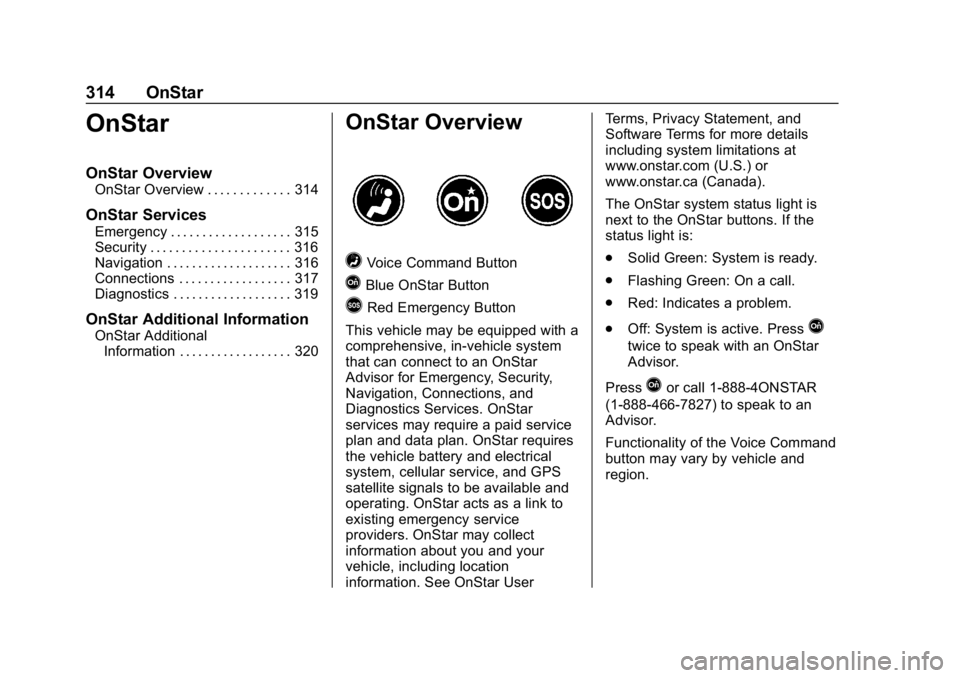
=Voice Command Button
QBlue OnStar Button
>Red Emergency Button
This vehicle may be equipped with a
comprehensive, in-vehicle system
that can connect to an OnStar
Advisor for Emergency, Security,
Navigation, Connections, and
Diagnostics Services. OnStar
services may require a paid service
plan and data plan. OnStar requires
the vehicle battery and electrical
system, cellular service, and GPS
satellite signals to be available and
operating. OnStar acts as a link to
existing emergency service
providers. OnStar may collect
information about you and your
vehicle, including location
information. See OnStar User Terms, Privacy Statement, and
Software Terms for more details
including system limitations at
www.onstar.com (U.S.) or
www.onstar.ca (Canada).
The OnStar system status light is
next to the OnStar buttons. If the
status light is:
.
Solid Green: System is ready.
. Flashing Green: On a call.
. Red: Indicates a problem.
. Off: System is active. Press
Q
twice to speak with an OnStar
Advisor.
Press
Qor call 1-888-4ONSTAR
(1-888-466-7827) to speak to an
Advisor.
Functionality of the Voice Command
button may vary by vehicle and
region.
Page 320 of 338

Chevrolet Spark Owner Manual (GMNA-Localizing-U.S./Canada-11348464) -
2018 - crc - 9/19/17
OnStar 319
3. Say the entire number withoutpausing, including a “1”and the
area code. System responds:
“OK, calling.”
Calling 911 Emergency
1. Press=. System responds:
“OnStar ready.”
2. Say “Call.”System responds:
“Call. Please say the name or
number to call.”
3. Say “911”without pausing.
System responds: “911.”
4. Say “Call.”System responds:
“OK, dialing 911.”
Retrieve My Number
1. Press=. System responds:
“OnStar ready.”
2. Say “My number.” System
responds: “Your OnStar
Hands-Free Calling number is,”
then says the number.
End a Call
Press=. System responds: “Call
ended.”
Verify Minutes and Expiration
Press=and say “Minutes” then
“Verify” to check how many minutes
remain and their expiration date.
Diagnostics
By monitoring and reporting on the
vehicle’s key systems, OnStar
Advanced Diagnostics provides a
way to keep up on maintenance.
Capabilities vary by model. See
www.onstar.com for details and
system limitations. Message and
data rates may apply. Advanced
Diagnostics requires an active
OnStar paid service plan, e-mail
address on file, and enrollment in
Advanced Diagnostics.
Includes:
. Diagnostic Alerts: Set
preferences to receive real-time
e-mails, texts, or monthly
reports of the vehicle’s health.
Or press
Qto have an Advisor
initiate a remote diagnostic
report. .
Proactive Alerts: Receive a
real-time e-mail or text message
regarding potential issues with
key vehicle components, such
as the battery, fuel system,
or starter system. Alerts for
potential issues appear on the
infotainment display. Proactive
Alerts are designed to help
predict specific types of issues
based on information collected
from the vehicle. Other factors
may affect vehicle performance.
Not all issues will deliver alerts.
In some cases, a dealer service
check may be required to
confirm the accuracy of the
alerts.
. Dealer Maintenance Notification:
Have the vehicle notify your
preferred dealer when it is time
for maintenance. Your dealer will
then contact you to set up an
appointment.
To begin, pressQto speak to an
Advisor, or see www.onstar.com.
Page 321 of 338
Chevrolet Spark Owner Manual (GMNA-Localizing-U.S./Canada-11348464) -
2018 - crc - 9/19/17
320 OnStar
OnStar Additional
Information
OnStar Smart Driver
OnStar Smart Driver provides
information about driving behavior to
help maximize overall vehicle
performance, reduce wear and tear,
and enhance fuel efficiency. An
Insurance Discounts Eligibility
feature is also offered within OnStar
Smart Driver. See www.onstar.com
for details regarding vehicle
eligibility and system limitations.
OnStar, General Motors, and their
affiliates are not insurance
providers. Obtain insurance only
from licensed insurance providers.
In-Vehicle Audio Messages
Audio messages may play important
information at the following times:
.Prior to vehicle purchase.
Press
Qto set up an account.
. With the OnStar Basic Plan,
every 60 days. .
After change in ownership and
at 90 days.
Transferring Service
PressQto request account transfer
eligibility information. The Advisor
can cancel or change account
information.
Selling/Transferring the
Vehicle
Call 1-888-4ONSTAR
(1-888-466-7827) immediately to
terminate your OnStar services if
the vehicle is disposed of, sold,
transferred, or if the lease ends.
Reactivation for Subsequent
Owners
PressQand follow the prompts to
speak to an Advisor as soon as
possible. The Advisor will update
vehicle records and explain OnStar
service options.
How OnStar Service Works
Automatic Crash Response,
Emergency Services, Crisis Assist,
Stolen Vehicle Assistance, Advanced Vehicle Diagnostics,
Remote Services, Roadside
Assistance, Turn-by-Turn
Navigation, and Hands-Free Calling
are available on most vehicles. Not
all OnStar services are available
everywhere or on all vehicles. For
more information, a full description
of OnStar services, system
limitations, and OnStar User Terms,
Privacy Statement, and Software
Terms:
.
Call 1-888-4ONSTAR
(1-888-466-7827).
. See www.onstar.com (U.S.).
. See www.onstar.ca (Canada).
. Call TTY 1-877-248-2080.
. Press
Qto speak with an
Advisor.
OnStar services cannot work unless
the vehicle is in a place where
OnStar has an agreement with a
wireless service provider for service
in that area. The wireless service
provider must also have coverage,
network capacity, reception, and
technology compatible with OnStar
Page 329 of 338

Chevrolet Spark Owner Manual (GMNA-Localizing-U.S./Canada-11348464) -
2018 - crc - 9/19/17
328 Index
Child Restraints (cont'd)Lower Anchors and Tethers
for Children . . . . . . . . . . . . . . . . . . . 78
Older Children . . . . . . . . . . . . . . . . . . 72
Securing . . . . . . . . . . . . . . . . . . . . 86, 88
Systems . . . . . . . . . . . . . . . . . . . . . . . . 76
Circuit Breakers . . . . . . . . . . . . . . . . 237
Cleaning Exterior Care . . . . . . . . . . . . . . . . . 274
Interior Care . . . . . . . . . . . . . . . . . . 279
Climate Control Systems . . . . . . . 160 Air Conditioning . . . . . . . . . . . . . . 160
Heating . . . . . . . . . . . . . . . . . . . . . . . 160
Clock . . . . . . . . . . . . . . . . . . . . . . . . . . . . 97
Cluster, Instrument . . . . . . . . . . . . . 100
Clutch, Hydraulic . . . . . . . . . . . . . . . 219
Collision Damage Repair . . . . . . . 307
Compact Spare Tire . . . . . . . . . . . . 267
Compartments
Storage . . . . . . . . . . . . . . . . . . . . . . . . . 91
Compass . . . . . . . . . . . . . . . . . . . . . . . . 97
Connections OnStar . . . . . . . . . . . . . . . . . . . . . . . 317
Control Traction and ElectronicStability . . . . . . . . . . . . . . . . . . . . . 193
Control of a Vehicle . . . . . . . . . . . . . 167
Convex Mirrors . . . . . . . . . . . . . . . . . . 42 Coolant
Engine Temperature
Warning Light . . . . . . . . . . . . . . . . 111
Cooling . . . . . . . . . . . . . . . . . . . . . . . . . 160
Cooling System . . . . . . . . . . . . . . . . . 220
Courtesy Lamps . . . . . . . . . . . . . . . . 131
Courtesy Transportation Program . . . . . . . . . . . . . . . . . . . . . . . 306
Cover Cargo . . . . . . . . . . . . . . . . . . . . . . . . . . . 91
Covers
Wheel . . . . . . . . . . . . . . . . . . . . . . . . 258
Cruise Control . . . . . . . . . . . . . . . . . . 195 Light . . . . . . . . . . . . . . . . . . . . . . . . . . .113
Customer Assistance . . . . . . . . . . . 303 Offices . . . . . . . . . . . . . . . . . . . . . . . . 302
Text Telephone (TTY)
Users . . . . . . . . . . . . . . . . . . . . . . . 303
Customer Information Service PublicationsOrdering Information . . . . . . . . 309
Customer Satisfaction Procedure . . . . . . . . . . . . . . . . . . . . . 300
D
Damage Repair, Collision . . . . . . . 307
Danger, Warning, and Caution . . . . 2 Data Collection
OnStar . . . . . . . . . . . . . . . . . . . . . . . 313
Data Recorders, Event . . . . . . . . . 312
Daytime Running Lamps (DRL) . . . . . . . . . . . . . . . . . . 128
Defensive Driving . . . . . . . . . . . . . . . 166
Delayed Locking . . . . . . . . . . . . . . . . . 36
Devices Auxiliary . . . . . . . . . . . . . . . . . . . . . . 149
Diagnostics OnStar . . . . . . . . . . . . . . . . . . . . . . . 319
Distracted Driving . . . . . . . . . . . . . . . 166
Dome Lamps . . . . . . . . . . . . . . . . . . . 131
Door Ajar Light . . . . . . . . . . . . . . . . . . . . . .114
Delayed Locking . . . . . . . . . . . . . . . . 36
Locks . . . . . . . . . . . . . . . . . . . . . . . . . . . 35
Power Locks . . . . . . . . . . . . . . . . . . . . 35
Drive Belt Routing, Engine . . . . . . 299
Driver Information Center (DIC) . . . . . . . . . . . . . . . . . . 114
Driving Defensive . . . . . . . . . . . . . . . . . . . . . 166
Drunk . . . . . . . . . . . . . . . . . . . . . . . . . 167
For Better Fuel Economy . . . . . . . 23
Hill and Mountain Roads . . . . . . 170
If the Vehicle is Stuck . . . . . . . . . 172
Loss of Control . . . . . . . . . . . . . . . 168
Page 333 of 338

Chevrolet Spark Owner Manual (GMNA-Localizing-U.S./Canada-11348464) -
2018 - crc - 9/19/17
332 Index
M
MaintenanceAir Conditioning RegularOperation . . . . . . . . . . . . . . . . . . . 164
Records . . . . . . . . . . . . . . . . . . . . . . 296
Maintenance and Care Additional . . . . . . . . . . . . . . . . . . . . . 291
Maintenance Schedule . . . . . . . . . 286 Recommended Fluids andLubricants . . . . . . . . . . . . . . . . . . . 294
Malfunction Indicator Lamp . . . . . 105
Manual Mirrors . . . . . . . . . . . . . . . . . . 42
Manual Transmission . . . . . . . . . . . 188 Fluid . . . . . . . . . . . . . . . . . . . . . . . . . . 219
Manual Windows . . . . . . . . . . . . . . . . 44
Media Avoiding Untrusted Devices . . 143
Messages Engine Power . . . . . . . . . . . . . . . . 121
Vehicle . . . . . . . . . . . . . . . . . . 119, 120
Vehicle Speed . . . . . . . . . . . . . . . . 121
Mirrors Convex . . . . . . . . . . . . . . . . . . . . . . . . . 42
Folding . . . . . . . . . . . . . . . . . . . . . . . . . 43
Heated . . . . . . . . . . . . . . . . . . . . . . . . . 43
Manual . . . . . . . . . . . . . . . . . . . . . . . . . 42
Manual Rearview . . . . . . . . . . . . . . . 43
Power . . . . . . . . . . . . . . . . . . . . . . . . . . 42 Mirrors, Interior Rearview . . . . . . . . 43
Monitor System, Tire
Pressure . . . . . . . . . . . . . . . . . . . . . . 250
Multi-band Antenna . . . . . . . . . . . . . 142
N
Navigation OnStar . . . . . . . . . . . . . . . . . . . . . . . 316
New Vehicle Break-In . . . . . . . . . . . 176
O
Odometer . . . . . . . . . . . . . . . . . . . . . . . 102 Trip . . . . . . . . . . . . . . . . . . . . . . . . . . . 102
Off-Road Recovery . . . . . . . . . . . . . . . . . . . . . 168
Oil Engine . . . . . . . . . . . . . . . . . . . . . . . . 215
Engine Oil Life System . . . . . . . 217
Pressure Light . . . . . . . . . . . . . . . . .112
Older Children, Restraints . . . . . . . 72
Online Owner Center . . . . . . . . . . . 303
OnStar . . . . . . . . . . . . . . . . . . . . . . . . . 313
OnStar Additional Information . . . . . . . . . . . . . . . . . . . . 320
OnStar Connections . . . . . . . . . . . . 317
OnStar Diagnostics . . . . . . . . . . . . . 319
OnStar Emergency . . . . . . . . . . . . . 315
OnStar Navigation . . . . . . . . . . . . . . 316
OnStar Overview . . . . . . . . . . . . . . . 314 OnStar Security . . . . . . . . . . . . . . . . 316
Operate Pedal Light . . . . . . . . . . . . 108
Operation
Fog Lamps . . . . . . . . . . . . . . . . . . . 130
Infotainment System . . . . . . . . . . 137
Ordering Service Publications . . . . . . . . . . 309
Outlets Power . . . . . . . . . . . . . . . . . . . . . . . . . . 98
Overheating, Engine . . . . . . . . . . . . 224
Overview . . . . . . . . . . . . . . . . . . . . . . . 136
Owner Manual Indicator . . . . . . . . 107
P
Park Shifting Into . . . . . . . . . . . . . . . . . . . 183
Shifting Out of . . . . . . . . . . . . . . . . 184
Parking . . . . . . . . . . . . . . . . . . . . . . . . . 184 Brake . . . . . . . . . . . . . . . . . . . . . . . . . 191
Brake and P (Park)Mechanism Check . . . . . . . . . . 229
Extended . . . . . . . . . . . . . . . . . . . . . 185
Over Things That Burn . . . . . . . 185
Ultrasonic Sensor Light . . . . . . . 109
Parking Assist . . . . . . . . . . . . . . . . . . 199
Passenger Airbag Status Indicator . . . . . . . . . . . . . . . . . . . . . . 104