change time CHEVROLET SS 2014 Owner's Manual
[x] Cancel search | Manufacturer: CHEVROLET, Model Year: 2014, Model line: SS, Model: CHEVROLET SS 2014Pages: 422, PDF Size: 6.18 MB
Page 202 of 422
Black plate (66,1)Chevrolet SS Sedan Owner Manual (GMNA-Localizing-U.S.-6014851) - 2014 -
1st Edition - 8/22/13
7-66 Infotainment System
Map Settings:Press to enter the
submenu to change Automatic
Zoom, enable Speed Limit display
on map, and change Map Display
settings.
.Map Display: Press to change
the screen background.
‐ The Automatic setting adjusts
the screen background
automatically depending on
the exterior lighting conditions.
‐ The Day setting brightens the
map background.
‐ The Night setting darkens the
map background.
To change the overall brightness
setting for the display, use the
vehicle interior lighting instrument
panel illumination control.
Global Positioning
System (GPS)
The position of the vehicle is
determined by using satellite
signals, various vehicle signals, and
map data.
At times, other interference such as
the satellite condition, road
configuration, condition of the
vehicle, and/or other circumstances
can affect the navigation system's
ability to determine the accurate
position of the vehicle.
The GPS shows the current position
of the vehicle using signals sent by
the GPS Satellites. When the
vehicle is not receiving signals from
the satellites, a symbol appears on
the map screen. See Navigation
Symbols on page 7-46.
This system might not be available
or interference can occur if any of
the following are true:
.Signals are obstructed by tall
buildings, trees, large trucks,
or a tunnel.
.Satellites are being repaired or
improved.
For more information if the GPS is
not functioning properly, see
Problems with Route Guidance on
page 7-67 andIf the System Needs
Service on page 7-68.
Vehicle Positioning
At times, the position of the vehicle
on the map could be inaccurate due
to one or more of the following
reasons:
.The road system has changed.
.The vehicle is driving on slippery
road surfaces such as sand,
gravel, or snow.
.The vehicle is traveling on
winding roads or long straight
roads.
.The vehicle is approaching a tall
building or a large vehicle.
.The surface streets run parallel
to a freeway.
ProCarManuals.com
Page 203 of 422
Black plate (67,1)Chevrolet SS Sedan Owner Manual (GMNA-Localizing-U.S.-6014851) - 2014 -
1st Edition - 8/22/13
Infotainment System 7-67
.The vehicle has been transferred
by a vehicle carrier or a ferry.
.The current position calibration
is set incorrectly.
.The vehicle is traveling at high
speed.
.The vehicle changes directions
more than once, or the vehicle is
turning on a turn table in a
parking lot.
.The vehicle is entering and/or
exiting a parking lot, garage, or a
lot with a roof.
.The GPS signal is not received.
.A roof carrier is installed on the
vehicle.
.Tire chains have been installed.
.The tires are replaced or worn.
.The tire pressure for the tires is
incorrect.
.This is the first navigation use
after the map data is updated.
.The 12-volt battery is
disconnected for several days.
.The vehicle is driving in heavy
traffic where driving is at low
speeds, and the vehicle is
stopped and started repeatedly.
Problems with Route
Guidance
Inappropriate route guidance can
occur under one or more of the
following conditions:
.The turn was not made on the
road indicated.
.Route guidance might not be
available when using automatic
rerouting for the next right or
left turn.
.The route might not be changed
when using automatic rerouting.
.There is no route guidance when
turning at an intersection.
.Plural names of places might be
announced occasionally.
.It could take a long time to
operate automatic rerouting
during high-speed driving.
.Automatic rerouting might
display a route returning to the
set waypoint if heading for a
destination without passing
through a set waypoint.
.The route prohibits the entry of a
vehicle due to a regulation by
time or season or any other
regulation which may be given.
.Some routes might not be
searched.
.The route to the destination
might not be shown if there are
new roads, if roads have
recently changed, or if certain
roads are not listed in the map
data. SeeMaps on page 7-46.
To recalibrate the vehicle's position
on the map, park with the vehicle
running for two to five minutes, until
the vehicle position updates. Make
sure the vehicle is parked in a
location that is safe and has a clear
view of the sky and away from large
obstruction.
ProCarManuals.com
Page 205 of 422
Black plate (69,1)Chevrolet SS Sedan Owner Manual (GMNA-Localizing-U.S.-6014851) - 2014 -
1st Edition - 8/22/13
Infotainment System 7-69
Pressb/gtwice on the steering
wheel to skip the voice prompt
messages.
Canceling Voice Recognition
1. Press and release$/ion
the steering wheel control to
cancel a command, if the system
response does not match the
voice command, or say
“Goodbye” or“Cancel.”
2. The system replies, “Goodbye.”
Helpful Hints for Speaking
Commands
.When multiple commands are
available, choose the command
that works best for you.
.Words in parentheses are
optional. For example, for the
command“Tune FM
(frequency),” saying“Tune FM
87.7” or“Tune FM” are both
valid commands.
.When the command is
recognized, the system will
either perform the function or
ask to confirm the choice.
.When the system does not
recognize the command, the
system says “pardon.”
.If experiencing difficulty with the
system recognizing a command,
confirm that the command is
correct. Try saying the command
clearly or wait for a brief moment
after the tone.
.Background noise such as a
climate control fan positioned on
high, open windows, and very
loud outside noises, even if the
windows are closed, can cause
voice commands to be
misunderstood.
.The system is able to recognize
commands in different
languages, such as English,
Canadian French, and Spanish.
The system only recognizes
commands based on the
language selected.
.To increase or decrease the
voice volume during a voice
recognition session, turn the
volume knob of the radio,
or press the volume steering
wheel control. If the volume is
adjusted during a voice
recognition session, a Volume
bar appears on the screen
showing the voice volume level
as it is being adjusted. This also
changes the volume of the
guidance prompts.
.When using navigation
commands, take the time to
become familiar with the
address. Long delays when
giving the address can result in
the system not recognizing the
address or routing to different
location than intended.
.When providing the house
number portion of the address,
the system recognizes both digit
format and numerical text. An
example would be to say,
“3-0-0-0-1”or“Thirty
Thousand One.”
⁐⁃⁍⁵
Page 207 of 422
Black plate (71,1)Chevrolet SS Sedan Owner Manual (GMNA-Localizing-U.S.-6014851) - 2014 -
1st Edition - 8/22/13
Infotainment System 7-71
Digit Dial:Instructs the system to
dial a phone number one digit at a
time. After saying the digits,
say “Dial.”
Redial or Redial Last Number:
Instructs the system to dial the last
phone number called.
Select Device or Change Phone:
Instructs the system to switch to a
different paired device. The device
must be selected from the screen or
using the TUNE/MENU knob.
Delete Device: Instructs the
system to delete a paired device.
Read Text Messages or Read SMS
Messages: Instructs the system to
begin reading text messages from
paired device.
Not all devices support text
messages. Applicable where
equipped.
My Media Commands
AUX, USB, or Bluetooth Audio:
Instructs the system to change the
source. The following commands only apply
to USB, iPod, and iPhone sources.
They are supported after the device
has been indexed.
Play Artist (artist name):
Instructs
the system to play songs by a
specific artist. For example, say
“Play Artist
Play Album (album title): Instructs
the system to play a specific album.
Play Song (song title): Instructs
the system to play a specific song.
Play Genre (genre name):
Instructs the system to play songs
of a particular genre.
Search Artist (artist name):
Instructs the system to show a list of
all songs by a specific artist. For
example, say "Search Artist
Search Composer (composer
name): Instructs the system to
show a list of all songs by a specific
composer. For example, say
"Search Composer
Instructs the system to show a list of
all songs by a specific album. For
example, say "Search Album
Search Genre (genre name):
Instructs the system to show a list of
all songs for a specific genre. For
example, say "Search Genre
Search Folder (folder name):
Instructs the system to show a list of
all songs in a specific folder. For
example, say "Search folder
Search Playlist (playlist name):
Instructs the system to show a list of
all songs in a specific playlist. For
example, say "Search playlist
Search Audio Book (audio book
name):
Instructs the system to
show a list of all tracks in a specific
audio book. For example, say
"Search audio book
⁐⁃⁍⁵
Page 209 of 422
Black plate (73,1)Chevrolet SS Sedan Owner Manual (GMNA-Localizing-U.S.-6014851) - 2014 -
1st Edition - 8/22/13
Infotainment System 7-73
Change Country:Changes the
country origin to input a destination
from that region. The system will
accept United States, Canada,
or Mexico.
Address or Destination: Allows
an address to be stated as a
one-shot method. The system
will recognize the address if stated
all at once or say a city center.
An example is to say,
“200 Renaissance Street, Detroit,
Michigan” or“Detroit, Michigan.”
Directed Address: Allows an
address to be stated one step at a
time. The format will be State, City,
Street, then House Number.
Intersection: Allows an
Intersection to be stated as the
destination. The format will be
State, City, Street, then Intersection.
Home: Instructs the system to start
guidance to address saved as
My Home. Contact:
When a phone is paired
to the system, which contains
Address Information stored for
contacts, the address associated
with that contact can become a
route. If the system cannot resolve
the address, an error displays.
Points of Interest or POI: Allows a
Point of Interest to be stated as a
destination. Become familiar with
the POI categories and
sub-categories in the system by
pressing Destination from the Home
Page or DEST on the faceplate,
then selecting Point of Interest. POI
commands for Along Route and
Around Destination will be available
if route guidance is active.
Add Waypoint: Allows addition of
individual waypoints or the
destination. The system will ask for
the choice of entry method to
continue. An example is to say, “POI
Along Route” or“Intersection.”
Delete Waypoint: When guidance
is active, this command allows the
deletion of individual waypoints or the destination. If guidance is not
active, the system will indicate the
destination list is empty.
Where Am I?, My Location,
or Current Position:
Instructs the
system to give the current position
of the vehicle.
Help: The system plays back more
specific help commands associated
with Navigation or a Navigation
sub-feature.
Cancel Guidance or Cancel
Route: Instructs the system to
cancel guidance.
Entering a Destination in Other
Countries
For the voice recognition to respond
to a local address, the
corresponding country needs to be
set in the navigation system.
The country can also be set using
voice commands. However, the
country will change back to the
default country when the vehicle is
keyed off.
ProCarManuals.com
Page 212 of 422
Black plate (76,1)Chevrolet SS Sedan Owner Manual (GMNA-Localizing-U.S.-6014851) - 2014 -
1st Edition - 8/22/13
7-76 Infotainment System
Infotainment System Controls
For information about how to
navigate the menu system using the
infotainment controls, seeOverview
on page 7-2.
b/>(Phone/Mute): Press to
enter the Phone main menu. Press
and hold to mute or unmute.
Voice Recognition
The voice recognition system uses
commands to control the system
and dial phone numbers.
When using voice recognition:
.The system may not recognize
voice commands if there is too
much background noise.
.A tone sounds to indicate that
the system is ready for a voice
command. Wait for the tone and
then speak.
.Speak clearly in a calm and
natural voice.
See Voice Recognition on
page 7-68.
Audio System
Sound comes through the vehicle's
front audio system speakers and
overrides the audio system. Use the
VOL/
Oknob during a call to change
the volume level. The adjusted
volume level remains in memory for
later calls. The system maintains a
minimum volume level.
See Voice Recognition on
page 7-68.
Bluetooth Audio
See Bluetooth Audio on page 7-41.
Pairing with Infotainment
Controls
A Bluetooth-enabled cell phone
must be paired and then connected
to the vehicle before it can be used.
See your cell phone manufacturer's
user guide for Bluetooth functions
before pairing the cell phone. If a
Bluetooth phone is not connected,
calls will be made using OnStar
Hands-Free Calling, if available.
SeeOnStar Overview on page 14-1. Pairing Information
.A Bluetooth-enabled phone and
an audio playback device can be
paired to the system at the
same time.
.Up to five devices can be paired
to the Bluetooth system.
.The pairing process is disabled
when the vehicle is moving.
.Pairing only needs to be
completed once, unless the
pairing information on the cell
phone changes or the cell phone
is deleted from the system.
.Only one paired cell phone can
be connected to the Bluetooth
system at a time.
.If multiple paired cell phones are
within range of the system, the
radio will connect to the first
phone in the list or to the phone
that was previously connected.
ProCarManuals.com
Page 217 of 422
Black plate (81,1)Chevrolet SS Sedan Owner Manual (GMNA-Localizing-U.S.-6014851) - 2014 -
1st Edition - 8/22/13
Infotainment System 7-81
Muting a Call
During a call, all sounds from inside
the vehicle can be muted so that the
person on the other end of the call
cannot hear them.
Using the Infotainment Controls
Turn and press the TUNE/MENU
knob and select Mute Call. Press
again to cancel mute.
Transferring a Call
Audio can be transferred between
the Bluetooth system and the cell
phone.
The cell phone must be paired and
connected with the Bluetooth
system before a call can be
transferred.
To Transfer Audio from the
Bluetooth System to a Cell Phone
During a call with the audio in the
vehicle, press the Transfer Call
button on the screen or press and
hold the
b/gbutton on the
steering wheel. To Transfer Audio to the Bluetooth
System from a Cell Phone
Use the audio transfer feature on
the cell phone. See your cell phone
manufacturer's user guide for more
information. Press the Transfer call
button on the screen or press and
hold the
b/gbutton on the
steering wheel.
Dual Tone Multi-Frequency
(DTMF) Tones
The in-vehicle Bluetooth system can
send numbers during a call. This is
used when calling a menu-driven
phone system.
Using the Infotainment Controls
1. Turn and press the TUNE/MENU knob and select Enter Number.
2. Enter the phone number, or select Enter Number on the
screen and select digits, then
press OK.
Hands-Free Phone
Using Bluetooth Voice
Recognition
To use voice recognition, press the
b/gbutton on the steering wheel.
Use the commands below for the
various voice features. For
additional information, say “Help”
while in a voice recognition menu.
Making a Call
Calls can be made using the
following commands.
Dial or Call: These commands can
be used interchangeably to dial a
phone number.
Digit Dial: This command allows a
phone number to be dialed by
entering the digits one at a time.
Re-dial: This command dials the
last number used on the cell phone.
ProCarManuals.com
Page 221 of 422
Black plate (85,1)Chevrolet SS Sedan Owner Manual (GMNA-Localizing-U.S.-6014851) - 2014 -
1st Edition - 8/22/13
Infotainment System 7-85
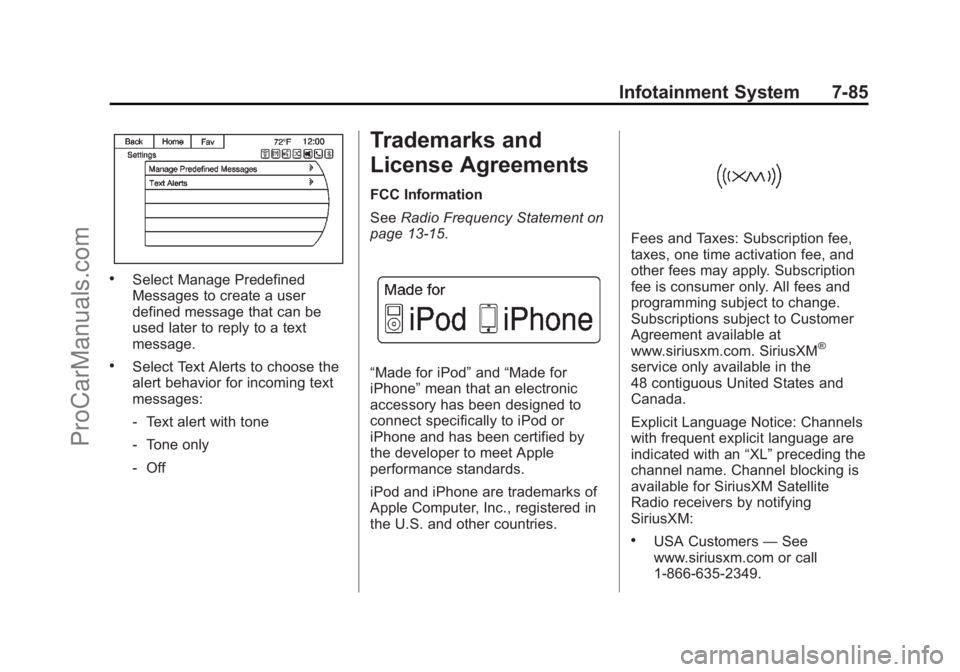
.Select Manage Predefined
Messages to create a user
defined message that can be
used later to reply to a text
message.
.Select Text Alerts to choose the
alert behavior for incoming text
messages:
‐Text alert with tone
‐ Tone only
‐ Off
Trademarks and
License Agreements
FCC Information
See Radio Frequency Statement on
page 13-15.
“Made for iPod” and“Made for
iPhone” mean that an electronic
accessory has been designed to
connect specifically to iPod or
iPhone and has been certified by
the developer to meet Apple
performance standards.
iPod and iPhone are trademarks of
Apple Computer, Inc., registered in
the U.S. and other countries.
Fees and Taxes: Subscription fee,
taxes, one time activation fee, and
other fees may apply. Subscription
fee is consumer only. All fees and
programming subject to change.
Subscriptions subject to Customer
Agreement available at
www.siriusxm.com. SiriusXM
®
service only available in the
48 contiguous United States and
Canada.
Explicit Language Notice: Channels
with frequent explicit language are
indicated with an “XL”preceding the
channel name. Channel blocking is
available for SiriusXM Satellite
Radio receivers by notifying
SiriusXM:
.USA Customers —See
www.siriusxm.com or call
1-866-635-2349.
ProCarManuals.com
Page 238 of 422
Black plate (6,1)Chevrolet SS Sedan Owner Manual (GMNA-Localizing-U.S.-6014851) - 2014 -
1st Edition - 8/22/13
9-6 Driving and Operating
{Caution
If the vehicle is used for track
events and competitive driving,
the engine may use more oil than
it would with normal use. Low oil
levels can damage the engine.
Check the oil level often and at
the proper level. SeeEngine Oil
on page 10-6.
Be sure to check the oil level often
during racing or other competitive
driving and keep the level at or near
the upper mark that shows the
proper operating range on the
engine oil dipstick.
For track events or competitive
driving, it is recommended that the
brake fluid be replaced with a high
performance brake fluid that has a
dry boiling point greater than 279°C
(534°F). After conversion to the high
performance brake fluid, follow the
brake fluid service recommendations outlined by the
fluid manufacturer. Do not use
silicone or DOT-5 brake fluids.
Because the fluid temperatures may
be higher, it is necessary to change
the rear axle fluid every 24 hours of
racing or competitive driving. See
Recommended Fluids and
Lubricants on page 11-12.
{Caution
During a first time track or racing
event, high rear axle
temperatures can occur. Damage
could be caused to the rear axle
and would not be covered by the
vehicle warranty.
Do not drive as long or as fast the
first time the vehicle is driven on
the track or raced.
For extended track use, GM
recommends installing a rear
differential cooler to protect the
rear axle.
Driving on Wet Roads
Rain and wet roads can reduce
vehicle traction and affect your
ability to stop and accelerate.
Always drive slower in these types
of driving conditions and avoid
driving through large puddles and
deep‐standing or flowing water.
{Warning
Wet brakes can cause crashes.
They might not work as well in a
quick stop and could cause
pulling to one side. You could
lose control of the vehicle.
After driving through a large
puddle of water or a car/vehicle
wash, lightly apply the brake
pedal until the brakes work
normally.
Flowing or rushing water creates
strong forces. Driving through
flowing water could cause the
vehicle to be carried away. If this (Continued)
ProCarManuals.com
Page 259 of 422
Black plate (27,1)Chevrolet SS Sedan Owner Manual (GMNA-Localizing-U.S.-6014851) - 2014 -
1st Edition - 8/22/13
Driving and Operating 9-27
If driving safely on a wet road and it
becomes necessary to slam on the
brakes and continue braking to
avoid a sudden obstacle, a
computer senses that the wheels
are slowing down. If one of the
wheels is about to stop rolling, the
computer will separately work the
brakes at each wheel.
ABS can change the brake pressure
to each wheel, as required, faster
than any driver could. This can help
you steer around the obstacle while
braking hard.
As the brakes are applied, the
computer keeps receiving updates
on wheel speed and controls
braking pressure accordingly.
Remember: ABS does not change
the time needed to get a foot up to
the brake pedal or always decrease
stopping distance. If you get too
close to the vehicle in front of you,
there will not be enough time to
apply the brakes if that vehiclesuddenly slows or stops. Always
leave enough room up ahead to
stop, even with ABS.
Using ABS
Do not pump the brakes. Just hold
the brake pedal down firmly and let
ABS work. You might hear the ABS
pump or motor operating and feel
the brake pedal pulsate, but this is
normal.
Braking in Emergencies
ABS allows you to steer and brake
at the same time. In many
emergencies, steering can help
more than even the very best
braking.
Electric Parking Brake
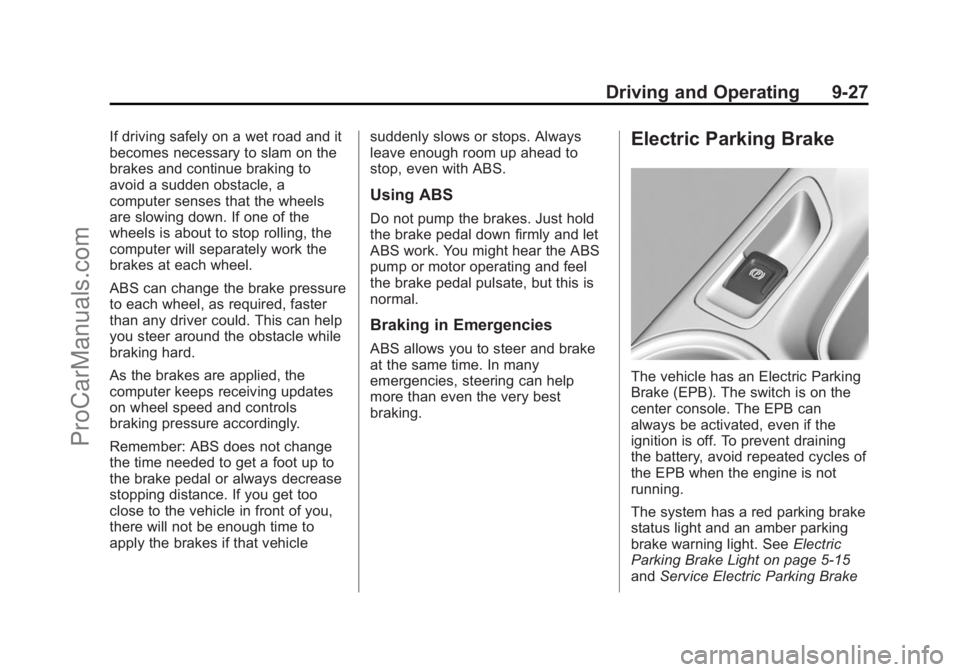
The vehicle has an Electric Parking
Brake (EPB). The switch is on the
center console. The EPB can
always be activated, even if the
ignition is off. To prevent draining
the battery, avoid repeated cycles of
the EPB when the engine is not
running.
The system has a red parking brake
status light and an amber parking
brake warning light. See
Electric
Parking Brake Light on page 5-15
and Service Electric Parking Brake
ProCarManuals.com