service CHEVROLET SS 2014 Service Manual
[x] Cancel search | Manufacturer: CHEVROLET, Model Year: 2014, Model line: SS, Model: CHEVROLET SS 2014Pages: 422, PDF Size: 6.18 MB
Page 182 of 422
Black plate (46,1)Chevrolet SS Sedan Owner Manual (GMNA-Localizing-U.S.-6014851) - 2014 -
1st Edition - 8/22/13
7-46 Infotainment System
.Scroll speed increases when
touching closer to the edge of
the screen.
.Press NAV on the faceplate to
exit map scrolling and return to
the current vehicle location on
the map.
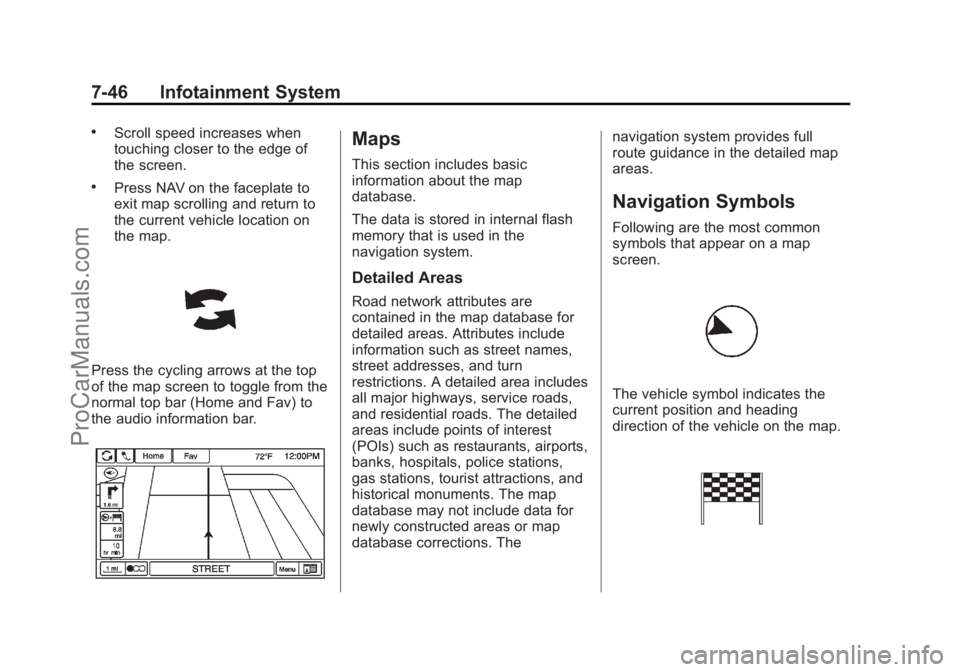
Press the cycling arrows at the top
of the map screen to toggle from the
normal top bar (Home and Fav) to
the audio information bar.
Maps
This section includes basic
information about the map
database.
The data is stored in internal flash
memory that is used in the
navigation system.
Detailed Areas
Road network attributes are
contained in the map database for
detailed areas. Attributes include
information such as street names,
street addresses, and turn
restrictions. A detailed area includes
all major highways, service roads,
and residential roads. The detailed
areas include points of interest
(POIs) such as restaurants, airports,
banks, hospitals, police stations,
gas stations, tourist attractions, and
historical monuments. The map
database may not include data for
newly constructed areas or map
database corrections. Thenavigation system provides full
route guidance in the detailed map
areas.
Navigation Symbols
Following are the most common
symbols that appear on a map
screen.
The vehicle symbol indicates the
current position and heading
direction of the vehicle on the map.
ProCarManuals.com
Page 202 of 422
Black plate (66,1)Chevrolet SS Sedan Owner Manual (GMNA-Localizing-U.S.-6014851) - 2014 -
1st Edition - 8/22/13
7-66 Infotainment System
Map Settings:Press to enter the
submenu to change Automatic
Zoom, enable Speed Limit display
on map, and change Map Display
settings.
.Map Display: Press to change
the screen background.
‐ The Automatic setting adjusts
the screen background
automatically depending on
the exterior lighting conditions.
‐ The Day setting brightens the
map background.
‐ The Night setting darkens the
map background.
To change the overall brightness
setting for the display, use the
vehicle interior lighting instrument
panel illumination control.
Global Positioning
System (GPS)
The position of the vehicle is
determined by using satellite
signals, various vehicle signals, and
map data.
At times, other interference such as
the satellite condition, road
configuration, condition of the
vehicle, and/or other circumstances
can affect the navigation system's
ability to determine the accurate
position of the vehicle.
The GPS shows the current position
of the vehicle using signals sent by
the GPS Satellites. When the
vehicle is not receiving signals from
the satellites, a symbol appears on
the map screen. See Navigation
Symbols on page 7-46.
This system might not be available
or interference can occur if any of
the following are true:
.Signals are obstructed by tall
buildings, trees, large trucks,
or a tunnel.
.Satellites are being repaired or
improved.
For more information if the GPS is
not functioning properly, see
Problems with Route Guidance on
page 7-67 andIf the System Needs
Service on page 7-68.
Vehicle Positioning
At times, the position of the vehicle
on the map could be inaccurate due
to one or more of the following
reasons:
.The road system has changed.
.The vehicle is driving on slippery
road surfaces such as sand,
gravel, or snow.
.The vehicle is traveling on
winding roads or long straight
roads.
.The vehicle is approaching a tall
building or a large vehicle.
.The surface streets run parallel
to a freeway.
ProCarManuals.com
Page 204 of 422
Black plate (68,1)Chevrolet SS Sedan Owner Manual (GMNA-Localizing-U.S.-6014851) - 2014 -
1st Edition - 8/22/13
7-68 Infotainment System
If the System Needs
Service
If the navigation system needs
service and the steps listed here
have been followed but there are
still problems, see your dealer for
assistance.
Map Data Updates
The map data provided in the
vehicle is the most up-to-date
information available when the
vehicle was produced. The map
data is updated periodically,
provided that the map information
has changed.
For questions about the operation of
the navigation system or the update
process, contact the GM Nav Disc
Center toll-free phone number,
1-877-NAV-DISC (1-877-628-3472)
or go to the center’s website,
www.gmnavdisc.com. If updates are
needed, call the GM Nav Disc
Center or order a new Map Update
online. To order map data, have the vehicle’s Vehicle Identification
Number (VIN) available. See
Vehicle Identification Number (VIN)
on page 12-1.
After receiving the updated map
data, see
Maps on page 7-46.
Database Coverage
Explanations
Coverage areas vary with respect to
the level of map detail available for
any given area. Some areas feature
greater levels of detail than others.
If this happens, it does not mean
there is a problem with the system.
As the map data is updated, more
detail can become available for
areas which previously had limited
detail. See Map Data Updates on
page 7-68 for more information.
Voice Recognition
Voice recognition allows for
hands-free operation of the
infotainment system features.
Voice recognition can be used when
the radio is on or when Retained
Accessory Power (RAP) is active.
SeeRetained Accessory Power
(RAP) on page 9-18. The system
maintains a minimum volume level.
Using Voice Recognition
1. Pressb/gon the steering
wheel. The audio system mutes.
A voice prompt states, “Please
say a command.” Wait until the
tone is heard before speaking.
If there is no tone, make sure
that the volume is turned up.
While voice recognition is active,
the system displays a
gsymbol
in the top right of the screen.
2. Clearly speak one of the commands listed later in this
section.
ProCarManuals.com
Page 216 of 422
Black plate (80,1)Chevrolet SS Sedan Owner Manual (GMNA-Localizing-U.S.-6014851) - 2014 -
1st Edition - 8/22/13
7-80 Infotainment System
Using the Infotainment Controls
Turn the TUNE/MENU knob to
“Answer”or“Decline” and press the
TUNE/MENU knob or press Accept
or Decline on the screen.
Using Steering Wheel Controls
Press
b/gto answer or$/ito
decline the call.
Call Waiting Using the
Infotainment Controls
Call waiting must be supported on
the Bluetooth phone and enabled by
the wireless service carrier to work.
Switching Between Calls (Call
Waiting Calls Only)
To switch between calls turn and
press the TUNE/MENU knob and
select Switch Call or select Switch
Call on the screen.
Call Waiting Using Steering
Wheel Controls
Call waiting must be supported on
the cell phone and enabled by the
wireless service carrier.
.Pressb/gto answer an
incoming call when another call
is active. The original call is
placed on hold.
.Pressb/gagain to return to
the original call.
.To decline answering the
incoming call, press Decline on
the screen or take no action.
.Press$/ito disconnect the
current call and switch to the call
on hold.
Conference Calling Using the
Infotainment Controls
Conference calling and three-way
calling must be supported on the
Bluetooth phone and enabled by the wireless service carrier to work. This
feature is only supported when the
vehicle is not moving.
To start a conference while in a
current call:
1. Turn and press the TUNE/MENU
knob and select Enter Number.
2. Enter the phone number and select OK.
3. After the call has been placed, turn the TUNE/MENU knob and
choose Merge Calls.
4. To add more callers to the conference call, repeat Steps 1
−3. The number of callers that
can be added is limited by your
wireless service carrier.
Ending a Call
Using the Infotainment Controls
Turn and press the TUNE/MENU
knob and select Hang Up or press
Hang Up on the screen.
Using Steering Wheel Controls
Press
$/i.
ProCarManuals.com
Page 221 of 422
Black plate (85,1)Chevrolet SS Sedan Owner Manual (GMNA-Localizing-U.S.-6014851) - 2014 -
1st Edition - 8/22/13
Infotainment System 7-85
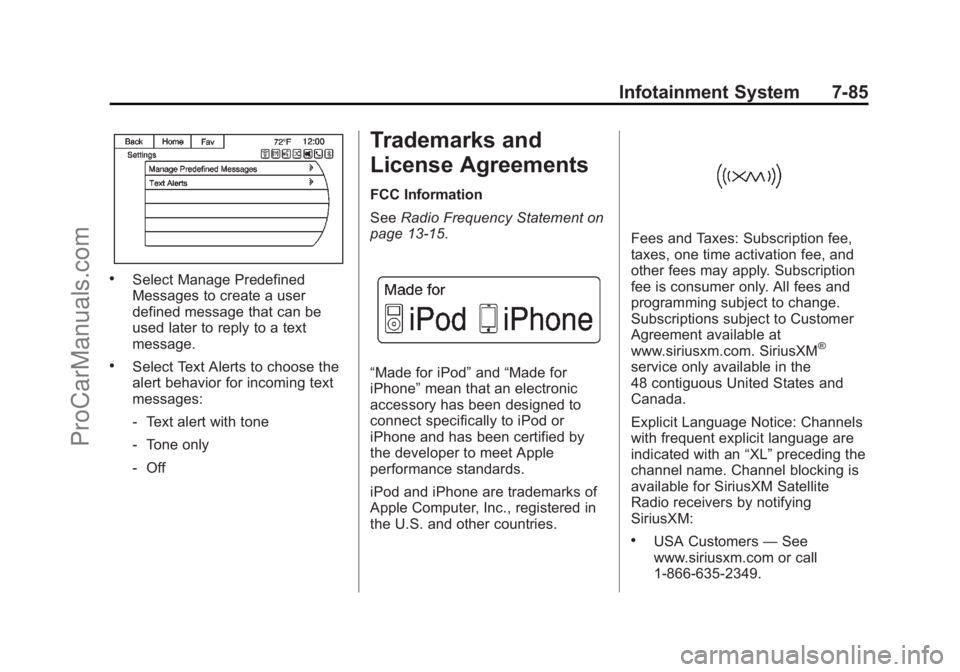
.Select Manage Predefined
Messages to create a user
defined message that can be
used later to reply to a text
message.
.Select Text Alerts to choose the
alert behavior for incoming text
messages:
‐Text alert with tone
‐ Tone only
‐ Off
Trademarks and
License Agreements
FCC Information
See Radio Frequency Statement on
page 13-15.
“Made for iPod” and“Made for
iPhone” mean that an electronic
accessory has been designed to
connect specifically to iPod or
iPhone and has been certified by
the developer to meet Apple
performance standards.
iPod and iPhone are trademarks of
Apple Computer, Inc., registered in
the U.S. and other countries.
Fees and Taxes: Subscription fee,
taxes, one time activation fee, and
other fees may apply. Subscription
fee is consumer only. All fees and
programming subject to change.
Subscriptions subject to Customer
Agreement available at
www.siriusxm.com. SiriusXM
®
service only available in the
48 contiguous United States and
Canada.
Explicit Language Notice: Channels
with frequent explicit language are
indicated with an “XL”preceding the
channel name. Channel blocking is
available for SiriusXM Satellite
Radio receivers by notifying
SiriusXM:
.USA Customers —See
www.siriusxm.com or call
1-866-635-2349.
ProCarManuals.com
Page 222 of 422
Black plate (86,1)Chevrolet SS Sedan Owner Manual (GMNA-Localizing-U.S.-6014851) - 2014 -
1st Edition - 8/22/13
7-86 Infotainment System
It is prohibited to copy, decompile,
disassemble, reverse engineer,
hack, manipulate, or otherwise
make available any technology or
software incorporated in receivers
compatible with the SiriusXM
®
Satellite Radio System or that
support the SiriusXM website, the
Online Service or any of its content.
Furthermore, the AMBER voice
compression software included in
this product is protected by
intellectual property rights including
patent rights, copyrights, and trade
secrets of Digital Voice
Systems, Inc.
General Requirements:
.A License Agreement from
SiriusXM®is required for any
product that incorporates
SiriusXM Technology and/or for
use of any of the SiriusXM
marks to be manufactured,
distributed, or marketed in the
SiriusXM Service Area.
Gracenote
Gracenote®, Gracenote logo and
logotype, and the "Powered by
Gracenote" logo are either a
registered trademark or a trademark
of Gracenote, Inc. in the United
States and/or other countries.
Bluetooth
The Bluetooth®word mark and
logos are owned by the Bluetooth®
SIG, Inc. and any use of such marks
by General Motors is under license.
Other trademarks and trade names
are those of their respective owners.
Pandora (If Equipped)
Pandora is a registered trademark
of Pandora Media, Inc., used under
license.
Manufactured under license from
Dolby Laboratories. Dolby and the
double-D symbol are trademarks of
Dolby Laboratories.
Map End User License
Agreement (Optional
Equipment Applies Where
Equipped)
END USER TERMS
The data (“Data”) is provided for
your personal, internal use only and
not for resale. It is protected by
copyright, and is subject to the
following terms and conditions
which are agreed to by you, on the
one hand, and Panasonic
Automotive Systems Company of
America (“PANASONIC”) and its
licensors (including their licensors
and suppliers) on the other hand.
© 2013 NAVTEQ. All rights
reserved.
The Data includes certain
information and related content
provided under license to NT from
third parties and is subject to the
ProCarManuals.com
Page 223 of 422
Black plate (87,1)Chevrolet SS Sedan Owner Manual (GMNA-Localizing-U.S.-6014851) - 2014 -
1st Edition - 8/22/13
Infotainment System 7-87
applicable supplier terms and
copyright notices set forth
at the following URL:
http://corporate.navteq.com/
supplier_terms.html.
In addition, the Lonely Planet Travel
Guide content is subject to the
following supplier notices (if
equipped):
© 2013 Lonely Planet Publications
Pty Ltd. All rights reserved.
PANASONIC and its content
providers have tried to make this
information as accurate as possible,
but it is provided“as is”and
PANASONIC and its content
providers accept no responsibility
for any loss, injury or inconvenience
resulting from this information. You
should verify critical information (like
visas, health and safety) before you
travel.
TERMS AND CONDITIONS
Personal Use Only. You agree to
use this Data together with the
General Motors MyLink or IntelliLink Connected Navigation Radio
Platform for the solely personal,
non-commercial purposes for which
you were licensed, and not for
service bureau, time-sharing or
other similar purposes. Accordingly,
but subject to the restrictions set
forth in the following paragraphs,
you agree not to otherwise
reproduce, copy, modify, decompile,
disassemble, create any derivative
works of, or reverse engineer any
portion of this Data, and may not
transfer or distribute it in any form,
for any purpose, except to the
extent permitted by mandatory laws.
Restrictions
Except where you have been
specifically licensed to do so by
PANASONIC, and without limiting
the preceding paragraph, you may
not (a) use this Data with any
products, systems, or applications
installed or otherwise connected to
or in communication with vehicles,
capable of vehicle navigation,
positioning, dispatch, real time route
guidance, fleet management orsimilar applications; or (b) with or in
communication with any positioning
devices or any mobile or
wireless-connected electronic or
computer devices, including without
limitation cellular phones, palmtop
and handheld computers, pagers,
and personal digital assistants
or PDAs
Warning
The Data may contain inaccurate or
incomplete information due to the
passage of time, changing
circumstances, sources used and
the nature of collecting
comprehensive geographic data,
any of which may lead to incorrect
results.
No Warranty
This Data is provided to you
“as is,”
and you agree to use it at your own
risk. PANASONIC and its licensors
(and their licensors and suppliers)
make no guarantees,
representations or warranties of any
kind, express or implied, arising by
law or otherwise, including but not
ProCarManuals.com
Page 236 of 422
Black plate (4,1)Chevrolet SS Sedan Owner Manual (GMNA-Localizing-U.S.-6014851) - 2014 -
1st Edition - 8/22/13
9-4 Driving and Operating
If the engine ever stops while the
vehicle is being driven, brake
normally but do not pump the
brakes. Doing so could make the
pedal harder to push down. If the
engine stops, there will be some
power brake assist but it will be
used when the brake is applied.
Once the power assist is used up, it
can take longer to stop and the
brake pedal will be harder to push.
Steering
Electric Power Steering
The vehicle has electric power
steering. It does not have power
steering fluid. Regular maintenance
is not required.
If power steering assist is lost due
to a system malfunction, the vehicle
can be steered, but may require
increased effort.
See your dealer if there is a
problem.If the steering wheel is turned until it
reaches the end of its travel and is
held against that position for an
extended period of time, power
steering assist may be reduced.
If the steering assist is used for an
extended period of time, power
assist may be reduced.
Normal use of the power steering
assist should return when the
system cools down.
See specific vehicle steering
messages under
Service Vehicle
Messages on page 5-31. See your
dealer if there is a problem.
Curve Tips
.Take curves at a reasonable
speed.
.Reduce speed before entering a
curve.
.Maintain a reasonable steady
speed through the curve.
.Wait until the vehicle is out of
the curve before accelerating
gently into the straightaway.
Steering in Emergencies
.There are some situations when
steering around a problem may
be more effective than braking.
.Holding both sides of the
steering wheel allows you to turn
180 degrees without removing
a hand.
.The Antilock Brake System
(ABS) allows steering while
braking.
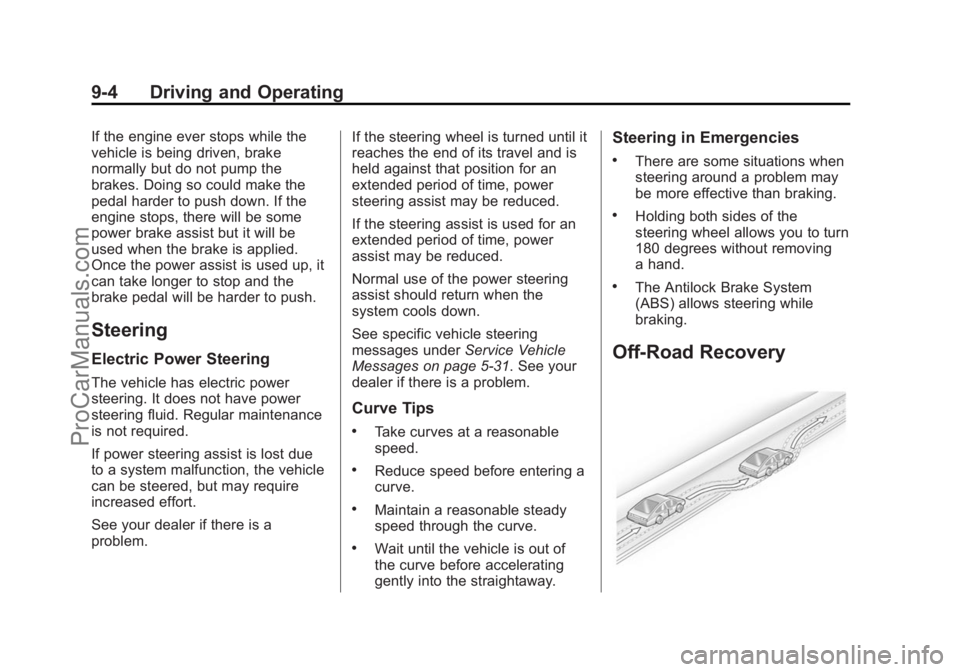
Off-Road Recovery
ProCarManuals.com
Page 238 of 422
Black plate (6,1)Chevrolet SS Sedan Owner Manual (GMNA-Localizing-U.S.-6014851) - 2014 -
1st Edition - 8/22/13
9-6 Driving and Operating
{Caution
If the vehicle is used for track
events and competitive driving,
the engine may use more oil than
it would with normal use. Low oil
levels can damage the engine.
Check the oil level often and at
the proper level. SeeEngine Oil
on page 10-6.
Be sure to check the oil level often
during racing or other competitive
driving and keep the level at or near
the upper mark that shows the
proper operating range on the
engine oil dipstick.
For track events or competitive
driving, it is recommended that the
brake fluid be replaced with a high
performance brake fluid that has a
dry boiling point greater than 279°C
(534°F). After conversion to the high
performance brake fluid, follow the
brake fluid service recommendations outlined by the
fluid manufacturer. Do not use
silicone or DOT-5 brake fluids.
Because the fluid temperatures may
be higher, it is necessary to change
the rear axle fluid every 24 hours of
racing or competitive driving. See
Recommended Fluids and
Lubricants on page 11-12.
{Caution
During a first time track or racing
event, high rear axle
temperatures can occur. Damage
could be caused to the rear axle
and would not be covered by the
vehicle warranty.
Do not drive as long or as fast the
first time the vehicle is driven on
the track or raced.
For extended track use, GM
recommends installing a rear
differential cooler to protect the
rear axle.
Driving on Wet Roads
Rain and wet roads can reduce
vehicle traction and affect your
ability to stop and accelerate.
Always drive slower in these types
of driving conditions and avoid
driving through large puddles and
deep‐standing or flowing water.
{Warning
Wet brakes can cause crashes.
They might not work as well in a
quick stop and could cause
pulling to one side. You could
lose control of the vehicle.
After driving through a large
puddle of water or a car/vehicle
wash, lightly apply the brake
pedal until the brakes work
normally.
Flowing or rushing water creates
strong forces. Driving through
flowing water could cause the
vehicle to be carried away. If this (Continued)
ProCarManuals.com
Page 239 of 422
Black plate (7,1)Chevrolet SS Sedan Owner Manual (GMNA-Localizing-U.S.-6014851) - 2014 -
1st Edition - 8/22/13
Driving and Operating 9-7
Warning (Continued)
happens, you and other vehicle
occupants could drown. Do not
ignore police warnings and be
very cautious about trying to drive
through flowing water.
Hydroplaning
Hydroplaning is dangerous. Water
can build up under the vehicle's
tires so they actually ride on the
water. This can happen if the road is
wet enough and you are going fast
enough. When the vehicle is
hydroplaning, it has little or no
contact with the road.
There is no hard and fast rule about
hydroplaning. The best advice is to
slow down when the road is wet.
Other Rainy Weather Tips
Besides slowing down, other wet
weather driving tips include:
.Allow extra following distance.
.Pass with caution.
.Keep windshield wiping
equipment in good shape.
.Keep the windshield washer fluid
reservoir filled.
.Have good tires with proper
tread depth. SeeTires on
page 10-34.
.Turn off cruise control.
Highway Hypnosis
Always be alert and pay attention to
your surroundings while driving.
If you become tired or sleepy, find a
safe place to park the vehicle
and rest.
Other driving tips include:
.Keep the vehicle well ventilated.
.Keep the interior
temperature cool.
.Keep your eyes moving —scan
the road ahead and to the sides.
.Check the rearview mirror and
vehicle instruments often.
Hill and Mountain Roads
Driving on steep hills or through
mountains is different than driving
on flat or rolling terrain. Tips for
driving in these conditions include:
.Keep the vehicle serviced and in
good shape.
.Check all fluid levels and brakes,
tires, cooling system, and
transmission.
.Shift to a lower gear when going
down steep or long hills.
{Warning
Using the brakes to slow the
vehicle on a long downhill slope
can cause brake overheating, can
reduce brake performance, and
could result in a loss of braking.
Shift the transmission to a lower
gear to let the engine assist the
brakes on a steep downhill slope.
ProCarManuals.com