light CHEVROLET SS 2014 Workshop Manual
[x] Cancel search | Manufacturer: CHEVROLET, Model Year: 2014, Model line: SS, Model: CHEVROLET SS 2014Pages: 422, PDF Size: 6.18 MB
Page 129 of 422
Black plate (37,1)Chevrolet SS Sedan Owner Manual (GMNA-Localizing-U.S.-6014851) - 2014 -
1st Edition - 8/22/13
Instruments and Controls 5-37
.Remote Lock Feedback
.Remote Door Unlock
.Passive Door Unlock
.Passive Door Lock
.Remote Left in Veh. Reminder
Remote Unlock Feedback
If equipped, this allows the selection
of what type of feedback is given
when unlocking the vehicle with the
RKE transmitter.
Select On or Off.
Remote Lock Feedback
This allows the selection of what
type of feedback is given when
locking the vehicle with the Remote
Keyless Entry (RKE) transmitter.
Select Lights and Horn, Lights Only,
Horn Only, or Off.
Remote Door Unlock
This allows the selection of which
doors will unlock when pressing
K
on the RKE transmitter. Select All Doors or Driver Door
Only. When set to Driver Door Only,
the driver door will unlock the first
time
Kis pressed and all doors will
unlock when
Kis pressed a second
time. When set to All Doors, all of
the doors will unlock with the first
press of
K.
Passive Door Unlock
This allows the selection of what
doors will unlock when using the
button on the driver door to unlock
the vehicle.
Select All Doors or Driver
Door Only.
Passive Door Lock
This allows passive locking to be
turned on or off and selects
feedback. See Remote Keyless
Entry (RKE) System Operation on
page 2-3.
Select On with Horn Chirp, On,
or OFF. Remote Left in Veh. Reminder
This feature sounds an alert when
the RKE transmitter is left in the
vehicle.
Select On or Off.
Return to Factory Settings?
Select to return all vehicle
personalization to the default
settings.
Select Yes or No.
ProCarManuals.com
Page 131 of 422
Black plate (1,1)Chevrolet SS Sedan Owner Manual (GMNA-Localizing-U.S.-6014851) - 2014 -
1st Edition - 8/22/13
Lighting 6-1
Lighting
Exterior Lighting
Exterior Lamp Controls . . . . . . . . 6-1
Headlamp High/Low-BeamChanger . . . . . . . . . . . . . . . . . . . . . 6-1
Flash-to-Pass . . . . . . . . . . . . . . . . . 6-1
Daytime Running Lamps (DRL) . . . . . . . . . . . . . . . . 6-2
Automatic Headlamp System . . . . . . . . . . . . . . . . . . . . . . 6-2
Hazard Warning Flashers . . . . . 6-3
Turn and Lane-Change Signals . . . . . . . . . . . . . . . . . . . . . . 6-3
Fog Lamps . . . . . . . . . . . . . . . . . . . . 6-3
Interior Lighting
Instrument Panel Illumination Control . . . . . . . . . . . . . . . . . . . . . . 6-4
Dome Lamps . . . . . . . . . . . . . . . . . 6-4
Reading Lamps . . . . . . . . . . . . . . . 6-4
Lighting Features
Entry Lighting . . . . . . . . . . . . . . . . . 6-5
Exit Lighting . . . . . . . . . . . . . . . . . . . 6-5
Battery Power Protection . . . . . . 6-5
Exterior Lighting
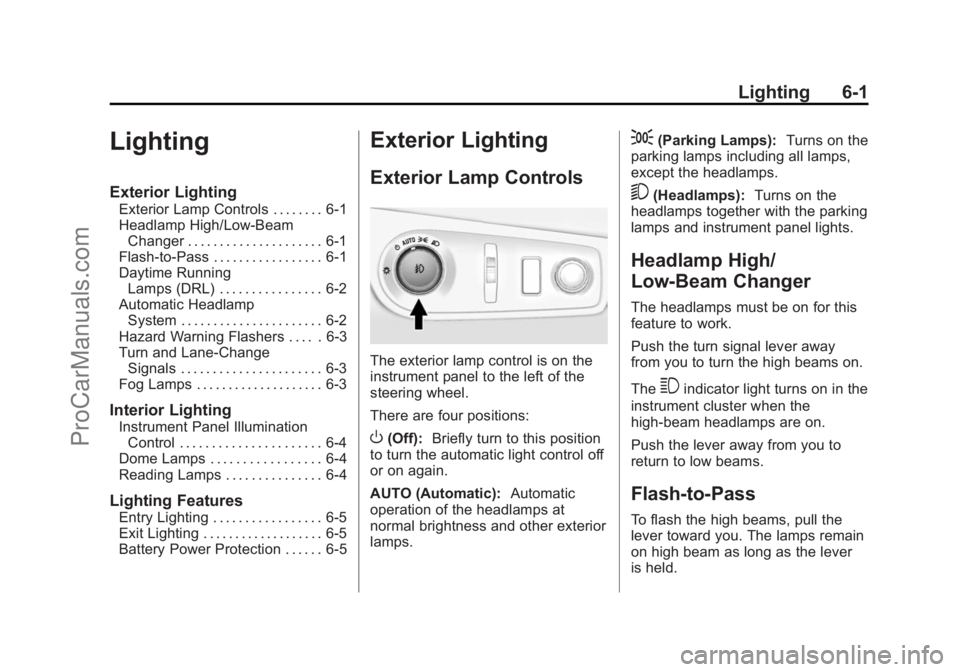
Exterior Lamp Controls
The exterior lamp control is on the
instrument panel to the left of the
steering wheel.
There are four positions:
O(Off): Briefly turn to this position
to turn the automatic light control off
or on again.
AUTO (Automatic): Automatic
operation of the headlamps at
normal brightness and other exterior
lamps.
;(Parking Lamps): Turns on the
parking lamps including all lamps,
except the headlamps.
5(Headlamps): Turns on the
headlamps together with the parking
lamps and instrument panel lights.
Headlamp High/
Low-Beam Changer
The headlamps must be on for this
feature to work.
Push the turn signal lever away
from you to turn the high beams on.
The
3indicator light turns on in the
instrument cluster when the
high-beam headlamps are on.
Push the lever away from you to
return to low beams.
Flash-to-Pass
To flash the high beams, pull the
lever toward you. The lamps remain
on high beam as long as the lever
is held.
ProCarManuals.com
Page 132 of 422
Black plate (2,1)Chevrolet SS Sedan Owner Manual (GMNA-Localizing-U.S.-6014851) - 2014 -
1st Edition - 8/22/13
6-2 Lighting
Daytime Running
Lamps (DRL)
DRL can make it easier for others to
see the front of your vehicle during
the day.
The DRL system makes the
headlamps come on at a reduced
brightness when the following
conditions are met:
.The engine is running.
.The exterior lamp control is
in AUTO.
.Shift lever is out of (P) position.
.The light sensor determines it is
daytime.
When the DRL are on, the taillamps,
instrument panel lights, and other
lamps will not be on.
The headlamps automatically switch
from DRL to the regular headlamps
depending on the darkness of the
surroundings. See “Automatic
Headlamp System” following. To turn off the DRL, turn the exterior
lamp control to
Oand then release.
Automatic Headlamp
System
When it is dark enough outside and
the exterior lamp control is in the
automatic position, the headlamps
and parking lamps will turn on and
off automatically. See
Exterior Lamp
Controls on page 6-1.
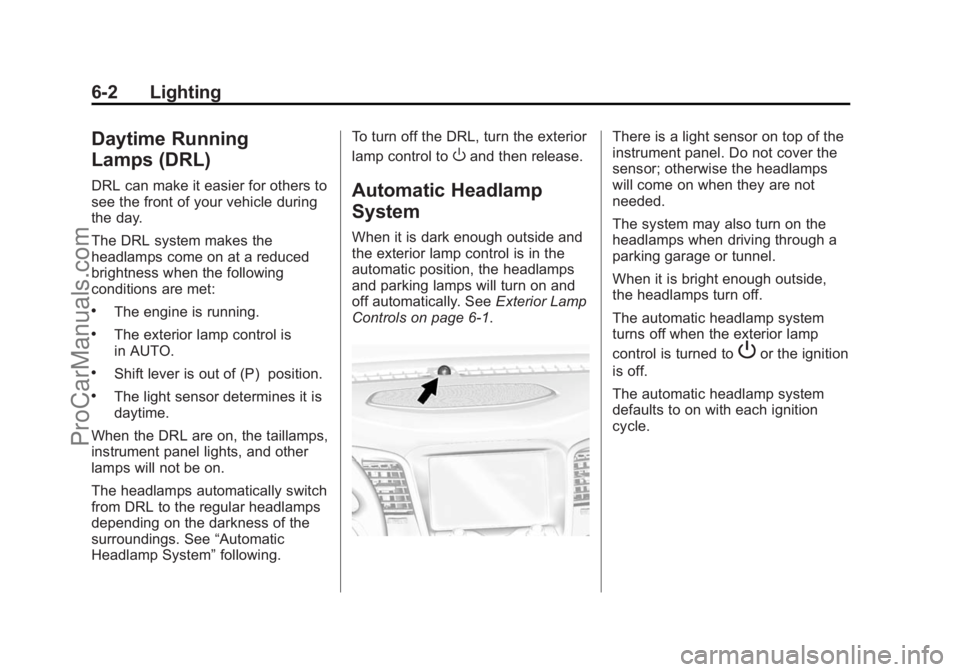
There is a light sensor on top of the
instrument panel. Do not cover the
sensor; otherwise the headlamps
will come on when they are not
needed.
The system may also turn on the
headlamps when driving through a
parking garage or tunnel.
When it is bright enough outside,
the headlamps turn off.
The automatic headlamp system
turns off when the exterior lamp
control is turned to
Por the ignition
is off.
The automatic headlamp system
defaults to on with each ignition
cycle.
ProCarManuals.com
Page 133 of 422
Black plate (3,1)Chevrolet SS Sedan Owner Manual (GMNA-Localizing-U.S.-6014851) - 2014 -
1st Edition - 8/22/13
Lighting 6-3
Hazard Warning Flashers
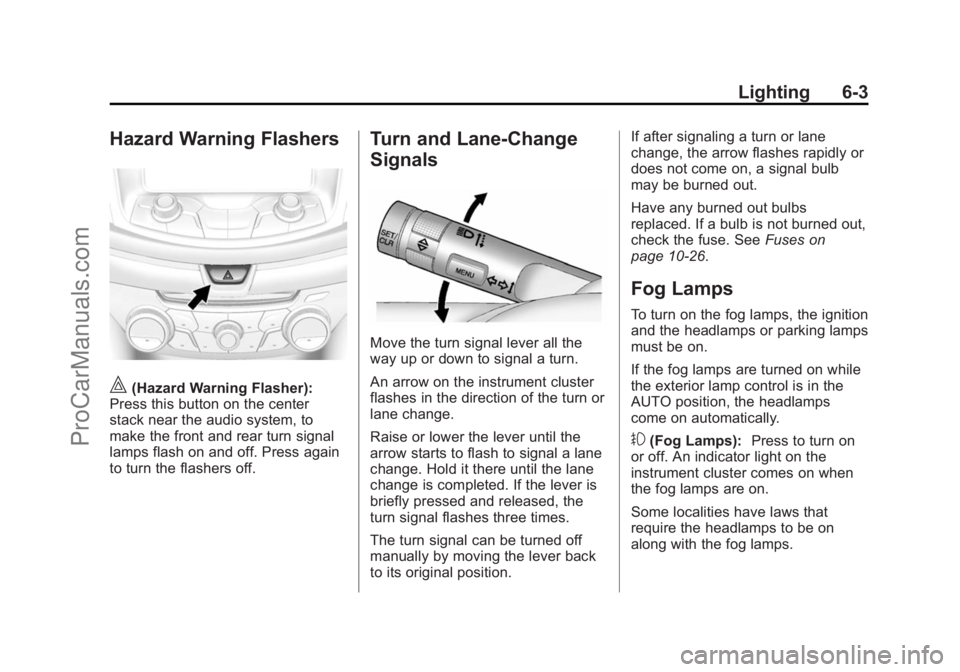
|(Hazard Warning Flasher):
Press this button on the center
stack near the audio system, to
make the front and rear turn signal
lamps flash on and off. Press again
to turn the flashers off.
Turn and Lane-Change
Signals
Move the turn signal lever all the
way up or down to signal a turn.
An arrow on the instrument cluster
flashes in the direction of the turn or
lane change.
Raise or lower the lever until the
arrow starts to flash to signal a lane
change. Hold it there until the lane
change is completed. If the lever is
briefly pressed and released, the
turn signal flashes three times.
The turn signal can be turned off
manually by moving the lever back
to its original position. If after signaling a turn or lane
change, the arrow flashes rapidly or
does not come on, a signal bulb
may be burned out.
Have any burned out bulbs
replaced. If a bulb is not burned out,
check the fuse. See
Fuses on
page 10-26.
Fog Lamps
To turn on the fog lamps, the ignition
and the headlamps or parking lamps
must be on.
If the fog lamps are turned on while
the exterior lamp control is in the
AUTO position, the headlamps
come on automatically.
#(Fog Lamps): Press to turn on
or off. An indicator light on the
instrument cluster comes on when
the fog lamps are on.
Some localities have laws that
require the headlamps to be on
along with the fog lamps.
ProCarManuals.com
Page 134 of 422
Black plate (4,1)Chevrolet SS Sedan Owner Manual (GMNA-Localizing-U.S.-6014851) - 2014 -
1st Edition - 8/22/13
6-4 Lighting
Interior Lighting
Instrument Panel
Illumination Control
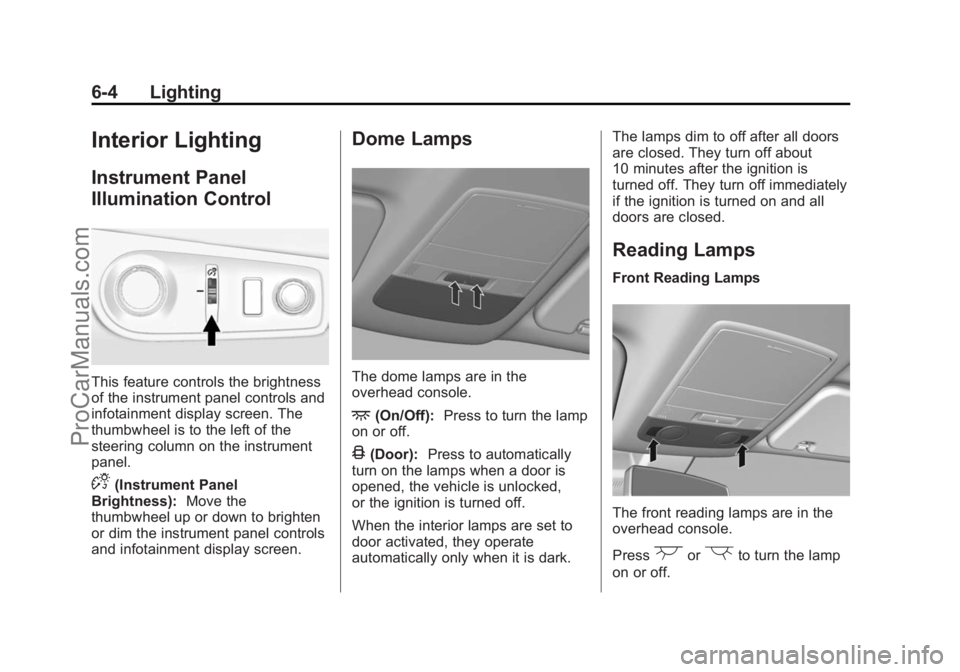
This feature controls the brightness
of the instrument panel controls and
infotainment display screen. The
thumbwheel is to the left of the
steering column on the instrument
panel.
D(Instrument Panel
Brightness): Move the
thumbwheel up or down to brighten
or dim the instrument panel controls
and infotainment display screen.
Dome Lamps
The dome lamps are in the
overhead console.
+(On/Off): Press to turn the lamp
on or off.
4(Door): Press to automatically
turn on the lamps when a door is
opened, the vehicle is unlocked,
or the ignition is turned off.
When the interior lamps are set to
door activated, they operate
automatically only when it is dark. The lamps dim to off after all doors
are closed. They turn off about
10 minutes after the ignition is
turned off. They turn off immediately
if the ignition is turned on and all
doors are closed.
Reading Lamps
Front Reading Lamps
The front reading lamps are in the
overhead console.
Press
(or)to turn the lamp
on or off.
ProCarManuals.com
Page 135 of 422
Black plate (5,1)Chevrolet SS Sedan Owner Manual (GMNA-Localizing-U.S.-6014851) - 2014 -
1st Edition - 8/22/13
Lighting 6-5
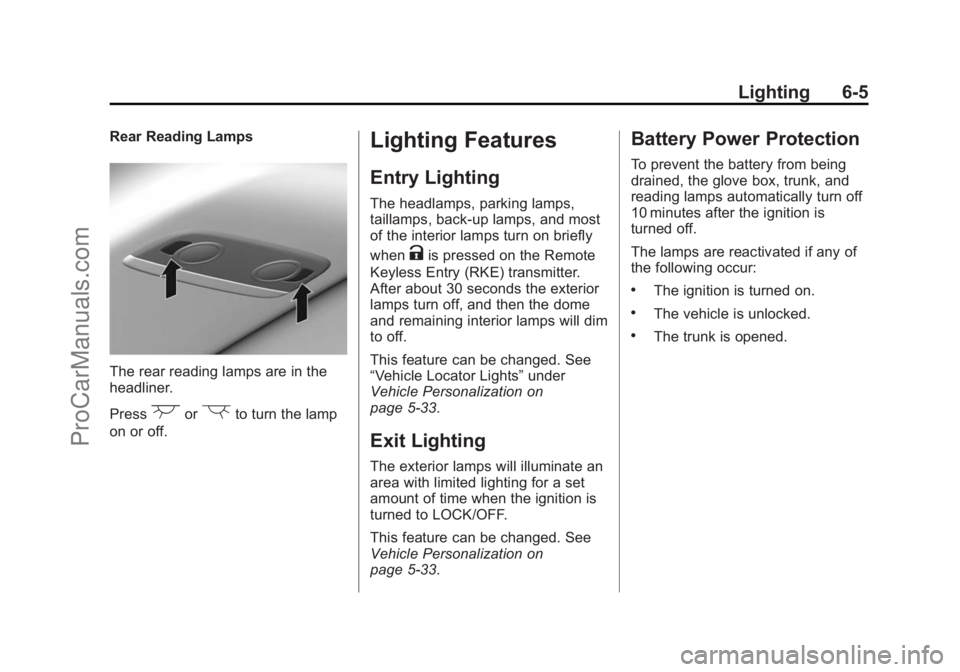
Rear Reading Lamps
The rear reading lamps are in the
headliner.
Press
(or)to turn the lamp
on or off.
Lighting Features
Entry Lighting
The headlamps, parking lamps,
taillamps, back-up lamps, and most
of the interior lamps turn on briefly
when
Kis pressed on the Remote
Keyless Entry (RKE) transmitter.
After about 30 seconds the exterior
lamps turn off, and then the dome
and remaining interior lamps will dim
to off.
This feature can be changed. See
“Vehicle Locator Lights” under
Vehicle Personalization on
page 5-33.
Exit Lighting
The exterior lamps will illuminate an
area with limited lighting for a set
amount of time when the ignition is
turned to LOCK/OFF.
This feature can be changed. See
Vehicle Personalization on
page 5-33.
Battery Power Protection
To prevent the battery from being
drained, the glove box, trunk, and
reading lamps automatically turn off
10 minutes after the ignition is
turned off.
The lamps are reactivated if any of
the following occur:
.The ignition is turned on.
.The vehicle is unlocked.
.The trunk is opened.
ProCarManuals.com
Page 136 of 422

Black plate (6,1)Chevrolet SS Sedan Owner Manual (GMNA-Localizing-U.S.-6014851) - 2014 -
1st Edition - 8/22/13
6-6 Lighting
2NOTES
ProCarManuals.com
Page 141 of 422
Black plate (5,1)Chevrolet SS Sedan Owner Manual (GMNA-Localizing-U.S.-6014851) - 2014 -
1st Edition - 8/22/13
Infotainment System 7-5
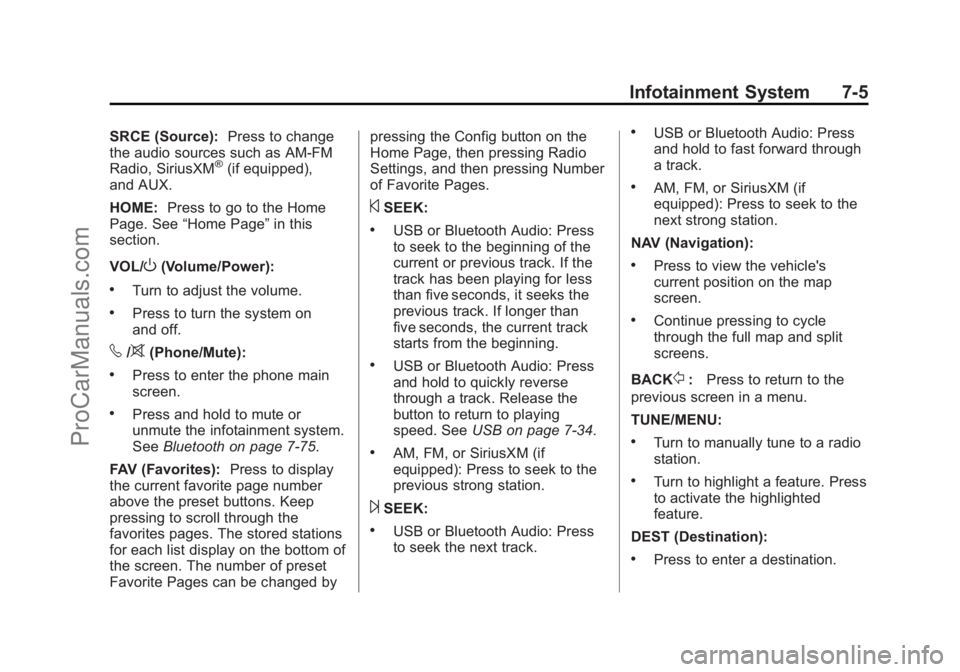
SRCE (Source):Press to change
the audio sources such as AM-FM
Radio, SiriusXM
®(if equipped),
and AUX.
HOME: Press to go to the Home
Page. See “Home Page” in this
section.
VOL/
O(Volume/Power):
.Turn to adjust the volume.
.Press to turn the system on
and off.
v/>(Phone/Mute):
.Press to enter the phone main
screen.
.Press and hold to mute or
unmute the infotainment system.
See Bluetooth on page 7-75.
FAV (Favorites): Press to display
the current favorite page number
above the preset buttons. Keep
pressing to scroll through the
favorites pages. The stored stations
for each list display on the bottom of
the screen. The number of preset
Favorite Pages can be changed by pressing the Config button on the
Home Page, then pressing Radio
Settings, and then pressing Number
of Favorite Pages.
©SEEK:
.USB or Bluetooth Audio: Press
to seek to the beginning of the
current or previous track. If the
track has been playing for less
than five seconds, it seeks the
previous track. If longer than
five seconds, the current track
starts from the beginning.
.USB or Bluetooth Audio: Press
and hold to quickly reverse
through a track. Release the
button to return to playing
speed. See
USB on page 7-34.
.AM, FM, or SiriusXM (if
equipped): Press to seek to the
previous strong station.
¨SEEK:
.USB or Bluetooth Audio: Press
to seek the next track.
.USB or Bluetooth Audio: Press
and hold to fast forward through
a track.
.AM, FM, or SiriusXM (if
equipped): Press to seek to the
next strong station.
NAV (Navigation):
.Press to view the vehicle's
current position on the map
screen.
.Continue pressing to cycle
through the full map and split
screens.
BACK
/: Press to return to the
previous screen in a menu.
TUNE/MENU:
.Turn to manually tune to a radio
station.
.Turn to highlight a feature. Press
to activate the highlighted
feature.
DEST (Destination):
.Press to enter a destination.
ProCarManuals.com
Page 142 of 422
Black plate (6,1)Chevrolet SS Sedan Owner Manual (GMNA-Localizing-U.S.-6014851) - 2014 -
1st Edition - 8/22/13
7-6 Infotainment System
.If a destination has already been
entered, press to access the
Destination Menu. See
Destination on page 7-48.
RPT (Repeat): Press to repeat the
last voice guidance prompt.
Touch Screen Buttons
Touch screen buttons are on the
screen and highlighted when a
feature is available. Some toggle
screen buttons highlight when active
and gray out when inactive.
Using the System
The infotainment system is
controlled by touching the screen,
and by using the knobs and other
buttons.
Voice recognition, through the
steering wheel controls, can be
used to control the infotainment
features. Press
b/gon the steering wheel
controls to begin voice recognition.
See Voice Recognition on
page 7-68.
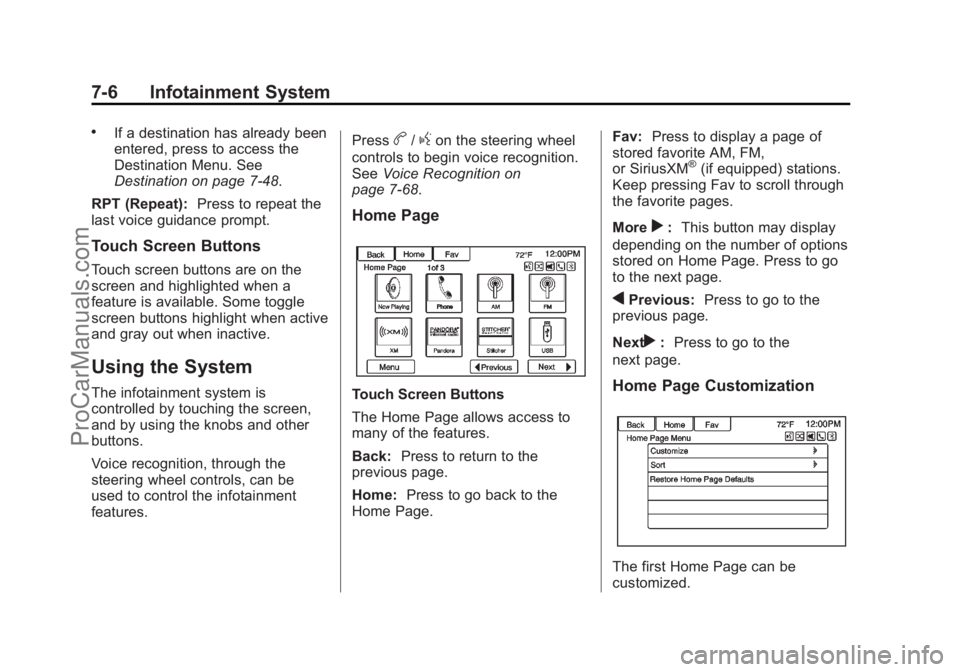
Home Page
Touch Screen Buttons
The Home Page allows access to
many of the features.
Back: Press to return to the
previous page.
Home: Press to go back to the
Home Page. Fav:
Press to display a page of
stored favorite AM, FM,
or SiriusXM
®(if equipped) stations.
Keep pressing Fav to scroll through
the favorite pages.
More
r: This button may display
depending on the number of options
stored on Home Page. Press to go
to the next page.
qPrevious: Press to go to the
previous page.
Next
r: Press to go to the
next page.
Home Page Customization
The first Home Page can be
customized.
ProCarManuals.com
Page 143 of 422
Black plate (7,1)Chevrolet SS Sedan Owner Manual (GMNA-Localizing-U.S.-6014851) - 2014 -
1st Edition - 8/22/13
Infotainment System 7-7
To add screen buttons:
1. Press Menu.
2. Press Customize.
3. Press a screen button to add orremove from the first Home
Page. A
hindicates it will be
displayed. The maximum
number of buttons on Home
Page 1 is eight.
4. Press Done.
To move screen buttons:
1. Press Sort.
2. Press an icon to move.
3. Press an icon to swap with.
4. Press Done.
To restore Home Page 1 defaults:
1. Press Menu.
2. Press Restore Home Page Defaults.
3. Press Yes or Cancel.
Home Page Features
Touch screen buttons are
highlighted when a feature is
available.
Various functions are disabled when
the vehicle is moving.
Press the Now Playing screen
button to display the active source
page. The sources available are
AM, FM, SiriusXM
®(if equipped),
USB/iPod, Pandora (if equipped),
Stitcher, and AUX.
See AM-FM Radio on page 7-11,
Satellite Radio on page 7-15,
Pandora Internet Radio on
page 7-22, Stitcher Internet Radio
on page 7-27, and Auxiliary Devices
on page 7-40.
Press the Navigation screen button
to display a map of your current
vehicle position. See Using the
Navigation System on page 7-42,
Maps on page 7-46, Navigation
Symbols on page 7-46, and
Configure Menu on page 7-60.
Press the Destination screen button
to display the Destination Entry
home page or the Destination Menu.
The available screen buttons
provide easy access to a variety of
ways to enter a destination. See
Destination on page 7-48.
ProCarManuals.com