change time CHEVROLET SS 2015 Owner's Manual
[x] Cancel search | Manufacturer: CHEVROLET, Model Year: 2015, Model line: SS, Model: CHEVROLET SS 2015Pages: 435, PDF Size: 6.27 MB
Page 207 of 435
Black plate (66,1)Chevrolet SS Sedan Owner Manual (GMNA-Localizing-U.S.-7707491) - 2015 -
crc - 9/11/14
7-66 Infotainment System
.The vehicle is traveling on
winding roads or long straight
roads.
.The vehicle is approaching a tall
building or a large vehicle.
.The surface streets run parallel
to a freeway.
.The vehicle has been transferred
by a vehicle carrier or a ferry.
.The current position calibration
is set incorrectly.
.The vehicle is traveling at high
speed.
.The vehicle changes directions
more than once, or the vehicle is
turning on a turn table in a
parking lot.
.The vehicle is entering and/or
exiting a parking lot, garage, or a
lot with a roof.
.The GPS signal is not received.
.A roof carrier is installed on the
vehicle.
.Tire chains have been installed.
.The tires are replaced or worn.
.The tire pressure for the tires is
incorrect.
.This is the first navigation use
after the map data is updated.
.The 12-volt battery is
disconnected for several days.
.The vehicle is driving in heavy
traffic where driving is at low
speeds, and the vehicle is
stopped and started repeatedly.
Problems with Route
Guidance
Inappropriate route guidance can
occur under one or more of the
following conditions:
.The turn was not made on the
road indicated.
.Route guidance might not be
available when using automatic
rerouting for the next right or
left turn.
.The route might not be changed
when using automatic rerouting.
.There is no route guidance when
turning at an intersection.
.Plural names of places might be
announced occasionally.
.It could take a long time to
operate automatic rerouting
during high-speed driving.
.Automatic rerouting might
display a route returning to the
set waypoint if heading for a
destination without passing
through a set waypoint.
.The route prohibits the entry of a
vehicle due to a regulation by
time or season or any other
regulation which may be given.
.Some routes might not be
searched.
.The route to the destination
might not be shown if there are
new roads, if roads have
recently changed, or if certain
roads are not listed in the map
data. SeeMaps on page 7-46.
ProCarManuals.com
Page 210 of 435
Black plate (69,1)Chevrolet SS Sedan Owner Manual (GMNA-Localizing-U.S.-7707491) - 2015 -
crc - 9/11/14
Infotainment System 7-69
.To increase or decrease the
voice volume during a voice
recognition session, turn the
volume knob of the radio,
or press the volume steering
wheel control. If the volume is
adjusted during a voice
recognition session, a Volume
bar appears on the screen
showing the voice volume level
as it is being adjusted. This also
changes the volume of the
guidance prompts.
.When using navigation
commands, take the time to
become familiar with the
address. Long delays when
giving the address can result in
the system not recognizing the
address or routing to different
location than intended.
.When providing the house
number portion of the address,
the system recognizes both digit
format and numerical text. An
example would be to say,
“3-0-0-0-1”or“Thirty
Thousand One.”
.If the system provides
destination in another country on
several attempts, say the
“Change Country” command and
say the country of interest. The
country default is the United
States. To enter a destination in
Canada or Mexico, the country
will first have to be changed in
the system.
Voice Recognition Help
To enter the help playback session,
clearly speak one of the help
commands.
Help: The system plays back more
specific help commands such as
Radio Settings for the user to
choose from.
Radio: Use this command to learn
about how to select a band (AM,
FM, or XM), and how to change
radio stations by speaking
frequency numbers.
Phone: Use this command to learn
about how to dial, pair a device,
or delete a device. My Media:
Use this command to
learn how to play specific tracks,
artists, albums, devices connected
to the USB port, or to change
sources.
Settings: Use this command to
learn about how to turn Verbose on
or off, or set the language.
Voice Recognition Commands
The following list shows the voice
commands available for the
infotainment system with a brief
description of each. The commands
are listed with the optional words in
parentheses. To use the voice
commands, see the previous
instructions.
Radio Commands
Tune AM, Tune FM, Tune XM,
Tune Pandora, Tune Stitcher:
Instructs the system to go to the
specific band and the last channel.
ProCarManuals.com
Page 211 of 435
Black plate (70,1)Chevrolet SS Sedan Owner Manual (GMNA-Localizing-U.S.-7707491) - 2015 -
crc - 9/11/14
7-70 Infotainment System
Tune AM (frequency), Tune FM
(frequency), Tune XM (channel
number), or Tune XM (channel
name):Instructs the system to go
to the specific station.
Thumbs Up: Instructs the system
to give the current song or station a
thumbs up in Pandora or Stitcher.
Thumbs Down: Instructs the
system to give the current song or
station a thumbs down in Pandora
or Stitcher.
Phone Commands
Dial or Call (phone number or
contact): Instructs the system to
start a phone call. For example, say
“Dial 1 248 123 4567.” To call a
phone book contact, say “Dial”or
“Call,” say the name and location,
and then say “Dial.”For example,
say “Call John at Home” or“Call
John at Work.” If a number is not
recognized, the first number in the
list will be called. Pair or Connect:
Instructs the
system to begin pairing a device.
Digit Dial: Instructs the system to
dial a phone number one digit at a
time. After saying the digits,
say “Dial.”
Redial or Redial Last Number:
Instructs the system to dial the last
phone number called.
Select Device or Change Phone:
Instructs the system to switch to a
different paired device. The device
must be selected from the screen or
using the TUNE/MENU knob.
Delete Device: Instructs the
system to delete a paired device.
Read Text Messages or Read SMS
Messages: Instructs the system to
begin reading text messages from
paired device.
Not all devices support text
messages. Applicable where
equipped.
My Media Commands
AUX, USB, or Bluetooth Audio:
Instructs the system to change the
source.
The following commands only apply
to USB, iPod, and iPhone sources.
They are supported after the device
has been indexed.
Play Artist (artist name): Instructs
the system to play songs by a
specific artist. For example, say
“Play Artist
Play Album (album title): Instructs
the system to play a specific album.
Play Song (song title): Instructs
the system to play a specific song.
Play Genre (genre name):
Instructs the system to play songs
of a particular genre.
Search Artist (artist name):
Instructs the system to show a list of
all songs by a specific artist. For
example, say "Search Artist
⁐⁃⁍⁵
Page 213 of 435
Black plate (72,1)Chevrolet SS Sedan Owner Manual (GMNA-Localizing-U.S.-7707491) - 2015 -
crc - 9/11/14
7-72 Infotainment System
Next Page, Page Down:Instructs
the system to scroll forward one
page in a list.
Previous Page, Page Up: Instructs
the system to scroll back one page
in a list.
Navigation Commands (If
Equipped)
To activate the navigation voice
recognition:
1. Press
b/gon the steering
wheel. The audio system mutes.
A voice prompt says, “Please
say a command.” Wait until the
tone is heard before speaking.
If there is no tone, make sure
the volume is turned up.
While voice recognition is active,
the system displays a symbol in
the top right of the screen.
2. Clearly speak the command “Navigation.”
3. Clearly speak one of the commands in this section. The following commands only apply
once the Navigation command is
given.
Change Country:
Changes the
country origin to input a destination
from that region. The system will
accept United States, Canada,
or Mexico.
Address or Destination: Allows
an address to be stated as a
one-shot method. The system will
recognize the address if stated all at
once or say a city center. An
example is to say, “200
Renaissance Street, Detroit,
Michigan” or“Detroit, Michigan.”
Directed Address: Allows an
address to be stated one step at a
time. The format will be State, City,
Street, then House Number.
Intersection: Allows an
Intersection to be stated as the
destination. The format will be
State, City, Street, then Intersection. Home:
Instructs the system to start
guidance to address saved as
My Home.
Contact: When a phone is paired
to the system, which contains
Address Information stored for
contacts, the address associated
with that contact can become a
route. If the system cannot resolve
the address, an error displays.
Points of Interest or POI: Allows a
Point of Interest to be stated as a
destination.
Say the name or list item number of
the category and subcategory to
return a list of POIs. Say the item
number to select a POI from the list.
POI commands for Nearby, Along
Route, and Around Destination will
be available if route guidance is
active.
Add Waypoint: Allows addition of
individual waypoints or the
destination. The system will ask for
ProCarManuals.com
Page 217 of 435
Black plate (76,1)Chevrolet SS Sedan Owner Manual (GMNA-Localizing-U.S.-7707491) - 2015 -
crc - 9/11/14
7-76 Infotainment System
Pairing Information
.A Bluetooth-enabled phone and
an audio playback device can be
paired to the system at the
same time.
.Up to five devices can be paired
to the Bluetooth system.
.The pairing process is disabled
when the vehicle is moving.
.Pairing only needs to be
completed once, unless the
pairing information on the cell
phone changes or the cell phone
is deleted from the system.
.Only one paired cell phone can
be connected to the Bluetooth
system at a time.
.If multiple paired cell phones are
within range of the system, the
radio will connect to the first
phone in the list or to the phone
that was previously connected.Pairing a Phone/Device
1. Press the CONFIG button
or
b/>.
2. Select Phone Settings.
3. Select Pair Device (Phone). The radio displays “Please start
Bluetooth search on your phone.
Confirm or enter number:.” If the
device supports a four-digit
Personal Identification Number
(PIN), it will display. The PIN is
used in Step 5.
4. Start the pairing process on the cell phone to be paired to the
vehicle. See the cell phone
manufacturer's user guide.
5. Locate and select the device named after the vehicle make
and model in the list on the cell
phone. Follow the instructions
on the cell phone to enter the
PIN provided in Step 3, or to
confirm the six-digit code
matches. The system recognizes
the new connected phone after
the pairing process is complete. 6. If the phone prompts to accept
connection or allow phone book
download, select always accept
and allow. The phone book may
not be available if not accepted.
Some phones will put
connection request or
phonebook request in a pull
down task bar at the top of the
screen. Drag down the task bar
and look for connection/
phonebook request and accept.
7. Repeat to pair additional phones.
Listing All Paired and Connected
Phones/Devices
1. Press the CONFIG button.
2. Select Phone Settings.
3. Select Device List.
Deleting a Paired Phone/Device
1. Press the CONFIG button.
2. Select Phone Settings.
3. Select Device List.
ProCarManuals.com
Page 222 of 435
Black plate (81,1)Chevrolet SS Sedan Owner Manual (GMNA-Localizing-U.S.-7707491) - 2015 -
crc - 9/11/14
Infotainment System 7-81
Hands-Free Phone
Using Bluetooth Voice
Recognition
To use voice recognition, press
the
b/gbutton on the steering
wheel. Use the commands below for
the various voice features. For
additional information, say “Help”
while in a voice recognition menu.
Making a Call
Calls can be made using the
following commands.
Dial or Call: These commands can
be used interchangeably to dial a
phone number.
Digit Dial: This command allows a
phone number to be dialed by
entering the digits one at a time.
Re-dial: This command dials the
last number used on the cell phone. Using the
“Dial”or“Call”
Command
To call a number:
1. Press
b/g. The system
responds “Please say a
command,” followed by a tone.
2. Say “Dial”or“Call.”
3. Say the entire number without pausing, followed by “Dial.”
Once connected, the person called
will be heard through the audio
speakers.
To call using a name tag:
1. Press
b/g. The system
responds “Please say a
command,” followed by a tone.
2. Say “Dial”or“Call” and then say
the name tag. For example “Call
John at Work.”
Once connected, the person called
will be heard through the audio
speakers. Using the
“Digit Dial” Command
This allows a phone number to be
dialed by entering the digits one at
a time.
1. Press
b/g. The system
responds “Please say a
command,” followed by a tone.
2. Say “Digit Dial.”
3. Say each digit, one at a time, to dial. After each digit is entered,
the system repeats back the
digit it heard followed by a tone.
After the last digit has been
entered, say “Dial.”
If an unwanted number is repeated
back, say “Clear”to clear the last
number.
Once connected, the person called
will be heard through the audio
speakers.
Using the “Re-dial”Command
1. Press
b/g. The system
responds “Please say a
command,” followed by a tone.
ProCarManuals.com
Page 226 of 435
Black plate (85,1)Chevrolet SS Sedan Owner Manual (GMNA-Localizing-U.S.-7707491) - 2015 -
crc - 9/11/14
Infotainment System 7-85
Fees and Taxes: Subscription fee,
taxes, one time activation fee, and
other fees may apply. Subscription
fee is consumer only. All fees and
programming subject to change.
Subscriptions subject to Customer
Agreement available at
www.siriusxm.com. SiriusXM
®
service only available in the
48 contiguous United States and
Canada.
Explicit Language Notice: Channels
with frequent explicit language are
indicated with an“XL”preceding the
channel name. Channel blocking is
available for SiriusXM Satellite
Radio receivers by notifying
SiriusXM:
.USA Customers —See
www.siriusxm.com or call
1-866-635-2349. It is prohibited to copy, decompile,
disassemble, reverse engineer,
hack, manipulate, or otherwise
make available any technology or
software incorporated in receivers
compatible with the SiriusXM
®
Satellite Radio System or that
support the SiriusXM website, the
Online Service or any of its content.
Furthermore, the AMBER voice
compression software included in
this product is protected by
intellectual property rights including
patent rights, copyrights, and trade
secrets of Digital Voice
Systems, Inc.
General Requirements:
.A License Agreement from
SiriusXM®is required for any
product that incorporates
SiriusXM Technology and/or for
use of any of the SiriusXM
marks to be manufactured,
distributed, or marketed in the
SiriusXM Service Area.
Gracenote
Gracenote®, Gracenote logo and
logotype, and the "Powered by
Gracenote" logo are either a
registered trademark or a trademark
of Gracenote, Inc. in the United
States and/or other countries.
Bluetooth
The Bluetooth®word mark and
logos are owned by the Bluetooth®
SIG, Inc. and any use of such marks
by General Motors is under license.
Other trademarks and trade names
are those of their respective owners.
Pandora (If Equipped)
Pandora is a registered trademark
of Pandora Media, Inc., used under
license.
ProCarManuals.com
Page 234 of 435
Black plate (3,1)Chevrolet SS Sedan Owner Manual (GMNA-Localizing-U.S.-7707491) - 2015 -
crc - 9/11/14
Climate Controls 8-3
Dual-Zone Mode:Allows different
temperatures to be set for the driver
and passenger sides.
Enter Dual-Zone mode by adjusting
the passenger side temperature
when in Single-Zone mode.
Air Delivery Mode Controls:
Press
Y,),-, or[to change
the current airflow mode. The
current mode selection appears in
the display screen. Changing the
mode cancels the automatic
operation and the system goes into
semi-automatic operation. Press
AUTO to return to automatic
operation.
Select from the following:
Y(Vent): Air is directed to the
instrument panel outlets and
console outlet.
)(Bi-Level): Air is divided
between the instrument panel
outlets, console outlet and the floor
outlets. Cooler air is directed to the
upper outlets and warmer air to the
floor outlets.
[(Floor): Air is directed to the
floor outlets with some air directed
to the outer instrument panel,
windshield, and side window outlets.
-(Defog): Air is directed to the
windshield, floor and side window
outlets. Use this mode to clear the
windows of fog or moisture and
warm the passengers.
5FRONT (Defrost): Press to
turn the defrost on or off. The
5
FRONT indicator appears in the
display. A portion of the air is
directed to the windshield and side
window outlets, with some air
directed to the outer instrument
panel outlets.
For best results, clear all snow and
ice from the windshield before
defrosting.
Air Conditioning
#(Air Conditioning): Press to
turn the air conditioning system on
or off. The
#appears on the
infotainment display when the air conditioning is on. When the air
conditioning is turned off,
#OFF
appears on the infotainment display.
The air conditioning system
removes moisture and heat from
the air.
The air conditioning might
automatically turn off during heavy
acceleration, abnormal system
pressure or very cold outside
temperatures.
Recirculation
h(Recirculation): Press to
change the air intake between
recirculated air and outside air.
h
appears on the infotainment display
when recirculation is activated.
The recirculation mode recycles
interior air and is not recommended
for extended use. If it is used for a
long period of time, the system
automatically lets some outside air
into the vehicle for ventilation.
Do not use the recirculation mode if
occupants are smoking.
ProCarManuals.com
Page 236 of 435
Black plate (5,1)Chevrolet SS Sedan Owner Manual (GMNA-Localizing-U.S.-7707491) - 2015 -
crc - 9/11/14
Climate Controls 8-5
Regular Operation
Adjusting the Temperature
When the climate control system
has stabilized, adjust the
temperature to a comfortable
setting.
Quick Cool Down
When entering the vehicle on a hot
day, open the windows for a short
time to allow the hot air to escape.
Automatic Transmission
If the vehicle is stopped for a long
time in hot weather and the engine
is running and the air conditioning is
operating, move the shift lever to
N (Neutral) or P (Park).
Hissing Sound
A slight hissing sound when the air
conditioning is turned off is normal.
Water
Water may drip from underneath the
vehicle, this is normal.Unsealed Dusty Roads
To help prevent dust from entering
your vehicle:
.When following other vehicles
on dusty roads and the dust is
airborne, select
h.
.If the dust is not airborne, select
outside air and set the fan
control to high speed.
.Close all windows.
.Do not use recirculation for long
periods of time.
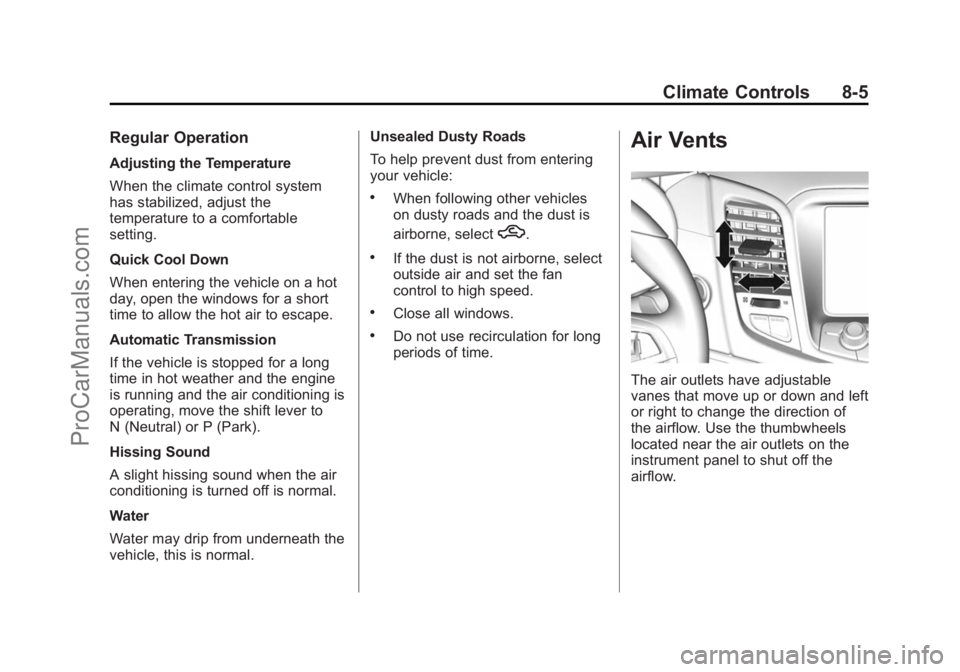
Air Vents
The air outlets have adjustable
vanes that move up or down and left
or right to change the direction of
the airflow. Use the thumbwheels
located near the air outlets on the
instrument panel to shut off the
airflow.
ProCarManuals.com
Page 266 of 435
Black plate (29,1)Chevrolet SS Sedan Owner Manual (GMNA-Localizing-U.S.-7707491) - 2015 -
crc - 9/11/14
Driving and Operating 9-29
If driving safely on a wet road and it
becomes necessary to slam on the
brakes and continue braking to
avoid a sudden obstacle, a
computer senses the wheels are
slowing down. If one of the wheels
is about to stop rolling, the computer
will separately work the brakes at
each wheel.
ABS can change the brake pressure
to each wheel, as required, faster
than any driver could. This can help
you steer around the obstacle while
braking hard.
As the brakes are applied, the
computer keeps receiving updates
on wheel speed and controls
braking pressure accordingly.
Remember: ABS does not change
the time needed to get a foot up to
the brake pedal or always decrease
stopping distance. If you get too
close to the vehicle in front of you,
there will not be enough time to
apply the brakes if that vehiclesuddenly slows or stops. Always
leave enough room up ahead to
stop, even with ABS.
Using ABS
Do not pump the brakes. Just hold
the brake pedal down firmly and let
ABS work. You may hear the ABS
pump or motor operating and feel
the brake pedal pulsate. This is
normal.
Braking in Emergencies
ABS allows you to steer and brake
at the same time. In many
emergencies, steering can help
more than even the very best
braking.
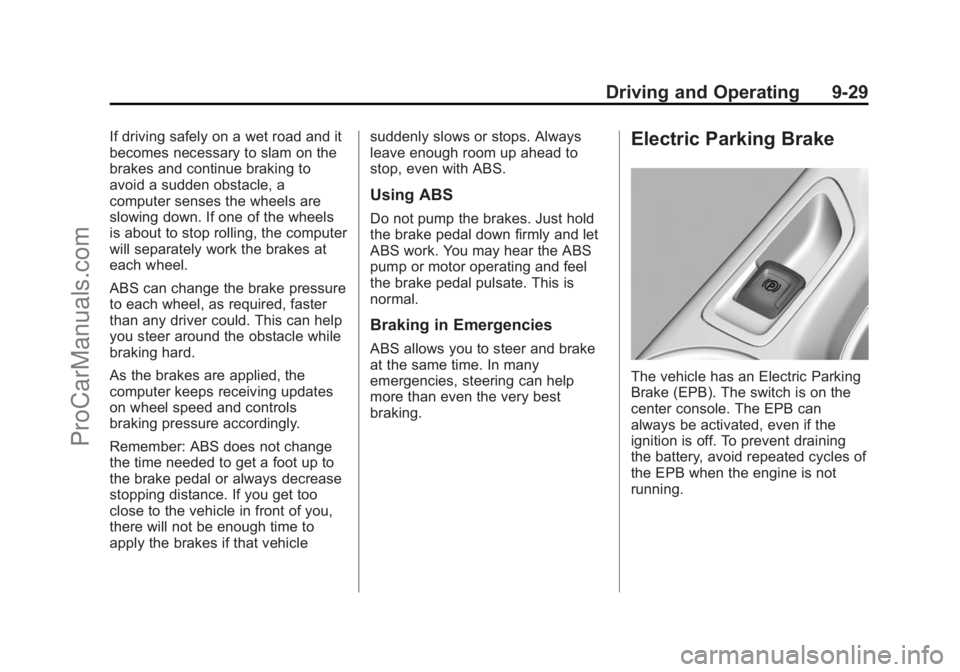
Electric Parking Brake
The vehicle has an Electric Parking
Brake (EPB). The switch is on the
center console. The EPB can
always be activated, even if the
ignition is off. To prevent draining
the battery, avoid repeated cycles of
the EPB when the engine is not
running.
ProCarManuals.com