ECU CHEVROLET SS 2015 Owner's Guide
[x] Cancel search | Manufacturer: CHEVROLET, Model Year: 2015, Model line: SS, Model: CHEVROLET SS 2015Pages: 435, PDF Size: 6.27 MB
Page 98 of 435
Black plate (1,1)Chevrolet SS Sedan Owner Manual (GMNA-Localizing-U.S.-7707491) - 2015 -
crc - 9/18/14
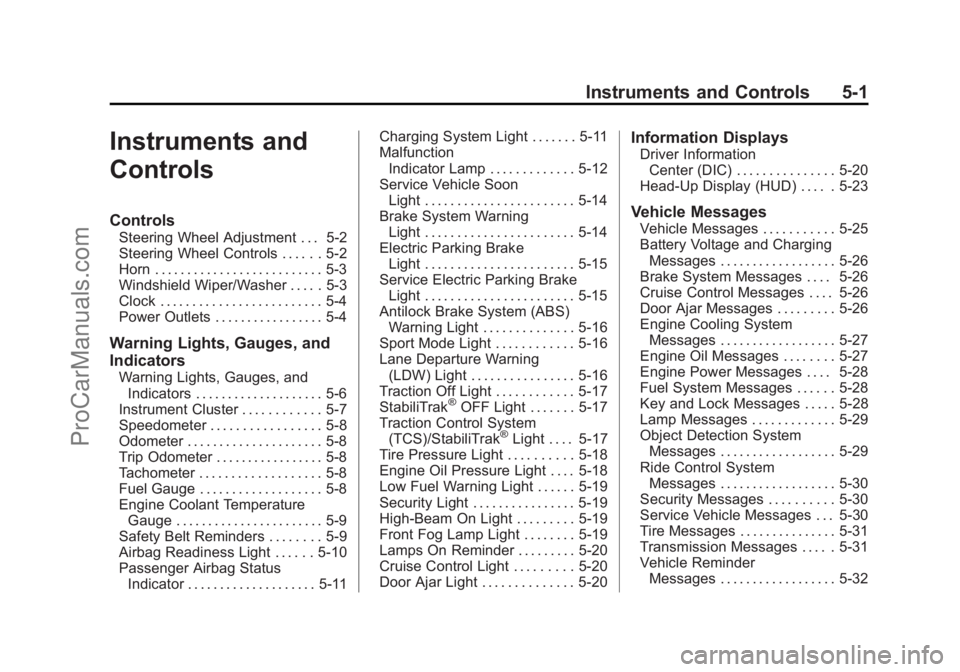
Instruments and Controls 5-1
Instruments and
Controls
Controls
Steering Wheel Adjustment . . . 5-2
Steering Wheel Controls . . . . . . 5-2
Horn . . . . . . . . . . . . . . . . . . . . . . . . . . 5-3
Windshield Wiper/Washer . . . . . 5-3
Clock . . . . . . . . . . . . . . . . . . . . . . . . . 5-4
Power Outlets . . . . . . . . . . . . . . . . . 5-4
Warning Lights, Gauges, and
Indicators
Warning Lights, Gauges, andIndicators . . . . . . . . . . . . . . . . . . . . 5-6
Instrument Cluster . . . . . . . . . . . . 5-7
Speedometer . . . . . . . . . . . . . . . . . 5-8
Odometer . . . . . . . . . . . . . . . . . . . . . 5-8
Trip Odometer . . . . . . . . . . . . . . . . . 5-8
Tachometer . . . . . . . . . . . . . . . . . . . 5-8
Fuel Gauge . . . . . . . . . . . . . . . . . . . 5-8
Engine Coolant Temperature Gauge . . . . . . . . . . . . . . . . . . . . . . . 5-9
Safety Belt Reminders . . . . . . . . 5-9
Airbag Readiness Light . . . . . . 5-10
Passenger Airbag Status Indicator . . . . . . . . . . . . . . . . . . . . 5-11 Charging System Light . . . . . . . 5-11
Malfunction
Indicator Lamp . . . . . . . . . . . . . 5-12
Service Vehicle Soon Light . . . . . . . . . . . . . . . . . . . . . . . 5-14
Brake System Warning Light . . . . . . . . . . . . . . . . . . . . . . . 5-14
Electric Parking Brake Light . . . . . . . . . . . . . . . . . . . . . . . 5-15
Service Electric Parking Brake Light . . . . . . . . . . . . . . . . . . . . . . . 5-15
Antilock Brake System (ABS) Warning Light . . . . . . . . . . . . . . 5-16
Sport Mode Light . . . . . . . . . . . . 5-16
Lane Departure Warning (LDW) Light . . . . . . . . . . . . . . . . 5-16
Traction Off Light . . . . . . . . . . . . 5-17
StabiliTrak
®OFF Light . . . . . . . 5-17
Traction Control System (TCS)/StabiliTrak
®Light . . . . 5-17
Tire Pressure Light . . . . . . . . . . 5-18
Engine Oil Pressure Light . . . . 5-18
Low Fuel Warning Light . . . . . . 5-19
Security Light . . . . . . . . . . . . . . . . 5-19
High-Beam On Light . . . . . . . . . 5-19
Front Fog Lamp Light . . . . . . . . 5-19
Lamps On Reminder . . . . . . . . . 5-20
Cruise Control Light . . . . . . . . . 5-20
Door Ajar Light . . . . . . . . . . . . . . 5-20
Information Displays
Driver Information Center (DIC) . . . . . . . . . . . . . . . 5-20
Head-Up Display (HUD) . . . . . 5-23
Vehicle Messages
Vehicle Messages . . . . . . . . . . . 5-25
Battery Voltage and Charging Messages . . . . . . . . . . . . . . . . . . 5-26
Brake System Messages . . . . 5-26
Cruise Control Messages . . . . 5-26
Door Ajar Messages . . . . . . . . . 5-26
Engine Cooling System Messages . . . . . . . . . . . . . . . . . . 5-27
Engine Oil Messages . . . . . . . . 5-27
Engine Power Messages . . . . 5-28
Fuel System Messages . . . . . . 5-28
Key and Lock Messages . . . . . 5-28
Lamp Messages . . . . . . . . . . . . . 5-29
Object Detection System Messages . . . . . . . . . . . . . . . . . . 5-29
Ride Control System Messages . . . . . . . . . . . . . . . . . . 5-30
Security Messages . . . . . . . . . . 5-30
Service Vehicle Messages . . . 5-30
Tire Messages . . . . . . . . . . . . . . . 5-31
Transmission Messages . . . . . 5-31
Vehicle Reminder Messages . . . . . . . . . . . . . . . . . . 5-32
ProCarManuals.com
Page 116 of 435
Black plate (19,1)Chevrolet SS Sedan Owner Manual (GMNA-Localizing-U.S.-7707491) - 2015 -
crc - 9/18/14
Instruments and Controls 5-19
This light should come on briefly as
the engine is started. If it does not
come on, have the vehicle serviced
by your dealer.
If the light comes on and stays on, it
means that oil is not flowing through
the engine properly. The vehicle
could be low on oil and might have
some other system problem. See
your dealer.
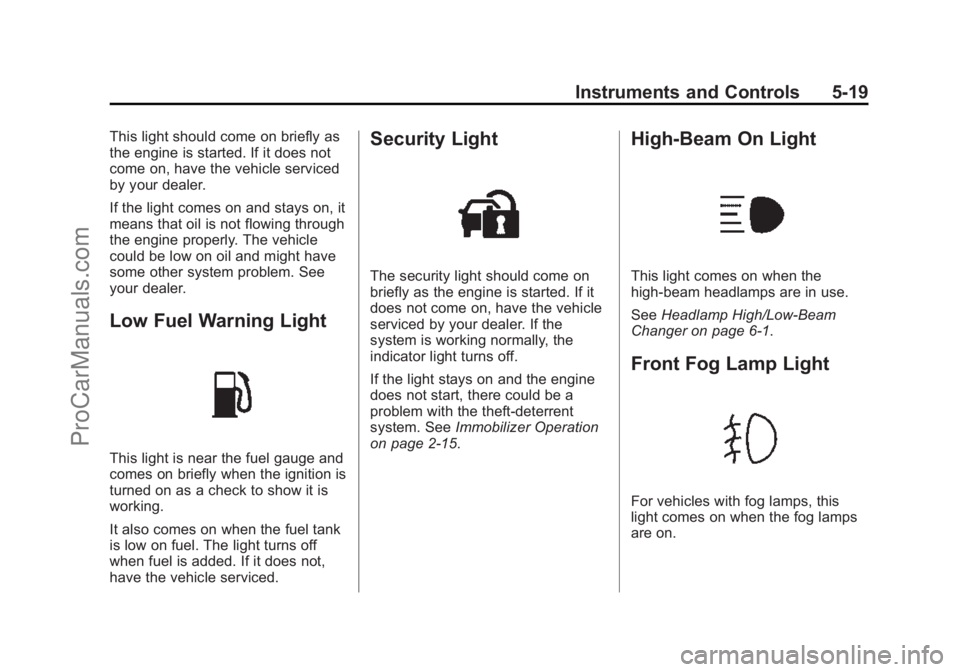
Low Fuel Warning Light
This light is near the fuel gauge and
comes on briefly when the ignition is
turned on as a check to show it is
working.
It also comes on when the fuel tank
is low on fuel. The light turns off
when fuel is added. If it does not,
have the vehicle serviced.
Security Light
The security light should come on
briefly as the engine is started. If it
does not come on, have the vehicle
serviced by your dealer. If the
system is working normally, the
indicator light turns off.
If the light stays on and the engine
does not start, there could be a
problem with the theft-deterrent
system. SeeImmobilizer Operation
on page 2-15.
High-Beam On Light
This light comes on when the
high-beam headlamps are in use.
See Headlamp High/Low-Beam
Changer on page 6-1.
Front Fog Lamp Light
For vehicles with fog lamps, this
light comes on when the fog lamps
are on.
ProCarManuals.com
Page 117 of 435
Black plate (20,1)Chevrolet SS Sedan Owner Manual (GMNA-Localizing-U.S.-7707491) - 2015 -
crc - 9/18/14
5-20 Instruments and Controls
The light goes out when the fog
lamps are turned off. SeeFog
Lamps on page 6-3 for more
information.
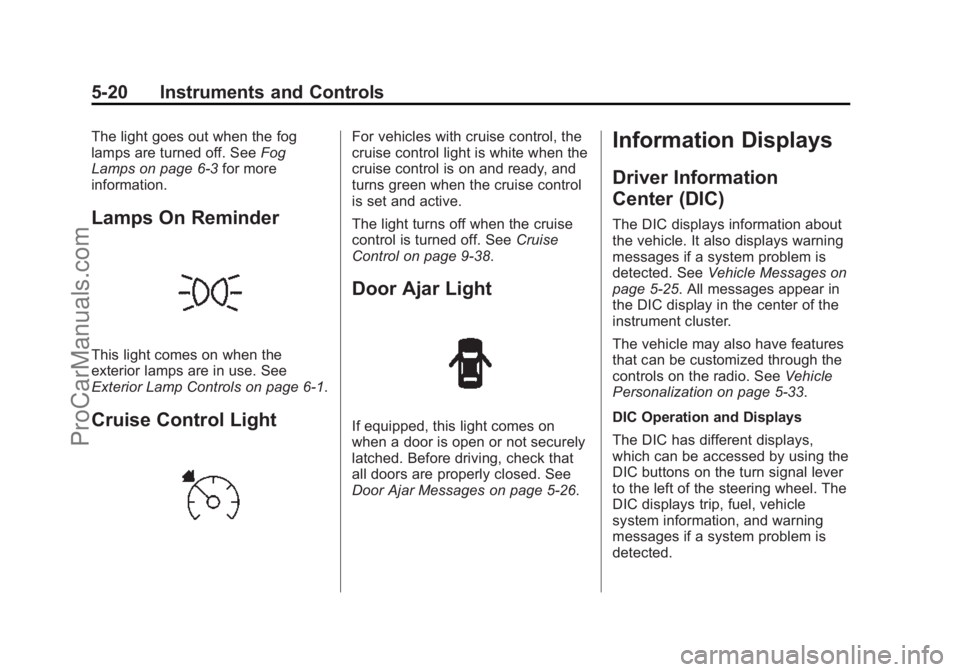
Lamps On Reminder
This light comes on when the
exterior lamps are in use. See
Exterior Lamp Controls on page 6-1.
Cruise Control Light
For vehicles with cruise control, the
cruise control light is white when the
cruise control is on and ready, and
turns green when the cruise control
is set and active.
The light turns off when the cruise
control is turned off. See Cruise
Control on page 9-38.
Door Ajar Light
If equipped, this light comes on
when a door is open or not securely
latched. Before driving, check that
all doors are properly closed. See
Door Ajar Messages on page 5-26.
Information Displays
Driver Information
Center (DIC)
The DIC displays information about
the vehicle. It also displays warning
messages if a system problem is
detected. See Vehicle Messages on
page 5-25. All messages appear in
the DIC display in the center of the
instrument cluster.
The vehicle may also have features
that can be customized through the
controls on the radio. See Vehicle
Personalization on page 5-33.
DIC Operation and Displays
The DIC has different displays,
which can be accessed by using the
DIC buttons on the turn signal lever
to the left of the steering wheel. The
DIC displays trip, fuel, vehicle
system information, and warning
messages if a system problem is
detected.
ProCarManuals.com
Page 127 of 435
Black plate (30,1)Chevrolet SS Sedan Owner Manual (GMNA-Localizing-U.S.-7707491) - 2015 -
crc - 9/18/14
5-30 Instruments and Controls
SERVICE PARKING ASSIST
This message displays if there is a
problem with the Parking Assist
system. Do not use this system to
help you park. See your dealer for
service.
SERVICE SIDE DETECTION
SYSTEM
If this message remains on after
continued driving, the vehicle needs
service. Side Blind Zone Alert
(SBZA) and Rear Cross Traffic Alert
(RCTA) features will not work. Take
the vehicle to your dealer.
SIDE BLIND ZONE ALERT OFF
This message indicates that the
driver has turned the Side Blind
Zone Alert (SBZA) system off.
SIDE DETECTION SYSTEM
UNAVAILABLE
This message indicates that Side
Blind Zone Alert (SBZA) and Rear
Cross Traffic Alert (RCTA) are
disabled either because the sensor
is blocked and cannot detectvehicles in the blind zone, or the
vehicle is passing through an open
area, such as the desert, where
there is insufficient data for
operation. This message may also
activate during heavy rain or due to
road spray. The vehicle does not
need service. For cleaning, see
"Washing the Vehicle" under
Exterior Care on page 10-74.
Ride Control System
Messages
SERVICE TRACTION
CONTROL
This message displays when there
is a problem with the Traction
Control System (TCS). See
Traction
Control/Electronic Stability Control
on page 9-32.
SERVICE STABILITRAK
This message displays if there is a
problem with the StabiliTrak system.
See Traction Control/Electronic
Stability Control on page 9-32.
Security Messages
THEFT ATTEMPTED
This message displays if the vehicle
detects a tamper condition.
Service Vehicle Messages
SERVICE AC SYSTEM
This message displays if there is a
problem with the air conditioning
system. Take the vehicle to your
dealer for service.
SERVICE POWER STEERING
This message displays if there is a
problem with the power steering
system. Take the vehicle to your
dealer for service.
ProCarManuals.com
Page 229 of 435
Black plate (88,1)Chevrolet SS Sedan Owner Manual (GMNA-Localizing-U.S.-7707491) - 2015 -
crc - 9/11/14
7-88 Infotainment System
Export Control
PANASONIC shall not export from
anywhere any part of the Data or
any direct product thereof except in
compliance with, and with all
licenses and approvals required
under, applicable export laws, rules
and regulations, including but not
limited to the laws, rules and
regulations administered by the
Office of Foreign Assets Control of
the U.S. Department of Commerce
and the Bureau of Industry and
Security of the U.S. Department of
Commerce. To the extent that any
such export laws, rules or
regulations prohibit HERE from
complying with any of its obligations
hereunder to deliver or distribute
Data, such failure shall be excused
and shall not constitute a breach of
this Agreement.
Entire Agreement
These terms and conditions
constitute the entire agreement
between PANASONIC (and its
licensors, including their licensorsand suppliers) and you pertaining to
the subject matter hereof, and
supersedes in their entirety any and
all written or oral agreements
previously existing between us with
respect to such subject matter.
Governing Law
The above terms and conditions
shall be governed by the laws of the
State of Illinois (with respect to use
of Data for the Americas and/or the
Asia Pacific territories), and the laws
of The Netherlands (with respect to
Data for the Middle East, Africa,
Russia and Europe territories),
without giving effect to (i) its conflict
of laws provisions, or (ii) the United
Nations Convention for Contracts for
the International Sale of Goods,
which is explicitly excluded. You
agree to submit to the jurisdiction of
the State of Illinois for any and all
disputes, claims and actions arising
from or in connection with the Data
provided to you hereunder.
Government End Users
If the Data is being acquired by or
on behalf of the United States
government or any other entity
seeking or applying rights similar to
those customarily claimed by the
United States government, this Data
is a
“commercial item” as that term
is defined at 48 C.F.R. (“FAR”)
2.101, is licensed in accordance
with these End-User Terms, and
each copy of Data delivered or
otherwise furnished shall be marked
and embedded as appropriate with
the following “Notice of Use,” and
shall be treated in accordance with
such Notice:
ProCarManuals.com
Page 252 of 435
Black plate (15,1)Chevrolet SS Sedan Owner Manual (GMNA-Localizing-U.S.-7707491) - 2015 -
crc - 9/11/14
Driving and Operating 9-15
fuel, and cargo. Never exceed
the GVWR for the vehicle, or the
Gross Axle Weight Rating
(GAWR) for either the front or
rear axle.
And, if there is a heavy load, it
should be spread out. See
“Steps for Determining Correct
Load Limit”earlier in this
section.
{Warning
Do not load the vehicle any
heavier than the Gross
Vehicle Weight Rating
(GVWR), or either the
maximum front or rear Gross
Axle Weight Rating (GAWR).
This can cause systems to
break and change the way the
vehicle handles. This could
cause loss of control and a
crash. Overloading can also
shorten the life of the vehicle. If you put things inside the
vehicle
—like suitcases, tools,
packages, or anything
else —they will go as fast as the
vehicle goes. If you have to stop
or turn quickly, or if there is a
crash, they will keep going.
{Warning
Things inside the vehicle can
strike and injure people in a
sudden stop or turn, or in a
crash.
.Put things in the cargo
area of the vehicle. In the
cargo area, put them as
far forward as possible.
Try to spread the weight
evenly.
(Continued)
Warning (Continued)
.Never stack heavier
things, like suitcases,
inside the vehicle so that
some of them are above
the tops of the seats.
.Do not leave an
unsecured child restraint
in the vehicle.
.Secure loose items in the
vehicle.
.Do not leave a seat folded
down unless needed.
ProCarManuals.com
Page 304 of 435
Black plate (11,1)Chevrolet SS Sedan Owner Manual (GMNA-Localizing-U.S.-7707491) - 2015 -
crc - 9/16/14
Vehicle Care 10-11
How to Inspect the Engine Air
Cleaner/Filter
To inspect the air cleaner/filter,
remove the filter from the vehicle
and lightly shake the filter to release
loose dust and dirt. If the filter
remains covered with dirt, a new
filter is required. Never use
compressed air to clean the filter.
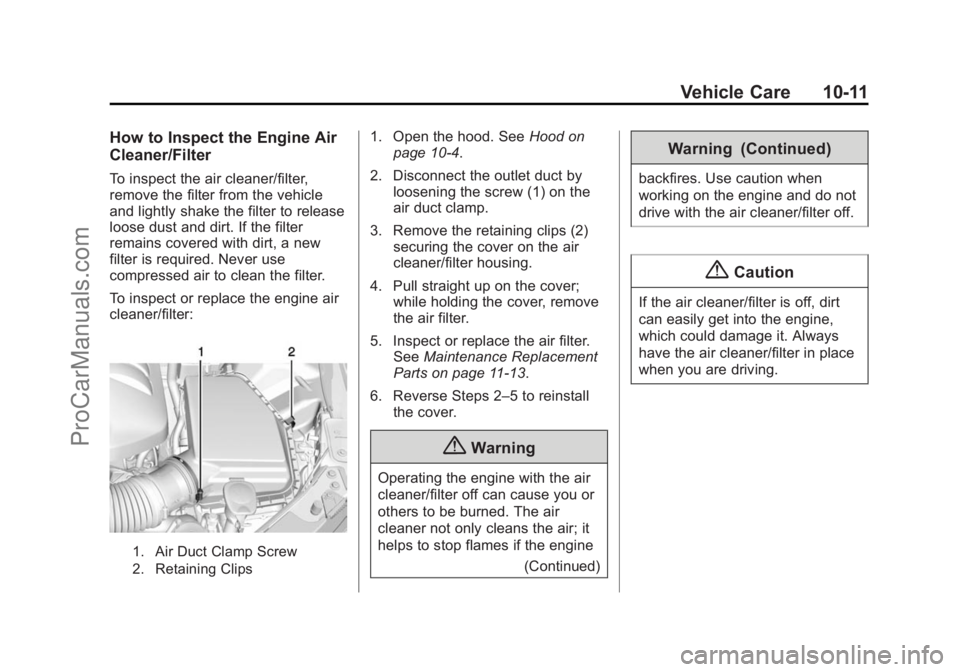
To inspect or replace the engine air
cleaner/filter:
1. Air Duct Clamp Screw
2. Retaining Clips
1. Open the hood. SeeHood on
page 10-4.
2. Disconnect the outlet duct by loosening the screw (1) on the
air duct clamp.
3. Remove the retaining clips (2) securing the cover on the air
cleaner/filter housing.
4. Pull straight up on the cover; while holding the cover, remove
the air filter.
5. Inspect or replace the air filter. See Maintenance Replacement
Parts on page 11-13.
6. Reverse Steps 2–5 to reinstall the cover.
{Warning
Operating the engine with the air
cleaner/filter off can cause you or
others to be burned. The air
cleaner not only cleans the air; it
helps to stop flames if the engine
(Continued)
Warning (Continued)
backfires. Use caution when
working on the engine and do not
drive with the air cleaner/filter off.
{Caution
If the air cleaner/filter is off, dirt
can easily get into the engine,
which could damage it. Always
have the air cleaner/filter in place
when you are driving.
ProCarManuals.com
Page 307 of 435
Black plate (14,1)Chevrolet SS Sedan Owner Manual (GMNA-Localizing-U.S.-7707491) - 2015 -
crc - 9/16/14
10-14 Vehicle Care
To check coolant:
1. Turn the ignition off.
2. Locate the coolant recoveryreservoir. See Engine
Compartment Overview on
page 10-5.
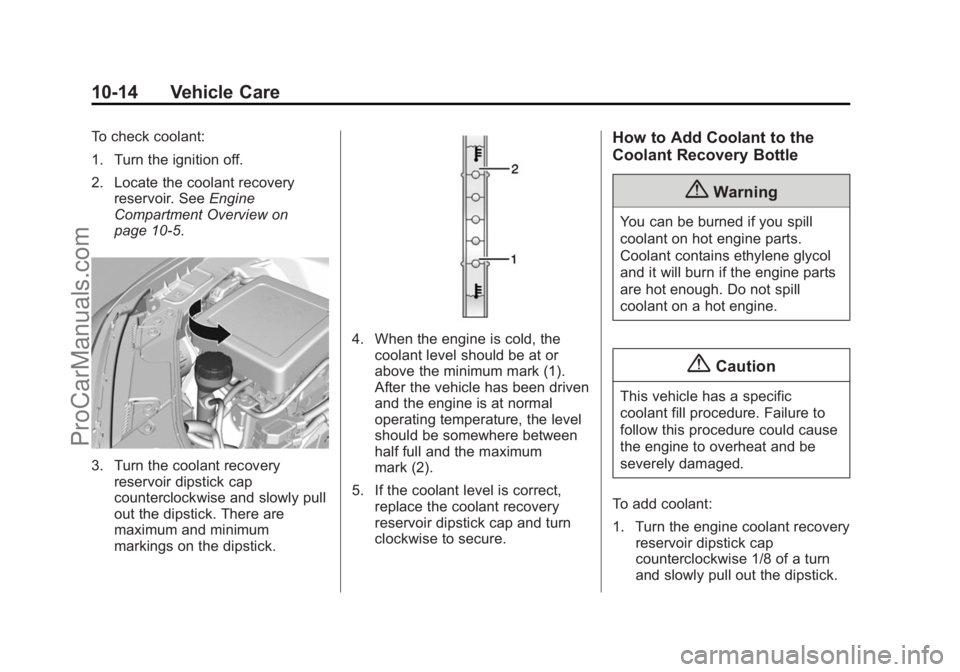
3. Turn the coolant recovery reservoir dipstick cap
counterclockwise and slowly pull
out the dipstick. There are
maximum and minimum
markings on the dipstick.
4. When the engine is cold, the
coolant level should be at or
above the minimum mark (1).
After the vehicle has been driven
and the engine is at normal
operating temperature, the level
should be somewhere between
half full and the maximum
mark (2).
5. If the coolant level is correct, replace the coolant recovery
reservoir dipstick cap and turn
clockwise to secure.
How to Add Coolant to the
Coolant Recovery Bottle
{Warning
You can be burned if you spill
coolant on hot engine parts.
Coolant contains ethylene glycol
and it will burn if the engine parts
are hot enough. Do not spill
coolant on a hot engine.
{Caution
This vehicle has a specific
coolant fill procedure. Failure to
follow this procedure could cause
the engine to overheat and be
severely damaged.
To add coolant:
1. Turn the engine coolant recovery reservoir dipstick cap
counterclockwise 1/8 of a turn
and slowly pull out the dipstick.
ProCarManuals.com
Page 308 of 435
Black plate (15,1)Chevrolet SS Sedan Owner Manual (GMNA-Localizing-U.S.-7707491) - 2015 -
crc - 9/16/14
Vehicle Care 10-15
2. Pour the coolant into the enginecoolant recovery reservoir.
3. When the level is correct, as per the markings on the dipstick,
replace the coolant recovery
reservoir dipstick cap and turn
clockwise to secure.
How to Add Coolant to the
Radiator
{Warning
You can be burned if you spill
coolant on hot engine parts.
Coolant contains ethylene glycol
and it will burn if the engine parts
are hot enough. Do not spill
coolant on a hot engine.
{Caution
This vehicle has a specific
coolant fill procedure. Failure to
follow this procedure could cause
the engine to overheat and be
severely damaged.
{Warning
An electric engine cooling fan
under the hood can start up even
when the engine is not running
and can cause injury. Keep
hands, clothing, and tools away
from any underhood electric fan.
{Warning
Steam and scalding liquids from a
hot cooling system can blow out
and burn you badly. They are
(Continued)
Warning (Continued)
under pressure, and if you turn
the radiator cap—even a
little —they can come out at high
speed. Never turn the cap when
the cooling system, including the
radiator cap, is hot. Wait for the
cooling system and radiator cap
to cool if you ever have to turn
the pressure cap.
If no coolant is visible in the engine
coolant recovery reservoir, add
coolant as follows:
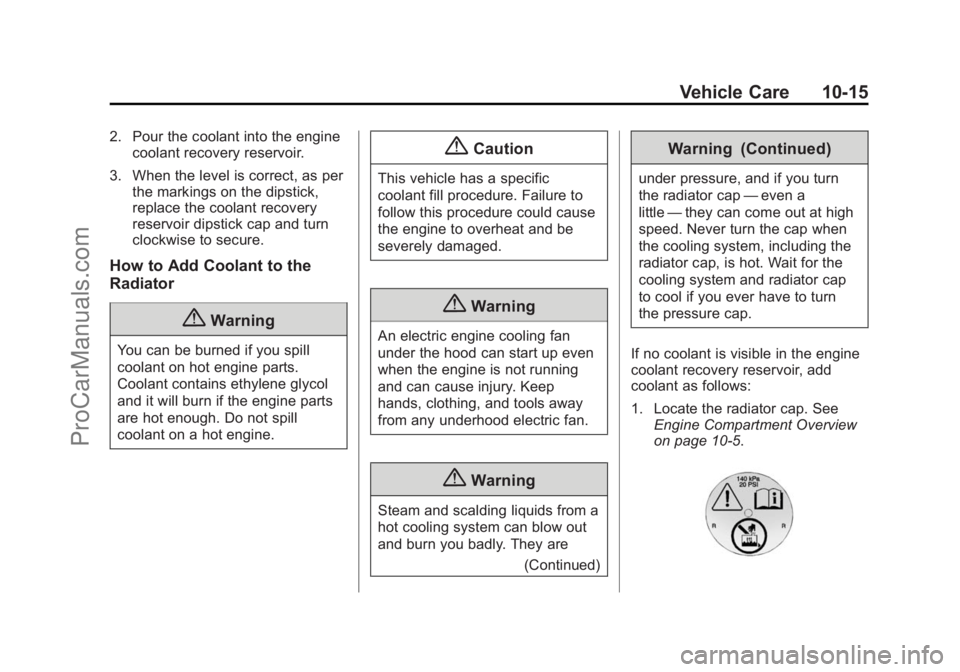
1. Locate the radiator cap. See Engine Compartment Overview
on page 10-5.
ProCarManuals.com
Page 309 of 435
Black plate (16,1)Chevrolet SS Sedan Owner Manual (GMNA-Localizing-U.S.-7707491) - 2015 -
crc - 9/16/14
10-16 Vehicle Care
2. Cover the radiator cap with athick cloth and turn it slowly
counterclockwise and remove.
3. If there is no coolant visible or the level is low, slowly fill the
system through the radiator cap
opening with a 50/50 mixture of
clean, drinkable water and
DEX-COOL coolant until full.
Wait 30 seconds for the coolant
to settle and top off if the level
drops.
Do not spill coolant on the
accessory drive belts.
If a spill occurs, rinse the belt
with fresh water.
4. Start the engine.
5. With the engine idling, top off the coolant through the radiator cap
opening until full.
Wait 30 seconds for the coolant
to settle and top off if the level
drops. 6. Once the system is full, put the
radiator cap back on by turning
clockwise.
7. Turn the engine off.
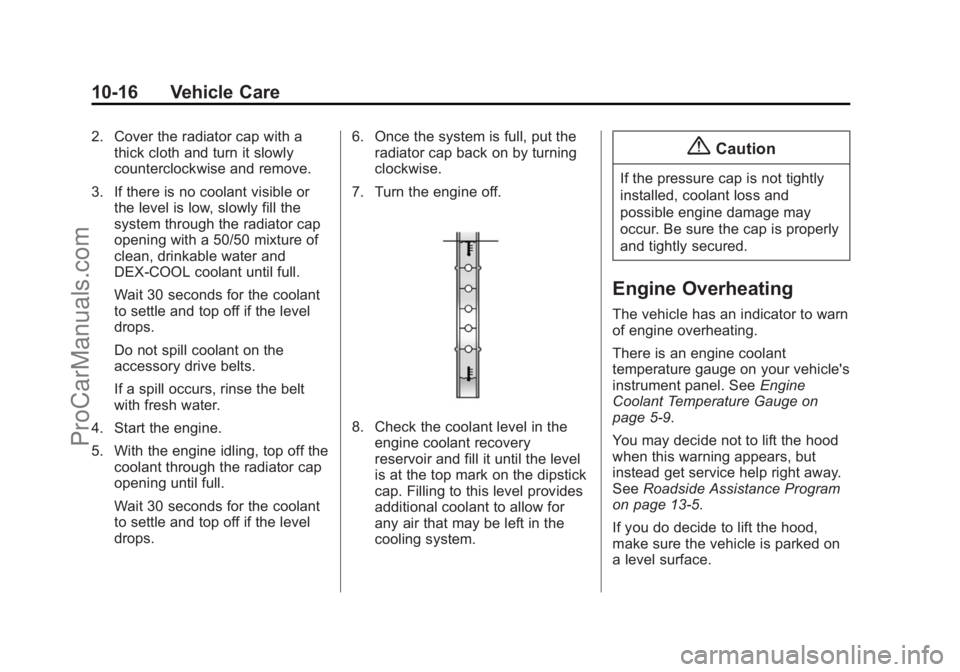
8. Check the coolant level in the engine coolant recovery
reservoir and fill it until the level
is at the top mark on the dipstick
cap. Filling to this level provides
additional coolant to allow for
any air that may be left in the
cooling system.
{Caution
If the pressure cap is not tightly
installed, coolant loss and
possible engine damage may
occur. Be sure the cap is properly
and tightly secured.
Engine Overheating
The vehicle has an indicator to warn
of engine overheating.
There is an engine coolant
temperature gauge on your vehicle's
instrument panel. See Engine
Coolant Temperature Gauge on
page 5-9.
You may decide not to lift the hood
when this warning appears, but
instead get service help right away.
See Roadside Assistance Program
on page 13-5.
If you do decide to lift the hood,
make sure the vehicle is parked on
a level surface.
ProCarManuals.com