fuel CHEVROLET SS 2016 User Guide
[x] Cancel search | Manufacturer: CHEVROLET, Model Year: 2016, Model line: SS, Model: CHEVROLET SS 2016Pages: 397, PDF Size: 7.17 MB
Page 107 of 397
Chevrolet SS Sedan Owner Manual (GMNA-Localizing-U.S.-9234782) - 2016 -
CRC - 8/24/15
106 Instruments and Controls
.Average Vehicle Speed
. Navigation
Digital Speedometer
The speedometer, available on
some vehicles, shows how fast the
vehicle is moving in either
kilometers per hour (km/h) or miles
per hour (mph). The speedometer
cannot be reset.
Trip
This display shows the current
distance traveled in either
kilometers (km) or miles (mi), since
the last reset for the trip odometer.
The trip odometer can be reset to
zero by pressing SET/CLR while the
trip odometer display is showing.
Fuel Range
This display shows the approximate
distance the vehicle can be driven
without refueling. The fuel range
estimate is based on an average of
the vehicle's fuel economy over
recent driving history and the
amount of fuel remaining in the fuel
tank. Fuel range cannot be reset. Average Fuel Economy
This display shows the approximate
average liters per 100 kilometers
(L/100 km) or miles per gallon
(mpg). This number is calculated
based on the number of
L/100 km (mpg) recorded since the
last time this menu item was reset.
This number reflects only the
approximate average fuel economy
that the vehicle has right now, and
will change as driving conditions
change. The fuel economy can be
reset by pressing SET/CLR while
the Average Fuel Economy display
is showing. On some models, this
display is shown on the same page
with the instantaneous fuel
consumption display.
Instantaneous Fuel Economy
The instantaneous fuel consumption
display shows the current
fuel economy in liters per
100 kilometers (L/100 km) or miles
per gallon (mpg). This number
reflects only the approximate fuel
economy that the vehicle has right
now and changes frequently as
driving conditions change. Unlikeaverage fuel economy, this display
cannot be reset. On some models,
this display is shown on the same
page with the average fuel economy
display.
Average Vehicle Speed
This display shows the average
speed of the vehicle in kilometers
per hour (km/h) or miles per
hour (mph). This average is
calculated based on the various
vehicle speeds recorded since the
last reset of this value. The average
speed can be reset by pressing
SET/CLR while the Average Vehicle
Speed display is showing.
Navigation
This display shows the Navigation
information when guidance is
selected.
Vehicle Information Menu Items
Press MENU on the turn signal
lever until Vehicle Information menu
is displayed. Use
\to scroll
through the following possible menu
items:
. Battery Voltage
ProCarManuals.com
Page 113 of 397
Chevrolet SS Sedan Owner Manual (GMNA-Localizing-U.S.-9234782) - 2016 -
CRC - 8/24/15
112 Instruments and Controls
Engine Oil Messages
CHANGE ENGINE OIL SOON
This message displays when
service is required for the vehicle.
See your dealer. SeeEngine Oil
0 271
iiand Maintenance Schedule
0 346ii.
Acknowledging the CHANGE
ENGINE OIL SOON message will
not reset the system. See
“Remaining Oil Life” underDriver
Information Center (DIC) 0105
iiand
Engine Oil Life System 0273ii.
ENGINE OIL LOW —ADD OIL
On some vehicles, this message
displays when the engine oil level
may be too low. Check the oil level
before filling to the recommended
level. If the oil is not low and this
message remains on, take the
vehicle to your dealer for service.
See Engine Oil 0271
ii.
OIL PRESSURE LOW STOP
ENGINE
This message displays when the
vehicle's engine oil pressure is low.
The oil pressure light also appears
on the instrument cluster. See
Engine Oil Pressure Light 0103
ii.
Stop the vehicle immediately, as
engine damage can result from
driving a vehicle with low oil
pressure. Have the vehicle serviced
by your dealer as soon as possible
when this message is displayed.
Engine Power Messages
ENGINE POWER IS REDUCED
This message displays when the
vehicle's engine power is reduced.
Reduced engine power can affect
the vehicle's ability to accelerate.
If this message is on, but there is no
reduction in performance, proceed
to your destination. The
performance may be reduced the
next time the vehicle is driven. The
vehicle may be driven at a reduced
speed while this message is on, but
maximum acceleration and speed may be reduced. Anytime this
message stays on, the vehicle
should be taken to your dealer for
service as soon as possible.
Fuel System Messages
FUEL LEVEL LOW
This message displays when the
vehicle is low on fuel. Refuel as
soon as possible.
Key and Lock Messages
NO REMOTE DETECTED
This message displays when the
transmitter battery is weak on
vehicles with Keyless Access. See
“Starting the Vehicle with a Low
Transmitter Battery”
underRemote
Keyless Entry (RKE) System
Operation 024
ii.
ProCarManuals.com
Page 136 of 397
Chevrolet SS Sedan Owner Manual (GMNA-Localizing-U.S.-9234782) - 2016 -
CRC - 8/24/15
Infotainment System 135
Press the Weather screen button (if
equipped) to display the weather
main page. Select other
weather-related options from that
list. See“SiriusXM Travel Link
Weather” underSatellite Radio
0 139
ii.
Press the Fuel screen button (if
equipped) to display detailed
nationwide fuel price. See “SiriusXM
Travel Link Fuel Prices” under
Satellite Radio 0139
ii
Press the Movies screen button (if
equipped) to show detailed local
movie theater listings, start times,
and ratings if available. See
“SiriusXM Travel Link Movie
Listings” inSatellite Radio 0139
ii.
Press the Quick Info screen button
to access information on Audio
playing. See Quick Info0145
ii.
Press the Messages screen button
(if equipped) to display the Text
Message Inbox. See Text
Messaging 0200
ii.
Cleaning High Gloss Surfaces
and Vehicle Information and
Radio Displays
For vehicles with high gloss
surfaces or vehicle displays, use a
microfiber cloth to wipe surfaces.
Before wiping the surface with the
microfiber cloth, use a soft bristle
brush to remove dirt that could
scratch the surface. Then use the
microfiber cloth by gently rubbing to
clean. Never use window cleaners
or solvents. Periodically hand wash
the microfiber cloth separately,
using mild soap. Do not use bleach
or fabric softener. Rinse thoroughly
and air dry before next use.
ProCarManuals.com
Page 142 of 397
Chevrolet SS Sedan Owner Manual (GMNA-Localizing-U.S.-9234782) - 2016 -
CRC - 8/24/15
Infotainment System 141
Traffic information is delivered to the
vehicle by the SiriusXM Radio
satellites. SiriusXM NavTraffic
provides continuously updated
traffic information.
SiriusXM NavTraffic currently
broadcasts the traffic information for
many markets nationally. The
service may be available in more
cities in the future. Visit
www.xmnavtraffic.com for more
details on local coverage.
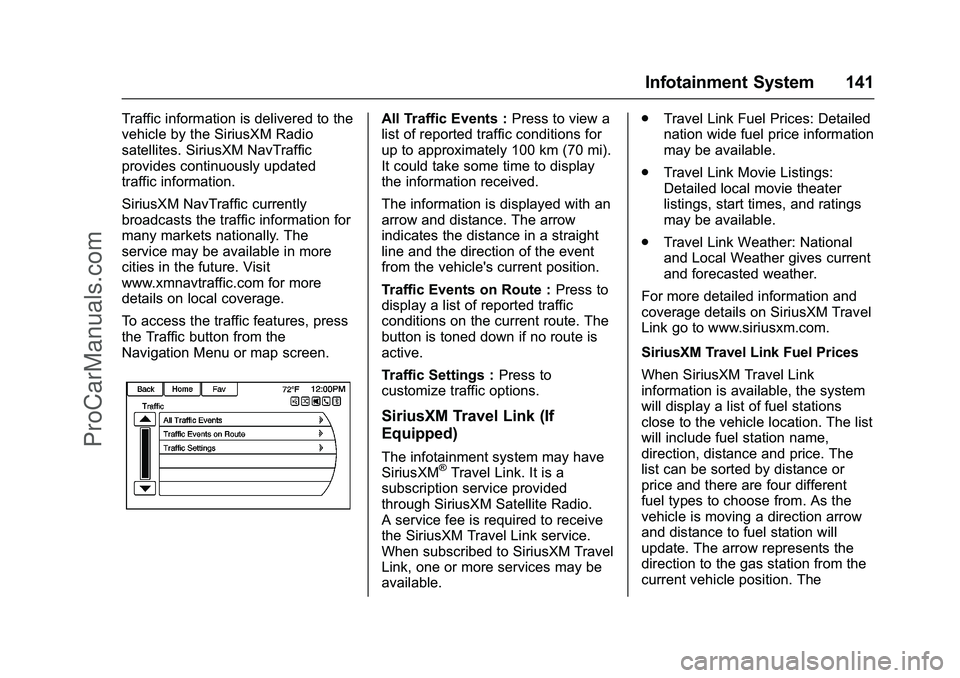
To access the traffic features, press
the Traffic button from the
Navigation Menu or map screen.All Traffic Events :Press to view a
list of reported traffic conditions for
up to approximately 100 km (70 mi).
It could take some time to display
the information received.
The information is displayed with an
arrow and distance. The arrow
indicates the distance in a straight
line and the direction of the event
from the vehicle's current position.
Traffic Events on Route : Press to
display a list of reported traffic
conditions on the current route. The
button is toned down if no route is
active.
Traffic Settings : Press to
customize traffic options.
SiriusXM Travel Link (If
Equipped)
The infotainment system may have
SiriusXM®Travel Link. It is a
subscription service provided
through SiriusXM Satellite Radio.
A service fee is required to receive
the SiriusXM Travel Link service.
When subscribed to SiriusXM Travel
Link, one or more services may be
available. .
Travel Link Fuel Prices: Detailed
nation wide fuel price information
may be available.
. Travel Link Movie Listings:
Detailed local movie theater
listings, start times, and ratings
may be available.
. Travel Link Weather: National
and Local Weather gives current
and forecasted weather.
For more detailed information and
coverage details on SiriusXM Travel
Link go to www.siriusxm.com.
SiriusXM Travel Link Fuel Prices
When SiriusXM Travel Link
information is available, the system
will display a list of fuel stations
close to the vehicle location. The list
will include fuel station name,
direction, distance and price. The
list can be sorted by distance or
price and there are four different
fuel types to choose from. As the
vehicle is moving a direction arrow
and distance to fuel station will
update. The arrow represents the
direction to the gas station from the
current vehicle position. The
ProCarManuals.com
Page 143 of 397
Chevrolet SS Sedan Owner Manual (GMNA-Localizing-U.S.-9234782) - 2016 -
CRC - 8/24/15
142 Infotainment System
distance represents the straight line
distance between the vehicle
location and the fuel station.
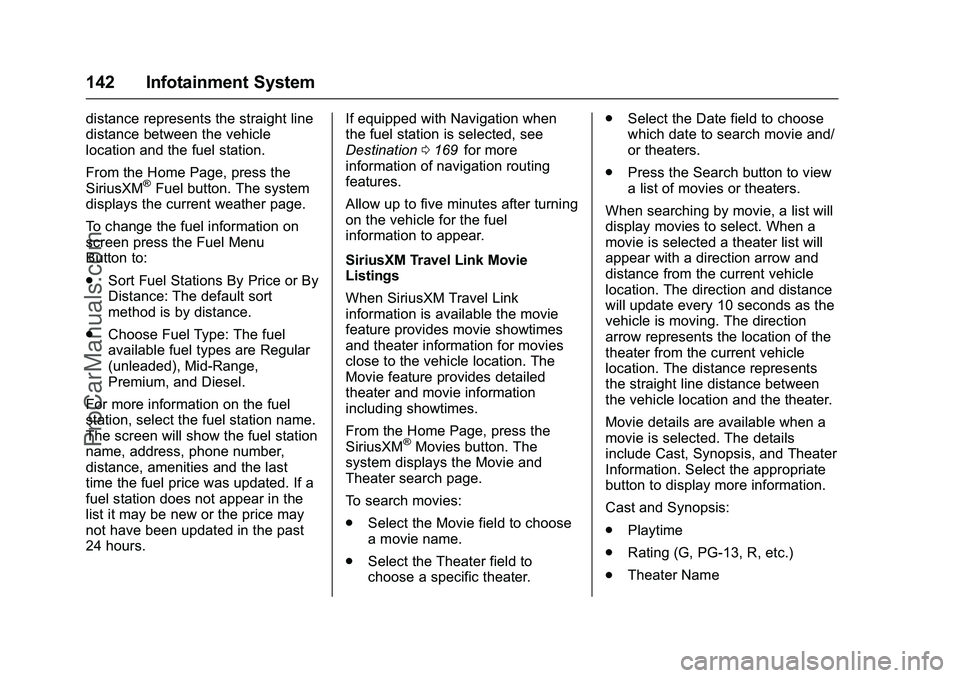
From the Home Page, press the
SiriusXM
®Fuel button. The system
displays the current weather page.
To change the fuel information on
screen press the Fuel Menu
Button to:
. Sort Fuel Stations By Price or By
Distance: The default sort
method is by distance.
. Choose Fuel Type: The fuel
available fuel types are Regular
(unleaded), Mid-Range,
Premium, and Diesel.
For more information on the fuel
station, select the fuel station name.
The screen will show the fuel station
name, address, phone number,
distance, amenities and the last
time the fuel price was updated. If a
fuel station does not appear in the
list it may be new or the price may
not have been updated in the past
24 hours. If equipped with Navigation when
the fuel station is selected, see
Destination
0169
iifor more
information of navigation routing
features.
Allow up to five minutes after turning
on the vehicle for the fuel
information to appear.
SiriusXM Travel Link Movie
Listings
When SiriusXM Travel Link
information is available the movie
feature provides movie showtimes
and theater information for movies
close to the vehicle location. The
Movie feature provides detailed
theater and movie information
including showtimes.
From the Home Page, press the
SiriusXM
®Movies button. The
system displays the Movie and
Theater search page.
To search movies:
. Select the Movie field to choose
a movie name.
. Select the Theater field to
choose a specific theater. .
Select the Date field to choose
which date to search movie and/
or theaters.
. Press the Search button to view
a list of movies or theaters.
When searching by movie, a list will
display movies to select. When a
movie is selected a theater list will
appear with a direction arrow and
distance from the current vehicle
location. The direction and distance
will update every 10 seconds as the
vehicle is moving. The direction
arrow represents the location of the
theater from the current vehicle
location. The distance represents
the straight line distance between
the vehicle location and the theater.
Movie details are available when a
movie is selected. The details
include Cast, Synopsis, and Theater
Information. Select the appropriate
button to display more information.
Cast and Synopsis:
. Playtime
. Rating (G, PG-13, R, etc.)
. Theater Name
ProCarManuals.com
Page 146 of 397
Chevrolet SS Sedan Owner Manual (GMNA-Localizing-U.S.-9234782) - 2016 -
CRC - 8/24/15
Infotainment System 145
Cellular Phone Usage
Cellular phone usage can cause
interference with the vehicle's radio.
Backglass Antenna
The AM-FM antenna is integrated
with the rear window defogger in the
rear window. Do not scratch the
inside surface or damage the lines
in the glass. If the inside surface is
damaged, it could interfere with
radio reception. For proper radio
reception, the antenna connector
needs to be properly attached to the
post on the glass.
If attaching a cell phone antenna to
the glass, attach it between the grid
lines.
Caution
Using a razor blade or sharp
object to clear the inside rear
window can damage the rear
window antenna and/or the rear
window defogger. Repairs would(Continued)
Caution (Continued)
not be covered by the vehicle
warranty. Do not clear the inside
rear window with sharp objects.
Caution
Do not apply aftermarket glass
tinting with metallic film. The
metallic film in some tinting
materials will interfere with or
distort the incoming radio
reception. Any damage caused to
the backglass antenna due to
metallic tinting materials will not
be covered by the vehicle
warranty.
Multi-Band Antenna
The multi-band antenna is located
on the roof of the vehicle. It is used
for OnStar
®(if equipped), SiriusXM
Satellite Radio, and GPS (Global
Positioning System). Keep clear of
obstructions for clear reception. If the vehicle has a sunroof, and it is
open, reception can also be
affected.
Quick Info
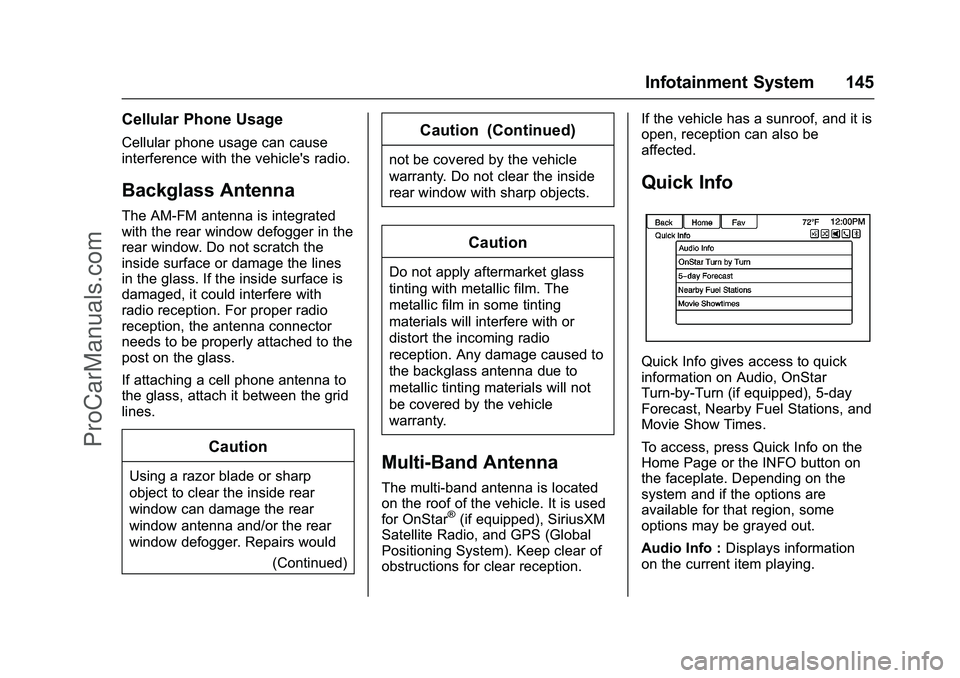
Quick Info gives access to quick
information on Audio, OnStar
Turn-by-Turn (if equipped), 5-day
Forecast, Nearby Fuel Stations, and
Movie Show Times.
To access, press Quick Info on the
Home Page or the INFO button on
the faceplate. Depending on the
system and if the options are
available for that region, some
options may be grayed out.
Audio Info :
Displays information
on the current item playing.
ProCarManuals.com
Page 147 of 397
Chevrolet SS Sedan Owner Manual (GMNA-Localizing-U.S.-9234782) - 2016 -
CRC - 8/24/15
146 Infotainment System
OnStar Turn by Turn :Displays
the next maneuver in a route. See
OnStar
®Destination Download
0 179ii.
5-day Forecast : Displays the
5-day forecast for the weather
station closest to the current
location. See “SiriusXM Travel Link
Weather” inSatellite Radio 0139
ii.
Nearby Fuel Stations : Displays
fuel prices and distances for close
fuel stations. See “SiriusXM Travel
Link Weather” under“SiriusXM
Travel Link (If Equipped)” inSatellite
Radio 0139
ii.
Movie Showtimes : Displays a list
of movies playing in the theaters
closest to current location. See
“SiriusXM Travel Link Movie
Listings” inSatellite Radio 0139
ii.
Pandora Internet Radio
Pandora (if equipped) is a free
Internet radio service that streams
personalized radio stations based
on artists, songs, genres, and
comedians. Create stations using
the Pandora website or smartphone application, then use
-(thumbs up)
or
,(thumbs down) to personalize
stations. To set up an account, or for
more information, go to
www.pandora.com.
A phone or tablet with Internet
connection and the Pandora
application installed is required.
Personal cell phone data plans are
used. Make sure the latest version
is installed on the device and the
volume is turned up.
To install Pandora:
. On an Android™ phone or
Android Tablet, go to the Android
Play Store, and search for
Pandora. Install to the phone,
not to the SD card.
. On a BlackBerry
®phone, go to
the BlackBerry App World™ and
search for Pandora.
. On an iPhone
®, iPad®, or iPod
touch®, go to the iTunes®Store
and search for Pandora.
Launching Pandora
Connect the iPhone, iPad, or iPod
touch to the USB port, or connect
an Android or BlackBerry through
Bluetooth. See USB0155
iior
Bluetooth 0193ii. For first-time use,
set up stations before connecting to
the vehicle. The Pandora icon will
be available on the Home Page and
the source pop-up displays if the
latest application is installed on the
device.
Using the iPhone, iPod touch,
or iPad
1. Plug the device into the USB port. The phone screen must
be unlocked.
2. To launch, do one of the following:
.Launch the application on
the device.
. Press Pandora on the
Home Page.
. Press
b/gand say
“Pandora” or“Tune
Pandora.”
⁐⁃⁍⁵
Page 177 of 397
Chevrolet SS Sedan Owner Manual (GMNA-Localizing-U.S.-9234782) - 2016 -
CRC - 8/24/15
176 Infotainment System
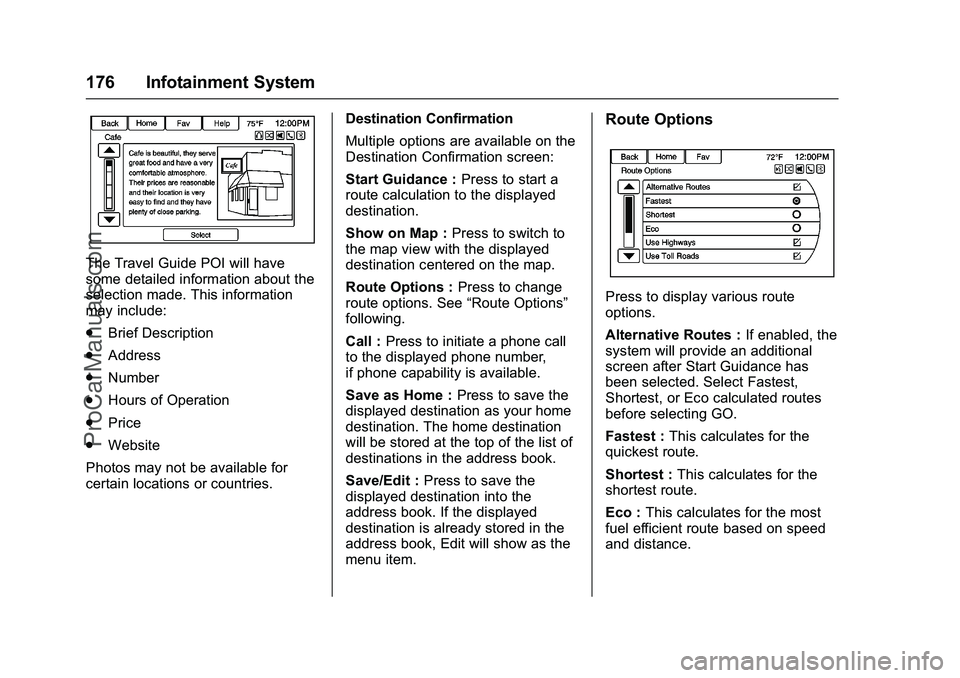
The Travel Guide POI will have
some detailed information about the
selection made. This information
may include:
.Brief Description
. Address
. Number
. Hours of Operation
. Price
. Website
Photos may not be available for
certain locations or countries. Destination Confirmation
Multiple options are available on the
Destination Confirmation screen:
Start Guidance :
Press to start a
route calculation to the displayed
destination.
Show on Map : Press to switch to
the map view with the displayed
destination centered on the map.
Route Options : Press to change
route options. See “Route Options”
following.
Call : Press to initiate a phone call
to the displayed phone number,
if phone capability is available.
Save as Home : Press to save the
displayed destination as your home
destination. The home destination
will be stored at the top of the list of
destinations in the address book.
Save/Edit : Press to save the
displayed destination into the
address book. If the displayed
destination is already stored in the
address book, Edit will show as the
menu item.
Route Options
Press to display various route
options.
Alternative Routes : If enabled, the
system will provide an additional
screen after Start Guidance has
been selected. Select Fastest,
Shortest, or Eco calculated routes
before selecting GO.
Fastest : This calculates for the
quickest route.
Shortest : This calculates for the
shortest route.
Eco : This calculates for the most
fuel efficient route based on speed
and distance.
ProCarManuals.com
Page 215 of 397
Chevrolet SS Sedan Owner Manual (GMNA-Localizing-U.S.-9234782) - 2016 -
CRC - 8/24/15
214 Driving and Operating
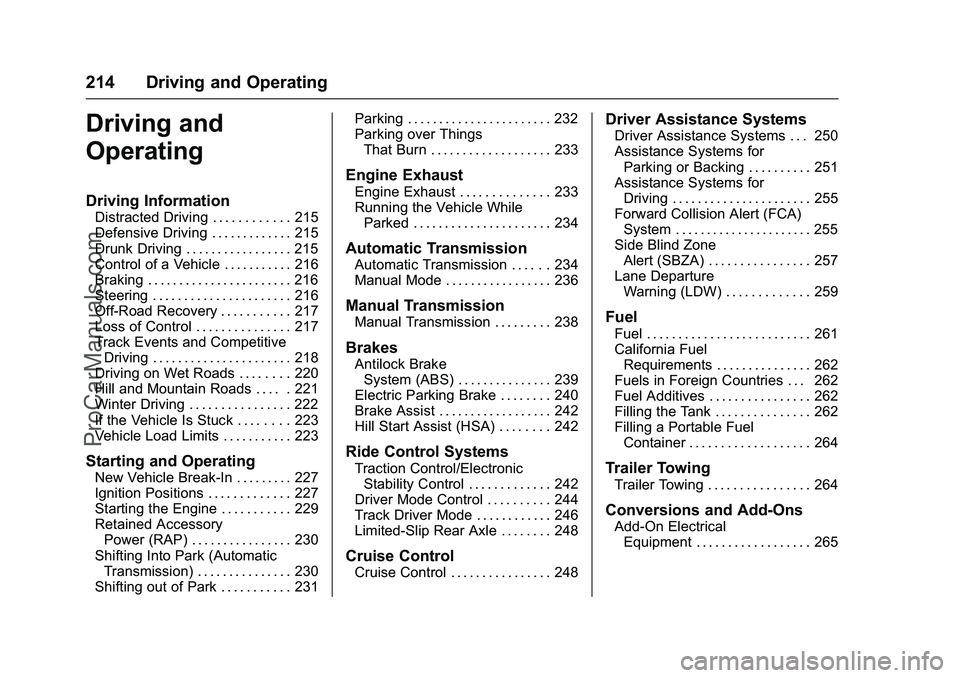
Driving and
Operating
Driving Information
Distracted Driving . . . . . . . . . . . . 215
Defensive Driving . . . . . . . . . . . . . 215
Drunk Driving . . . . . . . . . . . . . . . . . 215
Control of a Vehicle . . . . . . . . . . . 216
Braking . . . . . . . . . . . . . . . . . . . . . . . 216
Steering . . . . . . . . . . . . . . . . . . . . . . 216
Off-Road Recovery . . . . . . . . . . . 217
Loss of Control . . . . . . . . . . . . . . . 217
Track Events and CompetitiveDriving . . . . . . . . . . . . . . . . . . . . . . 218
Driving on Wet Roads . . . . . . . . 220
Hill and Mountain Roads . . . . . 221
Winter Driving . . . . . . . . . . . . . . . . 222
If the Vehicle Is Stuck . . . . . . . . 223
Vehicle Load Limits . . . . . . . . . . . 223
Starting and Operating
New Vehicle Break-In . . . . . . . . . 227
Ignition Positions . . . . . . . . . . . . . 227
Starting the Engine . . . . . . . . . . . 229
Retained Accessory Power (RAP) . . . . . . . . . . . . . . . . 230
Shifting Into Park (Automatic Transmission) . . . . . . . . . . . . . . . 230
Shifting out of Park . . . . . . . . . . . 231 Parking . . . . . . . . . . . . . . . . . . . . . . . 232
Parking over Things
That Burn . . . . . . . . . . . . . . . . . . . 233
Engine Exhaust
Engine Exhaust . . . . . . . . . . . . . . 233
Running the Vehicle WhileParked . . . . . . . . . . . . . . . . . . . . . . 234
Automatic Transmission
Automatic Transmission . . . . . . 234
Manual Mode . . . . . . . . . . . . . . . . . 236
Manual Transmission
Manual Transmission . . . . . . . . . 238
Brakes
Antilock BrakeSystem (ABS) . . . . . . . . . . . . . . . 239
Electric Parking Brake . . . . . . . . 240
Brake Assist . . . . . . . . . . . . . . . . . . 242
Hill Start Assist (HSA) . . . . . . . . 242
Ride Control Systems
Traction Control/Electronic
Stability Control . . . . . . . . . . . . . 242
Driver Mode Control . . . . . . . . . . 244
Track Driver Mode . . . . . . . . . . . . 246
Limited-Slip Rear Axle . . . . . . . . 248
Cruise Control
Cruise Control . . . . . . . . . . . . . . . . 248
Driver Assistance Systems
Driver Assistance Systems . . . 250
Assistance Systems for Parking or Backing . . . . . . . . . . 251
Assistance Systems for Driving . . . . . . . . . . . . . . . . . . . . . . 255
Forward Collision Alert (FCA) System . . . . . . . . . . . . . . . . . . . . . . 255
Side Blind Zone Alert (SBZA) . . . . . . . . . . . . . . . . 257
Lane Departure Warning (LDW) . . . . . . . . . . . . . 259
Fuel
Fuel . . . . . . . . . . . . . . . . . . . . . . . . . . 261
California FuelRequirements . . . . . . . . . . . . . . . 262
Fuels in Foreign Countries . . . 262
Fuel Additives . . . . . . . . . . . . . . . . 262
Filling the Tank . . . . . . . . . . . . . . . 262
Filling a Portable Fuel
Container . . . . . . . . . . . . . . . . . . . 264
Trailer Towing
Trailer Towing . . . . . . . . . . . . . . . . 264
Conversions and Add-Ons
Add-On ElectricalEquipment . . . . . . . . . . . . . . . . . . 265
ProCarManuals.com
Page 224 of 397
Chevrolet SS Sedan Owner Manual (GMNA-Localizing-U.S.-9234782) - 2016 -
CRC - 8/24/15
Driving and Operating 223
Warning (Continued)
the fan speed to the highest
setting. See“Climate
Control Systems.”
For more information about CO,
see Engine Exhaust 0233
ii.
To save fuel, run the engine for
short periods to warm the vehicle
and then shut the engine off and
partially close the window. Moving
about to keep warm also helps.
If it takes time for help to arrive,
when running the engine, push the
accelerator pedal slightly so the
engine runs faster than the idle
speed. This keeps the battery
charged to restart the vehicle and to
signal for help with the headlamps.
Do this as little as possible, to
save fuel.
If the Vehicle Is Stuck
Slowly and cautiously spin the
wheels to free the vehicle when
stuck in sand, mud, ice, or snow. If stuck too severely for the traction
system to free the vehicle, turn the
traction system off and use the
rocking method. See
Traction
Control/Electronic Stability Control
0 242
ii.
{Warning
If the vehicle's tires spin at high
speed, they can explode, and you
or others could be injured. The
vehicle can overheat, causing an
engine compartment fire or other
damage. Spin the wheels as little
as possible and avoid going
above 56 km/h (35 mph).
Rocking the Vehicle to Get
it Out
Turn the steering wheel left and
right to clear the area around the
front wheels. Turn off any traction
system. Shift back and forth
between R (Reverse) and a low
forward gear, spinning the wheels
as little as possible. To prevent
transmission wear, wait until the
wheels stop spinning before shifting gears. Release the accelerator
pedal while shifting, and press
lightly on the accelerator pedal
when the transmission is in gear.
Slowly spinning the wheels in the
forward and reverse directions
causes a rocking motion that could
free the vehicle. If that does not get
the vehicle out after a few tries, it
might need to be towed out. If the
vehicle does need to be towed out,
see
Towing the Vehicle 0334
ii.
Vehicle Load Limits
It is very important to know how
much weight the vehicle can
carry. This weight is called the
vehicle capacity weight and
includes the weight of all
occupants, cargo, and all
nonfactory-installed options.
Two labels on the vehicle may
show how much weight it may
properly carry: the Tire and
Loading Information label and
the Certification label.
ProCarManuals.com