keyless CHEVROLET SS 2017 1.G User Guide
[x] Cancel search | Manufacturer: CHEVROLET, Model Year: 2017, Model line: SS, Model: CHEVROLET SS 2017 1.GPages: 400, PDF Size: 7.31 MB
Page 38 of 400

Chevrolet SS Sedan Owner Manual (GMNA-Localizing-U.S.-10122752) -2017 - crc - 8/31/16
Keys, Doors, and Windows 37
Fast Flash :Vehicle is unsecured.Adoor,thehood,orthetrunkis open.
Slow Flash :Alarm system isarmed.
Arming the Alarm System
1. Turn off the vehicle.
2. Lock the vehicle with one ofthe following:
.Use the RKE transmitter.
.With a door open, press the
insideQ.
3. After 30 seconds the alarmsystem will arm, and theindicator light will begin toslowly flash indicating thealarm system is operating.
PressingQon the RKE
transmitter a second time willbypass the 30-second delayand immediately arm the alarmsystem.
The vehicle alarm system will notarm if the doors are locked withthe key.
If the driver door is opened withoutfirst unlocking with the RKEtransmitter, the horn will chirp andthe lights will flash to indicate apre-alarm. If the vehicle is notstarted, or the door is not unlocked
by pressingKon the RKE
transmitter during the 10-secondpre-alarm, the alarm will beactivated.
The alarm will also be activated ifthe passenger door, the trunk, or thehood is opened without firstdisarming the system. When thealarm is activated, the turn signalsflash and the horn sounds for about30 seconds. The alarm system willthen re-arm to monitor for the nextunauthorized event.
Disarming the System
To d i s a r m t h e s y s t e m , d o o n e o f t h efollowing:
.PressKon the RKE transmitter.
.Start the engine.
To avoid setting off the alarm byaccident:
.Lock the vehicle with the RKEtransmitter after all occupantshave exited.
.Always unlock the vehicle withthe RKE transmitter, or use theKeyless Access system.Unlocking the driver door withthe key will not disarm thesystem or turn off the alarm.
Immobilizer
SeeRadio Frequency Statement0374.
Immobilizer Operation
This vehicle has a passivetheft-deterrent system.
The system does not have to bemanually armed or disarmed.
The immobilizer activates itselfautomatically when the engine isswitched off by pressing ENGINESTART/STOP.
Page 39 of 400
Chevrolet SS Sedan Owner Manual (GMNA-Localizing-U.S.-10122752) -2017 - crc - 8/31/16
38 Keys, Doors, and Windows
The system checks whether thevehicle is allowed to start with thetransmitter used. If the transponderin the transmitter is recognized, thevehicle can be started.
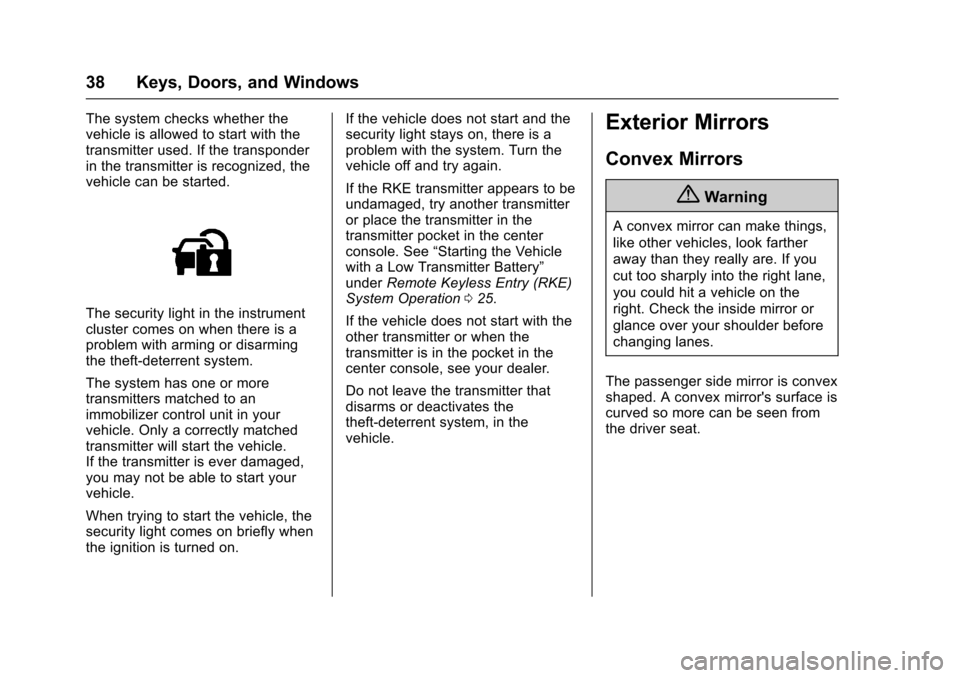
The security light in the instrumentcluster comes on when there is aproblem with arming or disarmingthe theft-deterrent system.
The system has one or moretransmitters matched to animmobilizer control unit in yourvehicle. Only a correctly matchedtransmitter will start the vehicle.If the transmitter is ever damaged,you may not be able to start yourvehicle.
When trying to start the vehicle, thesecurity light comes on briefly whenthe ignition is turned on.
If the vehicle does not start and thesecurity light stays on, there is aproblem with the system. Turn thevehicle off and try again.
If the RKE transmitter appears to beundamaged, try another transmitteror place the transmitter in thetransmitter pocket in the centerconsole. See“Starting the Vehiclewith a Low Transmitter Battery”underRemote Keyless Entry (RKE)System Operation025.
If the vehicle does not start with theother transmitter or when thetransmitter is in the pocket in thecenter console, see your dealer.
Do not leave the transmitter thatdisarms or deactivates thetheft-deterrent system, in thevehicle.
Exterior Mirrors
Convex Mirrors
{Warning
Aconvexmirrorcanmakethings,
like other vehicles, look farther
away than they really are. If you
cut too sharply into the right lane,
you could hit a vehicle on the
right. Check the inside mirror or
glance over your shoulder before
changing lanes.
The passenger side mirror is convexshaped. A convex mirror's surface iscurved so more can be seen fromthe driver seat.
Page 116 of 400
Chevrolet SS Sedan Owner Manual (GMNA-Localizing-U.S.-10122752) -2017 - crc - 8/31/16
Instruments and Controls 115
Engine Oil Messages
CHANGE ENGINE OIL SOON
This message displays whenservice is required for the vehicle.See your dealer.SeeEngine Oil0275andMaintenance Schedule0349.
Acknowledging the CHANGEENGINE OIL SOON message willnot reset the system. See“Remaining Oil Life”underDriverInformation Center (DIC)0108andEngine Oil Life System0277.
ENGINE OIL LOW—ADD OIL
On some vehicles, this messagedisplays when the engine oil levelmay be too low. Check the oil levelbefore filling to the recommendedlevel. If the oil is not low and thismessage remains on, take thevehicle to your dealer for service.SeeEngine Oil0275.
OIL PRESSURE LOW STOP
ENGINE
This message displays when thevehicle's engine oil pressure is low.The oil pressure light also appearson the instrument cluster. SeeEngine Oil Pressure Light0106.
Stop the vehicle immediately, asengine damage can result fromdriving a vehicle with low oilpressure. Have the vehicle servicedby your dealer as soon as possiblewhen this message is displayed.
Engine Power Messages
ENGINE POWER IS REDUCED
This message displays when thevehicle's engine power is reduced.Reduced engine power can affectthe vehicle's ability to accelerate.If this message is on, but there is noreduction in performance, proceedto your destination. Theperformance may be reduced thenext time the vehicle is driven. Thevehicle may be driven at a reducedspeed while this message is on, butmaximum acceleration and speed
may be reduced. Anytime thismessage stays on, or displaysrepeatedly, the vehicle should betaken to your dealer for service assoon as possible.
Fuel System Messages
FUEL LEVEL LOW
This message displays when thevehicle is low on fuel. Refuel assoon as possible.
Key and Lock Messages
NO REMOTE DETECTED
This message displays when thetransmitter battery is weak onvehicles with Keyless Access. See“Starting the Vehicle with a LowTransmitter Battery”underRemoteKeyless Entry (RKE) SystemOperation025.
Page 117 of 400
Chevrolet SS Sedan Owner Manual (GMNA-Localizing-U.S.-10122752) -2017 - crc - 8/31/16
116 Instruments and Controls
NO REMOTE DETECTED
PRESS BRAKE TO RESTART
or NO REMOTE DETECTED
PRESS CLUTCH TO RESTART
This message displays if the RKEtransmitter is no longer detected inthe vehicle. Press the brake pedalor clutch to restart the vehicle.
REPLACE BATTERY IN
REMOTE KEY
This message displays when thebattery in the Remote Keyless Entry(RKE) transmitter needs to bereplaced. See“BatteryReplacement”underRemoteKeyless Entry (RKE) SystemOperation025.
USE TRANSMITTER POCKET
TO START
This message displays when tryingto start the vehicle if an RKEtransmitter is not detected. Thetransmitter battery may be weak.See“Starting the Vehicle with a LowTransmitter Battery”underRemoteKeyless Entry (RKE) SystemOperation025.
Lamp Messages
AUTOMATIC LIGHT CONTROL
ON/OFF
This message is displayed when theautomatic light control has beenturned on or off. SeeAutomaticHeadlamp System0127.
CHECK XXX TURN
SIGNAL LAMP
When one of the turn signals is out,this message displays to showwhich bulb needs to be replaced.SeeBulb Replacement0293andReplacement Bulbs0294.
TURN SIGNAL ON
This message is displayed if theturn signal has been left on. Turn offthe turn signal.
Object Detection System
Messages
FORWARD COLLISION
ALERT OFF
This message displays when theForward Collision Alert has beenturned off.
FRONT CAMERA BLOCKED
CLEAN WINDSHIELD
This message displays when thecamera is blocked. Cleaning theoutside of the windshield behind therearview mirror may correct theissue. The Lane Departure Warningsystem will not operate. ForwardCollision Alert (FCA) may not workor may not work as well.
LANE DEPARTURE WARNING
UNAVAILABLE
This message displays whenattempting to activate the LaneDeparture Warning (LDW) systemwhen it is temporarily unavailable.The LDW system does not needservice.
Page 119 of 400
Chevrolet SS Sedan Owner Manual (GMNA-Localizing-U.S.-10122752) -2017 - crc - 8/31/16
118 Instruments and Controls
Service Vehicle Messages
SERVICE AC SYSTEM
This message displays if there is aproblem with the air conditioningsystem. Take the vehicle to yourdealer for service.
SERVICE POWER STEERING
This message displays and a chimemay sound when there may be aproblem with the power steeringsystem. If this message displaysand a reduction in steeringperformance or loss of powersteering assistance is noticed, seeyour dealer.
SERVICE SUSPENSION
SYSTEM
This message displays when theMagnetic Ride Control system hasdetected a malfunction and thevehicle speed will be limited. Thesystem must be serviced. See yourdealer. SeeDriver Mode Control0247and“SPEED LIMITED TOXXX”underVehicle SpeedMessages0120.
SERVICE VEHICLE SOON
This message displays if there is aproblem with the vehicle. Take thevehicle to your dealer for service.
Starting the Vehicle
Messages
PRESS BRAKE TO START
This message is displayed whenattempting to start an automatictransmission equipped vehiclewithout first pressing the brakepedal.
PRESS CLUTCH TO START
This message is displayed whenattempting to start a manualtransmission equipped vehiclewithout first pressing the clutchpedal.
SERVICE KEYLESS START
SYSTEM
This message is displayed if there isaproblemwiththepushbuttonstartsystem. Take the vehicle to yourdealer for service.
Tire Messages
SERVICE TIRE MONITOR
SYSTEM
This message displays if there is aproblem with the Tire PressureMonitor System (TPMS). SeeTirePressure Monitor Operation0312for more information.
TIRE LEARNING ACTIVE
This message displays when thesystem is learning new tires. SeeTire Pressure Monitor Operation0312for more information.
TIRE PRESSURE LOW ADD
AIR TO TIRE
On vehicles with the Tire PressureMonitor System (TPMS), thismessage displays when thepressure in one or more of thevehicle's tires is low.
There is also an icon with thewarning that will indicate thelocation of the low tire.
The low tire pressure warning lightwill also come on. SeeTirePressure Light0106.
Page 124 of 400
Chevrolet SS Sedan Owner Manual (GMNA-Localizing-U.S.-10122752) -2017 - crc - 8/31/16
Instruments and Controls 123
Select High, Medium, or Low.
Remote Start Auto Cool Seat
When on and it is hot outside, theventilated seats will turn onautomatically.
Select to turn on or off.
Remote Start Auto Heat Seat
When on and it is cold outside, theheated seats will turn onautomatically.
Select to turn on or off.
Comfort and Convenience
Select and the following maydisplay:
.Easy Exit Driver Seat
.Auto Memory Recall
.Chime Volume
.Button Chime
.Reverse Tilt Mirror
Easy Exit Driver Seat
This feature moves the seatrearward to a preset positionallowing the driver more room to exitthe vehicle.
See“Easy Exit Driver Seat”underMemory Seats048.
Select On or Off.
Auto Memory Recall
When on, this feature will recall thestored seat positions for the RemoteKeyless Entry (RKE) transmitterbeing used. SeeMemory Seats048.
Select On or Off.
Chime Volume
This allows the selection of thechime volume level.
Select Normal or High.
Button Chime
Select to turn this feature on or off.
Reverse Tilt Mirror
This allows the feature to be turnedon or off.
Select Off, On - Driver andPassenger, On - Driver, or On -Passenger.
Collision/Detection Systems
Select and the following maydisplay, if equipped:
.Side Blind Zone Alert
.Rear Cross Traffic Alert
Side Blind Zone Alert
This allows the Side Blind ZoneAlert feature to be turned on or off.SeeSide Blind Zone Alert (SBZA)0261.
Select On or Off.
Rear Cross Traffic Alert
This allows the Rear Cross TrafficAlert feature to be turned on or off.SeeAssistance Systems for Parkingor Backing0254.
Select On or Off.
Lighting
Select and the following maydisplay:
.Vehicle Locator Lights
.Exit Lighting
Page 125 of 400

Chevrolet SS Sedan Owner Manual (GMNA-Localizing-U.S.-10122752) -2017 - crc - 8/31/16
124 Instruments and Controls
Vehicle Locator Lights
Select to turn this feature on or off.When on, the turn signals flash andthe headlamps and back-up lamps
will turn on whenKis pressed on
the Remote Keyless Entry (RKE)transmitter when it is dark outside.
Exit Lighting
This allows the selection of howlong the exterior lamps stay onwhen leaving the vehicle when it isdark outside.
Select Off, 30 Seconds, 1 Minute,or 2 Minutes.
Power Door Locks
Select and the following maydisplay:
.Open Door Anti Lock Out
.Auto Door Unlock
.Delayed Door Lock
Open Door Anti Lock Out
When on, this feature will keep thedriver door from locking when thedoor is open. If off, the DelayedDoor Lock menu will be available.
Select On or Off.
Auto Door Unlock
This allows the selection of whichdoors will automatically unlock whenthe vehicle is shifted into P (Park)and for a manual transmission whenthe ignition is turned off.
Select All Doors, Driver Door, or Off.
Delayed Door Lock
When on, this feature will delay thelocking of the doors. To override thedelay, press the power door lockswitch on the door.
Select On or Off.
Remote Lock/Unlock/Start
Select and the following maydisplay:
.Remote Unlock Feedback
.Remote Lock Feedback
.Remote Door Unlock
.Passive Door Unlock
.Passive Door Lock
.Remote Left in Veh. Reminder
Remote Unlock Feedback
If equipped, this allows the selectionof what type of feedback is givenwhen unlocking the vehicle with theRKE transmitter.
Select Flash Lights or Off.
Remote Lock Feedback
This allows the selection of whattype of feedback is given whenlocking the vehicle with the RemoteKeyless Entry (RKE) transmitter.
Select Lights and Horn, Lights Only,Horn Only, or Off.
Remote Door Unlock
This allows the selection of which
doors will unlock when pressingK
on the RKE transmitter.
Select Driver Door or All Doors.When set to Driver Door, the driver
door will unlock the first timeKis
pressed and all doors will unlock
whenKis pressed a second time.
When set to All Doors, all of thedoors will unlock with the first press
ofK.
Page 126 of 400
Chevrolet SS Sedan Owner Manual (GMNA-Localizing-U.S.-10122752) -2017 - crc - 8/31/16
Instruments and Controls 125
Passive Door Unlock
This allows the selection of whatdoors will unlock when using thebutton on the driver door to unlockthe vehicle.
Select All Doors or DriverDoor Only.
Passive Door Lock
This allows passive locking to beturned on or off and selectsfeedback. SeeRemote KeylessEntry (RKE) System Operation025.
Select On with Horn Chirp, On,or Off.
Remote Left in Veh. Reminder
Select to turn this feature on or off.This feature sounds an alert whenthe RKE transmitter is left in thevehicle.
Return to Factory Settings?
Select to return all vehiclepersonalization to the defaultsettings.
Select Yes or No.
Page 131 of 400
Chevrolet SS Sedan Owner Manual (GMNA-Localizing-U.S.-10122752) -2017 - crc - 8/31/16
130 Lighting
Lighting Features
Entry Lighting
Some exterior lamps and most ofthe interior lamps turn on briefly
whenKis pressed on the Remote
Keyless Entry (RKE) transmitter.After about 30 seconds the exteriorlamps turn off, and then the domeand remaining interior lamps will dimto off.
This feature can be changed. See“Ve h i c l e L o c a t o r L i g h t s”underVehicle Personalization0120.
Exit Lighting
The exterior lamps will illuminate anarea with limited lighting for a setamount of time when the ignition isturned to LOCK/OFF.
This feature can be changed. SeeVehicle Personalization0120.
Battery Power Protection
To p r e v e n t t h e b a t t e r y f r o m b e i n gdrained, the glove box, trunk, andreading lamps automatically turn off10 minutes after the ignition isturned off.
The lamps are reactivated if any ofthe following occur:
.The ignition is turned on.
.The vehicle is unlocked.
.The trunk is opened.
Page 230 of 400
Chevrolet SS Sedan Owner Manual (GMNA-Localizing-U.S.-10122752) -2017 - crc - 8/31/16
Driving and Operating 229
{Warning
Things inside the vehicle can
strike and injure people in a
sudden stop or turn, or in a
crash.
.Put things in the cargo
area of the vehicle. In the
cargo area, put them as
far forward as possible.
Try to spread the weight
evenly.
.Never stack heavier
things, like suitcases,
inside the vehicle so that
some of them are above
the tops of the seats.
.Do not leave an
unsecured child restraint
in the vehicle.
.Secure loose items in the
vehicle.
.Do not leave a seat
folded down unless
needed.
Starting and
Operating
New Vehicle Break-In
Use the following precautions toimprove performance:
.For the first 1000 km (621 mi):
Do not make full throttle starts.
Avoid downshifting to brake orslow the vehicle.
Do not drive at any one constantspeed.
Use moderate acceleration inlower gears.
Avoid vehicle speeds above11 0 k m / h ( 6 8 m p h ) .
.Between the first 1000 km(621 mi) and 5000 km (3,107 mi),heavy acceleration in lowergears may be used.
Vehicle speeds above 110 km/h(68 mph) should be limited tofive minutes per use.
.Avoid making hard stops for thefirst 350 km (217 mi) to avoidpremature wear and earlyreplacement of brakes.
Ignition Positions
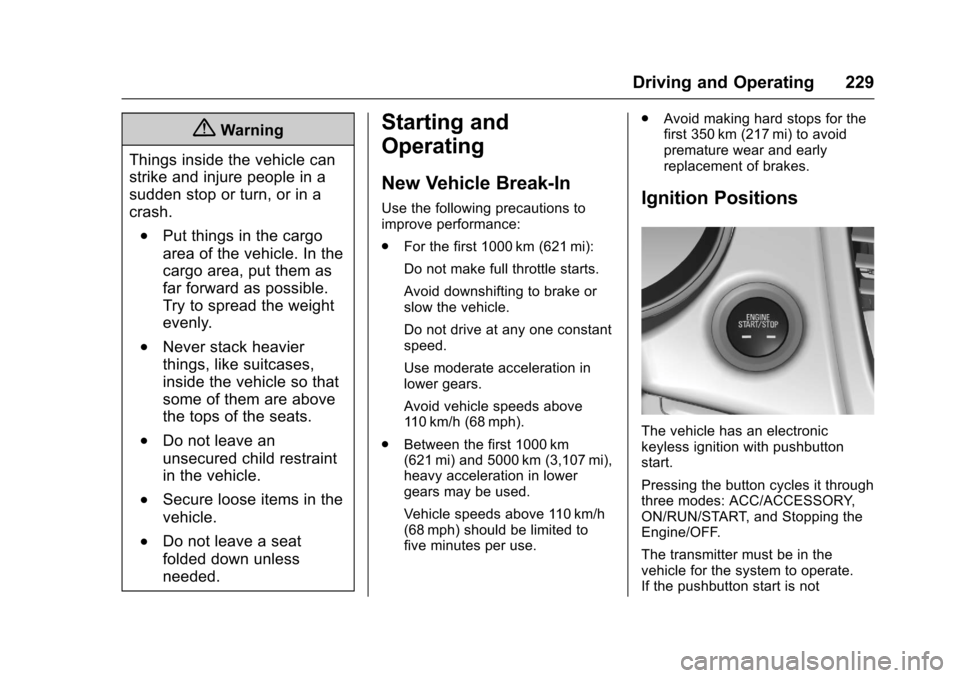
The vehicle has an electronickeyless ignition with pushbuttonstart.
Pressing the button cycles it throughthree modes: ACC/ACCESSORY,ON/RUN/START, and Stopping theEngine/OFF.
The transmitter must be in thevehicle for the system to operate.If the pushbutton start is not