lights CHEVROLET SS 2017 1.G Owners Manual
[x] Cancel search | Manufacturer: CHEVROLET, Model Year: 2017, Model line: SS, Model: CHEVROLET SS 2017 1.GPages: 400, PDF Size: 7.31 MB
Page 13 of 400
Chevrolet SS Sedan Owner Manual (GMNA-Localizing-U.S.-10122752) -2017 - crc - 8/31/16
12 In Brief
Head Restraint
Adjustment
Do not drive until the head restraintsfor all occupants are installed andadjusted properly.
To a c h i e v e a c o m f o r t a b l e s e a t i n gposition, change the seatbackrecline angle as little as necessarywhile keeping the seat and the headrestraint height in the properposition.
SeeHead Restraints045andPower Seat Adjustment046.
Safety Belts
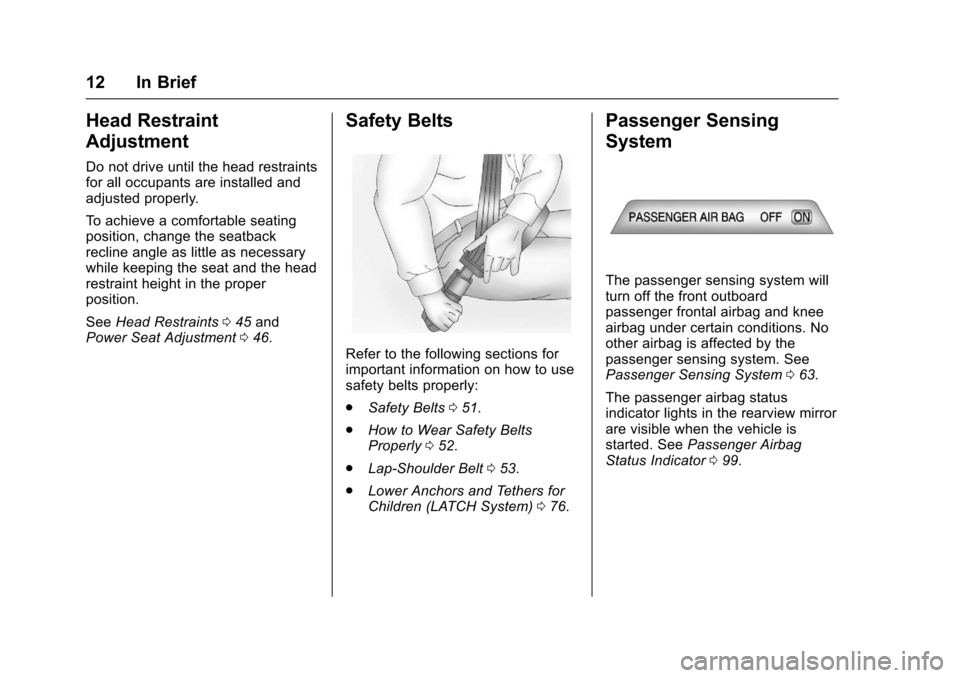
Refer to the following sections forimportant information on how to usesafety belts properly:
.Safety Belts051.
.How to Wear Safety BeltsProperly052.
.Lap-Shoulder Belt053.
.Lower Anchors and Tethers forChildren (LATCH System)076.
Passenger Sensing
System
The passenger sensing system willturn off the front outboardpassenger frontal airbag and kneeairbag under certain conditions. Noother airbag is affected by thepassenger sensing system. SeePassenger Sensing System063.
The passenger airbag statusindicator lights in the rearview mirrorare visible when the vehicle isstarted. SeePassenger AirbagStatus Indicator099.
Page 38 of 400

Chevrolet SS Sedan Owner Manual (GMNA-Localizing-U.S.-10122752) -2017 - crc - 8/31/16
Keys, Doors, and Windows 37
Fast Flash :Vehicle is unsecured.Adoor,thehood,orthetrunkis open.
Slow Flash :Alarm system isarmed.
Arming the Alarm System
1. Turn off the vehicle.
2. Lock the vehicle with one ofthe following:
.Use the RKE transmitter.
.With a door open, press the
insideQ.
3. After 30 seconds the alarmsystem will arm, and theindicator light will begin toslowly flash indicating thealarm system is operating.
PressingQon the RKE
transmitter a second time willbypass the 30-second delayand immediately arm the alarmsystem.
The vehicle alarm system will notarm if the doors are locked withthe key.
If the driver door is opened withoutfirst unlocking with the RKEtransmitter, the horn will chirp andthe lights will flash to indicate apre-alarm. If the vehicle is notstarted, or the door is not unlocked
by pressingKon the RKE
transmitter during the 10-secondpre-alarm, the alarm will beactivated.
The alarm will also be activated ifthe passenger door, the trunk, or thehood is opened without firstdisarming the system. When thealarm is activated, the turn signalsflash and the horn sounds for about30 seconds. The alarm system willthen re-arm to monitor for the nextunauthorized event.
Disarming the System
To d i s a r m t h e s y s t e m , d o o n e o f t h efollowing:
.PressKon the RKE transmitter.
.Start the engine.
To avoid setting off the alarm byaccident:
.Lock the vehicle with the RKEtransmitter after all occupantshave exited.
.Always unlock the vehicle withthe RKE transmitter, or use theKeyless Access system.Unlocking the driver door withthe key will not disarm thesystem or turn off the alarm.
Immobilizer
SeeRadio Frequency Statement0374.
Immobilizer Operation
This vehicle has a passivetheft-deterrent system.
The system does not have to bemanually armed or disarmed.
The immobilizer activates itselfautomatically when the engine isswitched off by pressing ENGINESTART/STOP.
Page 51 of 400
Chevrolet SS Sedan Owner Manual (GMNA-Localizing-U.S.-10122752) -2017 - crc - 8/31/16
50 Seats and Restraints
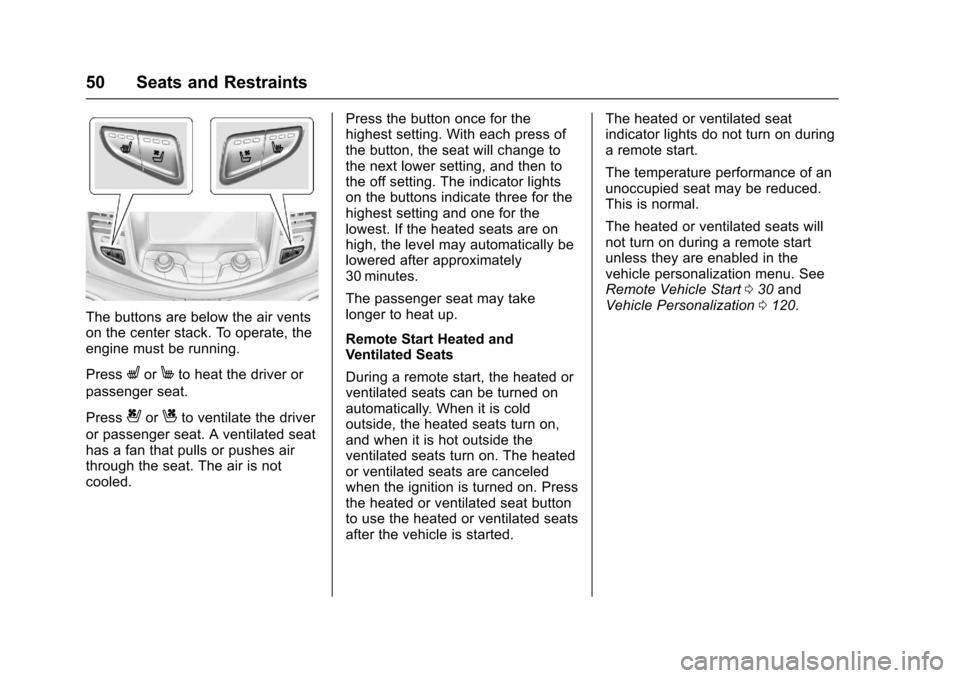
The buttons are below the air ventson the center stack. To operate, theengine must be running.
PressLorMto heat the driver or
passenger seat.
Press{orCto ventilate the driver
or passenger seat. A ventilated seathas a fan that pulls or pushes airthrough the seat. The air is notcooled.
Press the button once for thehighest setting. With each press ofthe button, the seat will change tothe next lower setting, and then tothe off setting. The indicator lightson the buttons indicate three for thehighest setting and one for thelowest. If the heated seats are onhigh, the level may automatically belowered after approximately30 minutes.
The passenger seat may takelonger to heat up.
Remote Start Heated andVentilated Seats
During a remote start, the heated orventilated seats can be turned onautomatically. When it is coldoutside, the heated seats turn on,and when it is hot outside theventilated seats turn on. The heatedor ventilated seats are canceledwhen the ignition is turned on. Pressthe heated or ventilated seat buttonto use the heated or ventilated seatsafter the vehicle is started.
The heated or ventilated seatindicator lights do not turn on duringaremotestart.
The temperature performance of anunoccupied seat may be reduced.This is normal.
The heated or ventilated seats willnot turn on during a remote startunless they are enabled in thevehicle personalization menu. SeeRemote Vehicle Start030andVehicle Personalization0120.
Page 58 of 400
Chevrolet SS Sedan Owner Manual (GMNA-Localizing-U.S.-10122752) -2017 - crc - 8/31/16
Seats and Restraints 57
Warning (Continued)
inspected and any necessary
replacements made as soon as
possible.
After a minor crash, replacement ofsafety belts may not be necessary.But the safety belt assemblies thatwere used during any crash mayhave been stressed or damaged.See your dealer to have the safetybelt assemblies inspected orreplaced.
New parts and repairs may benecessary even if the safety beltsystem was not being used at thetime of the crash.
Have the safety belt pretensionerschecked if the vehicle has been in acrash, or if the airbag readiness lightstays on after you start the vehicleor while you are driving. SeeAirbagReadiness Light099.
Airbag System
The vehicle has the followingairbags:
.Afrontalairbagforthedriver.
.Afrontalairbagforthefrontoutboard passenger.
.Akneeairbagforthedriver.
.Akneeairbagforthefrontoutboard passenger.
.Aseat-mountedsideimpactairbag for the driver.
.Aseat-mountedsideimpactairbag for the front outboardpassenger.
.Aroof-railairbagforthedriverand the passenger seateddirectly behind the driver.
.Aroof-railairbagforthefrontoutboard passenger and thepassenger seated directlybehind the front outboardpassenger.
All vehicle airbags have the wordAIRBAG on the trim or on a labelnear the deployment opening.
For frontal airbags, the wordAIRBAG is on the center of thesteering wheel for the driver and onthe instrument panel for the frontoutboard passenger.
For knee airbags, the word AIRBAGis on the lower part of theinstrument panel.
For seat-mounted side impactairbags, the word AIRBAG is on theside of the seatback closest tothe door.
For roof-rail airbags, the wordAIRBAG is on the ceiling or trim.
Airbags are designed to supplementthe protection provided by safetybelts. Even though today's airbagsare also designed to help reducethe risk of injury from the force of aninflating bag, all airbags must inflatevery quickly to do their job.
Page 91 of 400
Chevrolet SS Sedan Owner Manual (GMNA-Localizing-U.S.-10122752) -2017 - crc - 8/31/16
90 Instruments and Controls
Instruments and
Controls
Controls
Steering Wheel Adjustment . . . . 91Steering Wheel Controls . . . . . . . 91Horn . . . . . . . . . . . . . . . . . . . . . . . . . . . 92Windshield Wiper/Washer . . . . . . 92Clock . . . . . . . . . . . . . . . . . . . . . . . . . . 93Power Outlets . . . . . . . . . . . . . . . . . 94
Warning Lights, Gauges, and
Indicators
Warning Lights, Gauges, andIndicators . . . . . . . . . . . . . . . . . . . . 95Instrument Cluster . . . . . . . . . . . . . 96Speedometer . . . . . . . . . . . . . . . . . . 97Odometer . . . . . . . . . . . . . . . . . . . . . . 97Trip Odometer . . . . . . . . . . . . . . . . . 97Ta c h o m e t e r . . . . . . . . . . . . . . . . . . . . 9 7Fuel Gauge . . . . . . . . . . . . . . . . . . . . 97Engine Coolant TemperatureGauge . . . . . . . . . . . . . . . . . . . . . . . . 98Safety Belt Reminders . . . . . . . . . 98Airbag Readiness Light . . . . . . . . 99Passenger Airbag StatusIndicator . . . . . . . . . . . . . . . . . . . . . . 99Charging System Light . . . . . . . 100
Malfunction Indicator Lamp(Check Engine Light) . . . . . . . . 100Service Vehicle Soon Light . . . 102Brake System WarningLight . . . . . . . . . . . . . . . . . . . . . . . . 102Electric Parking BrakeLight . . . . . . . . . . . . . . . . . . . . . . . . 103Service Electric Parking BrakeLight . . . . . . . . . . . . . . . . . . . . . . . . 103Antilock Brake System (ABS)Warning Light . . . . . . . . . . . . . . . 104Lane Departure Warning(LDW) Light . . . . . . . . . . . . . . . . . 104Traction Off Light . . . . . . . . . . . . . 104StabiliTrak®OFF Light . . . . . . . . 105Traction Control System (TCS)/StabiliTrak®Light . . . . . . . . . . . 105Driver Mode Control Light . . . . 105Tire Pressure Light . . . . . . . . . . . 106Engine Oil Pressure Light . . . . 106Low Fuel Warning Light . . . . . . 106Security Light . . . . . . . . . . . . . . . . . 107High-Beam On Light . . . . . . . . . . 107Lamps On Reminder . . . . . . . . . 107Cruise Control Light . . . . . . . . . . 107Door Ajar Light . . . . . . . . . . . . . . . 108
Information Displays
Driver InformationCenter (DIC) . . . . . . . . . . . . . . . . 108Head-Up Display (HUD) . . . . . . 110
Vehicle Messages
Vehicle Messages . . . . . . . . . . . . 113Battery Voltage and ChargingMessages . . . . . . . . . . . . . . . . . . . 113Brake System Messages . . . . . 113Cruise Control Messages . . . . . 114Door Ajar Messages . . . . . . . . . . 114Engine Cooling SystemMessages . . . . . . . . . . . . . . . . . . . 114Engine Oil Messages . . . . . . . . . 115Engine Power Messages . . . . . 115Fuel System Messages . . . . . . . 115Key and Lock Messages . . . . . . 115Lamp Messages . . . . . . . . . . . . . . 116Object Detection SystemMessages . . . . . . . . . . . . . . . . . . . 116Ride Control SystemMessages . . . . . . . . . . . . . . . . . . . 117Security Messages . . . . . . . . . . . 117Service Vehicle Messages . . . . 118Starting the VehicleMessages . . . . . . . . . . . . . . . . . . . 118Tire Messages . . . . . . . . . . . . . . . . 118Transmission Messages . . . . . . 119Vehicle ReminderMessages . . . . . . . . . . . . . . . . . . . 120Vehicle Speed Messages . . . . . 120Washer Fluid Messages . . . . . . 120Window Messages . . . . . . . . . . . 120
Page 96 of 400
Chevrolet SS Sedan Owner Manual (GMNA-Localizing-U.S.-10122752) -2017 - crc - 8/31/16
Instruments and Controls 95
Warning Lights,
Gauges, and
Indicators
Warning lights and gauges cansignal that something is wrongbefore it becomes serious enoughto cause an expensive repair orreplacement. Paying attention to thewarning lights and gauges couldprevent injury.
Some warning lights come on brieflywhen the engine is started toindicate they are working. Whenone of the warning lights comes onand stays on while driving, or whenone of the gauges shows there maybe a problem, check the section thatexplains what to do. Waiting to dorepairs can be costly and evendangerous.
Page 101 of 400
Chevrolet SS Sedan Owner Manual (GMNA-Localizing-U.S.-10122752) -2017 - crc - 8/31/16
100 Instruments and Controls
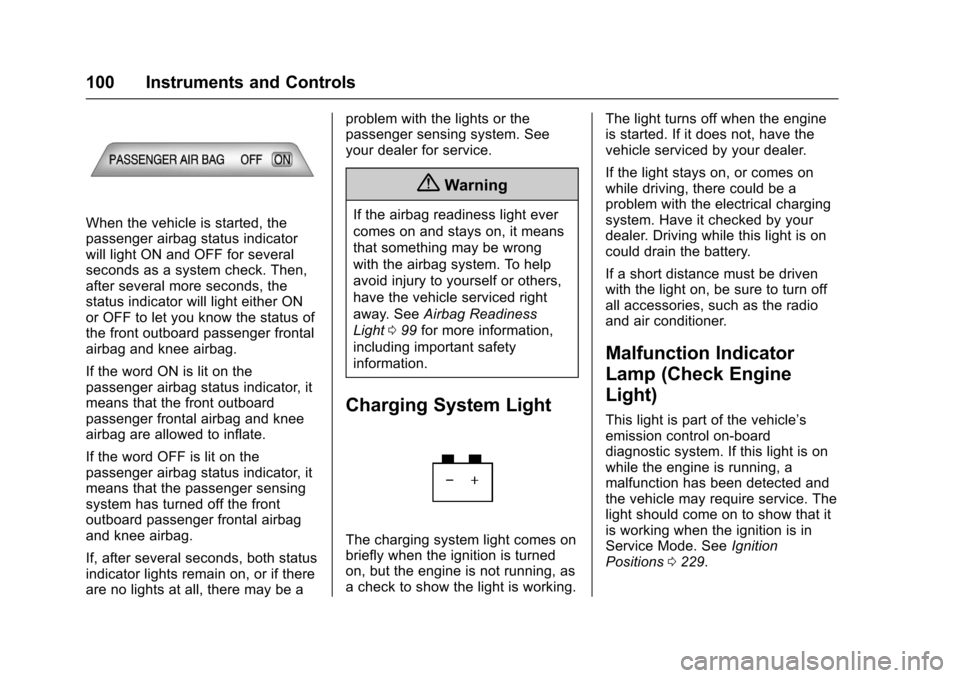
When the vehicle is started, thepassenger airbag status indicatorwill light ON and OFF for severalseconds as a system check. Then,after several more seconds, thestatus indicator will light either ONor OFF to let you know the status ofthe front outboard passenger frontalairbag and knee airbag.
If the word ON is lit on thepassenger airbag status indicator, itmeans that the front outboardpassenger frontal airbag and kneeairbag are allowed to inflate.
If the word OFF is lit on thepassenger airbag status indicator, itmeans that the passenger sensingsystem has turned off the frontoutboard passenger frontal airbagand knee airbag.
If, after several seconds, both statusindicator lights remain on, or if thereare no lights at all, there may be a
problem with the lights or thepassenger sensing system. Seeyour dealer for service.
{Warning
If the airbag readiness light ever
comes on and stays on, it means
that something may be wrong
with the airbag system. To help
avoid injury to yourself or others,
have the vehicle serviced right
away. SeeAirbag Readiness
Light099for more information,
including important safety
information.
Charging System Light
The charging system light comes onbriefly when the ignition is turnedon, but the engine is not running, asachecktoshowthelightisworking.
The light turns off when the engineis started. If it does not, have thevehicle serviced by your dealer.
If the light stays on, or comes onwhile driving, there could be aproblem with the electrical chargingsystem. Have it checked by yourdealer. Driving while this light is oncould drain the battery.
If a short distance must be drivenwith the light on, be sure to turn offall accessories, such as the radioand air conditioner.
Malfunction Indicator
Lamp (Check Engine
Light)
This light is part of the vehicle’semission control on-boarddiagnostic system. If this light is onwhile the engine is running, amalfunction has been detected andthe vehicle may require service. Thelight should come on to show that itis working when the ignition is inService Mode. SeeIgnitionPositions0229.
Page 124 of 400
Chevrolet SS Sedan Owner Manual (GMNA-Localizing-U.S.-10122752) -2017 - crc - 8/31/16
Instruments and Controls 123
Select High, Medium, or Low.
Remote Start Auto Cool Seat
When on and it is hot outside, theventilated seats will turn onautomatically.
Select to turn on or off.
Remote Start Auto Heat Seat
When on and it is cold outside, theheated seats will turn onautomatically.
Select to turn on or off.
Comfort and Convenience
Select and the following maydisplay:
.Easy Exit Driver Seat
.Auto Memory Recall
.Chime Volume
.Button Chime
.Reverse Tilt Mirror
Easy Exit Driver Seat
This feature moves the seatrearward to a preset positionallowing the driver more room to exitthe vehicle.
See“Easy Exit Driver Seat”underMemory Seats048.
Select On or Off.
Auto Memory Recall
When on, this feature will recall thestored seat positions for the RemoteKeyless Entry (RKE) transmitterbeing used. SeeMemory Seats048.
Select On or Off.
Chime Volume
This allows the selection of thechime volume level.
Select Normal or High.
Button Chime
Select to turn this feature on or off.
Reverse Tilt Mirror
This allows the feature to be turnedon or off.
Select Off, On - Driver andPassenger, On - Driver, or On -Passenger.
Collision/Detection Systems
Select and the following maydisplay, if equipped:
.Side Blind Zone Alert
.Rear Cross Traffic Alert
Side Blind Zone Alert
This allows the Side Blind ZoneAlert feature to be turned on or off.SeeSide Blind Zone Alert (SBZA)0261.
Select On or Off.
Rear Cross Traffic Alert
This allows the Rear Cross TrafficAlert feature to be turned on or off.SeeAssistance Systems for Parkingor Backing0254.
Select On or Off.
Lighting
Select and the following maydisplay:
.Vehicle Locator Lights
.Exit Lighting
Page 125 of 400

Chevrolet SS Sedan Owner Manual (GMNA-Localizing-U.S.-10122752) -2017 - crc - 8/31/16
124 Instruments and Controls
Vehicle Locator Lights
Select to turn this feature on or off.When on, the turn signals flash andthe headlamps and back-up lamps
will turn on whenKis pressed on
the Remote Keyless Entry (RKE)transmitter when it is dark outside.
Exit Lighting
This allows the selection of howlong the exterior lamps stay onwhen leaving the vehicle when it isdark outside.
Select Off, 30 Seconds, 1 Minute,or 2 Minutes.
Power Door Locks
Select and the following maydisplay:
.Open Door Anti Lock Out
.Auto Door Unlock
.Delayed Door Lock
Open Door Anti Lock Out
When on, this feature will keep thedriver door from locking when thedoor is open. If off, the DelayedDoor Lock menu will be available.
Select On or Off.
Auto Door Unlock
This allows the selection of whichdoors will automatically unlock whenthe vehicle is shifted into P (Park)and for a manual transmission whenthe ignition is turned off.
Select All Doors, Driver Door, or Off.
Delayed Door Lock
When on, this feature will delay thelocking of the doors. To override thedelay, press the power door lockswitch on the door.
Select On or Off.
Remote Lock/Unlock/Start
Select and the following maydisplay:
.Remote Unlock Feedback
.Remote Lock Feedback
.Remote Door Unlock
.Passive Door Unlock
.Passive Door Lock
.Remote Left in Veh. Reminder
Remote Unlock Feedback
If equipped, this allows the selectionof what type of feedback is givenwhen unlocking the vehicle with theRKE transmitter.
Select Flash Lights or Off.
Remote Lock Feedback
This allows the selection of whattype of feedback is given whenlocking the vehicle with the RemoteKeyless Entry (RKE) transmitter.
Select Lights and Horn, Lights Only,Horn Only, or Off.
Remote Door Unlock
This allows the selection of which
doors will unlock when pressingK
on the RKE transmitter.
Select Driver Door or All Doors.When set to Driver Door, the driver
door will unlock the first timeKis
pressed and all doors will unlock
whenKis pressed a second time.
When set to All Doors, all of thedoors will unlock with the first press
ofK.
Page 172 of 400
Chevrolet SS Sedan Owner Manual (GMNA-Localizing-U.S.-10122752) -2017 - crc - 8/31/16
Infotainment System 171
Destination
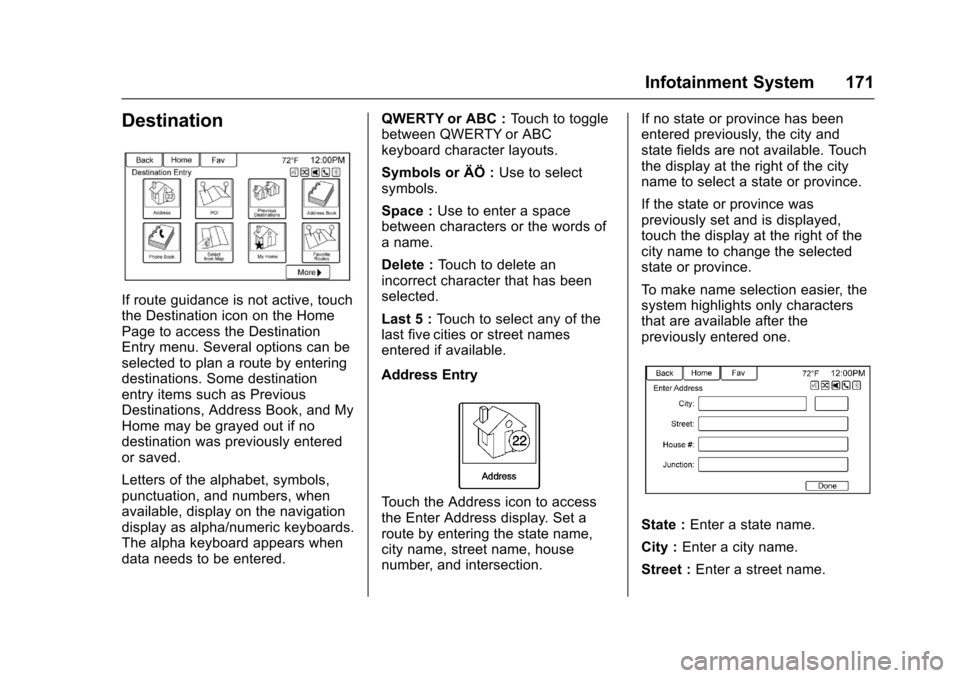
If route guidance is not active, touchthe Destination icon on the HomePage to access the DestinationEntry menu. Several options can beselected to plan a route by enteringdestinations. Some destinationentry items such as PreviousDestinations, Address Book, and MyHome may be grayed out if nodestination was previously enteredor saved.
Letters of the alphabet, symbols,punctuation, and numbers, whenavailable, display on the navigationdisplay as alpha/numeric keyboards.The alpha keyboard appears whendata needs to be entered.
QWERTY or ABC :To u c h t o t o g g l ebetween QWERTY or ABCkeyboard character layouts.
Symbols or ÄÖ :Use to selectsymbols.
Space :Use to enter a spacebetween characters or the words ofaname.
Delete :To u c h t o d e l e t e a nincorrect character that has beenselected.
Last 5 :To u c h t o s e l e c t a n y o f t h elast five cities or street namesentered if available.
Address Entry
To u c h t h e A d d r e s s i c o n t o a c c e s sthe Enter Address display. Set aroute by entering the state name,city name, street name, housenumber, and intersection.
If no state or province has beenentered previously, the city andstate fields are not available. Touchthe display at the right of the cityname to select a state or province.
If the state or province waspreviously set and is displayed,touch the display at the right of thecity name to change the selectedstate or province.
To m a k e n a m e s e l e c t i o n e a s i e r , t h esystem highlights only charactersthat are available after thepreviously entered one.
State :Enter a state name.
City :Enter a city name.
Street :Enter a street name.