lock CHEVROLET SSR 2003 1.G Owner's Manual
[x] Cancel search | Manufacturer: CHEVROLET, Model Year: 2003, Model line: SSR, Model: CHEVROLET SSR 2003 1.GPages: 374, PDF Size: 2.55 MB
Page 74 of 374
Passlock®
Your vehicle is equipped with the
Passlock®theft-deterrent system.
Passlock®is a passive theft-deterrent system.
Passlock®enables fuel if the ignition lock cylinder is
turned with a valid key. If a correct key is not used or the
ignition lock cylinder is tampered with, the fuel system
is disabled and the vehicle will not start.
During normal operation, the security light will turn off
approximately ve seconds after the key is turned
to RUN. SeeSecurity Light on page 3-35.
If the engine stalls and the security light ashes, wait
about 10 minutes until the light stops ashing before
trying to restart the engine. Remember to release
the key from START as soon as the engine starts.
If the engine does not start after three tries, the vehicle
needs service.
If the engine is running and the security light comes on,
you will be able to restart the engine if you turn the
engine off. However, your Passlock
®system is
not working properly and must be serviced by your
dealer. Your vehicle is not protected by Passlock
®at this
time. You may also want to check the fuse. See
Fuses and Circuit Breakers on page 5-82. See your
dealer for service.
In an emergency, call the GM Roadside Assistance
Center. SeeRoadside Assistance Program on page 7-5.
Starting and Operating Your
Vehicle
New Vehicle Break-In
Notice:Your vehicle does not need an elaborate
break-in. But it will perform better in the long run if
you follow these guidelines:
Keep your speed at 55 mph (88 km/h) or less for
the rst 500 miles (805 km).
Do not drive at any one speed, fast or slow, for
the rst 500 miles (805 km). Do not make
full-throttle starts.
Avoid making hard stops for the rst 200 miles
(322 km) or so. During this time your new
brake linings are not yet broken in. Hard stops
with new linings can mean premature wear
and earlier replacement. Follow this breaking-in
guideline every time you get new brake
linings.
Do not tow a trailer during break-in. SeeTowing
a Trailer on page 4-38for more information.
2-14
Page 75 of 374
Ignition Positions
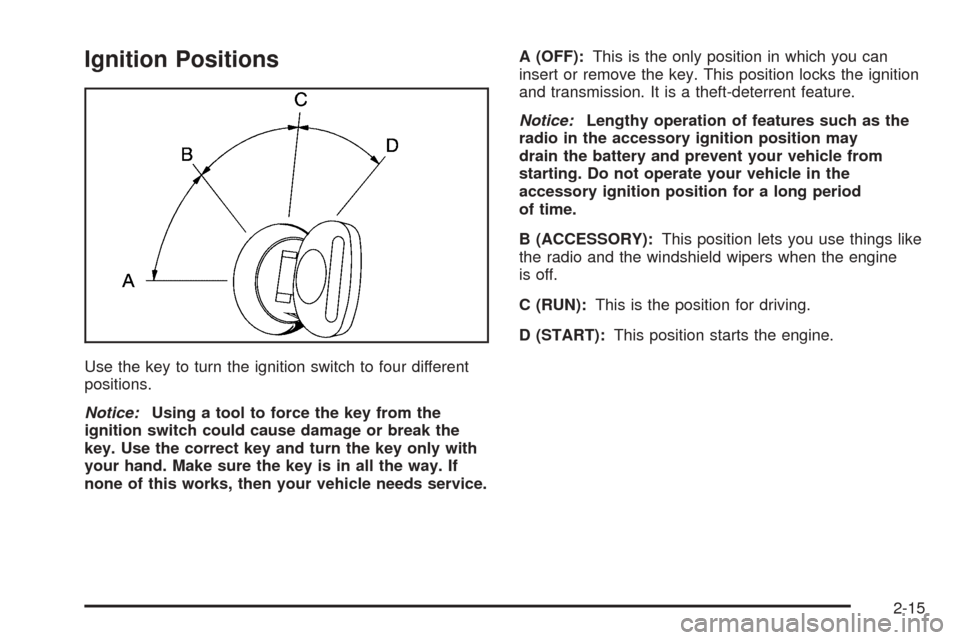
Use the key to turn the ignition switch to four different
positions.
Notice:Using a tool to force the key from the
ignition switch could cause damage or break the
key. Use the correct key and turn the key only with
your hand. Make sure the key is in all the way. If
none of this works, then your vehicle needs service.A (OFF):This is the only position in which you can
insert or remove the key. This position locks the ignition
and transmission. It is a theft-deterrent feature.
Notice:Lengthy operation of features such as the
radio in the accessory ignition position may
drain the battery and prevent your vehicle from
starting. Do not operate your vehicle in the
accessory ignition position for a long period
of time.
B (ACCESSORY):This position lets you use things like
the radio and the windshield wipers when the engine
is off.
C (RUN):This is the position for driving.
D (START):This position starts the engine.
2-15
Page 77 of 374
Automatic Transmission Operation
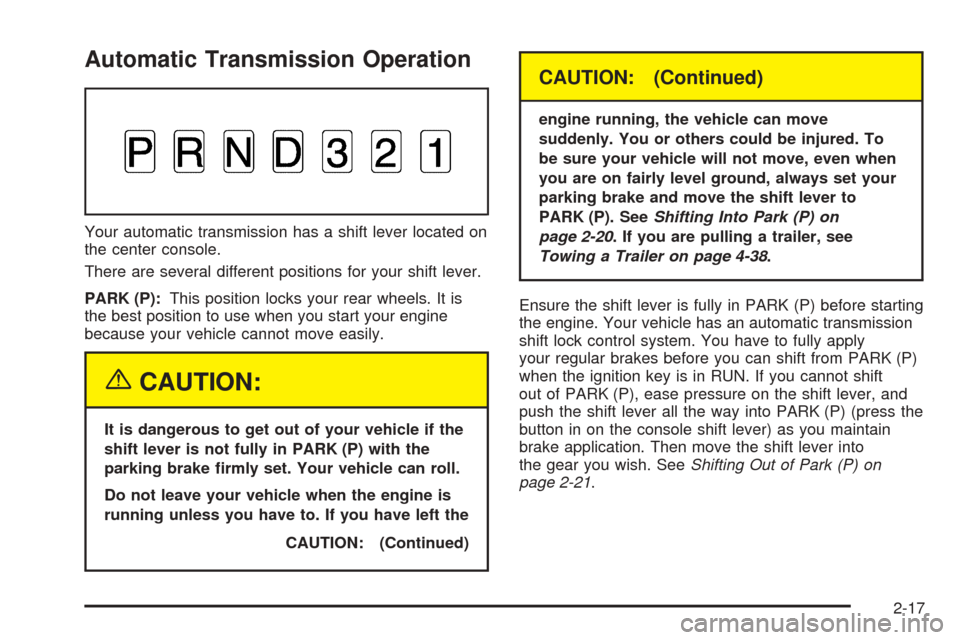
Your automatic transmission has a shift lever located on
the center console.
There are several different positions for your shift lever.
PARK (P):This position locks your rear wheels. It is
the best position to use when you start your engine
because your vehicle cannot move easily.
{CAUTION:
It is dangerous to get out of your vehicle if the
shift lever is not fully in PARK (P) with the
parking brake rmly set. Your vehicle can roll.
Do not leave your vehicle when the engine is
running unless you have to. If you have left the
CAUTION: (Continued)
CAUTION: (Continued)
engine running, the vehicle can move
suddenly. You or others could be injured. To
be sure your vehicle will not move, even when
you are on fairly level ground, always set your
parking brake and move the shift lever to
PARK (P). SeeShifting Into Park (P) on
page 2-20. If you are pulling a trailer, see
Towing a Trailer on page 4-38.
Ensure the shift lever is fully in PARK (P) before starting
the engine. Your vehicle has an automatic transmission
shift lock control system. You have to fully apply
your regular brakes before you can shift from PARK (P)
when the ignition key is in RUN. If you cannot shift
out of PARK (P), ease pressure on the shift lever, and
push the shift lever all the way into PARK (P) (press the
button in on the console shift lever) as you maintain
brake application. Then move the shift lever into
the gear you wish. SeeShifting Out of Park (P) on
page 2-21.
2-17
Page 81 of 374
Leaving Your Vehicle With the
Engine Running
{CAUTION:
It can be dangerous to leave your vehicle with
the engine running. Your vehicle could move
suddenly if the shift lever is not fully in
PARK (P) with the parking brake rmly set.
And, if you leave the vehicle with the engine
running, it could overheat and even catch re.
You or others could be injured. Do not leave
your vehicle with the engine running.
If you have to leave your vehicle with the engine
running, be sure your vehicle is in PARK (P) and your
parking brake is rmly set before you leave it. After
you’ve moved the shift lever into PARK (P), hold down
the regular brake pedal. See if you can move the
shift lever away from PARK (P) without rst pulling it
toward you. If you can, it means that the shift lever
wasn’t fully locked into PARK (P).
Torque Lock
If you are parking on a hill and you don’t shift your
transmission into PARK (P) properly, the weight of the
vehicle may put too much force on the parking pawl
in the transmission. You may nd it difficult to pull the
shift lever out of PARK (P). This is called “torque
lock.” To prevent torque lock, set the parking brake and
then shift into PARK (P) properly before you leave
the driver’s seat. To nd out how, see “Shifting
Into PARK (P)” listed previously in this section.
When you are ready to drive, move the shift lever out of
PARK (P)beforeyou release the parking brake.
Shifting Out of Park (P)
Your vehicle has an automatic transmission shift lock
control system You have to fully apply your regular
brake before you can shift from PARK (P) when
the ignition is in RUN. SeeAutomatic Transmission
Operation on page 2-17.
If you cannot shift out of PARK (P), ease pressure on
the shift lever, push the shift lever all the way into
PARK (P), and release the shift lever button as you
maintain brake application. Then press the shift
lever button and move the shift lever into the gear
you wish.
2-21
Page 86 of 374
Outside Automatic Dimming
Heated Mirror
If the vehicle has this feature, the driver’s side outside
rearview mirror will adjust for the glare of headlamps
from behind by pushing the on and off settings on the
mirror. SeeAutomatic Dimming Rearview Mirror
with HomeLink
®on page 2-24for more information.
Both outside mirrors are also heated when the
rear window defogger is turned on. See “Rear Window
Defogger” underClimate Control System on page 3-18.
The mirrors can be manually folded inward to prevent
damage when going through an automatic car wash.
To fold, push the mirror toward the vehicle. To return the
mirror to its original position, push outward. Be sure
to return the mirrors to their original unfolded position
before driving.
HomeLink®Transmitter
HomeLink®Wireless Control System
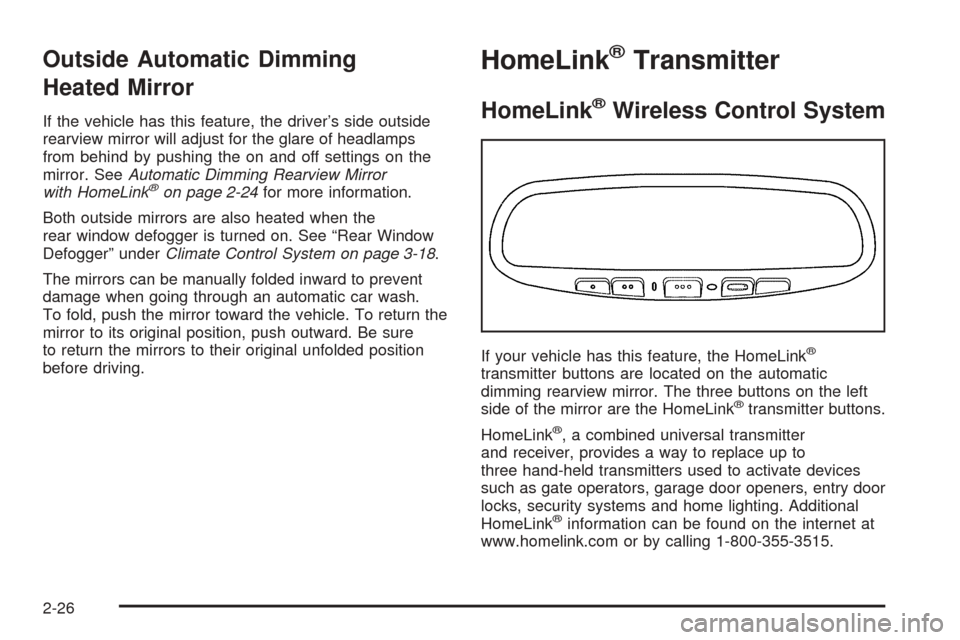
If your vehicle has this feature, the HomeLink®
transmitter buttons are located on the automatic
dimming rearview mirror. The three buttons on the left
side of the mirror are the HomeLink
®transmitter buttons.
HomeLink
®, a combined universal transmitter
and receiver, provides a way to replace up to
three hand-held transmitters used to activate devices
such as gate operators, garage door openers, entry door
locks, security systems and home lighting. Additional
HomeLink
®information can be found on the internet at
www.homelink.com or by calling 1-800-355-3515.
2-26
Page 91 of 374
Storage Areas
Glove Box
To open the glove box, pull on the lever. Use your door
key to lock or unlock it.
Cupholder(s)
Your vehicle has one cupholder located on your
instrument panel and one cupholder that is removable
and snaps to the passenger’s side of the center console
in the bracket provided.
To open the cupholder on the instrument panel, push in
the center of the cupholder door. The cupholder will
then release and move outward toward you for use. To
return the cupholder to its closed position, push in
the center of the cupholder door near the top. If you
press in the center middle of the cupholder door,
the cupholder will not close properly.
Instrument Panel Storage Area
There is a storage tray located to the right of the
steering wheel on the instrument panel. Press on the
tray to release it. The tray will slide out of the instrument
panel toward you. You can then put small items into
the tray. To close the tray, push forward on the center of
the tray until it latches back into the instrument panel.
Center Console Storage Area
Your center console has a storage area that can be
locked and unlocked with the center console storage
key. SeeKeys on page 2-2for more information.
Map Pocket
The map/storage pockets are located on both the driver
and passenger side doors.
2-31
Page 102 of 374
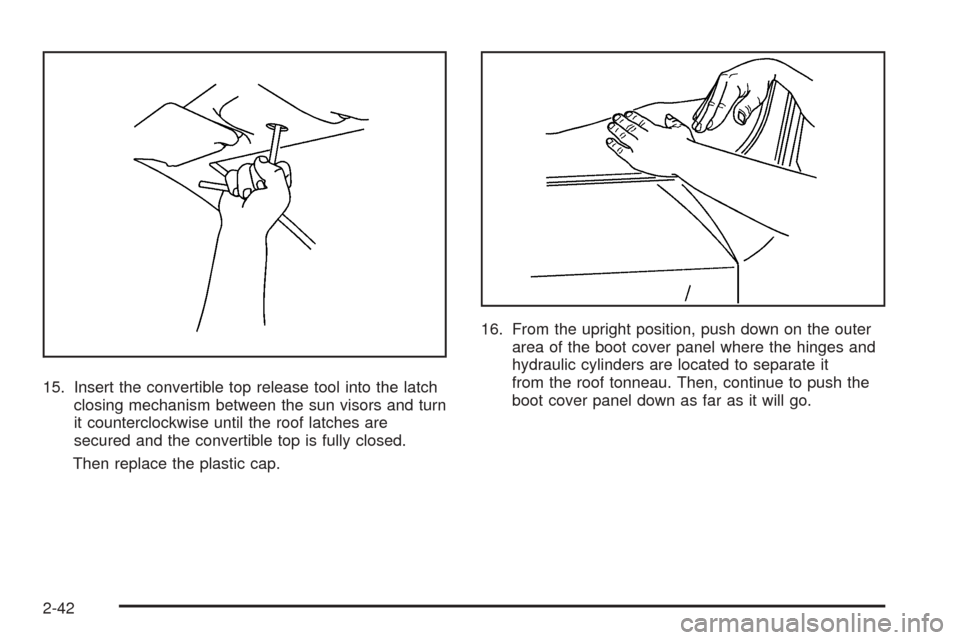
15. Insert the convertible top release tool into the latch
closing mechanism between the sun visors and turn
it counterclockwise until the roof latches are
secured and the convertible top is fully closed.
Then replace the plastic cap.16. From the upright position, push down on the outer
area of the boot cover panel where the hinges and
hydraulic cylinders are located to separate it
from the roof tonneau. Then, continue to push the
boot cover panel down as far as it will go.
2-42
Page 104 of 374
Vehicle Personalization
Memory Seat
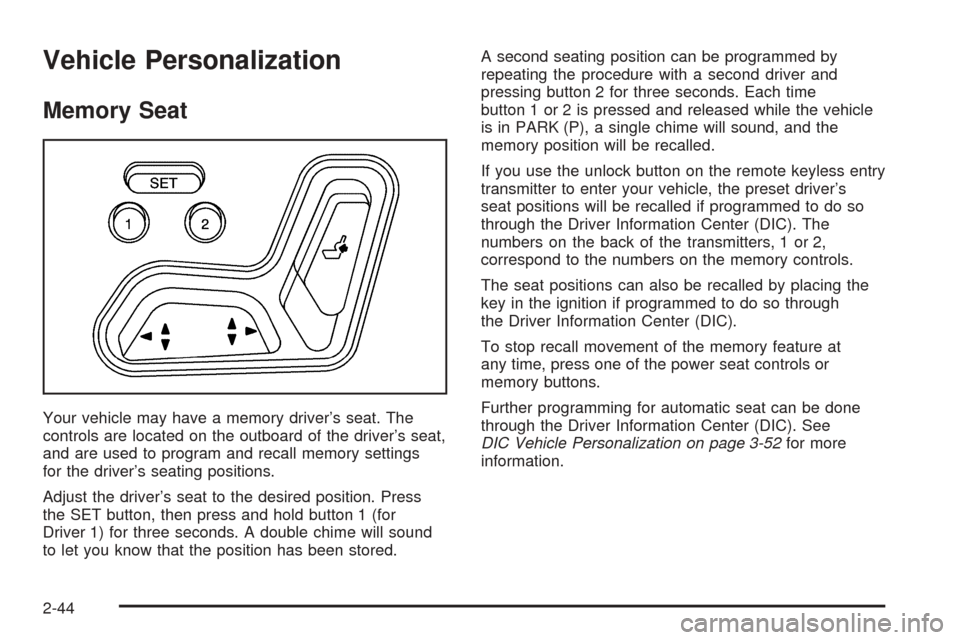
Your vehicle may have a memory driver’s seat. The
controls are located on the outboard of the driver’s seat,
and are used to program and recall memory settings
for the driver’s seating positions.
Adjust the driver’s seat to the desired position. Press
the SET button, then press and hold button 1 (for
Driver 1) for three seconds. A double chime will sound
to let you know that the position has been stored.A second seating position can be programmed by
repeating the procedure with a second driver and
pressing button 2 for three seconds. Each time
button 1 or 2 is pressed and released while the vehicle
is in PARK (P), a single chime will sound, and the
memory position will be recalled.
If you use the unlock button on the remote keyless entry
transmitter to enter your vehicle, the preset driver’s
seat positions will be recalled if programmed to do so
through the Driver Information Center (DIC). The
numbers on the back of the transmitters, 1 or 2,
correspond to the numbers on the memory controls.
The seat positions can also be recalled by placing the
key in the ignition if programmed to do so through
the Driver Information Center (DIC).
To stop recall movement of the memory feature at
any time, press one of the power seat controls or
memory buttons.
Further programming for automatic seat can be done
through the Driver Information Center (DIC). See
DIC Vehicle Personalization on page 3-52for more
information.
2-44
Page 105 of 374
Instrument Panel Overview...............................3-2
Hazard Warning Flashers................................3-3
Other Warning Devices...................................3-4
Horn.............................................................3-4
Tilt Wheel.....................................................3-4
Turn Signal/Multifunction Lever.........................3-5
Exterior Lamps.............................................3-11
Interior Lamps..............................................3-14
Center Console Switchbank............................3-16
Accessory Power Outlets...............................3-16
Ashtrays and Cigarette Lighter........................3-17
Climate Controls............................................3-18
Climate Control System.................................3-18
Outlet Adjustment.........................................3-21
Warning Lights, Gages, and Indicators............3-22
Instrument Panel Cluster................................3-23
Speedometer and Odometer...........................3-24
Trip Odometer..............................................3-24
Tachometer.................................................3-24
Safety Belt Reminder Light.............................3-24
Airbag Readiness Light..................................3-25
Airbag Off Light............................................3-26
Charging System Light..................................3-27
Brake System Warning Light..........................3-28
Anti-Lock Brake System Warning Light.............3-29
Traction Control System (TCS) Warning Light
(Automatic Transmission)
............................3-29Engine Coolant Temperature Gage..................3-30
Malfunction Indicator Lamp.............................3-30
Oil Pressure Gage........................................3-34
Change Engine Oil Light................................3-35
Security Light...............................................3-35
Cruise Control Light......................................3-35
Reduced Engine Power Light.........................3-36
Highbeam On Light.......................................3-36
Check Gages Warning Light...........................3-36
Fuel Gage...................................................3-37
Auxiliary Gage Package.................................3-38
Driver Information Center (DIC).......................3-41
DIC Controls and Displays.............................3-41
DIC Warnings and Messages.........................3-45
DIC Vehicle Personalization............................3-52
Audio System(s).............................................3-58
Setting the Time...........................................3-59
Radio with CD..............................................3-59
Radio with Six-Disc CD.................................3-68
Theft-Deterrent Feature..................................3-80
Audio Steering Wheel Controls.......................3-80
Radio Reception...........................................3-81
Care of Your CDs.........................................3-81
Care of the CD Player...................................3-81
Integrated Windshield Antenna........................3-81
Section 3 Instrument Panel
3-1
Page 108 of 374
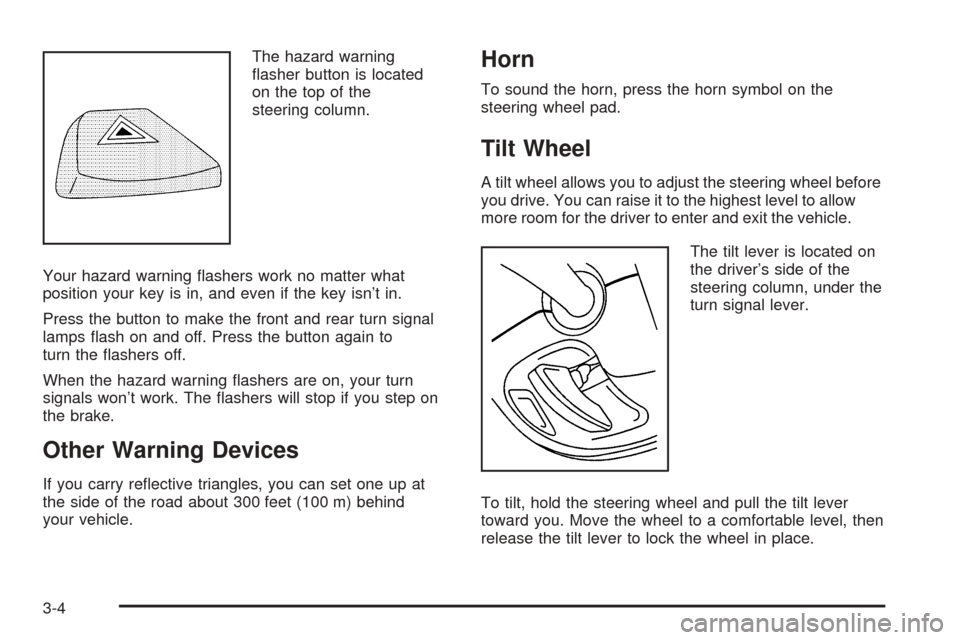
The hazard warning
asher button is located
on the top of the
steering column.
Your hazard warning ashers work no matter what
position your key is in, and even if the key isn’t in.
Press the button to make the front and rear turn signal
lamps ash on and off. Press the button again to
turn the ashers off.
When the hazard warning ashers are on, your turn
signals won’t work. The ashers will stop if you step on
the brake.
Other Warning Devices
If you carry reective triangles, you can set one up at
the side of the road about 300 feet (100 m) behind
your vehicle.
Horn
To sound the horn, press the horn symbol on the
steering wheel pad.
Tilt Wheel
A tilt wheel allows you to adjust the steering wheel before
you drive. You can raise it to the highest level to allow
more room for the driver to enter and exit the vehicle.
The tilt lever is located on
the driver’s side of the
steering column, under the
turn signal lever.
To tilt, hold the steering wheel and pull the tilt lever
toward you. Move the wheel to a comfortable level, then
release the tilt lever to lock the wheel in place.
3-4