lock CHEVROLET SSR 2003 1.G Owner's Guide
[x] Cancel search | Manufacturer: CHEVROLET, Model Year: 2003, Model line: SSR, Model: CHEVROLET SSR 2003 1.GPages: 374, PDF Size: 2.55 MB
Page 111 of 374
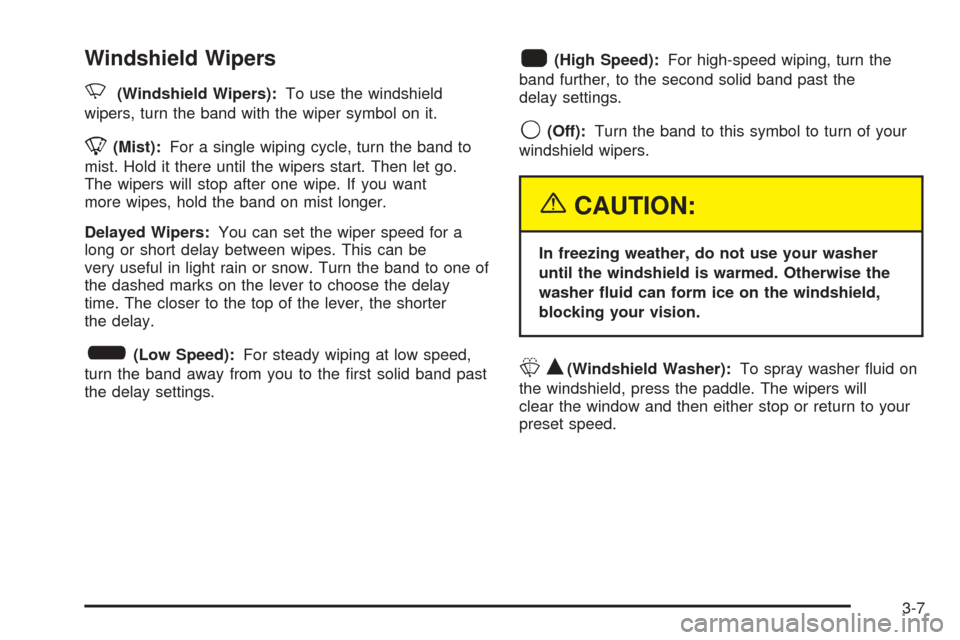
Windshield Wipers
N
(Windshield Wipers):To use the windshield
wipers, turn the band with the wiper symbol on it.
8(Mist):For a single wiping cycle, turn the band to
mist. Hold it there until the wipers start. Then let go.
The wipers will stop after one wipe. If you want
more wipes, hold the band on mist longer.
Delayed Wipers:You can set the wiper speed for a
long or short delay between wipes. This can be
very useful in light rain or snow. Turn the band to one of
the dashed marks on the lever to choose the delay
time. The closer to the top of the lever, the shorter
the delay.
6(Low Speed):For steady wiping at low speed,
turn the band away from you to the rst solid band past
the delay settings.
1(High Speed):For high-speed wiping, turn the
band further, to the second solid band past the
delay settings.
9(Off):Turn the band to this symbol to turn of your
windshield wipers.
{CAUTION:
In freezing weather, do not use your washer
until the windshield is warmed. Otherwise the
washer uid can form ice on the windshield,
blocking your vision.
LQ(Windshield Washer):To spray washer uid on
the windshield, press the paddle. The wipers will
clear the window and then either stop or return to your
preset speed.
3-7
Page 116 of 374
Automatic Headlamp System
When it is dark enough outside, your automatic
headlamp system will turn on your headlamps at the
normal brightness along with other lamps such as
the taillamps, sidemarker, parking lamps and the
instrument panel lights when the exterior lamps knob is
turned to AUTO. The radio lights will also be on.
Your vehicle is equipped with a light sensor on the top
of the instrument panel. Be sure it is not covered or
the system will be on whenever the ignition is on.
The system may also turn on your lights when driving
through a parking garage, heavy overcast weather
or a tunnel. This is normal.
There is a delay in the transition between the daytime
and nighttime operation of the Daytime Running
Lamps (DRL) and the automatic headlamp systems so
that driving under bridges or bright overhead street
lights does not affect the system. The DRL and
automatic headlamp system will only be affected when
the light sensor sees a change in lighting lasting
longer than the delay.
To idle your vehicle with the automatic headlamp
system off, set the parking brake while the ignition is off.
Then start your vehicle. The automatic headlamp
system will stay off until you release the parking brake,
or until you shift out of PARK (P).You may be able to turn off your automatic headlamp
system. See “Daytime Running Lamps (DRL)” later
in this section for more information.
If you start your vehicle in a dark garage, the automatic
headlamp system will come on immediately. Once
you leave the garage, it will take approximately
one minute for the automatic headlamp system to
change to DRL if it is light outside. During that delay,
your instrument panel cluster may not be as bright
as usual. Make sure your instrument panel brightness
control is in the full bright position. See “Instrument
Panel Brightness” underInterior Lamps on page 3-14.
As with any vehicle, you should turn on the regular
headlamp system when you need it.
Lamps On Reminder
A reminder tone will sound when your headlamps or
parking lamps are manually turned on, the driver’s door is
open and your ignition is in OFF or ACCESSORY. To turn
the tone off, turn the knob all the way counterclockwise.
In the automatic mode, the headlamps turn off once the
ignition key is in OFF.
3-12
Page 118 of 374
Interior Lamps
Instrument Panel Brightness
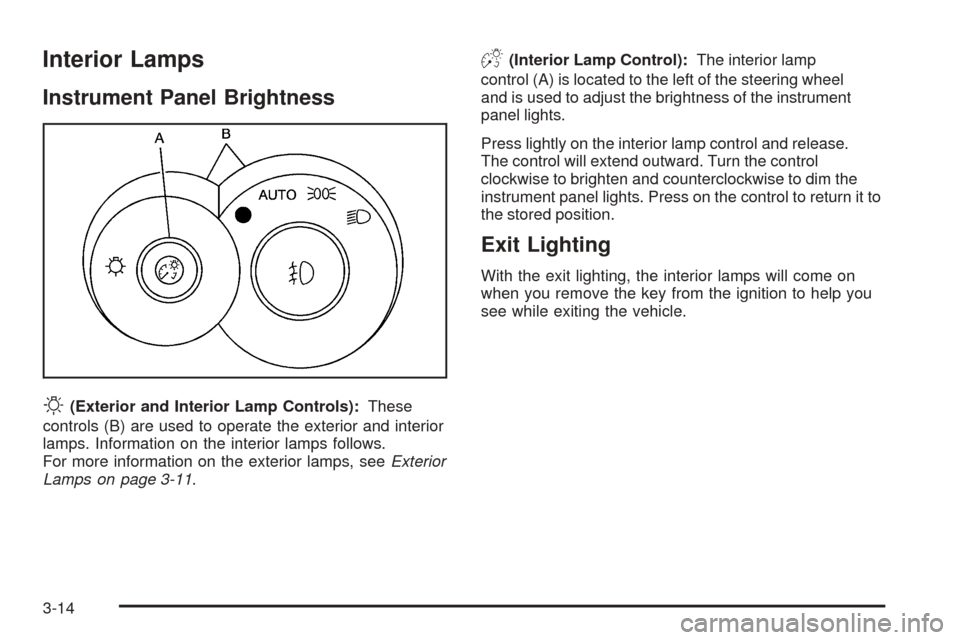
O
(Exterior and Interior Lamp Controls):These
controls (B) are used to operate the exterior and interior
lamps. Information on the interior lamps follows.
For more information on the exterior lamps, seeExterior
Lamps on page 3-11.
D(Interior Lamp Control):The interior lamp
control (A) is located to the left of the steering wheel
and is used to adjust the brightness of the instrument
panel lights.
Press lightly on the interior lamp control and release.
The control will extend outward. Turn the control
clockwise to brighten and counterclockwise to dim the
instrument panel lights. Press on the control to return it to
the stored position.
Exit Lighting
With the exit lighting, the interior lamps will come on
when you remove the key from the ignition to help you
see while exiting the vehicle.
3-14
Page 119 of 374
Parade Dimming
This feature prohibits the dimming of your instrument
panel displays during daylight while your headlamps
are on. When the light sensor reads darkness outside,
you will be able to dim your instrument panel displays
once again.
Perimeter Lighting
When the button with the unlock symbol on the remote
keyless entry transmitter is pressed, the DRL, parking
lamps and back-up lamps will come on if it is dark
enough outside.
This feature can be personalized for up to two drivers.
SeeDIC Vehicle Personalization on page 3-52for
more information.
Front Map Lamps
If your vehicle has front map lamps, they are located on
the inside rearview mirror. They will automatically
come on for about 40 seconds when the doors are
unlocked with the remote keyless entry transmitter or
until the ignition key is turned to RUN or ACCESSORY.
The lamps will also stay on for about 40 seconds
after you exit the vehicle unless you lock the doors with
the remote keyless entry transmitter.
You can also turn the lamps on and off by pressing the
button near each lamp.
Battery Rundown Protection
This feature shuts off all lamps that are left on for more
than 10 minutes when the ignition is off. This will keep
your battery from running down.
3-15
Page 120 of 374
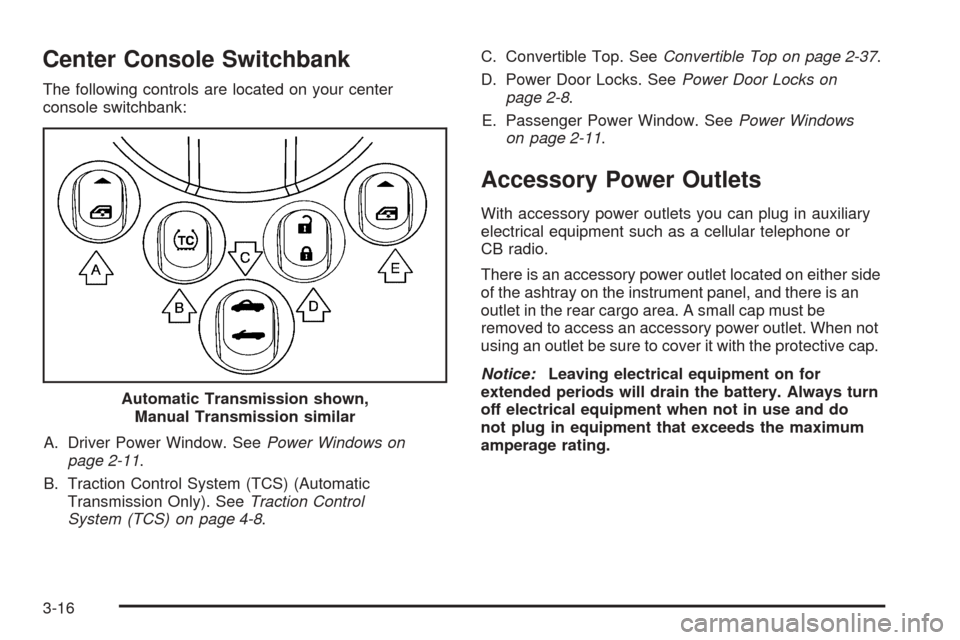
Center Console Switchbank
The following controls are located on your center
console switchbank:
A. Driver Power Window. SeePower Windows on
page 2-11.
B. Traction Control System (TCS) (Automatic
Transmission Only). SeeTraction Control
System (TCS) on page 4-8.C. Convertible Top. SeeConvertible Top on page 2-37.
D. Power Door Locks. SeePower Door Locks on
page 2-8.
E. Passenger Power Window. SeePower Windows
on page 2-11.
Accessory Power Outlets
With accessory power outlets you can plug in auxiliary
electrical equipment such as a cellular telephone or
CB radio.
There is an accessory power outlet located on either side
of the ashtray on the instrument panel, and there is an
outlet in the rear cargo area. A small cap must be
removed to access an accessory power outlet. When not
using an outlet be sure to cover it with the protective cap.
Notice:Leaving electrical equipment on for
extended periods will drain the battery. Always turn
off electrical equipment when not in use and do
not plug in equipment that exceeds the maximum
amperage rating. Automatic Transmission shown,
Manual Transmission similar
3-16
Page 122 of 374
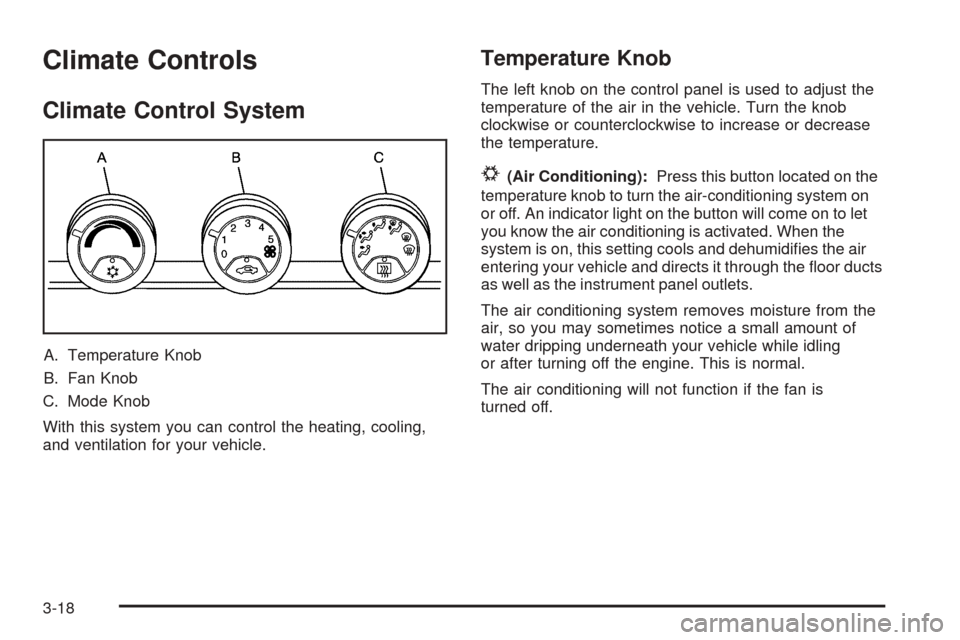
Climate Controls
Climate Control System
A. Temperature Knob
B. Fan Knob
C. Mode Knob
With this system you can control the heating, cooling,
and ventilation for your vehicle.
Temperature Knob
The left knob on the control panel is used to adjust the
temperature of the air in the vehicle. Turn the knob
clockwise or counterclockwise to increase or decrease
the temperature.
#(Air Conditioning):Press this button located on the
temperature knob to turn the air-conditioning system on
or off. An indicator light on the button will come on to let
you know the air conditioning is activated. When the
system is on, this setting cools and dehumidies the air
entering your vehicle and directs it through the oor ducts
as well as the instrument panel outlets.
The air conditioning system removes moisture from the
air, so you may sometimes notice a small amount of
water dripping underneath your vehicle while idling
or after turning off the engine. This is normal.
The air conditioning will not function if the fan is
turned off.
3-18
Page 123 of 374
Fan Knob
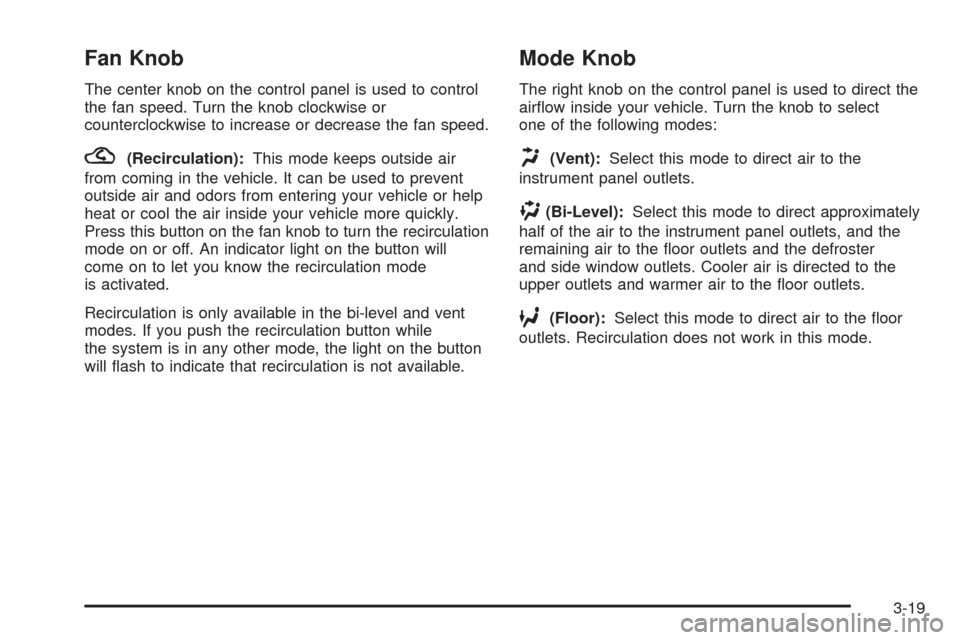
The center knob on the control panel is used to control
the fan speed. Turn the knob clockwise or
counterclockwise to increase or decrease the fan speed.
?(Recirculation):This mode keeps outside air
from coming in the vehicle. It can be used to prevent
outside air and odors from entering your vehicle or help
heat or cool the air inside your vehicle more quickly.
Press this button on the fan knob to turn the recirculation
mode on or off. An indicator light on the button will
come on to let you know the recirculation mode
is activated.
Recirculation is only available in the bi-level and vent
modes. If you push the recirculation button while
the system is in any other mode, the light on the button
will ash to indicate that recirculation is not available.
Mode Knob
The right knob on the control panel is used to direct the
airow inside your vehicle. Turn the knob to select
one of the following modes:
H(Vent):Select this mode to direct air to the
instrument panel outlets.
)(Bi-Level):Select this mode to direct approximately
half of the air to the instrument panel outlets, and the
remaining air to the oor outlets and the defroster
and side window outlets. Cooler air is directed to the
upper outlets and warmer air to the oor outlets.
6(Floor):Select this mode to direct air to the oor
outlets. Recirculation does not work in this mode.
3-19
Page 125 of 374
Rear Window Defogger
The rear window defogger uses a warming grid to
remove fog from the rear window.
The rear window defogger will only work when the
ignition is on.
=(Rear):Press this button on the right knob to turn
the rear window defogger on or off. An indicator light
on the button will come on to let you know that the rear
window defogger is activated.
When the rear defogger button is pressed, the outside
heated mirrors will warm to help clear any fog or
frost from the surface of the mirrors.
Notice:Using a razor blade or sharp object to clear
the inside rear window may damage the rear
window defogger. Repairs would not be covered by
your warranty. Do not clear the inside of the rear
window with sharp objects.
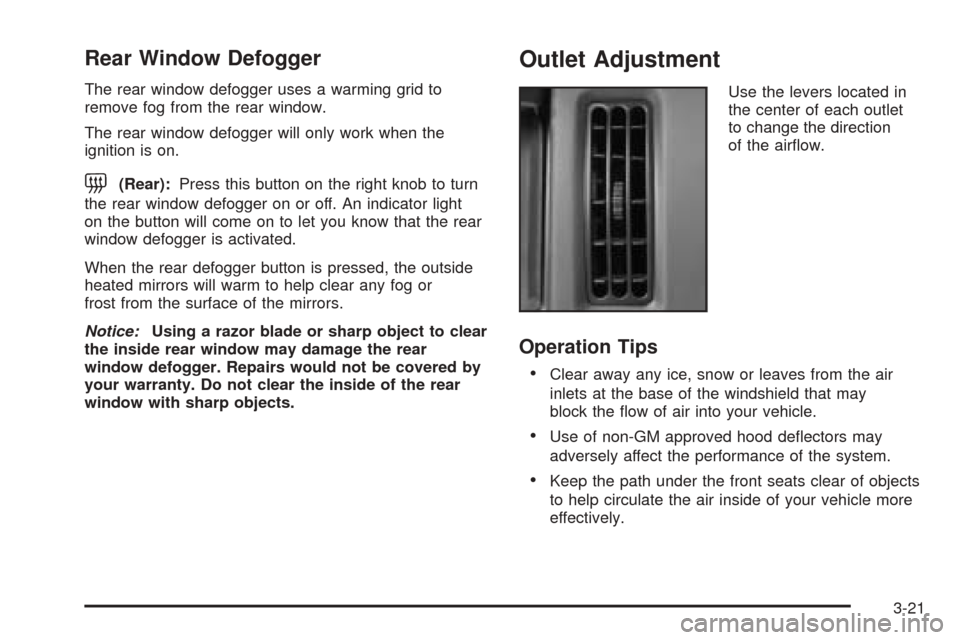
Outlet Adjustment
Use the levers located in
the center of each outlet
to change the direction
of the airow.
Operation Tips
Clear away any ice, snow or leaves from the air
inlets at the base of the windshield that may
block the ow of air into your vehicle.
Use of non-GM approved hood deectors may
adversely affect the performance of the system.
Keep the path under the front seats clear of objects
to help circulate the air inside of your vehicle more
effectively.
3-21
Page 133 of 374
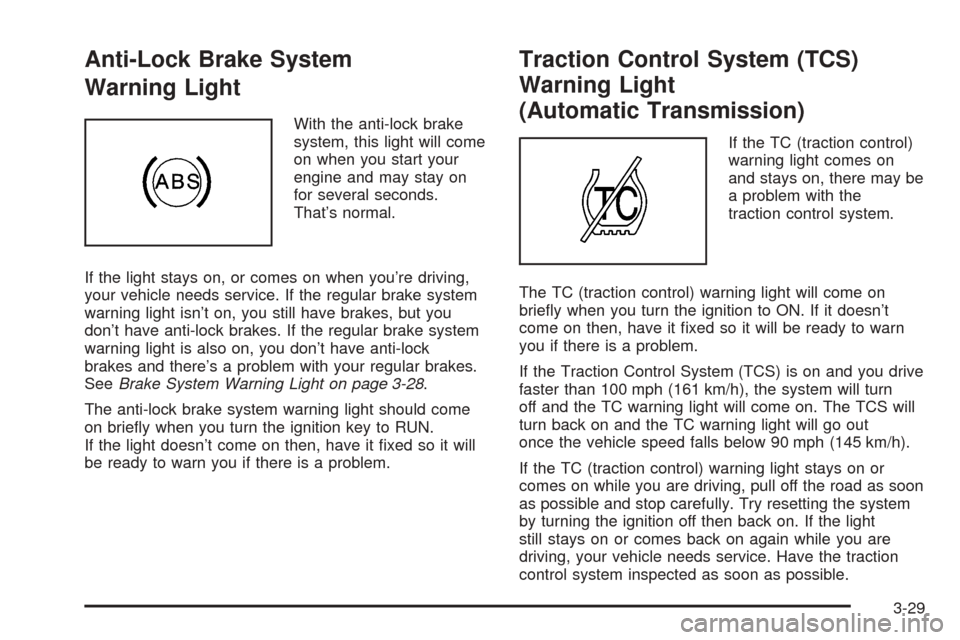
Anti-Lock Brake System
Warning Light
With the anti-lock brake
system, this light will come
on when you start your
engine and may stay on
for several seconds.
That’s normal.
If the light stays on, or comes on when you’re driving,
your vehicle needs service. If the regular brake system
warning light isn’t on, you still have brakes, but you
don’t have anti-lock brakes. If the regular brake system
warning light is also on, you don’t have anti-lock
brakes and there’s a problem with your regular brakes.
SeeBrake System Warning Light on page 3-28.
The anti-lock brake system warning light should come
on briey when you turn the ignition key to RUN.
If the light doesn’t come on then, have it xed so it will
be ready to warn you if there is a problem.
Traction Control System (TCS)
Warning Light
(Automatic Transmission)
If the TC (traction control)
warning light comes on
and stays on, there may be
a problem with the
traction control system.
The TC (traction control) warning light will come on
briey when you turn the ignition to ON. If it doesn’t
come on then, have it xed so it will be ready to warn
you if there is a problem.
If the Traction Control System (TCS) is on and you drive
faster than 100 mph (161 km/h), the system will turn
off and the TC warning light will come on. The TCS will
turn back on and the TC warning light will go out
once the vehicle speed falls below 90 mph (145 km/h).
If the TC (traction control) warning light stays on or
comes on while you are driving, pull off the road as soon
as possible and stop carefully. Try resetting the system
by turning the ignition off then back on. If the light
still stays on or comes back on again while you are
driving, your vehicle needs service. Have the traction
control system inspected as soon as possible.
3-29
Page 139 of 374
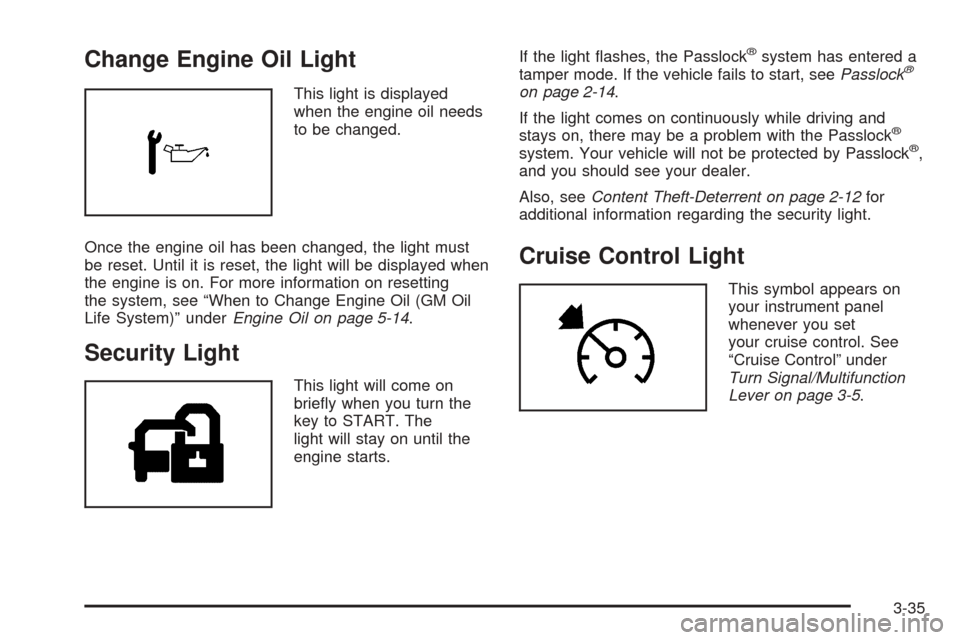
Change Engine Oil Light
This light is displayed
when the engine oil needs
to be changed.
Once the engine oil has been changed, the light must
be reset. Until it is reset, the light will be displayed when
the engine is on. For more information on resetting
the system, see “When to Change Engine Oil (GM Oil
Life System)” underEngine Oil on page 5-14.
Security Light
This light will come on
briey when you turn the
key to START. The
light will stay on until the
engine starts.If the light ashes, the Passlock
®system has entered a
tamper mode. If the vehicle fails to start, seePasslock®
on page 2-14.
If the light comes on continuously while driving and
stays on, there may be a problem with the Passlock
®
system. Your vehicle will not be protected by Passlock®,
and you should see your dealer.
Also, seeContent Theft-Deterrent on page 2-12for
additional information regarding the security light.
Cruise Control Light
This symbol appears on
your instrument panel
whenever you set
your cruise control. See
“Cruise Control” under
Turn Signal/Multifunction
Lever on page 3-5.
3-35