center console CHEVROLET SSR 2005 1.G Owners Manual
[x] Cancel search | Manufacturer: CHEVROLET, Model Year: 2005, Model line: SSR, Model: CHEVROLET SSR 2005 1.GPages: 388, PDF Size: 2.5 MB
Page 59 of 388

Keys...............................................................2-3
Remote Keyless Entry System.........................2-5
Remote Keyless Entry System Operation...........2-6
Doors and Locks.............................................2-9
Door Locks....................................................2-9
Power Door Locks........................................2-10
Programmable Automatic Door Locks..............2-10
Tailgate.......................................................2-11
Windows........................................................2-11
Power Windows............................................2-12
Sun Visors...................................................2-13
Theft-Deterrent Systems..................................2-13
Content Theft-Deterrent.................................2-13
Passlock
®....................................................2-15
Starting and Operating Your Vehicle................2-15
New Vehicle Break-In....................................2-15
Ignition Positions..........................................2-16
Retained Accessory Power (RAP)...................2-17
Starting Your Engine.....................................2-17
Automatic Transmission Operation...................2-19
Manual Transmission Operation......................2-21
Parking Brake..............................................2-23
Shifting Into Park (P)
(Automatic Transmission)............................2-24Shifting Out of Park (P)
(Automatic Transmission)............................2-25
Parking Your Vehicle
(Manual Transmission)...............................2-25
Parking Over Things That Burn.......................2-26
Engine Exhaust............................................2-26
Running Your Engine While You Are Parked.......2-27
Mirrors...........................................................2-28
Manual Rearview Mirror.................................2-28
Automatic Dimming Rearview Mirror
with HomeLink
®........................................2-28
Outside Power Heated Mirrors........................2-29
Outside Convex Mirror...................................2-29
Outside Automatic Dimming
Heated Mirror...........................................2-30
HomeLink
®Transmitter...................................2-30
HomeLink®..................................................2-30
Programming the HomeLink®..........................2-31
Storage Areas................................................2-35
Glove Box...................................................2-35
Cupholder(s)................................................2-35
Instrument Panel Storage Area.......................2-35
Center Console Storage Area.........................2-35
Map Pocket.................................................2-35
Section 2 Features and Controls
2-1
Page 62 of 388

One key is used for the
ignition, the doors and all
locks except the center
console and trailer hitch.
If you need a new key, contact your dealer for
assistance. In an emergency, contact Chevrolet
Roadside Assistance. SeeRoadside Assistance
Program on page 7-6for more information.
Notice:If you ever lock your keys in your vehicle,
you may have to damage the vehicle to get in.
Be sure you have spare keys.Center Console Storage Area Key
A separate key is
provided for locking
the center console
storage area.
2-4
Page 68 of 388
Power Door Locks
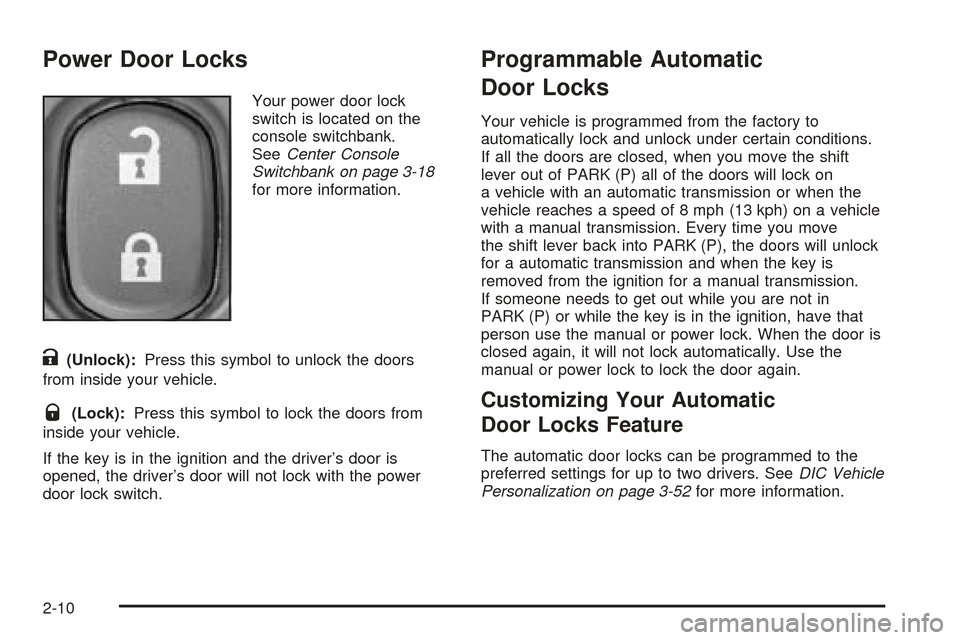
Your power door lock
switch is located on the
console switchbank.
SeeCenter Console
Switchbank on page 3-18
for more information.
K(Unlock):Press this symbol to unlock the doors
from inside your vehicle.
Q(Lock):Press this symbol to lock the doors from
inside your vehicle.
If the key is in the ignition and the driver’s door is
opened, the driver’s door will not lock with the power
door lock switch.
Programmable Automatic
Door Locks
Your vehicle is programmed from the factory to
automatically lock and unlock under certain conditions.
If all the doors are closed, when you move the shift
lever out of PARK (P) all of the doors will lock on
a vehicle with an automatic transmission or when the
vehicle reaches a speed of 8 mph (13 kph) on a vehicle
with a manual transmission. Every time you move
the shift lever back into PARK (P), the doors will unlock
for a automatic transmission and when the key is
removed from the ignition for a manual transmission.
If someone needs to get out while you are not in
PARK (P) or while the key is in the ignition, have that
person use the manual or power lock. When the door is
closed again, it will not lock automatically. Use the
manual or power lock to lock the door again.
Customizing Your Automatic
Door Locks Feature
The automatic door locks can be programmed to the
preferred settings for up to two drivers. SeeDIC Vehicle
Personalization on page 3-52for more information.
2-10
Page 70 of 388
Power Windows
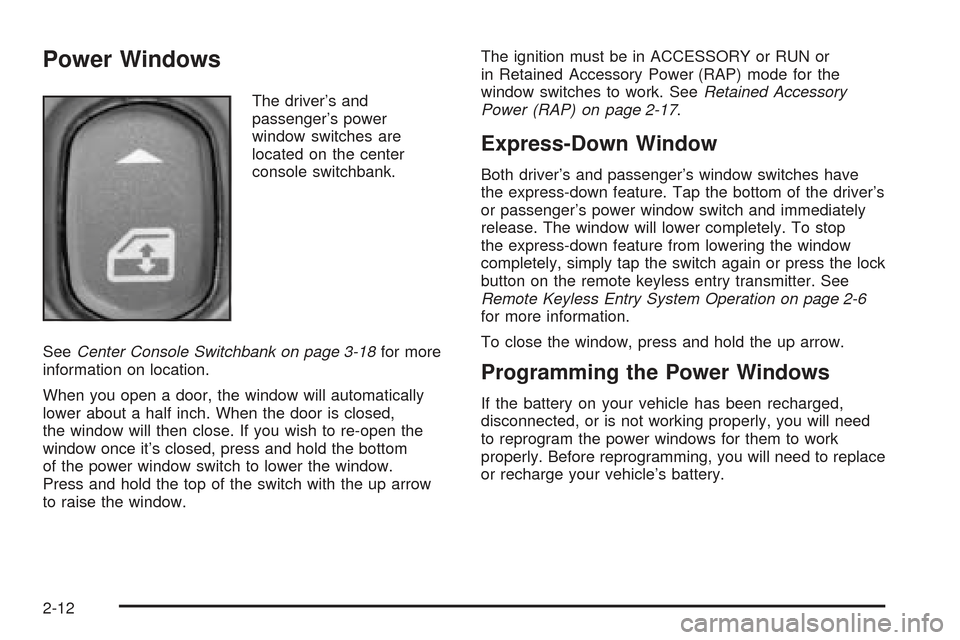
The driver’s and
passenger’s power
window switches are
located on the center
console switchbank.
SeeCenter Console Switchbank on page 3-18for more
information on location.
When you open a door, the window will automatically
lower about a half inch. When the door is closed,
the window will then close. If you wish to re-open the
window once it’s closed, press and hold the bottom
of the power window switch to lower the window.
Press and hold the top of the switch with the up arrow
to raise the window.The ignition must be in ACCESSORY or RUN or
in Retained Accessory Power (RAP) mode for the
window switches to work. SeeRetained Accessory
Power (RAP) on page 2-17.
Express-Down Window
Both driver’s and passenger’s window switches have
the express-down feature. Tap the bottom of the driver’s
or passenger’s power window switch and immediately
release. The window will lower completely. To stop
the express-down feature from lowering the window
completely, simply tap the switch again or press the lock
button on the remote keyless entry transmitter. See
Remote Keyless Entry System Operation on page 2-6
for more information.
To close the window, press and hold the up arrow.
Programming the Power Windows
If the battery on your vehicle has been recharged,
disconnected, or is not working properly, you will need
to reprogram the power windows for them to work
properly. Before reprogramming, you will need to replace
or recharge your vehicle’s battery.
2-12
Page 77 of 388

Automatic Transmission Operation
Your automatic transmission has a shift lever located
on the center console.
There are several different positions for your shift lever.
PARK (P):This position locks your rear wheels. It is
the best position to use when you start your engine
because your vehicle cannot move easily.
{CAUTION:
It is dangerous to get out of your vehicle if the
shift lever is not fully in PARK (P) with the
parking brake rmly set. Your vehicle can roll.
Do not leave your vehicle when the engine is
running unless you have to. If you have left the
engine running, the vehicle can move suddenly.
You or others could be injured. To be sure your
vehicle will not move, even when you are on
fairly level ground, always set your parking
brake and move the shift lever to PARK (P). See
Shifting Into Park (P) (Automatic Transmission)
on page 2-24. If you are pulling a trailer, see
Towing a Trailer on page 4-35.
Ensure the shift lever is fully in PARK (P) before
starting the engine. Your vehicle has an automatic
transmission shift lock control system. You have to
fully apply your regular brakes before you can shift
from PARK (P) when the ignition key is in RUN.
2-19
Page 86 of 388

Mirrors
Manual Rearview Mirror
The vehicle may have a manual rearview mirror. While
sitting in a comfortable driving position, adjust the mirror
so you can see clearly behind your vehicle. Grip the
mirror in the center to move it up or down and side to
side. The control at the bottom of the mirror is the
day/night feature that allows adjustment to the mirror so
that the glare of headlamps from behind is reduced.
Push the control for daytime use; pull it for night use.
Automatic Dimming Rearview Mirror
with HomeLink
®
The vehicle may have an automatic dimming rearview
mirror with map lamps and HomeLink®Transmitter
buttons. For more information about this feature, see
HomeLink
®on page 2-30.
While sitting in a comfortable driving position, adjust
the mirror so you can see clearly behind your vehicle.
Grip the mirror in the center to move it up or down
and side to side.
Mirror Operation
The mirror automatically changes to reduce glare from
headlamps behind you. A time delay feature prevents
rapid changing from the day to night positions while
driving under lights and through traffic.
[(On/Off):The automatic dimming feature is
automatically activated when the vehicle is started.
The automatic dimming feature is turned on or off
by pressing this button located on the lower part
of the mirror. Press and hold the button for up to
three seconds to turn this feature on or off.
T(Indicator Light):This light will turn on when the
automatic dimming feature is on.
+(Map Lamps):Press this button to turn the map
lamps on and off.
Press the two outside mirror buttons to light the
transmission positions on the console.
Cleaning the Mirror
When cleaning the mirror, use a paper towel or similar
material dampened with glass cleaner. Do not spray
glass cleaner directly on the mirror as this could damage
the mirror housing.
2-28
Page 93 of 388

Storage Areas
Glove Box
To open the glove box, pull on the lever. Use your
door key to lock or unlock it.
Cupholder(s)
Your vehicle has one cupholder located on your
instrument panel and one cupholder that is removable
and snaps to the passenger’s side of the center console
in the bracket provided.
To open the cupholder on the instrument panel, push
in the center of the cupholder door. The cupholder
will then release and move outward toward you for
use. To return the cupholder to its closed position,
push in the center of the cupholder door near the top.
If you press in the center middle of the cupholder
door, the cupholder will not close properly.
Instrument Panel Storage Area
There is a storage tray located to the right of the
steering wheel on the instrument panel. Press on the
tray to release it. The tray will slide out of the instrument
panel toward you. You can then put small items into
the tray. To close the tray, push forward on the center of
the tray until it latches back into the instrument panel.
Center Console Storage Area
Your center console has a storage area that can be
locked and unlocked with the center console storage
key. SeeKeys on page 2-3for more information.
Map Pocket
The map/storage pockets are located on both the driver
and passenger side doors.
2-35
Page 109 of 388

8. Insert one of the D-rings through the bracket and
locking plate and loosely tighten it to the side rail.
Be sure to use the D-rings supplied with the
side-saddle storage system that have 0.3 inches
(8 mm) studs. Using other D-rings will not work
because the studs will be too long and the storage
bins will not be secured properly. If you need
additional D-rings and locking tabs, contact
your dealer.
9. Loosely install the three wing nuts on the studs in
the bottom of the storage bin.10. Once the bin has been situated properly, fully
tighten the three wing nuts in the bottom of
the bin and the D-ring on the side rail.
11. Install the locking lid on the storage bin.
Each storage bin is delivered with two keys.
If additional keys are needed, your dealer can
create them using the key code imprinted on
each key.
12. Repeat the above steps to install the other
storage bin.
To remove the storage bin(s), reverse the previous steps.
Be sure to load items in the cargo area according to
the proper load limits. SeeLoading Your Vehicle
on page 4-29for more information.
Convertible Top
Operate the convertible top by pressing the convertible
top switch located on the console switchbank. See
Center Console Switchbank on page 3-18for more
information on location.
2-51
Page 111 of 388

Lowering the Convertible Top
Notice:If you operate the convertible top switch
continuously while the ignition is in ACCESSORY,
the battery will drain and you might not be able
to start your vehicle. Do not use the convertible
top switch for extended periods of time when
the ignition is in ACCESSORY.
The ignition must be in RUN or ACCESSORY, your
foot must be on the brake, and the vehicle must
be stopped in order to lower the convertible top.
a(Top Open):Press and hold this symbol
on the convertible top switch located on the center
console switchbank to open the convertible top.
The windows will lower automatically when the top
begins to lower. Two chimes will sound when the
convertible top is fully opened.
A “Roof Cycle Timeout” message will display on the
Driver Information Center (DIC) and the convertible
top will stop moving when the programmed time limit
is exceeded for the lowered position. See “Roof
Cycle Timeout” underDIC Warnings and Messages
on page 3-45.If the convertible top cannot be lowered using the
convertible top switch, the fuse may need to be
replaced. SeeFuses and Circuit Breakers on page 5-84
for more information.
If the convertible top still does not operate, contact your
GM dealer.
Roof Tonneau
Notice:Opening the cargo cover manually when the
convertible top is not in the full-open or full-closed
position could damage the tonneau cover and the
convertible top. Always make sure the convertible
top is in the full-closed or full-opened position before
manually opening the cargo cover.
The vehicle has a roof tonneau that is raised or lowered
along with the convertible top using the convertible
top switch.
If roof tonneau does not raise or lower when using the
convertible top switch, verify that the cargo cover is
closed. The roof tonneau will not raise or lower if the
cargo cover is open. SeeCargo Cover on page 2-36and
for more information. There will also be a message
displayed on the on the Driver Information Center (DIC).
SeeDIC Warnings and Messages on page 3-45for more
information on possible DIC messages and how to clear
them from the display.
2-53
Page 112 of 388

If the cargo area is closed and the roof tonneau does
not raise or lower, check to see if a fuse is blown.
SeeFuses and Circuit Breakers on page 5-84for more
information.
Contact your GM dealer if the roof tonneau still does not
raise or lower after replacing the fuse.
The roof tonneau can manually be raised or lowered in
the event of a power loss. SeeRaising the Convertible
Top on page 2-54for instructions.
Raising the Convertible Top
Notice:If you operate the convertible top switch
continuously while the ignition is in ACCESSORY,
the battery will drain and you might not be able
to start your vehicle. Do not use the convertible
top switch for extended periods of time when
the ignition is in ACCESSORY.
The ignition must be in RUN or ACCESSORY, your
foot must be on the brake, and the vehicle must
be stopped in order to raise the convertible top.
b(Top Closed):Press and hold this symbol on
the convertible top switch located on the center console
switchbank to close the convertible top. Two chimes
will sound when the top is fully closed.A “Roof Cycle Timeout” message will display on the
Driver Information Center (DIC) and the convertible top
will stop moving when the programmed time limit is
exceeded for the raised position. See “Roof Cycle
Timeout” underDIC Warnings and Messages on
page 3-45.
If the convertible top cannot be raised by using the
convertible top switch, the fuse may need to be
replaced. SeeFuses and Circuit Breakers on page 5-84
for more information.
If the convertible top still cannot be lowered or raised,
contact your GM dealer.
The roof tonneau and convertible top can be raised in
the event of a power loss. Two people are needed to lift
the roof tonneau and convertible top when using the
following procedure.
1. Turn the ignition to OFF.
2. Open both doors.
3. In the area behind the seats, locate the two sets of
cables behind the carpet aps. The cables on the
driver’s side are located behind the tire inator
kit. The tire inator kit must be removed to access
the cables. SeeTire Inator Kit on page 5-68
for instructions on how to remove the tire inator kit.
2-54